Best Sneaker Proxies in 2026: Which Type Works on Nike & Adidas Drops

If you've ever hit checkout on a hyped release and gotten an instant error, a CAPTCHA wall, or just radio silence, there's a good chance the problem wasn't your bot. It was your proxy setup.
This is the part most people underinvest in. They spend hours researching bots, cook groups, and release strategies, then throw any residential proxy at the problem and wonder why their success rate is garbage. The proxy layer isn't a formality. It's the thing that determines whether your tasks even reach the site legitimately.
This guide covers everything you actually need:
What sneaker proxies are
Which type fits which drop
How to set them up properly
What to check before you go live.
TL;DR
A sneaker proxy hides your real IP so you can run multiple bot tasks without triggering bans or rate limits.
Mobile LTE/5G proxies carry the highest trust score on Nike, Adidas, and Shopify; use them for high-stakes drops.
Residential rotating proxies are best for restock monitoring, price tracking, and automation at scale.
Always check IP reputation before a drop; a dirty IP fails before the queue even opens.
CyberYozh combines proxies, IP fraud checks, and SMS activation in one platform, no juggling multiple vendors.
Match your proxy type to the task; the wrong pairing costs you the drop regardless of bot quality.
What is a Sneaker proxy
A sneaker proxy is a server that routes your bot’s traffic through a different IP address, so instead of a site seeing 50 requests from one IP (yours), it sees 50 requests from 50 different IP addresses, each appearing to be a separate user.
How Sneaker bot proxies work
When your bot sends a purchase request to Nike or Adidas, those platforms aren't just checking whether you clicked "add to cart" at the right time. They're watching IP frequency, geographic origin, session behavior, request headers, device fingerprints, and a stack of other behavioral signals, most of which are processed by bot-detection systems like Akamai Bot Manager before your request even reaches the checkout logic.
If multiple requests come from the same IP within a short window, the system treats them as bot activity and responds accordingly, such as rate limiting, CAPTCHA challenges, or a hard ban on that IP.
“A proxy breaks that pattern. Instead of one IP sending 30 tasks, 30 different IPs each send one. From the platform's perspective, those could all be real users in different locations. That's the goal.”
What separates a useful proxy from a wasted one isn't just "it hides your IP." It's the quality of the IP itself, how clean it is, what network it comes from, whether it's been flagged before, and whether the session behavior looks like a real person.
Why can't you run a serious drop without proxies
Nike SNKRS, Adidas Confirmed, and Shopify-based boutiques all use multi-layer detection that operates at the network level, not just the page level.
Running a bot from a single residential IP might get you through one task. It won't get you thirty.
Beyond detection, many limited drops use region-specific queues or inventory pools.
Without geo-targeted proxies, you might not even be hitting the right storefront. Your bot might be technically functional, yet missing every drop because its IP address resolves to the wrong country.
What are the types of Sneaker proxies & when to use each one
Most guides list proxy types, such as a product catalog. What actually matters is matching the proxy to the task. Get that wrong, and none of the other setup details save you.
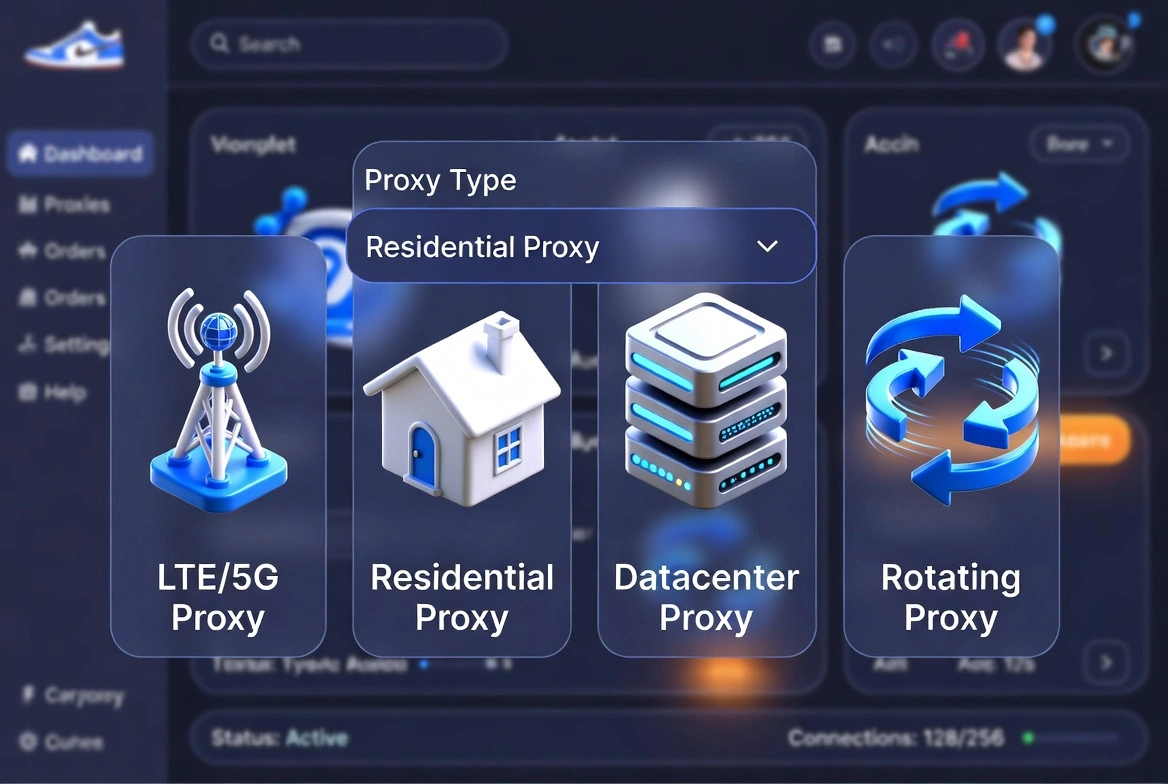
Mobile LTE/5G Proxies: Best for high-trust drops
Mobile proxies route your traffic through real LTE and 5G carrier networks. The IPs are indistinguishable from those generated by a real person on their phone because, technically, they are generated by real carrier infrastructure.
For high-stakes drops on Nike, Adidas, Supreme, and Shopify boutiques, mobile proxies are your strongest option. If trust sensitivity is the variable, this is where you start.
The tradeoff is cost. Mobile proxies are more expensive than residential or datacenter, typically priced per connection per day rather than per gigabyte.
For a hyped drop where one missed cop costs more than the proxy did, that math usually works in your favor. For low-sensitivity monitoring tasks, it probably doesn't.
Advantage: Bot detection systems on platforms like Nike SNKRS and Adidas treat mobile carrier IPs with significantly more trust than datacenter addresses, and often more than residential ones too. When the system sees a mobile IP, it defaults to assuming a real user. That assumption is hard to override, and it's the one you want working in your favor.
Residential rotating proxies: Best for monitoring and scale
Residential rotating proxies draw from large pools of real ISP-sourced IPs and rotate automatically between requests or sessions. You're not locked to one IP; you're pulling from a pool that can run into the tens of millions, constantly shifting your footprint.
This makes them the right call for restock monitoring, automated price tracking, account registration workflows, and large-scale scraping.
You're running many tasks across a wide IP surface, and constant rotation keeps individual IPs from accumulating flags.
Residential proxy networks vary significantly in quality. Pool size is the headline number, but what actually matters is how IPs are sourced, maintained, and monitored for abuse signals.
Advantage: Session control is worth paying attention to here. Good residential rotating setups let you configure sticky sessions, meaning one bot task retains the same IP address for a defined period, which matters when a site expects session continuity during a checkout flow. Rotation is your friend during the monitoring phase; sticky sessions are your friend during checkout.
Residential ISP proxies (static): Best for stable, long sessions
Static residential proxies sit between mobile and rotating options. You get one dedicated IP from a real ISP, not a datacenter, that stays consistent across sessions. No rotation, no IP changes mid-task.
Uptime on static ISP proxies is typically very high. You're paying for consistency, and that's what you get.
Advantage: For workflows that require persistent identity over time, regional access testing, QA, behavioral testing, or any session that needs to appear as the same returning user, this is the right setup. You're trading flexibility for stability, and on the right task, that's the right trade.
Datacenter proxies: Best for speed-critical or budget tasks
Datacenter proxies are fast, cost-efficient, and dedicated.
They don't come from carrier networks or ISPs; they come from corporate server infrastructure, which makes them easier to identify as non-residential traffic.
That doesn't make them useless.
Advantages: For speed-critical tasks, bulk operations, bot testing, and cost-efficient automation where detection sensitivity is lower, datacenter proxies are genuinely the right tool. They're just not the right tool for a hyped Nike drop. If you use them there, you'll find out quickly.
Quick reference: Proxy type by task
Task | Best Proxy Type | Reason |
Limited drops (Nike, Adidas, Shopify) | Mobile LTE/5G | Highest trust, real carrier network |
Restock monitoring & price tracking | Residential Rotating | Wide IP surface, session control |
Long-running sessions & QA testing | Residential ISP (Static) | Stable identity, real ISP source |
Bot testing & bulk automation | Datacenter | Speed, cost efficiency |
Account registration workflows | Residential Rotating | Large pool, rotation reduces flags |
Already know which proxy type you need? Check your IP reputation before you load anything into your bot. CyberYozh's fraud score tool lets you verify IPs before you run, not after something breaks.
How to choose the right Sneaker proxy
Picking the proxy type is step one. But there are a few more factors that separate a setup that works from one that doesn't.
Network Type, Session Control, and IP Reputation
Three things determine whether a proxy performs on drop day:
Network type: Mobile, residential, or datacenter.
Session control: Whether you need sticky sessions (same IP held throughout a task) or rotation (IP changes between requests). Most sneaker bot tasks need sticky sessions through checkout. Rotation belongs in your monitoring and scraping phases, not your purchasing flow.
IP reputation: An IP that's been used aggressively by previous users, pulled from a recycled pool, or flagged for abuse could be on a site's blocklist before you start your run. You don't know that until you try to go live, and by then the window is gone.
Why you should check IP reputation before every drop
The smarter approach is to check your IPs before you commit them to a task.
Fraud score tools give you a read on an IP's reputation, complaint history, and risk signals ahead of time, not after a ban has already cascaded through your task list.
Think of it as a pre-flight check. You're not guessing whether an IP is clean. You're verifying it with actual data.
That one step removes a significant percentage of failed tasks that most people blame on the site or the bot.
Proxy-to-task ratio
One proxy per task is the standard, and it's the right default.
Some Shopify-based drops tolerate a slightly lower ratio depending on how aggressive their detection is, but don't push it without knowing your specific setup's limits.
More importantly, make sure your proxies span different subnets. Clustering tasks on IPs from the same subnet range is almost as visible as running them from a single IP.
Sneaker proxy setup guide
Don't worry if some of this looks technical at first glance. Most sneaker bot proxies include a proxy import field in the dashboard. It usually takes about two minutes to paste your list in and configure the session settings. Here's what each step actually means.
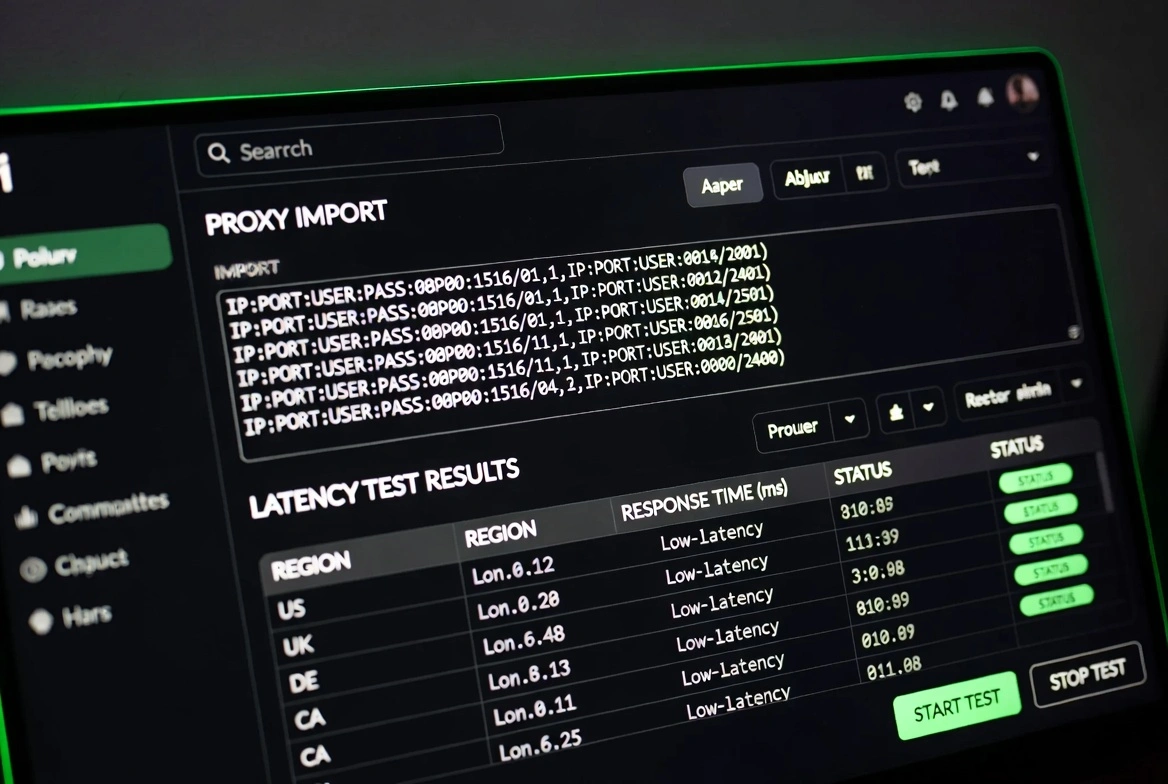
Step 1: Check IP reputation before you load anything
Before your proxies go into your bot, run them through a reputation check.
You want to know: if this IP has been flagged, does it carry a high fraud score, and is it coming from a range that's already on common blocklists.
This takes a few minutes. It can save an entire drop.
Step 2: Format and load your proxies
Most bots accept proxies in one of these two formats: “ip:port:username:password or username:password@ip:port.”
Your bot's documentation will specify which one.
When selecting a protocol, go with SOCKS5 where available; it's more flexible than HTTP and handles non-HTTP traffic better, which matters for some bot architectures.
HTTP works fine for most standard configurations.
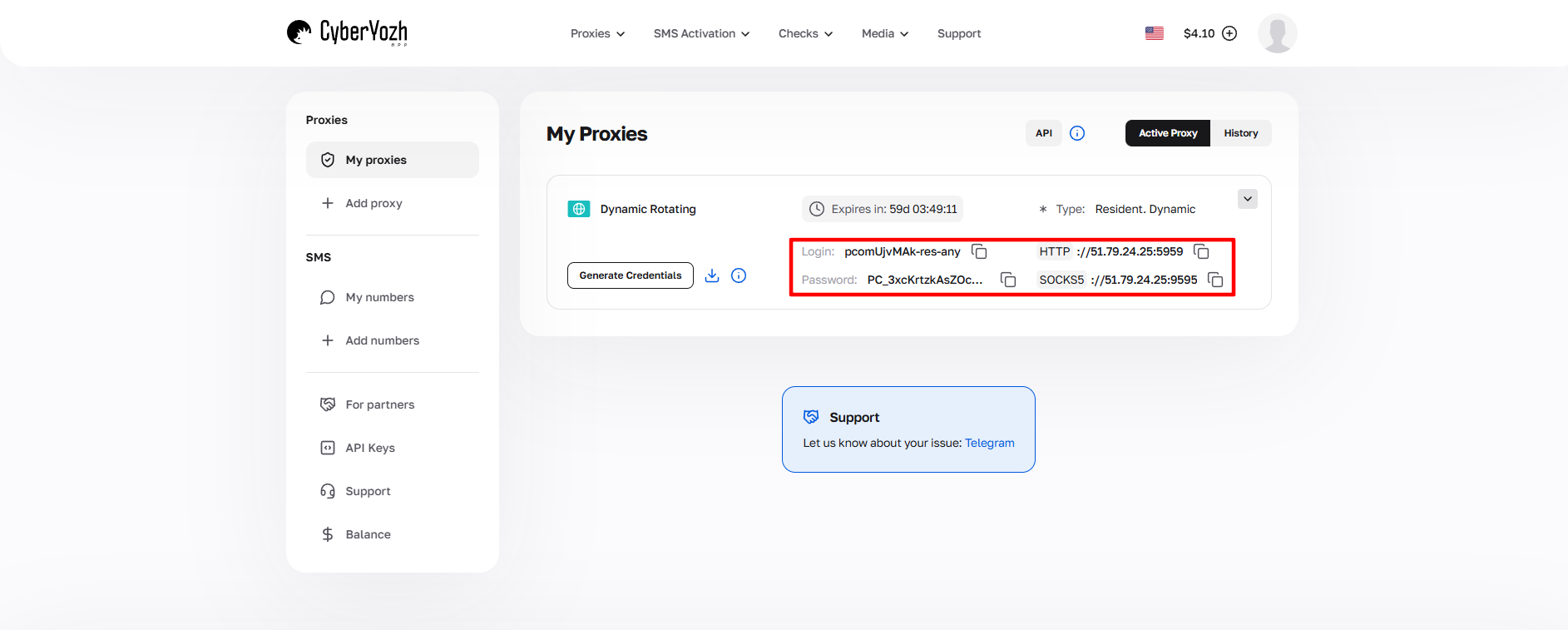
Shopify sites are session-sensitive.
Use sticky sessions where your proxy provider supports them, assign one proxy per task, and make sure geo-targeting is set correctly, especially for region-restricted drops.
SOCKS5 is the preferred protocol if your bot supports it. Set up for Nike SNKRS and Adidas confirmed
Both platforms have aggressive network-level detection.
Mobile proxies are strongly preferred here.
If your proxy provider supports OS fingerprint switching (which controls how the device signature is presented alongside the IP address), enable it.
It adds another layer of authenticity.
Keep sessions stable through checkout.
Don't rotate mid-task.
Step 3: Test before the release
Run a dry test before any major drop. Three things to check:
Latency: Under 100ms for your target region is a reasonable working benchmark
Geo-targeting accuracy: Confirm the IP resolves to the right country/region using a geo-check tool
Session stability: check if the sticky session holds for the expected task duration.
The sneaker community has extensively discussed proxy testing approaches. Botbroker's proxy checker is one commonly referenced community tool for pre-drop validation.
Step 4: API control for automation workflows
If you're running at any real scale, manual proxy management becomes the bottleneck.
API-based rotation and session switching let you handle proxy logic directly in your scripts, switching IPs on trigger, configuring session length, and integrating proxy selection into your automation stack.
“This applies to anyone using Selenium, Playwright, Puppeteer, Scrapy, or Postman. Your proxy layer should be part of your automation flow, not something you manage separately in a dashboard between runs.”
Why CyberYozh works for Sneaker workflows
There's no shortage of proxy providers making noise about pool sizes and success rates. The operational difference with CyberYozh isn't a single feature; it's the platform's structure and how that structure affects your drop-day workflow.
Mobile LTE/5G proxies built for high-trust environments
CyberYozh's mobile proxies run through real LTE and 5G carrier networks.
Each connection gets a dedicated channel, meaning your IP history isn't mixed with other users' activity.
The platform also supports OS fingerprint switching, which lets you control how the device signature presents alongside the network IP.
For platforms that fingerprint at the device level, not just the network level, that's a meaningful additional layer.
Pricing starts at $1.7/day with unlimited traffic.
VPN and VLESS configurations are supported for workflows that need them.
A proxy pool that's actively maintained
The residential pool covers over 50 million IPs across 100+ countries.
IPs are monitored for abuse signals, evaluated for reputation, and rotated out when flagged; they're not recycled back into the active pool after being burned.
“A lot of providers inflate pool statistics with addresses that sites have already seen and flagged. An actively managed pool of clean IPs consistently outperforms a larger pool of recycled IPs in practice. That's the operational difference.”
One platform instead of four separate tools
Here's the comparison that actually matters for anyone running a serious sneaker operation, as a typical setup involves:
A proxy provider
A separate SMS verification service
A third-party IP reputation lookup tool
Manual fraud checks are scattered across different browser tabs.
“Each additional vendor is an additional integration point, an additional source of unknown IP history, and an additional thing that can break on drop day.”
CyberYozh brings all of it into one platform:
Mobile, residential ISP, residential rotating, and datacenter proxies
SMS activation for account verification workflows,
Fraud-risk evaluation for IPs, phone numbers, and bank cards.
One dashboard. One API. One control layer.
“That consolidation isn't a convenience feature. It means you're working with a consistent IP history across the platform, no integration conflicts between tools, and a single place to verify your entire setup before going live. For anyone who's had a drop fail because of a coordination problem between tools, that's the practical difference.”
Fraud score and IP checks before you run
This is the capability most proxy providers simply don't offer.
Before committing IPs to a run, you can check reputation, complaint history, and fraud indicators directly inside CyberYozh, no third-party tool required.
The same applies to phone numbers via SMS activation and bank card risk signals.
The result is a workflow shift: verify first, then execute. That's not a small change. It removes a significant source of failed tasks and wasted drop windows.
API-ready for serious automation
The full platform is accessible via API, which means proxy management, IP rotation, and session control can be built directly into your automation scripts.
Compatible with Selenium, Playwright, Puppeteer, Scrapy, and Postman, you're not limited to dashboard usage.
Transparent Pricing
Mobile proxies: From $1.7/day with unlimited traffic
Residential ISP (static): From $5.29/month with unlimited traffic, 99.9% uptime
Residential rotating: From $0.9/GB with 50M+ IPs, free geo-targeting
Datacenter: From $1.9/month with unlimited traffic, dedicated IP
Payment:
Visa, Mastercard, AMEX, Discover, and major crypto (BTC, USDT, TRC20/ERC20, ETH, TRX, MATIC, LTC, BNB, and others).
Instant top-up, no long-term commitment required.
Support runs 24/7 in 7 languages.s
Want to verify your IPs before the next drop instead of after? Check your proxy setup with CyberYozh.
Common Sneaker proxy mistakes
The bot doesn't cause most failed drops. The setup causes them. Here's what actually goes wrong, and how to avoid it.
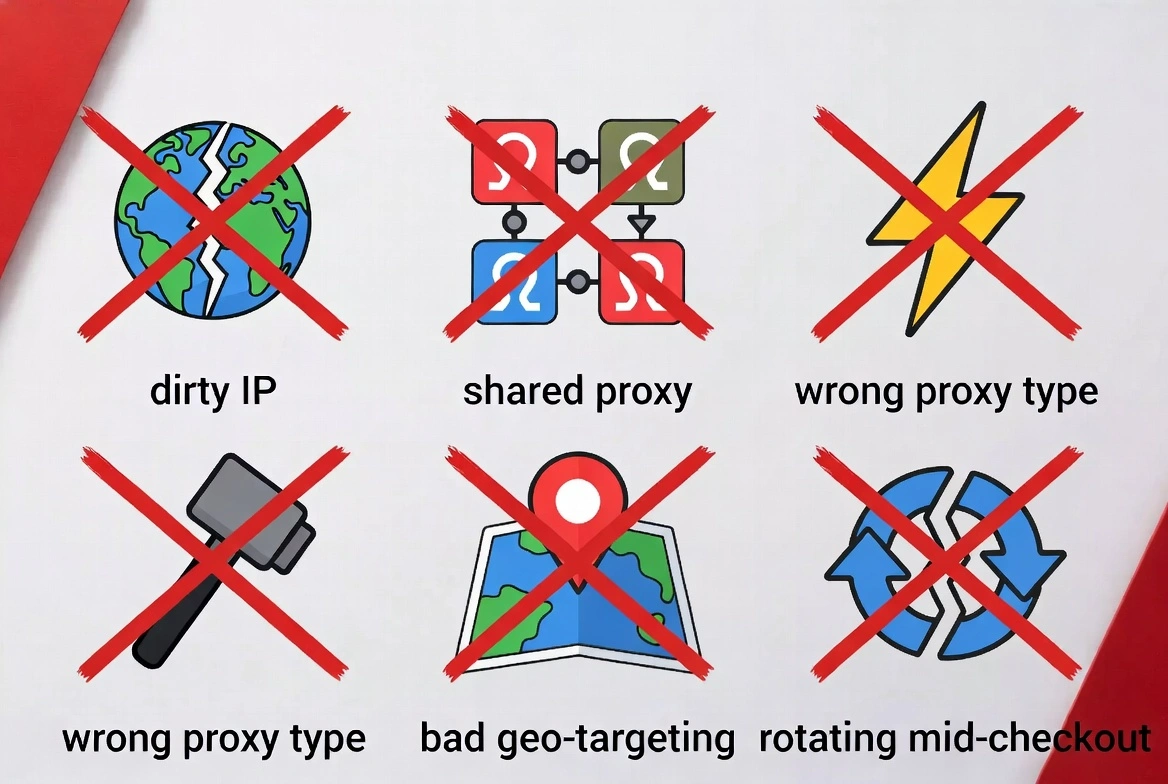
Running IPs without checking reputation first. You don't know what those IPs have been used for before they reached you. A pre-drop fraud score check costs a few minutes. A flagged IP costs you the drop entirely.
Using shared proxies on trust-sensitive platforms. Shared means other users' behavior travels with those IPs. On Nike or Adidas, shared proxy traffic is treated more aggressively than dedicated connections. Don't share on high-security drops.
Wrong proxy type for the task—datacenter proxies on a Supreme drop. Mobile proxies are used for low-sensitivity scraping that doesn't need them. Matching the proxy type to the task is the whole game; the table earlier in this article explicitly covers the mapping.
Ignoring geo-targeting. If a drop is region-restricted or uses regional inventory, your proxies need to resolve to the right location. Most residential rotating plans include free geo-targeting; use it.
Rotating IPs mid-task during checkout. Rotation is for monitoring and scraping phases. During checkout, session continuity matters. Configure sticky sessions for task-duration consistency, or you'll break the session at the worst possible moment.
Using multiple unconnected vendors. Each vendor is another integration point, another source of unknown IP history, another thing to manage under pressure. Consolidating reduces failure points and gives you consistent data across your whole setup.
Final thoughts on Sneaker proxy
The sneaker proxy space is full of providers who compete on pool size numbers and vague claims of success rates. In practice, what determines whether a drop works is simpler than the marketing suggests:
The right network type for the platform,
Clean IPs verified before the run,
Session control is configured properly,
A setup that doesn't introduce failure points between tools.
If you're treating your proxy layer as a checkbox rather than the infrastructure decision it actually is, you're leaving drops on the table, and the bot isn't the reason. Get the proxy setup right first. Verify your IPs before you go live. Match the network type to the task. Everything else builds on that foundation.
Explore proxy options and check IP reputation before your next drop