
Dolphin Anty Review: An Antidetect Browser for Multiaccounting
In affiliate marketing, e-commerce and crypto projects, infrastructure is just as important as offers, creatives and traffic sources. At the core of any multiaccounting setup are two essential tools: an antidetect browser and proxies. The first handles fingerprint spoofing and profile isolation, while the second provides a unique IP address and geolocation for each profile.
Cutting costs on proxies often leads to additional checks, restrictions and account bans. Free IP addresses have often been used by other users before and may already be listed in spam databases.
Paid proxies let you choose the right geo, connection type and avoid issues related to IP quality. This is especially important when working with advertising platforms.
In this review we'll take a closer look at Dolphin Anty, explore how it handles browser fingerprints and show you how to set up proxies from CyberYozh.
Fingerprint Spoofing in Dolphin Anty
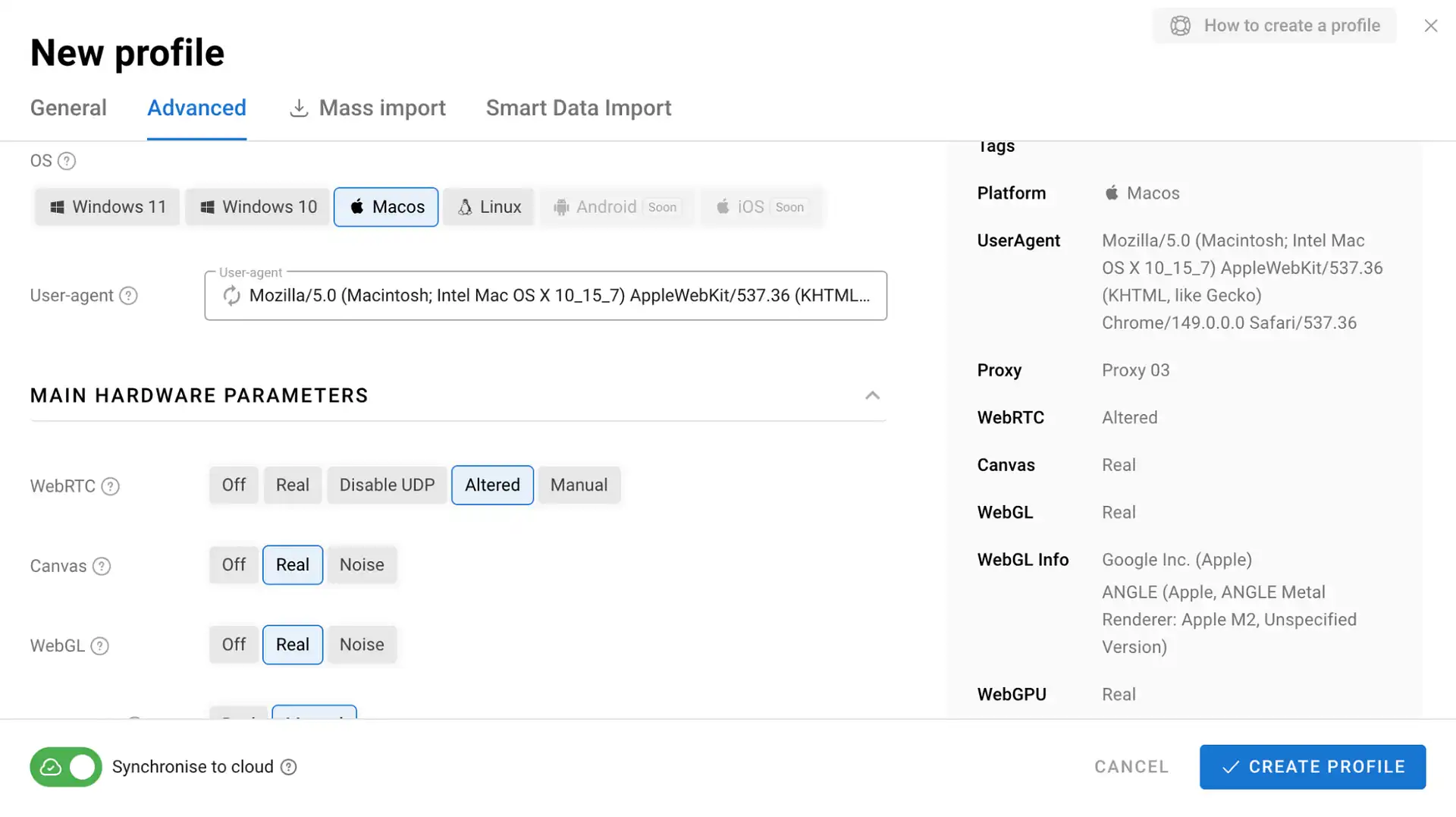
Dolphin Anty creates an isolated environment for each profile, making websites and advertising platforms see it as a separate device. This is achieved through complete separation of cookies, local storage, browsing history and active sessions.
The browser also spoofs key fingerprint parameters, including User-Agent, timezone, interface language, screen resolution, WebRTC, Canvas, WebGL, installed fonts and more. At the same time, it keeps these parameters consistent, since modern antifraud systems evaluate device characteristics as a whole rather than checking individual signals in isolation.
However, even the most reliable fingerprint is not enough on its own. If multiple profiles connect through the same IP address, antifraud systems can quickly identify the link between them. That's why proxies remain a critical part of any multiaccounting setup.
Proxy Management in Dolphin Anty
There are several ways to add proxies to Dolphin Anty. Here's how it works with CyberYozh.
Step 1: Register with CyberYozh
After creating an account in the CyberYozh dashboard, you can choose the proxy type that fits your workflow.
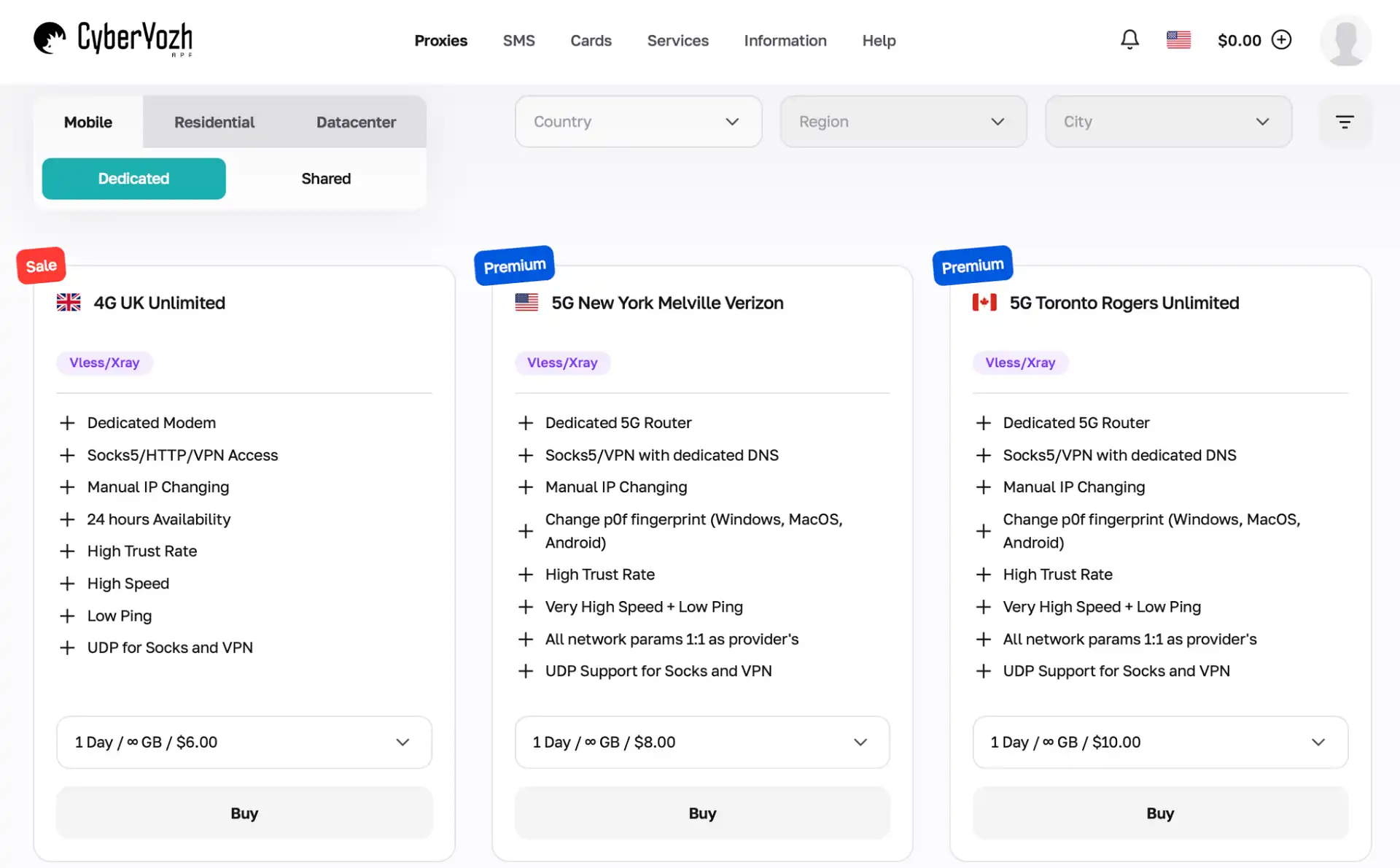
Once your purchase is complete, you'll receive all the connection details: IP address, port, username and password.
Step 2: Add Proxies to Dolphin Anty
There are two ways to connect proxies in Dolphin Anty.
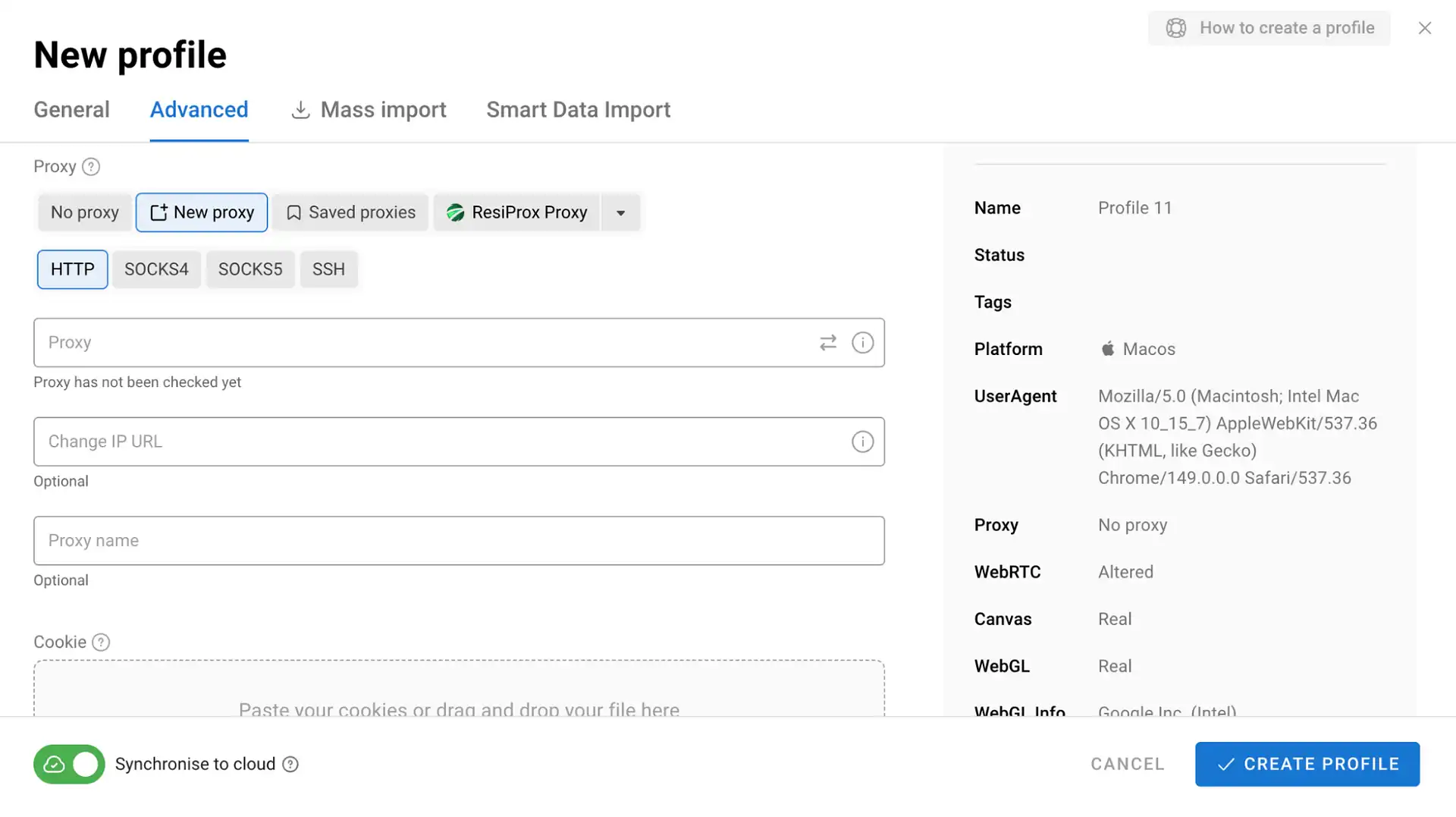
Option 1: Add a proxy while creating a new profile. Simply click "Create Profile," open the proxy settings section and enter your connection details.
Option 2: Use the dedicated proxy manager in the sidebar. Here you can add proxies individually or import them in bulk, which is especially useful when managing large numbers of accounts.
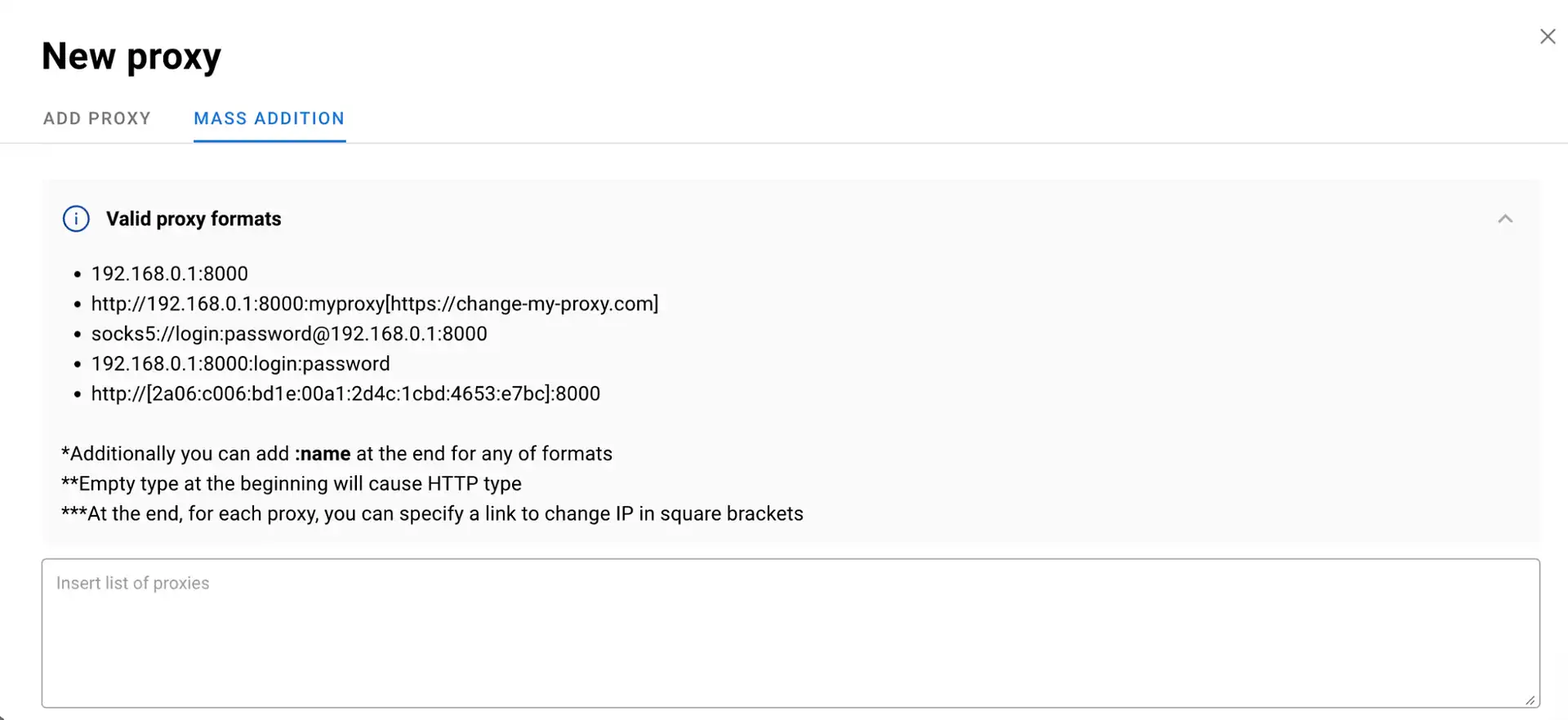
Just paste the proxy string into the quick input field and Dolphin Anty will automatically populate the IP address, port, username and password fields. You can also test proxies directly within the browser before assigning them to profiles.
Step 3: Assign Proxies to Profiles
If you added proxies through the proxy manager, click "Select Proxy" while creating a new profile and choose the required connection from the list.
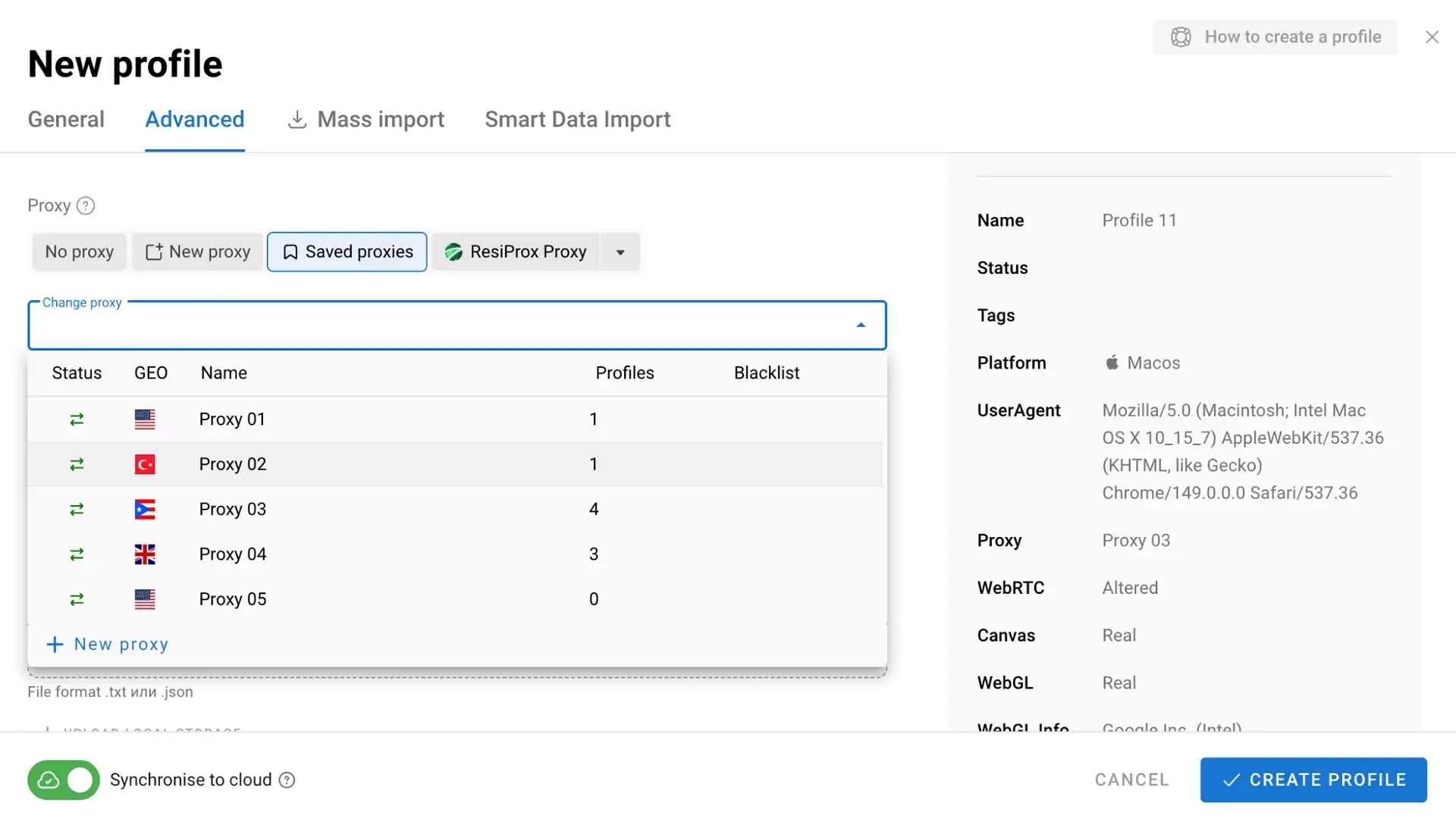
Once assigned, each profile gets its own IP address, while the language and timezone automatically adjust to match the selected location. This helps maintain a consistent fingerprint and properly isolate accounts.
Dolphin Anty Interface
Dolphin Anty remains easy to navigate regardless of how many profiles you're managing. Profiles can be organized into folders, tagged, assigned statuses and supplemented with notes. This makes it easier to separate projects, organize traffic sources and quickly find the accounts you need.
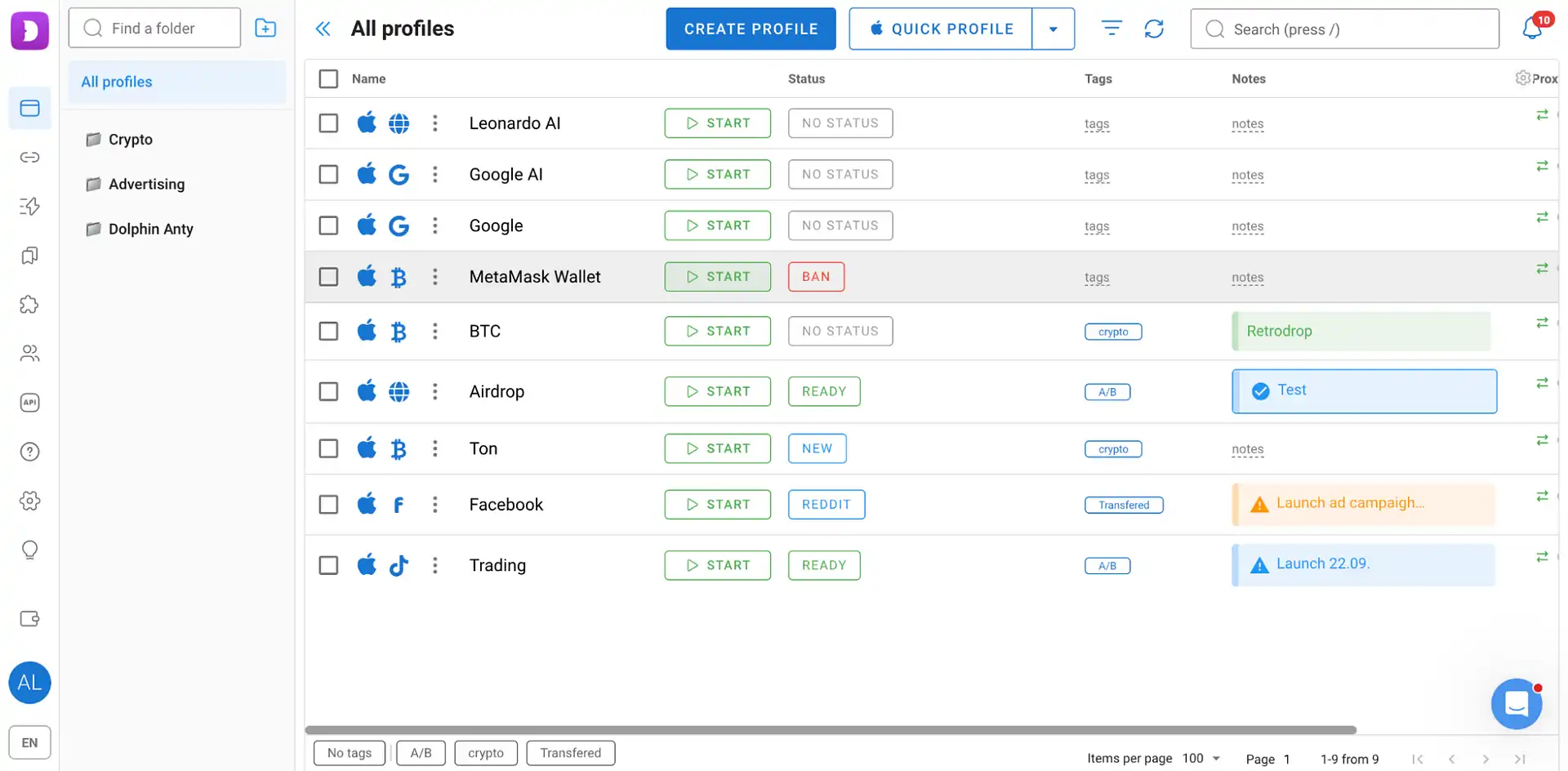
Built-in filters and search simplify navigation, while customizable columns let you display only the information that matters.
The browser also supports centralized management of bookmarks, extensions and start pages. You can configure a set of wallets, trackers, spy tools and internal tools once, then apply it across multiple profiles.
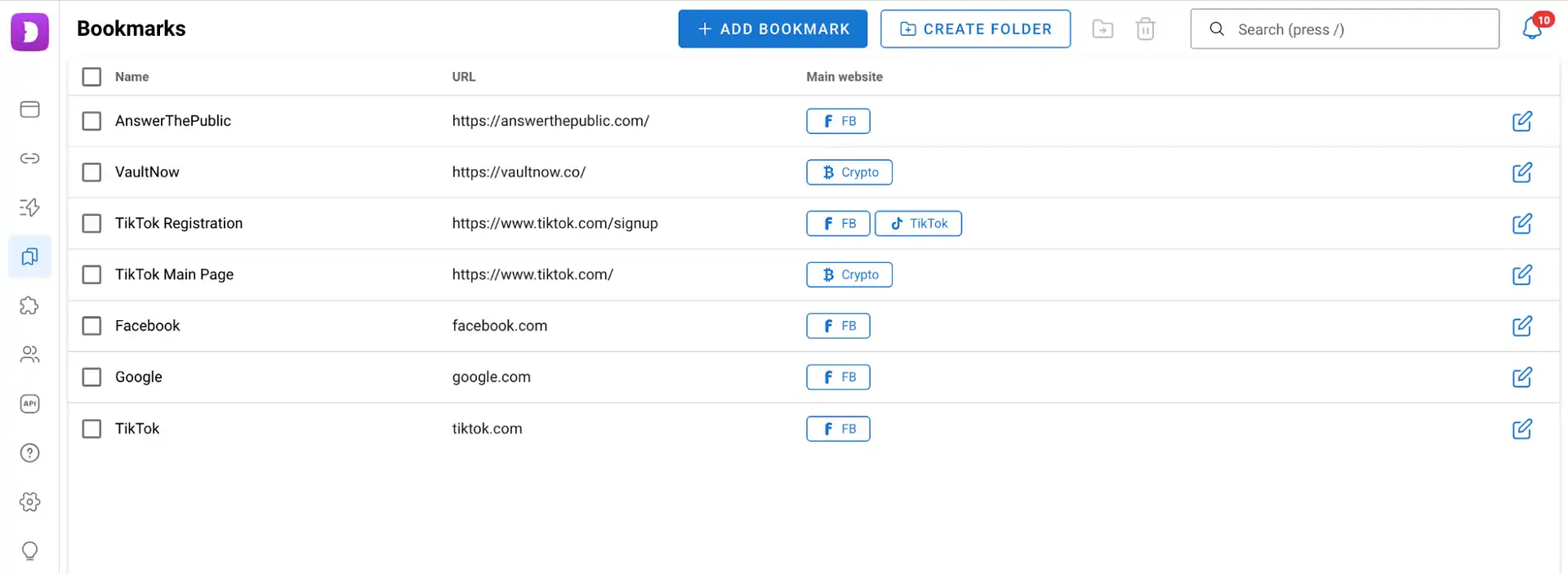
This approach eliminates repetitive setup work and makes scaling much easier.
Automation
Dolphin Anty includes tools designed to reduce manual work.
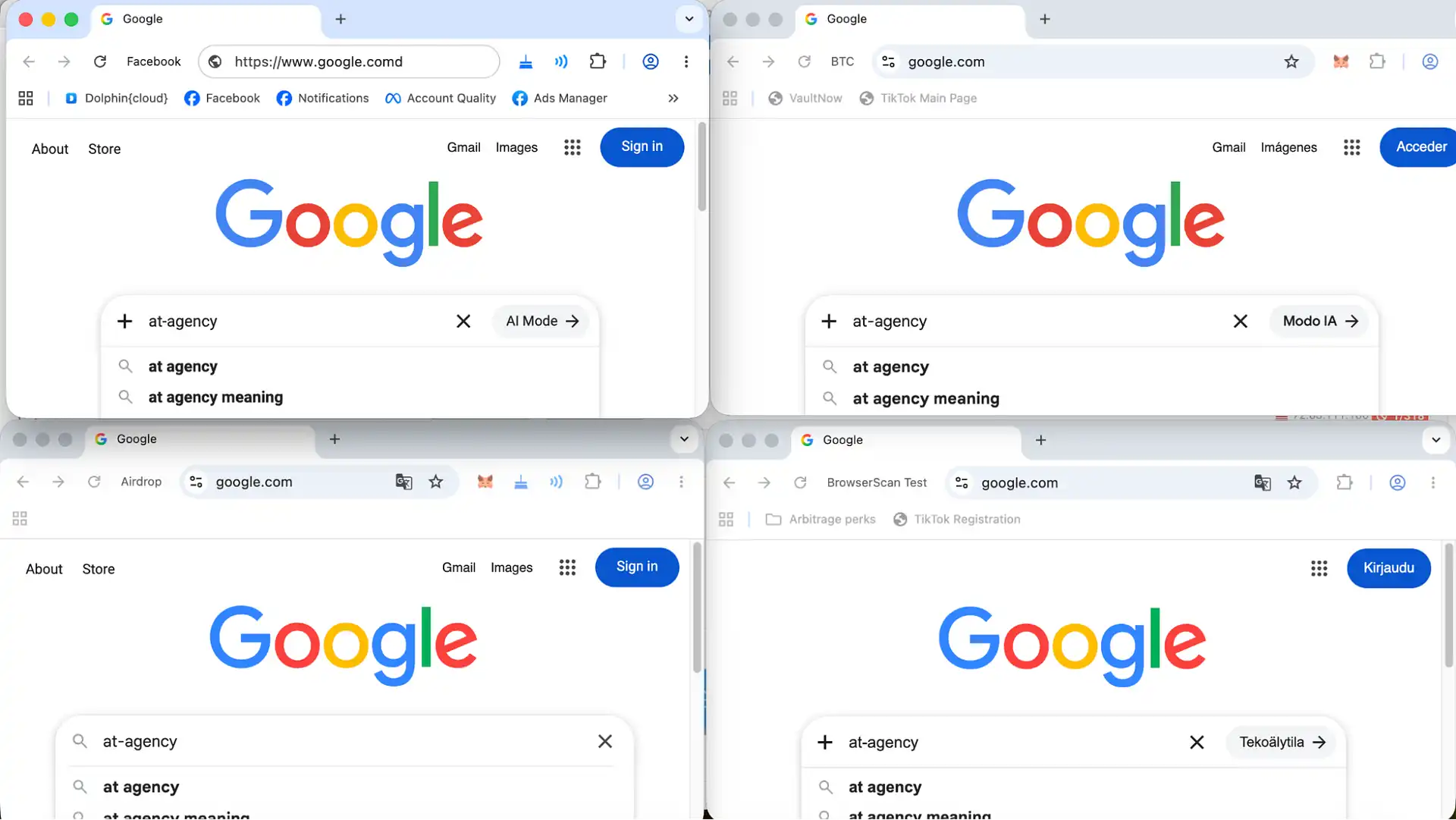
The synchronizer mirrors actions from one profile across multiple browser windows simultaneously. It's commonly used for account warm-up, feed browsing, website navigation and other repetitive tasks.
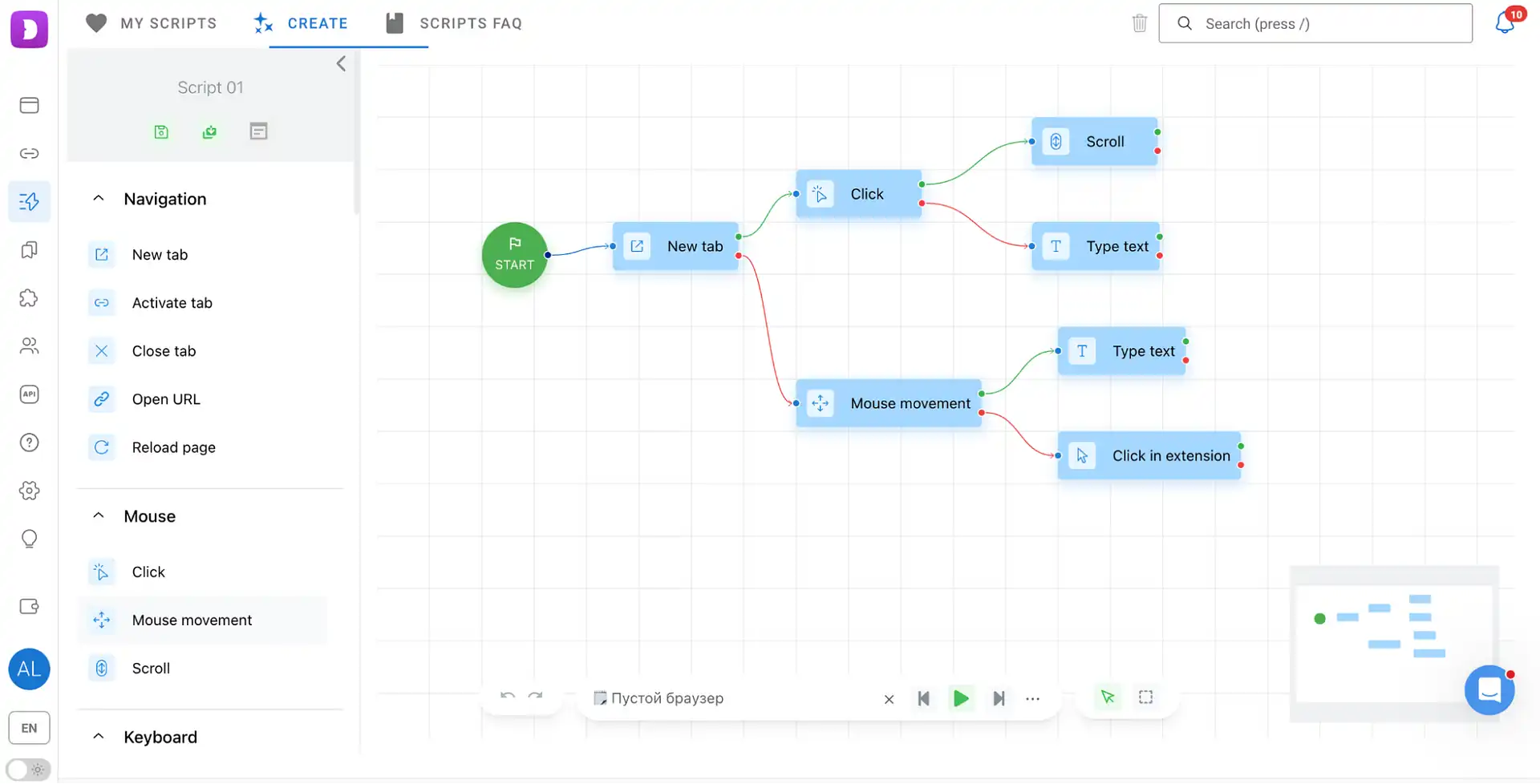
For workflow automation, Dolphin Anty offers scenarios. They allow you to build action sequences for account registrations, form submissions, website navigation and other repetitive tasks. No coding skills are required as everything is configured through a visual interface.
Another useful feature is the cookie robot. It visits websites and builds browsing history for newly created profiles.
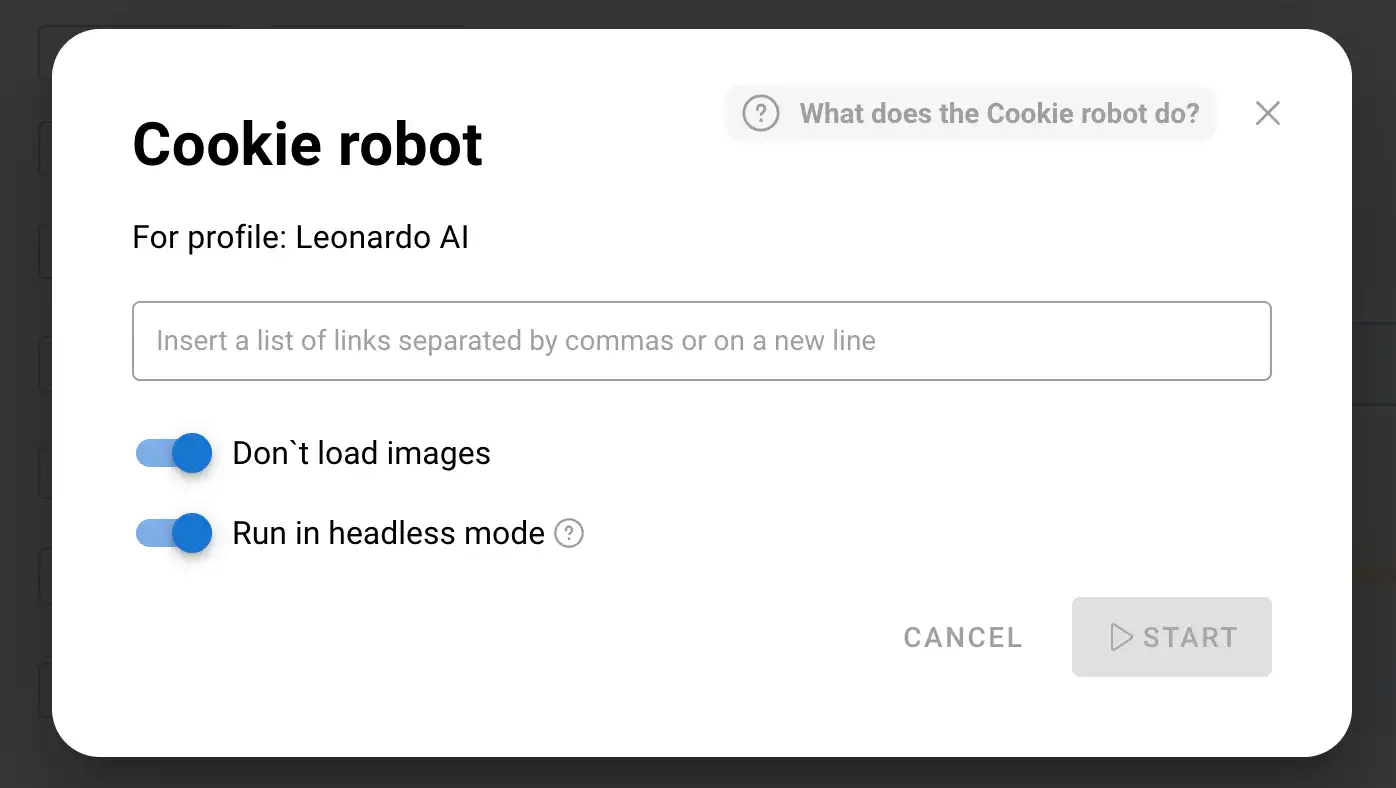
This helps prepare accounts for campaign launches and reduces the likelihood of additional antifraud checks.
Team Collaboration
Dolphin Anty supports collaborative workflows for affiliate teams and agencies through a role-based access system.
Admins have full control over the workspace: they manage users, assign team leads, configure roles and access all team profiles.
Team leads work only with users assigned to them by an admin. They can launch and edit their users' profiles but cannot create or delete users or modify account credentials.
Users can create and manage their own profiles, configure proxies and share profiles with teammates. Permissions for shared profiles can be customized by admins or team leads.
These features are especially useful when working across multiple traffic sources and managing larger teams.
Pricing
Dolphin Anty offers clear pricing options for both individual specialists and teams:
Free – up to 5 profiles at no cost, with no time limits or credit card required.
Starter – from $10 for 20 profiles, with the option to purchase additional profiles.
Base – $89 for 100 profiles.
Team – starting at $159 for collaborative workflows.
Enterprise – starting at $299 for larger teams and agencies.
Conclusion
When it comes to multiaccounting, results depend heavily on infrastructure quality. Dolphin Anty helps solve key challenges related to fingerprint spoofing, profile isolation, workflow automation and team collaboration. CyberYozh proxies complement the setup by providing each profile with a dedicated IP address and a stable network connection.