
Facebook Story Viewer: How to View Stories Anonymously in 2026
TL;DR
A Facebook story viewer lets you watch public stories without logging in, so your name never shows up in the owner’s viewer list.
Nobody can secretly watch private or friends-only stories. Sites that promise this are scams.
Staying logged out is what keeps you hidden. A proxy doesn’t hide you from the person who posted the story. It helps when you check lots of profiles and viewer sites start blocking you.
If you track competitor stories for work, a proxy keeps that research running smoothly and separate from your business accounts.
Quick answer: To view Facebook stories anonymously, copy the link to a public profile or story, paste it into a free Facebook story viewer such as Hitube or Bravedown, and make sure you’re not logged in to Facebook in that browser. The owner can’t see you because no account is attached to your view. This only works for stories set to Public.
How does a Facebook story viewer work
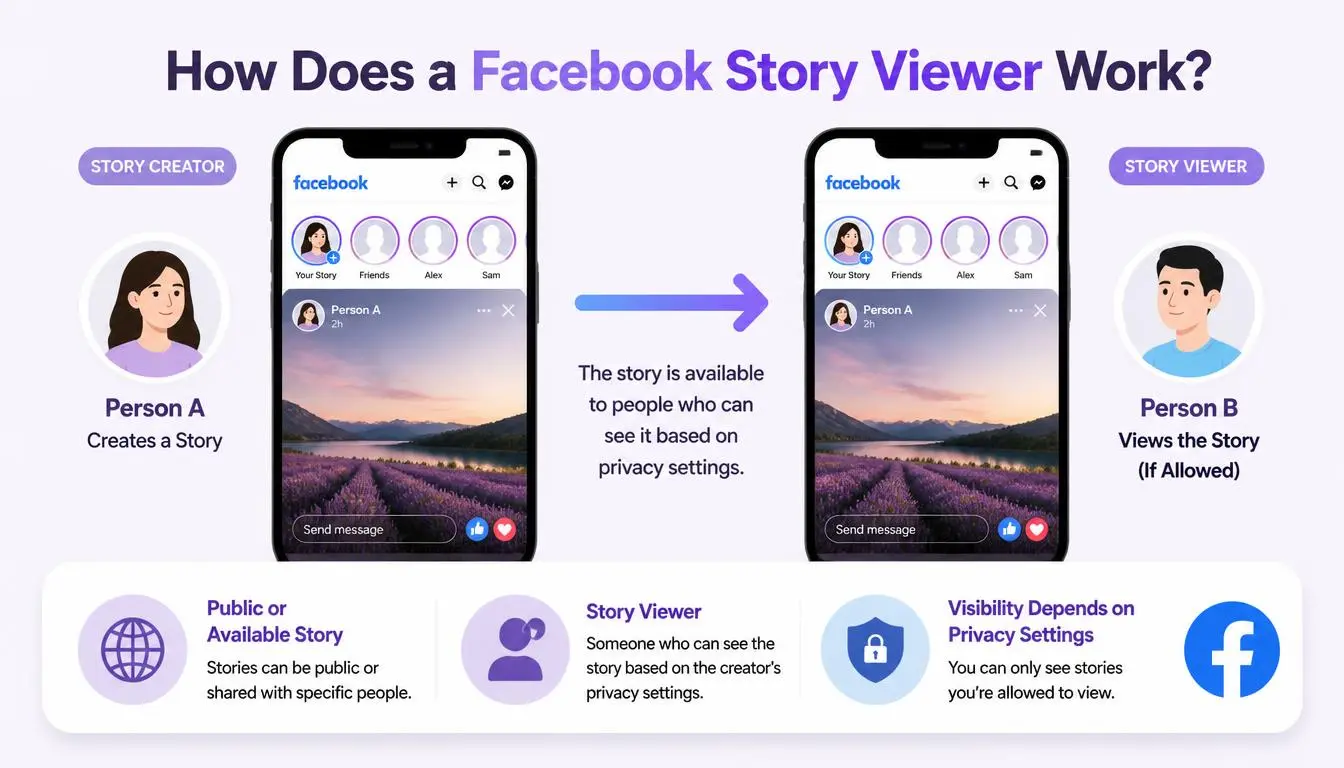
When you watch a story in the Facebook app, Facebook knows it’s you and adds your name to the viewer list. An anonymous Facebook story viewer works differently. You give it a link, the tool fetches the story on its own computers, and then it shows you a copy. Your account is never involved, so Facebook has nothing to put on the list.
That simple setup explains almost everything you need to know:
It only works for public stories. If a story is shared with friends only, the tool can’t see it either.
It breaks when Facebook blocks the tool. If Facebook stops the tool from fetching stories, it stops working for everyone at once.
Expert Insight: When a Facebook anonymous viewer stops loading, it’s usually not your fault. Facebook has most likely blocked that tool for a while. Switching to a second viewer is faster than refreshing the first one.
Can someone see if you viewed their Facebook story
Yes, if you watch it while you’re logged in. Facebook shows the person who posted a story a list of everyone who watched it during its 24 hours. If the story is public, people who aren’t their friends or followers usually appear only as a number of “other viewers,” without names.
You stay off that list in two cases:
You use a third-party story viewer, and you aren’t logged in.
You open a public story while logged out of Facebook, and Facebook lets it play. Most of the time it asks you to log in first.
Common Mistake: Many people suggest turning on airplane mode after a story loads. That trick works for Instagram, but it isn’t reliable on Facebook. Facebook can count your view as soon as the story starts loading.
Can you view Facebook stories without an account
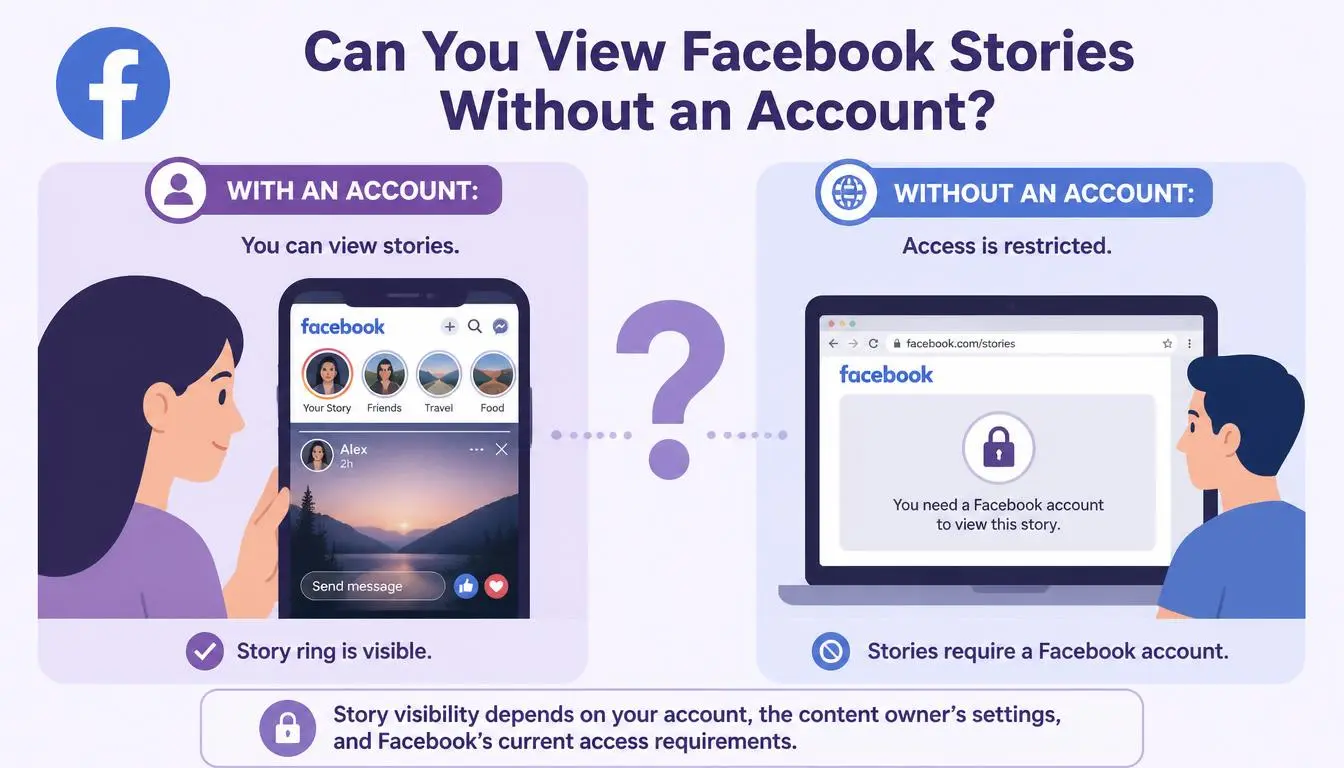
Sometimes, but not easily on Facebook itself. Facebook usually asks visitors to log in before it plays a story. A story viewer gets around this for public stories, because it does the loading for you.
Nobody can show you a private story. Some sites promise “private account” viewing. That’s a warning sign. These sites usually want your Facebook password, make you fill in endless surveys, or ask you to install a browser add-on. None of them actually work.
Warning: Never type your Facebook password into a story viewer. A real viewer never needs it. Sites that ask for it are using a classic trick to steal accounts, the same kind of phishing scam the FTC warns about.
Which Facebook story viewers work in 2026
These tools change often, so treat this list as a starting point. It explains how each tool works, not how well it’s working this week. Test any of them with a story you know is public first.
Tool | What you paste | Can download? | Good to know |
Hitube | Story link | Yes | Simple to use; fewer download formats |
Bravedown | Story link | Yes | Lets you pick the format and quality |
FDownloader | Story link | Yes | Top quality can take a little longer to prepare |
FBTake | Profile link | Yes | Works from a profile link instead of a story link |
FStoryAmerica | Profile or story link | Varies | Works in the browser; changes often |
They all run in your browser, so each one works as an online Facebook story viewer on your phone or computer. There’s nothing to install. Be careful with any viewer that insists you download an app.
Pro Tip: If a viewer says “no stories found,” check two things first. Does the profile have a story posted in the last 24 hours, and is it public? If both are yes, try a different viewer.
Why Facebook story viewers stop working
A viewer usually fails for one of four reasons:
The story isn’t public. No outside tool can load friends-only stories.
The story has expired. Stories disappear after 24 hours.
Facebook blocked the tool. Viewer sites make a huge number of requests, so Facebook blocks them from time to time.
The viewer site blocked you. If you check lots of profiles in a row, some sites start showing CAPTCHAs or block your internet connection.
You can’t fix the first three. The fourth is where a proxy helps.
Do you need a proxy to view Facebook stories anonymously
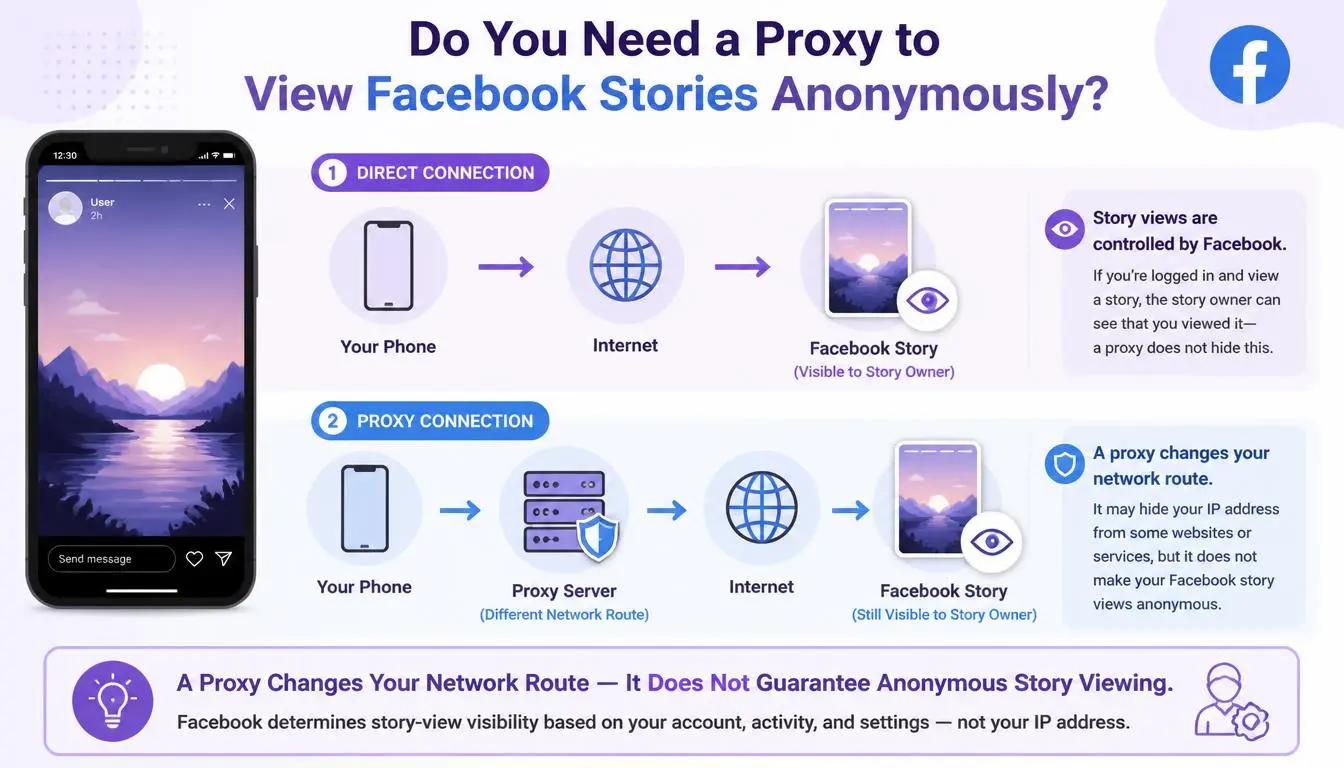
If you only want to see one story now and then, no. Staying logged out is enough.
A proxy is a middleman connection that gives you a different internet address. It becomes useful when watching stories is part of your job. Social media managers, agencies, and marketing teams often check dozens of public pages a day to monitor competitors’ offers, product launches, and influencer deals. At that point, three problems show up:
You get blocked. Viewer sites notice many requests coming from one connection and start stopping them.
Your accounts get linked. Your research uses the same internet address as your company’s real Facebook ad and business accounts, so Facebook can connect the two.
You see the wrong version. Facebook Pages can limit visibility by country, so a page can look different, or be hidden, depending on where you are.
A residential or mobile proxy fixes all three. Your visits come from a real home or mobile connection in the country you choose, kept apart from your business accounts.
Expert Insight: A Facebook proxy changes the internet address that Facebook and viewer sites see. It does not change what the story owner sees. You stay hidden because you’re logged out; nothing else changes.
Which proxy is best for viewing Facebook stories
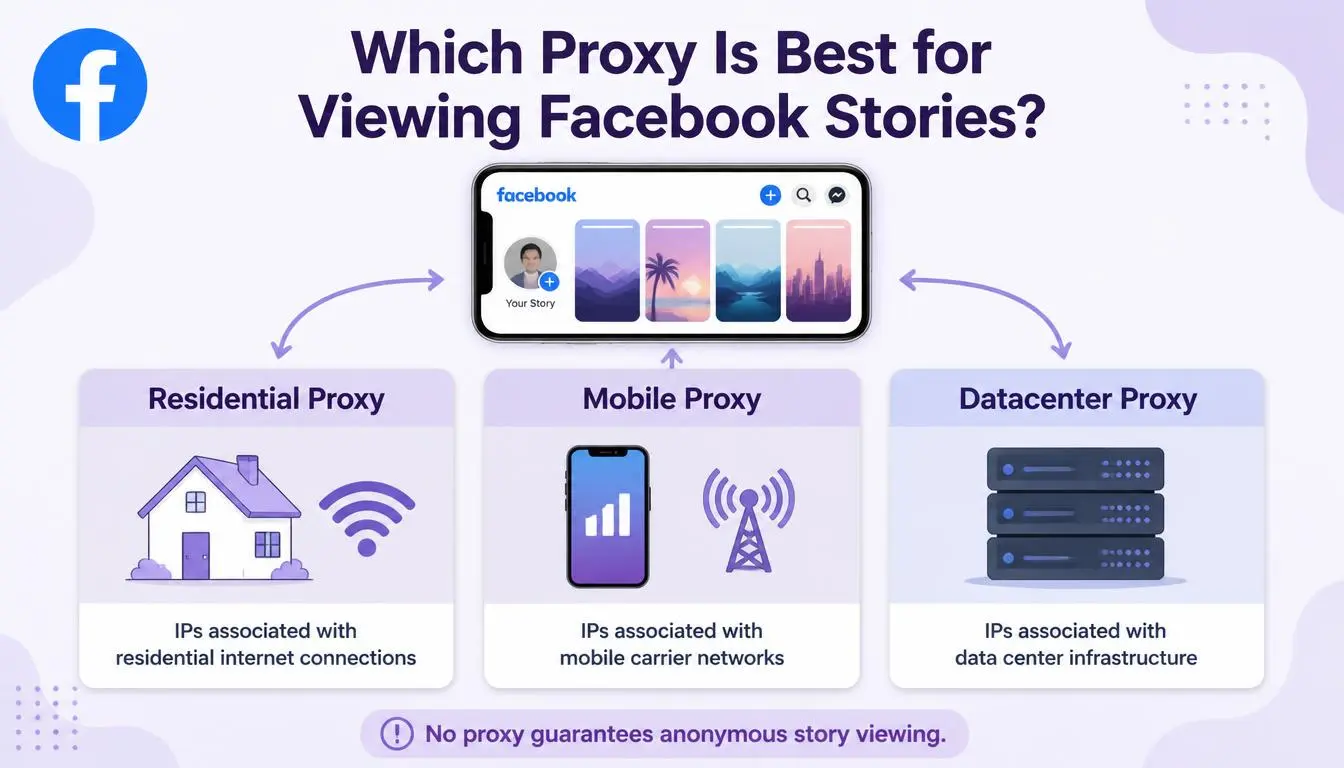
Proxy type | Best for | Why |
LTE Mobile (4G/5G) proxies | Checking many pages every day | Mobile addresses are shared by lots of real phone users, so sites rarely block them |
Rotating residential proxies | Checking a large number of profiles | You get a fresh home internet address for each visit, so you’re far less likely to get blocked |
Static residential proxies | One steady research profile | You keep the same clean address every time |
Datacenter proxies | Not recommended | Social media sites often recognise these addresses and block them |
Skip free proxies for this. They’re slow, often already blocked, and you don’t know who can see your traffic. Open the CyberYozh proxy catalog →
Why do social media teams choose CyberYozh
CyberYozh offers 100 million+ residential addresses in 195+ countries, plus mobile proxies on real 4G/5G networks. For Facebook research, that gives you:
Country choice, so you see pages and stories the way local users do
Easy setup in any browser, browser add-on or multi-profile browser
Rotating residential proxies from $2/GB, so light monitoring stays cheap
A free IP checker, so you can confirm your connection before you start
CyberYozh is rated 4.7+ Excellent on Trustpilot.
How do you view Facebook stories anonymously with a CyberYozh proxy
Pick a proxy. Choose a mobile or residential proxy in the country you want to research.
Create a separate browser profile. Add the proxy to that profile using a proxy add-on or a browser that keeps profiles fully separate. Stay logged out of Facebook in this profile.
Check your connection. Open the CyberYozh IP checker and make sure it shows the proxy’s location, not your own.
Open a story viewer. In the same profile, open a viewer like Hitube or Bravedown.
Paste a public link. Use the link to the public page or story you’re researching.
Switch addresses if you’re blocked. If captchas start appearing, change to a new address or take a short break.
Pro Tip: Never mix research and your real business accounts on the same connection. Keep them in separate profiles with separate addresses. If you run several Facebook accounts for work, our guide to the best Facebook proxies for multi-accounting covers this in detail.
Is it okay to view Facebook stories anonymously
Watching something a person or brand has chosen to share publicly is generally legal. It’s still worth using common sense. Following a brand’s public promotions is normal market research. Repeatedly watching someone who has blocked you, or asked you to stop, is different and can cross the line into harassment.
Stick to Facebook’s rules too. Making a fake account just to watch stories breaks Meta’s account integrity rules, and Facebook can remove the account.
Conclusion
A Facebook story viewer is the easiest way to watch public stories without appearing on the viewer list. Stay logged out, stick to public stories, and never give out your password. If story research is part of your daily work, run it through a residential or mobile proxy so viewer sites don’t block you, and your business accounts stay separate. Want to do the same on another platform? Read our anonymous TikTok viewer guide.