
Proxy Helper Extension: Complete Setup Guide & Top Alternatives (2026)
TL;DR
What it is: Free, open-source Chrome extension (200K+ users) that routes Chrome traffic through a proxy without changing your OS network settings
Biggest limitation: SOCKS5 username/password auth doesn't work in Chrome; this is a Chromium engine constraint, not a Proxy Helper bug.
The fix: Use IP Allowlisting at your proxy provider (CyberYozh supports this natively), which eliminates the auth loop entirely
What is Proxy Helper
Proxy Helper is a free Chrome extension that gives your browser its own independent proxy controls, completely separate from your system settings.
By default, Chrome uses the same proxy your OS uses. Change it there, and every app on your machine goes through it: your email, Slack, Spotify, all of it. Proxy Helper solves this. It routes only Chrome's traffic through your chosen proxy, leaving everything else untouched.
It supports HTTP, HTTPS, SOCKS4, SOCKS5, and QUIC protocols, as well as PAC Script configurations for automated routing rules. It's open-source, so the full code is auditable on GitHub: no hidden data collection, no undisclosed behaviour.
"The fact that it's open source matters more than it might seem. Anyone can inspect exactly what it does. That transparency is a genuine trust signal most browser extensions can't offer."
Proxy Helper vs. FoxyProxy vs. SwitchyOmega
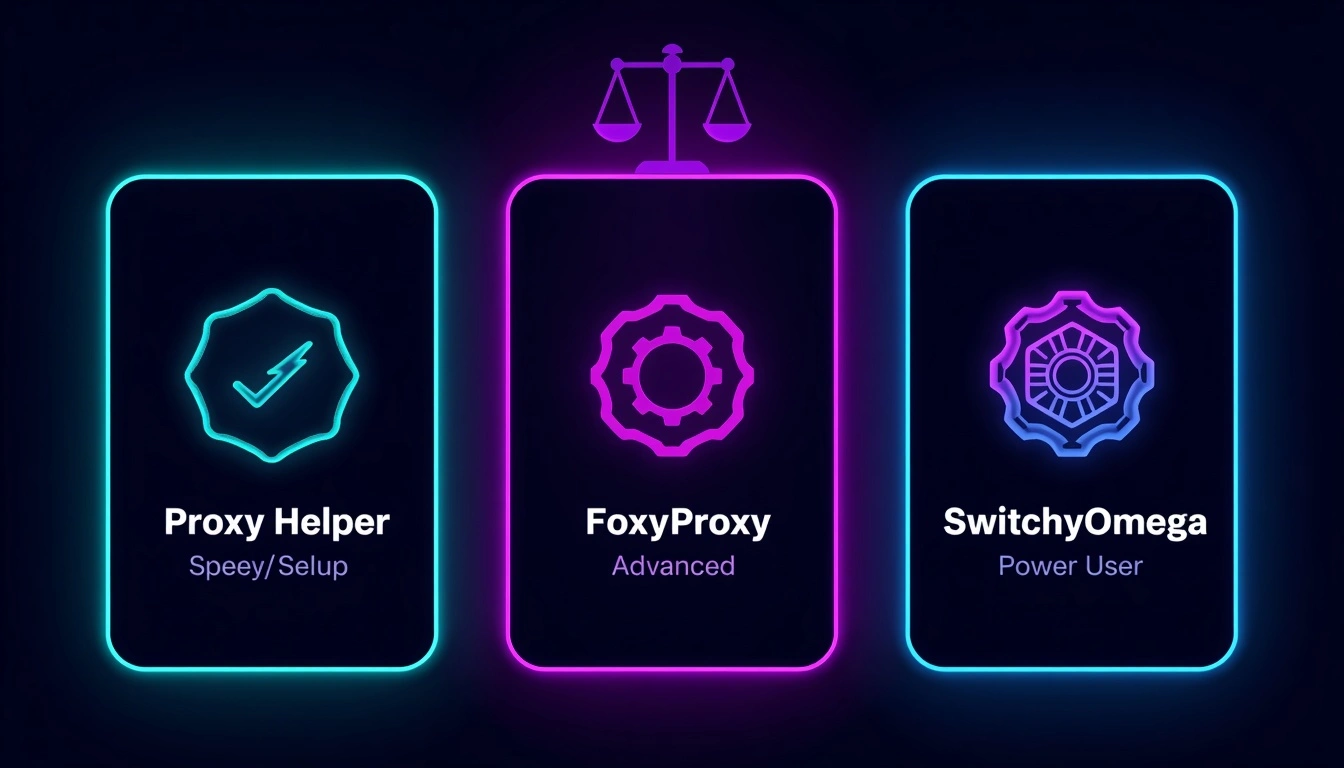
Feature | Proxy Helper | FoxyProxy | SwitchyOmega |
Price | Free | Free / Premium | Free |
Open source | Available | Available | Available |
PAC script support | Available | Available | Available |
SOCKS5 auth (Chrome) | ⚠️ IP Whitelist only | ⚠️ IP Whitelist only | ⚠️ IP Whitelist only |
Protocol support | HTTP, HTTPS, SOCKS4/5, QUIC | HTTP, HTTPS, SOCKS4/5 | HTTP, HTTPS, SOCKS4/5 |
Pattern-based switching | Basic | Advanced | Advanced |
Best for | Quick, simple setup | URL-pattern routing | Complex multi-proxy workflows |
Which one should you pick:
Proxy Helper: just getting started, want something fast and clean
FoxyProxy: need detailed URL-pattern rules per site
SwitchyOmega: power user managing multiple complex proxy configs
How to install Proxy Helper: Under 2 minutes
Step 1: Go to the Chrome Web Store → search "Proxy Helper" → click Add to Chrome
Step 2: Click the puzzle icon in your toolbar → find Proxy Helper → click the pin icon to keep it visible
Step 3: Right-click the toolbar icon → select Options; this is where all configuration happens
How to set up a proxy in Proxy Helper
Before you start, have these ready from your proxy provider:
Server address (IP or domain)
Port number (commonly 8080, 3128, or 1080)
Protocol type (HTTP, HTTPS, SOCKS4, or SOCKS5)
Username and password (if required)
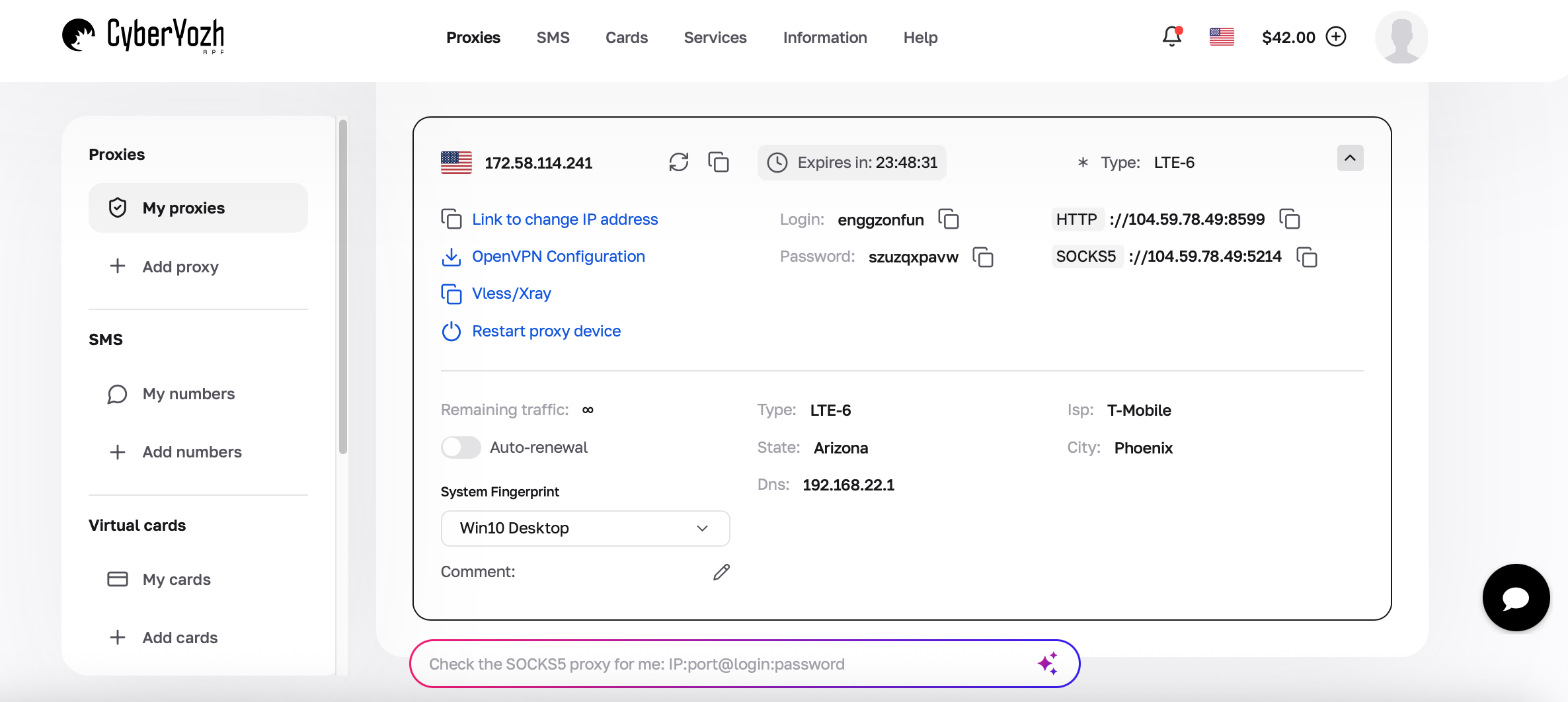
Setup steps:
1. Open Options → enter your server address and port number
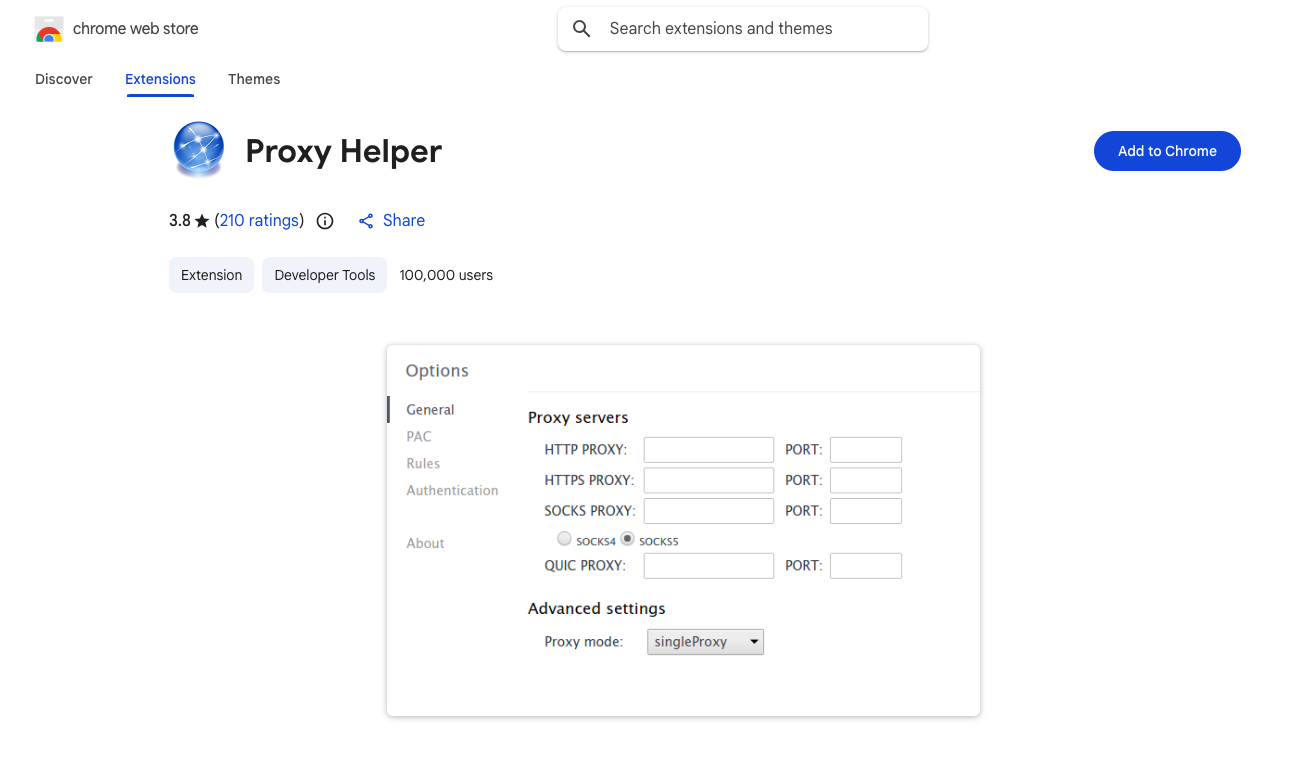
2. Select your protocol from the dropdown
3. Go to the Authentication tab → enter username and password (HTTP/HTTPS only; read the SOCKS5 section below before doing this for SOCKS proxies)
4. Click Save → click the toolbar icon → select your profile to activate
5. Verify it's working: check your IP at whatismyip; it should show your proxy's location, not yours
Quick setup checklist:
[ ] Server address copied correctly, no extra spaces
[ ] Port number matches your provider exactly
[ ] Protocol selected matches your proxy type
[ ] Username/password in Authentication tab (HTTP/HTTPS only)
[ ] No other proxy extensions or VPNs running simultaneously
[ ] IP verified at whatismyip after activation
"If activation fails, start at the top of this list. The answer is almost always in the first three items."
The SOCKS5 authentication problem (Read this)
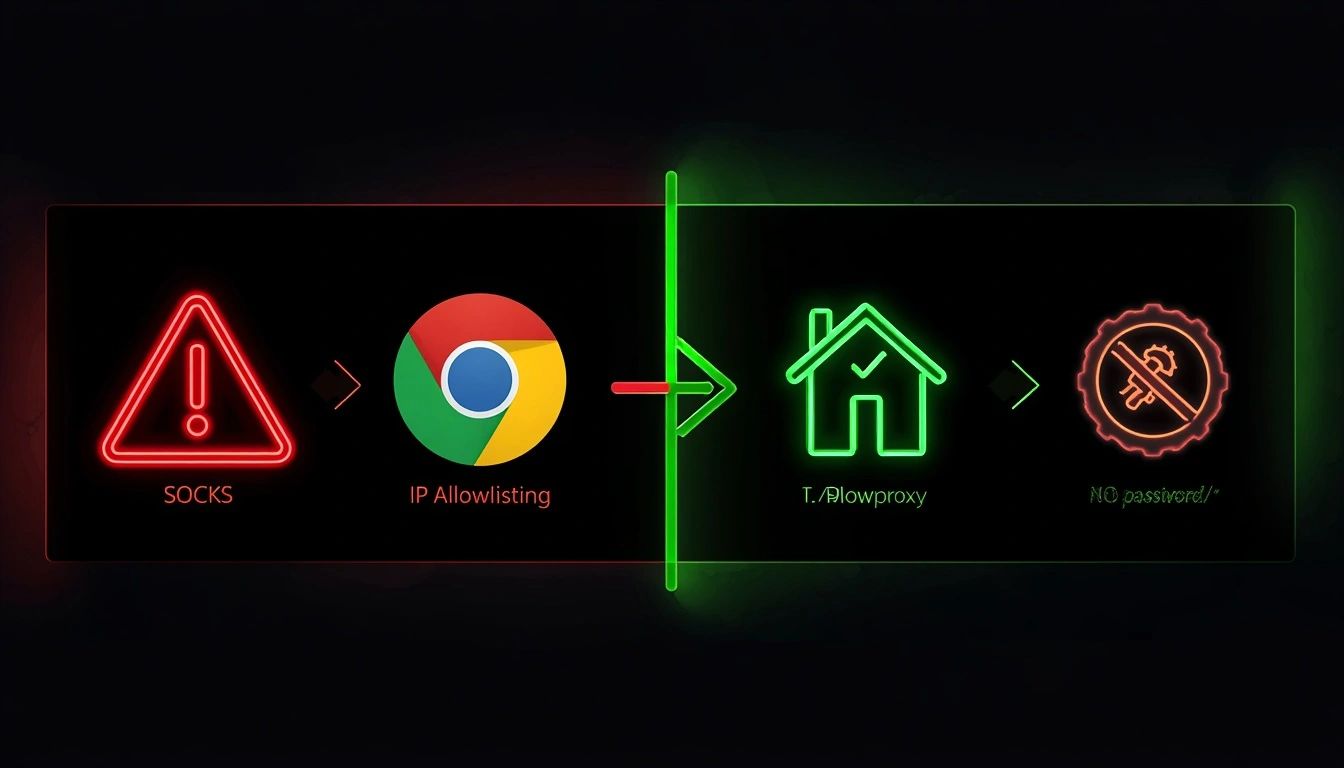
The Proxy Helper SOCKS5 authentication loop occurs because Chrome's Manifest V3 architecture removed the “webRequestBlocking” permission, the mechanism previously used to inject credentials into the SOCKS5 handshake.
This affects every Chrome proxy extension equally. It's not a bug. It's a Chromium engine constraint.
Your two solutions:
IP Allowlisting (recommended): your provider authorizes your IP address on the server side, eliminating the need for credentials. CyberYozh supports this natively from the dashboard.
Switch to HTTP/HTTPS if you specifically need password authentication; HTTP and HTTPS proxies work perfectly with Proxy Helper
Protocol | Password Auth in Chrome | Recommended Fix |
HTTP / HTTPS | Works natively | None needed |
SOCKS4 / SOCKS5 | Chrome API blocks it | Use IP Allowlisting |
Advanced features worth knowing
PAC Scripts: a small JavaScript file that tells Chrome which sites go through the proxy and which connect directly. Paste a URL or upload a local file in the Options section. Useful for domain-specific routing without changing your whole connection.
Bypass Lists: specify domains that always connect directly, regardless of active proxy. Add localhost, internal IPs (192.168.*), or any site where the proxy causes access issues.
Multiple Proxy Profiles: create as many configs as you need. One click to switch between them. Most professionals maintain a residential proxy profile, a data center proxy profile, and a direct connection.
Export / Import: save your full configuration to a file. Useful for replicating setups across machines or keeping a reliable backup.
5 Real-world use cases
1. Local SEO rank checking: see exactly what Google shows users in Chicago, Tokyo, or Berlin by connecting through a residential IP in that city
2. Testing geo-restricted content: switch between country proxies in seconds to test what users in different regions actually see
3. Competitive research: check competitor pricing, promotions, and localized content from different markets without travelling
4. Web scraping without IP blocks: route automated requests through proxy IPs to avoid detection and rate limits
5. Running multiple accounts simultaneously: use separate Chrome profiles, each with its own proxy, for fully isolated sessions on the same platform
Troubleshooting common problems
Proxy won't connect
Double-check server address and port character by character
Confirm the selected protocol matches your proxy type
Test the proxy credentials in another tool to rule out a server-side issue
SOCKS5 authentication keeps looping
This is a Chrome API limitation; re-entering credentials won't fix it
Switch to IP Allowlisting or use an HTTP/HTTPS proxy instead
Conflicts with other extensions or VPNs
Turn off all other network tools before testing
Two extensions fighting over Chrome's proxy settings produce broken connectivity, not a clean error.
Extension broke after a Chrome update.e
Check the GitHub repo for reported issues; fixes are usually pushed within days.
Use FoxyProxy or ZeroOmega as a temporary backup
Chrome feels slow with the proxy active
The bottleneck is the proxy server, not the extension
Proxy Helper adds negligible overhead; upgrade your proxy infrastructure
Nothing else works
Remove the extension entirely → close Chrome completely → reinstall fresh from the Chrome Web Stor.e
Takes 3 minutes, fixes most persistent unexplained issues
Why your proxy provider matters as much as the extension

Proxy Helper is the steering wheel. It can only go where the road allows. Poor proxy infrastructure breaks even a perfectly configured extension.
Three ways cheap proxies break good extensions:
Flagged IPs: budget provider pools are often already blocklisted. The destination rejects the connection before it loads. Looks like the extension broke. It didn't.
No IP Allowlisting: traps SOCKS5 users in the auth loop with no way out
Inconsistent uptime: causes the profile-switching drops users blame on the extension
Why CyberYozh works well with Proxy Helper
CyberYozh is built around the infrastructure problems that break most proxy setups:
100M+ residential, datacenter and mobile IPs across 100+ countries
IP Allowlisting built into the dashboard eliminates the SOCKS5 auth loop without workarounds
Every IP screened against 50+ security databases before entering rotation
Real LTE 4G/5G mobile proxies on actual carrier networks with real SIM cards
Unlimited mobile proxy traffic for $1.70/day, flat rate, no metered bandwidth surprises
Static residential proxies from $5.29/month
99.9% uptime SLA
Works natively with Multilogin, AdsPower, Dolphin Anty, and major antidetect browsers.
Seamless integration with Selenium, Puppeteer, Scrapy, Postman, Playwright, and custom scripts.
24/7 support
Most budget-friendly option throughout the proxy market
"Enter your CyberYozh proxy details into Proxy Helper, activate your profile, verify your IP at whatismyip, and you're running clean, pre-vetted residential or mobile traffic through a browser-isolated connection. That's the professional setup."
Final thoughts
Proxy Helper is one of the cleanest browser proxy tools available: lightweight, free, open-source, and does exactly what it promises. The extension side is simple. What determines whether your setup actually performs is the proxy network behind it.
Start with clean, pre-vetted residential or mobile proxy IPs. Follow the setup checklist above. If SOCKS5 auth is giving you grief, allow your IP at the provider level and move on.
"Start with a free trial at CyberYozh" or similar: one line, zero extra words, meaningful conversion lift.