How to Use Proxies With ThriveTracker for Affiliate Campaigns
Affiliate marketers use ThriveTracker to track, optimize, and scale campaigns – but once traffic runs across multiple GEOs and ad accounts, data consistency starts to break.
IP location, network reputation, and traffic patterns can distort tracking, trigger platform flags, and make performance analysis unreliable. A proxy for ThriveTracker solves this by keeping traffic sources clean, stable, and geographically controlled during testing and optimization.
In this guide, you’ll learn:
How to set up proxies with ThriveTracker for affiliate campaign tracking
When to use residential and mobile proxies for affiliate marketing workflows
How CyberYozh proxies help reduce tracking distortion and account-level risk.
Why ThriveTracker users need proxies
ThriveTracker itself doesn’t require proxies to function. But affiliate workflows built on multi-GEO traffic, ad scaling, and campaign testing quickly run into limitations without them.
At scale, a proxy for ThriveTracker becomes part of the infrastructure layer that ensures tracking accuracy, stable testing environments, and reliable campaign validation.
Core problems without proxies:
GEO tracking becomes inconsistent when accessed from a single IP – you no longer see what users in real locations actually experience
Funnel validation breaks down when redirects and GEO-based landing pages behave differently depending on where the request comes from
Performance data gets distorted because IP reputation and network behavior silently influence how platforms interpret your traffic
Without ThriveTracker proxies, you lose the ability to QA campaigns under real conditions and end up scaling based on assumptions instead of verified data.
How media buyers use proxies with ThriveTracker in real campaigns
Media buyers use proxies with ThriveTracker to simulate real user conditions, validate funnels, and ensure accuracy across GEOs and traffic sources. Proxies become part of the campaign infrastructure that keeps testing and optimization reliable.
1. Fix GEO‑based tracking inconsistencies
ThriveTracker routes traffic based on where clicks come from. But if you check your campaign from your office in New York, you never see what a user in Germany actually experiences.
Imagine you set up an offer that shows different prices for Germany, Brazil, and Japan. From your local IP, you see one version. You have no idea if the other countries see the right page, correct currency, or working offer.
How ThriveTracker proxies solve this: You connect a residential IP from Germany. Click your ThriveTracker link. The system sees a real German home internet user and shows you exactly what your German audience sees: redirects, macros, page load, everything.
When to use: Before launching campaigns targeting multiple countries or when validating GEO-based routing logic.
👉 Try clean IPs in 100+ countries and test any GEO like a local
2. ThriveTracker's bot filter behavior and traffic validation
ThriveTracker includes a Geo-Redirect and Bot Filter system designed to block suspicious or non-human traffic, especially from data centers. Imagine that you try to QA your own funnel or spy on a competitor's landing page using a datacenter proxy. ThriveTracker blocks you instantly. You never reach the page you wanted to check.
How proxies solve this: Mobile IPs come from real cellular carriers — not data centers. To ThriveTracker, a mobile IP looks exactly like a genuine click from a real smartphone.
When to use: During QA testing, funnel analysis, or when validating how strict filtering systems behave with different traffic types.
👉 Explore dedicated and shared mobile proxies from $1.7/day
3. Traffic source isolation and multi-account management
ThriveTracker is where you analyze results. But your traffic comes from ad networks — Facebook, Google Ads, Taboola, etc. If you manage multiple ad accounts from the same IP address, these networks connect the dots. One account gets banned, then more banal follow. Your campaigns stop.
How ThriveTracker proxies solve this: You assign one unique mobile or residential IP to each ad account. This isolates traffic sources so every account operates in its own clean environment. Result: accounts stay live and traffic lands cleanly in your single ThriveTracker dashboard for unified analytics.
When to use: When managing multiple campaigns, 2+ ad accounts, or traffic sources simultaneously.
👉 Try residential proxies with 1 IP per account for safe scaling
4. Competitor funnel and offer analysis
You want to see what landing pages, offers, and redirects your competitors are running. But if you visit their links from your IP, they see you and show distorted results.
Imagine you are researching a rival running the same offer in Brazil. You click their link from your home IP. Their system flags you as a competitor and serves a decoy page. You collect bad intel and make wrong decisions.
How proxies solve this: You rotate through residential IPs in the target country. Each visit looks like a new, real user. Competitors show you their real funnel every time.
When to use: For market research, competitive intelligence, and offer tracking in specific GEOs.
👉 Use rotating residential proxies to analyze competitors with minimized detection
Proxy types for ThriveTracker workflows
Different proxy types are used depending on the level of trust, accuracy, and speed required during testing and scaling. In practice, media buyers choose based on the task, not the tool.
High-trust testing and bot-filtered environments – Mobile proxies
Used when campaigns or tools apply strict detection rules and only allow high-trust traffic. Mobile proxies simulate real users on carrier networks, making them suitable for sensitive validation and strict filtering systems.
GEO-based funnel and campaign validation – Residential proxies
Used when the goal is to replicate real user behavior from specific countries.
Static residential: stable sessions, ideal for long funnel checks, tracking validation, and consistent testing flows
Rotating residential: frequent IP changes, used for broader GEO testing, competitor research, and multi-visit validation across regions
Speed-focused or low-risk checks – Datacenter proxies
Used for fast, non-sensitive operations where trust signals are not critical. Datacenter proxies are suitable for quick access, basic testing, or lightweight automation tasks.
Why affiliate marketers choose CyberYozh for scalable campaigns
CyberYozh is the operational infrastructure built for media buyers and growth teams running multi-account, multi-GEO, and automation-heavy workflows. With 50 million IPs across 100+ countries with up to 99.95% uptime on supported networks, you get one system designed for scale, control, and execution reliability.
Unlimited mobile LTE/5G proxies → run ad accounts and traffic through real carrier networks, reducing platform flags and keeping campaigns stable during scaling
IP coverage in 100+ countries → test GEO-specific funnels and creatives like a local user to improve conversion accuracy and campaign validation
API-ready infrastructure (Scrapy, Selenium, Playwright, Postman, custom scripts) → plug proxies directly into automation stacks, eliminating manual setup to scale faster
Fraud-score & IP reputation checks → validate IPs before use to avoid risky environments that trigger bans or tracking distortion
Single platform for proxies + SMS activation + risk tools → manage everything in one system, reducing vendor switching.
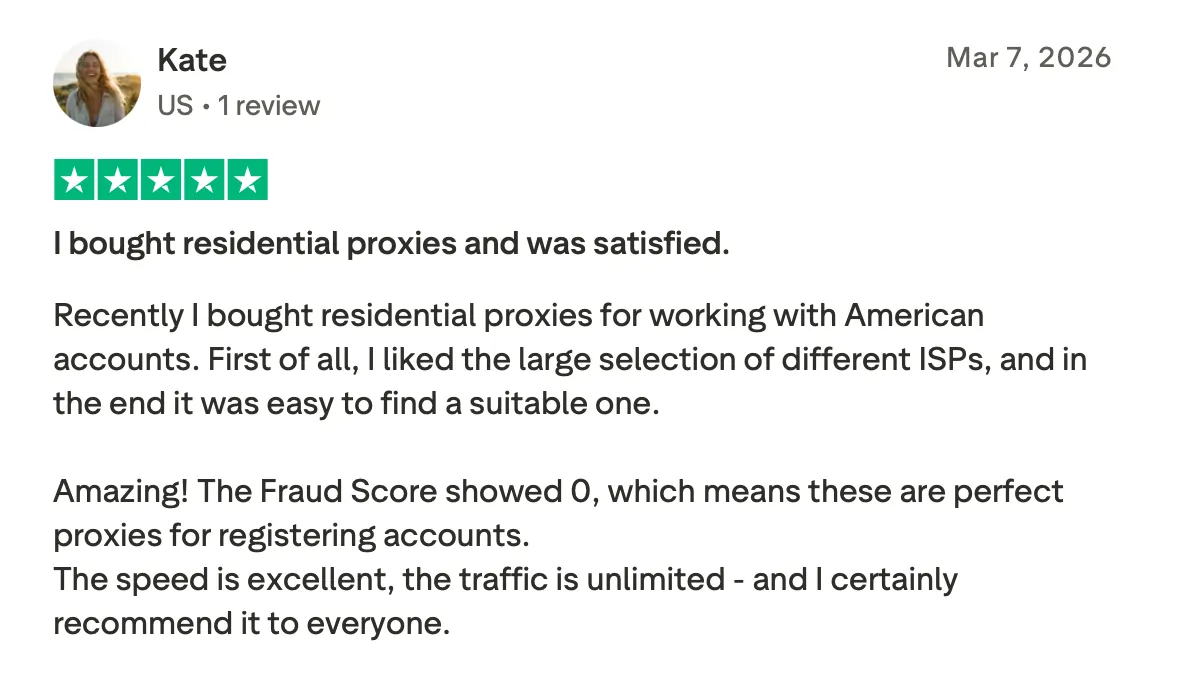
What our clients say on Trustpilot
👉 Explore proxies by country from $0.9/GB
How to set up CyberYozh proxies for ThriveTracker
Once configured correctly, CyberYozh proxies ensure every test, click, and campaign runs through clean, geo-specific IPs for accurate tracking and reliable data.
Obtain proxies from CyberYozh
Purchase the proxies and get the required proxy credentials (IP, port, username, password).
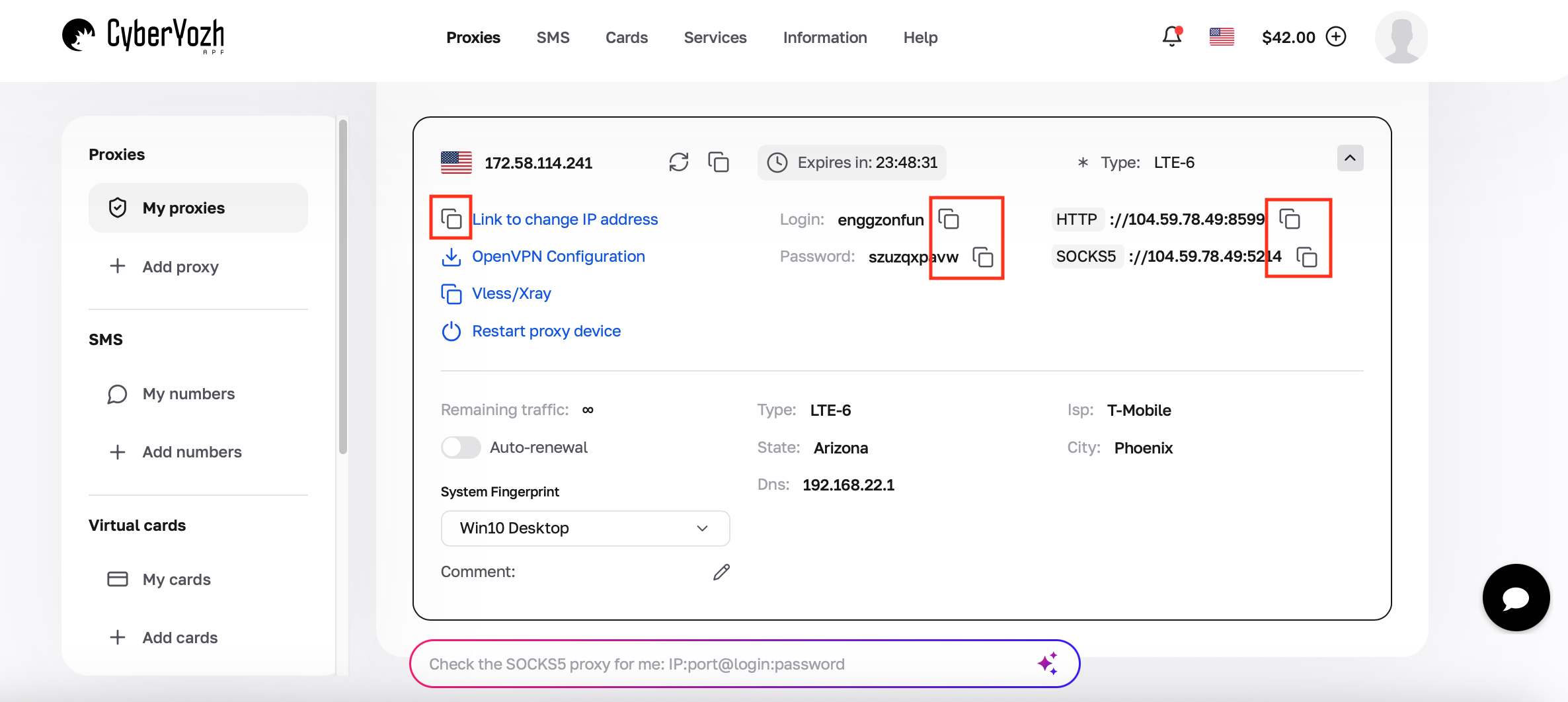
Configure the proxy at system or tool level
Proxies are applied outside ThriveTracker (in browser settings or automation tools). ThriveTracker itself receives traffic routed through the configured proxy environment.Assign a dedicated proxy per campaign or traffic source
Each campaign, ad account, or funnel should use a separate proxy environment to maintain isolation and prevent overlap between tracking data.Test the setup using your ThriveTracker tracking link
Open the tracking link through the active proxy to confirm correct GEO routing, redirect behavior, and that tracking parameters are being captured properly.Use the same configuration for live traffic
Once validated, maintain the same proxy setup for real campaign traffic to ensure consistency.
Final takeaway: why use proxies with ThriveTracker at scale
ThriveTracker only stays accurate when the traffic feeding it is clean, stable, and properly geo-separated. Proxies isolate traffic sources and reproduce real user conditions across different countries, ad accounts, and funnel tests so you’re no longer making decisions on distorted signals.
For multi-GEO affiliate campaigns, CyberYozh proxies provide the infrastructure layer that keeps tracking consistent, attribution reliable, and scaling decisions safe.