TorrentGalaxy Proxy List (2026): Safe TGX Mirrors
You open TorrentGalaxy, ready to download something, and suddenly it won’t load. Maybe it’s blocked, maybe the site is down—or worse, you land on a sketchy mirror full of ads and pop-ups. You try another link, then another, wasting time and risking your privacy without even realizing it.
This is the reality for many users today. Torrent sites like TGX are frequently restricted, and not every proxy you find online is safe to use. Finding the way in has turned into a quest.
In this guide, you’ll find working TorrentGalaxy proxies for 2026, with a clear explanation how to use them. We’ll also cover the risks of free proxies and recommend the best, safest way to access TGX at high speed and with zero interruptions.
What Is TorrentGalaxy
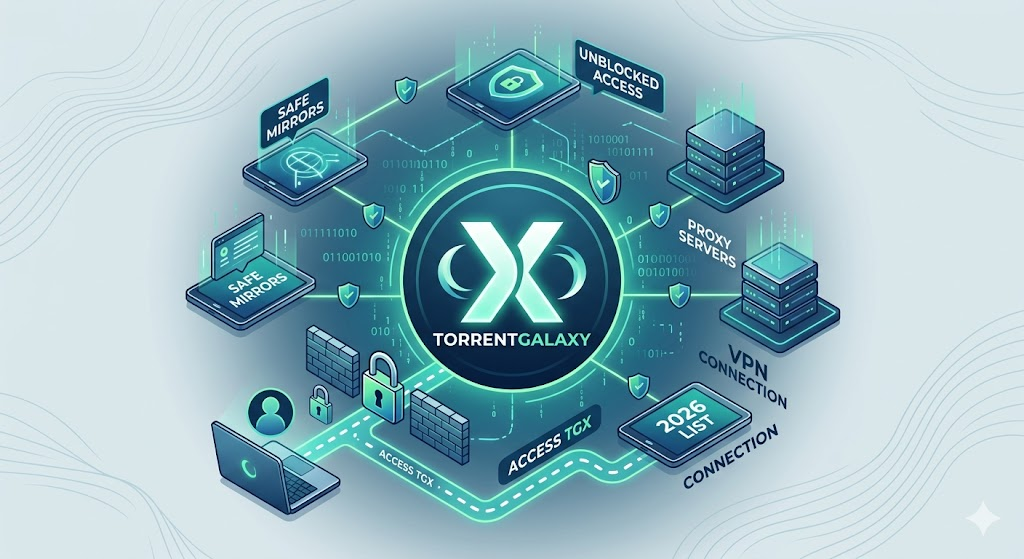
TorrentGalaxy (also called TGX) is a torrent site where you can download movies, TV shows, software, games, and more. Instead of hosting content, it provides links allowing users to share files directly through peer-to-peer (P2P) networks.
What makes TorrentGalaxy different is its active community, verified uploads, and consistent content updates. For many users, it’s a reliable source for finding high-quality torrents without digging through multiple sites.
In some countries TorrentGalaxy is blocked due to copyright enforcement. Usually, access to torrent sites is limited at the network level. To bypass blocks, you can try TorrentGalaxy proxy and mirror sites — but not all of them are safe.
What are TorrentGalaxy mirror sites?
TorrentGalaxy mirror sites are copies of the TGX website. They exist to keep access to TorrentGalaxy unblocked when it’s restricted or unavailable in your region.
For users, a mirror looks and works exactly as the original platform. You get the same interface, torrent listings, and functionality — just through a different URL.
At the same time, not all TorrentGalaxy mirrors can be trusted. Some are unofficial copies that include ads, trackers, or modified content. That’s why it’s important to use verified links and avoid random domains from search results.
Working TorrentGalaxy Proxy List (Updated for 2026)
Here’s a TorrentGalaxy proxy list and mirror sites for 2026. These links are checked and provided to help access the site when the main domain is not unavailable.
Disclaimer: This list is for informational and educational purposes only. Availability of proxy and mirror sites may change over time, and users are responsible for how they access and use these resources in accordance with local laws and regulations.
Working TGX Proxy & Mirror Sites
Proxy / Mirror URL | Status | Speed | Security Level | Notes |
Online | ⚡ Fast | ⚠️ Medium | Popular mirror, but mixed trust signals | |
Online | ⚡ Fast | ⚠️ Medium | Active mirror, limited verification data | |
Online | ⚡ Fast | ⚠️ Medium | Clean UI, commonly used TGX domain | |
Unstable | ⚡ Medium | ⚠️ Medium | Sometimes down or slow | |
Online | ⚡ Fast | ⚠️ Medium | Works in some regions, reliability varies | |
Online | 🐢 Slow | ❌ Low | Public proxy — may inject ads | |
Online | 🐢 Slow | ❌ Low | Works in restricted regions |
Not all TorrentGalaxy proxies are safe. Some free mirrors will log your activity, inject ads or tracking scripts, and can share your IP to third parties, risking connection stability and your privacy. If you want consistent access without slowdowns or blocks, using random public proxies simply isn’t worth it.
If you want to verify regional availability, test download speeds, or safely download movies and games, use reliable private proxies instead of mirrors. CyberYozh proxies with clean residential rotating IPs offer high-speed connections and stability. You can bypass geo-restrictions, stay anonymous while accessing torrent sites, and avoid interruptions which are common with public mirrors.
How to use a TorrentGalaxy proxy safely
If you still prefer using TorrentGalaxy proxy website from the list, be cautious. Chances are, you’ll need to check multiple proxies until you find one that works. Here’s what else you can do:
Use 2-3 mirrors at once. Open multiple proxy TorrentGalaxy mirrors to switch if one is slow or blocked.
Validate quickly. Real TGX mirrors load fast, have familiar layout, and don’t spam redirects. If you see unusual buttons or pop-ups, close it.
Switch IP (VPN or proxy). If all mirrors fail, your ISP is likely blocking them. Changing your IP via a VPN or private proxy server restores access.
Use incognito or a clean browser. It prevents cookies, extensions, or trackers from interfering.
Watch how the site behaves. Unsafe proxies often trigger delayed redirects or new tabs. If anything unexpected happens, don’t use that mirror.
Switch if speed drops. Free proxies degrade fast. Instead of waiting or refreshing, move to another mirror immediately.
For repeated use, stop relying on public mirrors. If you access TGX more than occasionally, don’t risk your data. A stable private proxy allows you to access the original TGx from anywhere – no need to constantly search, test, and risk unsafe sites.
How CyberYozh proxies help you access TorrentGalaxy
Accessing TorrentGalaxy through public mirrors is inconsistent. Some links work, others don’t or the speed drops halfway.
CyberYozh proxies remove this uncertainty. Instead of relying on random mirrors, you connect through a stable proxy network with predictable performance.
Residential rotating IPs help you bypass local restrictions without blocks, making your traffic look like a real user. Clean IPs reduce captchas and access errors, allowing you to use torrents smoothly. As a result, pages load normally, magnet links open without delays, and you don’t have to keep switching between mirrors to find one that works.
Here’s why CyberYozh offers the best proxy for torrenting:
Clean IP pool → fewer captchas and blacklists
CyberYozh operates an actively maintained pool of 50M+ IPs across 100+ countries, where IPs are monitored, rotated properly, and filtered for reputation — not recycled between thousands of users. It means smoother access and fewer interruptions.Multiple proxy types → for every setup
Use residential for access, ISP for stable sessions, or mobile proxies when higher trust levels are required — instead of forcing one solution for everything.High-speed infrastructure → no slow mirrors
Pages load faster and downloads start without delays, instead of dealing with overloaded public proxies.IP reputation & fraud checks → fewer access failures
Before running traffic, you can evaluate IP quality and risk signals, reducing the chances of using flagged or unstable IPs that cause captchas or blocks.Privacy-focused setup → no tracking
Your activity isn’t logged and your data is not shared with unknown organizations, unlike with free proxies and mirrors.SOCKS5 support → safer TGX downloads
When you open a magnet link from TorrentGalaxy in apps like qBittorrent, SOCKS5 ensures your real IP isn’t shown.
Using residential proxies for torrent access
When accessing TorrentGalaxy, residential proxies offer you the desired anonymity and speed. They route your traffic through real ISP addresses, making your activity look as regular user traffic.
Here’s how to set up a TorrentGalaxy proxy server from CyberYozh:
Sign up for a CyberYozh account and select a residential rotating IP.
Configure proxy settings. Enter the proxy address, port, and credentials in your torrent client or browser.
Enable IP rotation to automatically switch IPs at set intervals, preventing session tracking and reducing ban risk.
Test your setup. Visiting TorrentGalaxy through your browser. If the site loads without CAPTCHAs or errors, your residential IP is passing the platform’s reputation checks
Monitor performance while downloading torrents. Verify that speeds remain high and no interruptions occur.
Common issues when using TorrentGalaxy proxies
Free TGx proxy links don’t last long. Here are some issues you may face and how to fix them:
Pages load, but very slowly
Public proxies are often overloaded, which leads to long loading times.
Fix: switch to a different mirror or use a private proxy.You keep seeing captchas
It happens when the IP you’re using is flagged due to heavy usage.
Fix: rotate your IP or use a clean residential proxy.You get redirects or suspicious pages
Some mirrors inject ads or redirect to unsafe sites.
Fix: close the page and use a verified domain.Magnet links don’t open or downloads fail
It may be caused by an incorrect torrent client or proxy configuration.
Fix: check your client settings and make sure your proxy is set up correctly.
Public proxies are inconsistent. A more reliable approach is using a stable proxy with a clean IP. This is where CyberYozh proxies come in, removing the need to constantly troubleshoot access.
Conclusion
If you want consistent access to TorrentGalaxy without switching mirrors or dealing with constant issues, a stable proxy setup makes the difference. CyberYozh provides clean IPs, reliable connections, and predictable performance, so you can access TGX without interruptions. Instead of troubleshooting every session, you get a setup that simply works.
FAQs about TorrentGalaxy Proxy
What is a TorrentGalaxy proxy?
A TorrentGalaxy proxy is a way to access TGX when the main site is blocked. It routes your connection through a different IP. For example, if the site doesn’t load in your country, a proxy lets you open it as if you were browsing from another location.
Why is torrentgalaxy blocked?
TorrentGalaxy is blocked in some countries due to copyright regulations and local restrictions. If you’re seeing a blank page or connection error, it usually means your provider is filtering access at the network level.
Is Torrentgalaxy safe to use?
The platform itself is widely used. Problems begin when you use fake mirrors with ads or malicious files. If you’re using unverified proxy sites, you’re likely to run into trackers or unsafe downloads.
Why is using a free proxy for torrent sites risky?
Free proxies are often flagged and shared between many users. It leads to slow speeds, flagged IPs, and blocks. In practice, this means constant captchas, broken pages, or even exposure to tracking scripts. Paid proxies (such as CyberYozh) eliminate all these risks.
Proxy vs VPN for TorrentGalaxy: which is better?
A VPN is easier to set up and works for general browsing. A proxy gives you more control and is faster for specific tasks. For example, if you want stable access to TGX or use a torrent client, a properly configured proxy is always better.
What is the best proxy for torrenting?
The best option is to use a residential proxy for torrenting. Choose a provider that offers clean IPs, high speed, and consistent uptime, such as CyberYozh. It will help you avoid blocks and interruptions, especially if you use torrent sites regularly.
Helpful?
Share article
