
Best Backconnect Proxy Services in 2026: Compare 8 Providers
Every backconnect proxy service promises the same thing: one address, millions of rotating IPs and no blocks. Then you start using one, and the real questions appear. Why does the IP stay the same? Why does the login drop after ten minutes? Why is the bill higher than expected?
The real differences between providers come down to four things: how the gateway rotates, how long a sticky session truly lasts, how traffic is billed, and where the IPs come from. This guide compares the best backconnect proxy services of 2026 on exactly those points, with verified session limits, prices, a 10-minute test you can run yourself and one honest drawback for every provider.
Quick answer
The best backconnect proxy service for most teams offers residential IPs, both per-request and sticky rotation, SOCKS5 support and traffic that doesn’t expire. CyberYozh is the best value overall, with backconnect residential proxies from $2/GB with rollover traffic, sticky sessions up to 24 hours and LTE/5G mobile backconnect from $1.70 a day. IPRoyal has the longest sessions (7 days), Oxylabs suits enterprises, and Decodo is the easiest all-rounder.
Start rotating in minutes: see CyberYozh backconnect rotating proxies with 100M+ IPs in 195+ countries, HTTP and SOCKS5, and crypto payments.
TL;DR
A backconnect proxy gives you one gateway address that rotates IPs for you
Compare maximum sticky sessions, protocols and what happens to unused traffic, not pool size
Session limits vary hugely: 30 minutes at Decodo, 60 at SOAX, 24 hours at CyberYozh, Oxylabs and Byteful, 7 days at IPRoyal
On per-GB plans, failed requests still cost money, so test success rate before you scale
After the 2026 NetNut takedown, ask every provider where its residential IPs come from
How does a backconnect proxy service work in under a minute
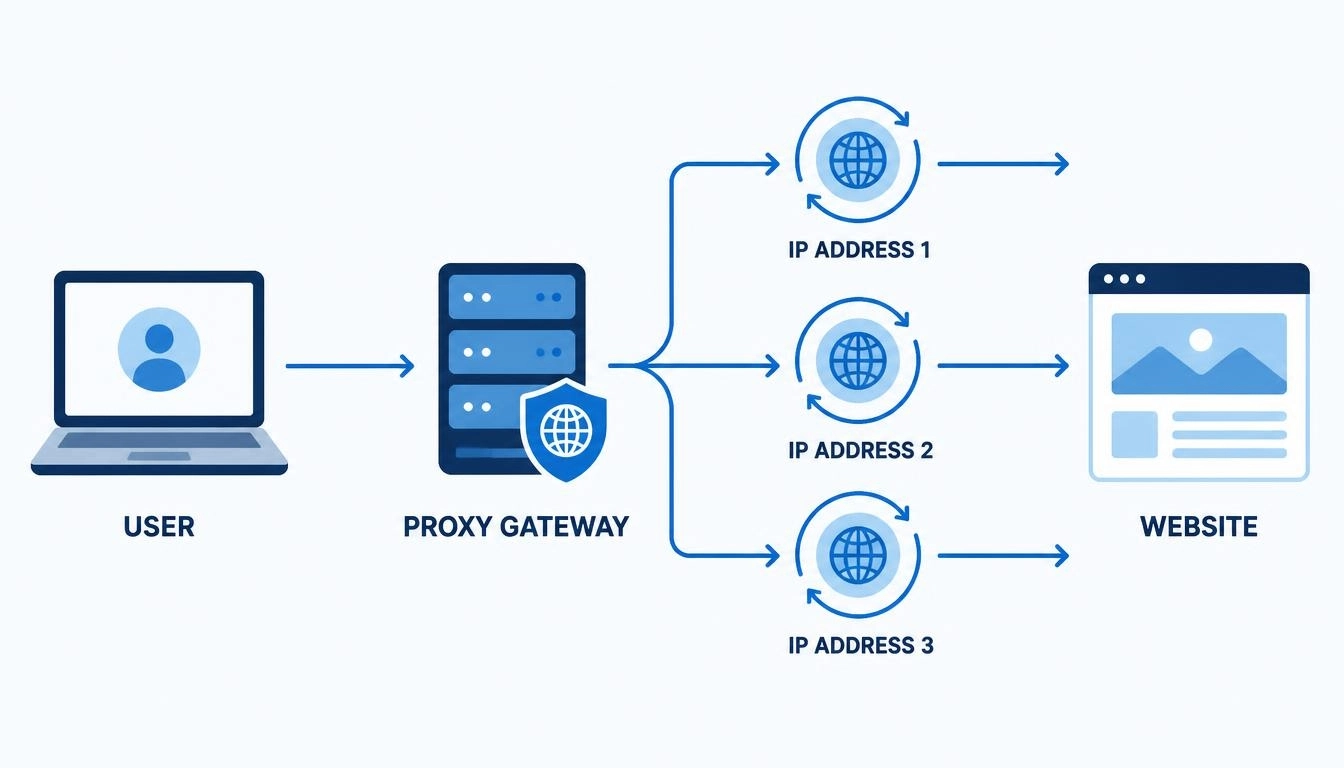
Instead of a list of IP addresses, you get one gateway address, such as gateway.example.com:8000. Every request goes to that gateway, and the provider picks an IP from its pool. Depending on your settings, you get a new IP on every request, or keep the same IP for a set time. That automatic switching is why it’s also called a backconnect rotating proxy.
For a full definition, see our explainer on what a backconnect proxy is. The rest of this guide is about choosing a provider.
What to compare before you buy a backconnect proxy service
Most “best backconnect proxy” lists compare pool size. Whether you want a budget plan or a premium backconnect proxy, these six things matter far more:
What to check | Why it matters | Good sign |
Rotation modes | Scraping needs a new IP per request; logins need the same IP | Both per-request and sticky sessions |
Maximum sticky session | Short sessions log you out mid-task | Hours, not minutes, for account work |
Protocols | Some tools and apps need SOCKS5 | HTTP(S), UDP and SOCKS5 |
Unused traffic | Unused GB can vanish at the end of a plan | Rollover or non-expiring traffic |
Concurrency limits | Thread caps slow big jobs | A clearly stated limit. Most providers don’t publish one, so ask support before a large job |
IP sourcing | Botnet-sourced IPs are a legal and reputational risk | A clear, published sourcing policy |
Not sure about protocols? Our guide to SOCKS5 vs HTTPS proxies explains when each one matters.
Common mistake: judging a provider by its advertised pool size. A 100M-IP pool doesn’t help if the sticky session ends after 30 minutes and your job needs two hours.
The 8 best backconnect proxy services
We checked every value in this table against each provider’s own pricing page or documentation in November 2026, and used Proxyway’s Proxy Market Research 2026 for independent success and connection rates.
Provider | Residential price | Max sticky session | Protocols | Unused traffic |
App CyberYozh | From $2/GB | Up to 24 hours | HTTP, SOCKS5, UDP | Rolls over |
Decodo | $3.75/GB, down to $2/GB at 1 TB | 30 minutes | HTTP(S), SOCKS5 | Plan-based |
Oxylabs | From $2.50/GB | 24 hours (10-minute default) | HTTP(S), HTTP/3, SOCKS5 | Plan-based |
IPRoyal | From about $1.75/GB at volume | 7 days | HTTP(S), SOCKS5 | Never expires |
SOAX | 3–5/GB | 60 minutes | HTTP, SOCKS5 with UDP | Plan-based |
Bright Data | 8/GBlist(4 with promo) | Session-based, limit not published | HTTP(S), SOCKS5 | Plan-based or pay as you go |
Byteful | From $3.25/GB | 24 hours | HTTP(S), SOCKS5 | Doesn’t expire |
Webshare | From $3.50 for 1 GB | 24 hours | HTTP, SOCKS5 | Plan-based |
“Plan-based” means traffic follows the plan’s billing terms, so check each provider’s terms for expiry.
1. App CyberYozh: best backconnect proxy service overall
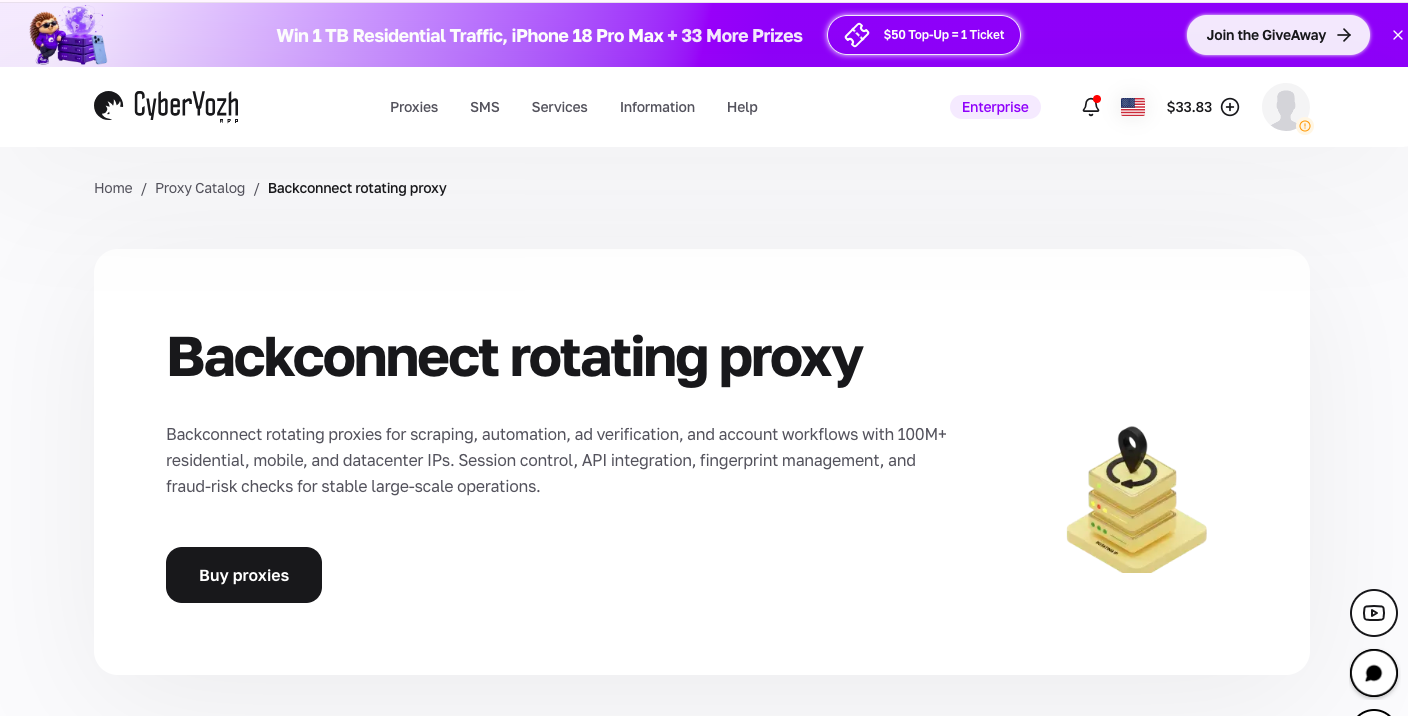
CyberYozh runs backconnect gateways across residential, mobile and datacenter IPs, so one account covers scraping, research and account work.
Backconnect residential proxies from $2/GB, with unused traffic rolling over to the next month, across 100M+ IPs in 195+ countries
Per-request rotation or sticky sessions up to 24 hours, long enough to scrape and stay logged in through a full working day
LTE/5G mobile backconnect with unlimited traffic, from $1.70 a day shared or $3.50 a day dedicated, with manual or API IP changes
HTTP, UDP and SOCKS5, plus API access to automate rotation and track usage
Crypto payments accepted, alongside standard methods
API access and any major antidetect compatibility with built-in fingerprinting options.
Real support from 08:00 to 22:00 GMT, rated 4.7+ “Excellent” on Trustpilot
Pick your gateway: scraping and research → rotating residential proxies from $2/GB. App-based platforms → LTE/5G mobile proxies from $1.70/day. Fast, easy targets → datacenter proxies from $2.18/month.
2. Decodo
Decodo (formerly Smartproxy) is simple to set up, with a free trial and clear volume pricing. It scored 80.14% on tough targets in Proxyway’s 2026 test.
Residential: $3.75/GB on 3 GB, falling to $2.75/GB at 100 GB and $2/GB at 1 TB; pay-as-you-go at $4/GB
Rotation: a new IP per request, or sticky sessions of 1, 10 or 30 minutes
Drawback: its backconnect page caps sticky sessions at 30 minutes, short for long account work.
Compare it in CyberYozh vs Decodo.
3. Oxylabs
Oxylabs had the best global connection rate (99.93%) and the largest advertised pool (175M IPs) in Proxyway’s 2026 research. Its sessions last 10 minutes by default and can be extended to 24 hours.
Residential from $2.50/GB, with the lowest rates at higher volumes
Protocols: HTTP, HTTPS, HTTP/3 and SOCKS5
Drawback: the headline price needs volume. Small teams usually pay more per GB than the advertised rate.
See the head-to-head in CyberYozh vs Oxylabs.
4. IPRoyal
IPRoyal had the lowest share of flagged IPs in Proxyway’s third-party checks, and its documentation allows sticky sessions from one second to seven days, the longest here.
Residential from about $1.75/GB at higher volumes, with traffic that never expires
Dedicated mobile from about $10.11 a day
Drawback: IPRoyal vets customers before granting full access, and its connection rate dipped to 96.11% in Proxyway’s 2026 test.
See how it compares in CyberYozh vs IPRoyal.
5. SOAX
SOAX lets you target by country, region, city and internet provider through one gateway, and had the best US-pool connection rate (99.92%) in Proxyway’s 2026 test. Its SOCKS5 connections also carry UDP.
Residential and mobile at the same price: $5/GB pay as you go, or $3/GB on its $200/month plan
Drawback: sticky sessions run from 10 seconds to a maximum of 60 minutes, so longer tasks get a new IP midway.
6. Bright Data
Bright Data (formerly Luminati) offers backconnect residential, ISP, mobile and datacenter networks, plus scraping APIs and datasets, with SOCKS5 support and city-level targeting.
Residential: $8/GB list price, or $4/GB with its current promo code; monthly plans from $499
Mobile: from $8.40/GB
Drawback: residential and mobile access require KYC, which can include a video call, and list prices are among the highest here.
Read the full CyberYozh vs Bright Data comparison.
7. Byteful
Byteful posted the best result on tough targets in Proxyway’s 2026 test, at 81.23%, and was named its newcomer of the year. Its sticky sessions hold the same IP for up to 24 hours.
Residential from $3.25/GB, with traffic that doesn’t expire
Mobile from $4.25/GB at 10 GB, falling with volume
Drawback: it’s a smaller, newer provider with a shorter track record than the big names.
8. Webshare
Webshare’s endpoint generator creates rotating or sticky backconnect endpoints, with sessions from one minute to 24 hours, over HTTP or SOCKS5. Rotating residential starts at $3.50 for 1 GB, and a free plan includes 10 proxies.
Drawback: its residential network scored 74.03% on tough targets in Proxyway’s 2026 test, well below the leaders, so it suits easy targets better than heavily protected sites. Refund requests must be made within 48 hours.
See the head-to-head in CyberYozh vs Webshare.
How to test any backconnect proxy service in 10 minutes
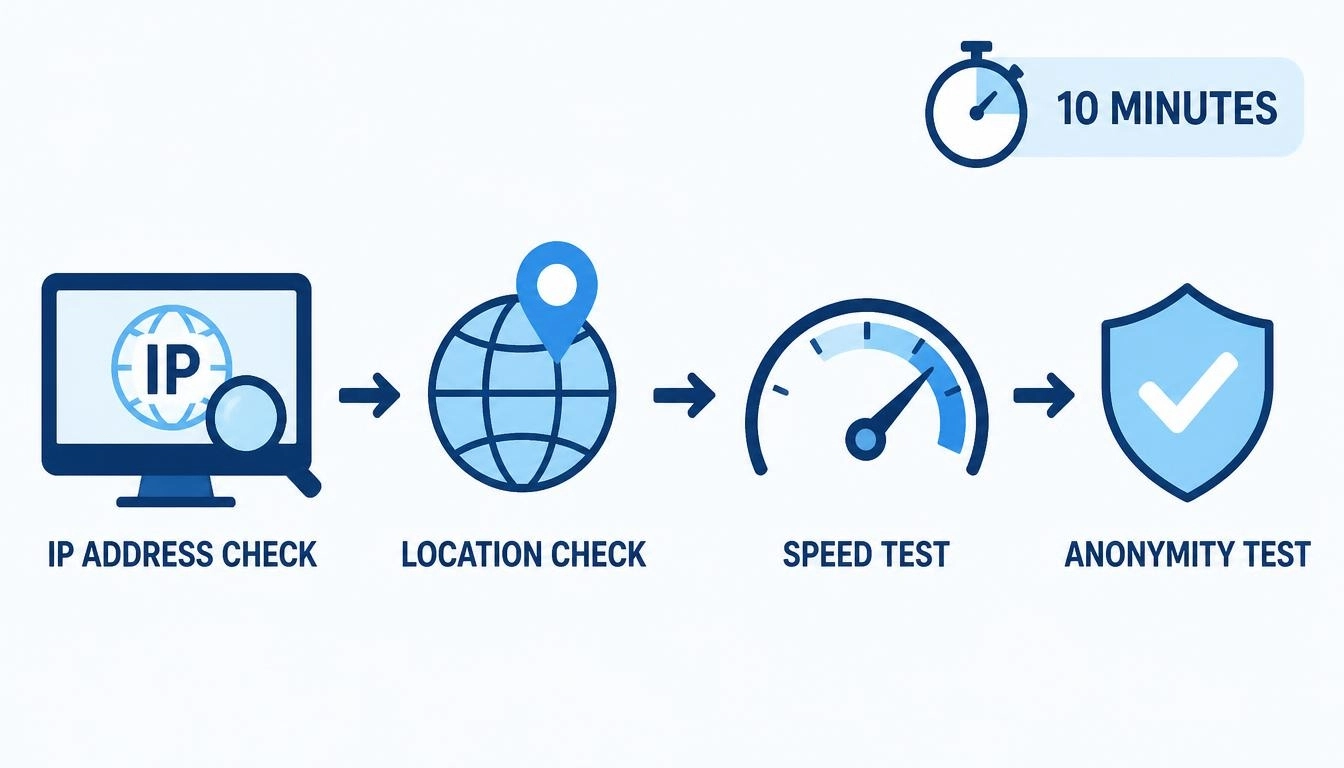
Don’t rely on any provider’s marketing, including ours. This short test shows how a gateway really behaves. Replace the placeholders with the details from your provider’s dashboard:
python

import collections

import requests


PROXY = "http://USERNAME:PASSWORD@GATEWAY_HOST:PORT"

proxies = {"http": PROXY, "https": PROXY}

seen = collections.Counter()


for _ in range(100):

    try:

        ip = requests.get("https://api.ipify.org", proxies=proxies, timeout=15).text

        seen[ip] += 1

    except requests.RequestException:

        seen["FAILED"] += 1


failed = seen.pop("FAILED", 0)

print(f"Unique IPs: {len(seen)} | Repeats: {100 - failed - len(seen)} | Failed: {failed}")
What good results look like:
Unique IPs close to 100 on per-request rotation. Lots of repeats mean a small pool in that location
Few or no failures. More than a handful suggests an overloaded gateway
Sticky sessions that hold. Switch to a sticky session, run the same script every 10 minutes, and note when the IP changes. It should match what the provider promises
Run it on two providers at once, with the same target sites you’ll use in production. Ten minutes of testing saves weeks of paying for the wrong plan.
Best backconnect residential proxies vs mobile vs datacenter
The gateway works the same way for every IP type. What changes is how trusted the IPs are:
Backconnect type | Trust level | Best for | Typical pricing |
Residential | High | Scraping, price monitoring, SEO checks, ad verification | Per GB |
Mobile (LTE/5G) | Highest | App-based platforms, social media, mobile-first sites | Per day or per GB |
Datacenter | Lower | Fast, high-volume jobs on easy targets | Per IP or per month |
For most data jobs, a residential backconnect proxy is the right default. Upgrade to mobile for sites that block residential traffic, and keep datacenter for jobs where blocks aren’t a problem.
Rotation and sticky sessions: how to control them
New IP on every request: use the gateway with no session setting, as in the test script above.
Same IP for a set time (sticky): most providers add a session ID, and sometimes a duration, to your username. The format differs between providers. IPRoyal’s documentation, for example, uses this pattern:
# IPRoyal-style format: an 8-character session ID plus a lifetime.

# Other providers use different formats, so copy yours from the dashboard.

STICKY = "http://USERNAME:PASSWORD_session-sgn34f3e_lifetime-30m@GATEWAY_HOST:PORT"

proxies = {"http": STICKY, "https": STICKY}
With App CyberYozh, your dashboard shows the gateway address, port and session settings for each plan, ready to copy into your code.
Why does the IP sometimes not change? If you use requests.Session(), it keeps one connection open and reuses it, so the gateway keeps the same IP. For per-request rotation, open a new connection for each request, or close the session between requests.
To automate rotation and check usage from your own code, use CyberYozh API access. Working in a browser? See our Playwright proxy setup and Selenium proxy setup guides.
What it really costs: price per GB vs cost per successful request
Price per GB is only half the story, because failed requests still use traffic. Here’s an illustration, assuming 200 KB per page:
Provider A | Provider B | |
Price per GB | $2 | $4 |
Success rate | 92% | 98% |
Traffic used for 1,000 successful pages | About 217 MB | About 204 MB |
Cost per 1,000 successful pages | About $0.43 | About $0.82 |
In this example, the cheaper provider wins despite more failures. If Provider A’s success rate fell to 50%, though, its cost per successful page would almost double. Your own test results are the only numbers that matter here.
Pro tip: before a big job, run a sample of your target URLs through two providers for an hour. Compare cost per successful request, not the price on the pricing page.
How to check if your backconnect proxy provider built on a botnet
This became a real question in 2026. On July 2, 2026, the FBI, with help from Google and other partners, seized hundreds of domains tied to NetNut, a residential proxy service linked to the Popa botnet of at least two million compromised devices, many of them smart TVs and cheap streaming boxes, KrebsOnSecurity reported. Google’s threat intelligence team said it had “high confidence that many popular residential proxy brands are in fact whitelabeling the NetNut botnet.”
Before you buy any backconnect residential proxies, ask the provider five questions:
How are your residential IPs sourced, and do device owners give clear consent?
Do you run your own network, or resell or white-label someone else’s?
Do you have a published acceptable-use and abuse policy?
Do you verify customers, and how do you handle abusive traffic?
Has your network been reviewed by an independent third party?
A provider that can’t answer clearly is a risk, no matter how cheap it is. Former NetNut customers can find options in our guide to the best NetNut alternatives.
Conclusion
Choosing a backconnect proxy service comes down to four checks: does the sticky session last as long as your longest task, does it support the protocol your tools need, does unused traffic survive the end of the month, and can the provider explain where its IPs come from. Run the 10-minute test on your real targets, compare cost per successful request, and the right choice usually becomes obvious.
Ready to test it yourself? Start small in the CyberYozh catalog: backconnect residential from $2/GB with rollover, LTE/5G mobile from $1.70 a day and datacenter from $2.18 a month. Check every new IP with the free CyberYozh IP checker before you buy a backconnect proxy plan at scale.