8 Best Facebook Proxies for Multi-Accounting in 2026
Using proxy for running ads or managing multiple accounts on Facebook is no longer optional. In 2026, detection systems have become stricter, behavioral analysis is deeper, and IP reputation plays a direct role in whether your accounts survive or get flagged and banned.
That’s when proxies for Facebook come in. A good proxy gives each account a clean, unique connection that looks like a real person using a real device for the platform. With high-quality IPs, media buyers, affiliate marketers, and agencies can confidently run multiple accounts, test ads, and grow at scale.
In this guide, we will review the 8 best Facebook proxies, starting with the top solution designed specifically for stable workflows in social media.
What is a Facebook proxy server?
A Facebook proxy server is an intermediary IP address that routes your connection to Facebook through another network. Thus, your real IP is not revealed, and the traffic appears as if it originates from a different location and device type.
Facebook (Meta) has one of the most paranoid anti-fraud systems among social platforms. It pays close attention to:
Geographic location
Internet service provider (ISP)
IP reputation history
Whether the IP belongs to a datacenter or a real user device.
One reused IP or low-quality datacenter proxy – and your account is banned, and budget and team time are wasted.
When managing multiple accounts, running ad campaigns across different geos, or using anti-detect browsers, high-quality proxies help isolate environments. When each account operates from a separate IP, it reduces cross-account linkage and ban risks.
Top 8 Facebook proxies
Here are the top Facebook proxy server sites for multi-accounting, Facebook ads and other tasks:
1. CyberYozh App – Best overall Facebook proxy
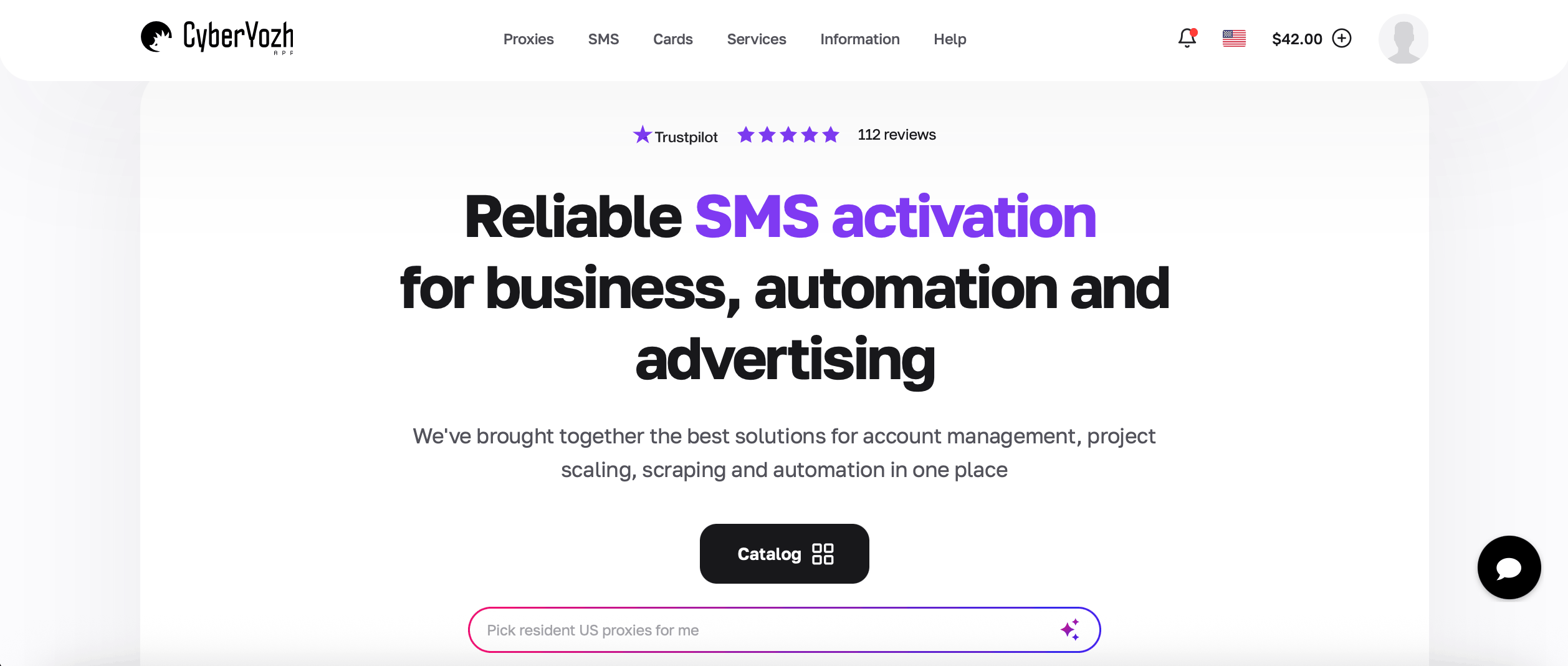
CyberYozh App is perfect for Meta (Facebook) workflows because it has a pool of high-quality IPs, superior trust scores, and high-speed connections that simulate real user behavior, thus minimizing detection. It’s the best proxy site for Facebook multi-account management, local ad campaign checking, data scraping, or automation. The platform offers adaptive session control and works with popular anti-detect browsers.
The biggest advantage of CyberYozh is its all-in-one ecosystem with SMS verification and a fraud score checker. It offers API access and is ready for integration with Postman, Selenium, Playwright, and Puppeteer, making it a perfect choice for developers and automation specialists.
Whether you’re managing ads, scaling affiliate campaigns, or running Business Manager accounts, CyberYozh gives each session a clean identity that reduces bans and account linkages. You can also buy aged Facebook accounts to increase platform trust and minimize bans even more.
Key features:
50+ million of high-quality residential and mobile IPs with high trust scores
IPs from 100+ countries - great geo-targeting options for global operations
Sticky sessions & smart rotation
Mobile and residential proxies
99.9% uptime and 99.8% success rate, surpassing the industry average
Strong customer support 24/7 and a dedicated manager
Designed for multi-account workflows on Facebook, Instagram, and Reddit
Perfect for marketers, advertisers, and multi-account operators
Tight integration with session/fingerprint tools.
2. Nimbleway
Nimbleway focuses on residential proxies designed for automation and data-heavy workflows. The platform uses optimized routing to avoid detection systems. This makes it useful for tasks such as analytics collection, social listening, and automated research.
Key features:
Residential proxies suitable for automation workflows
Smart routing optimization
Works with large-scale tools
Not focused on Facebook accounts precisely and has a technical setup.
3. Oxylabs
Oxylabs is a proxy provider offering residential and mobile proxies for Facebook operations. Whether you need a Facebook proxy server for ad verification, account management or scraping, the app will help you avoid frequent blacklisting.
Key features:
A pool of proxies with geo-distributed IPs to mimic local traffic
Enterprise support and SLAs
Compatible with automation & anti-detect tools
Might be expensive for small teams
Can be excessive for simple use cases and has a not very intuitive setup.
4. Bright Data
Bright Data has residential, mobile, and datacenter IPs for Facebook users. Features include session handling, rotation settings, and geo targeting to run local campaigns. Mature dashboard and API access are good for those looking to automate and optimize at scale.
Key features:
Adjustable rotation and session controls for account isolation
Excellent geo targeting for localized campaigns
Broad IP coverage in key markets
Detailed analytics & controls for advanced users
For non-technical users, the learning curve might be too long.
5. Decodo
Decodo is a platform offering FB proxies for account management, ad testing, and geo-targeted campaigns. By assigning different IP addresses to each account, Decodo helps reduce the risk of account linkage when operating multiple accounts.
Key features:
Residential and mobile proxies with global coverage
Sticky and rotating sessions available
Proxies are not specifically optimized for social media workflows
Works with anti-detect browsers
Performance varies by location
Support varies by plan.
6. SOAX
SOAX offers residential and mobile Facebook proxies for ads with precise geo-targeting. With them, marketers can preview ads, verify targeting, and manage region-specific Facebook accounts without raising location inconsistencies.
The provider is also used for ad verification and automation workflows. Its residential IPs come from real devices, which can help reduce detection risks compared to datacenter proxies.
Key features:
Accurate geo targeting for ad testing - useful for local campaign verification
Traffic-based pricing can become expensive for multi-account operations
HTTP, HTTPS, and SOCKS5 protocols
Not tailored for Facebook scaling
Interface can feel complex for non-technical users.
7. NetNut
NetNut has residential and ISP proxies that provide consistent connections. NetNut routes traffic through ISP infrastructure, which often means good speed and fewer interruptions.
For Facebook marketers, working with a Facebook proxy with a static IP is particularly useful because they keep the same IP over time, helping accounts maintain a consistent identity. This reduces suspicious login changes that can trigger security checks.
Key features:
Suitable for Facebook Business Manager accounts or long ad sessions
Static residential proxies available
Reliable connections for agencies
Enterprise-focused plans might not suit smaller teams
Traffic-based billing.
8. NodeMaven
NodeMaven’s residential proxies are suitable for a variety of tasks, including Meta workflows. This platform is suitable for Facebook advertisers who need to check ads across different locations. It’s a good proxy for Facebook account management and will also suit you if you want to scrape public data without interruptions and blocks.
Key features:
A pool of residential and mobile proxies
Targeting down to specific cities to reduce suspicion from Meta’s detection systems
Clean residential IPs for account separation
Occasional slower response times and fewer advanced features than other providers offer
Might not be ideal for enterprise-level scale.
What proxy types are best for Facebook?
Here’s the comparison of all proxy types to help you choose the best one for your workflow:
Proxy Type | Facebook Use Cases | Ban Risk | Cost |
Residential Proxies | Managing multiple accounts, running ads, and operating Business Manager accounts with realistic IP identities | Low | Medium |
Mobile Proxies (4G/5G) | Account warming, farming, and high-trust Facebook sessions | Very Low | High |
ISP / Static Residential Proxies | Long-term account management and stable logins. Agencies managing ad accounts on Facebook and Business Manager. | Low | Medium or High |
Rotating Residential Proxies | Automation tasks, ad verification, competitor monitoring, and high-volume requests. | Medium | Medium |
Datacenter Proxies | Low-risk tasks such as scraping public Facebook data, tool testing, or automation where account safety is not critical. | High | Low |
If your goal is long-term Facebook account stability, mobile proxies are typically the safest. High-quality mobile IPs offered by CyberYozh mimic real user connections, which helps accounts look natural when logging into Facebook or managing campaigns through Business Manager.
How to get on Facebook with a proxy?
To safely manage Facebook accounts with proxies, you will need an anti-detect browser like Dolphin Anty Octo Browser, Multilogin, and GoLogin. This setup isolates browser fingerprints and assigns a unique IP to each account, reducing the chances of accounts being linked by Meta.
Step 1: Get a quality proxy
Purchase a residential, mobile, or ISP proxy from a trusted provider like CyberYozh. You will receive proxy details including IP address, port, username, and password.
Step 2: Create a new browser profie
Open Dolphin Anty and create a new browser profile. Each profile simulates a separate device with its own fingerprint, cookies, and system parameters.
Step 3: Add the proxy
Inside the profile settings:
Go to Proxy settings
Select the protocol (HTTP, HTTPS, or SOCKS5), enter the proxy IP, port, login, and password
Click Check Proxy to verify the connection
This assigns a unique IP address to that browser profile.
Step 4: Open Facebook in profile
Launch the profile and log into Facebook. Because the profile has its own fingerprint and proxy, the platform sees it as a separate device logging in from a different location.
Common Facebook proxy mistakes that lead to bans
To reduce detection risks, you need to configure Facebook proxies correctly. Below are the common mistakes marketers make when working with proxies on Meta:
1. Using one proxy for multiple accounts
Running several Facebook accounts from the same IP address creates a strong linkage signal. If one account gets flagged, others connected to that IP may also be reviewed or restricted. Ideally, each account should have its own dedicated proxy.
2. Using datacenter proxies for sensitive tasks
Facebook will quickly spot datacenter IPs because they originate from hosting providers. While they may work for low-risk tasks, they are not recommended for managing ad accounts or Business Manager profiles.
3. Frequent IP changes during session
Switching IP addresses while logged into the same account can trigger security alerts. Facebook may interpret sudden location changes as suspicious activity. Sticky sessions or static residential proxies help maintain consistent logins.
4. Mismatched browser fingerprints
A proxy alone does not fully hide your identity. Facebook also analyzes browser fingerprints such as operating system, screen resolution, and WebGL signals. Without fingerprint consistency, accounts can still be linked even when different proxies are used.
5. Ignoring account warm-up
New Facebook accounts should not immediately launch aggressive ad campaigns or automation. Gradually warming up accounts with browsing activity helps build trust and reduces the chance of automated detection systems flagging them.
Conclusion
Proxies are a core part of a stable Facebook marketing infrastructure. Detection platforms from Meta continue to evolve, so using one IP for everything or relying on low-quality proxies increases the risk of account flags and ad restrictions.
To manage multiple accounts, run ads, or scale campaigns safely, use high-quality residential, mobile, or ISP proxies like those that CyberYozh provides. These proxies are designed specifically for multi-account workflows and social media environments. Combined with browser fingerprint management and careful account behavior, the right proxy setup allows marketers to scale campaigns, test ads across regions, and manage accounts with fewer interruptions.
FAQs about Facebook proxies
Should I choose residential vs mobile proxies for Facebook?
Residential proxies for Facebook are usually the best choice for managing multiple accounts and running ads because they balance cost, stability, and safety. Mobile proxies are safer but are typically more expensive.
Can I get a proxy server for Facebook free?
Free proxies exist, but they are usually low-quality and can get you banned in minutes. It’s safer to use paid, reliable proxies to avoid account restrictions.
What is the best proxy site for Facebook?
The best proxy sites for Facebook provide clean residential or mobile IPs, stable sessions, and good geo-targeting options. CyberYozh meets all the criteria, also providing you with integrations and sms verifications for smooth multi-account management.
Can Facebook detect proxies?
Yes, Facebook can detect datacenter proxies by analyzing IP reputation and network type. However, good residential or mobile proxies are much harder to detect because they resemble normal user connections.
What is the best Facebook ads proxy?
Residential or ISP proxies are usually the best choice for Facebook ads because they provide stable IP identities.
Do you need an anti-detect browser with Facebook proxies?
Proxies hide your IP address, but they do not protect your browser fingerprint. Combine proxies with an anti-detect browser to create isolated environments for each account and reduce linking risks.
Helpful?
Share article
