Buy YouTube Accounts in Bulk: 9 Checks Before You Pay (2026)
Sellers make it look simple: pick a package, pay, and get a spreadsheet of logins. The listing doesn’t say you can’t transfer most of those logins, and the seller can often take them back. If you plan to buy YouTube accounts in bulk, this guide explains what you’d really own, what to verify, and the safer routes YouTube actually supports.
Quick Answer: When you buy YouTube accounts in bulk, you usually get shared login details, not ownership. YouTube says the Owner role on a channel “cannot be transferred to other users.” The only supported handover is a Brand Account channel: the current owner adds you, and after 7 days, you can take primary ownership as an owner. Anything else leaves the seller with recovery access, and every account carries an unknown policy history.
TL;DR
Only Brand Account channels support a real ownership transfer. Personal-account channels can only be “sold” by handing over a password, and the seller can still recover them.
Bulk listings multiply the risk because you can’t check each account’s history, and one bad account can affect your linked channels.
Inflated subscriber counts violate YouTube’s fake engagement policy, and artificial traffic doesn’t count toward views or subscribers.
Verify strikes, monetization status, and growth history live in YouTube Studio before any money moves.
For teams, YouTube’s channel permissions are a free, supported alternative to buying logins.
Buy YouTube accounts in bulk: What you’re actually buying
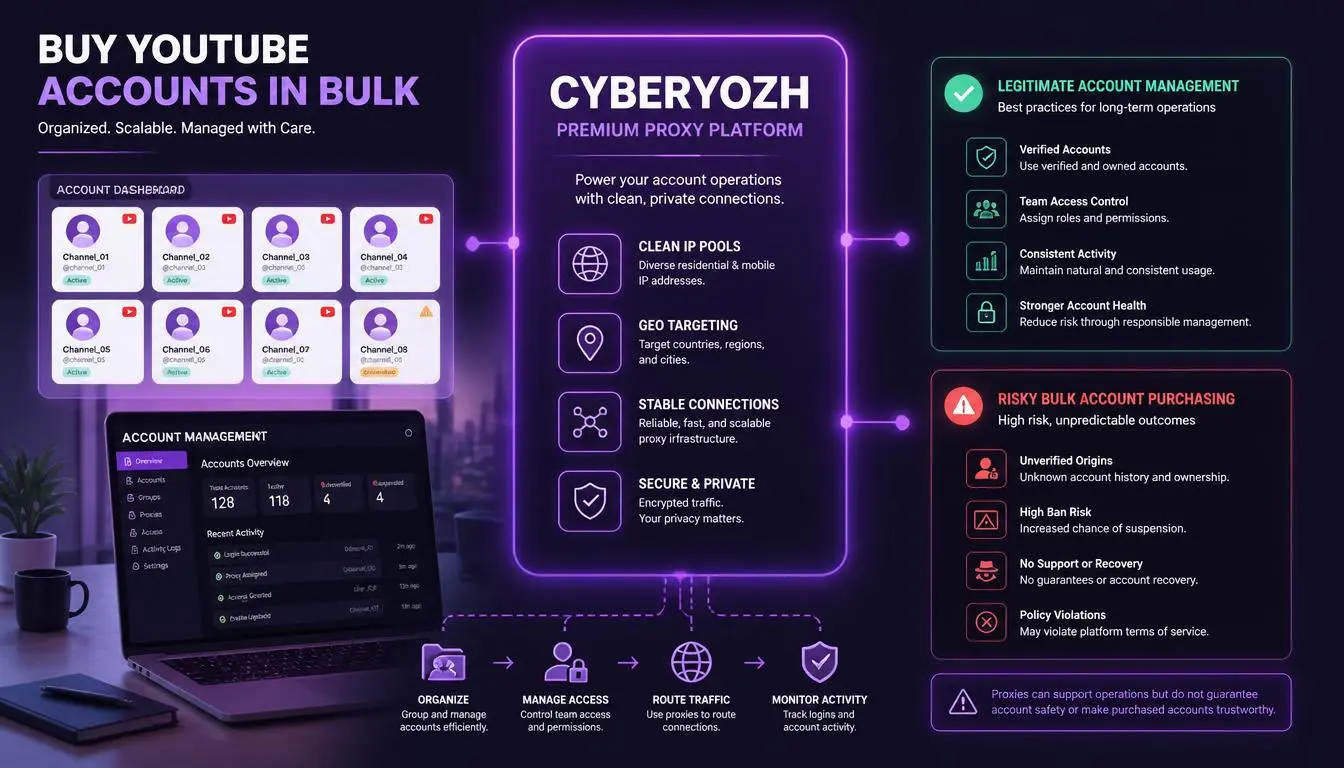
The phrase “YouTube account for sale” covers three very different things:
What’s sold | How it changes hands | Who keeps recovery access | Risk |
Login credentials (most bulk deals) | Seller sends email and password | Seller | Very high |
Brand Account channel | Seller adds you as owner, then primary ownership is transferred | You, once the transfer is complete | Moderate |
Business with a channel | Brand Account transfer plus a written contract | You | Lowest |
Aged YouTube accounts are simply accounts created years ago. Age doesn’t tell you whether an account was hacked, used for spam, or recovered by its original owner. Older accounts sold in batches are often the hardest to trace.
Why buying YouTube accounts in bulk multiplies the risk
Buying a single, well-documented channel can be a legitimate business deal. When you buy YouTube accounts in bulk, the picture changes for three reasons:
You can’t verify each account. Fifty accounts means fifty histories you haven’t seen.
Accounts in a batch may be linked. If they were created or recovered the same way, a problem with one can show up across the others.
Termination spreads. YouTube’s termination policy says a terminated creator is “prohibited from using, possessing, or creating any other YouTube channels,” including channels they acquire. If any account in the batch traces back to a terminated creator, you expose the channels you build on it.
Warning: Bulk accounts sold “with subscribers” are the riskiest kind. YouTube’s fake engagement policy prohibits artificially inflating metrics, doesn’t count artificial traffic, and can lead to strikes. Three strikes within 90 days can end in channel termination.
9 checks before you buy any YouTube account
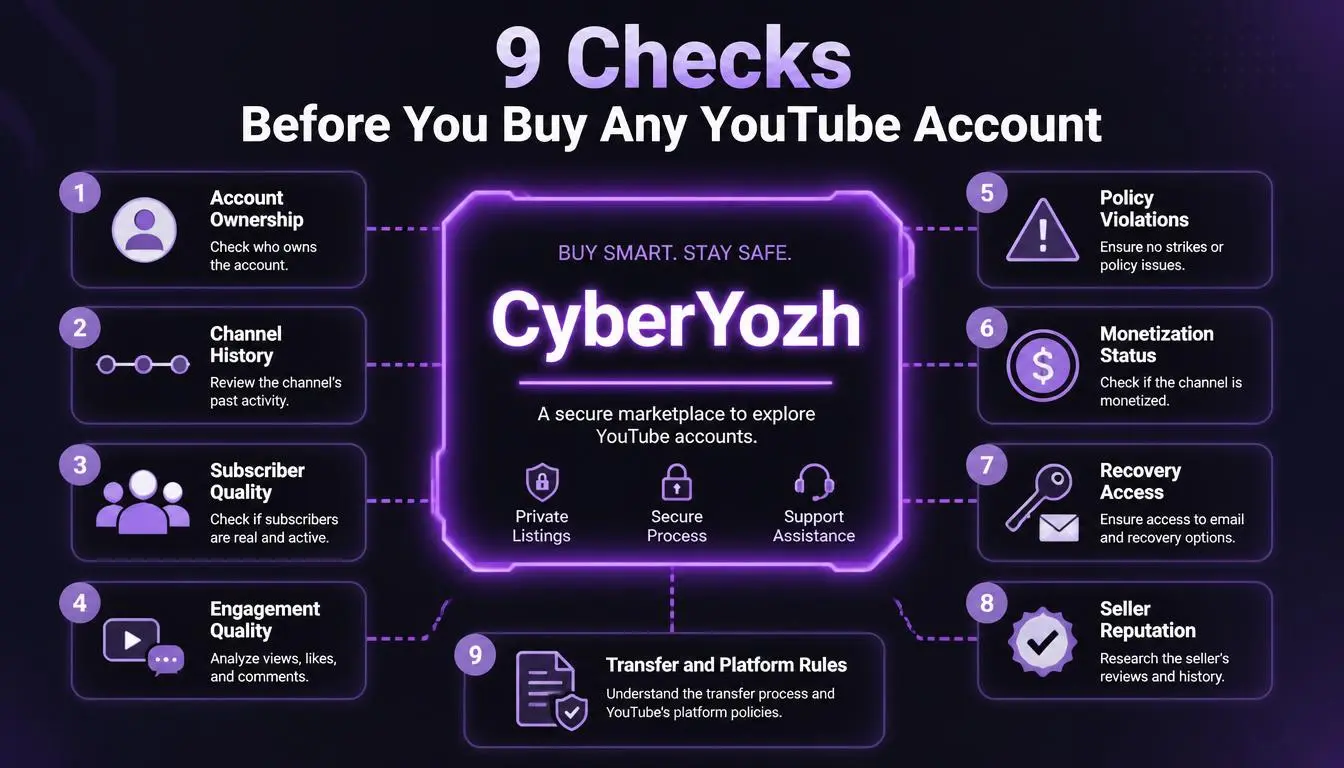
If you still want to buy YouTube accounts in bulk, or even a single channel, ask the seller to share their screen live in YouTube Studio. Screenshots are easy to fake.
Is it a Brand Account? Ask the seller to open the Brand Accounts section of their Google Account. If the channel isn’t a Brand Account, there’s no supported way to transfer ownership.
Strikes and warnings. Check that the channel has no active Community Guidelines strikes, copyright strikes, or policy warnings.
Monetization status. If the price assumes earnings, confirm the channel’s YouTube Partner Program status in Studio. Don’t rely on old payout screenshots.
Subscriber growth over time. In Analytics, set the range to “Lifetime.” Sudden spikes that don’t line up with a popular video are a red flag.
Views compared with subscribers. A channel with 10,000 subscribers that averages 40 views per video probably has bought or inactive subscribers.
Traffic sources and audience geography. Unexplained external traffic or an audience in countries that don’t match the content's language often points to purchased traffic.
Content ownership. Check for copyright claims and reused content. Those problems transfer to you along with the channel.
Ownership history. Ask how the seller acquired the channel, and confirm they’re the original creator or can document their own purchase.
Payment terms. Use escrow and release the money only after primary ownership transfers to you, not when you receive a password.
Before your team signs in to an acquired channel, run the IP you’ll use through CyberYozh’s fraud score checker to make sure it isn’t already flagged.
Buy YouTube accounts in bulk: Common scams and red flags
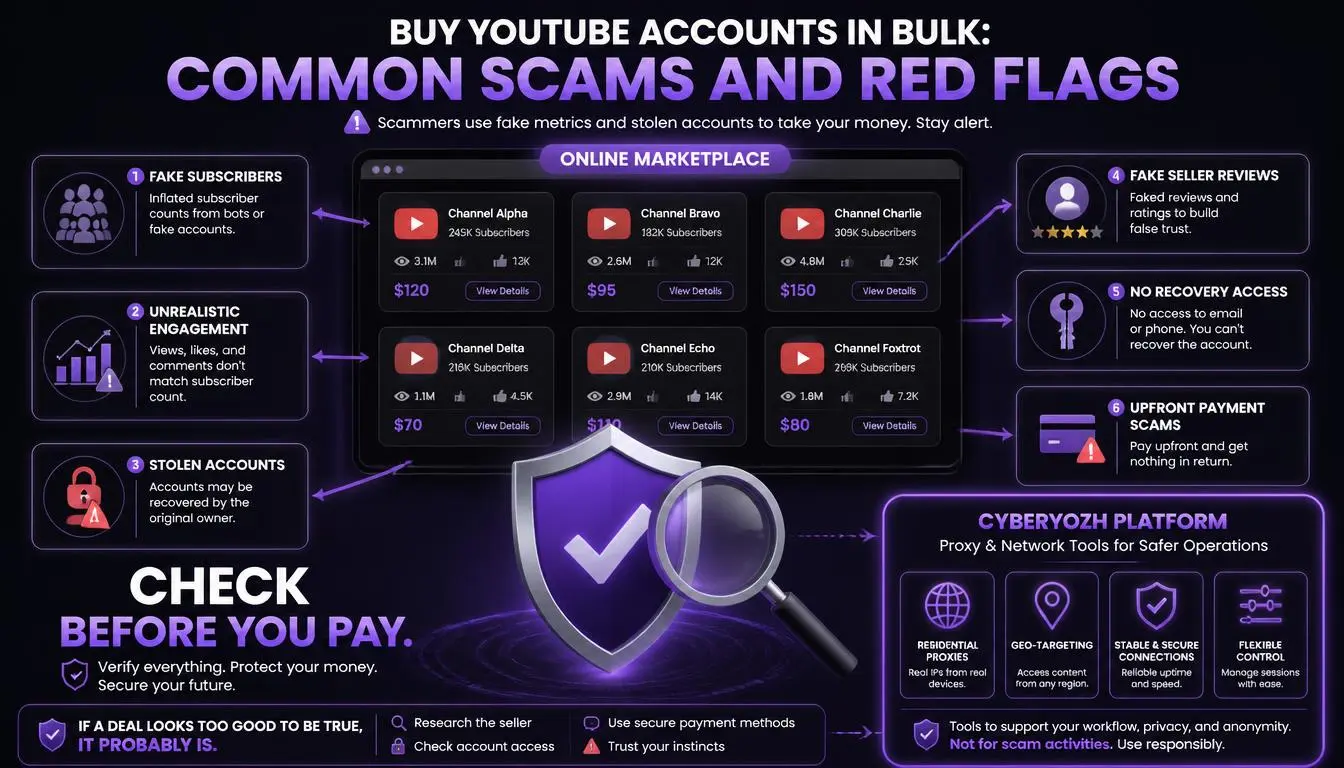
“Lifetime warranty” on bulk logins. A seller who keeps recovery access can take an account back after the warranty ends, and no warranty stops YouTube from enforcing its rules.
Monetized channels at bargain prices. A channel that really earns money is rarely sold cheaply in a batch.
Pressure to pay through irreversible methods like gift cards or untraceable crypto, with no escrow.
Refusing to screen-share Studio. Analytics are much harder to fake in a live session, so a seller who refuses usually has a reason.
“Ready to use with 1,000 subscribers.” Reaching 1,000 subscribers is only one Partner Program requirement, and YouTube can remove bought subscribers.
How to protect a YouTube channel you’ve acquired
Once you legitimately own a channel, lock it down the same day:
Remove every other owner and manager you don’t recognize, including the seller.
Replace the recovery email and phone with ones you’ll control for years. Never use a temporary or rented SMS number for recovery, because whoever gets that number next could use it to reset your account.
Turn on 2-Step Verification, ideally with a security key or passkey.
Sign out of all other sessions in your Google Account’s security settings.
Review linked accounts such as AdSense and Google Ads.
Transferring ownership also solves login issues. With a Brand Account, the seller adds your own Google Account as an owner, so you never sign in with their password. That avoids “Verify it’s you” prompts being sent to a phone you don’t control.
Where YouTube proxies fit and where they don’t
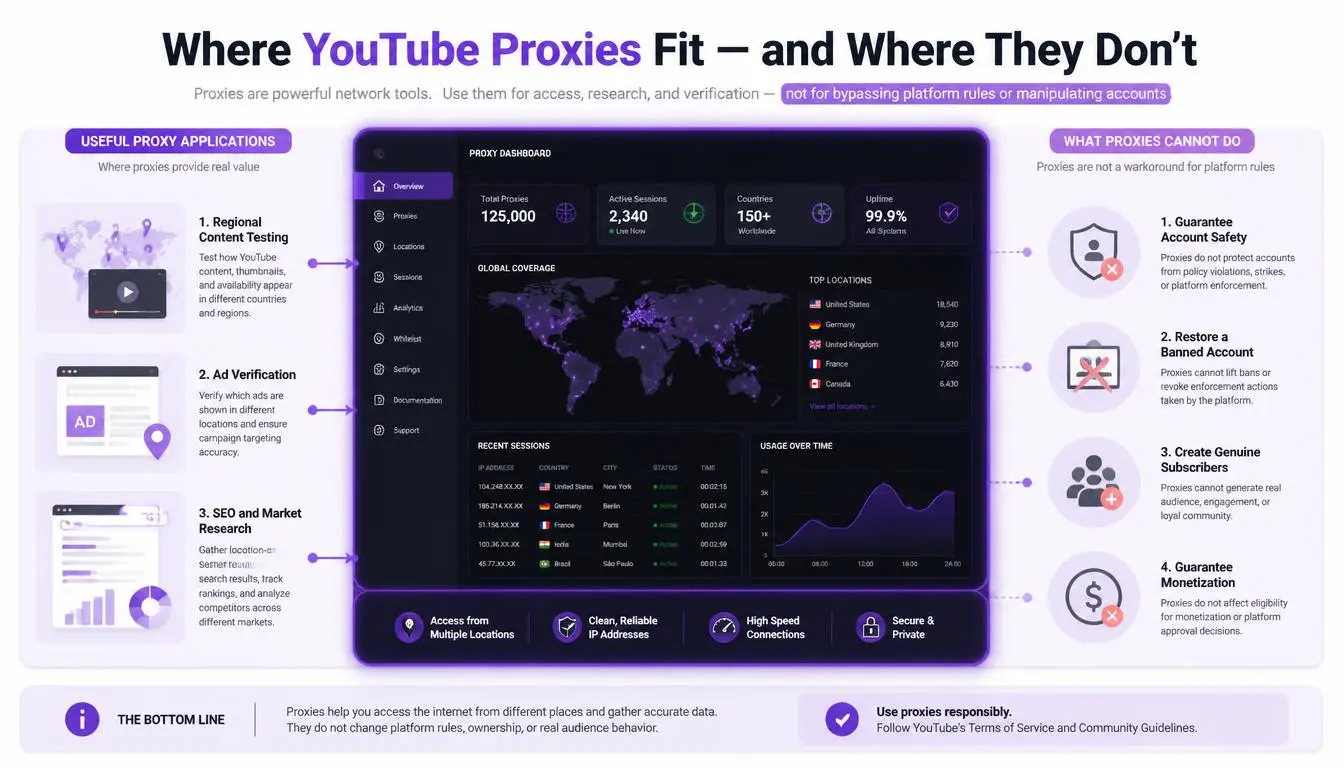
Proxies get oversold in this space, so here’s what they can and can’t do.
A proxy won’t:
make a bought account yours or stop a seller from recovering it
hide fake engagement or policy violations from YouTube
protect a channel linked to a terminated creator
A proxy can help:
Give a team that manages channels from different cities or countries a stable, consistent login location, so Google’s sign-in checks aren’t triggered every time someone logs in from a new network
Keep separate client channels on separate IPs for an agency handling them through proper permissions
For logins, choose a static IP that doesn’t change. Rotating IPs make it look like a new location every time, which triggers security checks.
Managing channels for clients? See how CyberYozh YouTube proxies separate access by account, or read the full comparison of YouTube proxy providers.
CyberYozh options for YouTube channel teams
Prices as listed on the CyberYozh catalog, October 2026:
Static ISP residential proxies from $5.29/month: one dedicated IP for one team member or one channel, with unlimited traffic
Dedicated LTE/5G mobile proxies from $3.5/day: a carrier connection for teams who manage channels mainly from phones
Shared LTE/5G mobile proxies from $1.7/day: a cheaper mobile option for occasional access
Business plans for agencies, with a private proxy pool, custom terms, and a dedicated account manager
Safer alternatives to buying logins
For collaborators and staff: Use channel permissions. In YouTube Studio, go to Settings → Permissions and invite people as Manager, Editor, or Viewer. Invitations expire after 30 days, and you can remove access at any time. Nobody shares a password.
To buy an existing channel: Buy one channel at a time, insist it’s a Brand Account, put the deal in a written contract, and pay through escrow that releases only after the 7-day primary ownership transfer is complete. YouTube’s Brand Account ownership guide explains each step.
For scale: Build new channels under your own business accounts. It’s slower, but every subscriber is real, and nobody else holds the keys.
Conclusion
The decision to buy YouTube accounts in bulk usually comes down to speed. But you can lose that speed overnight to a seller’s recovery request or a single policy strike. If you need a channel, acquire it through a documented Brand Account transfer. If you need a team, use channel permissions. If you need reliable access for that team, give each person a stable IP.
Setting up access for a channel team? Compare proxy types in the CyberYozh catalog and choose a static option for logins.