Datacenter vs. Residential Proxies: Which Proxy Is Better?
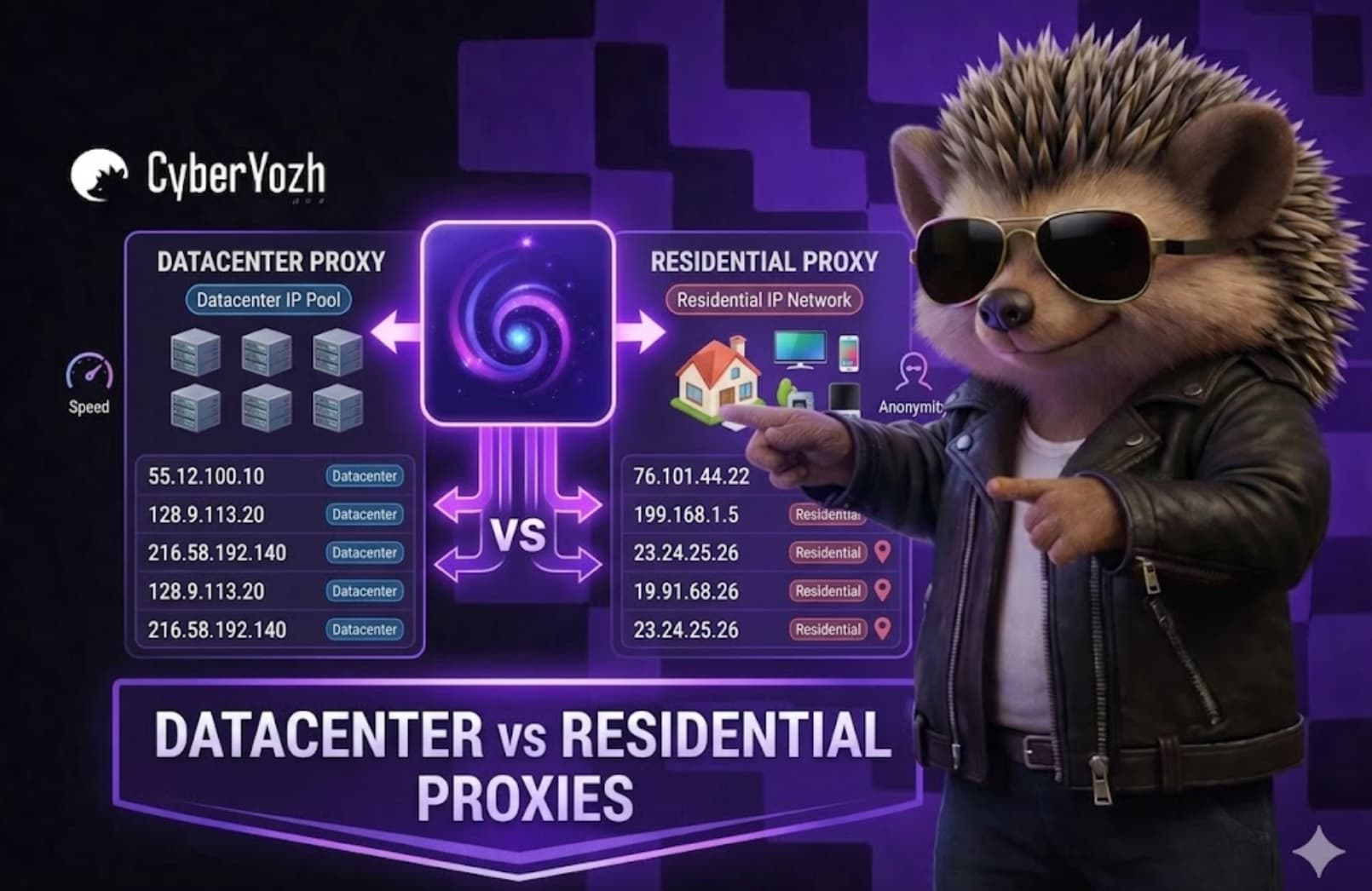
Choosing between a residential vs datacenter proxy isn’t about definitions — it’s about what actually works under pressure.
Most guides explain the difference between datacenter and residential proxies at a surface level. But in real-world setups, the wrong choice leads to bans, failed requests, and wasted budget.
This guide breaks down not just how they differ, but which proxy is better depending on your goal, risk level, and scale.
What you’ll learn:
The real difference between datacenter and residential proxies beyond basic definitions
When each proxy type fails (and why it matters for your setup)
A clear framework to decide which proxy is better for your use case
How to combine both for higher success rates and lower costs.
TL;DR
Datacenter proxies = high speed, low cost, higher detection risk
Residential proxies = lower detection, higher cost, more stable for accounts
Datacenter works best for bulk scraping and automation
Residential holds for logins and accounts, where working without blocks actually matters
Best results come from combining both in one workflow.
Difference between datacenter and residential proxies (quick answer)
Datacenter proxies are fast, scalable, and cost-efficient, but they are easier for websites to detect and block. Residential proxies use real user IP addresses, making them more reliable for sensitive tasks, though they are slower and more expensive. The better choice depends on whether you prioritize speed and cost or stealth and long-term success rates.
The trade-off sounds simple. But to make the right choice in practice, you need to understand how each proxy type actually works.
What is a datacenter proxy?
A datacenter proxy is an IP address generated by cloud infrastructure, such as AWS, Google Cloud, and Microsoft Azure, not assigned to a real user. It's fast, cheap, and easy to scale, making it ideal for high-volume web scraping, automation, and SEO monitoring.
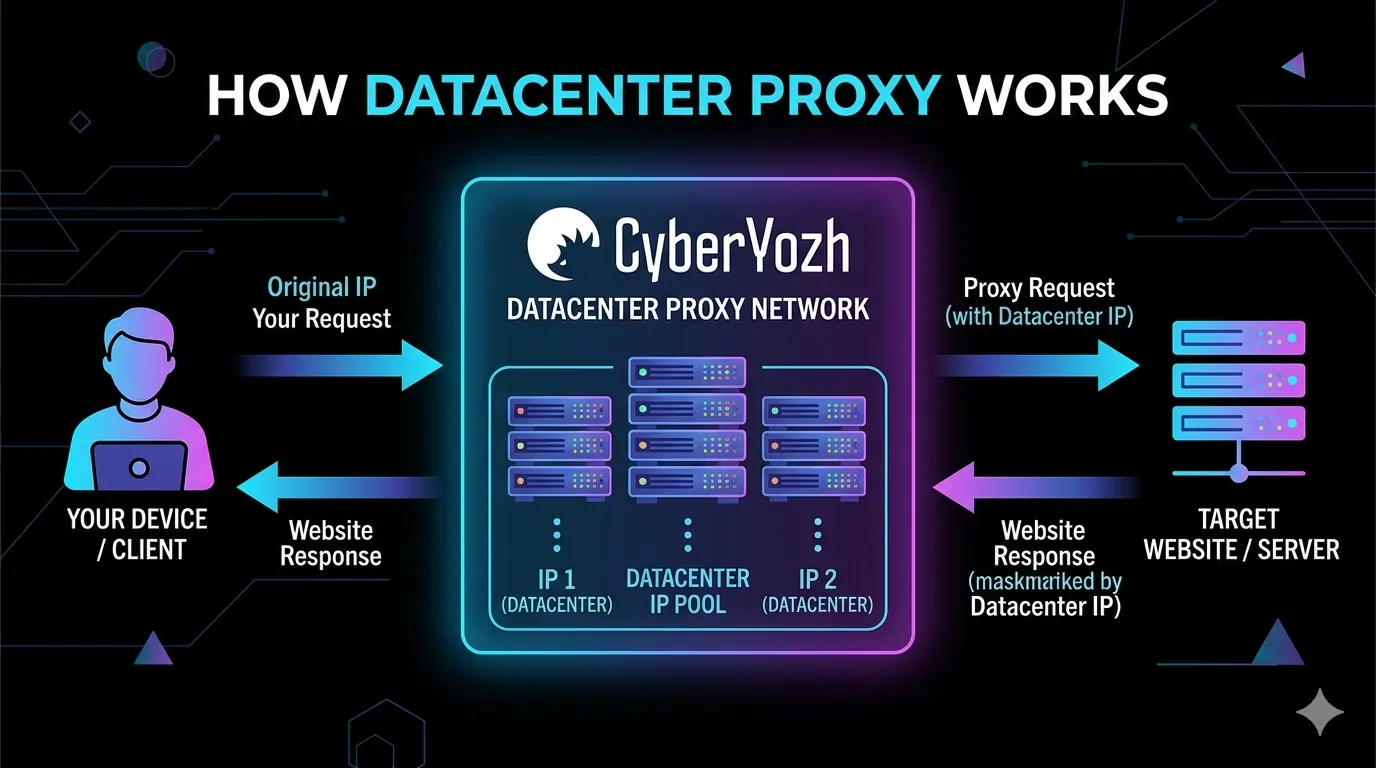
The downside is trust. Datacenter proxies originate from known cloud provider IP ranges, they are much easier for websites to detect and block, especially in account-based workflows. At scale, this leads to more CAPTCHAs, blocks, and retries.
What is a residential proxy?
A residential proxy routes your traffic through smartphones or computers connected to actual internet service providers (ISPs) such as Comcast, AT&T, or Vodafone. This gives you an IP address that looks like a normal user's — because technically it is a normal user's.
Residential IPs blend in with regular web traffic, making them significantly harder to detect, or block, even by advanced anti-bot systems like Cloudflare or PerimeterX. Read our guide explaining what is a residential proxy for more details.
In practice, residential proxies are best for multi-account management, accessing websites with strong anti-bot protection, and geo-targeted action such as ticket automation. The trade-off: higher trust and success rates, but higher cost and lower speed.
Datacenter vs residential proxies comparison
Most comparisons stop at “speed vs anonymity.” That’s not where decisions are made.
In real setups, the difference between datacenter and residential proxies shows up in three places: how fast you get blocked, how much you pay to keep things running, and how far you can scale before it breaks.
1. IP origin and trust level
Datacenter proxies come from cloud providers (AWS, OVH), while residential proxies come from real ISP networks. Platforms know and evaluate this difference. Datacenter IP ranges are widely known and often pre-flagged, especially by social media, search engines, and e-commerce platforms.
Residential IPs start from a trusted baseline, so login flows and session-based actions hold longer. In practice, this means fewer instant verification triggers and fewer delays during logins and repeated actions.
2. Speed and throughput
Datacenter proxies are built for performance: low latency, stable routing, and no dependency on real devices. CyberYozh datacenter proxies give you 99.9% uptime and unlimited traffic, which makes them ideal for high-volume jobs.
Residential proxies are slower because traffic passes through real networks, which adds variability. Under load, response times start to fluctuate, and large scraping jobs take longer to complete compared to datacenter setups.
3. Detection and success rate
Datacenter proxies are easier to detect because their ASN and IP ranges are publicly associated with server infrastructure. In real workflows, this shows up as more CAPTCHAs, failed logins, and dropped sessions.
Residential proxies reduce that friction, because they look like normal users. More requests go through on the first attempt, which directly improves success rate.
4. Cost-efficiency
On paper, datacenter proxies are cheaper – CyberYozh pricing starts around $2.05 per IP/month with unlimited bandwidth. But the real cost shows up in outcomes. Higher block rates mean more retries and more time spent handling failures.
Residential proxies are billed per GB (rotating residential) or by IP (static) and the price is higher – $5.39 per IP. Datacenter traffic often needs retries due to blocks, while residential traffic succeeds more often per request, which eventually justifies the cost.
5. Scalability under load
Datacenter proxies scale in seconds. You can add thousands of IP, and they handle large volumes without extra costs for traffic. However, when things start to break, datacenter proxies get blocked more often as you scale.
Residential proxies don’t scale as easily. You’re limited by available real-user IPs and bandwidth. When you scale, residential proxies keep working but become expensive. Which proxy is better comes down to what you can afford to lose – success rate or cost.
When datacenter proxies fail (and why)
Datacenter proxies fail the moment a platform starts caring about IP reputation.
You can push thousands of requests through them without issues until you add logins, accounts, or anything tied to identity. Then the pattern is predictable: CAPTCHAs show up, sessions don’t stick, and success rates drop. Datacenter IP ranges are already known and flagged.
Example: try logging into multiple Google or Instagram accounts with datacenter IPs. The first few attempts might pass, but very quickly you’ll hit verification loops, forced phone checks, or blocked sessions. In real setups, success rates can drop below 50% as volume increases.
Avoid datacenter proxies if:
you’re logging into accounts
you need stable sessions
blocks cost more than traffic
Datacenter proxies are built for volume, so don’t expect trust.
When residential proxies fail (and why)
Residential proxies don’t fail because of detection. The problem here is cost and misuse.
If you use them for high-volume tasks or aggressive rotation, you burn bandwidth fast and break session consistency. Everything “works” but your cost per result climbs quickly, and performance slows down.
Example: scraping 10,000+ pages of e-commerce catalogs with residential proxies. You’ll get clean access, but bandwidth usage can double within days, turning what looked like a controlled budget into a growing expense.
Another common issue is rotation. If you rotate IPs too frequently during logins or multi-accounting, platforms treat each request as a new user. It kills stability in a blink and forces you to log in again, reducing productivity.
Avoid residential proxies if:
you’re scraping at large scale
speed is critical
you don’t control rotation and usage.
Residential vs datacenter proxy: Which is better for real-world use cases
1. Managing multiple accounts (social media, marketplaces)
Use residential proxies for social media, marketplace, or ad accounts. Try logging into 5-10 accounts from the same datacenter subnet and you’ll hit verification loops, SMS checks, or straight session drops. Platforms like Instagram and Amazon score IP reputation early, and datacenter ranges don’t pass. Residential IPs keep sessions stable and reduce friction.
👉 If you use datacenter here, expect accounts to burn before they even warm up.
2. Large-scale scraping (SERPs, product data)
Use datacenter proxies for scraping SERPS, product catalogs, or public profiles. Switch to residential when blocks increase. At 10K–1M+ requests, datacenter IPs handle the volume cheaply and fast. But once block rates climb (you’ll see more CAPTCHAs and empty responses), continuing on datacenter wastes requests. Switch part of traffic to residential to restore access where needed.
👉 If you run residential from the start, expect your costs to double without a real gain in coverage.
3. Sneaker/ticket buying
Use residential proxies for sneaker copping and tickets. Sites like Ticketmaster or Nike use aggressive anti-bot protection, and datacenter IPs get flagged almost instantly. Residential IPs improve success rates during checkouts and queue bypass attempts.
👉 If you rely on datacenter, expect most requests to fail before checkout.
4. Ad verification
Use residential proxies to verify ads or test local creatives. If you check ads or search results from datacenter IPs, you’ll often see generic or masked content. Residential ISP IPs from specific cities return what real users actually see.
👉 If you use datacenter, expect inaccurate data and missed placements.
5. Automation without logins
Use datacenter proxies for uptime checks or scraping public pages at 50K–200K requests/day. They can handle load without bandwidth costs. There’s no identity involved, so detection pressure is lower. Using residential here just adds cost without improving results.
Here’s what most guides won’t tell you: the biggest performance gains come from splitting your workflow correctly. Run datacenter proxies for discovery and bulk requests, then route only the blocked or high-risk actions through residential. This cuts costs significantly while keeping success rates high.
What are ISP proxies
ISP proxies (static residential) sit in between datacenter and residential — and that’s exactly why they’re useful.
They run on datacenter infrastructure, so you get speed and stability. But the IPs are registered under real ISPs, so platforms treat them closer to residential traffic. In practice, this means fewer flags than datacenter — especially in login-heavy workflows — while holding sessions for hours without resets.
This is what you use when datacenter IPs start getting blocked and rotating residential become too expensive.
CyberYozh’s ISP proxies are built for that gap: dedicated ISP IPs, unlimited traffic, and stable sessions without forced rotation — so logins hold and workflows don’t reset mid-process.
Datacenter vs residential vs ISP proxies (Quick comparison)
When choosing a proxy type, see how it behaves when you push volume, log in, or start getting blocked. If you can’t choose between datacenter proxies vs. residential, use this table:
Factor | Datacenter | Residential | ISP |
|---|---|---|---|
What it is | Server IPs (AWS, OVH) | Real user IPs (ISPs) | Datacenter IPs registered as ISP |
Trust & Detection | Low — flagged fast on logins | High — behaves like real users | Medium — holds in login flows, still detectable |
Speed | Very fast | Slower, variable | Fast and stable |
Sessions | Break under checks | Break if over-rotated | Hold for hours without resets |
Cost Reality | Cheap per IP, costly in retries | Expensive per GB, high success rate | Balance of price and stability |
Best Use | Bulk scraping, automation | Accounts, anti-bot targets | Logins, account warming, stable flows |
Quick takeaway:
Datacenter → cheap for scale, breaks when the platform wants to believe you’re a real human.
Residential → more expensive, but works for high-trust tasks where others fail
ISP → perfect when datacenter gets blocked and residential is too costly.
Dedicated vs shared proxies (What actually changes)
Most people focus on residential vs datacenter proxy type and ignore this. So, what do dedicated vs shared proxies mean? The difference is simple: who else is using your IP.
With shared proxies, you’re using IPs together with other users. That means you inherit their behavior, good or bad. If someone abuses the IP before you, you start with lower trust and hit blocks faster. With dedicated proxies, the IP is yours only, so performance is consistent and predictable.
What this means in practice:
Shared proxies are cheaper, but higher risk of flags and unstable results
Dedicated proxies have higher cost, but stable sessions and cleaner reputation
For accounts/logins, always use dedicated
For scraping, shared can work stably until detection increases.
Common mistakes when choosing a proxy type
Most proxy setups don’t fail because of bad proxies, but because you choose the wrong proxy under load. Everything looks fine at the start. Then you scale, add logins, or hit protected targets, and the whole setup starts leaking time, money, and success rate.
Using datacenter proxies for logins. It works for the first 5-10 attempts, but then you hit CAPTCHAs, verification loops, and logouts. You end up retrying more than succeeding.
Running residential proxies for bulk scraping. Access stays clean, but costs spike fast. At 100K+ requests, bandwidth usage compounds and you burn the budget without improving output.
Rotating IPs too aggressively. Changing IPs mid-session makes platforms treat every request as a new user. Sessions break instantly, forcing re-auth and slowing everything down.
Using one proxy type for everything. This is where most setups fail. Datacenter breaks on trust, residential breaks on cost, and your workflows fail.
Optimizing for price, not results. Cheap proxies look good until failure rates climb. More retries = more time, more infrastructure, and higher real cost.
Ignoring how aggressive the platform is. Datacenter proxies fail immediately on Google, TikTok, or marketplaces, often within the first few requests.
How to know you’re making these mistakes:
success rate drops as you scale, even though setup didn’t change
everything worked fine, but then CAPTCHAs and blocks appear
costs keep rising, but output stays the same
sessions don’t hold or keep resetting mid-process.
Why CyberYozh proxies perform better in practice
Most proxy providers give you IPs only, leaving you to deal with blocks, retries, and unstable sessions. CyberYozh is built around the exact trade-offs you’ve just seen – speed vs trust vs cost – and gives you control over all three.
Instead of forcing one proxy type to do everything, you can switch and combine datacenter, residential, and ISP proxies depending on where your setup starts breaking. That’s the difference between a setup that “works sometimes” and one that scales.
What this means for you:
Datacenter without recycled IP issues for stable high-volume scraping without early blocks
Residential ISP proxies for stable sessions → logins and accounts hold for hours without resets
Clean IP pool – 50M+ IPs across 100+ countries with 99.8% success rate
Hybrid workflows – run bulk tasks on datacenter, route sensitive actions through residential or ISP
Built-in risk checks (IP, phone, card) so you can catch bad inputs before they cost you money
Automation-ready (API, Selenium, Playwright, Scrapy) – no manual bottlenecks as you scale
One platform for everything – proxies, SMS activation, and verification tools.
How to get started with residential proxies
If you’ve reached this point, you don’t need more theory — you need a setup that holds under real conditions.
Practical flow:
Buy residential, datacenter, or ISP proxies in your dashboard, depending on your task
Select location and session type — rotating for scale, sticky for accounts and sessions
Copy proxy details (IP, port, login/password or endpoint)
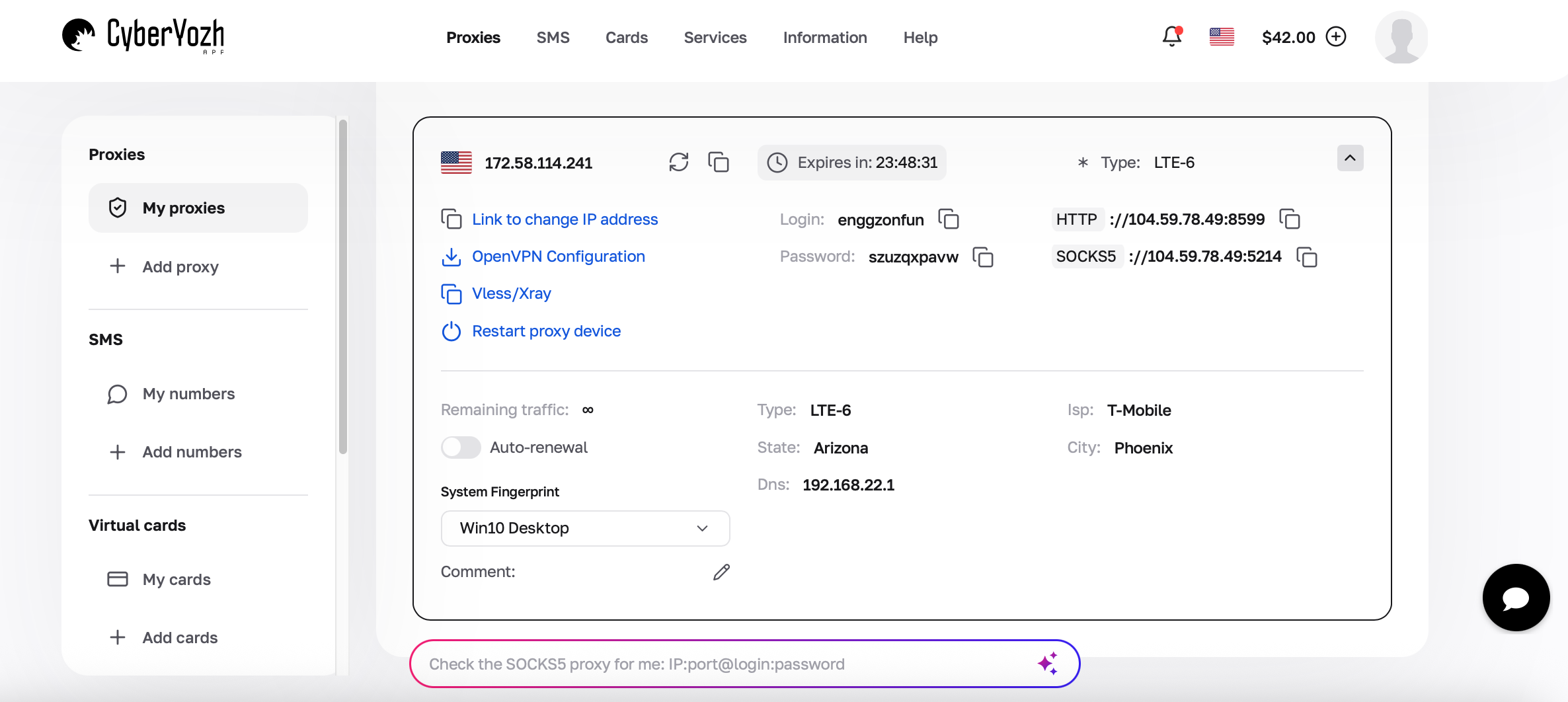
Integrate into your tool — browser, scraper, or automation stack (Selenium, Playwright, etc.)
Run a controlled test — 20–50 actions to see how fast blocks and CAPTCHAs appear
Scale gradually — if you skip this, you’ll scale a broken setup.
Conclusion about datacenter proxies vs. residential
Datacenter and residential proxies don’t compete — they fail in different ways. The setups that actually scale use each where it holds, not where it’s cheapest.
CyberYozh is built around that reality, giving you datacenter, residential, and ISP proxies in one place so you can switch, combine, and run workflows without constant breaks.