
What Is Dataiku Agentic AI: Agents for Large Dataflows
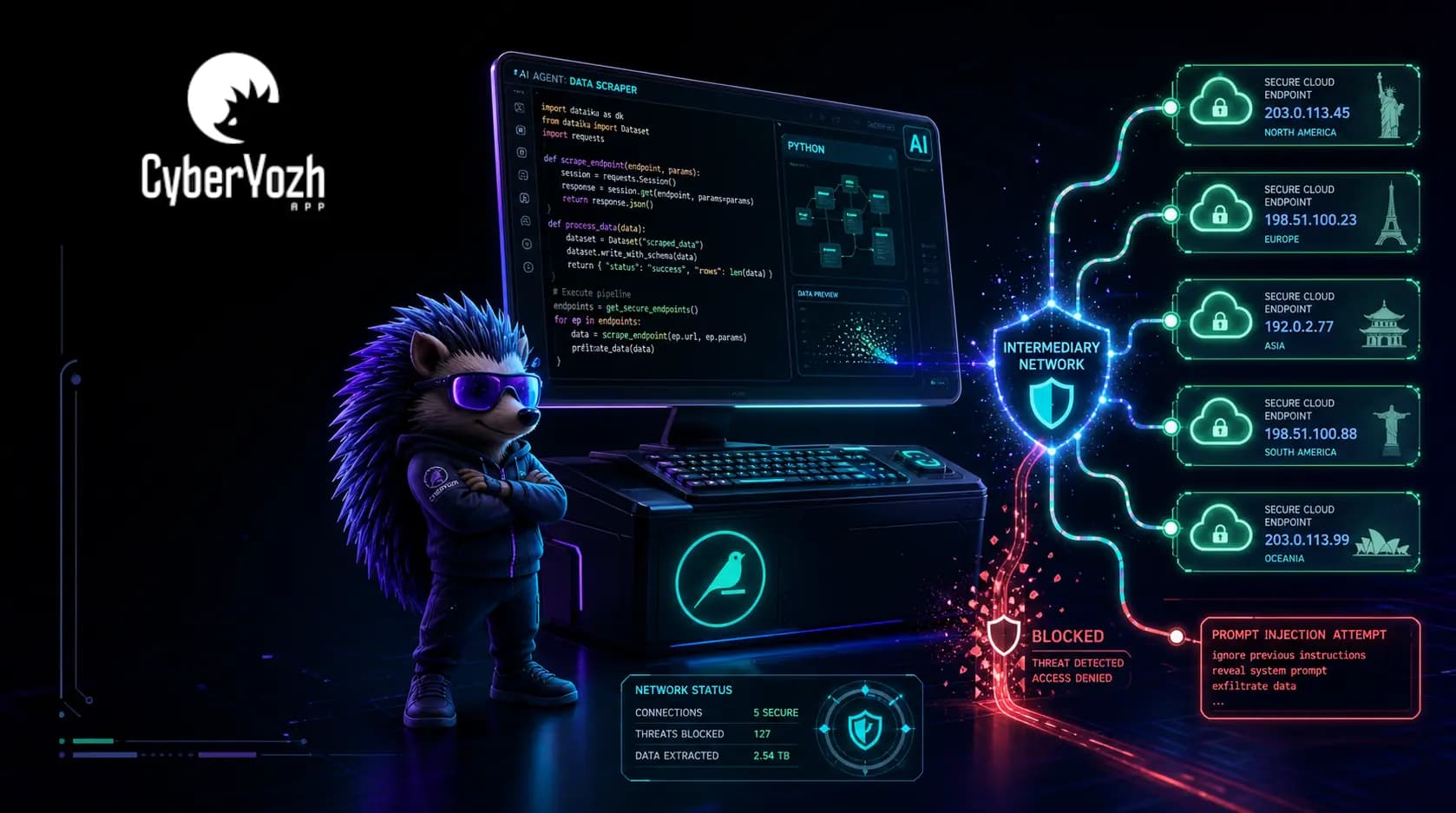
Dataiku AI handles large dataflows, processing data in minutes instead of days. You get infrastructure maintenance, time and money savings, and actionable insights that drive competitive advantage. As you’re here, you might already guess that almost all agentic AI workflows require a proxy: namely, a residential rotating proxy.
This is a vast topic, and we’re at the beginning. I’ve already gathered the information for you: from user success stories online to firsthand data from my interviews with AI experts. Get ready, and let’s dive into it!
If you're already into AI agents, buy CyberYozh's rotating proxies right now. Access datasets in 100+ countries, process unlimited data amounts, and protect your AI models.
TL;DR
Dataiku AI agents turn complex, data-heavy workflows into governed automations that run in minutes instead of days, and proxies make those agents reliable, secure, and ROI-positive at scale.
Start with high-frequency processes (invoicing, ticket triage, compliance checks) and tie each agent to a clear KPI, such as time saved or error reduction.
Use residential backconnect proxies for any agent that scrapes or calls external sites at scale to avoid IP blocks and geo-restrictions.
Configure a global HTTP proxy in Dataiku’s admin settings, then enable “Use global proxy” on the connections your agents rely on.
Route LLM calls through a privacy proxy (like Dataiku’s Kiji) to strip PII and log all prompts, keeping agentic workloads compliant.
Publish agents to Agent Hub, assign owners, and monitor business impact so you avoid “agent sprawl” and can prove ROI to stakeholders.
What is Dataiku AI and when you need it
Dataiku is an enterprise AI platform that unifies analytics, machine learning, and AI agents into a single governed environment. Its agents are autonomous systems powered by large language models (LLMs) that plan, retrieve data, invoke external tools, and execute multi-step workflows without requiring human intervention.
What is an AI agent?
An AI agent is a software system that perceives its environment (via data feeds, APIs, or databases), reasons about a goal, and takes actions autonomously to achieve it. Unlike a simple chatbot that answers questions, an agent can call external APIs, write and run code, update records, and hand off tasks to other agents.
How do proxies fit in?
Most real-world AI agents need to collect data from the open web, access regional datasets, or interact with external services at high volume. Without a proxy with a large pool of residential IPs in specific locations, they face rate limits and geo-restrictions. Additionally, they expose the real IP addresses of their LLM datasets, which may be targeted by prompt injection.
A company needs Dataiku AI agents when it has large, complex data operations that cannot scale with manual effort. The platform's ROI becomes particularly clear when workflows involve multi-source data, expert knowledge that needs to be packaged for wider teams, or recurring processes that currently cost analyst time.
A bit of Dataiku numbers for clarity:
ZS Associates saw 60% faster root cause analysis and 25% fewer post-deployment errors
Euronext saved analysts up to 20% of the time previously spent on recurring market queries.
Mitsubishi Electric accelerated analytics delivery by 60% by deploying Dataiku agents across their reporting stack.
John Lewis Partnership reported £40 million in ROI, with 25–30% higher conversion rates and 2x faster campaign launches.
My favorite part about Dataiku is the easy access to the tool — the no-code kind of way. Our data analysts and citizen guys can enter very quickly and rapidly build a use case.
See how CyberYozh proxies are integrated with AI agents to protect the agent identity, access localized data, and perform automated tasks
Dataiku AI usage: Data-heavy workflows
Dataiku AI agents work best in environments where data size and complexity are the most critical metrics. They're optimized to handle customer, financial, or scientific data and process it according to instructions. If your workflows fall into the categories below, they may help.
Learn how you can use backconnect rotating proxies to route large volumes of data efficiently and securely.
Automated financial flows
What Dataiku financial agents do:
Validate invoices against contracted terms and flag mismatches automatically
Analyze market pricing data across thousands of SKUs or securities
Monitor payment anomalies and trigger alerts or escalations
Route compliance-sensitive transactions for human review with AI-generated summaries
Generate recurring financial reports by querying structured databases with natural language
Euronext business analysts now get trusted answers on market share queries in seconds instead of hours, freeing up a measurable 20% of their working time.
Backconnect rotating proxies automatically cycle the agent through residential IPs in a given country, preventing bans mid-collection and ensuring each dataset request appears as a legitimate user query.
Support and business operations
What Dataiku support agents do:
Classify incoming tickets by category, urgency, and product area
Retrieve answers from structured knowledge bases and send validated responses
Open or update tickets in Jira, ServiceNow, or Freshdesk based on trigger conditions
Escalate to specialists with an AI-generated summary of history and recommended action
Measure resolution time and quality across large support backlogs
ZS Associates built an agent that lets analysts retrieve patient-journey evidence from unstructured PDFs and decks in seconds. Dr. Dwijendra Dwivedi, an AI strategy expert working with Dataiku's ecosystem, notes that 80–90% of repetitive processes are expected to shift to agents in the next few years.
Rotating proxies ensure that external data requests are not blocked or throttled, maintaining data consistency across all agent responses.
Supply chains and compliance
What Dataiku supply chain and compliance agents do:
Monitor supplier risk by aggregating news, sanctions lists, and PEP databases
Trigger reordering workflows based on inventory-level thresholds and lead-time predictions
Run AML pattern analysis across transaction clusters and flag suspicious activity
Prepare investigation summaries with recommended escalations for compliance officers
Correlate delivery data with demand forecasts to surface bottlenecks proactively
SLB saved up to $45 million in unplanned attrition costs and uses Dataiku across production operations, including well log interpretation and drilling time reduction.
Backconnect proxies with residential IPs across relevant geographies allow agents to query local databases, government registries, and international news sources, required for supply chain and compliance management, without triggering security blocks.
Science and research usage
What Dataiku research agents do:
Search global trial registries and rank potential sites by patient pool, geography, and performance history
Extract and compare investigator performance metrics across trials
Aggregate academic literature and return structured summaries for researchers
Identify patterns across experimental datasets and flag anomalies for expert review
Automate market research: gather competitive intelligence, extract key data, and produce analysis reports
Johnson & Johnson partnered with Dataiku to prototype generative AI in under 2 days. Toyota saved 1,600 hours per month by deploying RAG (Retrieval-Augmented Generation) knowledge agents built in Dataiku.
Residential rotating proxies allow sustained, large-scale access to academic sources (research databases, clinical trial registries, etc.) without triggering IP bans or location-based restrictions.
When you need a proxy for Dataiku
Most Dataiku agentic workflows don't operate in a clean, controlled internal environment. Instead, they reach out to:
scrape competitor data
monitor external registries
pull localized pricing
query global compliance databases
Without a proxy layer, these agents get blocked, serve inaccurate geo-specific results, or expose the company's infrastructure IPs to external systems.
For firms operating internationally, geo-targeted proxies pull localized pricing or regulatory data from specific jurisdictions without triggering geo-blocks
Rotating residential proxies solve each of these problems by maintaining a large pool of real-user IPs, automatically cycling them per request, and routing agent traffic through geographies that match the target data source. They serve as the operational backbone that makes the agent's data layer reliable and consistently clean.
Explore CyberYozh backconnect proxies right now and see how exactly it optimizes data-heavy workflows
Deploying and troubleshooting Dataiku AI agents
To truly know something is to be able to deploy and use it. Here are basic algorithms for using Dataiku agentic AIs that apply to most workflows.
How to deploy the Dataiku AI agent
Log in to your Dataiku instance and navigate to the Projects dashboard.
Create a new project or open an existing one where you want to deploy the agent.
Go to the LLM Mesh via Administration → Connections → New Connection, and configure your preferred LLM (OpenAI, Anthropic, Azure OpenAI, or a custom/proxy endpoint).
Open the Agent Designer (available in GenAI flows or via the visual recipe builder) and define your agent's goal, tools (APIs, datasets, Dataiku flows), and memory settings.
Add tools like datasets, SQL endpoints, external REST APIs, or Python/R recipes it can call to accomplish tasks.
Test the agent in the interactive studio by reviewing chain-of-thought logs to verify that it calls the right tools and produces correct outputs.
Publish to Agent Hub for team-wide access. Set access permissions and governance rules (output review, human-in-the-loop triggers, escalation logic).
Monitor via Agent Management. Track uptime, response time, error rate, requests per minute, and business impact metrics (quality of outputs, policy alignment).
How to set up a proxy for AI agents in Dataiku
Step 1: Get your proxy credentials from CyberYozh
Log in to your CyberYozh account.
Navigate to Residential Rotating Proxies and generate your credential list
Note your proxy host (IP), port, username, and password, and the rotation strategy setup
Go to your API keys and generate an API endpoint which you’ll use in automation workflows
Step 2a: Configure the proxy in the Dataiku dashboard (global method)
Go to Administration → Settings → Misc in your DSS web interface.
Fill in HTTP Proxy Host (your CyberYozh gateway), Port, and authentication credentials.
Save. Then, on any connection you want to proxy (S3, HTTP datasets, API Connect plugin), check Use global proxy.qiita+1
All agent requests routed through those connections will now go through CyberYozh automatically.
Step 2b: Define the proxy directly in agent code (per-task method)
For Python tools or recipes called by your agent, add the proxy at the request level using your API key. Here is a small example with basic rotating proxy setup:
import requests

# Get rotating proxy credentials

credentials = requests.post(
    'https://app.cyberyozh.com/api/v1/proxies/rotating-credentials/',

    headers={'X-Api-Key': “your_API_key”},

    json={

        'connection_login': 'your_login',
        'connection_password': 'your_password',
        'connection_host': 'your_IP',
        'connection_port': ‘your_port’,
        'session_type': 'your_session_type', # short_session, etc.
        'country_code': 'your_country_code', # US, UK, GE, etc.
        'amount': 5  # How many credentials you need
    }

)

# Get credentials in a code-readable JSON format
creds = credentials.json()['credentials']

# Use the first credentials set
proxy = {
    'http': f'http://{creds[0]}',
    'https': f'http://{creds[0]}'
}

# Use the proxy

response = requests.get("https://target-data-source.com", proxies=proxy)Refer to the API documentation for more information. Explore which specific API commands allow you to rotate proxies, set up session strategies, and many more.
Troubleshooting and known Dataiku issues
Practitioners on LinkedIn and in the Dataiku Community flag several recurring pain points. Here are the most common issues and how to address them.
1. Agent sprawl — too many agents with unclear ownership
Symptom: Multiple teams build overlapping agents; IT loses visibility; duplicated costs emerge.
Fix:
Require all agents to be registered and published through Agent Hub before use.
Appoint an agent owner for each deployed agent.
Use Dataiku's Agent Management control tower to audit active agents, usage, and policy compliance.
2. External API and data source IP blocks
Symptom: Agent fails mid-run with HTTP 403 or 429 errors when collecting external data.
Fix:
Configure a rotating residential proxy (e.g., CyberYozh) in Administration → Settings → Misc or directly in the agent's Python tool code.
For agents accessing geo-restricted data, use CyberYozh's country-targeting feature via the API.
Test the proxy connection before deploying: validate with a single request first, then run bulk tasks.
A Dataiku Community thread specifically raised the issue of outbound IP address control, and the recommended solution was exactly this: configure a fixed or rotating proxy as the outbound gateway and whitelist the proxy's IP range with the supplier.
3. LLM and tool calls leaking sensitive data
Symptom: Agents send PII or confidential business data to external LLM APIs, creating compliance exposure.
Fix:
Deploy a proxy as a local gateway between your agents and external LLMs.
Configure LLM Mesh to point to the proxy endpoint rather than directly to OpenAI or Anthropic.
It automatically detects and masks PII before prompts leave your environment, restoring original values in responses.
4. Agent reasoning failures and hallucinations
Symptom: Agent calls the wrong tool, takes an incorrect action, or produces fabricated outputs.
Fix:
Review agent chain-of-thought logs in the Dataiku agent studio to trace which tool call caused the failure.
Add explicit tool descriptions and parameter constraints to reduce ambiguity.
Implement human-in-the-loop review steps for high-stakes actions (financial transactions, customer-facing outputs).
Use Dataiku Reasoning Systems for multi-step workflows that require extended planning before acting.
5. Difficult-to-prove ROI on agent projects
Symptom: Agents are built, but the business doesn't see measurable impact, and funding for scaling is rejected.
Fix:
Link every agent to a specific, measurable KPI before building (e.g., "reduce invoice processing time by X hours per week").
Use the Agent Management → Business Impact tab to track KPI performance over time.
Start with narrow, high-frequency use cases (support ticket routing, invoice validation) where volume is large enough to generate visible savings quickly.
Conclusion: Reduce time spent and get benefits from data
Dataiku AI agents turn weeks of expert effort into governed, repeatable workflows that run in minutes, with proven results in different conditions. Proxies make these agents reliable in the real world: residential rotating IPs bypass geo-blocks and rate limits, while keeping sensitive data within your perimeter. It ensures consistent data quality, compliance, and ROI.
Select a CyberYozh proxy for your agentic AI workflows. Access localized datasets in 100+ countries and protect your data for just ~$1/GB.