
Facebook web proxy server: how it works and what to use instead in 2026
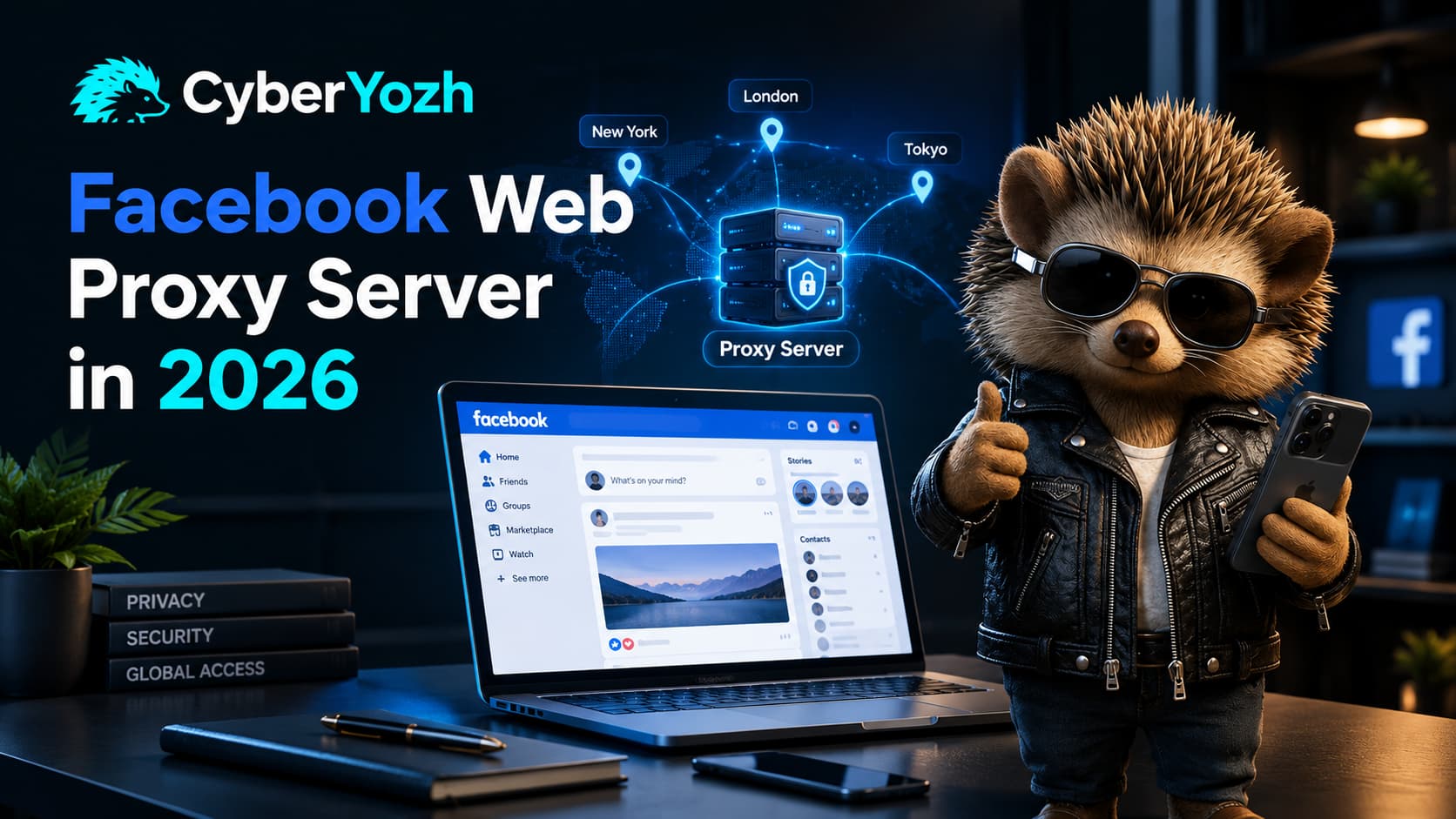
A Facebook web proxy server is a website that loads Facebook for you. You type a URL into the proxy site, its server fetches the page, and you read the result through that company's connection instead of your own.
For glancing at a public page, fine. For logging in, it is one of the worst habits on the internet, and almost nobody explains why in concrete terms.
Here is the concrete version. When you browse through a web proxy, that operator's server sits inside your browsing session and can rewrite what passes through it. Independent testing of free proxy services has repeatedly found that a large majority modify the traffic they carry, whether through ad injection, logging, or SSL stripping.
That last one matters most here. SSL stripping quietly downgrades an encrypted HTTPS connection to plain HTTP, which means the password you type crosses in readable text. It is a well enough understood attack that the IETF standardised a defence against it, HTTP Strict Transport Security, specifically so a browser can refuse the downgrade. A proxy operator doing this can also copy the session cookie Facebook gives you after login, which lets them into the account without ever needing the password.
You would not know either had happened. The page looks normal.
💡 TL;DR
A Facebook web proxy server loads Facebook through another company’s website instead of through a proxy you configure directly in your browser or device.
Free web proxy sites may be acceptable for viewing public pages while signed out, but they are a poor choice for Facebook logins because the operator sits inside the browsing session and may handle or alter sensitive traffic.
For a logged-in Facebook account, use a proxy endpoint you control with your own host, port, username, and password. Static residential or dedicated mobile proxies are usually easier to keep consistent than rotating addresses.
Match the proxy to the job. Rotating residential proxies make more sense for permitted public research and data collection than for one persistent Facebook session.
Check the exit IP, country, protocol, and reputation before logging in, then keep the browser profile and connection consistent during the session.
A proxy only changes the network route. It cannot restore a disabled account, remove a Facebook restriction, satisfy an identity check, or change account eligibility.
⭐ Ready to replace the free relay with something you control? Choose a CyberYozh Facebook proxy and you get a host, port, username and password that nobody else holds.
How a Facebook web proxy server actually works
A web proxy is a relay that lives at the application layer. You never change a setting on your own machine. You visit the proxy's website and ask it to fetch facebook.com on your behalf.
That is architecturally different from a proxy you configure yourself. With a configured proxy, your browser sends traffic to a known endpoint using a username and password only you hold, and the page arrives untouched. With a web proxy site, the operator's page is part of the experience, and it may rewrite URLs, scripts, cookies or content along the way. It has to, in order to work at all.
Method | How it connects | Best for | Main concern |
Web proxy website | You browse through the provider's page | Reading public pages, signed out | The operator sits inside your session and can alter it |
Browser or system proxy | Host, port and credentials set in your browser or OS | Controlled browsing and QA | Needs correct authentication and DNS setup |
The application connects through a SOCKS endpoint | Flexible app and browser routing | Confirm how DNS is handled | |
Profile browser plus proxy | One known proxy assigned to one dedicated profile | Client and account work | Needs disciplined profile management |
The difference in one line: with a configured proxy you rent a road. With a web proxy site you get in a stranger's car.
Why free Facebook proxy sites are risky for a logged in account
The problem is not that free proxies are slow, though they are. It is that you cannot see what the operator does with what passes through.
They can read what should have been encrypted
SSL stripping is the specific attack worth knowing about. The proxy downgrades your connection from HTTPS to HTTP without any obvious signal, and everything you type crosses in plain text. Passwords included.
They can take the session without the password
Even where encryption holds, the operator handles the cookie Facebook issues after you log in. Copy that cookie and you are inside the account, no password required. Facebook will alert you to logins from devices it does not recognise, but a stolen session cookie is not a new login, so that alert never fires.
The exit address is shared with everyone
Free proxy sites push huge numbers of unrelated people through a small pool of addresses. You have no idea what the last person did from the address you have just picked up, and Facebook does. If you are handling a Page, a business portfolio or a client account, saving a few dollars on the connection is a bad trade.
They break on anything complicated
Facebook is not a static page. Scripts, redirects, uploads, authentication and embedded services all have to work. A relay that renders an article fine will often fail on login, Business Suite or a media upload, which is how people end up retrying a login three times from three different proxies and creating exactly the pattern that draws attention.
⭐ Before you trust any address with a session. Run it through Fraud Score Check and you will see reputation and blacklist signals for an IP, phone number or card before anything touches a login form.
What to use instead
The right answer is not the strongest proxy. It is the type that matches the job, from a provider whose credentials only you hold.
Dedicated mobile 4G/5G. Best where the workflow benefits from a real carrier network and you want to decide when the address changes. Suits social account operations and ad verification. Mobile proxies start from $1.7 a day with unlimited traffic on a dedicated port, with most US endpoints at $8 a day.
Static residential or ISP. Usually the simplest fit for a persistent Facebook session, giving one address that stays put and maps cleanly onto one browser profile. Static residential is $5.29 per 30 days for one dedicated IP with unlimited bandwidth.
Rotating residential. For distributed public data collection, research and monitoring where changing addresses is the actual point. Rotating residential is currently $0.9/1GB on every tier.
Datacenter. Fast and perfect for lower risk testing and automation where network character does not matter. Datacenter proxies are not the choice for a valuable account session.
Match the type to the job, not to the price. The most expensive mistake here is not buying the cheap option. It is buying a rotating pool for a logged in admin session, then spending a fortnight wondering why security checks keep appearing.
Why choose CyberYozh over a free proxy site
Four reasons, and the first one is the whole argument.
You hold the credentials. A free web proxy site works by putting itself inside your session. A CyberYozh proxy gives you a host, port, username and password that nobody else has. Your traffic passes through infrastructure that has no reason to read it and no business model that depends on doing so. That is the entire difference, and it is not a small one.
You can check the address before you use it. Run an IP, a phone number or a card through the checker and you see reputation and blacklist signals before anything touches a login form. With a free proxy site you find out afterwards, by which point the account has the problem rather than you.
You get to choose the country and keep it. Free sites give you whatever exit they have spare, which changes between visits. For a Facebook account, an address that moves country between sessions is the fastest way to trigger a security check. A dedicated endpoint stays where you put it.
Where the addresses come from is documented. Ethical sourcing is a real question to ask any provider, and one a free proxy site will not answer. Knowing your traffic is not riding on somebody's compromised device is worth paying for.
What CyberYozh will not do is get an account unbanned, satisfy an identity check or override a policy decision. If Facebook has disabled an account, that is an account problem and no connection fixes it.
Getting started with CyberYozh for Facebook
Set it up so it is easy to verify and easy to remove. The order matters more than the speed.
Create an account and top up. Card or crypto, instant, one balance covering proxies and checks.
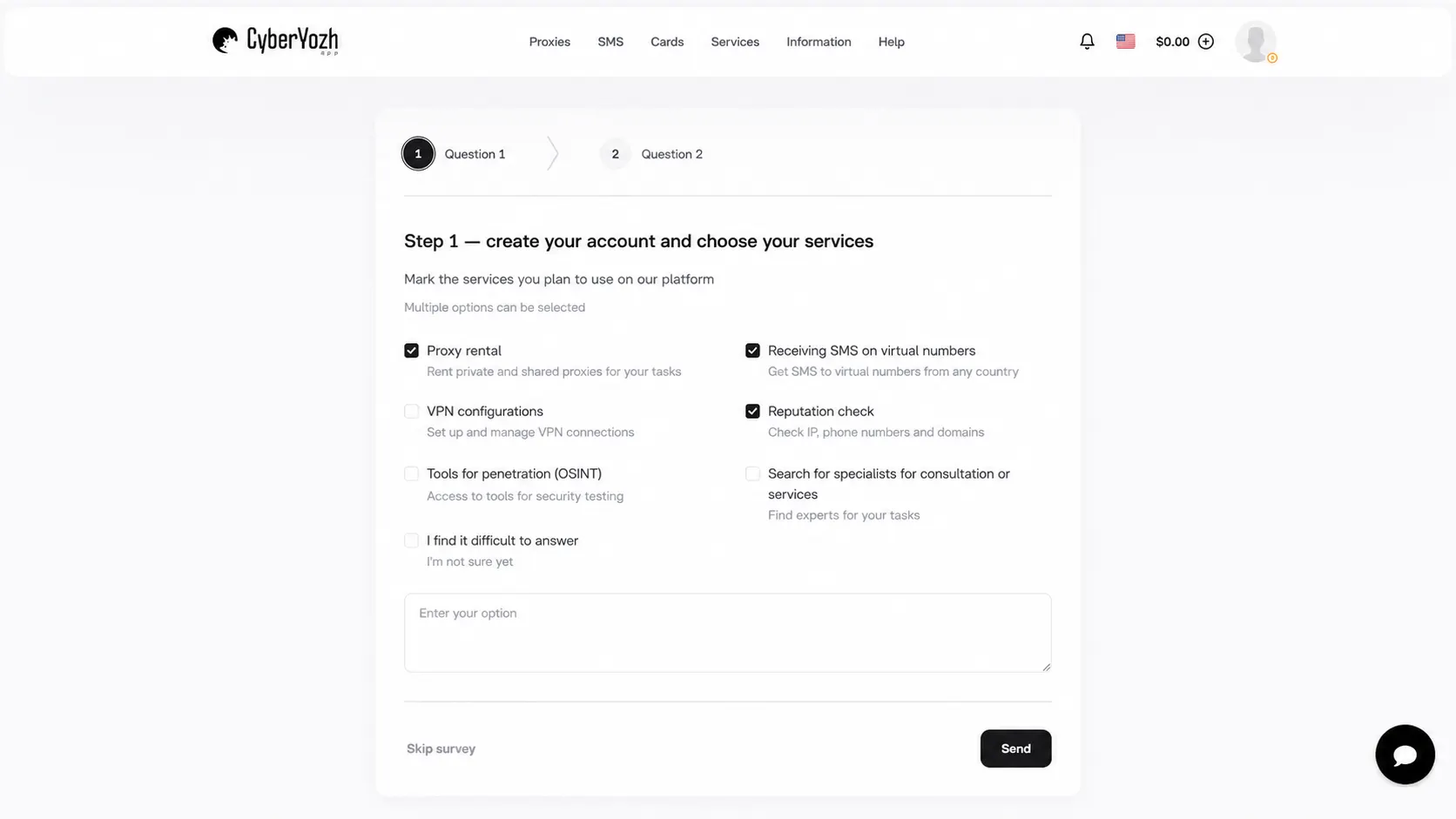
Pick the network the job needs. Mobile for carrier work, static residential for a long lived session, rotating residential only for permitted research.
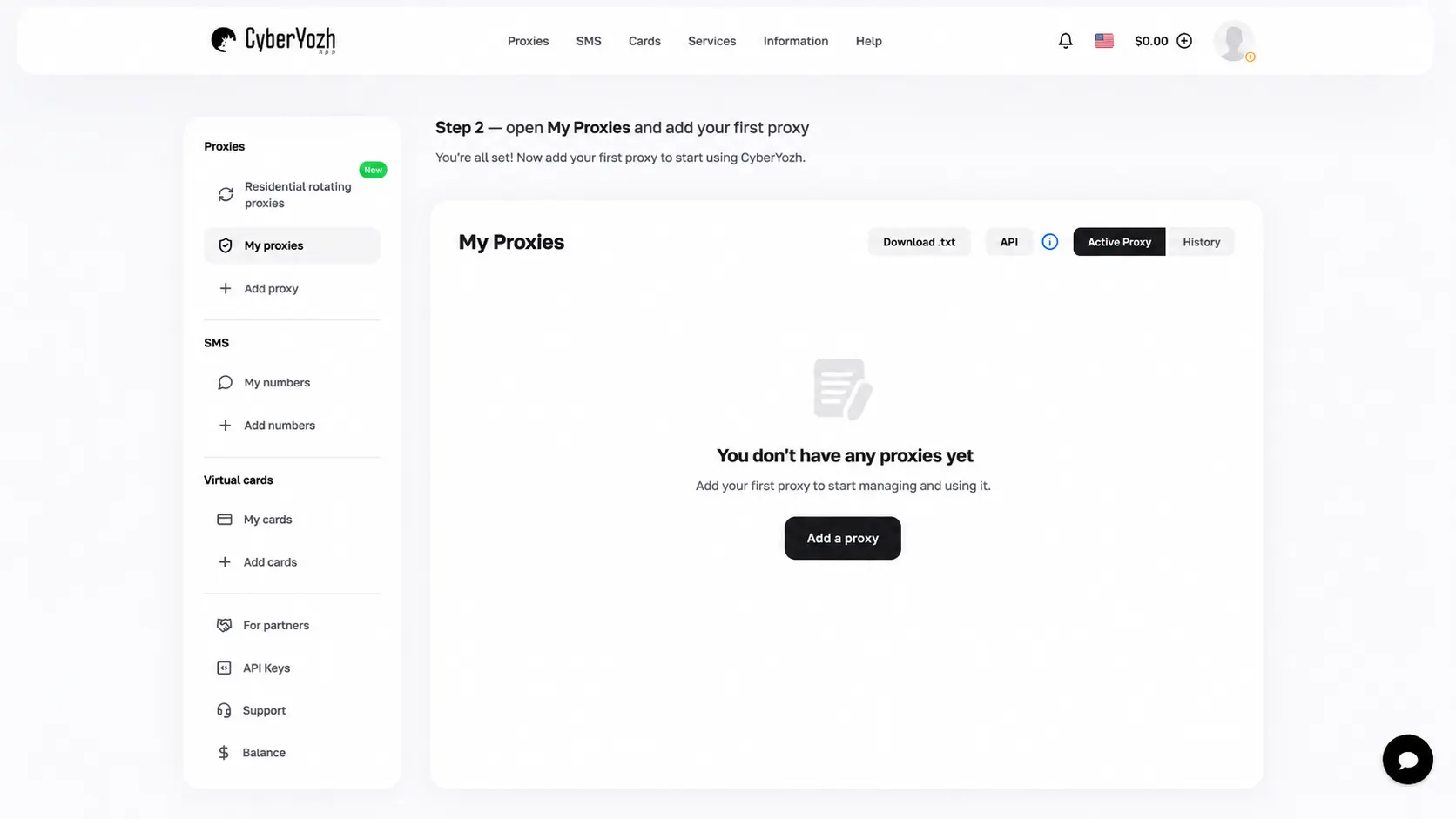
Choose the country that matches the real operating environment, not an arbitrary one.
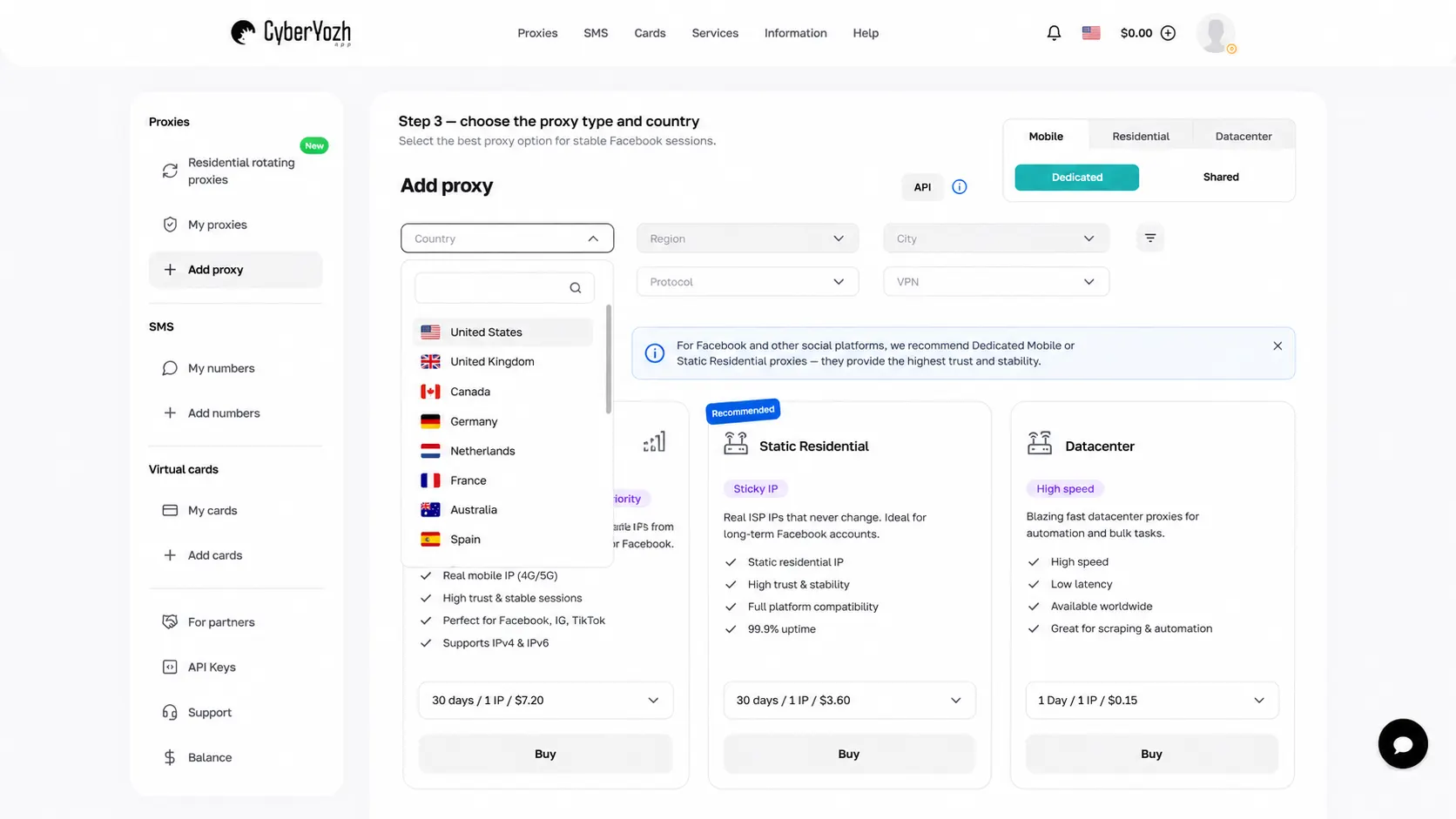
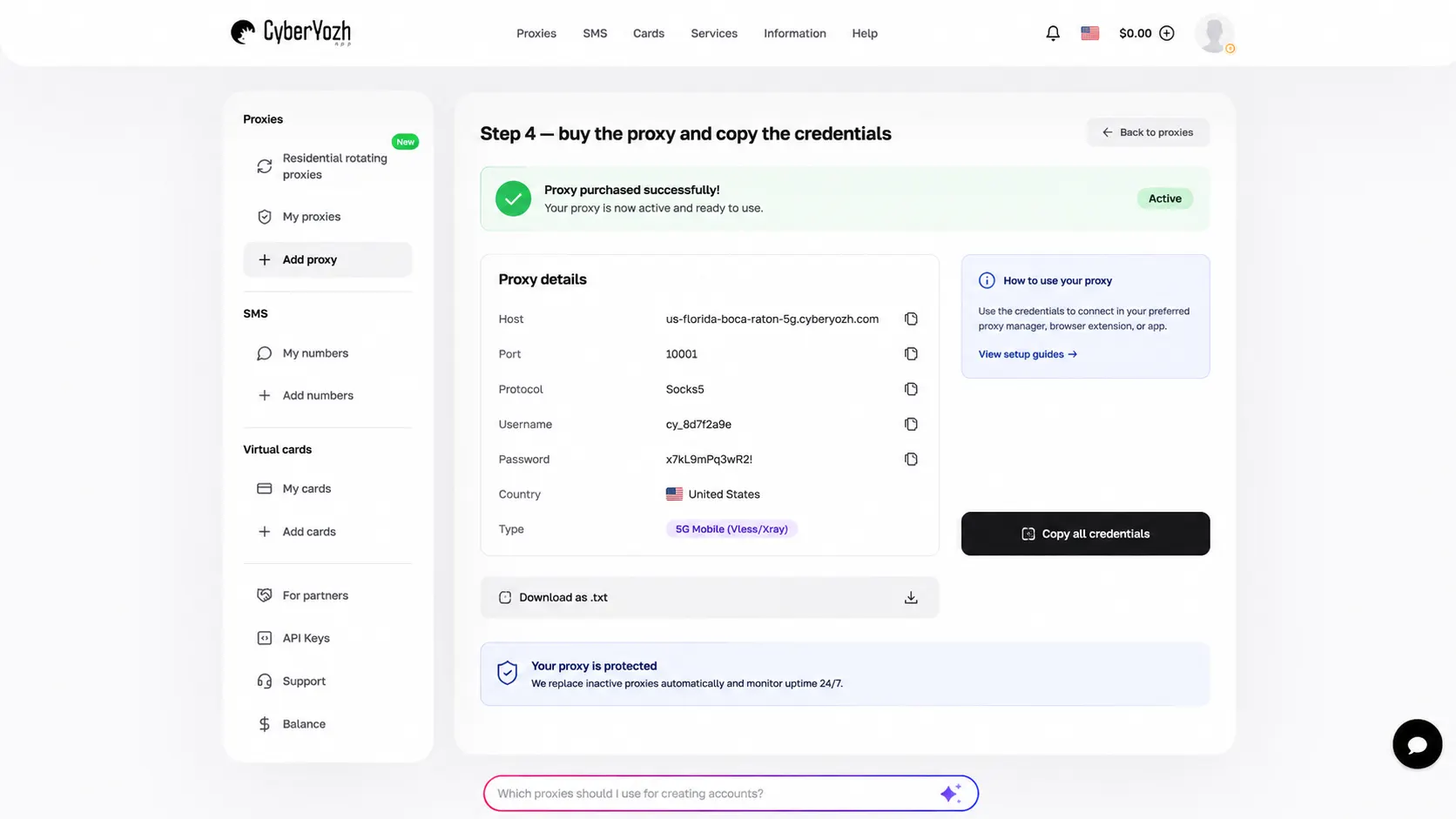
Buy it and copy the credentials. Host, port, username, password into a password manager.
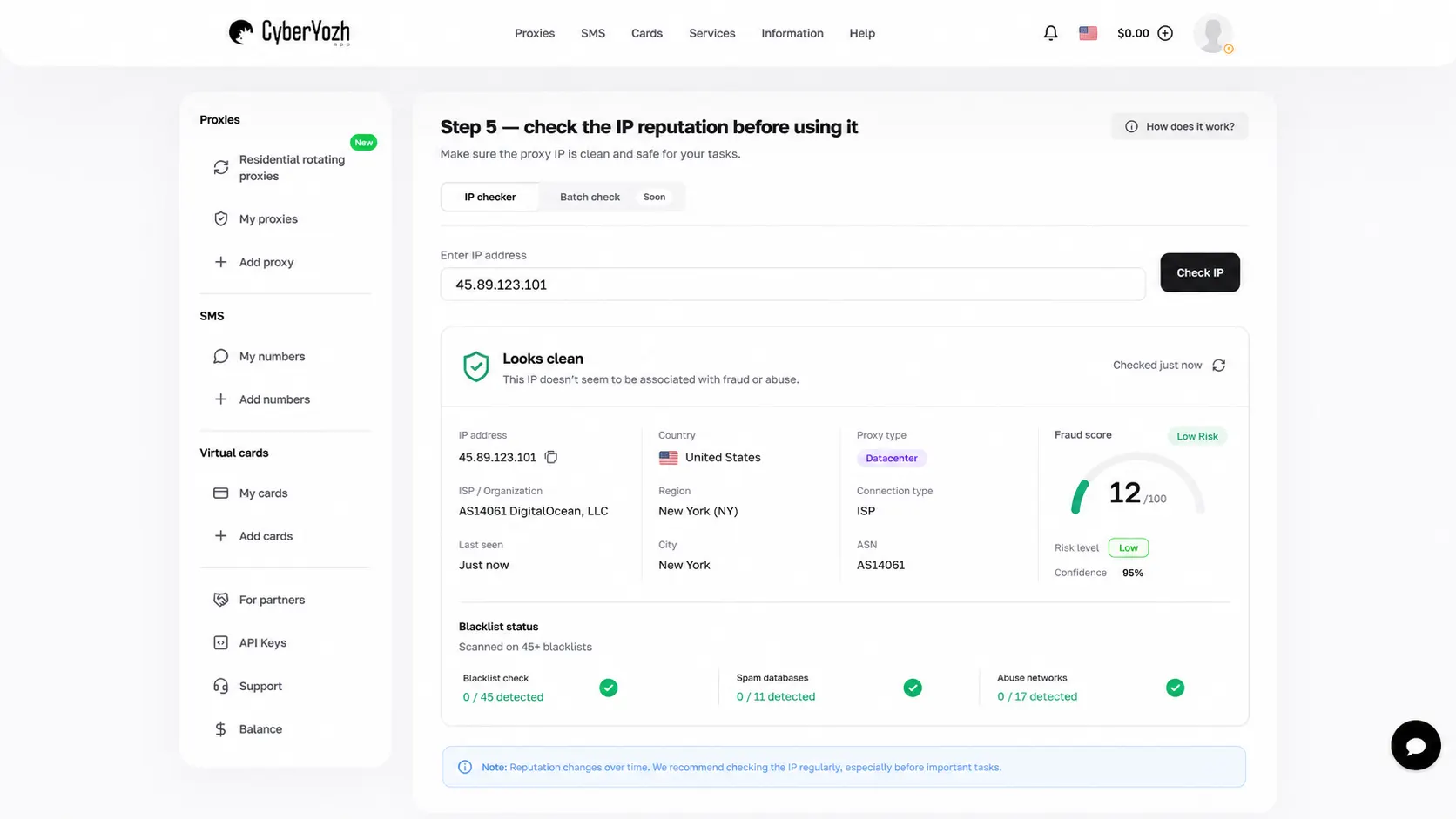
Check the address for reputation problems before it touches Facebook.
Create a dedicated browser profile, then attach the proxy to that profile rather than to your everyday browser.
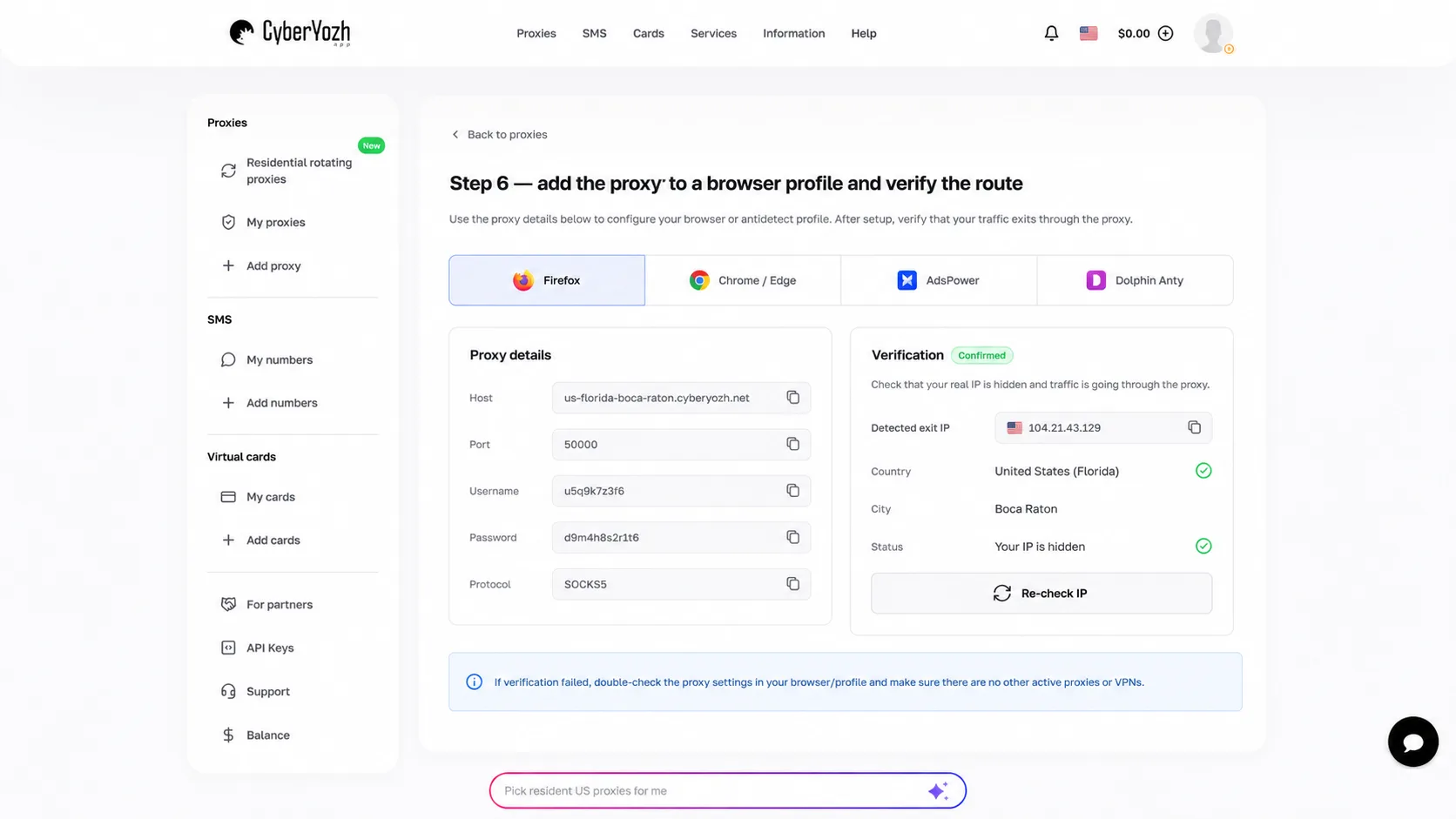
Confirm the exit IP from inside that profile. A page loading is not proof the route is correct.
Open Facebook and complete security steps normally. Then leave the pairing alone.
⭐ Managing client accounts rather than your own? Set up SMS verification alongside the connection so the number and the network point at the same country from the start.
Configuring a proxy in your browser
If you are not using a profile browser, the settings live in the browser or the operating system, and the exact location differs by browser.
Firefox exposes them directly, and Mozilla documents the options clearly. Open Settings, search for Network Settings, then open Settings under Connection. Enter the host and port, choose HTTP or SOCKS5 depending on what you bought, and enter the username and password when prompted. Chrome and Edge generally use the operating system settings instead.
For account work, a profile browser is the better answer, because it keeps each account in its own container with its own cookies and its own fingerprint isolation. One profile, one proxy, and do not swap either.
Verify before you log in, not after. Load an IP check page in the exact browser or profile you are about to use, confirm the country and provider, and only then open Facebook. Checking in a different browser tells you nothing about what this one is doing.
When a Facebook proxy is genuinely useful
Proxies earn their place when a real workflow needs regional control, repeatable testing or client separation. Outside those cases they are usually solving a problem you do not have.
Checking how a public campaign page renders from the markets you actually sell into.
Keeping authorised client environments separate by browser profile and endpoint.
Ad verification and localisation QA that needs a specific test network.
Permitted public data research at a sensible request rate.
They are not a fix for a suspension, an identity check, an age requirement, a payment problem or an enforcement action. If sessions keep expiring, diagnose that separately before assuming the network caused it.
If you manage several authorised Facebook environments, compare the best Facebook proxies by how long the session needs to stay stable, where the connection should exit and whether the address can rotate. Once you have chosen the network, a clean Facebook proxy setup is simply the host, port, credentials and protocol attached to the right browser profile.
How to judge a Facebook proxy before you trust it
Six questions, and a free proxy site fails most of them by design.
Is it dedicated, shared, static or rotating, and do you know which?
Can you hold the same address for a whole session?
Does the location match the real business use case?
Does your browser support the protocol properly?
Can you replace one endpoint without rebuilding everything else?
Do you know how credentials and logs are handled?
The more valuable the account, the worse a free proxy looks. For reading a public page, the risk is close to zero. For a client's Business Manager, you are handing an unknown operator a seat inside the session.
The short version
A Facebook web proxy server is appealing because it needs no setup. That convenience costs you visibility into who is handling your session, and for a logged in account that is a bad trade.
Configure a proxy you control instead. Choose the type that fits the job, keep the country consistent, attach it to a dedicated browser profile, verify the address before you log in, and treat account problems as account problems rather than something to solve by changing IP.
⭐ Comparing types before you commit? Browse CyberYozh endpoints by country and network and start with the smallest amount that lets you run a real test.