
HTTP Error 499: What It Is, Why Nginx Logs It, and How to Fix It (2026)

You checked your Nginx logs and saw a wall of 499s. Good news: in most cases, this is not your server failing. It's your server logging the fact that someone else gave up. Here's what that means, why it happens, and how to fix it, whether you're a developer or just someone trying to keep a website healthy.
Quick answer: A 499 error means the client, a browser, mobile app, or API, closed the connection before Nginx finished responding. Nginx invented this code to distinguish "I failed" (5xx) from "the client left before I could respond" (499). It does not exist in the official HTTP standard (RFC 9110). It is not a subtype of 502. The cause is almost always a slow backend or a timeout mismatch, not a broken server.
TLDR
499 = client closed the connection before Nginx responded, Nginx-specific, not in the HTTP standard
Most common cause: upstream server (database, API, app) taking too long
Fix depends on cause: optimize the backend, tune proxy_read_timeout, or fix CDN/proxy timeout alignment
499 ≠ 504, In a 504, the proxy gave up; in a 499, the client gave up first
A few 499s per day is normal; a sustained spike on one endpoint is a real signal
Proxies add latency hops; a slow or flagged proxy IP pushes borderline requests into 499 territory
What is error 499: Simple explanation + technical definition
The phone hold analogy is the clearest way to understand this. You call customer service. You're on hold. After two minutes, you hang up. From the company's system, the call connected, and an agent was working your case, but you disconnected before they could respond. That's a 499.
Nginx logs this because it needs a way to say "I was working on this and the client left", which is different from "I failed to process the request." The server was fine. The client stopped waiting.
Three things that make 499 unique:
It's Nginx-only:
Apache, IIS, and other servers don't use this code.
If someone tells you to check for 499 errors on an Apache server, that's wrong.
The MDN official HTTP status code list does not include 499 because it was never standardized; Nginx created it internally for logging purposes.
It's not a 502:
Other guides call 499 "a special case of 502 Bad Gateway.”
This is factually incorrect.
A 502 means Nginx got an invalid response from upstream.
A 499 means the client disconnected before any response was sent.
Treating them the same leads you to the wrong fix.
It's usually a symptom, not the cause:
The 499 in your log is the event.
The cause is whatever made the response too slow, a database query, an external API call, or a proxy with too much latency.
499 vs 504 vs 408: At a glance
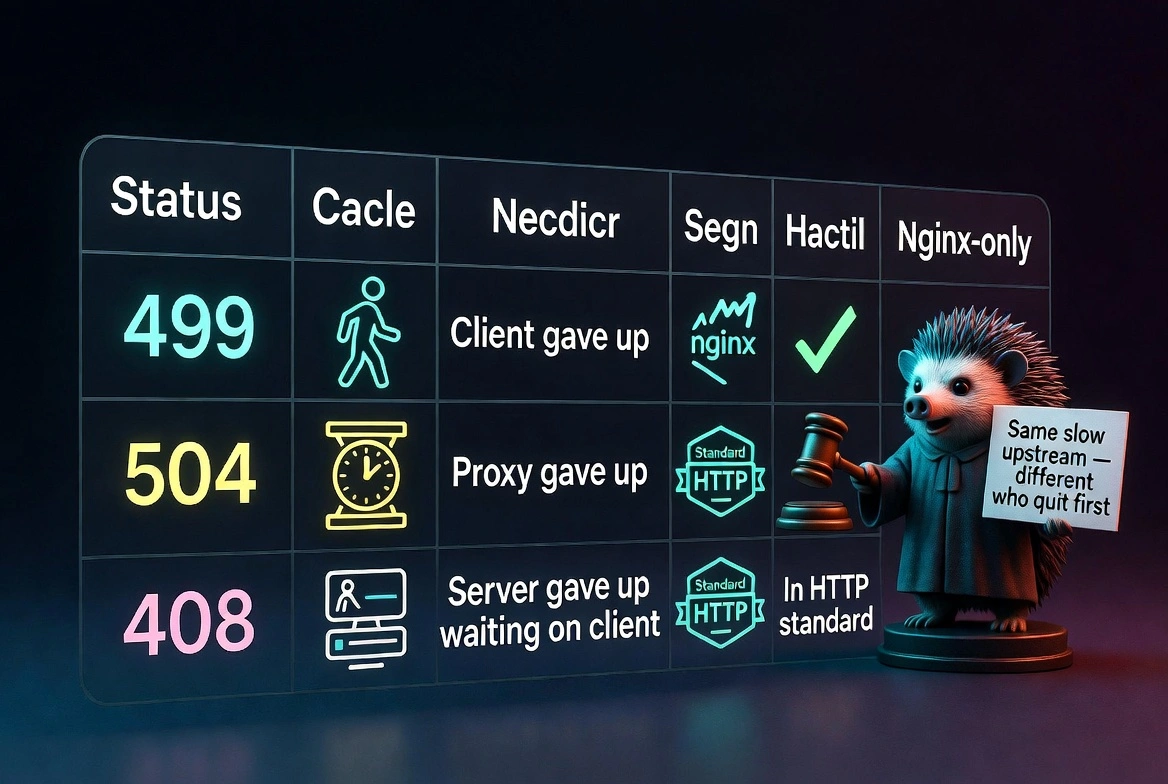
Code | Who gave up | Meaning | In the HTTP standard? |
499 | The client | Client closed the connection before the server responded | No, Nginx only |
504 | The proxy/gateway | Proxy timed out waiting for upstream | Yes |
408 | The server | The client was too slow in sending the request | Yes |
If you see a 504 in the browser, your upstream is too slow, and your proxy gave up. If you see 499 in server logs, the client gave up before your proxy did. Same slow upstream, different on who disconnected first. [Read about error 520 here.]
7 real reasons you're seeing 499 errors
Here is a summary of the most common possible reasons for error 499 to pop up:
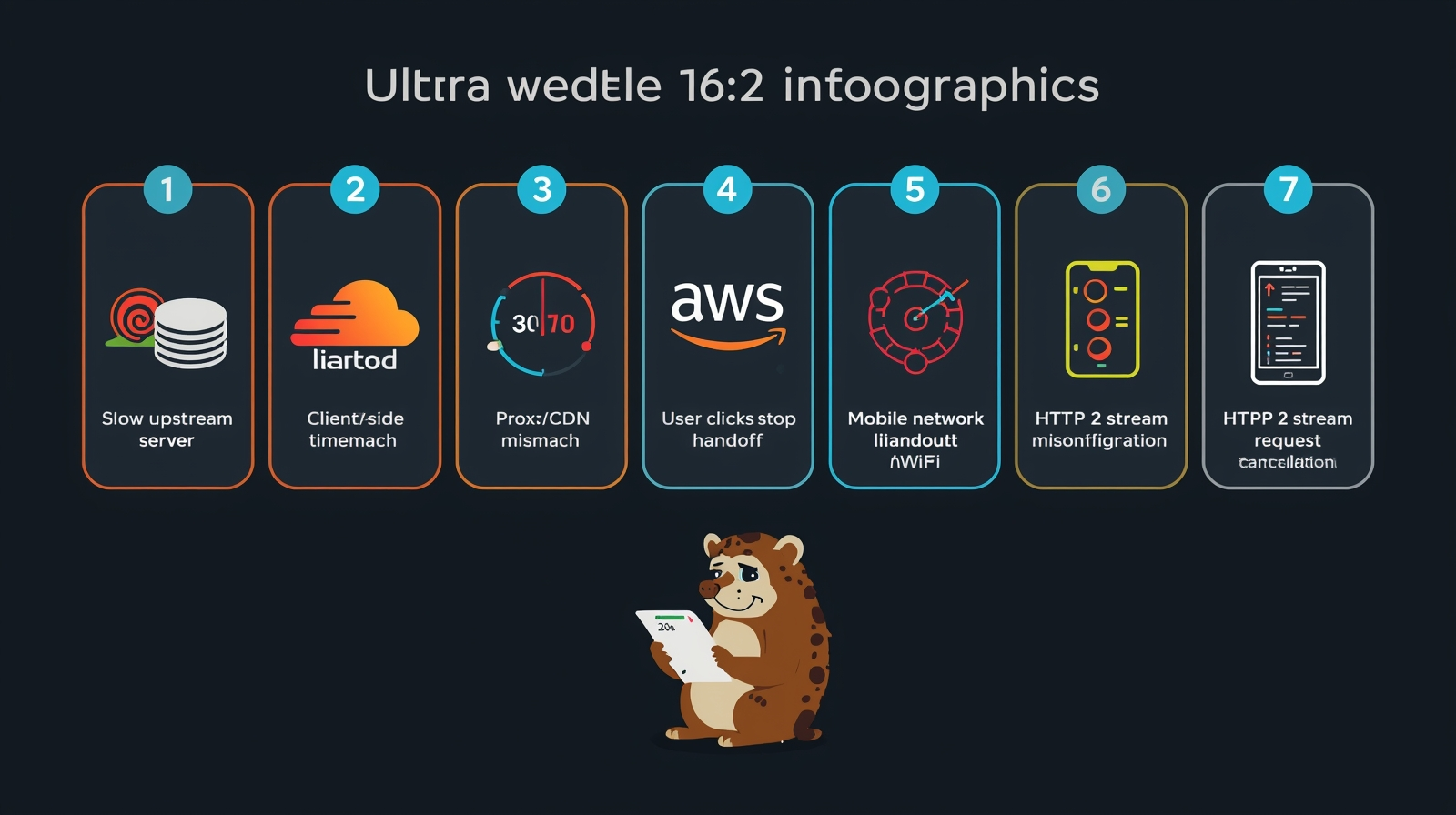
1. Slow upstream server
Nginx proxies the request to your backend app, database, or API. The backend is slow.
The client hits its own timeout and closes the connection. Nginx logs 499.
The backend may still be running the query; it just has nobody to send the result to.
This is behind most production 499 spikes.
2. Client-side timeout settings
Every HTTP client has its own timeout clock. [Read about the HTTP vs. SOCKS]
Browser defaults are generous (Chrome allows several minutes for page loads). But API clients, Axios, Fetch, Python Requests, and Curl often default to 30 seconds or less.
A request that takes 35 seconds will reliably fail due to a client-side timeout.
Mobile apps are particularly aggressive. Many implement 10–15 second timeouts to save battery.
This generates 499s in API logs that appear to be server problems but are actually client configuration issues.
3. Proxy or CDN timeout mismatch
Every layer in your request chain has its own timeout window.
Cloudflare's documentation specifically notes that if a client timeout is shorter than 38 seconds, Cloudflare logs a 499 status code, even if the upstream server is perfectly healthy.
AWS ALBs have their own idle timeout defaults (60 seconds by default) that can cause the same false positive.
These are false 499s; the error appears in your logs, the server is fine, but a proxy layer logged the client's impatience.
4. User clicks stop or refreshes
Someone hits a slow page, clicks stop, or presses F5.
Nginx logs 499. In isolation, this is meaningless.
Dozens per hour on a single endpoint means users are repeatedly abandoning that page, which is worth fixing, but for UX reasons, not server-error reasons.
5. Mobile network handoff
A user switches from LTE to WiFi mid-request.
The TCP connection drops. Nginx logs 499.
As HTTP/3 (QUIC) adoption increases, this is becoming less common. QUIC connections survive network handoffs better than TCP because their connection state is tied to a connection ID rather than an IP address.
But if you're seeing unexplained 499s from mobile users on HTTP/1.1 or HTTP/2 endpoints, this is a real cause.
6. Nginx timeout directive misconfiguration
The four timeout directives most relevant to 499s:
nginx

client_header_timeout  60s;   # Wait for client to send request headers

client_body_timeout    60s;   # Wait for client to send request body

proxy_read_timeout     60s;   # Wait for upstream server response

fastcgi_read_timeout   60s;   # Wait for PHP-FPM to respond
The default proxy_read_timeout is 60 seconds per the Nginx proxy module documentation.
If your backend regularly takes 90 seconds for specific operations, large exports, complex reports, batch jobs, you'll see systematic 499s on those endpoints until you tune the timeout for that specific location.
7. HTTP/2 stream cancellation
HTTP/2 multiplexes multiple requests over a single TCP connection using streams.
If a client resets a specific stream, slow response, or user navigation, Nginx logs a 499 for that stream while other concurrent requests on the same connection succeed.
This creates inconsistent 499 patterns that look random but are actually stream-level cancellations.
A sudden spike after enabling HTTP/2 is not a coincidence.
How to fix error 499: From quick wins to advanced
For non-developers:
If you're a site owner seeing 499 errors, the most actionable first step is identifying whether they're concentrated on one page or spread across the whole site.
If it's a one-page site, that page has a performance problem. If it's sitewide, your hosting environment may be under-resourced for your traffic load.
For developers:
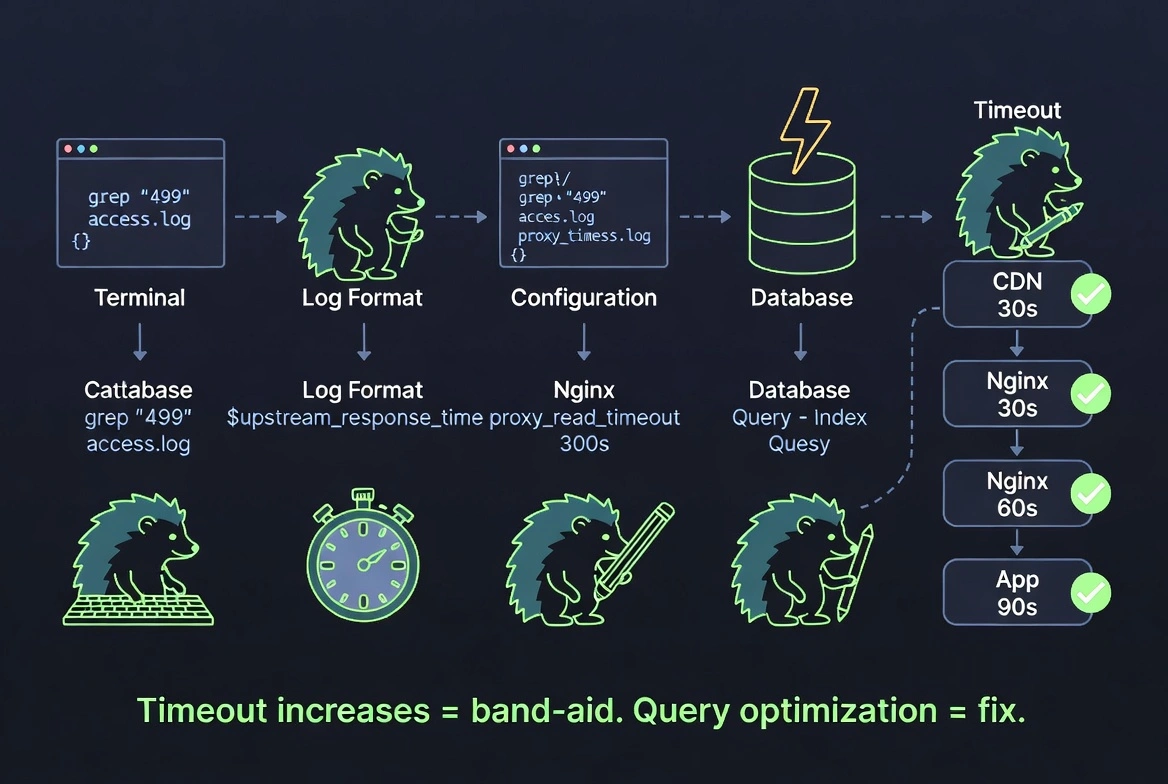
Step 1: Find which URLs are generating 499s:
bash

grep ' 499 ' /var/log/nginx/access.log | awk '{print $7}' | sort | uniq -c | sort -rn | head -20
Step 2: Measure upstream response time.
Add $upstream_response_time to your Nginx log format.
If responses near your proxy_read_timeout value are generating 499s, your upstream needs optimization, not just a timeout increase.
Step 3: Increase timeout for specific slow endpoints only:
nginx

location /api/export {

    proxy_read_timeout 300s;

    proxy_pass http://backend;

}
Don't increase globally, that masks the real problem.
Step 4: Fix the upstream.
Slow database queries, unindexed lookups, and synchronous external API calls are the actual causes.
Timeout increases are band-aids.
Query optimization, caching, and async processing are fixes.
Step 5: Align proxy chain timeouts.
Your timeout chain should be incremental: upstream app < Nginx < load balancer < CDN.
If your CDN times out at 30 seconds and Nginx allows 60 seconds, the CDN will generate false 499s before Nginx has a chance to respond.
Audit every layer.
Step 6: For automation workflows;
Set explicit client timeouts that match the server's actual response window.
A Playwright or Puppeteer script that uses a 30-second default and hits a 45-second endpoint will fail every time.
How CyberYozh proxies help you avoid false 499 errors
When proxies are in your request chain, for scraping, automation, or multi-account workflows, they become an additional source of latency. A proxy with poor IP reputation, high shared-pool contention, or geographic mismatch with the target server adds latency to every hop.
For requests already close to the client's timeout threshold, the added latency is what pushes a borderline request over the threshold into a 499. This is the proxy-layer contribution to false 499s, and it's entirely avoidable.
Consistent, low-latency connections
CyberYozh's residential, mobile proxy, and datacenter proxies maintain stable connection times to upstream servers.
The "noisy neighbor" latency spikes common on high-density shared proxy pools, where one abusive user's traffic degrades everyone else's response times, are eliminated on dedicated proxies.
IP reputation pre-check before connecting
A flagged or throttled IP adds overhead before your request even reaches the target.
CyberYozh's fraud scoring checks IP reputation before you route production traffic through it.
An IP already being rate-limited by the target will return slower responses, pushing marginal requests into 499 territory.
Geographic proxy matching
Routing a US-based target request through a European residential proxy adds unnecessary latency.
CyberYozh's global locations let you match proxy region to target server region, minimizing round-trip time.
Automation-compatible timeout configuration
CyberYozh's API integrates with Playwright, Puppeteer, and Selenium.
You configure timeouts at the request level to match the actual server response windows, not tool defaults set without your specific target in mind.
What proxies cannot fix:
A genuinely slow upstream server.
If the backend takes 120 seconds and the client timeout is 60, no proxy solves that.
CyberYozh removes the proxy-layer contribution to 499s. Slow application logic is a separate problem.
Final take: Should you worry about 499 errors
A handful per day: normal. Don't investigate.
A spike concentrated on one endpoint: real signal. Something got slower: a database query, an external API call, or a recent deployment. Find it with $upstream_response_time and fix the cause rather than raising the timeout.
A sitewide spike: check your infrastructure. Hosting under load, upstream services degrading, or a CDN timeout misconfiguration is causing false 499s across the board.
For anyone running proxies in their workflow, the proxy layer is often overlooked. A slow, flagged, or geographically mismatched proxy silently pushes borderline requests into 499 territory.
Clean, dedicated, geographically appropriate proxy infrastructure removes that variable entirely, so when you do see a 499, you know it's a real backend problem and not a proxy artifact. Sign up with CyberYozh for a realistic infrastructure.
bash

grep ' 499 ' /var/log/nginx/access.log | awk '{print $7}' | sort | uniq -c | sort -rn | head -20