Proxies and the CPV Lab Pro Tracker
CPV Lab Pro is a powerful self-hosted tracker designed for professional media buyers and affiliate marketers. It allows you to consolidate all analytics regarding clicks, conversions, and traffic costs into a single unified dashboard.
In the world of performance marketing, high-quality proxies play a dual role. On one hand, a tracker must be able to filter out undesirable proxy traffic. On the other, the marketer themselves needs reliable IP addresses to test their own funnels. In this guide, we will break down both interaction scenarios.
🛡️ Part 1. Budget Protection: Traffic Filtering in CPV Lab Pro
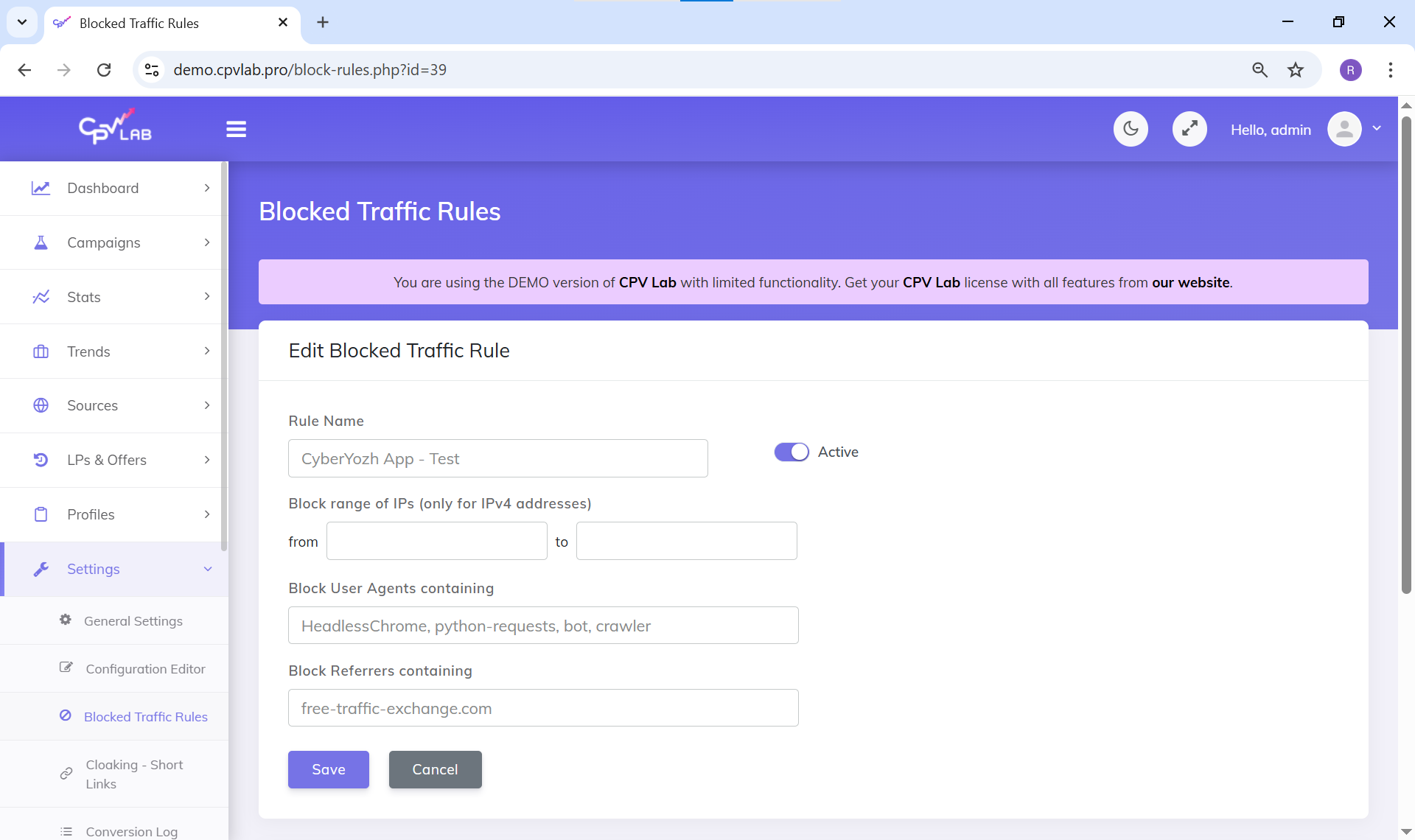
When buying traffic from ad networks (especially Pop, Push, or Native formats), a portion of clicks may originate from bots or automated scripts. Typically, such traffic routed through cheap Datacenter IP addresses.
CPV Lab Pro features a robust built-in Proxy/VPN Detection function.
How it works: In your campaign settings, you can add a specific token to track proxies. The tracker automatically cross-references the click's IP address against databases of data centers and public VPNs.
What to do with it: You can configure Redirect Rules. If the tracker detects a click coming through a server proxy, it can redirect that visitor to a "safe" backup page or block them entirely. This ensures your conversion statistics remain crystal clear and that your data reflects the behavior of real users only.
🌍 Part 2. Why Do Affiliates Need Proxies for CPV Lab Pro? (QA Testing)
Filtering bots is great, but as the creator of an ad campaign, you critically need high-quality proxies to test your own links.
Imagine this: you’ve set up a campaign in CPV Lab Pro targeting users in Germany. If you click your own link from your home IP address, the CPA network will see a GEO mismatch. At best, you’ll see a blank page; at worst, you’ll be redirected to a completely different offer (Smartlink).
Proxies are essential for Quality Assurance (QA):
Verifying the Redirect Chain: By connecting through an IP from the target country, you experience the full journey of a real user—from the ad creative to the tracker and finally to the landing page.
Localization Check: Ensure the landing page correctly displays the local currency, language, and region-specific scripts.
Bypassing Affiliate Network Restrictions: Many advertisers block previews of their pages for users outside the target GEO. Proxies solve this problem.
💡 Part 3. Which Proxies Should You Choose for Testing?
For accurate testing, you need IP addresses that affiliate networks and search engine algorithms perceive as 100% real users. Datacenter proxies are not suitable for this.
We recommend using solutions from the CyberYozh App catalog:
🟢 Static Residential Proxies (ISP Static): These are addresses from real home internet service providers. They are the ideal choice for testing desktop (PC) ad campaigns. The affiliate network will see you as a standard home Wi-Fi user in the target country.
📱 Mobile Proxies (Private 4G/LTE): If you work with mobile traffic (e.g., App Installs or Mobile Subscriptions), mobile IPs are a must. Connecting through these allows you to accurately verify how a landing page renders on smartphone screens for cellular network users.
⚙️ Part 4. How to Configure Proxies for Testing
Important: You do not need to enter proxy settings inside the CPV Lab Pro tracker itself (the tracker resides on your server). Instead, proxies are configured on your local workstation or within the browser you use to click your generated tracking links.
The most convenient way to test is using anti-detect browsers:
Create a new browser profile (e.g., Dolphin{anty} or AdsPower).
In the "Proxy" section, add your residential or mobile proxy credentials from CyberYozh in the format
IP:PORT:LOGIN:PASS.Launch the profile. Your browser now fully emulates a user from the required country.
Paste the link generated in CPV Lab Pro into the address bar and walk through the funnel.
💡 Using different software? If you don’t use anti-detect browsers, you can route your test traffic through browser extensions (like Proxy SwitchyOmega) or system-wide proxifiers (Proxifier, ProxyCap).
👉 Detailed step-by-step instructions for these can be found in our guides.
Conclusion
CPV Lab Pro gives you total control over your traffic flows, helping you cut out low-quality clicks. Meanwhile, high-quality Residential and Mobile proxies from CyberYozh App give you the confidence that your ad funnels work perfectly anywhere in the world before you commit your main budget.
👉 Ready to launch? Select a proxy for your target GEO in our catalog, verify your tracking links, and start scaling with maximum ROI!
Helpful?
Share article
