
What Is an Internet Service Provider (ISP)
TL;DR
An internet service provider (ISP) is the company that physically connects your home, phone, or business to the internet and assigns the IP address your traffic uses.
Your ISP is not the same as your IP address, a proxy, or a VPN; each sits at a different layer and does a different job.
Your ISP can see which sites you connect to (unless your traffic is encrypted) and can log, throttle, or block it.
IP geolocation is reliable at the country level but frequently wrong at the city level; that mismatch usually comes from how your ISP routes traffic, not a bug.
Choosing an ISP comes down to available technology (fiber, cable, DSL, satellite), real-world speed-test data, and price; "fastest" and "best" are not the same.
What is an internet service provider
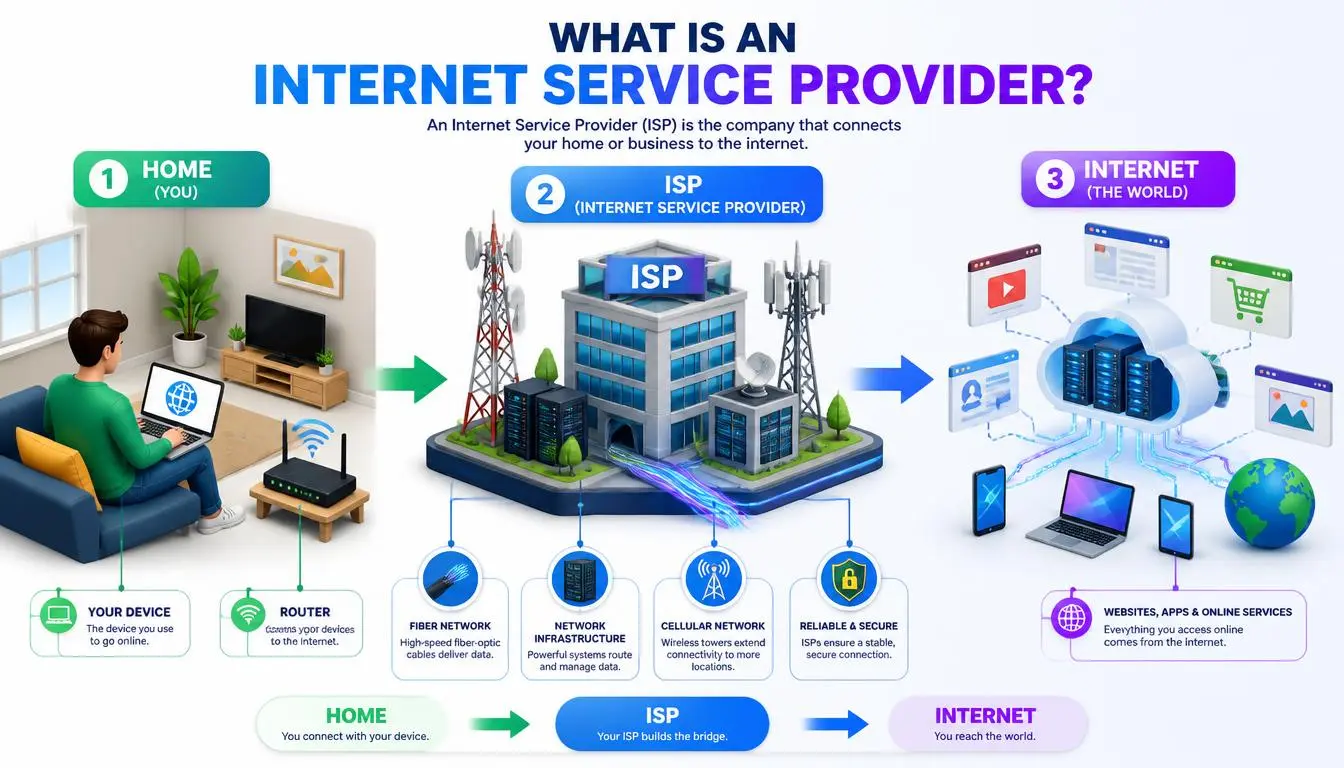
An internet service provider (ISP) is a company that connects your devices to the internet and assigns the IP address your traffic uses to reach the rest of the network. Comcast, AT&T, Vodafone, Spectrum, and your local fiber cooperative are all ISPs. Without an internet service provider between your router and the wider internet, your devices have no way to exchange data with anything outside your own network.
That one-sentence definition is where most search results stop. The more useful question is what an ISP actually does day to day, and where it stops being responsible for your connection.
How does an internet service provider work
Your internet service provider maintains the physical or wireless infrastructure, fiber lines, cable plant, DSL over copper phone lines, cell towers, or satellite links, that reaches your building. When you sign up, the ISP provisions a connection and hands your router a public IP address, either a fixed one or one drawn from a pool it manages.
From that point, every request your devices make travels first to your ISP's network. The ISP routes it onward through internet exchange points and backbone providers until it reaches its destination, then routes the response back the same way.
IP addresses aren't handed out randomly; they flow down a hierarchy from the Internet Assigned Numbers Authority (IANA) to five Regional Internet Registries, which allocate blocks to ISPs, who then assign individual addresses to customers. That structure is why an IP address can usually be traced back to a specific ISP and country, even when it can't be traced to a specific person.
What an ISP provides beyond internet access
Most ISPs bundle several services on top of raw connectivity:
A router or modem, sometimes purchased separately
A dynamic or static IP address
Optional email hosting
DNS resolution for turning domain names into IP addresses
Customer support and outage monitoring
In some regions, bundled TV or phone service
Larger ISPs also run their own DNS servers and peering agreements with other networks, which is part of why speed and reliability vary so much between providers even in the same city.
ISP vs. IP address: these are not the same thing
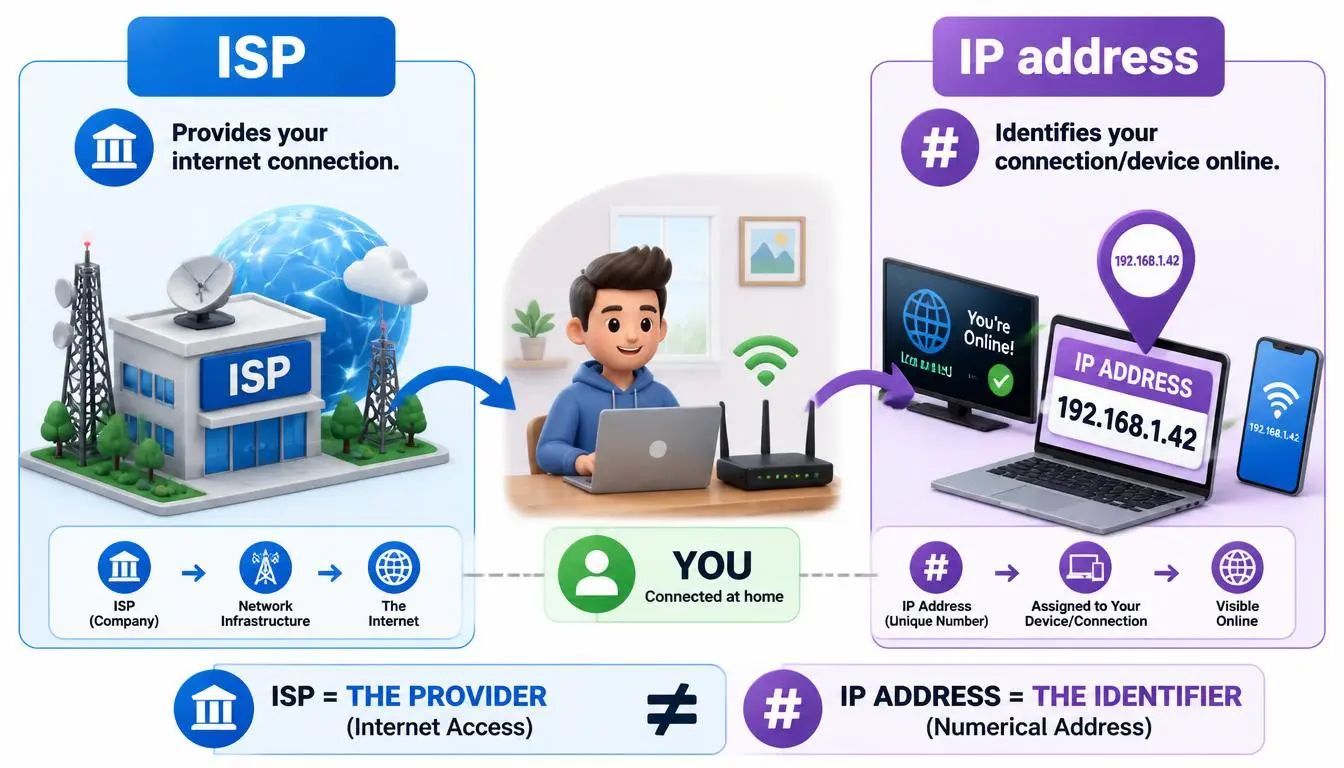
An ISP is a company. An IP address is a number. Your ISP assigns you the IP address, but the two are not interchangeable, and mixing them up is where a lot of confusion about "who is my internet service provider" comes from.
If you look up your public IP address on a "what is my IP" tool, the result usually shows your ISP's name, because that's who registered the IP block with the regional registry. That's also why changing your IP address, through a new router lease, a mobile hotspot, or a proxy, doesn't change your ISP; it just changes which of your ISP's (or another network's) addresses your traffic is currently using.
Want to know if your IP is trusted? Use the CyberYozh IP Reputation Checker to quickly check your IP and identify potential reputation issues.
ISP vs. proxy: what's actually different
A proxy server sits between your device and the website you're visiting, forwarding your request and returning the response. Unlike your ISP, a proxy doesn't provide your physical internet connection; you still need an ISP to reach the proxy in the first place. A proxy changes which IP address a website sees on the other end of that request.
ISP | Proxy | |
Provides your physical connection | Yes | No |
Assigns your base IP address | Yes | No |
Changes the IP a website sees | No | Yes |
Required to use the internet at all | Yes | No |
Typical use case | Getting online | Testing a different region, separating accounts, automation |
People searching for "what is an ISP" often land here after noticing their IP's listed location doesn't match where they live, or after running into a geo-restricted service.
A proxy doesn't replace your ISP; it changes the IP identity your traffic presents once it's already online, which helps with things like checking how a website looks from another country, running region-specific SEO checks, or keeping separate accounts on separate IPs. It's a different layer of the stack solving a different problem.
ISP vs. VPN
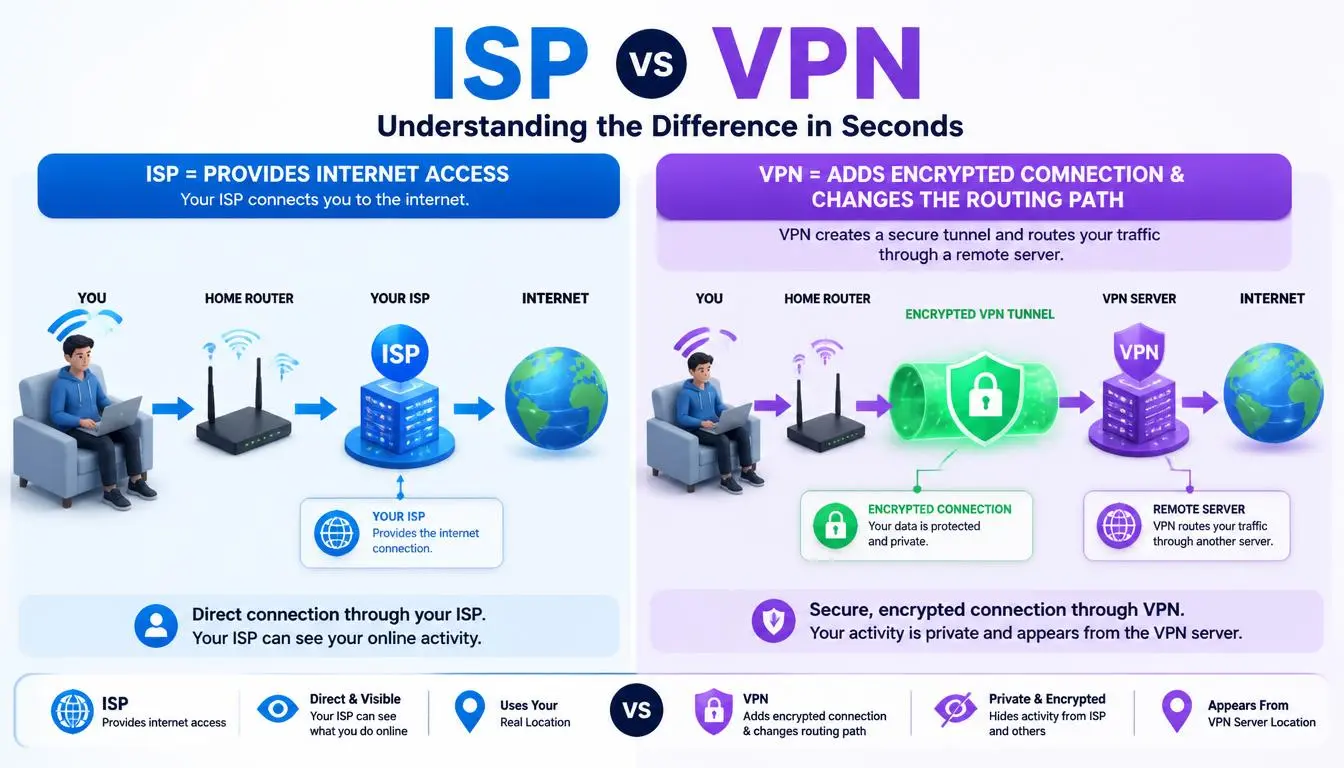
A VPN encrypts all your device's traffic and routes it through a server operated by the VPN provider, which also changes the IP address other sites see, similar to a proxy, but typically applied system-wide and with encryption.
Your ISP can still see that you're connected to a VPN server, but not what you're doing through it. A proxy, by contrast, is usually configured per app or browser and doesn't necessarily encrypt traffic. Neither a VPN nor a proxy replaces an ISP; both need an underlying internet connection to work.
How to find out who your ISP is
The fastest way is to search "what is my IP" in any browser; most results show your public IP address and the ISP it's registered to. You can also check your router's admin panel, look at a recent internet bill, or, on most operating systems, run ipconfig /all (Windows) or check Network settings (Mac) to see connection details, though the ISP name itself typically comes from the WAN-side lookup rather than local settings.
What your ISP can see
Your ISP can see which IP addresses and domains your device connects to, how much data you use, and roughly when you're online, because that traffic has to pass through its network to reach the internet.
If a site uses HTTPS (the vast majority do today), your ISP generally cannot see the specific pages or content within that connection, only the domain and connection metadata. In many countries, ISPs must retain some of these logs and can be compelled to share them with law enforcement under a valid request.
Why your IP's listed location doesn't match your address
This is one of the most common points of confusion once people move past the basic definition:
IP geolocation looks up which organization registered an IP block and estimates a location from that; it does not track your device via GPS.
Independent measurement research puts country-level accuracy in the high 90s percent, but city-level accuracy drops substantially, often into the 50–80% range, because ISPs frequently register an entire region's IP block to a single regional hub rather than to each town individually.
Mobile carriers make this worse: your phone's traffic often exits through a centralized gateway that can be far from where you're actually standing.
None of this means your ISP is "wrong"; it means IP geolocation was never designed for street-level accuracy, and the mismatch is a routing artifact, not a privacy leak.
Internet speed and ISP performance
"Fastest internet provider" and "best internet provider" get searched together constantly, but they answer different questions. Fastest is a measurable, if narrow, claim, usually about peak advertised download speed on a specific plan.
Best factors in reliability, price, customer service, contract terms, and whether that advertised speed actually holds up during peak hours in your specific neighborhood, which advertised numbers don't capture.
The FCC publishes consumer guidance on broadband types and how to compare providers, which is a more useful starting point than any single "fastest" ranking, since fiber, cable, and fixed wireless perform very differently depending on local infrastructure.
How to choose an internet provider
Check what's available at your address: technology (fiber, cable, DSL, fixed wireless, satellite) matters more than brand.
Look at real speed-test data for your area, not just advertised maximums.
Compare data caps and throttling policies, especially if you stream or work from home.
Read the contract terms: for price increases after an introductory period.
Ask about upload speed, not just download: video calls and cloud backups depend on it.
Common ISP problems and quick fixes
Intermittent dropouts: usually a modem/router issue or line quality problem; restart the equipment before calling support.
Slower speeds than advertised: normal during peak hours on shared infrastructure like cable; test at different times of day before assuming a fault.
Wrong IP geolocation: a routing artifact (see above), not something your ISP can "fix" on request in most cases.
ISP throttling specific services: some ISPs slow certain traffic types during congestion; a wired connection or a different time of day sometimes helps more than switching providers.
When you need something other than your ISP
Your ISP is the only thing that gets you online in the first place, and for the overwhelming majority of everyday browsing, that's the whole story.
Occasionally, though, the identity your ISP hands you isn't the one you need for a specific task, checking how a page renders for visitors in another country, running SEO or ad-verification checks from a specific market, or keeping automation and multi-account work cleanly separated by IP.
That's a proxy problem, not an ISP problem, and it's a different product from your home or business internet plan.
For that narrower use case, CyberYozh's proxy catalog covers static ISP-registered residential IPs (from $5.29/month, unlimited traffic) and rotating residential IPs across 195+ countries (from roughly $2/GB), alongside mobile and datacenter options, useful if a task genuinely calls for a different network identity than the one your own ISP provides, rather than a replacement for your internet connection itself.