What Is a Data Aggregator: How It Works, Types, and How to Build One
Quick answer: A data aggregator is a company or tool that collects information from many sources, cleans it, and combines it into one dataset, feed, or dashboard. Price comparison sites, review platforms, job boards, and open banking apps all run on data aggregation. Most web-based aggregators collect data through APIs, data partnerships, and web scraping.
Every time you compare flight prices, read a “best of” list built from thousands of reviews, or see all your bank accounts in one budgeting app, you’re using an aggregator. You just don’t see the machinery behind it.
This guide explains in plain English what these tools do, the main types and the software behind them. It also shows how to build a simple one yourself without getting blocked halfway through.
What is a data aggregator
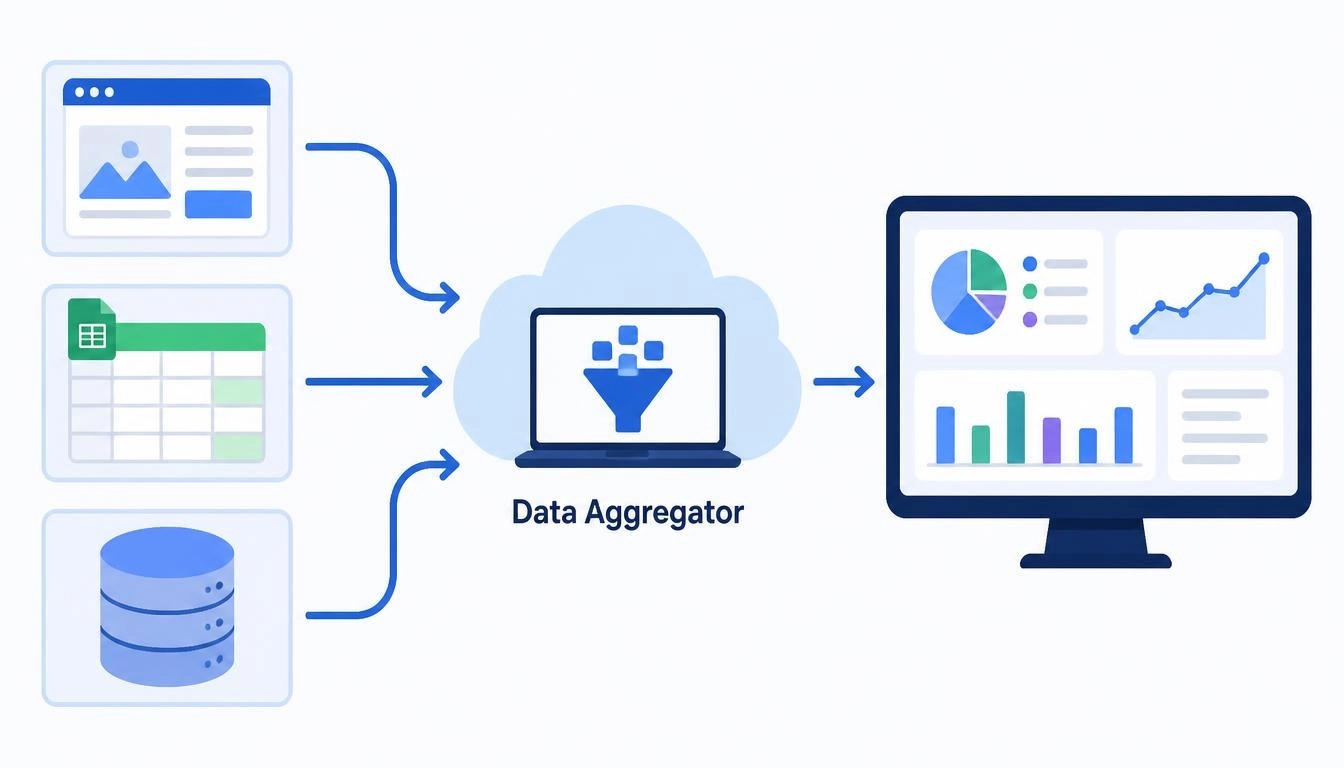
An aggregator collects data from multiple sources and brings it together in one place, so people can search, compare, or analyze it without visiting each source.
Think of it like a supermarket. Farmers, bakers, and factories all make products in different places. The supermarket gathers them on one set of shelves so you can shop in one trip. An aggregator does the same with information.
What is data aggregation: Data aggregation meaning in one line
The data aggregation definition most data teams use is simple: data aggregation is the process of gathering data and presenting it in a summarised form. TechTarget describes it as replacing individual data rows with totals or summary statistics, usually from multiple sources.
So what is aggregated data? It’s the finished result: averages, totals, rankings or combined lists, instead of thousands of separate records.
Simple example: One product page shows a price. Aggregated data is “the average price of this product across 40 online stores today, and who’s cheapest.”
Aggregator vs data broker vs data integration
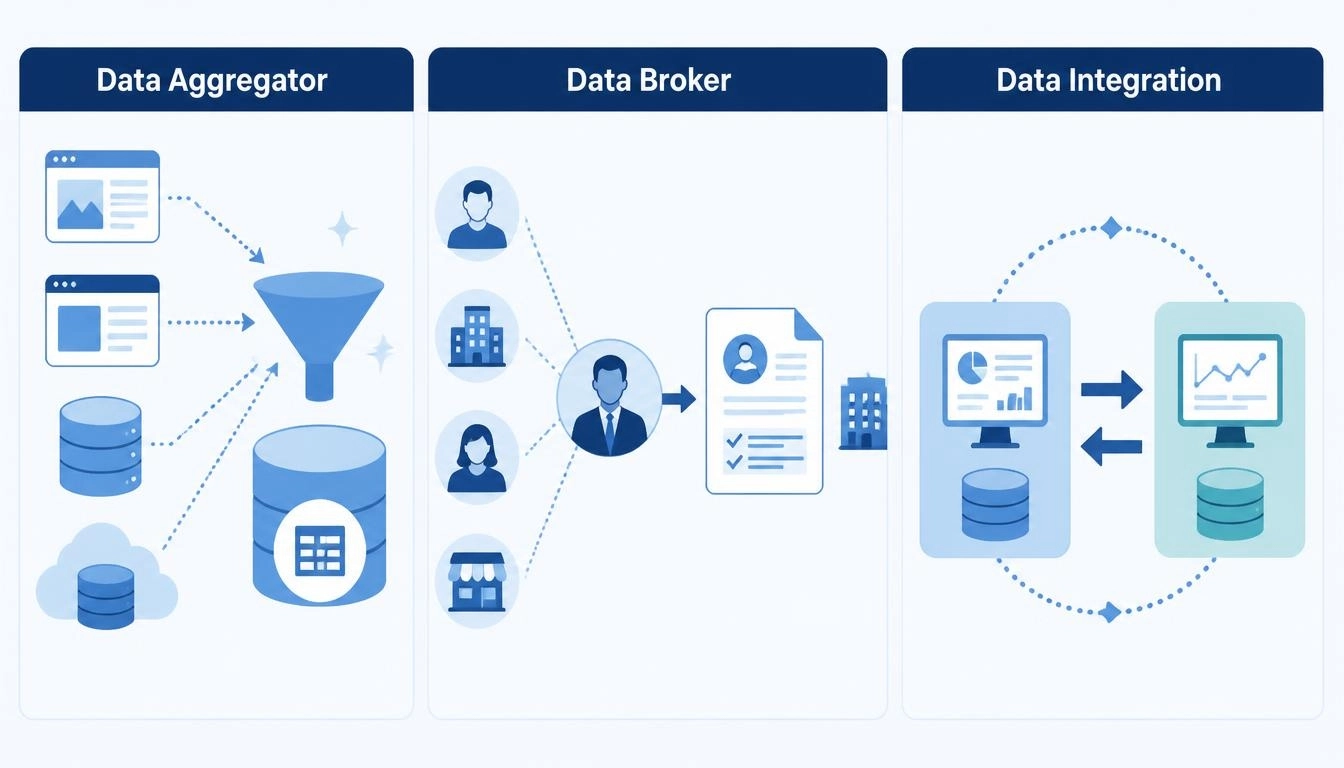
These three terms get mixed up all the time. Here’s the difference:
Term | What it does | Typical example |
Aggregator | Collects and combines data so it can be compared or analyzed | Price comparison sites, review platforms, job boards |
Data broker | Collects data about people and sells profiles | People-search sites, marketing list sellers |
Data integration | Moves and syncs data between a company’s own systems | Connecting a CRM to a data warehouse |
Some data brokers call themselves aggregators, which is why the terms overlap. The key difference is what they collect. Aggregating public product prices differs greatly from building profiles of private individuals.
How does a data aggregator work
Data aggregation follows the same four steps, whether an aggregator tracks hotel prices or market news.
Collect. Pull raw data from sources: official APIs, partner data feeds, public records, and web scraping of public pages.
Clean. Remove duplicates, fix formats (dates, currencies, units), and throw out broken records.
Aggregate. Match records that refer to the same thing, then calculate totals, averages, rankings, or changes over time.
Deliver. Show the result in a dashboard, website, API, spreadsheet or report.
What does aggregating data mean in practice? It’s step 3: turning “1,000 prices from 40 stores” into “lowest price, average price, and price change this week.”
Common mistake: Teams spend weeks on dashboards, then discover the collection step breaks every few days. Collection is where most aggregators fail, so plan it first.
Types of data aggregators
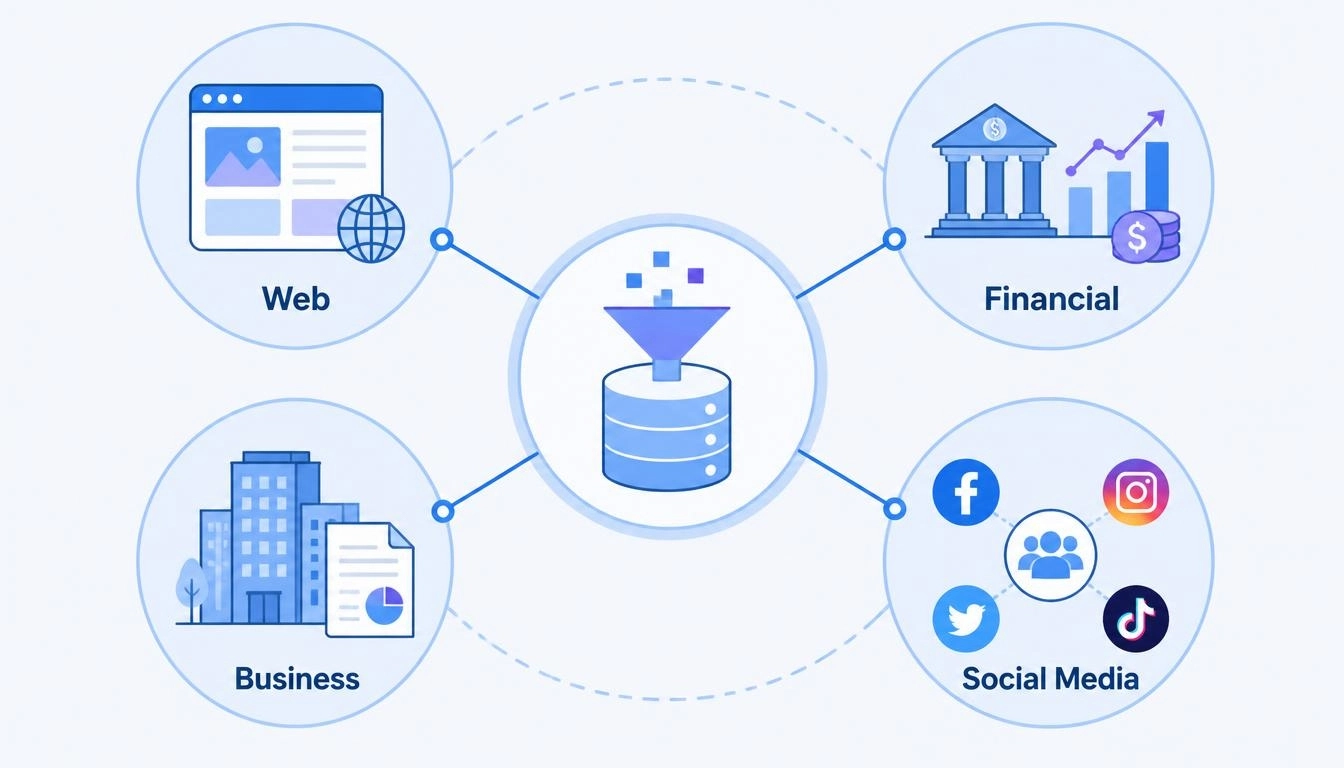
Not every aggregator collects the same kind of information. These are the main types you’ll come across:
Price and product aggregators. Comparison sites that track prices, stock, and discounts across online stores. E-commerce brands use the same approach to monitor competitors.
Review and content aggregators. Platforms that gather reviews, news articles, or social posts on one topic, then summarise sentiment or trends.
Travel and job aggregators. Sites that combine flight, hotel or job listings from many providers into one search.
Local business data aggregators. Companies that collect business names, addresses and phone numbers, then distribute them to maps, directories and search engines.
Financial data aggregators. Apps that connect to your bank, card and investment accounts and show everything in one view. Financial data aggregation usually works through bank APIs and open banking rules, with your permission. This is often called account aggregation.
AI training data aggregators. Teams that collect large public datasets to train or update AI models. This fast-growing area is also known as AI data collection.
Data aggregation examples you use every day
Still abstract? Here are a few familiar aggregate examples:
Flight comparison: one search shows fares from dozens of airlines and travel agencies.
Shopping comparison: one product, every store’s price, sorted cheapest first.
Review scores: a single star rating built from thousands of individual reviews.
Budgeting apps: all your accounts and spending categories on one screen.
SEO tools: search rankings collected from many locations and summarised into one report.
Data aggregation tools and software
You don’t need to be a large company to aggregate data. Data aggregation tools range from simple no-code apps to full developer frameworks, and data aggregation companies will even deliver finished datasets for a fee:
Option | Best for | Trade-off |
Official APIs | Clean, reliable data from one platform | Limited fields, rate limits, and sometimes high costs |
No-code scrapers | Non-technical users with small projects | Struggle with dynamic sites and large volumes |
Open-source scrapers | Developers who want control and no license fees | You manage setup, hosting, and proxies |
Data aggregation services | Teams that want finished datasets delivered | Most expensive; you depend on the vendor |
Modern websites load content with JavaScript, so many data aggregation software stacks use a headless browser to load pages the way a real visitor’s browser would.
If you’d rather not build from scratch, Yozh Scraper is CyberYozh’s free, open-source scraping toolkit. It runs with Docker, loads pages with Playwright, and works with CyberYozh proxies. It also offers a REST API plus an MCP endpoint, so AI agents can request web data directly. Want a hands-on walkthrough? Our guide to screen scraping with Python and Yozh Scraper shows the full setup.
Pro tip: If you’re searching for data aggregation tools for automated data collection software, check three things first: JavaScript rendering, scheduling, and built-in proxy support. Without all three, larger projects break.
How to build your own data aggregator in 5 steps
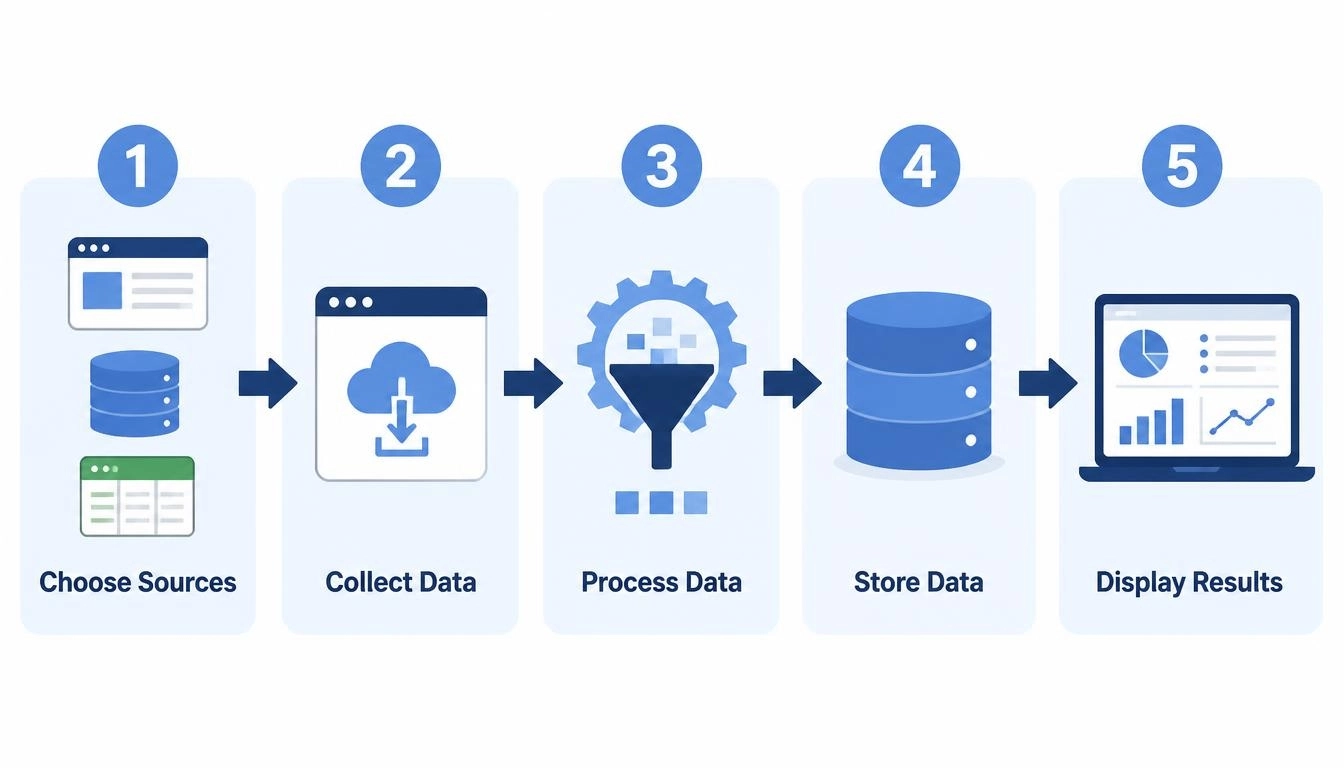
Here’s the simplest path from idea to a working aggregator for public web data.
Pick your sources and fields. Write down exactly which sites and which data points you need, such as product name, price, rating, and stock. Fewer fields mean fewer breakages.
Check the rules. Use an official API if one exists. Respect each site’s terms and robots.txt. Collect public, non-personal data only.
Set up your scraper. Use an open-source tool like Yozh Scraper, or a framework such as Scrapy, Playwright, or Puppeteer.
Add proxies. Route requests through proxies so your collection doesn’t depend on a single IP that can be rate-limited or blocked. See how CyberYozh supports proxy setups for web scraping projects.
Schedule, clean, and store. Run collection on a schedule (hourly, daily, or weekly), automatically clean the results, and store them in a database. That database becomes your aggregator, and your dashboards and reports read from it.
Warning: If your sources include personal data, such as names, emails, or profiles, privacy laws apply. In the EU, that means the GDPR. The European Commission’s data protection guidance is the best place to start before collecting anything about people.
Why web data aggregators get blocked (and how to fix it)
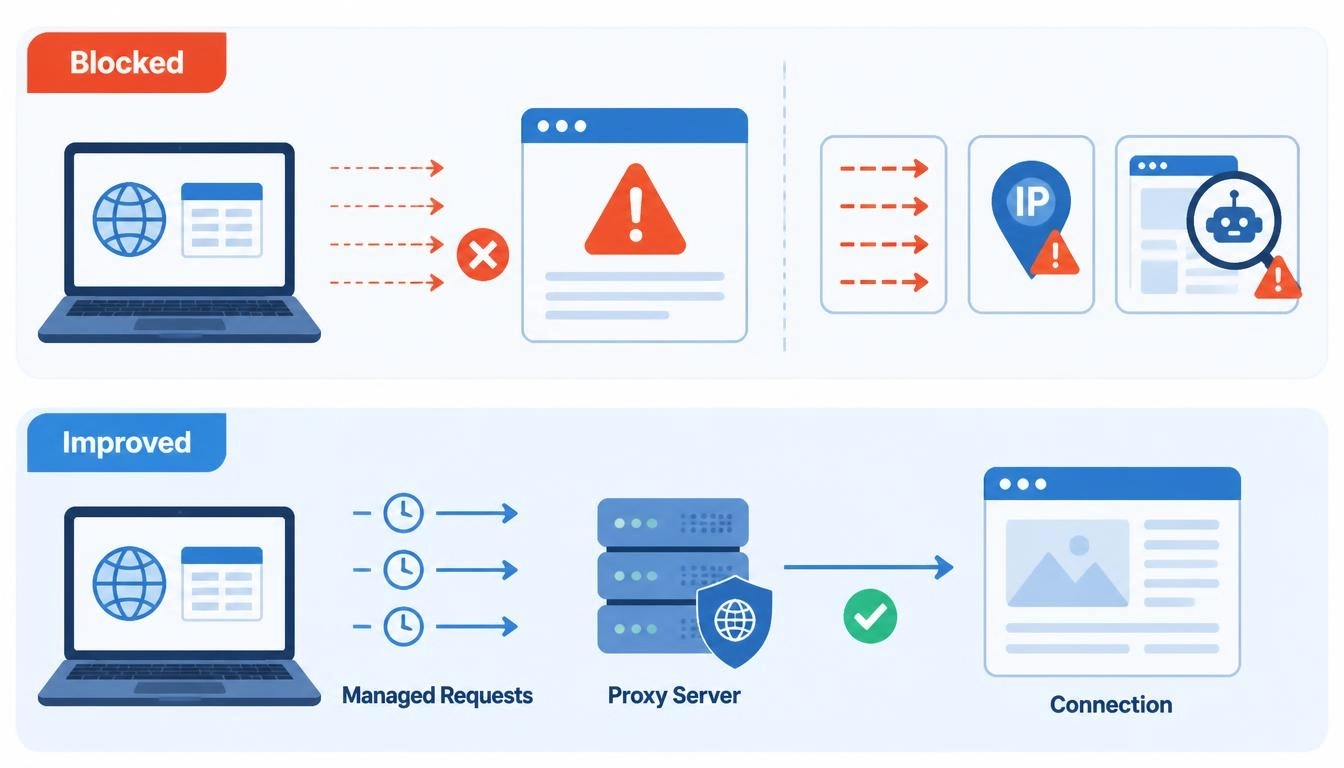
Websites protect themselves from heavy traffic. When thousands of requests arrive from one IP address, sites respond with CAPTCHAs, empty pages, fake data, or outright blocks. For an aggregator, that means gaps in your dataset and wrong conclusions.
Three problems cause most failures:
Rate limits: too many requests from one IP.
Location-based content: prices and listings change by country or city.
Low-trust IPs: datacenter IP ranges are easier for strict sites to recognize.
Matching the right proxy to each job fixes most of them:
Collection job | Best proxy type | Why |
Large-scale price and catalog tracking | Rotating residential proxies | A new home IP per request or session spreads the load |
Mobile-first sites and apps | Real carrier IPs carry the highest trust | |
Public APIs and low-protection sites | Fast, cheap, and unlimited traffic | |
Country-specific prices and listings | Residential or mobile with geo-targeting | Shows the same results a local visitor sees |
CyberYozh gives you all three proxy types in one dashboard, with a pool of 100M+ IPs across 195+ countries. Rotating residential plans come with Business plans from $1.89/GB and include:
rotating and sticky sessions;
free geo-targeting;
traffic rollover;
full API access.
The bottom line
A data aggregator turns scattered information into something you can actually use: one price list, one review score, one dashboard. The hard part isn’t the dashboard. It’s reliable collection, day after day, without blocks or missing data.
If you’re building your own, start small with an open-source scraper, follow each source’s rules, and put the right proxies behind it from day one.