
Cách thu thập dữ liệu Google Trends: Hướng dẫn thực hành đầy đủ (2026)

Tại sao ai đó lại muốn scrape Google Trends vào năm 2026, trước khi viết một dòng code nào, câu hỏi «tại sao» xứng đáng được dành một chút thời gian.
Google Trends là thứ thực sự hiếm có trên internet:
một cửa sổ công khai, theo thời gian thực để nhìn vào những gì hàng triệu người đang tích cực suy nghĩ, tìm kiếm và quan tâm.
Không phải khảo sát.
Không phải hành vi tự báo cáo.
Các truy vấn tìm kiếm thực tế, được tổng hợp và lập chỉ mục dưới dạng tín hiệu mức độ quan tâm tương đối, được cập nhật liên tục.
Đó là một nguồn dữ liệu phi thường. Vấn đề nằm ở giao diện.
Website của Google Trends được xây dựng để khám phá thông thường. Bạn có thể nhập một từ khóa, xem biểu đồ và hình thành ấn tượng sơ bộ về cách mức độ quan tâm đã thay đổi.
Điều bạn không thể làm, không thông qua website, là kéo dữ liệu mức độ quan tâm hàng tuần trên 200 từ khóa cùng lúc, theo dõi khi các chủ đề mới nổi bắt đầu tăng đột biến, so sánh nhu cầu theo địa lý trên 40 thị trường, hoặc tích hợp tín hiệu Trends vào quy trình nội dung tự động hoặc phân tích kinh doanh.
Scraping giải quyết chính xác khoảng trống này. Nó biến một công cụ được thiết kế cho sự tò mò cá nhân thành một cơ sở hạ tầng dữ liệu có thể mở rộng.
TL;DR:
Cách đáng tin cậy nhất để scrape dữ liệu Google Trends vào năm 2026 là với pytrends, một thư viện Python không chính thức giao tiếp với API nội bộ của Google Trends, không cần khóa API.
Đối với scraping khối lượng lớn hơn hoặc yêu cầu phức tạp hơn, tự động hóa trình duyệt qua Playwright cung cấp nhiều tính linh hoạt hơn.
Cả hai phương pháp đều yêu cầu luân chuyển proxy dân cư ở quy mô có ý nghĩa để tránh giới hạn tốc độ dựa trên IP.
Dữ liệu Google Trends có sẵn công khai, có thể truy cập hợp pháp để phân tích, và được sử dụng hàng ngày bởi các chuyên gia SEO, nhà tiếp thị nội dung, nhà nghiên cứu và nhà phân tích tài chính trên toàn thế giới.
Ai thực sự sử dụng điều này ở quy mô lớn:
Một chủ cửa hàng Shopify nhận thấy qua Google Trends rằng mức độ quan tâm đến «Stanley cup tumbler» bắt đầu tăng mạnh vào tháng 10 năm 2022, khoảng sáu tuần trước khi nó trở thành hiện tượng văn hóa.
Cô ấy tăng gấp ba lượng hàng tồn kho phụ kiện với giá vốn. Các đối thủ cạnh tranh của cô, theo dõi xu hướng tương tự một cách thủ công, đã phản ứng sáu tuần sau khi đợt tăng tìm kiếm đã đạt đỉnh. Cô ấy nắm bắt được sự tăng vọt về nhu cầu; họ chỉ đuổi theo nó.
Đó là những gì quyền truy cập Google Trends theo chương trình thực sự làm cho người thật. Logic tương tự áp dụng cho việc ưu tiên từ khóa SEO , lịch nội dung biên tập, phân tích tâm lý tài chính, nghiên cứu học thuật và phân tích cạnh tranh.
Dữ liệu có sẵn đó. Câu hỏi là bạn đang truy cập nó một cách có hệ thống hay ngẫu nhiên.
Scrape Google Trends có hợp pháp không
Câu trả lời trực tiếp: Scrape Google Trends không bất hợp pháp theo luật của Hoa Kỳ, Liên minh Châu Âu, Vương quốc Anh hoặc hầu hết các khu vực pháp lý lớn khác. Nó có thể xung đột với Điều khoản Dịch vụ của Google, vốn cấm rộng rãi quyền truy cập tự động, nhưng đây là một cân nhắc theo hợp đồng, không phải hình sự, và việc thực thi đối với các nhà nghiên cứu hoặc nhà phân tích cá nhân thực tế là không tồn tại.
Hãy đặt điều này vào ngữ cảnh thay vì để nó mơ hồ:
Computer Fraud and Abuse Act ở Mỹ, Computer Misuse Act ở Anh và GDPR ở EU đều đề cập đến quyền truy cập hệ thống trái phép và bảo vệ dữ liệu cá nhân.
Scrape dữ liệu tổng hợp ẩn danh có sẵn công khai từ Google Trends không liên quan đáng kể đến bất kỳ khuôn khổ nào trong số này.
Một phán quyết năm 2022 của Tòa Khu vực Thứ chín Hoa Kỳ trong vụ HiQ Labs kiện LinkedIn xác định rằng scrape dữ liệu có thể truy cập công khai, dữ liệu không yêu cầu đăng nhập hoặc xác thực để xem, không vi phạm CFAA.
Điều khoản Dịch vụ của Google là một cân nhắc riêng biệt. Chúng là hợp đồng giữa bạn và Google, không phải luật. Vi phạm chúng có thể dẫn đến chặn IP hoặc chấm dứt dịch vụ, hậu quả kỹ thuật, không phải pháp lý.
Khuôn khổ thực dụng được các chuyên gia sử dụng:
Giới hạn tần suất yêu cầu. Đừng gửi hàng trăm yêu cầu mỗi phút. Truy cập tự động hợp lý cần bắt chước hành vi của con người.
Chỉ thu thập dữ liệu cần thiết cho phân tích. Đừng lưu trữ toàn bộ tập dữ liệu mà không có mục đích rõ ràng.
Đừng phân phối lại dữ liệu thô đã thu thập cho mục đích thương mại. Đây là lúc các vấn đề về bản quyền trở nên thực sự.
Sử dụng dữ liệu để có được thông tin chi tiết. Chiến lược nội dung, nghiên cứu và phân tích kinh doanh là những mục đích mà Google Trends được thiết kế để hỗ trợ.
Đại đa số các chuyên gia SEO, nhà báo, nhà nghiên cứu học thuật và nhà phân tích dữ liệu thu thập dữ liệu từ Google Trends hàng ngày mà không gặp sự cố nào. Rủi ro là có thật về mặt lý thuyết, nhưng không đáng kể trong thực tế đối với các trường hợp sử dụng hợp pháp.
Hiểu dữ liệu Google Trends là gì
Trước khi viết code, việc hiểu những gì bạn đang kéo về rất quan trọng vì dữ liệu Google Trends có một đặc điểm khiến người mới bắt đầu bối rối và làm người dùng trung cấp thất vọng.
Google Trends không hiển thị khối lượng tìm kiếm tuyệt đối:
Nó hiển thị mức độ quan tâm tương đối, một điểm số từ 0 đến 100 trong đó 100 đại diện cho mức độ quan tâm cao nhất trong khung thời gian và khu vực địa lý bạn đã chọn.
50 có nghĩa là một nửa mức cao nhất.
0 có nghĩa là không đủ dữ liệu để hiển thị.
Đây là dữ liệu được chuẩn hóa có chủ ý.
Google không công bố số lượng khối lượng tìm kiếm thô qua Trends.
Điều này có nghĩa là gì trong thực tế:
Nếu bạn kéo dữ liệu cho «xe điện» trong 5 năm, tuần có điểm cao nhất sẽ là 100.
Mọi tuần khác đều có điểm số tương đối so với đỉnh đó.
Nếu sau đó bạn kéo một truy vấn riêng cho «tấm pin mặt trời» trong cùng khoảng thời gian, đỉnh của nó cũng ghi điểm 100, mặc dù khối lượng tìm kiếm tuyệt đối cho «tấm pin mặt trời» chỉ bằng một phần mười so với «xe điện».
Đây là vấn đề chuẩn hóa. Nó làm cho việc so sánh giữa các truy vấn trong một lần kéo dữ liệu trở nên có ý nghĩa, nhưng không đáng tin cậy giữa các lần kéo dữ liệu riêng biệt .
Giải pháp: Luôn so sánh các từ khóa trong cùng một lệnh gọi build_payload() của pytrends. Bao gồm một từ khóa «neo» nhất quán (một từ khóa có khối lượng tìm kiếm ổn định, dễ hiểu) trong mỗi lô cho phép bạn chuẩn hóa dữ liệu qua nhiều lần kéo.
Ví dụ, bao gồm «weather» (thời tiết), một từ khóa có khối lượng tìm kiếm nhất quán, dễ dự đoán, làm neo trong mỗi lô cho phép bạn hiệu chỉnh mức độ quan tâm tương đối có thể so sánh được giữa các yêu cầu riêng biệt.
So sánh phương pháp: Cách thu thập dữ liệu nào phù hợp với bạn
Trước khi đi sâu vào từng phương pháp, đây là bảng quyết định:
Phương pháp | Độ khó | Độ tin cậy | Tốc độ | Trường hợp sử dụng tốt nhất | Hạn chế chính |
pytrends (thư viện Python) | Người mới bắt đầu | Cao | Nhanh | Hầu hết các trường hợp sử dụng tiêu chuẩn | Giới hạn tốc độ khi truy vấn nhiều |
Yêu cầu HTTP trực tiếp | Trung cấp | Trung bình- Cao | Nhanh | Tham số tùy chỉnh, xử lý hàng loạt | Yêu cầu quản lý header/cookie |
Tự động hóa trình duyệt (Playwright) | Nâng cao | Rất cao | Chậm | Trang phức tạp, tránh CAPTCHA | Tốn nhiều tài nguyên |
Nền tảng không cần code (Apify, v.v.) | Người mới bắt đầu | Trung bình | Thay đổi | Người không phải lập trình viên, xuất nhanh | Chi phí đăng ký định kỳ |
Xuất CSV thủ công | Không có | Hoàn hảo | Rất chậm | Tập dữ liệu nhỏ một lần | Không mở rộng được |
Bắt đầu với pytrends. Chỉ chuyển sang tự động hóa trình duyệt khi pytrends liên tục thất bại với trường hợp sử dụng cụ thể của bạn.
Phương pháp 1: Pytrends

Câu trả lời trực tiếp: pytrends là một thư viện Python không chính thức giao tiếp với APIdữ liệu nội bộ của Google Trends. Nó không yêu cầu API key, cài đặt trong vài giây và xử lý hầu hết các tác vụ trích xuất dữ liệu phổ biến với mã tối thiểu. Đây là điểm khởi đầu phù hợp cho hầu như tất cả mọi người.
Pytrends là gì
pytrends (ban đầu được tạo bởi người dùng GeneralMills, hiện được duy trì bởi cộng đồng mã nguồn mở) có sẵn trên cả GitHub và PyPI.
Nó trừu tượng hóa các endpoint Trends nội bộ của Google thành các lệnh gọi hàm Python rõ ràng, tự động xử lý cookie xác thực, định dạng yêu cầu và phân tích phản hồi.
Đây không phải là sản phẩm chính thức của Google. Google không xác nhận nó.
Nhưng nó hoạt động ổn định cho phần lớn các trường hợp sử dụng tiêu chuẩn và đã được sử dụng tích cực từ năm 2015, với việc bảo trì cộng đồng nhất quán đến năm 2026.
Cài đặt pytrends: bash
pip install pytrends
Yêu cầu Python 3.7 trở lên. Đó là toàn bộ quá trình cài đặt.
Lần truy xuất dữ liệu đầu tiên của bạn
Script này truy xuất dữ liệu mức độ quan tâm theo tuần cho một từ khóa duy nhất trong 12 tháng qua:
from pytrends.request import TrendReq


# Initialize — hl sets the language, tz sets the timezone offset

pytrends = TrendReq(hl='en-US', tz=360)


# Build the payload — specify up to 5 keywords here

pytrends.build_payload(

    kw_list=['artificial intelligence'],

    timeframe='today 12-m',

    geo=''  # Empty string = worldwide

)

# Pull interest over time

data = pytrends.interest_over_time()

print(data.head(10))
Chạy script này và bạn sẽ nhận được một pandas DataFrame, một bảng với ngày tháng làm chỉ mục hàng và điểm quan tâm theo tuần (0–100) làm giá trị. Cột isPartial cho biết những tuần chưa được lập chỉ mục đầy đủ; lọc nó ra để phân tích sạch:
data = data[data['isPartial'] == False]So sánh nhiều từ khóa
Một trong những tính năng mạnh mẽ nhất của pytrends là so sánh từ khóa trực tiếp, lên đến năm từ khóa cùng lúc, được chuẩn hóa theo cùng thang điểm 100:
from pytrends.request import TrendReq

pytrends = TrendReq(hl='en-US', tz=360)

pytrends.build_payload(

    kw_list=['ChatGPT', 'Gemini', 'Claude AI', 'Copilot'],

    timeframe='today 12-m',

    geo='US'

)

data = pytrends.interest_over_time()

data = data[data['isPartial'] == False]

# Which platform has the highest average interest?

print(data[['ChatGPT', 'Gemini', 'Claude AI', 'Copilot']].mean())Dữ liệu so sánh này thực sự mang tính chiến lược. Nếu bạn đang tạo nội dung trong lĩnh vực công cụ AI, việc biết nền tảng nào có mức độ quan tâm tìm kiếm đang tăng trưởng so với đang trì trệ sẽ cho bạn biết sự chú ý của khán giả đang chuyển dịch tích cực về đâu, trước khi sự chuyển dịch đó hiện rõ trong bất kỳ nguồn dữ liệu nào khác.
Dữ liệu quan tâm theo địa lý
Mức độ quan tâm tập trung ở đâu trên thế giới? Đây là cách truy xuất dữ liệu cấp quốc gia:
pytrends.build_payload(

    kw_list=['electric vehicles'],

    timeframe='today 12-m'

)


# Country-level interest

by_country = pytrends.interest_by_region(resolution='COUNTRY', inc_low_vol=True)


# Sort by interest descending

print(by_country.sort_values('electric vehicles', ascending=False).head(20))
Để có độ phân giải khu vực trong một quốc gia duy nhất (các bang Mỹ, các vùng Anh), hãy điều chỉnh tham số resolution:
by_state = pytrends.interest_by_region(resolution='REGION', geo='US')Điều này vô cùng quý giá cho các doanh nghiệp đưa ra quyết định mở rộng địa lý hoặc nhà quảng cáo phân bổ ngân sách khu vực.
Truy vấn liên quan đang tăng: Tính năng ít được sử dụng nhất
Đây là nơi Google Trends trở thành công cụ phân tích nội dung thực sự:
python

pytrends.build_payload(

    kw_list=['remote work tools'],

    timeframe='today 3-m'

)


related = pytrends.related_queries()


# Rising queries — growing fastest relative to their usual volume

print(related['remote work tools']['rising'])


# Top queries — highest absolute interest

print(related['remote work tools']['top'])
Các truy vấn liên quan đang tăng cho thấy mọi người đang tìm kiếm gì cùng với từ khóa của bạn, điều gì đang tăng nhanh nhất về khối lượng. Đối với các nhà tiếp thị nội dung, đây là thông tin từ khóa sớm từ ba đến sáu tuần. Xuất bản về một truy vấn liên quan đang tăng trước khi nó đạt mức quan tâm cao nhất, và nội dung của bạn được định vị cho đường cong nhu cầu thay vì đuổi theo nó.
Tìm kiếm xu hướng theo thời gian thực
Để theo dõi những gì đang là xu hướng ngay bây giờ:
trending_today = pytrends.trending_searches(pn='united_states')

print(trending_today.head(20))
Điều này trả về 20 tìm kiếm xu hướng hàng đầu ở quốc gia được chỉ định tại thời điểm yêu cầu. Hữu ích cho việc theo dõi tin tức, chiến lược phản ứng nội dung và xác định xu hướng mạng xã hội.
Phương pháp 2: Yêu cầu HTTP trực tiếp
Câu trả lời trực tiếp: Yêu cầu HTTP trực tiếp cung cấp cho bạn quyền kiểm soát chi tiết đối với các tham số truy vấn, header và quản lý phiên mà pytrends đã trừu tượng hóa. Điều này phù hợp cho người dùng nâng cao cần định dạng khung thời gian tùy chỉnh, lọc danh mục chính xác hoặc quản lý yêu cầu hàng loạt khối lượng lớn.
Bên trong, pytrends thực hiện các yêu cầu GET đến các endpoint Trends nội bộ của Google, chủ yếu:
https://trends.google.com/trends/api/widgetdata/multiline
https://trends.google.com/trends/api/explore
Các endpoint này trả về dữ liệu JSON có tiền tố bảo vệ ()]}') phải được loại bỏ trước khi phân tích.
Chúng cũng yêu cầu cookie phiên và header cụ thể mà máy chủ của Google xác thực.
Đây là một mẫu hoạt động sử dụng thư viện requests:
import requests

import json


session = requests.Session()


# First, establish a session by visiting the main Trends page

session.get('https://trends.google.com/')


# The explore endpoint generates widget tokens for data requests

params = {

    'hl': 'en-US',

    'tz': '-360',

    'req': json.dumps({

        "comparisonItem": [

            {"keyword": "python programming", "geo": "", "time": "today 12-m"}

        ],

        "category": 0,

        "property": ""

    }),

    'token': '',

    'user_type': ''

}


response = session.get(

    'https://trends.google.com/trends/api/explore',

    params=params

)


# Strip the protection prefix before parsing

clean_response = response.text.lstrip(")}']\n")

data = json.loads(clean_response)
Cách này phức tạp hơn PyTrends nhưng cho phép bạn kiểm soát chính xác mọi khía cạnh của yêu cầu. Hầu hết người dùng không cần mức độ kiểm soát này, nhưng đối với các quy trình sản xuất có yêu cầu phân lô cụ thể hoặc định dạng khung thời gian không chuẩn, đây là cách tiếp cận phù hợp.
Phương pháp 3: Tự động hóa trình duyệt với Playwright
Câu trả lời trực tiếp: Playwright tự động hóa một trình duyệt thực, làm cho hành vi thu thập dữ liệu của bạn hầu như không thể phân biệt với việc duyệt web thực sự của con người. Đây là phương pháp mạnh mẽ nhất để tránh giới hạn tốc độ và CAPTCHA, nhưng nó chậm hơn đáng kể và tốn nhiều tài nguyên hơn so với các phương pháp dựa trên API.
Khi nào nên sử dụng Playwright thay vì pytrends:
pytrends liên tục trả về lỗi 429, ngay cả khi sử dụng proxy và độ trễ
Bạn cần thu thập các yếu tố trang trực quan hoặc tương tác không được hiển thị qua API
Bạn cần xử lý các thử thách CAPTCHA (với các công cụ giải quyết bên thứ ba phù hợp)
Bạn đang thu thập dữ liệu từ các trang Trends ngách với các mẫu điều hướng phức tạp
Một thiết lập Playwright đáng tin cậy:
from playwright.sync_api import sync_playwright

import time


with sync_playwright() as p:

    # Launch browser — headless=False for debugging, True for production

    browser = p.chromium.launch(headless=True)


    # Create a context with realistic browser settings

    context = browser.new_context(

        user_agent='Mozilla/5.0 (Windows NT 10.0; Win64; x64) AppleWebKit/537.36',

        viewport={'width': 1280, 'height': 800}

    )


    page = context.new_page()


    # Navigate to Trends

    page.goto('https://trends.google.com/trends/explore?q=python+programming&date=today+12-m&geo=US')


    # Wait for the data chart to render

    page fully

.wait_for_selector('[class*="widget"]', timeout=10000)


    # Add human-like delay

    time.sleep(3)


    # Extract page content for parsing

    content = page.content()


    # Alternatively, intercept the API response directly

    # This is more reliable than parsing HTML


    browser.close()


print("Data extracted successfully")
Một cách tiếp cận tinh vi hơn là chặn các yêu cầu mạng mà Playwright thực hiện khi tải trang, thu thập phản hồi API trực tiếp thay vì phân tích HTML đã được hiển thị. Điều này kết hợp lợi thế ẩn danh của tự động hóa trình duyệt với định dạng dữ liệu sạch hơn của phản hồi API. [Đọc về tài liệu Playwright Python]
Tại sao giới hạn tốc độ xảy ra và cách xử lý chúng
Đây là phần mà hầu hết các hướng dẫn bỏ qua, và đó là lý do tại sao người mới bắt đầu gặp khó khăn sau vài yêu cầu thành công đầu tiên.
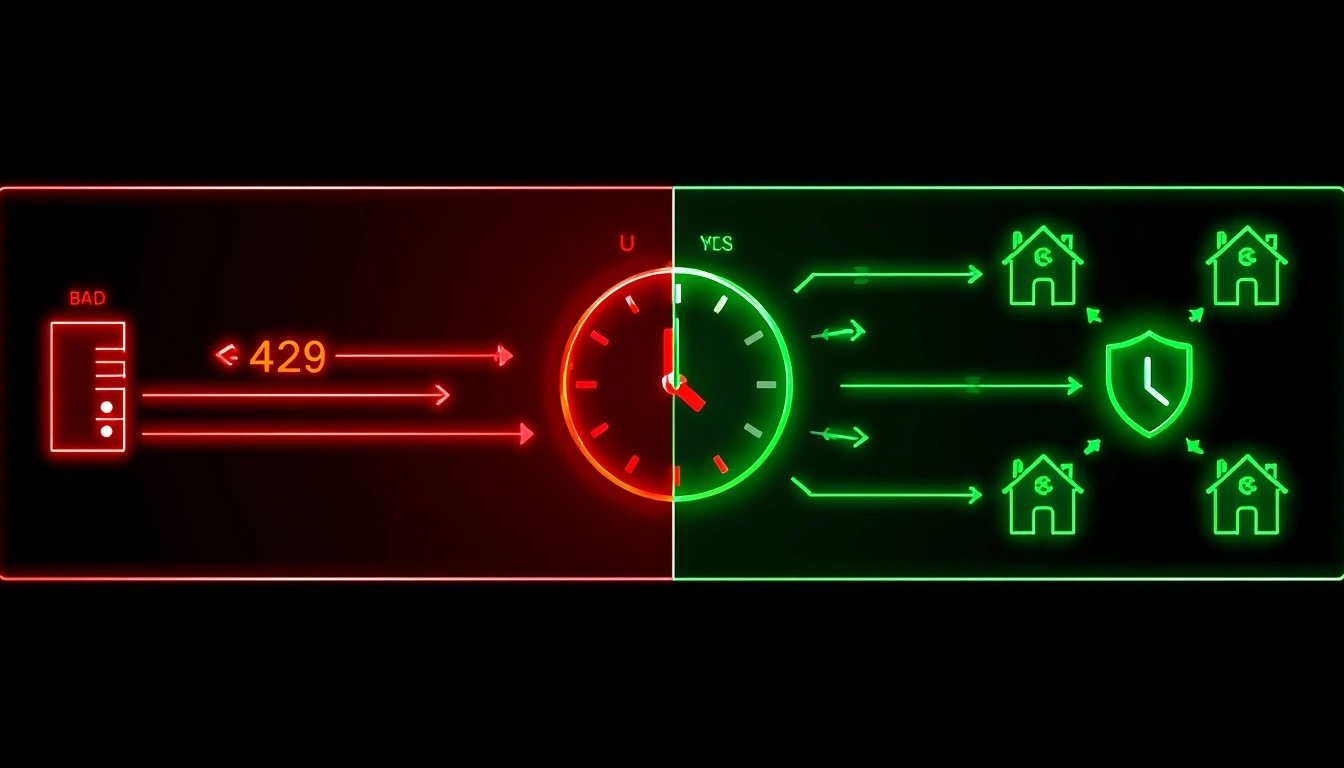
Google Trends có giới hạn tốc độ dựa trên IP. Gửi quá nhiều yêu cầu trong một khoảng thời gian ngắn từ một địa chỉ IPduy nhất, và bạn sẽ bắt đầu nhận được lỗi 429 (Quá nhiều yêu cầu). Trên một số cấu hình, bạn sẽ nhận được thử thách CAPTCHA thay thế. Cả hai đều không có nghĩa là mã của bạn bị lỗi; nó có nghĩa là bạn đã kích hoạt hệ thống quản lý lưu lượng tự động của Google.
Giải pháp 1: Thêm độ trễ yêu cầu
Cách khắc phục đơn giản nhất. Một lệnh gọi time.sleep() giữa các yêu cầu cho phép hệ thống của Google đặt lại bộ đếm theo IP của họ:
import time

from pytrends.request import TrendReq


pytrends = TrendReq(hl='en-US', tz=360)


keywords = [

    'content marketing', 'SEO strategy', 'link building',

    'technical SEO', 'keyword research', 'on-page SEO'

]


results = {}


for keyword in keywords:

    pytrends.build_payload([keyword], timeframe='today 12-m')

    results[keyword] = pytrends.interest_over_time()

    print(f"✓ {keyword}")

    time.sleep(15)  # 15 seconds between requests


print("All keywords retrieved.")
Đối với các công việc hàng loạt có tối đa 50 từ khóa mỗi phiên, độ trễ 10–15 giây thường là đủ. Đối với các lô lớn hơn, tăng lên 30–60 giây và chia thành nhiều phiên.
Giải pháp 2: Xoay vòng proxy dân cư
Đối với tự động hóa khối lượng lớn hơn, xoay vòng IP là giải pháp kiến trúc đúng đắn. Mỗi yêu cầu được định tuyến qua một địa chỉ IP khác nhau, vì vậy không có địa chỉ IP nào tích lũy đủ yêu cầu để kích hoạt giới hạn tốc độ.
Không phải tất cả proxy đều bình đẳng cho trường hợp sử dụng này.
Google duy trì danh sách mở rộng các dải IP trung tâm dữ liệu: AWS, Google Cloud, DigitalOcean, Vultr, và giới hạn tốc độ lưu lượng từ các nguồn này tích cực hơn nhiều so với lưu lượng từ địa chỉ dân cư.
Sử dụng proxy trung tâm dữ liệu cho việc thu thập dữ liệu Google thường không cung cấp bất kỳ sự bảo vệ có ý nghĩa nào.
Proxy dân cư định tuyến lưu lượng qua các địa chỉ IP được gán cho khách hàng ISP thực, kết nối internet gia đình và thiết bị di động.
Đối với hệ thống của Google, lưu lượng này không thể phân biệt với người dùng thực sự.
Sử dụng proxy CyberYozh để thu thập dữ liệu Google Trends ổn định
Câu trả lời trực tiếp: Proxy dân cư ngăn chặn giới hạn tốc độ của Google Trends bằng cách phân phối yêu cầu qua hàng nghìn địa chỉ IP dân cư khác nhau. CyberYozh cung cấp proxy dân cư xoay vòng và proxy di động với khả năng nhắm mục tiêu địa lý, đặc biệt phù hợp cho tự động hóa Google Trends.
Tích hợp proxy CyberYozh vào quy trình làm việc pytrends:
from pytrends.request import TrendReq

import time

import random


# CyberYozh proxy configuration

proxy_config = {

    'https': 'https://USERNAME:PASSWORD@gate.cyberyozh.com:PORT'

}


# Initialize pytrends with proxy support

pytrends = TrendReq(

    hl='en-US',

    tz=360,

    requests_args={

        'proxies': proxy_config,

        'verify': True

    }

)


keywords = ['machine learning', 'deep learning', 'neural networks',

            'computer vision', 'natural language processing']


for keyword in keywords:

    pytrends.build_payload([keyword], timeframe='today 12-m', geo='US')

    data = pytrends.interest_over_time()

    print(f"Retrieved: {keyword} — {len(data)} weeks of data")

    time.sleep(random.uniform(8, 20))  # Randomize delays to mimic human behavior
random .uniform(8, 20) việc ngẫu nhiên hóa độ trễ rất quan trọng; các khoảng thời gian đồng đều có thể dự đoán được (chính xác 10 giây mỗi lần) có thể tự bị nhận diện là hành vi tự động bởi phân tích lưu lượng phức tạp.
Nhắm mục tiêu địa lý cho dữ liệu Trends:
Một ứng dụng thường bị bỏ qua của việc nhắm mục tiêu địa lý proxy là kéo dữ liệu Trends phản ánh hành vi tìm kiếm địa phương thực sự.
Google Trends hiệu chỉnh mức độ quan tâm tương đối dựa trên vị trí địa lý yêu cầu trong một số cấu hình.
Một IP dân cư Hoa Kỳ yêu cầu dữ liệu cho tham số địa lý Hoa Kỳ tạo ra kết quả nhất quán hơn so với IP không thuộc Hoa Kỳ.
Tính năng nhắm mục tiêu IP cấp quốc gia của CyberYozh hỗ trợ trường hợp sử dụng này một cách tự nhiên, hữu ích cho các đại lý chạy phân tích Trends đa thị trường hoặc các nhà nghiên cứu cần dữ liệu đại diện về mặt địa lý.
Xem danh mục proxy CyberYozh để có IP đáng tin cậy và giá cả phải chăng nhất trên toàn cầu.
Đối với scraping dựa trên Playwright, cấu hình proxy hơi khác một chút:
python

from playwright.sync_api import sync_playwright


with sync_playwright() as p:

    browser = p.chromium.launch(

        headless=True,

        proxy={

            "server": "https://gate.cyberyozh.com:PORT",

            "username": "USERNAME",

            "password": "PASSWORD"

        }

    )

    # ... rest of automation code
Vấn đề chuẩn hóa: Cách so sánh dữ liệu qua nhiều lần kéo
Đây là vấn đề làm vấp ngã người dùng trung cấp nhiều nhất, và nó hiếm khi được giải thích trong các hướng dẫn của đối thủ cạnh tranh.
Google Trends chuẩn hóa dữ liệu trong mỗi truy vấn.
Điểm quan tâm cao nhất trong khung thời gian bạn chỉ định luôn là 100.
Điều này hợp lý để hình dung quỹ đạo của một từ khóa đơn lẻ.
Nó tạo ra vấn đề khi bạn muốn so sánh hai từ khóa được kéo trong các yêu cầu riêng biệt.
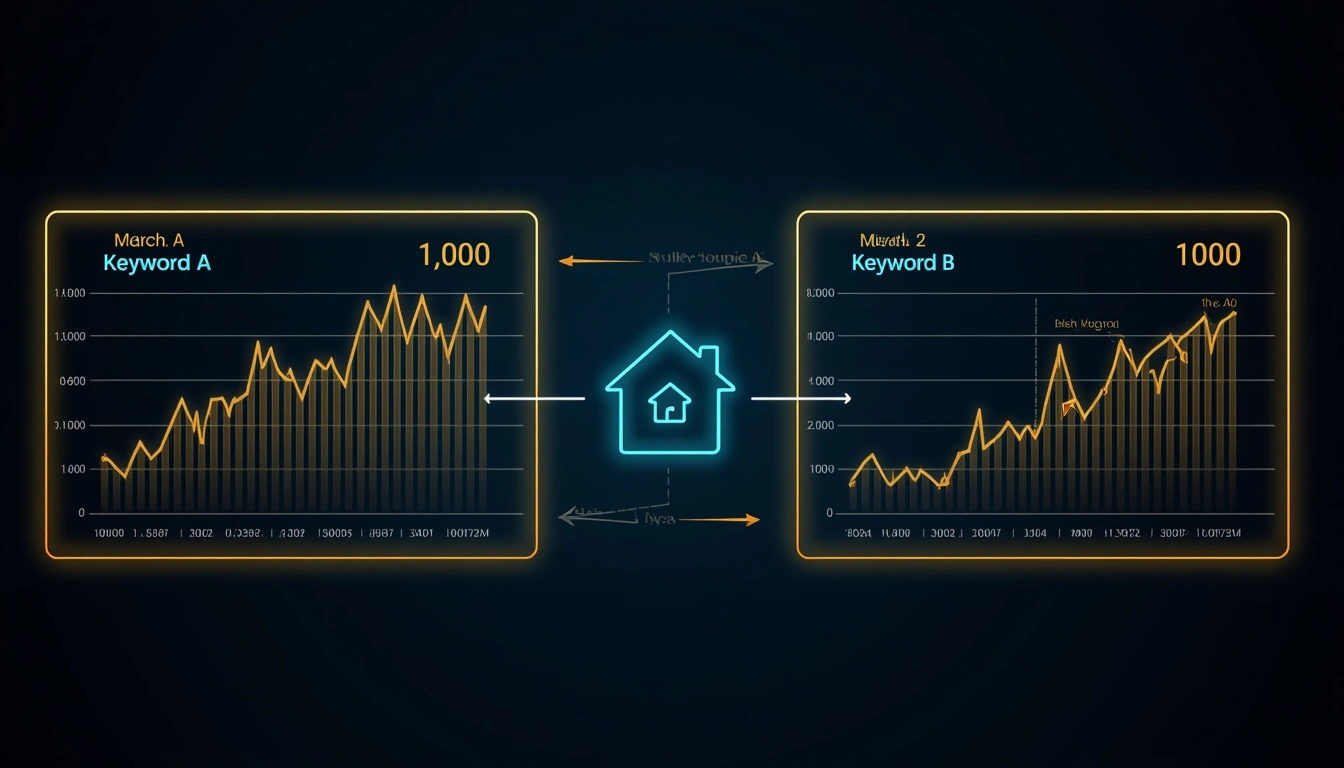
Kịch bản: Bạn kéo dữ liệu cho «từ khóa A» và nhận được đỉnh 100 vào tháng Ba. Sau đó bạn kéo dữ liệu cho «từ khóa B» riêng biệt, và cũng nhận được đỉnh 100 vào tháng Ba. Điều đó có nghĩa là chúng có khối lượng tìm kiếm bằng nhau không? Gần như chắc chắn là không. Chúng chỉ tình cờ ở đỉnh tương ứng của mình.
Kỹ thuật chuẩn hóa từ khóa neo:
Bao gồm một từ khóa tham chiếu ổn định trong mỗi lô, một từ khóa có khối lượng tìm kiếm nhất quán, dễ hiểu. Các neo thường được sử dụng bao gồm «Facebook», «YouTube» hoặc «weather» (thời tiết), các từ khóa duy trì mức độ quan tâm tìm kiếm tương đối ổn định theo từng tháng.
from pytrends.request import TrendReq

import pandas as pd

import time


pytrends = TrendReq(hl='en-US', tz=360)


# Batch 1: Compare keyword sets against anchor

batch_1 = ['Facebook', 'content marketing', 'email marketing', 'social media marketing']

batch_2 = ['Facebook', 'SEO', 'PPC advertising', 'influencer marketing']


pytrends.build_payload(batch_1, timeframe='today 12-m', geo='US')

data_1 = pytrends.interest_over_time()[batch_1]


time.sleep(15)


pytrends.build_payload(batch_2, timeframe='today 12-m', geo='US')

data_2 = pytrends.interest_over_time()[batch_2]


# Now normalize both datasets against the anchor (facebook)

# The anchor's values are comparable across batches because they were in both

anchor = 'facebook'


data_1_normalized = data_1.div(data_1[anchor], axis=0)

data_2_normalized = data_2.div(data_2[anchor], axis=0)


# Now you can meaningfully compare any keyword from batch 1 with any from batch 2

print("Normalized comparison:")

print(pd.concat([

    data_1_normalized.drop(columns=[anchor]),

    data_2_normalized.drop(columns=[anchor])

], axis=1).mean())
Các nhà phân tích dữ liệu chuyên nghiệp sử dụng kỹ thuật này, và nó hiếm khi được ghi chép trong các hướng dẫn nhập môn. Nó mở khóa khả năng so sánh hàng chục từ khóa qua nhiều yêu cầu lô với kết quả có ý nghĩa, có thể so sánh được.
Các trường hợp sử dụng thực tế: Những gì bạn thực sự làm với dữ liệu này

Dữ liệu không có ứng dụng chỉ là một bảng tính thú vị. Đây là cách một phân tích Google Trends có ý nghĩa trông như thế nào trong thực tế:
Tối ưu hóa lịch nội dung
Kéo các truy vấn liên quan đang tăng hàng tuần cho các cụm chủ đề cốt lõi của bạn.
Khi một từ khóa liên quan vượt qua 40+ trên thang điểm 0–100 và tiếp tục tăng, hãy xuất bản ngay một bài tập trung vào chủ đề đó.
Nhắm vào đường cong tăng trưởng, không phải đỉnh.
Lập kế hoạch hàng tồn kho theo mùa và chi tiêu quảng cáo
Năm năm dữ liệu quan tâm hàng tuần tiết lộ các mô hình theo mùa với độ tin cậy đáng chú ý.
Một nhà bán lẻ bán đồ nội thất ngoài trời có thể thấy chính xác khi nào mức độ quan tâm mùa xuân bắt đầu tăng ở thị trường mục tiêu của họ, thường là 4–6 tuần trước khi hành vi mua hàng đạt đỉnh, và định thời điểm chiến dịch trả phí của họ cho phù hợp.
Ưu tiên từ khóa SEO
Trước khi đầu tư vào một chiến dịch nội dung cho một từ khóa mục tiêu, hãy xác minh quỹ đạo của nó.
Một từ khóa có 30.000 lượt tìm kiếm hàng tháng và quỹ đạo Trends đang tăng là một khoản đầu tư tốt hơn so với một từ khóa có 50.000 lượt tìm kiếm và quỹ đạo đang giảm.
Bạn đang mua vào một thị trường đang phát triển thay vì một thị trường đang thu hẹp.
Thông tin thương hiệu cạnh tranh
Theo dõi mức độ quan tâm tìm kiếm thương hiệu của đối thủ cạnh tranh theo thời gian.
Sự tăng trưởng bền vững trong các tìm kiếm thương hiệu của đối thủ là tín hiệu cảnh báo sớm, mang tính thông tin hơn các chỉ số được công bố của họ và có sẵn theo thời gian thực.
Chỉ số tâm lý tài chính
Mức độ quan tâm tìm kiếm trong các danh mục như "tái cấp vốn thế chấp", "suy thoái", "sa thải" và "công việc phụ" đóng vai trò là chỉ số dẫn đầu về tâm lý người tiêu dùng.
Các quỹ phòng hộ lớn và các tổ chức nghiên cứu kinh tế sử dụng Google Trends như một đầu vào trong các mô hình dự báo kinh tế rộng hơn.
Nghiên cứu học thuật và báo chí
Định lượng sự chú ý của công chúng đối với các sự kiện tin tức, thay đổi chính sách, nhân vật công chúng và các khoảnh khắc văn hóa theo thời gian cung cấp bằng chứng có thể xác minh, có thể trích dẫn về các mô hình quan tâm tập thể khách quan hơn so với đánh giá biên tập.
Xuất và trực quan hóa dữ liệu Google Trends
Khi đã có dữ liệu, các bước tiếp theo phổ biến nhất là xuất và trực quan hóa:
from pytrends.request import TrendReq

import matplotlib.pyplot as plt

import pandas as pd


pytrends = TrendReq(hl='en-US', tz=360)

pytrends.build_payload(

    ['AI tools', 'automation software'],

    timeframe='today 5-y',

    geo='US'

)


data = pytrends.interest_over_time()

data = data[data['isPartial'] == False]


# Export to CSV for spreadsheet analysis

data.to_csv('google_trends_export.csv')

print("CSV exported successfully.")


# Create a clean visualization

fig, ax = plt.subplots(figsize=(14, 6))


data['AI tools'].plot(ax=ax, label='AI Tools', color='#2563EB', linewidth=2)

data['automation software'].plot(ax=ax, label='Automation Software', color='#7C3AED', linewidth=2)


ax.set_title('Search Interest Comparison: AI Tools vs Automation Software (5 Years, US)',

             fontsize=14, fontweight='bold', pad=20)

ax.set_ylabel('Interest Score (0–100)', fontsize=11)

ax.set_xlabel('')

ax.legend(fontsize=11)

ax.grid(True, alpha=0.3)

ax.set_ylim(0, 110)


plt.tight_layout()

plt.savefig('trends_comparison.png', dpi=150, bbox_inches='tight')

plt.show()
Đối với các nhóm ưa thích bảng tính hơn Python, tệp xuất CSV hoàn toàn tương thích với Excel và Google Sheets. Cấu trúc DataFrame của pandas ánh xạ gọn gàng sang định dạng bảng, với ngày tháng ở cột A và giá trị quan tâm từ khóa ở các cột tiếp theo.
Khắc phục các lỗi phổ biến nhất và cách sửa chúng
Lỗi: 429 Too Many Requests Bạn đã vượt quá giới hạn tốc độ mỗi IP của Google. Thêm hoặc tăng độ trễ time.sleep() giữa các yêu cầu (bắt đầu với 15–30 giây). Đối với lỗi 429 liên tục ở bất kỳ mức độ trễ nào, hãy triển khai proxy dân cư luân phiên.
Lỗi: ResponseError 500. Thường là sự cố máy chủ tạm thời ở phía Google. Đợi 5–10 phút và thử lại. Đôi khi được kích hoạt bởi các tham số payload sai định dạng, hãy kiểm tra kỹ định dạng chuỗi khung thời gian của bạn ('today 12-m', 'today 3-m', '2022-01-01 2023-12-31').
DataFrame trả về trống. Từ khóa của bạn có khối lượng tìm kiếm không đủ cho khu vực địa lý hoặc khung thời gian được chỉ định. Thử mở rộng tham số geo thành (chuỗi rỗng cho toàn cầu) hoặc kéo dài khung thời gian. Một số từ khóa đuôi dài cực kỳ cụ thể đơn giản là không có đủ dữ liệu để trả về kết quả.
Kích hoạt thử thách CAPTCHA, Google nghi ngờ truy cập tự động. Chuyển sang proxy dân cư, tăng đáng kể độ trễ và giảm khối lượng yêu cầu mỗi phiên. Tự động hóa trình duyệt với Playwright có khả năng chống kích hoạt CAPTCHA tốt hơn so với yêu cầu API trực tiếp.
Cài đặt pytrends thất bại. Đảm bảo Python 3.7+ đã được cài đặt: python --version. Thử nâng cấp pip trước: pip install --upgrade pip, sau đó pip install pytrends.
Chỉ có dữ liệu một phần (isPartial = True cho hầu hết các hàng). 2–3 ngày gần nhất của dữ liệu Trends luôn là một phần; Google chưa lập chỉ mục đầy đủ chúng. Lọc các hàng này ra: data = data[data['isPartial'] == False].
Chuẩn hóa chéo giữa các lô cho kết quả không nhất quán. Xem phần chuẩn hóa từ khóa neo ở trên. Luôn bao gồm một từ khóa tham chiếu ổn định trong mỗi lô để cho phép so sánh chéo giữa các lô một cách có ý nghĩa. [Đọc thêm về lỗi 499 và lỗi 520]
Tài nguyên GitHub được tuyển chọn
Thay vì «tìm kiếm trên GitHub và bạn sẽ tìm thấy điều gì đó hữu ích», đây là những tài nguyên cụ thể đáng để đánh dấu:
Kho lưu trữ chính thức pytrends: Tài liệu tham khảo chính thức cho tài liệu phương thức, các vấn đề đã biết và nhật ký thay đổi. Tab Issues chứa giải pháp cho phần lớn các lỗi trường hợp đặc biệt.
Các dự án bảng điều khiển tìm kiếm xu hướng: một số kho lưu trữ do cộng đồng duy trì xây dựng dựa trên pytrends để tạo bảng điều khiển từ khóa xu hướng theo thời gian thực. Tìm kiếm «pytrends dashboard» trên GitHub để tìm các tùy chọn được duy trì gần đây nhất.
Tiện ích chuẩn hóa dữ liệu Trends: các kho lưu trữ đặc biệt giải quyết vấn đề chuẩn hóa chéo giữa các lô đã thảo luận ở trên. Tìm kiếm «Google Trends normalization Python» để tìm các tùy chọn có nhiều sao nhất.
Apify Google Trends scraper: Dành cho những người không phải là nhà phát triển cần dữ liệu Google Trends mà không cần viết code, actor Google Trends được duy trì của Apify cung cấp giao diện không cần code với các lần chạy theo lịch và xuất dữ liệu. Chi phí thay đổi theo khối lượng sử dụng.
Xây dựng pipeline một lần, sử dụng mãi mãi
Google Trends là một trong số ít nguồn dữ liệu thực sự miễn phí, thực sự mạnh mẽ mà hầu hết mọi người chỉ sử dụng ở mức 10% tiềm năng của nó. Một khoản đầu tư một lần để thiết lập pipeline pytrends, ngay cả một pipeline cơ bản chạy hàng tuần theo lịch trình, sẽ cung cấp cho bạn một hệ thống cảnh báo sớm liên tục về các chủ đề đang nổi lên, sự thay đổi quan tâm của đối tượng và động lực cạnh tranh mới nổi.
Thiết lập những điều cơ bản ngay hôm nay. Thêm cơ sở hạ tầng proxy khi khối lượng của bạn tăng lên. Và bắt đầu coi hành vi tìm kiếm công khai như một tài sản tình báo chiến lược thực sự, thay vì điều gì đó bạn kiểm tra thủ công khi nhớ đến.
Dữ liệu được cập nhật liên tục. Việc bạn có chú ý đến nó hay không là biến số duy nhất bạn kiểm soát được.