How to Use Proxies with MoreLogin in 2026: The Complete, No-Fluff Guide to Ban-Free Multi-Account Management
By someone who has warmed up hundreds of accounts, lost a few, and learned the hard way what actually keeps them alive.
Let me be direct with you. The first time I lost a batch of social media accounts, I blamed MoreLogin. I had spent a weekend getting everything set up: fingerprints, profiles, the works, and by Tuesday morning, half of them were suspended. It was not MoreLogin's fault. It was my proxy setup, and it was completely wrong.
Here is what nobody clearly tells beginners: an anti-detect browser like MoreLogin solves half the problem. It gives every account a unique identity, a different fingerprint, a different browser history, and different everything. But your IP address tells platforms where you are located. And if two accounts share the same address, or that address has a dirty history, no fingerprint magic in the world will save you.
This guide walks you through the whole picture. What MoreLogin actually does, why your proxy choice matters more than almost any other decision, which proxy type fits which platform, and exactly how to wire everything together step by step so your accounts are still alive six months from now.
What is MoreLogin: Overview
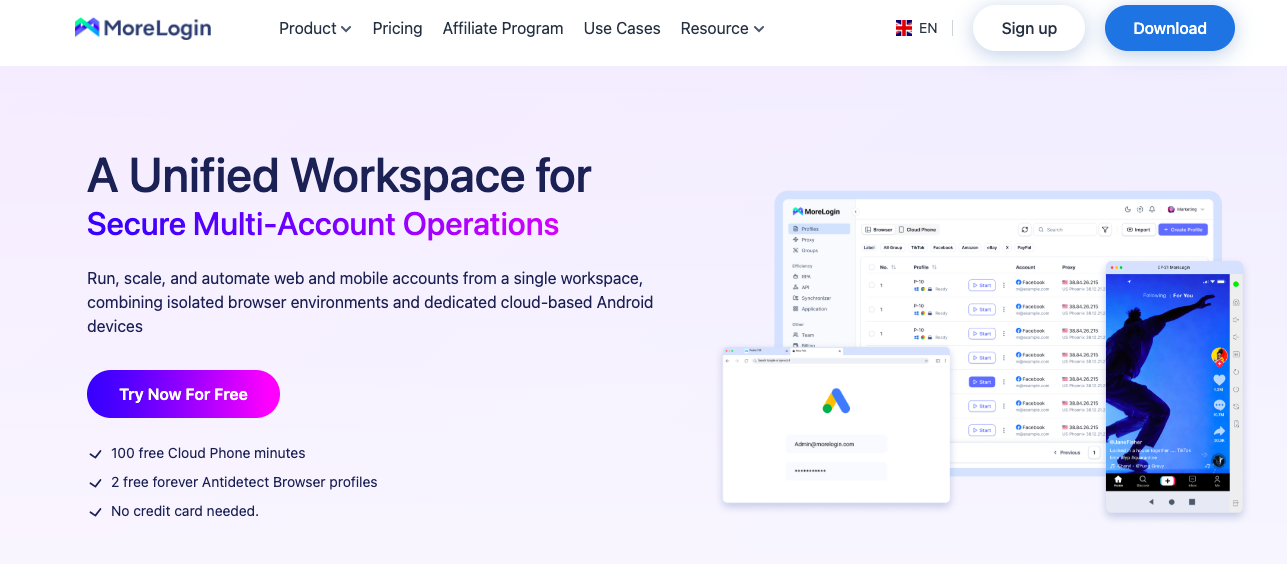
MoreLogin is an anti-detect browser. The short version: it lets you run multiple online accounts from one computer without the platforms knowing those accounts belong to the same person.
Normally, every browser you use broadcasts a fingerprint, a combination of your screen size, installed fonts, GPU type, timezone, language settings, and about fifty other signals. Platforms collect all of this. Even if you log into different accounts with different emails, if the fingerprint looks identical, they know it is the same human sitting at the same keyboard.
MoreLogin breaks that link. Each profile you create inside it gets its own randomized fingerprint, its own isolated cookie storage, and its own browsing history. From the platform's perspective, each profile is a completely separate person on a completely separate device.
Key features
• Advanced Fingerprint Generation: up to 55+ customizable parameters, including Canvas, WebGL, WebRTC, fonts, timezone, and screen resolution. Each profileappears to be a real, unique device.
• Chrome and Firefox Core Support: profiles run on the actual browser engines, not emulations, so behavior looks completely natural.
• Smart Geo-Matching: automatically aligns your language and timezone settings with your proxy's geographic location. This one detail prevents a surprising number of bans.
• Automation Compatibility: works with Selenium and Puppeteer if you are running scripts or bots.
• Synchronizer Tool: mirrors your mouse and keyboard actions across multiple windows simultaneously. If you manage the same type of task across dozens of accounts, this saves enormous time.
• Batch Proxy Import: accepts up to 100 proxies at once in a clean format. Crucial for serious scale.
• Team Workspace shares profiles across a team with role-based permissions, activity logs, and instant access revocation.
• End-to-End Encryption : your profile data is encrypted with a local key that even MoreLogin itself cannot read.
• MoreLogin Cloud Phone : virtual Android devices for full mobile environment simulation.
Overall, MoreLogin is one of the better-built anti-detect browsers on the market. The interface is clean, the fingerprinting is sophisticated, and the feature set covers most real-world multi-account workflows. But it has one blind spot, and that blind spot is the subject of this guide.
How platforms actually detect multiple accounts
This section is important; understanding this changes how you think about your whole setup.
Every time a browser loads a page, it hands over a remarkable amount of data. Your screen resolution. The fonts you have installed. How your graphics card renders certain shapes. Your audio context. Your timezone. The list goes on; there are more than 100 signals that can be given out silently without any special permissions.
Platforms like Facebook, TikTok, Amazon, and crypto exchanges collect all of it and build a browser fingerprint. Think of it as a unique identifier for your device and your configuration. Change your account name. Use a different email. Even clear your cookies. The fingerprint often survives it all.
“For example, like a venue's regular bouncer. He doesn't check your ID card; he recognizes how you move, the way you hold your drink, the sound of your voice. You can give a fake name. He still knows exactly who you are”
MoreLogin addresses this beautifully. Every profile it creates is fingerprint-isolated. Different canvas hash. Different WebGL renderer. Different fonts. Different everything. Platforms genuinely cannot tellthat these profiles come from the same machine.
The part MoreLogin cannot fix is the network layer—your IP address. Two accounts logging in from the same IP address, even with completely different fingerprints, will eventually trigger a link. A suspicious or flagged IP address will trigger one even faster. That is exactly where a quality proxy steps in.
Why a proxy Is non-negotiable with MoreLogin
I see this misconception constantly in forums and Discord servers: "I'm using MoreLogin so my accounts are safe." Half-right. The fingerprinting is handled. The IP is not.
Here is the situation that gets people banned most often. Two perfectly fingerprint-isolated MoreLogin profiles, both logging into the same platform, from the same IP address. The platform sees two different devices, but both are physically sitting at the same location. That is suspicious. If one account gets flagged, the IP itself gets flagged, and suddenly, your other profiles are at risk too.
The same problem shows up with dirty IPs. If the IP address you are using has previously been associated with spam campaigns, bot activity, or account fraud, the platform already has it on its watchlist. Your clean fingerprint does not matter; the IP's reputation arrives before your page request does.
One quality proxy per profile. That is the rule. Not shared. Not recycled. One IP, one identity, every time.
Best types of proxies for Morelogin and when to use each
Understanding each proxy type, how they relate, and which will work best for your workflow is very important.
Mobile proxies (4G/5G) — The social media standard
Mobile proxies connect through real cellular networks. The reason they are so effective on social platforms is a technical quirk called CGNAT — Carrier-Grade Network Address Translation.
On mobile networks, millions of real users genuinely share overlapping IP ranges. This means that when a social platform sees a mobile IP address, it assumes there are multiple users behind it. It is completely normal traffic.
On TikTok, Instagram, Facebook, and Twitter/X, platforms built around mobile-first users, mobile IPs carry the highest available natural trust score. If you are doing serious social media work, mobile proxies are not optional. They are the baseline.
“CyberYozh mobile proxies run on real SIM cards over live 4G/5G carrier networks, not emulated connections. The difference in trust score is measurable”
Static residential proxies — For platforms that need consistency
Residential proxies come from real home internet connections assigned by ISPs. The IP address does not change between sessions, which means a platform sees the same household repeatedly connecting over weeks and months.
This consistency is exactly what crypto exchanges, Amazon seller accounts, and e-commerce platforms expect from a trusted user. Frequent IP changes on these platforms do not appear to be privacy precautions; they look like account sharing or bot behavior. Static residential proxies give you the stability that earns long-term trust.
Datacenter proxies — use with caution
Datacenter proxies are fast and cheap. They also come from server infrastructure that platforms have become very good at identifying. For any workflow involving real account management, they are increasingly risky. Use them for basic scraping, price monitoring, and other tasks where no account is on the line, not for anything where losing an account would cost you real time or money.
Choosing the right proxy for every platform
This table is the decision-making shortcut I wish I had when I started.
Platform | Best Proxy Type | Why It Works |
TikTok, Instagram, Facebook, X | Mobile 4G/5G | Platforms are mobile-first; CGNAT makes mobile IPs look completely normal |
Amazon, eBay, Etsy, Shopify | Static Residential | E-commerce needs IP consistency; rotating IPs triggers account reviews |
Crypto Exchanges, Airdrops | Static Residential | Long sessions require trust; sudden location changes raise immediate flags |
Mass Registration / Testing | Rotating Residential | High volume at low cost; ideal for disposable or test accounts |
Web Scraping, Price Monitoring | Datacenter | Speed matters more than trust; no accounts are on the line |
High-Volume Social Media | Unlimited Mobile | No data caps when uploading video or running posting tools around the clock |
One rule applies across every row: one proxy per profile, always. Sharing an IP across two profiles is the single fastest way to get both accounts banned at the same time.
What to actually look for in a proxy provider
Most guides hand you a list of names without telling you what separates a proxy that holds up from one that quietly burns your accounts. Here is what I evaluate before committing to any provider.
1. Traffic limits
Many providers sell mobile proxies by the gigabyte. If you are uploading video content, running social media automation tools, or doing anything beyond light browsing, gigabytes disappear fast. Unlimited traffic plans are worth paying more for. CyberYozh is one of the few providers that genuinely offers unlimited 4G/5G traffic, with no hidden caps or overage charges.
2. IP freshness and fraud history
A proxy is only clean if the IP behind it has a clean history. Providers that recycle IPs from banned accounts, spam networks, or previous scraping operations are setting you up to fail from day one.
CyberYozh's Fraud Score tool checks any IP address, phone number, or email address against eight major anti-fraud systems: GeoComply, IPQualityScore, MaxMind, Amazon Fraud Detector, Sift, Seon, Stripe, and Akamai. A single check costs $0.15. That is a tiny insurance premium on an account you may have spent days warming up.
“ I have seen people lose significant crypto airdrop value because they registered with an IP that had a dirty history they never checked. A fifteen-cent fraud score check would have caught it.”
3. Location coverage
Your proxy location should match both your account's registration location and its target audience. A UK account connecting through a Brazilian IP is an immediate red flag to any platform's security team. Make sure your provider covers the specific countries you need, not just broad regional availability.
4. Protocol support
MoreLogin supports HTTP/HTTPS, SOCKS4/SOCKS5, and SSH. Any serious provider should support at least SOCKS5 it is faster and more flexible than HTTP for multi-account work and is the recommended default for MoreLogin setups.
5. Payment privacy
If anonymity is part of why you are using proxies in the first place, paying with a credit card tied to your real name partially defeats the purpose. CyberYozh accepts BTC, USDT, and ETH with no KYC requirement. Card payments work too if privacy is not a concer
Why CyberYozh and MoreLogin work so well together
Here is the truth most proxy guides skip over. Not all IPs are the same quality. Some have been used by hundreds of people before you. Some come from datacenter blocks that major platforms have already blocked. Some are just dirty in ways that do not show up until an account disappears.
CyberYozh approaches this differently. Their IPs are sourced from real networks, checked before use, and backed by fraud-scoring tools that let you verify quality yourself before any account even touches the IP.
When you pair CyberYozh with MoreLogin, you get two layers working simultaneously. MoreLogin masks your device fingerprint. CyberYozh masks your network location with a clean, trustworthy IP.
From the platform's perspective, it sees a unique person on a unique device connecting from a legitimate residential or mobile address. Every single time.
Benefit | What CyberYozh Provides | Why It Matters |
Real Mobile Infrastructure | Actual SIM cards on live 4G/5G carrier networks | Platforms see a normal phone user, not an emulated connection |
Task-Specific Optimization | Residential for crypto/e-commerce; mobile for social media | Match proxy type to platform trust requirements every time |
All-in-One Ecosystem | Proxies, SMS activation, IP reputation checks, fraud scoring | Everything you need in one dashboard, no juggling multiple tools |
Honest Pricing | Mobile from $1.70/day; residential from $0.90/GB; static ISP from $5.29/month | No surprise overages or hidden charges |
Proven MoreLogin Integration | Published official setup guides for MoreLogin specifically | Compatibility is tested and documented,d not guesswork |
Step-by-step: How to set up CyberYozh proxies with MoreLogin
This section assumes you are starting from zero, have never used an anti-detect browser, and have never bought a proxy. Here is exactly what to do, from download to a fully working, verified profile.
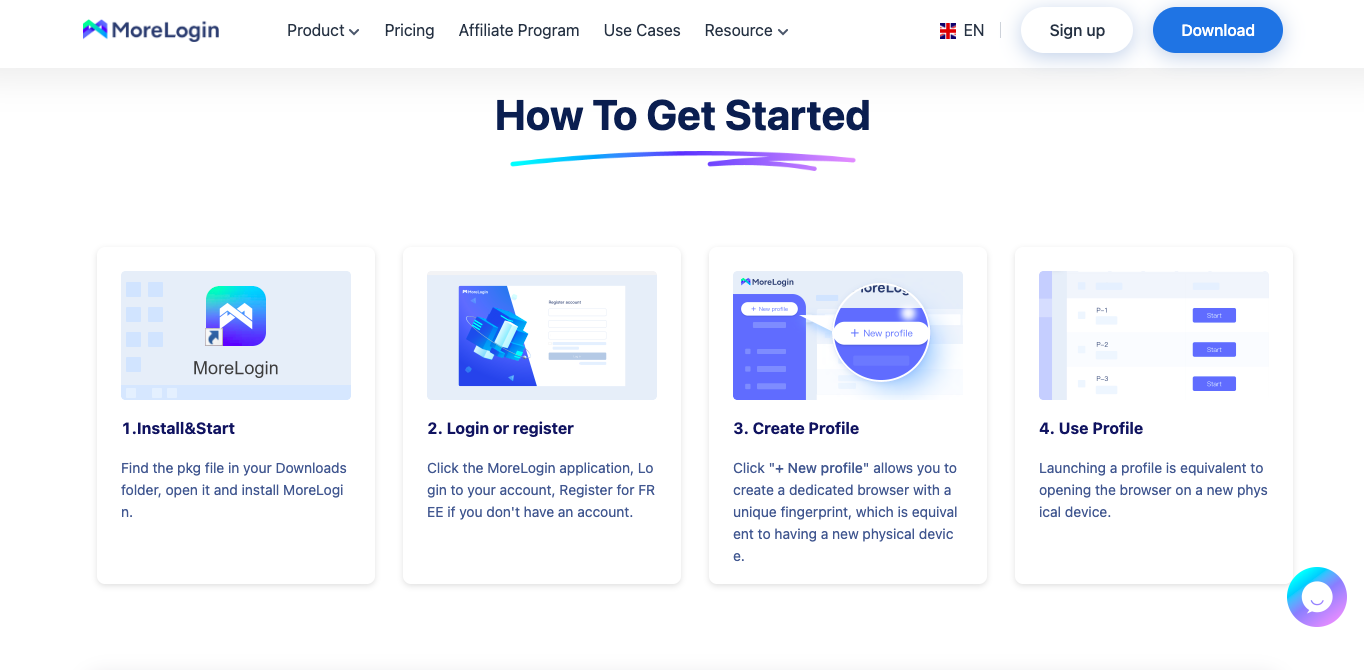
Step 1: Download and install MoreLogin
Go to MoreLogin.com and download the desktop application for Windows or macOS. Installation is straightforward; it is a standard setup wizard, nothing unusual.
Create a free account. The free plan gives you two browser profiles, which is enough to test the complete setup before committing to a paid plan. If you already know you will be managing more than two accounts, skip straight to a paid tier. Unlimited profiles unlock immediately.
Step 2: Choose your CyberYozh plan
Go to CyberYozh's pricing page. Pick your proxy type based on what you are actually doing:
• Mobile proxies — for social media accounts (TikTok, Instagram, Facebook, Twitter/X)
• Static Residential ISP proxies — for crypto exchanges or e-commerce platforms (from $5.29/month)
• Datacenter proxies — for fast, basic web scraping where no accounts are involved
Mobile is the safer default for most beginners. Unlimited traffic means you will not hit unexpected costs while learning. CyberYozh accepts BTC, USDT, and ETH with no KYC. Standard card payments work too.
Step 3: Install the CyberYozh browser extension (optional but recommended)
The CyberYozh extension for Chrome and Firefox lets you generate proxy credentials, run Fraud Score checks, and handle SMS verifications without leaving your browser. It is not required, but it removes several steps from your daily workflow and is worth installing from the start.
Step 4: Generate your proxy credentials
Log in to your CyberYozh dashboard. Generate credentials for a single profile, or use the bulk credential generator to export multiple proxies to TXT, which is exactly the format MoreLogin's batch importer expects. Your credentials will look like this:
Host: 172.98.60.180
Port: 58763
Username: 7XbvvWautzmOZMA
Password: xdtAof3xB7RSmUr
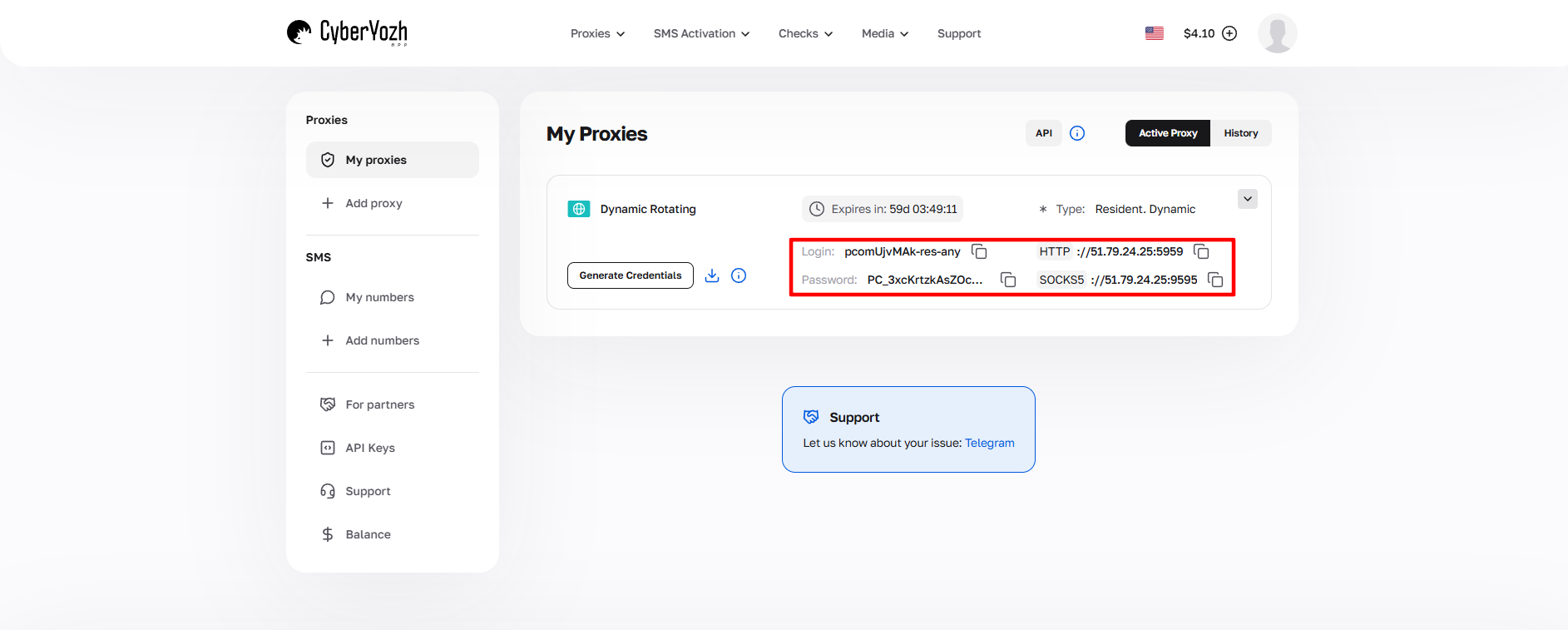
“Copy-paste credentials directly from your CyberYozh dashboard. Do not retype them manually. A single misread character,r especially between an uppercase O and a zero, will cause a connection failure that is genuinely maddening to diagnose.”
Step 5: Create a new MoreLogin profile
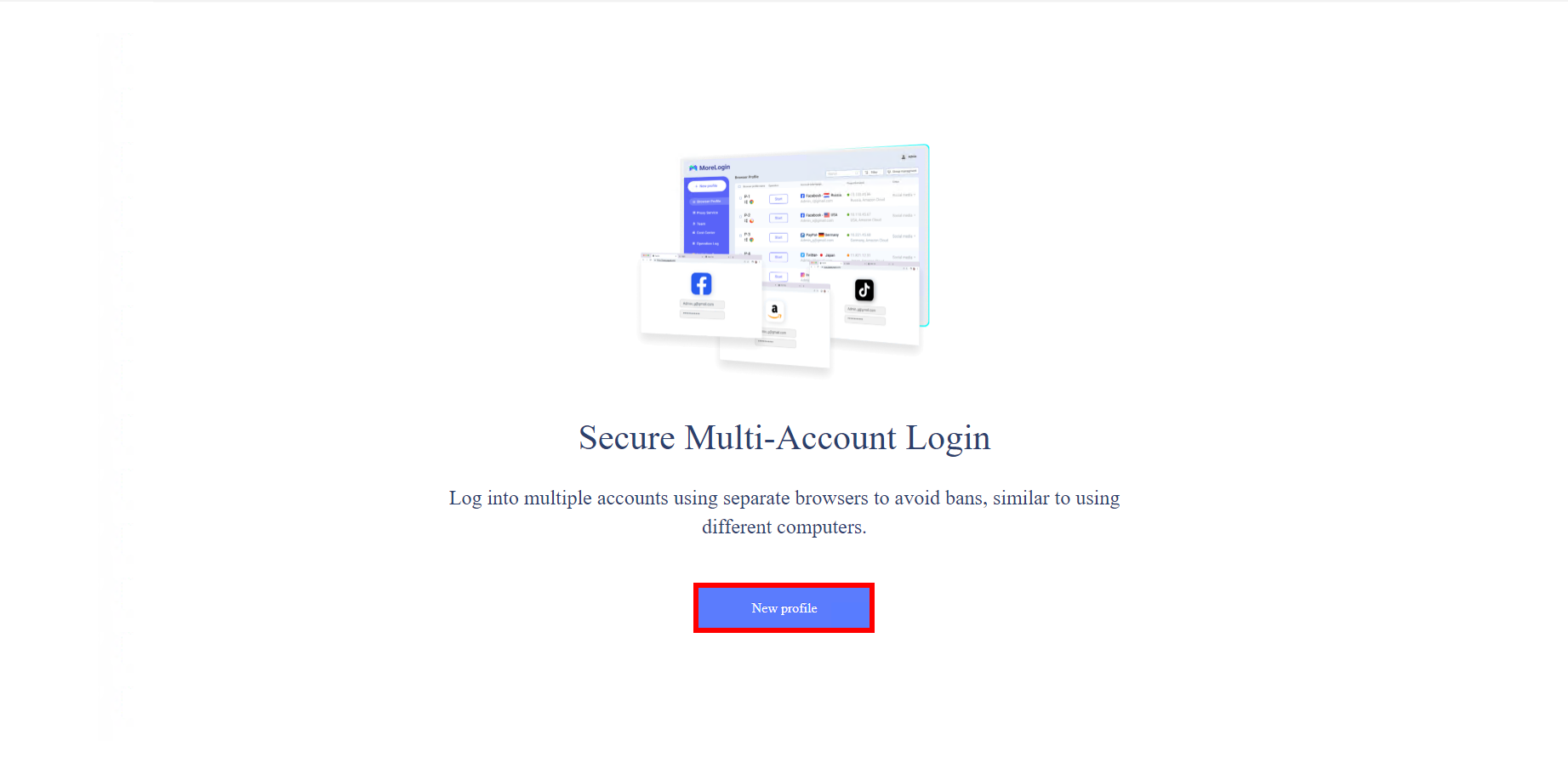
Open MoreLogin and click New Profile. Give it a name that links to the account it will manage. This matters more when you have dozens of profiles. In the profile settings:
• Set the operating system to match what a real user of that account would typically use
• Set the timezone to match your proxy's geographic location; this is critical. A proxy in London with a Pacific Time timezone is a contradiction that platforms notice.
• Set language settings to match the target region
These settings seem like small details. They are not. Detection systems assess the consistency of all your signals together, not just individual ones.
Step 6: Enter your proxy details in MoreLogin
In the proxy configuration section of your MoreLogin profile:
• Select SOCKS5 as your protocol; it is faster and more reliable than HTTP for this use case
• Enter the host, port, username, and password from your CyberYozh credentials
• Click the proxy detection button, and then MoreLogin will verify the connection and show you the resolved IP and location
If the detected location does not match what you expected, double-check that you selected the correct proxy from your CyberYozh dashboard.

Step 7: Verify everything with BrowserLeaks
Launch the profile and open BrowserLeaks.com. This free tool shows exactly what your browser is broadcasting. You are looking for:
• Your IP location matches your proxy's assigned region
• No WebRTC leaks — these can expose your real IP address even through a properly configured proxy
• Consistent timezone, language, and font data matching your profile settings
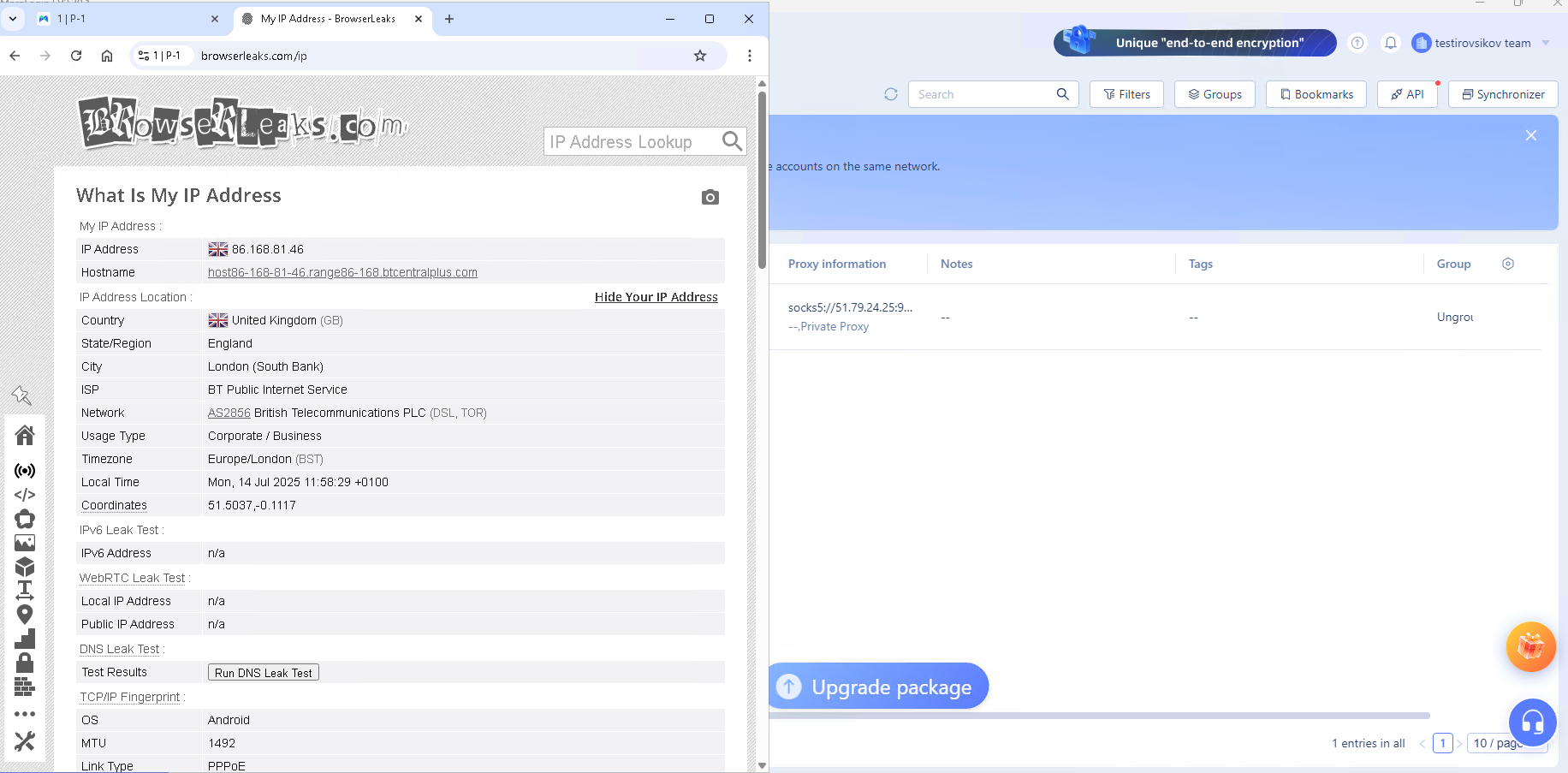
“ I check BrowserLeaks on every single profile I set up. Not just the IP, I scroll down specifically to the WebRTC Leak Test. If my real IP shows up there, the proxy is not fully configured in MoreLogin. This check is non-negotiable.”
If everything looks clean, the profile is ready. If something is off, fix it in MoreLogin's profile settings before putting any account near it.
Step 8: Scale with batch import
For larger operations, use CyberYozh's bulk credential export to generate hundreds of proxy credentials in a single TXT file. Import that file into MoreLogin's batch importer, which handles up to 100 at once, and assign proxies to profiles. The format is already compatible. No reformatting, no spreadsheet work.[cyberyozh-morelogin guide]
The full CyberYozh feature set
Beyond proxies, CyberYozh has built tools that address specific problems the proxy itself cannot solve. Here is the complete picture.
Feature | What It Does | Why It Matters |
Unlimited Mobile Traffic | No GB caps on 4G/5G proxies | Heavy social posting and video uploads never drain a quota |
IP Fraud Score Checker | Scans IPs, emails, phones across 8 anti-fraud databases | Spot dirty IPs before they burn your accounts; just $0.15/check |
Static Residential IPs | ISP-assigned home IPs from $5.29/month | Stable identity for crypto, e-commerce, and long-session platforms |
SMS Verification | Virtual numbers for 700+ services, 140+ countries | Complete account creation without juggling separate tools |
IP Pool | 50M+ IPs across 100+ countries, 99.9% uptime | Stable, trustworthy IPs you can rely on week after week |
Browser Extension | One-click proxy switching, Fraud Score, SMS in Chrome/Firefox | Removes friction from daily multi-account workflows |
Bulk TXT Export | Hundreds of credentials in one downloadable file | Directly compatible with MoreLogin batch import — zero reformatting |
Crypto Payments / No KYC | BTC, USDT, and ETH accepted; no identity check | Full payment privacy for users who need it |
Common mistakes that get accounts banned (even with the right setup)
Getting MoreLogin and CyberYozh configured correctly is the foundation. These are the mistakes that undermine that foundation often silently, over days or weeks.
Reusing proxies across profiles. One IP, one profile. No exceptions. If two accounts share an IP at any point, the platform can and will link them.
Mismatched geography. Your proxy location, timezone, language settings, and account registration should all point to the same place. Inconsistency across these signals is a pattern that detection systems are specifically trained to catch.
Skipping the Fraud Score check. Purchasing a proxy does not mean the IP is clean. Providers recycle IPs. That address may have been used for spam, account fraud, or scraping by its previous user. A $0.15 check is far cheaper than rebuilding an account.
Using the wrong proxy type for the platform. Mobile proxies on Amazon. Datacenter IPs on TikTok. Both are very common errors. The table earlier in this guide gives you the correct mapping.
Warming accounts too quickly. Even with clean proxies and perfect fingerprints, new accounts that immediately operate at full capacity look like bots. Spend the first week doing a handful of natural actions per day, then increase gradually.
“The most common error I see in MoreLogin setups is the 'Proxy check failed' message. Nine times out of ten, it is a formatting issue, a hidden character from a webpage, or a font rendering a zero as the letter O. I paste credentials into plain Notepad first to strip any hidden formatting, then copy from there into MoreLogin. This one habit eliminated the problem for me permanently.”
Wrapping up
Let me bring this together quickly. Multi-account management in 2026 is a two-layer problem. MoreLogin handles the fingerprinting layer; er each profile looks like a genuinely unique person on a genuinely unique device. CyberYozh handles the network layer for each profile connecting from a clean, trustworthy IP address with a verified history.
Neither layer is optional. Running MoreLogin without quality proxies is like showing up to a background check with a flawless CV and a stolen ID. The fingerprint is perfect. The IP gives you away.
I have tested many proxy and browser combinations over the years. The CyberYozh and MoreLogin pairing is the one I keep coming back to because it consistently works over the long haul, whether you are running social media campaigns, hunting crypto airdrops, or managing seller accounts across e-commerce platforms.
Frequently asked questions
What is MoreLogin used for?
MoreLogin is an anti-detect browser designed for managing multiple online accounts without platforms detecting any connection between them. It creates isolated browser profiles, each with its own unique fingerprint, so each profile appears to be a different person on a different device. It is widely used for social media management, crypto airdrops, e-commerce, affiliate marketing, and workflows involving multiple accounts on the same platform.
Do I need a proxy to use MoreLogin?
Yes, if you want your accounts to stay safe. MoreLogin handles browser fingerprinting, but your IP address is still visible unless you assign a dedicated proxy to each profile. Platforms track IPs just as they track fingerprints. Sharing an IP across accounts, even perfectly fingerprinted ones, is one of the most common causes of multi-account bans.
What is the difference between mobile and residential proxies?
Mobile proxies use real 4G/5G cellular connections. Because millions of genuine users share IP ranges on mobile networks through a technology called CGNAT, social platforms treat mobile IPs as completely normal traffic. Residential proxies come from real home internet connections and provide a stable, unchanging IP address across sessions. They are better suited for crypto exchanges and e-commerce platforms that expect the same IP to return over time.
How do I know if a proxy is safe before assigning it to an account?
Run it through a Fraud Score checker before use. CyberYozh's tool checks any IP address against eight major anti-fraud systems, including MaxMind, IPQualityScore, GeoComply, and Stripe, and returns a risk rating. This tells you whether that IP has any history of abuse, spam, or fraud. The check costs $0.15 per IP, which is a very reasonable insurance premium compared to the cost of rebuilding a banned account.
Can I import multiple proxies into MoreLogin at once?
Yes. MoreLogin's batch import feature handles up to 100 proxies in a single operation. CyberYozh's bulk credential generator exports proxy details in TXT format, directly compatible with MoreLogin's importer, with no reformatting or spreadsheet work required.
What is the most important thing to verify after setting up a proxy in MoreLogin?
Visit BrowserLeaks.com from inside the MoreLogin profile. The tool shows exactly what your browser is broadcasting: your IP address, WebRTC status, time zone, and fingerprint details. If your proxy IP resolves to the correct location and there are no WebRTC leaks, the setup is clean. If anything looks off, fix it in MoreLogin's profile settings before using the account.
How much does CyberYozh cost?
Mobile proxies start at $1.70 per day with unlimited traffic. Residential proxies start at $0.90 per GB, with static ISP residential plans from $5.29 per month. The IP Fraud Score checker costs $0.15 per check, with a flat-rate plan available at $25 per month for high-volume users. Crypto payments are accepted without KYC.
Helpful?
Share article
