
Interstellar Proxy 2026: The Complete Guide to Setup, Tools & Troubleshooting
Your favourite site is blocked. Again. It could be your school's Wi-Fi being overzealous, your office network has decided YouTube is a productivity threat, or maybe you're in the wrong country at the wrong time. Whatever the reason, you need a fast solution, not a 40-page technical manual.
That's where an interstellar proxy comes in. And this guide is going to walk you through everything: what it actually is, how to build your own in about 15 minutes, where to find working ones right now, and what to do when things inevitably go sideways.
What is an Interstellar proxy

At its core, an interstellar proxy is an open-source Node. js-based web proxy that lets you access blocked websites through a middleman server. Instead of your browser talking directly to, say, YouTube, your browser talks to the proxy, the proxy talks to YouTube, and the result comes back to you.
The site only ever sees the proxy's IP address, not yours. The "Interstellar" project specifically is a community-driven, open-source proxy built to be fast, deployable on free hosting platforms, and relatively easy to use even if you're not a developer.
It became popular in school and university settings because it's lightweight, can be hosted on platforms like Railway or Render for free, and doesn't require a dedicated server.
What's the difference between an Interstellar proxy vs. a VPN
People mix these up constantly, so let's settle it.
Feature | Interstellar proxy | VPN |
Speed | Generally faster | Slower (encryption overhead) |
Encryption | Basic (HTTPS only) | Full tunnel encryption |
Setup | Browser-based, no install | Requires app install |
Privacy | Limited, no full IP mask | Strong, masks all traffic |
Cost | Often free | Usually paid for quality |
Best For | Unblocking sites quickly | Full online privacy |
The honest answer is that if you just need to unblock a site fast, an interstellar proxy is quicker and lighter. If you're worried about surveillance, security, or need your entire internet connection anonymised, a VPN is the right tool. They solve different problems. Don't let anyone convince you that one fully replaces the other.
Interstellar proxy vs. Ultraviolet proxy
Both are open-source web proxy projects built to bypass blocks and run on similar tech stacks. Here's where they differ:
Ultraviolet proxies have been around longer and have a bigger community, which means more forks, more hosting options, and more documentation floating around.
Interstellar proxies, on the other hand, tend to be simpler to deploy for beginners, and their codebase is generally considered cleaner for solo setups. Suppose you want maximum community support and resources. Ultraviolet proxies edge ahead. If you want something you can have running in 15 minutes with minimal headaches, Interstellar proxies is the better starting point.
How to make an interstellar proxy: The 15-minute deployment
This is the section most guides get completely wrong. They wave their hands and say, "install the software" without telling you what software, where, or what to click. Let's fix that.
When I first set this up, I made the mistake of trying to run it locally on my laptop. Don't do that. It works for five minutes before your IP gets rate-limited by the target sites. The right approach is to deploy it on a free cloud hosting platform so it runs 24/7 from a clean server IP. Here's what you'll need before starting:
A free GitHub account (github.com)
A free Railway account (railway.app)
Render and Koyeb work too.
15 minutes of uninterrupted time.
Step 1: Fork the official Interstellar GitHub repository
Head to the official Interstellar proxy GitHub repository. Search for "interstellar-web-proxy" on GitHub, or go directly to the repo hosted by the organisation that maintains it. Once you're there, click the Fork button in the top right corner.
Forking just means you're making your own personal copy of the project under your GitHub account. You're not stealing code; it's literally what open-source is designed for. Your fork is what you'll deploy, and it's what you'll update later when new versions come out.

Step 2: Connect Railway to your GitHub fork
Go to railway.app and sign in with your GitHub account (this makes the next step much easier). Once you're in the Railway dashboard, click New Project → Deploy from GitHub repo. You'll see a list of your repositories, select the Interstellar fork you just created.
The railway will automatically pull in your code. Don't click deploy just yet; there's one more configuration step.

Step 3: Configure your environment variables
In Railway, before deploying, go to the Variables tab of your new project. This is where you set configuration options that the proxy reads at startup.

The key variable to set is your port. Railway needs to know which port your app is listening on. Set PORT to 8080 (or check the Interstellar documentation for the default). If the project supports a proxy password, set one here too.
Need to set a password, because a publicly accessible proxy with no password will get hammered by bots within hours, slow to a crawl, and potentially get your hosting account flagged. A password means only you (and whoever you share the link with) can use it.
Step 4: Deploy and get your URL
Click Deploy. “Railway” will build your project. This usually takes 60 to 90 seconds. You'll see a build log scrolling by. If it ends with a green success message, you're done. Railway will generate a public URL for your proxy, something like your-project-name.up.railway.app. That's your interstellar proxy link. Copy it.

Step 5: Test it
Open a new browser tab, paste your proxy URL, and you should see the Interstellar interface with a search/address bar where you enter the URL of whatever site you want to visit. Try something simple first, like a news site or YouTube. If it loads, you're up and running.
If you want to test whether your IP is actually being masked, visit a site like whatismyip.com through the proxy. The IP it shows should be the Railway's server IP, not your home IP.
Troubleshooting your deployment
Build fails immediately: The most common culprits are a missing package.json or an incompatible Node.js version. Check the Railway's build logs for the specific error. If it says something about a Node version mismatch, go to your Variables tab and set NODE_VERSION to 18 (a stable, widely compatible version).
"Port not binding" error: This usually means your PORT environment variable isn't set correctly, or the app is hardcoded to a different port. Check the repo's README for the correct port setting.
Build succeeds, but the URL shows a blank page: Give it another 30 seconds. “Railway” sometimes takes a moment for the process to fully spin up. If it's still blank after a refresh, check the deployment logs for runtime errors.
Getting rate-limited by Railway on the free tier: Railway's free tier has monthly usage limits. If you're hitting them, Render.com offers a similar free deployment experience and is a solid alternative.
6 working Interstellar proxy link generators in 2026

Public proxy instances are not private. Whoever runs the server can, in theory, see what you're browsing. Don't use them for anything sensitive: banking, personal accounts, anything you wouldn't want a stranger seeing. They're fine for unblocking YouTube at school. They're not fine for logging into your email.
Also, these instances come and go. Schools and network admins actively block them, and maintainers sometimes take them offline. If one doesn't work, try the next.
What is a link generator
It's a tool that creates a unique, slightly different URL to an Interstellar instance, sometimes with obfuscation to help bypass site blockers that filter by known proxy URLs. Think of it as a constant-refreshing back door.
1. Interstellar's official demo instance
Speed: Fast
Reliability: High
Best for: General browsing and YouTube.
This is the most maintained instance, run by the project's core contributors. It tends to be the most up-to-date and the least likely to be blocked on consumer networks (though school networks may have already caught it).
2. TitaniumNetwork community proxies
Speed: Medium
Reliability: Medium
Best for: Unblocked games
TitaniumNetwork is a community that maintains several proxy projects, including Interstellar forks. Their instances rotate fairly regularly,y which helps with blocking.
3. Holy unblocker (Interstellar-based)
Speed: Fast
Reliability: Medium
Best for: Streaming sites and social media
Holy Unblocker has been around for a while and uses Interstellar under the hood. Reliability has dipped in 2026 as more schools catch on, but it still works on most home networks.
4. Unpkg/CDN-hosted static instances
Speed: Fast
Reliability: Low-Medium
Best for: Quick access when other options are blocked
These are lightweight, CDN-hosted versions that load quickly but offer less functionality for complex sites.
5. GitHub pages deployments
Speed: Medium
Reliability: Low
Best for: Emergencies when everything else is blocked.
Search GitHub for recently published Interstellar forks deployed to GitHub Pages. These are constantly being created and constantly being blocked, so freshness matters. Sort by "recently updated."
6. Railway community deployments
Speed: Fast
Reliability: Medium-High
Best for: Users who want something closer to a private setup.
Several people publicly share their Railway deployments in Discord communities and Reddit threads. These tend to be faster than overloaded public instances.
The complete troubleshooting guide: Fixing the 5 most common problems
Problem 1: The proxy site is blocked at school or work
First option: is to deploy your own instance (Section 3 above). A fresh Railway URL that nobody at your school has used before won't be on any blocklist yet.
Second option: access a proxy through another proxy; use a VPN on your device first, then visit the proxy site through that. Your school's DNS filter won't see what you're actually requesting.
Some users also have success using Google Translate as a proxy by pasting a proxy URL into Google Translate and opening the translated result.
Problem 2: Pages load slowly or won't load at all
Slow loading is almost always one of three things:
The proxy server is overloaded.
You're geographically far from the server.
Your target site is actively throttling proxy requests.
Try clearing your browser cache first (Ctrl+Shift+Delete). Then try a different proxy instance if you're on a public one that 300 people are also using at lunch; the slowness isn't surprising. If speed is consistently an issue, deploying your own instance on Railway and choosing a server region near you makes a noticeable difference.
Problem 3: "403 Forbidden" or "Access Denied" errors
This means the target website, not the proxy, is refusing the connection. Websites like Reddit, Cloudflare-protected sites, and most major streaming platforms actively maintain lists of known proxy and hosting platform IP ranges. Railway's IP range, for example, is publicly known. When your request arrives from that IP, some sites just refuse it.
Solution: is either rotating to a different proxy instance (which might have a cleaner IP address) or stepping up to a residential proxy network.
Residential IPs come from real home broadband connections, which websites have no way to distinguish from normal users. That's exactly what CyberYozh's residential proxy network provides, and it's why professionals use dedicated proxy infrastructure rather than free, open-source instances for anything serious.
Problem 4: Netflix or Hulu detects the proxy
Streaming platforms almost universally detect free interstellar proxies. Netflix, Hulu, Disney+, BBC iPlayer, they all maintain aggressive IP blocklists, and they update them constantly. Railway's IP ranges are on those lists. GitHub Pages' IP ranges are on those lists.
If streaming access is your main goal, a dedicated streaming proxy or a quality VPN with streaming-optimised servers is the only reliable answer.
Problem 5: "Is this safe and will my data get stolen?"
This is the right question to ask, and I want to be straight with you: it depends entirely on who's running the proxy. When your traffic passes through a proxy server, the person running that server can see unencrypted traffic.
They can log URLs you visit, inject ads or tracking scripts into pages, or, in worst cases, attempt to intercept form submissions on HTTP (non-HTTPS) sites. Free, anonymous proxy instances carry real risks because you have no way of knowing who maintains them or what their actual privacy practices are.
What to check before trusting any proxy:
Does it use HTTPS (Look for the padlock in your browser's address bar when you access the proxy itself.)
Does the project have a public privacy policy
Is the code open-source, so you can verify it isn't doing anything malicious?
Is an Interstellar proxy safe: The hard truth
Data logging: Any proxy can log your traffic. Open-source projects like Interstellar don't log by default, but if someone has modified the code before deploying it, you'd have no way of knowing. When you deploy your own instance from the official GitHub repo, you control the server, and you know exactly what's running. When you use someone else's instance, you're trusting a stranger.
HTTP vs HTTPS: Always use proxies that support HTTPS. HTTP proxies send your data unencrypted, meaning anyone between you and the proxy server (your ISP, your school's network, anyone on public Wi-Fi) can see what you're requesting. HTTPS encrypts the connection to the proxy itself. This doesn't protect your traffic between the proxy and the destination site if that site is HTTP, but most sites are HTTPS now.
Legality: Using a proxy to bypass geo-restrictions is, in almost every case, a violation of a platform's terms of service rather than a legal crime. You won't be arrested for watching a YouTube video through a proxy. However, if you're bypassing network restrictions at school or work, you may violate institutional policies and face real consequences (suspension, disciplinary action). Know your context. And if you're in a country with strict internet regulation laws, the picture gets more complicated. Look up local laws for your specific situation.
Why CyberYozh for your proxy and privacy needs
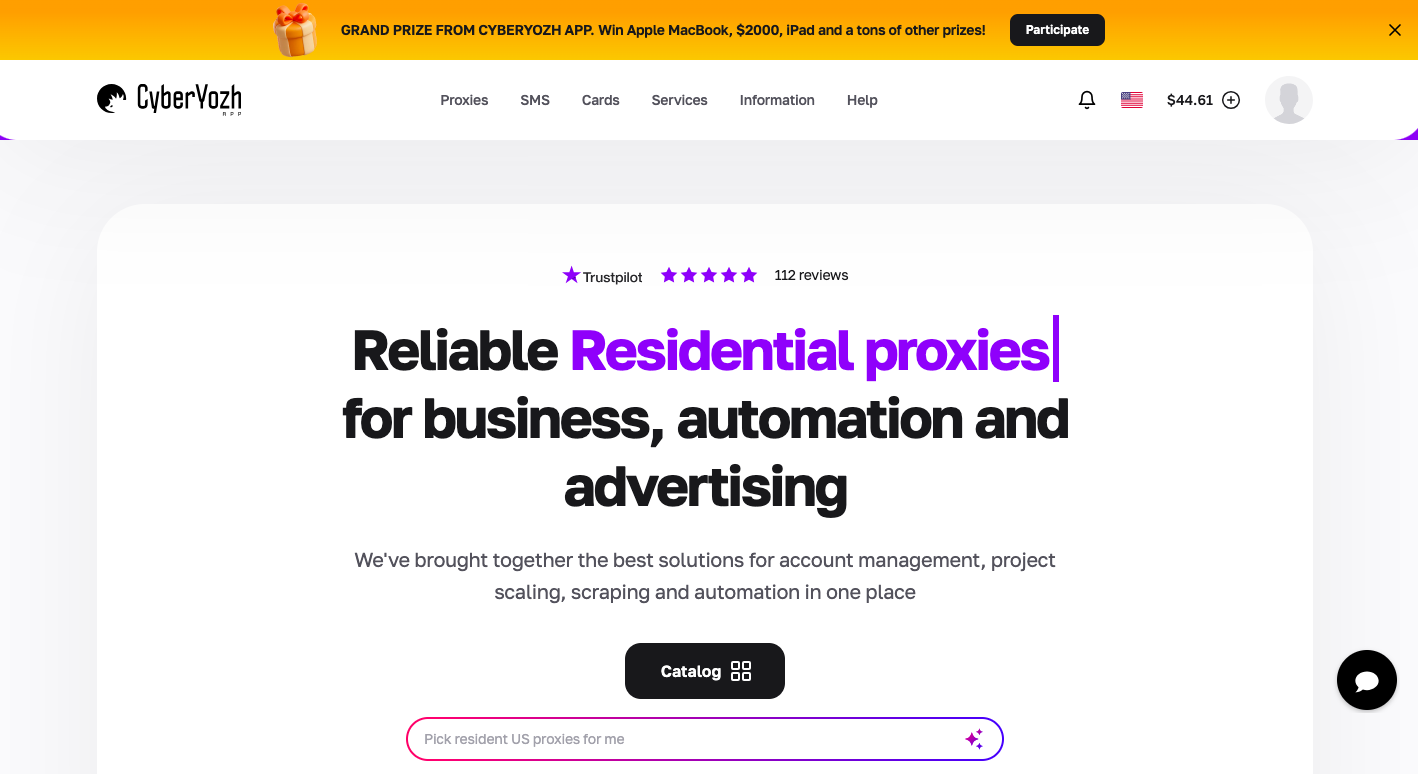
Setting up your own interstellar proxy is genuinely powerful. If you've followed Section 3, you now have something most people don't: a clean, personal proxy that no one else is using and hasn't been blocked yet. But there's a ceiling to what a self-hosted open-source proxy can do.
The moment you need to manage multiple accounts without getting them linked, run automation at scale, bypass Cloudflare's more aggressive protections, or access streaming platforms reliably, you've outgrown what a free Railway deployment can give you. That's not a knock on the project; it's just the reality of what it's built for.
CyberYozh is built for exactly the kind of operations that free proxies can't handle:
50 million+ residential, mobile IPs and datacenter proxies across 100+ countries.
99.9% uptime.
Sticky sessions that keep your accounts consistent.
Fraud-score-verified IPs so you're not inheriting someone else's flagged history.
SOCKS5 and HTTPS support for applications that need more than a browser-based proxy.
Seamless integration with Multilogin, AdsPower, Geelark, Dolphin Anty, Kameleo, Octobrowser, Gologin, and more.
Affordable with a user-friendly dashboard
If you've been managing multiple accounts, running tools that need reliable proxy infrastructure, or finding that free instances keep getting blocked at the worst possible moment. CyberYozh's proxy plans start with Static residential proxies at $5.29/month, and mobile proxies at $1.70/day with unlimited traffic.
Conclusion
If you made it this far, you now know more about interstellar proxies than the majority of people writing about them online.
The honest summary: interstellar proxies are genuinely useful, free, and accessible to anyone willing to spend a bit of time setting them up. For casual unblocking, school networks, regional content, and accessing sites that have no business being blocked in the first place, they work well. Their limits show up when you need consistent performance at scale, streaming access, or the kind of clean residential IP reputation that serious multi-account work requires.
That's where CyberYozh fills the gap. If your needs have grown beyond what a free proxy can handle, it's worth looking at infrastructure that includes residential and mobile IPs, global coverage, and support from people who actually know this space.
FAQs about interstellar proxy
Can I use an Interstellar proxy on my Chromebook?
Yes, and this is actually one of the most common use cases. Since Chromebooks are browser-based, and Interstellar runs entirely in the browser, there's nothing to install. Just visit the proxy URL, enter your destination site, and you're in.
Does an Interstellar proxy work with TikTok and Instagram?
For browsing their websites, sometimes. For the actual apps, generally no. App-based platforms like TikTok and Instagram communicate via their own protocols, which a web proxy can't intercept, unlike a system-level proxy or VPN. If you need to access these platforms in restricted regions, a VPN or a system-wide SOCKS5 proxy is a better tool.
What's the difference between a proxy and a link generator?
A proxy is the actual server that handles your web requests. A link generator is a tool that creates slightly different, obfuscated URLs for proxy instances; the idea is that blocklists catch specific URLs, so constantly generating new ones stays ahead of the block. Think of the proxy as the actual bypass mechanism and the link generator as a way to keep finding unlocked doors to it.
How do I update my self-hosted Interstellar proxy?
When the official GitHub repository releases updates, you sync your fork. Go to your forked repo on GitHub, click Sync fork → Update branch. Railway (or whichever hosting platform you're using) will detect the change and automatically redeploy with the new code. Takes about two minutes.
Are there any good Interstellar proxy apps for iPhone or Android?
Not really, at least not official ones. The Interstellar project is browser-based, so "apps" in the traditional App Store sense don't exist. On mobile, you can open your proxy URL in Safari or Chrome and add it to your home screen as a web app shortcut. It's not a native app, but it functions similarly for browsing purposes.
What is the best free Interstellar proxy?
Your own deployment. I know that sounds like a cop-out, but it's the right answer. A Railway deployment using your personal GitHub account costs nothing, takes 15 minutes, and gives you a URL that hasn't been blocked yet. Public instances are convenient but consistently slower, less reliable, and more likely to already be on your school's or office's blocklist.
Helpful?
Share article
