
Janitor AI: The Complete 2026 Guide Setup, DeepSeek & Alternatives
TL;DR
Janitor AI is a customizable AI roleplay platform with 130M+ monthly visits that integrates with external AI models, such as DeepSeek, via a BYOK API.
Janitor AI itself doesn't host an AI; it's a front-end interface that routes conversations to whichever model you configure.
Setting up DeepSeek on Janitor AI takes under five minutes once you have a valid API key and the correct endpoint.
Users in restricted regions or experiencing persistent network errors typically need a reliable proxy to maintain stable API connections.
CyberYozh's residential and mobile proxies are widely used to resolve Janitor AI connection issues and support AI automation workflows.
Quick answer
What is Janitor AI? Janitor AI is a browser-based AI chatbot platform that lets users create, discover, and interact with custom AI characters. It supports third-party AI models, including DeepSeek and OpenAI, through a Bring Your Own Key (BYOK) system, making it one of the most flexible roleplay and conversational AI platforms in 2026. It does not run its own AI by default; it routes your conversations to whichever external model you configure.
What is Janitor AI
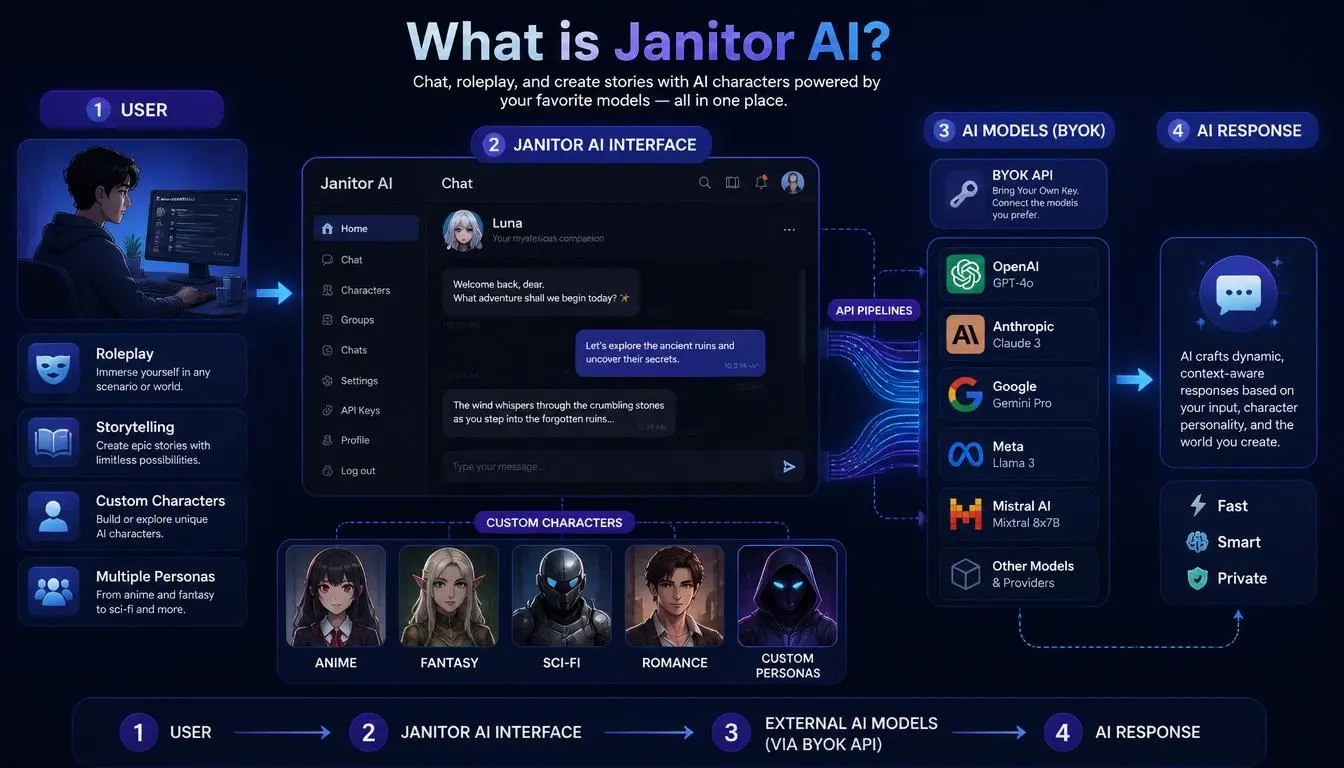
Janitor AI was launched in June 2023 by Jan Zoltkowski and grew to over one million users within its first week. By 2026, the platform draws roughly 113–130 million monthly visits and has accumulated over 15 million registered users, placing it in the top 350 websites globally. Its library includes over 32,000 community-created characters spanning anime, fantasy, sci-fi, romance, and original fiction.
The core concept is straightforward: Janitor AI is a front-end interface, a chat layer, that connects to external AI models through API keys. It doesn't run its own AI by default. When you type a message, Janitor AI sends it to whichever model you've configured, receives the response, and displays it in the chat window.
This architecture is both its biggest strength and the source of most user confusion.
The strength: you can connect virtually any OpenAI-compatible API- DeepSeek, Claude, GPT-4, or open-source models via OpenRouter- giving you full control over which AI powers your characters.
The confusion: if your API key is wrong, expired, or pointing at the wrong endpoint, you get a network error with no clear explanation of why. Most setup failures aren't Janitor AI problems. They're API configuration problems.
What people use Janitor AI for:
Creative roleplay and collaborative storytelling
Building and sharing custom AI character personas
Testing different AI models within a familiar chat interface
AI-assisted writing and character development
Language learning through conversational practice
Expert Insight: Janitor AI's growth is driven entirely by its BYOK flexibility. Unlike Character.AI or Replika, which lock you into a single proprietary model, Janitor AI lets you swap the underlying AI without changing your character setup or losing your conversation history.
Why most Janitor AI problems happen
Before troubleshooting anything, it helps to understand what's actually going wrong when Janitor AI fails.
Network errors are the most reported issue. They almost always mean one of three things: your API key is invalid or expired, your API endpoint URL is incorrect, or you're mixing credentials, using a DeepSeek key with an OpenRouter URL, for example. Both keys look similar in format, but they authenticate against completely different servers. Janitor AI has no way to warn you about the mismatch; it forwards the request and shows you a network error.
Geo-restrictions affect users in certain countries where DeepSeek's API or Janitor AI itself is throttled or blocked at the network level. This is where proxies become relevant, not as a workaround for platform rules, but as a technical fix for regional connectivity issues.
Slow responses during peak hours are an infrastructure issue on the AI provider's end, not Janitor AI's. Switching to a less congested model tier or routing traffic through a proxy in a different region can help.
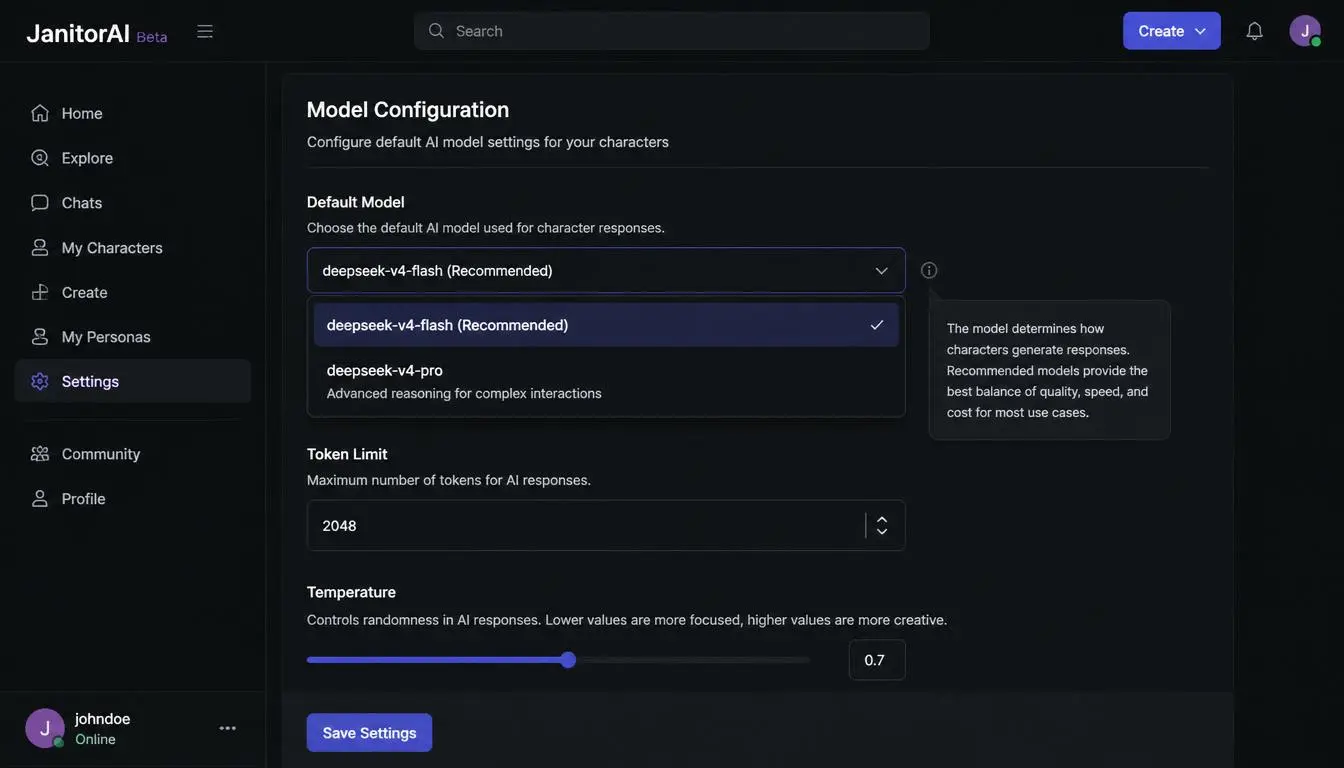
Common Mistake: Copying a model name from an old tutorial. The legacy model names deepseek-chat and deepseek-reasoner are scheduled for full retirement on July 24, 2026, at 15:59 UTC, after which they will error with no fallback. Always use the current model identifiers: deepseek-v4-flash or deepseek-v4-pro.
How to set up DeepSeek on Janitor AI
DeepSeek has become the most popular third-party model for Janitor AI users in 2026. It's cheaper than GPT-4, handles long conversations well, and its API is OpenAI-compatible, which means it connects directly to Janitor AI's existing API settings without any special configuration.
According to the official DeepSeek API documentation, the current production models are deepseek-v4-flash and deepseek-v4-pro. deepseek-v4-flash is the cost-efficient, high-volume model recommended for most chat and roleplay sessions, priced at approximately $0.14 per million cache-miss input tokens. deepseek-v4-pro handles complex reasoning and multi-character narratives at a higher cost.
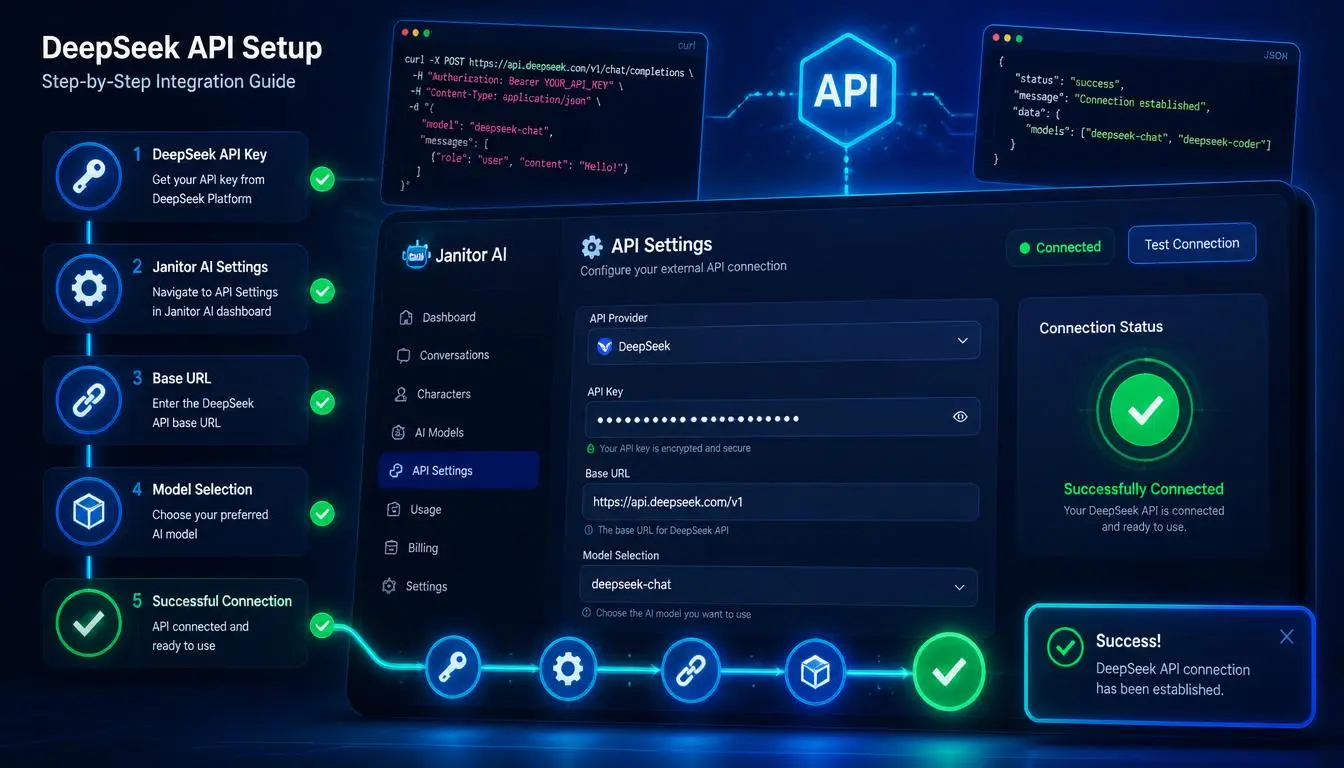
Here is the complete setup process:
Step 1: Get your DeepSeek API key
Go to the DeepSeek platform and create an account. Navigate to the API Keys section of your dashboard and generate a new key. Copy it immediately and store it securely; you'll only see it once.
Step 2: Open Janitor AI and start a character chat
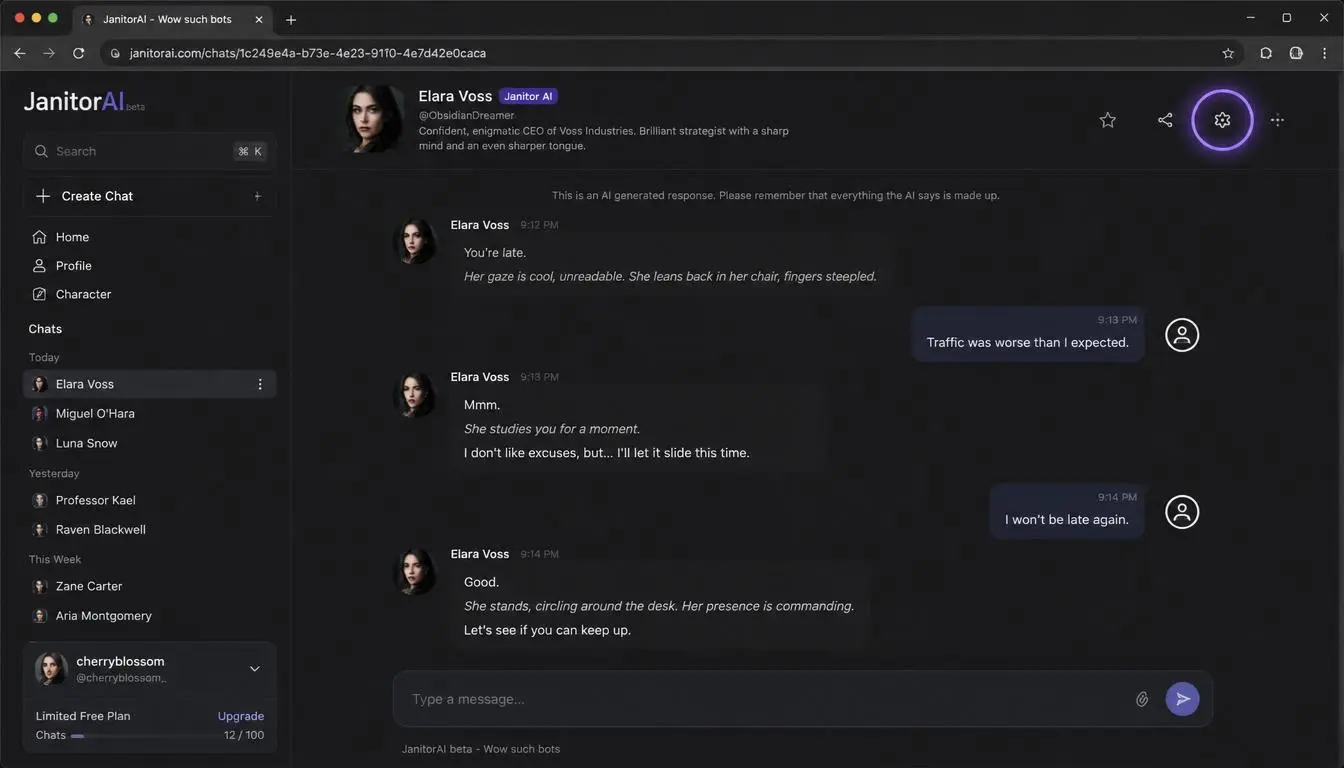
Log into Janitor AI, open any character, and access the API settings through the settings icon or menu within the chat window.
Step 3: Select Custom API / OpenAI-compatible mode
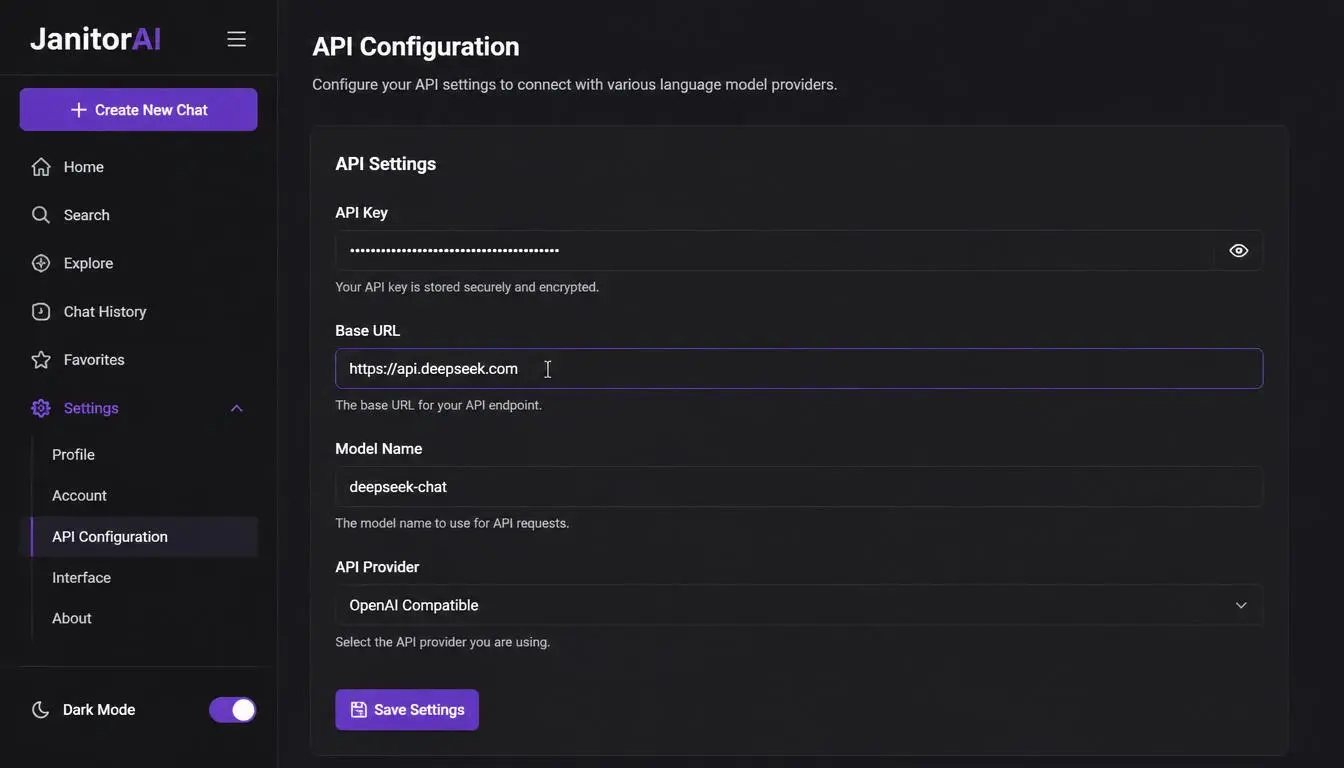
Choose the custom or OpenAI-compatible API option rather than the default JanitorLLM model.
Step 4: Enter the DeepSeek base URL
In the Proxy URL or Base URL field, enter: https://api.deepseek.com
The path /v1 is also accepted but is not a version indicator; both route to the same models.
Step 5: Paste your API key
Enter your DeepSeek API key in the API Key field. Make certain you're pasting a DeepSeek key into a DeepSeek endpoint, not an OpenRouter key. They look similar, but they authenticate against entirely different servers.
Step 6: Enter the model name
Use deepseek-v4-flash for most roleplay sessions or deepseek-v4-pro for complex multi-character narratives. Do not use the legacy names deepseek-chat or deepseek-reasoner for new setups; both are retiring on July 24, 2026.
Step 7: Save and test
Save your settings, refresh the chat, and send a short test message. A successful response confirms everything is configured correctly.
Pro Tip: If you follow these steps exactly and still encounter a persistent network error, the most common remaining cause is regional throttling on DeepSeek's API servers at your IP address. A residential or mobile proxy routed through a supported region resolves this issue in most cases.
How to put images in your Janitor AI first message
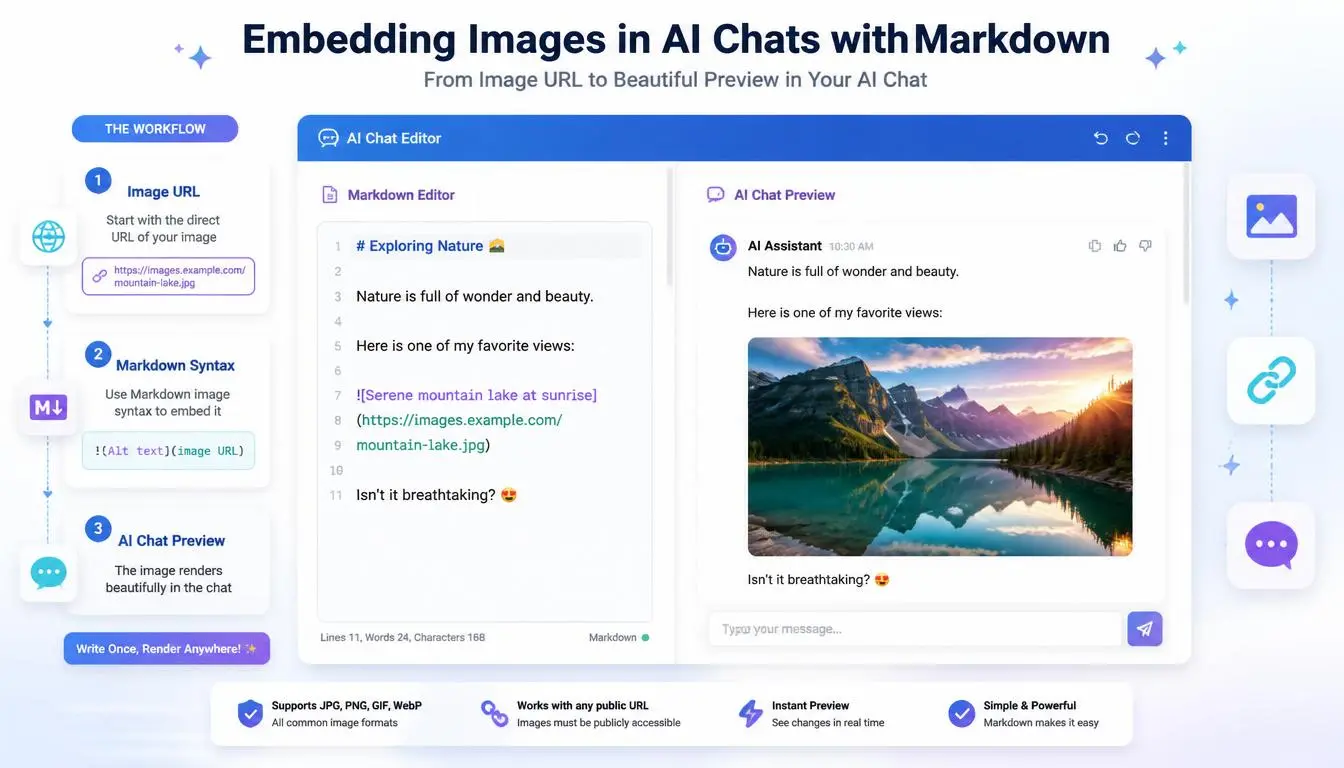
This is one of the most searched Janitor AI questions in 2026, and most guides skip it entirely. Janitor AI supports image embedding in character descriptions and first messages through standard markdown image syntax. Here's how it works:
The syntax:

The image must be hosted at a publicly accessible direct URL, not uploaded from your device. Image hosting services like Imgur, Cloudinary, or any public CDN work reliably.
Practical workflow:
Upload your image to a public image host and copy the direct file URL, the link must end in .jpg, .png, or .webp. Links pointing to a gallery page rather than the image file itself won't render.
In the character editor, navigate to the First Message field.
Paste the markdown syntax with your image URL anywhere in the first message text.
Preview the character to confirm rendering before publishing.
What actually renders:
The character creation and editing interface renders markdown images consistently. Within active chat sessions, rendering depends on the current interface version. If an image shows in the editor preview but not in chat, the session view is the variable, the syntax itself is correct.
Pro Tip: Test your image URL by pasting it directly into the browser's address bar before embedding. If the image loads in the browser, the URL is correct. If you get a redirect or page load, you have a gallery URL rather than a direct file URL.
Best Janitor AI alternatives in 2026
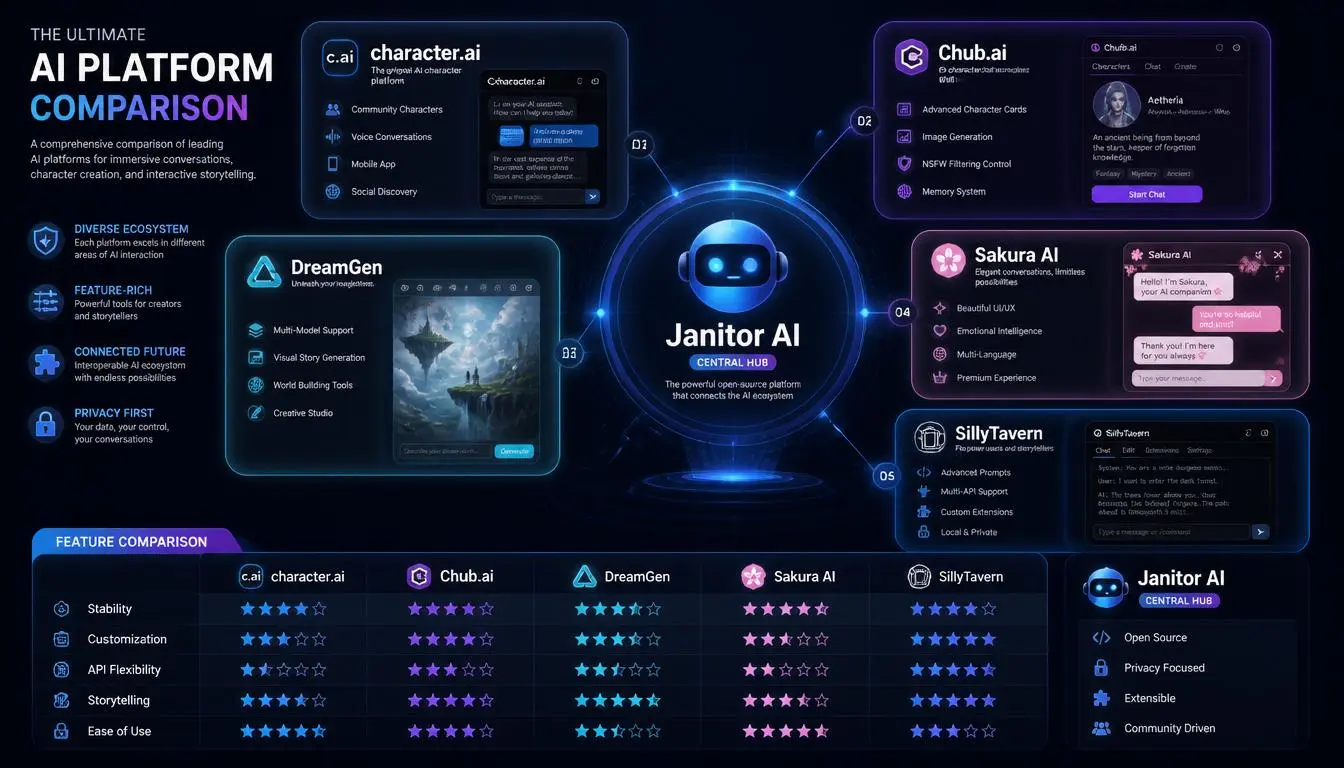
The best Janitor AI alternatives in 2026 are Character.AI, Chub.ai, DreamGen, Sakura AI, and SillyTavern, each addressing a different limitation that drives users away from Janitor AI.
Character AI: The right choice if you want something that works in five minutes without touching an API key. It runs its own proprietary models, so there's nothing to configure. Millions of public characters available. More stable than Janitor AI during peak traffic because it controls its own infrastructure end-to-end.
Chub.ai (Venus): The closest structural match to Janitor AI for users who want BYOK flexibility. Same API configuration approach, cleaner interface, and a character library that rivals Janitor AI in depth. If you're comfortable with API setup and want an alternative that works the same way, Chub.ai is the natural landing spot.
DreamGen: Built for long-form narrative and collaborative fiction. Handles context windows better than Janitor AI, making it the stronger choice for extended storylines where character continuity across dozens of messages matters.
Sakura AI: Subscription-based with in-house models and image generation built in. Removes the API management entirely. Better for users who want a contained, single-platform experience and are willing to pay a fixed monthly fee rather than manage per-token API expenses.
SillyTavern: For technically confident users who want maximum control with zero platform-level restrictions. Runs locally on your machine, connects to virtually any model, and imposes no content filters of its own. The setup curve is steeper than anything else here, but the flexibility ceiling is essentially unlimited.
OpenRouter: Worth mentioning as a middle layer rather than a standalone platform. A single OpenRouter API key grants access to DeepSeek, GPT-4, Claude, and dozens of other models simultaneously, which is useful if you want to switch models within Janitor AI without managing separate API keys for each provider.
Why users use proxies with Janitor AI
Two situations consistently arise in Janitor AI communities regarding proxy use.
The first: Regional access
DeepSeek's API servers experience throttling or outright blocking in certain countries and network environments.
Users who configure everything correctly- valid key, correct endpoint, current model name- and still get persistent network errors are almost always dealing with a routing issue between their IP location and DeepSeek's endpoints.
A proxy routing the API request through a supported region resolves this cleanly, without changing any configuration in Janitor AI itself.
The second: Stability for automation and development workflows
Developers building on top of Janitor AI's interface, running automated character interactions, or managing multiple test accounts need consistent, stable connections that don't trigger rate limiting from shared residential or commercial IP addresses.
Residential and mobile proxies with rotating sessions handle this reliably.
Expert Insight: Geo-based API throttling has become increasingly common as AI providers operate under different regulatory environments across regions. A clean residential IP from a supported region is often the practical difference between a working DeepSeek connection and a persistent error that no amount of configuration troubleshooting will fix.
Why businesses choose CyberYozh in 2026
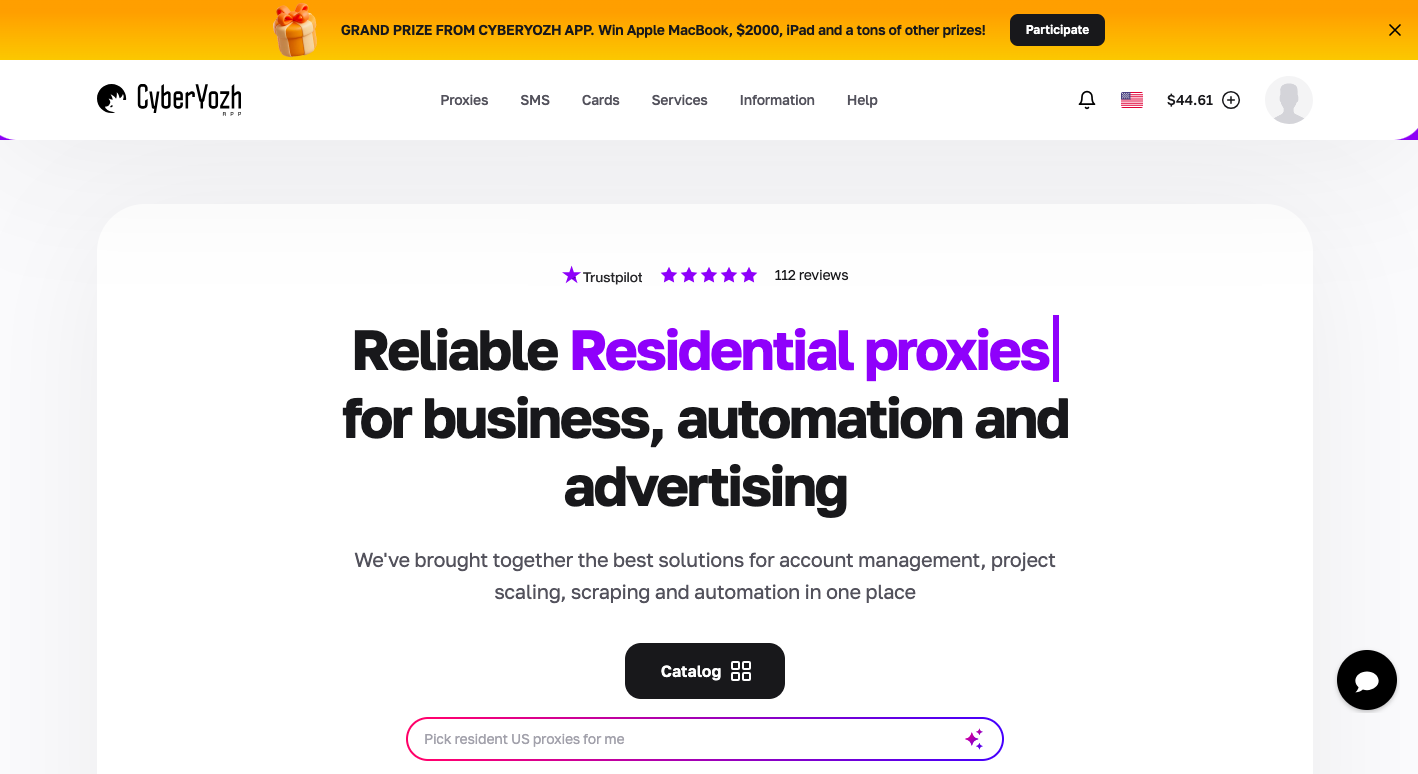
CyberYozh's infrastructure is built around the kinds of workflows that AI platform users, automation teams, and multi-account operators run every day. For Janitor AI users specifically, the platform addresses the two core problems: regional access issues with DeepSeek API connections, and stable session management for automation-heavy workflows.
The platform provides premium 5G mobile proxies, carrier-grade IPs that route API connections through trusted network paths, resolving regional throttling without triggering platform-level detection. Alongside those, a clean residential proxy pool covering 100M+ IPs across 100+ countries handles stable long-term access for users who need consistent, location-accurate connections.
What the platform provides:
Premium 5G mobile proxies: highest-trust carrier IPs for resolving regional DeepSeek API throttling
Residential proxies: real ISP-assigned IPs; rotating from $0.9/GB, dedicated static from $5.29/month
Datacenter proxies: from $1.90/month for speed-sensitive automation tasks
Rotating sessions: automatic IP rotation per request or on a timer for high-volume API workflows
Sticky sessions: hold a consistent IP throughout a full session for workflows requiring continuity
Full API access: integrate proxy management programmatically into Selenium, Playwright, Scrapy, Puppeteer, Postman, and custom script workflows
Antidetect browser compatibility: native integration with AdsPower and Dolphin Anty for complete session isolation
Global locations: 100+ countries with city-level targeting
99.99% uptime: infrastructure stability that doesn't introduce connection drops as a workflow variable
Fraud and risk scoring tools: built-in IP, phone number, and account quality checks
CyberYozh holds a 4.6/5 rating on Trustpilot based on verified user reviews across automation, scraping, and multi-account management workflows.
→ Set up your proxy for stable Janitor AI and DeepSeek access: sign up for free
→ Check out CyberYozh proxy catalogue
What CyberYozh users say
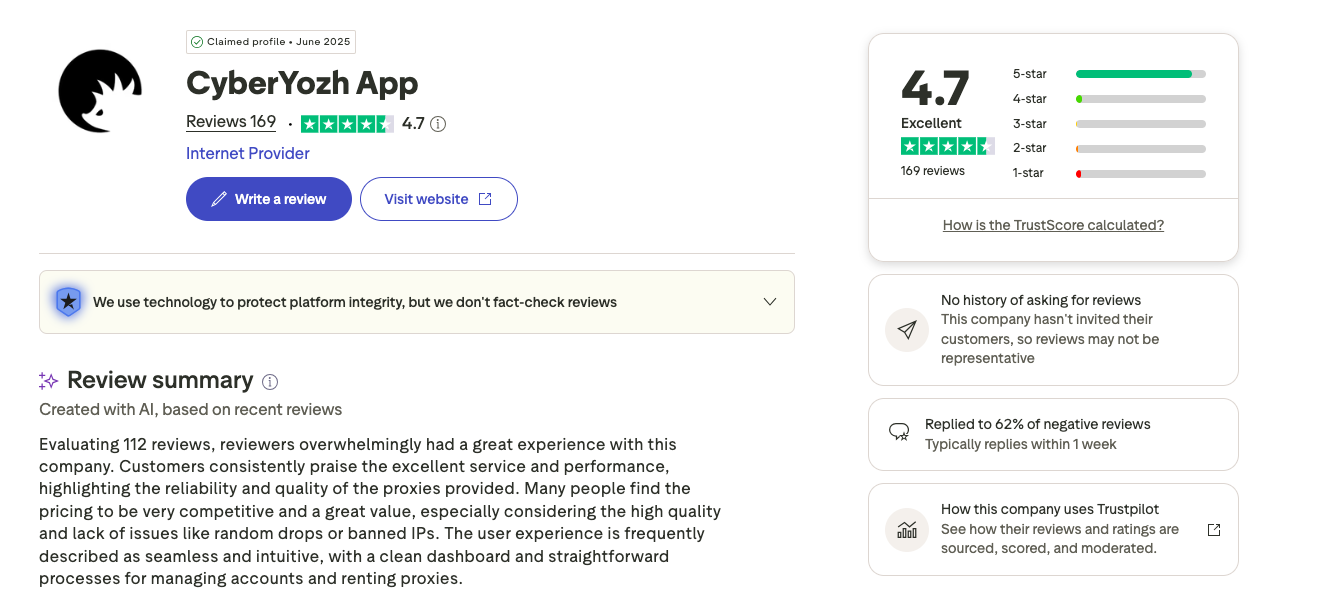
Real users across Trustpilot, G2, and independent review platforms consistently highlight the same qualities: infrastructure reliability, clean IP pools, and support that responds when it matters.
From G2 (verified user review):
"The proxies are fast and consistent, with minimal downtime or connection issues. It provides stable, secure access, allowing me to handle data-intensive workflows without interruption. I'm very satisfied with its reliability and user-friendly experience."
From G2 (verified user review on automation):
"CyberYozh supports automatic or manual IP switching, multiple proxy protocols including HTTP, HTTPS, SOCKS5, and UDP, and allows usage of real mobile-network LTE and 5G IPs. I forgot about connection problems completely."
From ProxyBros independent review:
"CyberYozh has a high public rating on Trustpilot, and fellow proxy users seem satisfied with the customer care. It stood out for how usable the proxies are and the trust tooling added on top of regular services."
From Caproxy community:
"I chose CyberYozh primarily because of the reasonable prices and convenient website. No problems in the six months I've worked with them; I recommend them."
From SourceForge (verified user):
"The services provided by CyberYozh have never disappointed me, so far 5/5, keep it up."
The consistent theme: stable performance, transparent pricing, and support accessible via Telegram and email, with no extended wait times during time-sensitive operations.