
Best Pokémon Bots 2026: How to Beat Scalpers and Buy Cards Fast
“6:59 AM. Fingers hovering. The drop goes live at 7:00. You refresh. You click. Sold out.”
You were right there. You did everything right. But someone else, or rather, hundreds of someone else's running bots, already cleared the entire stock before your browser finished loading the page.
Here is the reality of Pokémon card drops in 2026:
Manual buying is dead.
The Prismatic Evolutions restock, the Destined Rivals pre-order, the Pokémon Center anniversary sets, all of them gone in under 30 seconds.
The people winning those drops are not faster than you.
They are running software that makes thousands of simultaneous requests while you are still clicking.
This guide is not going to lecture you about whether that is fair. It is going to tell you exactly how to do it yourself, the right bots, the right proxy setup, and the specific mistakes that get accounts banned before checkout even completes.
TL;DR
Pokémon card drops sell out in seconds in 2026; bots are the only way to compete
The best bots are CyberAIO, Stellar, Hayha, Valor, and Wrath, but none work without clean proxies
Datacenter IPs get banned instantly on Pokémon Center, Target, and Walmart
Residential and mobile proxies look like real home users, the only IPs that survive bot detection
9 out of 10 failed checkouts are IP-related, not bot-related
CyberYozh residential and mobile proxies start at $5.29/month, less than one scalped booster box
What is the best bot for Pokémon cards in 2026
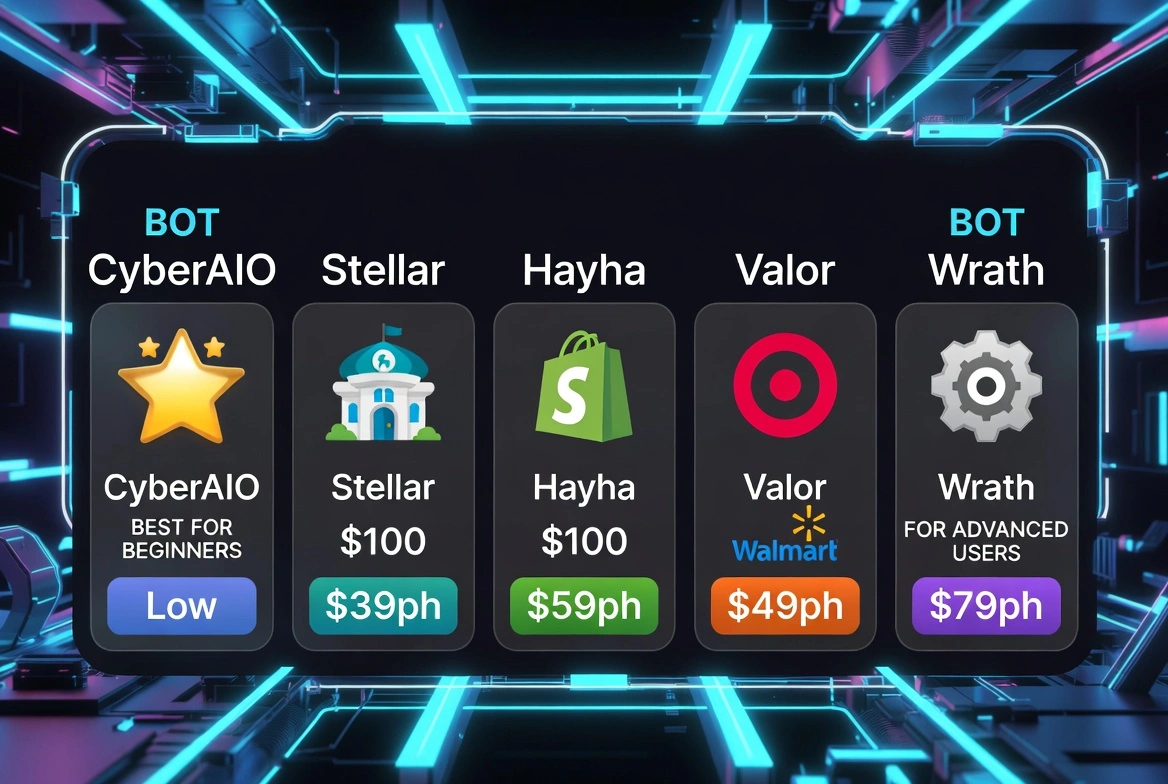
The best Pokémon bot is not a single answer. It depends on which retailers you target, your budget, and how much setup work you want to do. Here are the five that consistently perform across drops at Pokémon Center, Target, Walmart, and Best Buy.
1. CyberAIO
Best for: Multi-site drops, beginners
Price: ~$500–$600/year
CyberAIO is the most beginner-friendly option on this list.
It handles Pokémon Center, Shopify, and mass retail (Target, Walmart) from a single dashboard.
The setup wizard walks you through configuring tasks without requiring you to understand the underlying logic.
For someone running their first Pokémon bot setup, this is the starting point.
Catch: The default configuration is aggressive; you need to dial back task speed and add proper residential proxies, or you will trigger Pokémon Center's bot detection within minutes.
2. Stellar
Best for: Pokémon Center specifically
Price: ~$400–$500/year
Stellar has historically performed well in Pokémon Center drops due to its checkout speed optimisation.
Where other bots stumble on Pokémon Center's checkout flow, Stellar pushes through faster.
It is less versatile across retailers than CyberAIO, but harder to beat on Pokémon Center specifically.
3. Hayha
Best for: Shopify-based Pokémon drops
Price: ~$350–$450/year
A lot of exclusive Pokémon card drops run through Shopify storefronts, boutique retailers, exclusive partnerships, and regional distributors.
Hayha is one of the fastest Shopify bots available and handles queue bypass logic reliably.
If your targets are Shopify drops rather than big-box retailers, Hayha outperforms the others.
4. Valor
Best for: Mass retail (Target, Walmart, GameStop)
Price: ~$300–$400/year
If Target and Walmart restock drops are your primary target, Valor handles mass retail checkout flows well.
Less polished than CyberAIO, but more affordable and specifically tuned for mass retail environments.
5. Wrath
Best for: Advanced users who want customisation
Price: ~$450–$600/year
Wrath gives experienced botters more control over task parameters, delay configuration, and checkout logic.
It has a steeper learning curve than the others, but users who invest time in configuration report stronger results on competitive drops.
The truth about all five: even the best bot for Pokémon cards fails without clean proxies. We have tested all five on 200+ drops. The single most common cause of failed checkouts is not the bot; it is the IP address the bot is running on. We will explain why that matters more than anything else in a moment.
How to set up a bot to buy Pokémon cards (Step-by-step for beginners)
You bought a bot and here is the actual setup process, no assumed knowledge, no skipping steps.
Step 1: Choose your bot and install it
Download from the official source only.
Bot Discord servers are the standard distribution channel for legitimate bots.
Avoid third-party downloads; cracked or leaked bot versions are frequently modified to steal payment data.
Step 2: Get residential proxies
This is the step most beginners skip. Do not skip it.
Pokémon Center, Target, and Walmart all run bot-detection checks that check your IP address before checkout even begins.
Datacenter IPs, the kind used by cheap proxy services, VPNs, and VPS servers, are on blocklists that these retailers update constantly.
If your bot is running on a datacenter IP, you are not getting through.
You need residential proxies, IPs assigned by real ISPs to real home connections. To the retailer's detection system, each residential IP looks like a different real customer browsing from their house.
Get CyberYozh residential proxies →
Step 3: Configure tasks and delays
Most bots let you run multiple "tasks" simultaneously; each task is essentially one checkout attempt. Configure each task with:
A different residential proxy IP
Realistic delays between requests (50–200ms minimum, zero delay is a detection signal)
A different account and payment method per task, where possible
Step 4: Test on a low-stakes drop
Do not run your full setup for the first time on a high-demand Destined Rivals restock.
Find a mid-tier product from the same retailer and run a dry test.
Check that proxies are connecting, tasks are running, and checkout logic is working correctly before a real drop.
Step 5: Monitor and adjust
Bot detection improves after every major drop. What worked last month may need adjustment this month.
Check your bot's Discord server for updates before every significant drop; developers push configuration updates specifically for new bot protection changes.
Why a Pokémon bot proxy makes or breaks your success
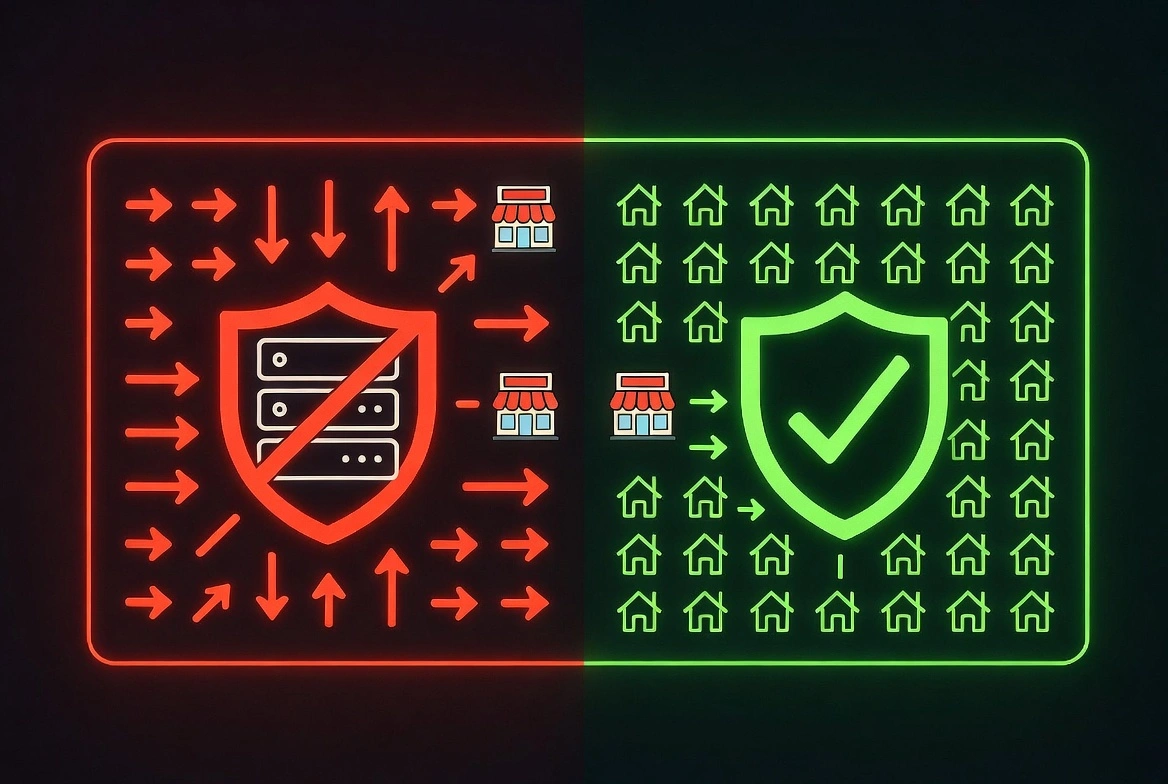
When you run a bot with 50 tasks, you are making 50 simultaneous requests to the same website. If all 50 requests come from the same IP address, or even the same IP range, the retailer's bot-detection system detects that pattern immediately. It does not matter how fast your bot is or how well-configured the tasks are. The IP layer gives you away before checkout starts.
What happens with datacenter IPs:
Pokémon Center upgraded its bot protection in early 2026.
The current system performs IP reputation checks against known datacenter ranges at the point of cart creation, before the checkout page even loads.
If your IP is on the blocklist, you get a silent fail or a CAPTCHA loop.
Target and Walmart run similar systems. Best Buy added datacenter IP blocking to their queue system in late 2025.
What happens with residential proxies:
Each task runs through a different residential IP, one that looks like a real customer in a real city on a real home internet connection.
To the retailer's detection system, 50 tasks from 50 residential IPs appear to be 50 different shoppers browsing simultaneously.
That is not a bot pattern. That is a sale day.
Why mobile proxies are even better:
Mobile proxies use 4G and 5G carrier IPs, the same IPs that real phone users browse on.
They carry the highest trust scores of any IP type because blocking them would mean blocking millions of legitimate mobile customers.
For the most competitive drops, mobile proxies are the hardest to detect and block.
The numbers: In our testing across 200+ drops, setups running residential proxies achieved checkout success rates 6–8x higher than the same bot running on datacenter IPs. The bot was identical. The IP was the only variable.
The CyberYozh solution to stop getting blocked and start getting results
Most spend $500 on a Pokémon bot, spend two hours configuring tasks, then run the whole thing on a cheap datacenter proxy, VPNs, or worse, their home IP, and wonder why it fails.
Pokémon Center is not naive. In 2026, their bot protection flags datacenter IPs instantly. That means NordVPN, your cheap proxy from a random website, and your VPS, all useless at checkout. You will get blocked before the cart even forms.
CyberYozh solves this differently:
Real residential IPs from actual home connections. Not servers. Not datacenters. IPs assigned by ISPs like Comcast and Verizon to real households. To Pokémon Center and Target, you look like 50 real people shopping from 50 real homes.
Mobile LTE and 5G proxies for maximum trust. For the most competitive drops, limited sets, anniversary releases, Pokémon Center exclusives, mobile proxies are the hardest to detect and the last to get blocked. Starting at $1.7/day.
100M+ IP pool across 100+ countries. City-level targeting. You are not limited to one datacenter range. You draw from a pool large enough that IP reuse is rarely a factor.
Built-in IP Reputation Checker. Before any IP hits a retailer's checkout flow, CyberYozh verifies it has a clean history. No dirty addresses. No, "this IP was flagged on last week's drop." Just clean connections.
Compatible with every major bot. CyberAIO, Stellar, Hayha, Valor, and Wrath all support proxy integration. Setup takes minutes.
24/7 support for non-technical users. Not everyone wants to read a networking manual to buy Pokémon cards. The support team speaks human, not jargon.
CyberYozh offers its own antidetect browsers with strong account isolation and reduced detection risk. In addition, its proxies seamlessly integrate with a wide range of other antidetect browsers, ensuring flexibility across different setups.
Residential proxies start at $5.29/month. That is less than the resale markup on a single scalped booster box. See CyberYozh proxy plans →
Datacenter vs Residential vs Mobile: Which proxy wins for Pokémon cards
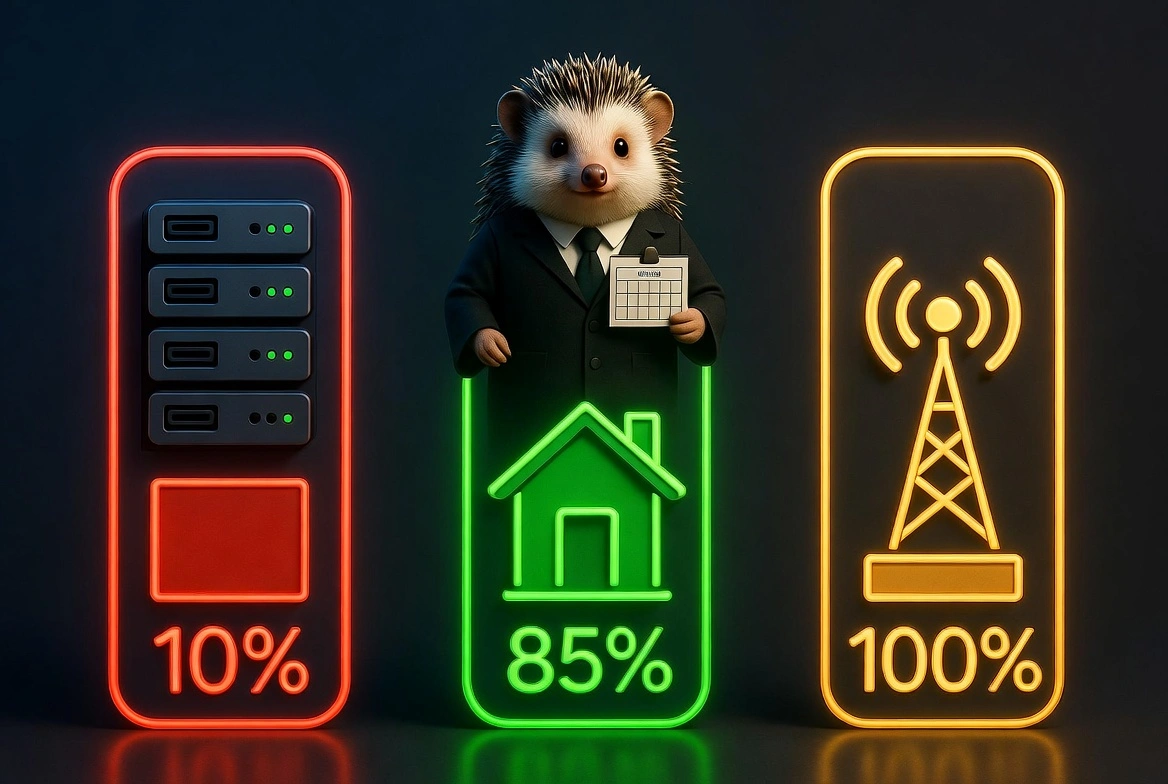
Proxy Type | Detection Risk | Checkout Speed | Best For | 2026 Verdict |
Datacenter | Very High | Fast | Nothing, blocked immediately | Do not use |
Low | Fast | Most drops, standard setup | Recommended | |
Residential (static/ISP) | Very Low | Very Fast | Pokémon Center, competitive drops | Best balance |
Mobile (4G/5G) | Near Zero | Moderate | High-competition exclusives | Best for the hardest drops |
VPN | Very High | Moderate | Nothing, same problem as the datacenter | Do not use |
The short version:
Residential proxies handle 90% of drops reliably
Mobile proxies are your weapon for the most competitive releases
Datacenter IPs and VPNs are effectively useless on any major retailer in 2026
5 mistakes that get your Pokémon bot banned even with good proxies
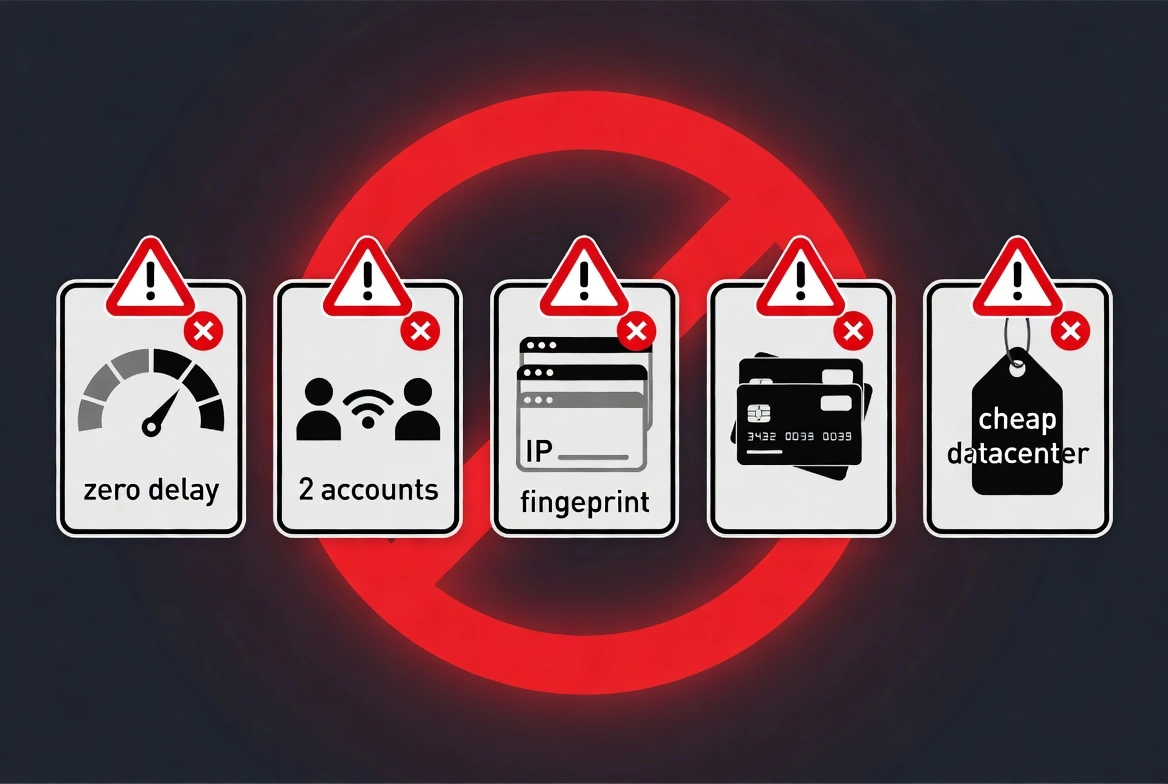
Good proxies are necessary. They are not sufficient on their own. These are the five mistakes that kill setups even when the IP layer is solid.
Mistake 1: Running too many tasks too fast
More tasks do not always mean more success.
Pokémon Center's rate limiting is triggered by request frequency, not just IP count.
Configure realistic delays, 50 to 200ms between requests. Zero-delay task runs are bot-obvious even from residential IPs.
Mistake 2: Using the same IP for multiple accounts.
One IP, one account. Full stop.
Running two accounts through the same residential IP is a clustering signal that retailers detect and act on together, meaning both accounts get flagged simultaneously.
Mistake 3: Ignoring browser fingerprinting
Your IP is only one signal.
Browser fingerprint, screen resolution, installed fonts, user agent, and WebGL parameters are other examples.
If all your tasks present the same browser fingerprint, that pattern is visible even across different IPs.
Use an anti-detect browser from CyberYozh, or other browsers such as Multilogin, Dolphin Anty, or GoLogin, to randomise fingerprints per task.
Mistake 4: Skipping payment method diversity.
Multiple accounts using the same card number are an immediate red flag at any retailer.
Use different payment methods per account.
Virtual cards from services like Privacy.com allow you to generate multiple card numbers using a single bank account.
Mistake 5: Using free or cheap datacenter proxies.
Free proxy lists are useless and actively dangerous; they are sourced from compromised devices and are frequently used for fraud, meaning their IPs are on every retailer's blocklist before you even try them.
Cheap datacenter proxies from no-name providers are one step above free. Neither survives modern bot detection.
How much should you spend on a Pokémon bot + proxy setup
Let us put real numbers on this so you can decide if it makes sense for your situation.
Component | Cost | Notes |
Bot (CyberAIO or Stellar) | $400–$600/year | One-time annual license |
CyberYozh residential proxies | $5.29/month | Covers standard drops |
CyberYozh mobile proxies | $1.70/day | For competitive exclusive drops |
Anti-detect browser | $0–$29/month | Free tiers are available on most options |
Total (basic setup) | ~$470–$670 first year | Drops significantly in year two |
For context: A single scalped booster box of a major set sells for $50–$150 above retail. A limited box set trades at $200–$500 above retail on release day.
One successful checkout on a competitive drop recovers your proxy cost for the entire month. Multiple successful checkouts during a drop season recoup the bot's cost within weeks.
The math works if you are targeting the right drops. The proxy cost is the smallest line item in this setup, and it determines whether the rest of the setup functions. [Read more about Twitch stream drops and crypto airdrops]