
Use Gaming Proxies to Ensure Low Ping and Stable Connection
For a gamer, there is nothing worse than an unstable connection. A single lag, a microscopic delay, and the moment is lost, and the character is out of the game. The second difficulty is the inability to connect to a remote server, which hinders access to international releases. And third, unfortunately, there are regional restrictions and bans. All these issues present significant challenges for gamers, including myself, but they all can be mitigated. Here, we’ll show you how the proxy server may help. Keep reading to optimize your gameplay and prevent losing your money if you’re a professional gamer or a streamer!
TL;DR
A gaming proxy solves three core problems: high ping from poor ISP routing, region-locked game access, and platform bans. The right SOCKS5 proxy with UDP support can stabilize your connection, unlock servers worldwide, and enable safe automation.
Use SOCKS5 proxies with UDP support; HTTP proxies don't work for live game sessions
Static ISP residential proxies are best for live play; rotating residential for automation workflows
Place the proxy between your location and the game server to shorten and optimize the route
Bypass region locks by connecting through a proxy IP assigned to the target country
For farming automation, use sticky sessions and stagger account start times to avoid detection
Understanding the challenges: Ping and restrictions
Most players perceive these problems as a given, blaming it all on "bad internet," “inevitable restrictions,” or the distance of data centers. However, experienced users know that proxies and VPN servers may enhance connection stability and bypass almost any restrictions. Read more about the proxy and VPN differences, but in short:
VPN is easier to set up, filters all incoming and outgoing traffic, but is usually less customizable and has a slower speed
Proxy requires specific clients for connection, but is usually very fast, customizable, and flexible
Which tool to use is up to you, but proxies are highly recommended if you’re a truly professional gamer who values every millisecond of ping reduction or launches complex strategies to maximize your gaming returns.
Game ping and how it works
Before solving a problem, you need to understand its nature. In the world of online gaming, the key indicator is latency, which is commonly measured as ping.
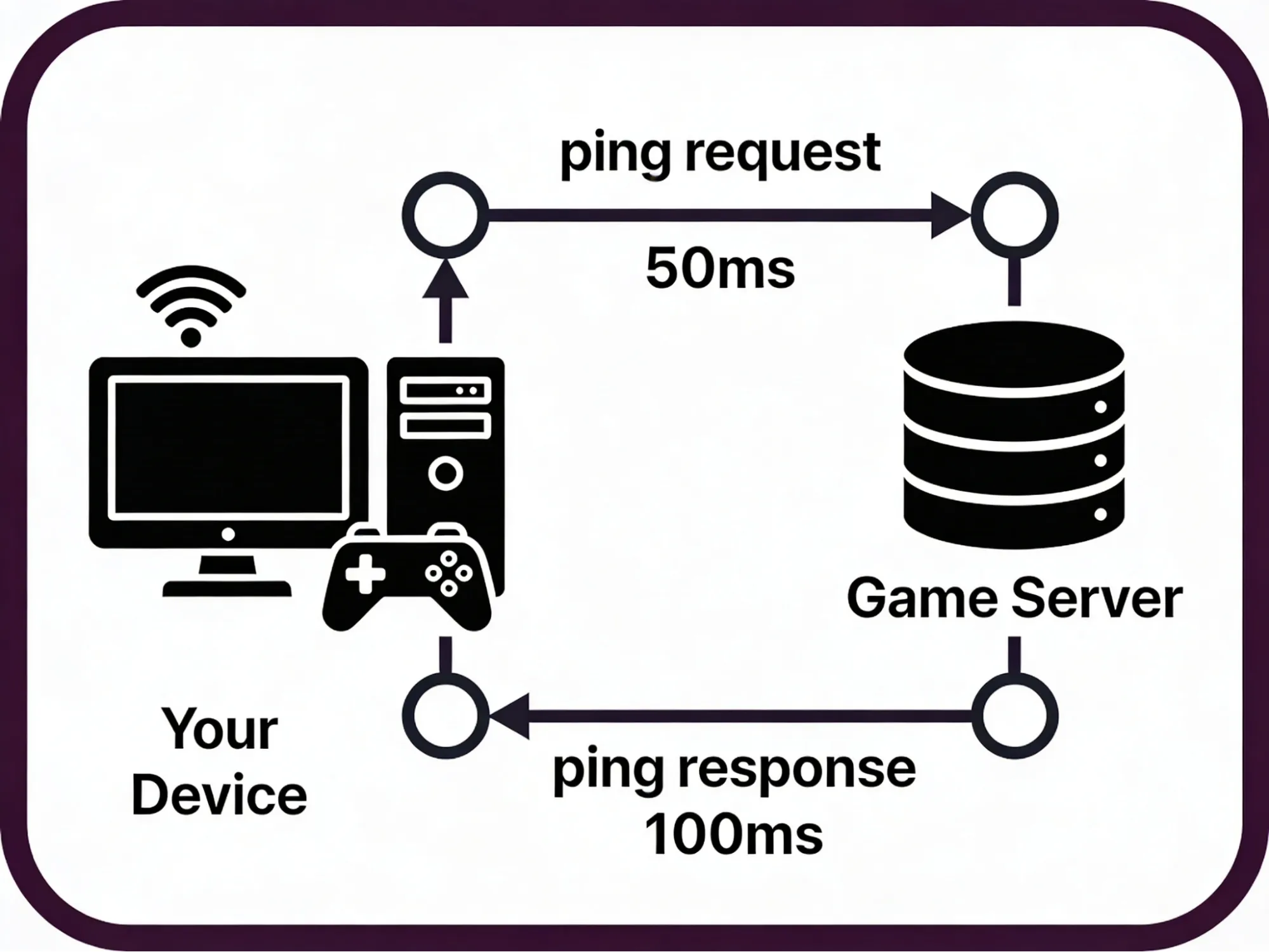
Ping is the time it takes for a data packet to travel from your gaming computer to the game server and back. It is measured in milliseconds (ms). The lower the ping value, the faster your actions are registered in the game. In fast-paced shooters or fighting games, a ping of 50-60 ms is considered comfortable, while values above 100 ms can significantly reduce gaming performance. Basically, lower ping means faster in-game reaction. With a ping of 30 ms, you’ll almost certainly overwhelm a player with a ping of 100 ms.
Where does high ping come from?
Physical distance. The main factor. A signal cannot travel faster than the speed of light. If you are in Russia or Vietnam and the game server is in Frankfurt (Germany), the data must travel thousands of kilometers. This creates a minimum delay determined by geography, but it’s usually small.
Suboptimal routing. This is a technical nuance that a gaming proxy server can correct. Internet traffic does not always travel in a straight line. Your Internet Service Provider (ISP) may route traffic through a long path with intermediate nodes. This is the primary reason for the ping increase.
Network congestion. Delays can occur both on local ISP channels during peak hours and at major backbone nodes through which the route to the game server passes.
Based on that, select the proxy type and location that would reduce the ping the most. Evaluate the routing and contact us to discuss this question and select the best proxy for your needs.
Regional restrictions
Location matters a lot in online gaming. Many specific items, events, activities, and discounts are reserved for specific regions only, sometimes even with the city-level precision. I remember my confusion when I was unable to join the largest game servers in the United States because they were open only to local residents.
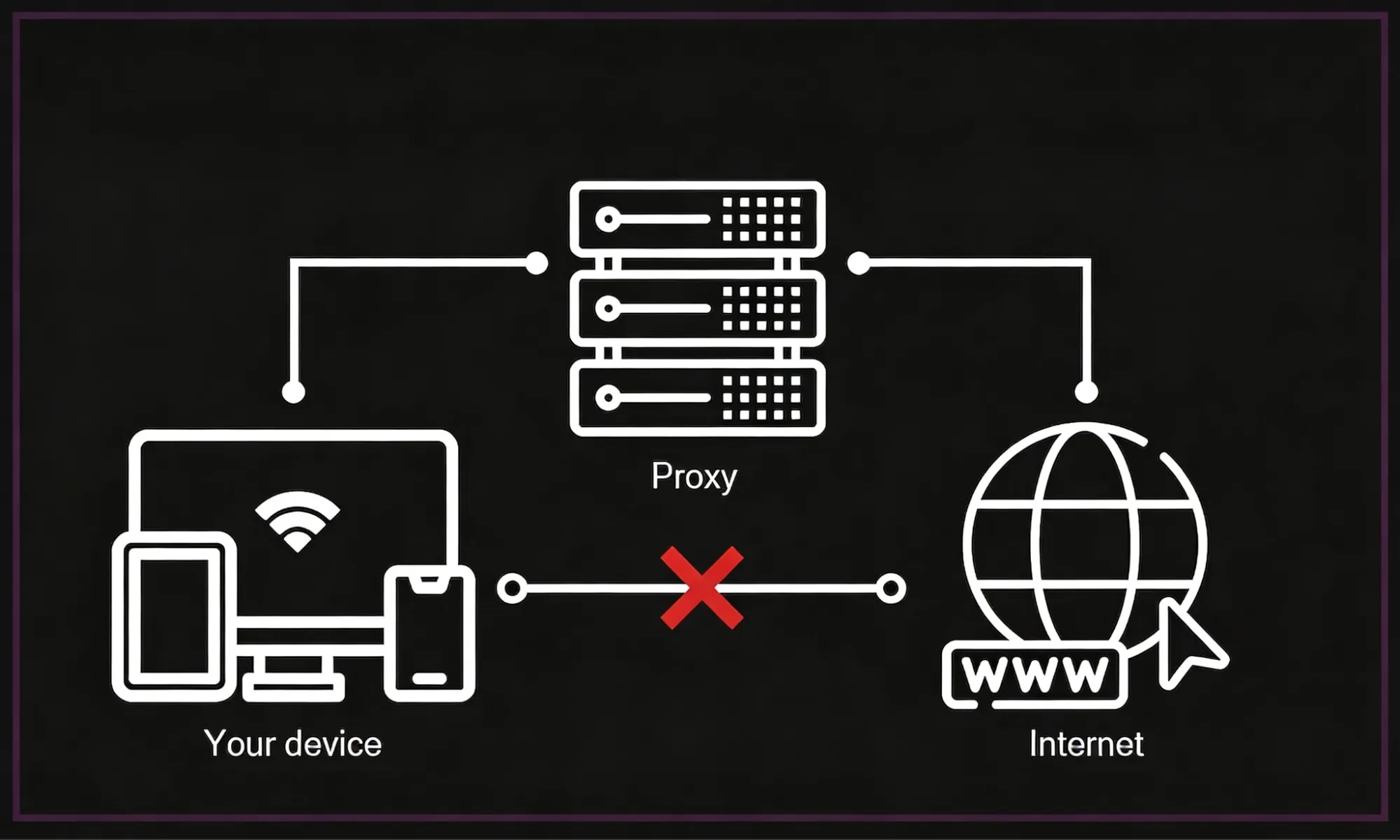
And even worse. Some game developers restrict their games to certain areas, be it due to political or economic sanctions or for any other reason. For example, many online games are restricted for users in Russia due to the ongoing political situation in 2026. They’re either blocked from the server side by game developers or from the client side by government policies. However, choosing a proxy with the right geolocation may help here.
Learn more about geotargeting and why it’s so important for accessing local benefits.
As a result, you have unlocked access to your favorite game and can participate in it freely, with ping even lower than before.
Platform anti-automation rules
This use case is relevant to advanced gamers who want to optimize their gaming strategies and achieve even greater returns. Here, the proxy is a must-have: without it, a platform would quickly detect and restrict such accounts, as it resembles cheating. I didn’t personally engage in such strategies, but I interviewed those who did, so let’s explore this use case, where proxies are essential.
Farming. Grinding. The process of regular, hour-long sessions of killing mobs, searching for artifacts, or doing any other repetitive actions to ensure that your character’s stats are growing. Even when the game itself is highly engaging, this process is rarely so. And if you try to automate it, game platforms usually respond with account suspensions, warnings, or even bans: they don’t like excessive requests to their servers from one IP. That’s why I use sticky sessions to change IP regularly to distribute this request load.
Below, we’ll explore which specific proxy types must be applied here and how to use them. Read more about IP rotation strategies, but remember that the situation with games is quite unique: it requires both sticky sessions and pre-programmed IP rotation.
❗What is unique about game proxies
Game platforms usually react negatively to frequent IP changes for a single account and may still restrict you, and it would also break your game sessions, leading to sudden logouts. Specific game proxy strategies will be discussed below, and I’ll try my best to share the best practices with you.
Proxy selection: How to choose a tool as a gamer
Before going further, here are the key requirements for a gaming proxy:
UDP Protocol Support. This is a crucial technical aspect. Most online games use the UDP protocol for fast data transfer. Simple HTTP proxies and many proxy clients do not support this traffic. You need a SOCKS5 proxy, which is a universal protocol that works with both TCP and UDP.
💡 Important to remember
Regular HTTP proxies designed for browsing websites are not suitable for games, except text-based ones. Using the wrong type of proxy can negatively affect the connection. You need a SOCKS5 proxy with UDP support and ensure that your proxy client supports it, too. For example, Proxifier doesn’t support it: that’s why I had issues with Steam when using it.
High Bandwidth. The proxy server should have high connectivity to support high speed. Datacenter proxies offer speeds much higher than those of residential servers, provided the platform doesn’t block bot-like traffic.
Correct Geographical Location. To optimize communication, the proxy should be located either near you or near the game server to reduce latency.
Correct Proxy Type. Mobile-first games usually need mobile proxies. Most games work best with residential proxies. Datacenter proxies are the fastest, but many platforms restrict them. Using the incorrect proxy type is one of the most common fatal proxy mistakes.
Stability. The connection must be steady, with minimal packet loss, a stable response time, and a trustworthy IP address. Before applying it to the game, test the connection and evaluate IP quality with the IP Checker.
To learn more about proxy quality and its importance, explore CyberYozh’s guidance on proxy lifecycle management.
Setting up a game proxy with CyberYozh
And now, let’s actually set up a proxy of a necessary type.
Select a proxy with a location you need. CyberYozh offers IPs in 100+ countries, often with city-level precision. Make sure to select the location you need for your activities.
Use mobile proxy for mobile-first games
Use residential proxy for desktop-based games
Use rotating residential for automation strategies
Use datacenter proxy for downloads and web bots
Get your proxy credentials: IP, port, login, and password. You’ll use them to route your traffic via your proxy client. Make sure to select the SOCKS5 connection type, not HTTP.
Get a proxy client that explicitly supports UDP. Proxifier, for example, doesn’t support it. Choose ProxyCap or SocksCap64 for Windows, or use our connection guide for Android and iOS in case of mobile game proxy setup.
Import your credentials and create routing rules. Most proxy clients can selectively tunnel traffic for specific applications. Select both the game launcher executable (Steam, BattleNet, or custom launcher) and the main game executable, or otherwise you may encounter issues.
Deploy rotation rules in case of automation. If you seek to automate farming or grinding, establish IP rotation with sticky sessions. Make sure to rotate among clean IPs within the same region, as geographic inconsistencies are likely to lead to quick bans.
💡 Important to remember
Most gaming platforms bind your account to a region at registration. You may need to create a fresh account through the proxy so the platform assigns it to the target region. For phone verification, use a virtual number in the target country.
Game proxy: Best practices
Contrary to the opinion that additional nodes always slow down a connection, a high-quality gaming proxy acts like a navigator, choosing a more direct path for traffic. Let’s review the best practices for common game proxy usage cases.
Working with ping through a gaming proxy
Imagine that the ISP's standard route is a congested city road. A proxy server in this analogy is a dedicated lane. Even if it takes a bit longer, your signal will travel much faster, so the ping will be greatly reduced.
❓ How it works
You connect to a proxy server that has a high-speed connection to backbone internet channels (Tier-1). Your traffic reaches the proxy, and from there it is routed to the game server via an optimized path. This way, you can avoid the congested nodes of your local ISP.
To optimize ping, you have to select a proxy server located between your location and the game server. It can be a delicate task that requires some attention, so advanced gamers can always ask CyberYozh to change IPs to evaluate different locations and choose the fastest one.
Access to international servers via local proxy servers
Here, the proxy mechanic acts as a link to remote locations. It either unlock access to restricted games or allows local-only benefits, such as dedicated servers or localized promos.
❓ How it works
Gaming services determine the connection region by IP address. By using a proxy server in the USA, you technically connect to the network from that region. This allows you to interact with servers as if you were located near them.
It opens up possibilities:
Participation in open beta tests whose servers are located in specific countries.
Access to international gaming communities and events.
Connecting to gaming clusters distant from your actual location.
Make sure to create a fresh account after assigning a proxy, and avoid rapid location changes, as they can lead to flags and login challenges. Platforms associate your account with the country of your proxy IP and behave accordingly.
IP rotation strategies for in-game farming
This topic requires special attention. You must remember that games usually flag accounts based on two signals:
Same IP across multiple accounts (triggers multi-account detection)
IP changing mid-session (triggers security checks, CAPTCHA, or instant bans)
These two signals are contradictory, which means you have to maintain a delicate balance: warming up your account, assigning a unique IP or an IP pool to each account, and using sticky sessions to prevent session breaks. Here is how to start:
Register the account using its designated static IP, and all future activity must originate from this IP. Never rotate the IP when an account is in-game.
Wait 24–48 hours before starting automation to let the platform record normal login behavior.
Mimic human timing. Add randomized delays between actions (e.g., 3–12 seconds, not uniform 500ms intervals).
Limit daily action volume. Start low (10–30 automated actions per day) and scale up gradually over 1–2 weeks.
Never run all accounts simultaneously. Instead, stagger start times by 5–15 minutes per account to avoid synchronized traffic patterns.
For automating grinding or in-game economy automation, use sticky sessions to prevent session breaks and keep pauses between activities.
Below is a quick summary table, with additional recommendations for in-game price checks and multi-account creation.
Automation task | Rotation strategy | Proxy type | Commentary |
Live match | Static, never rotate | Static ISP SOCKS5 | IP change mid-session = instant disconnect + ban trigger |
Account login & warm-up | Static per account | Static ISP or Mobile | Platforms record IP-per-session history |
Item/market bot (non-match) | Sticky session (10–30 min) | Residential sticky session | Long enough to complete a trade loop, short enough to avoid tracking |
In-game economy automation | Sticky session per run | Rotating Residential (sticky) | Each automation run looks like one user |
Storefront price checks | Rotate per request | Rotating Residential | No session state needed |
Account registration at scale | Rotate per new account | Rotating Residential / Mobile | Each new account gets a fresh, unused IP |
Conclusion
A proxy server for a gamer is a means of optimizing technical connections and expanding the game's geography. It helps correct ISP routing, potentially improving ping, and allows connecting to servers in different parts of the world, accessing local benefits, and bypassing restrictions. It also enables robust automation, allowing advanced gamers to automate farming and grinding.
The main thing is to approach the choice of proxy consciously. Avoid public, unreliable servers and free game proxies: they are unstable, flagged, and may even intercept your data. Your choice is a high-speed SOCKS5 proxy with UDP support. This approach makes the network connection stable and predictable. Sign up for CyberYozh now and select the proxy that best fits your needs and strategy.