
Best Proxies for ThriveTracker: Setup Guide for Affiliate Marketers
Running affiliate campaigns through ThriveTracker works well until you scale across multiple GEOs, traffic sources, and ad accounts. You test your funnel from one location, but your visitors come from dozens of others, meaning what you see may not match real user results.
Traffic validation becomes unreliable when IP location, network reputation, or filtering systems affect how your campaigns are evaluated. Competitor research and funnel testing can also fail when your requests do not reflect real user environments.
The right proxies help affiliate marketers create consistent, geo-specific testing environments for campaign validation, tracking checks, and traffic analysis.
This guide explains:
What proxy types (mobile vs. residential) work best for each affiliate workflow
How to set up proxies with ThriveTracker step by step
How a ThriveTracker proxy reduces distorted results and account risks.
Why ThriveTracker users need proxies
ThriveTracker itself doesn’t require proxies to function. But affiliate workflows built on multi-GEO traffic, ad scaling, and campaign testing quickly run into limitations without them.
At scale, a proxy for ThriveTracker becomes part of the infrastructure layer that ensures tracking accuracy, stable testing environments, and reliable campaign validation.
Common problems without proxies:
GEO tracking becomes inconsistent when accessed from a single IP – you no longer see what users in real locations actually experience
Funnel validation breaks down when redirects and GEO-based landing pages behave differently depending on where the request comes from
Performance data gets distorted because IP reputation and network behavior silently influence how platforms interpret your traffic
Without ThriveTracker proxies, you lose the ability to QA campaigns under real conditions and end up scaling based on assumptions instead of verified data.
How media buyers use proxies with ThriveTracker in real campaigns
Media buyers use proxies with ThriveTracker to simulate real user conditions, validate funnels, and ensure accuracy across GEOs and traffic sources. Proxies become part of the campaign infrastructure that keeps testing and optimization reliable.
1. Fix GEO‑based tracking inconsistencies
ThriveTracker routes traffic based on where clicks come from. But if you check your campaign from your office in New York, you never see what a user in Germany actually experiences.
Imagine you set up an offer that shows different prices for the United States, Brazil, and Japan. From your local IP, you see one version. You have no idea if the other countries see the right page, correct currency, or working offer.
How ThriveTracker proxies solve this: You connect a residential IP from Germany. Click your ThriveTracker link. The system sees a real German home internet user and shows you exactly what your German audience sees: redirects, macros, page load, everything.
When to use: Before launching campaigns targeting multiple countries or when validating GEO-based routing logic.
2. Bypass ThriveTracker's bot filter
ThriveTracker includes a Geo-Redirect and Bot Filter system designed to block suspicious or non-human traffic, especially from data centers. Imagine that you try to QA your own funnel or spy on a competitor's landing page using a datacenter proxy. ThriveTracker blocks you instantly. You never reach the page you wanted to check.
How proxies solve this: Mobile IPs come from real cellular carriers, not data centers. To ThriveTracker, a mobile IP looks exactly like a genuine click from a real smartphone.
When to use: During QA testing, funnel analysis, or when validating how strict filtering systems behave with different traffic types.
Explore dedicated mobile proxies from $1.7/day
3. Run multiple accounts without triggering bans
ThriveTracker is where you analyze results. But your traffic comes from ad networks — Facebook, Google Ads, Taboola, etc. If you manage multiple ad accounts from the same IP address, these networks connect the dots. One account gets banned, then more banal follow. Your campaigns stop.
How ThriveTracker proxies solve this: You assign one unique mobile or residential IP to each ad account. This isolates traffic sources so every account operates in its own clean environment. Accounts stay live and traffic lands cleanly in your single ThriveTracker dashboard for unified analytics.
When to use: When managing multiple campaigns, 2+ ad accounts, or traffic sources simultaneously.
4. View real competitor funnels and offers
You want to see what landing pages, offers, and redirects your competitors are running. But if you visit their links from your IP, they see you and show distorted results.
Imagine you are researching a rival running the same offer in Brazil. You click their link from your home IP. Their system flags you as a competitor and serves a decoy page. You collect bad intel and make wrong decisions.
How proxies solve this: You rotate through residential IPs in the target country. Each visit looks like a new, real user. Competitors show you their real funnel every time.
When to use: For market research, competitive intelligence, and offer tracking in specific GEOs.
Best proxy types for ThriveTracker workflows
The best proxy type for ThriveTracker depends on the campaign workflow: GEO testing, funnel validation, traffic analysis, or large-scale campaign management. Media buyers typically combine different proxy types for different tasks:
Mobile proxies: For bot-filtered environments
ThriveTracker and ad platforms run strict detection systems. Datacenter IPs can get flagged. Mobile proxies route traffic through real carrier networks, making your requests look like genuine smartphone users. Use a mobile proxy for ThriveTracker to improve testing reliability, run quality checks, or validate campaigns on sensitive platforms.
Running campaigns on strict platforms (Facebook, Google, TikTok)
Any situation where being identified as a bot costs you money.
Residential proxies: For geo-specific testing
Residential proxies come from real home internet connections. They give you accurate, location-based testing because each IP is tied to a physical address in a specific country.
Static residential proxies keep the same IP for extended sessions. Use them to test long funnels, validate tracking parameters, or maintain a consistent testing environment across multiple steps.
Rotating residential proxies change IP with each request or session. Use these for competitor research, broad geo-testing across multiple regions, or when repeated visits from the same IP trigger suspicion.
Datacenter proxies: For speed and low-risk tasks
Datacenter proxies are fast and cheap. Platforms quickly identify them as non-residential traffic. Use them for basic testing, automation tasks, or any operation where getting blocked isn't a concern.
Quick comparison: Which proxy you should choose
Your Task | Recommended Proxy |
|---|---|
Test through ThriveTracker's bot filter | Mobile |
Run Facebook/Google/TikTok Ads without getting flagged | Mobile |
Test geo-targeted offers | Residential (static for single country, rotating for multiple) |
Research competitors across regions | Residential (rotating) |
Quick funnel preview or automation | Datacenter |
Scale across multiple ad accounts | Mobile or residential (dedicated per account) |
Why choose CyberYozh for affiliate marketing and media buying
CyberYozh is the operational infrastructure built for media buyers and growth teams running multi-account, multi-GEO, and automation-heavy workflows. With 100 million IPs across 195+ countries with up to 99.95% uptime on supported networks, you get one system designed for scale, control, and execution reliability.
Unlimited mobile LTE/5G proxies → run ad accounts and traffic through real carrier networks, reducing platform flags and keeping campaigns stable during scaling
IP coverage in 195+ countries → test GEO-specific funnels and creatives like a local user to improve conversion accuracy and campaign validation
API-ready infrastructure (Scrapy, Selenium, Playwright, Postman, custom scripts) → plug proxies directly into automation stacks, eliminating manual setup to scale faster
Single platform for proxies + SMS activation + risk tools → manage everything in one system, reducing vendor switching.
Real 5G/4G mobile proxies with unlimited bandwidth → Run affiliate testing, ad workflows, and traffic validation through real carrier networks without spiking per-GB costs.
Controlled IP rotation and sticky sessions → Premium rotating proxies with sticky sessions up to 24 hours for long funnels, tracking validation, and separate campaign workflows.
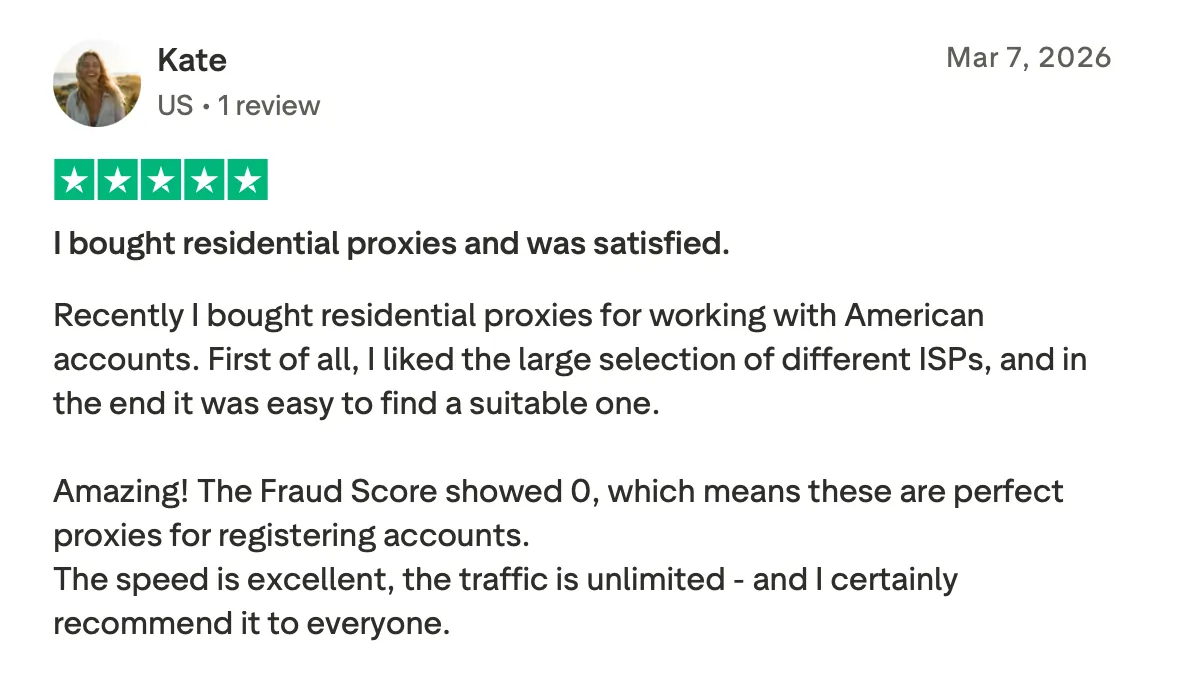
What our clients say on Trustpilot
How to set up CyberYozh proxies for ThriveTracker
Once configured correctly, CyberYozh proxies ensure every test, click, and campaign runs through clean, geo-specific IPs for accurate tracking and reliable data.
Obtain proxies from CyberYozh
Purchase the proxies and get the required proxy credentials (IP, port, username, password).
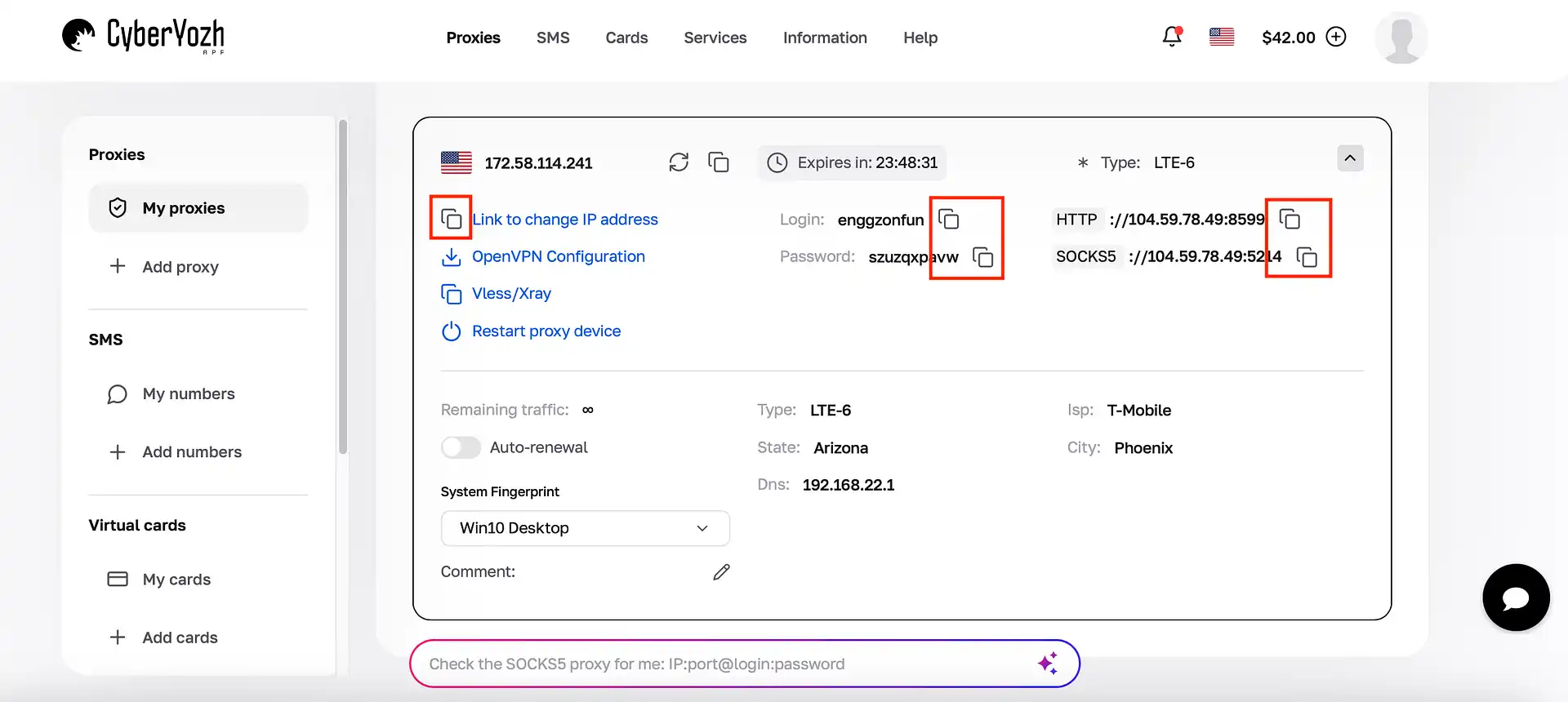
Configure the proxy at system or tool level
Proxies are applied outside ThriveTracker (in browser settings or automation tools). ThriveTracker itself receives traffic routed through the configured proxy environment.Assign a dedicated proxy per campaign or traffic source
Each campaign, ad account, or funnel should use a separate proxy environment to maintain isolation and prevent overlap between tracking data.Test the setup using your ThriveTracker tracking link
Open the tracking link through the active proxy to confirm correct GEO routing, redirect behavior, and that tracking parameters are being captured properly.Use the same configuration for live traffic
Once validated, maintain the same proxy setup for real campaign traffic to ensure consistency.
For multi-GEO affiliate campaigns, CyberYozh proxies provide the infrastructure layer that keeps tracking consistent, attribution reliable, and scaling decisions safe. Try today from $2/GB.