Venmo Limit 2026: Complete Guide to Transfer, Daily & Sending Limits
TL;DR
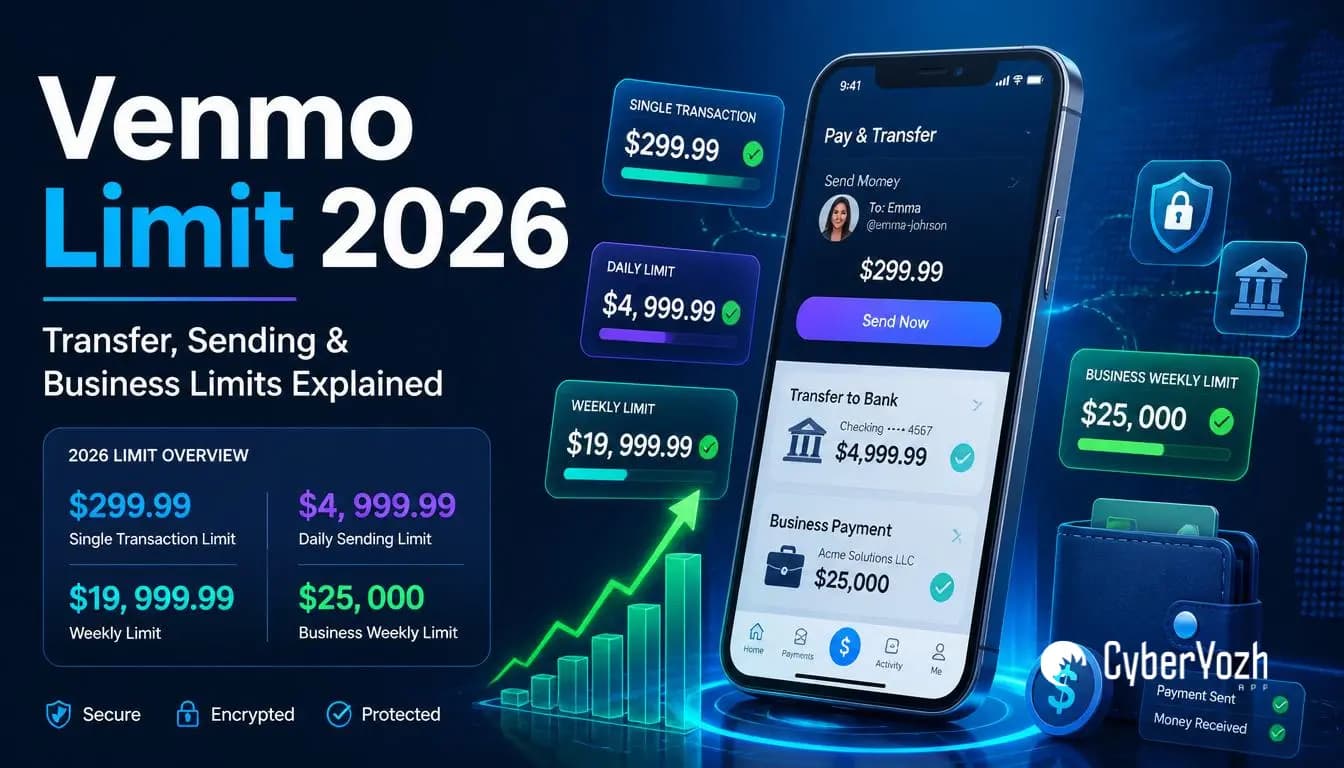
Venmo operates under a rolling 7-day limit, not a strict daily cap; this distinction explains most of the confusion around the limit.
The Venmo limit for unverified accounts is $299.99 per week total; verified personal accounts can send up to $4,999.99 per week person-to-person.
Business profiles unlock the highest limits: up to $25,000 per week in payments.
Verifying your identity in the Venmo app is the only way to increase your sending limit.
Businesses managing multiple Venmo accounts need careful IP and session management to avoid account flags.
Quick Answer
What is the Venmo limit? The Venmo limit for unverified accounts is $299.99 per week across all transactions. Verified personal accounts have a $4,999.99 weekly person-to-person sending limit and up to $19,999.99 per week in bank transfers.
According to Venmo's official help documentation, the maximum standard bank transfer limit for verified personal accounts is $19,999.99 per rolling week, with a $5,000 limit per individual transfer. Venmo Business Profiles have a $25,000 weekly sending cap. There is no strict daily limit on standard Venmo transfers; the rolling weekly window is the primary restriction.
How Venmo limits actually work

Most Venmo limit confusion comes from one misunderstanding: people assume Venmo tracks a daily limit. It doesn't, at least not for standard person-to-person transfers.
Venmo uses a rolling 168-hour window. This means your limit doesn't reset on Monday morning or at midnight. It resets continuously based on when each transaction was made.
Here's what that looks like in practice: If you send $200 on a Tuesday at 2 p.m., that $200 remains counted against your weekly limit until the following Tuesday at 2 p.m., exactly 168 hours later. Not at midnight. Not at the start of the calendar week. Precisely seven days from the moment of that transaction.
This rolling mechanism regularly catches people off guard, especially freelancers and online sellers who process several transactions over a few days and suddenly hit a wall mid-week without understanding why.
The second thing worth knowing up front: Venmo's limits are tied entirely to your identity verification status, not to your account age. A brand-new verified account has higher limits than a five-year-old unverified one. Verification is the only lever.
Expert Insight: Your available Venmo limit at any given moment is your weekly cap minus whatever you've sent in the previous 168 hours, not the previous calendar week. Check your transaction timestamps, not the calendar, when calculating remaining capacity.
Venmo limits for unverified accounts
If you haven't completed identity verification in the Venmo app, these are the limits you're working within:
Transaction Type | Limit |
Weekly spending (all transactions) | $299.99 |
Weekly bank transfer | $999.99 |
Per-transaction bank transfer | $999.99 |
That $299.99 weekly cap covers everything: person-to-person payments, merchant purchases, and all other outgoing transactions. It's a hard ceiling until you verify.
For casual users splitting dinner or paying a friend back, this isn't an issue. For anyone using Venmo for freelance payments, business income, or regular selling, you'll hit this within the first few transactions of the week.
Common Mistake: Many users assume the $999.99 bank transfer limit is separate from the $299.99 spending cap, thinking they can send $299.99 in payments and still transfer $999.99 to their bank. These are separate limit types for separate transaction categories, but the $299.99 outgoing payment cap still applies independently.
Venmo limits for verified personal accounts

Once you complete identity verification, submitting your legal name, date of birth, Social Security Number, and a government-issued ID, your limits increase substantially:
Transaction Type | Limit |
Weekly person-to-person sending | $4,999.99 |
Standard bank transfer (per transaction) | $5,000 |
Weekly bank transfer total | $19,999.99 |
Instant transfer to debit card (per transaction) | $10,000 |
Instant transfer to bank (per transaction) | $50,000 |
Venmo Debit Card daily purchases | $3,000 |
Daily transaction count | 30 transactions |
A few things worth clarifying. The $4,999.99 weekly P2P sending limit is the first limit most verified personal users will encounter. The $19,999.99 bank transfer limit applies specifically to moving money from your Venmo balance to your linked bank account; individual transfers are capped at $5,000 each, meaning users who need to transfer more must do so in increments.
The daily transaction count of 30 resets at midnight CST, one of the few genuine daily caps Venmo applies.
Pro Tip: Verify your identity before sending a large payment. Venmo's verification process typically takes minutes to a few hours depending on document quality. Discovering your $299.99 limit mid-transaction is avoidable with 10 minutes of setup in advance.
Venmo business profile limits

If you receive regular payments through Venmo for goods or services, a Business Profile unlocks the platform's highest available limits.
According to Venmo's official Business Profile documentation, verified business profiles have a weekly payment limit of $25,000 and a weekly bank transfer limit of $49,999.99. Unverified business profiles are restricted to $2,499.99 per week in payments and $999.99 per week in bank transfers.
Transaction Type | Verified Business Limit |
Weekly payment sending | $25,000 |
Weekly bank transfer | $49,999.99 |
Instant transfer to debit card (per transaction) | $10,000 |
Instant transfer to bank account (per transaction) | $50,000 |
Business Profiles require verification, including your business name and EIN. The practical benefit for online sellers and agencies: significantly higher weekly throughput, and Instant Transfer available at higher per-transaction limits than personal accounts allow.
Fee structure: Instant Transfers carry a 1.75% fee per transaction, with a minimum of $0.25 and a maximum of $25. Standard bank transfers remain free.
Venmo debit card and instant transfer limits
These are frequently overlooked in discussions of limits but matter to anyone using Venmo as a day-to-day spending tool.
Venmo Debit Card:
Daily purchase limit: $3,000
Per-transaction limit: $2,999.99
ATM withdrawals: $400 per day
Instant Transfer:
To debit card: up to $10,000 per transaction
To bank account: up to $50,000 per transaction
Fee: 1.75% (minimum $0.25, maximum $25)
Delivery: typically within 30 minutes
Standard bank transfers are free but take 1–3 business days. For freelancers and sellers who need immediate access to funds, the Instant Transfer fee is usually worth the speed; build it into your project pricing or operating costs.
How to increase your Venmo limit
There is one path to higher limits: identity verification. Venmo doesn't offer manual limit increases via customer service requests for standard personal accounts; the only official method is to complete the in-app verification process.
The verification process:
Open the Venmo app and go to Settings
Navigate to Identity Verification
Enter your legal name and date of birth exactly as they appear on your ID
Submit your Social Security Number or ITIN
Upload a clear photo of a government-issued ID, driver's licence, or passport
Wait for confirmation, typically minutes, occasionally a few hours
Limits update automatically upon approval. No follow-up required.
For higher limits beyond personal verification:
Switch to a Venmo Business Profile for regular business payments
Ensure your business name and EIN exactly match your registered business documentation
Maintain consistent transaction patterns; accounts showing sudden volume spikes are more likely to trigger additional compliance review
Common Mistake: Entering your name differently from how it appears on your government ID is the most common reason verification fails or delays. "Mike" instead of "Michael," a missing middle initial, or a hyphenated surname entered without the hyphen are all frequent causes. Use your legal name precisely as it reads on your ID.
Why Venmo restricts accounts
Venmo's limits and account restrictions exist for two overlapping reasons: regulatory compliance and fraud prevention.
On the regulatory side, Venmo operates as a licensed money transmitter under US federal and state financial regulations. Know Your Customer requirements mandate that financial platforms verify identities before allowing high-value transactions. The $299.99 unverified cap reflects the regulatory threshold below which full KYC verification isn't required under current rules.
On the fraud side, Venmo's detection systems monitor for patterns suggesting misuse: sudden spikes in transaction volume, geographic access inconsistencies, multiple accounts sharing payment methods, or activity patterns associated with money structuring.
For legitimate business users, the most common friction points are:
Sudden volume increases. A freelancer who begins processing significantly more than their established weekly volume often triggers a review, even on a verified account. Building volume gradually is more stable than large sudden increases.
Geographic inconsistency. Logging into a Venmo account from significantly different locations within a short window raises a flag, the same security logic that applies to banking apps, financial platforms, and most services holding payment credentials.
Multiple accounts accessed from shared infrastructure. Agencies or businesses managing more than one Venmo Business Profile need to ensure each account shows distinct, clean access patterns. Accounts accessed from the same IP address can be linked and reviewed as potential policy violations even when each account is individually compliant.
Multi-account challenges for businesses
This is the part most Venmo limit articles don't cover, and it's where businesses running legitimate multi-entity operations encounter the most preventable friction.
Agencies managing multiple client accounts, sellers running separate Venmo profiles for distinct business entities, and freelancers maintaining separate personal and business profiles all face the same underlying challenge: Venmo's fraud detection evaluates access patterns across accounts rather than just within them.
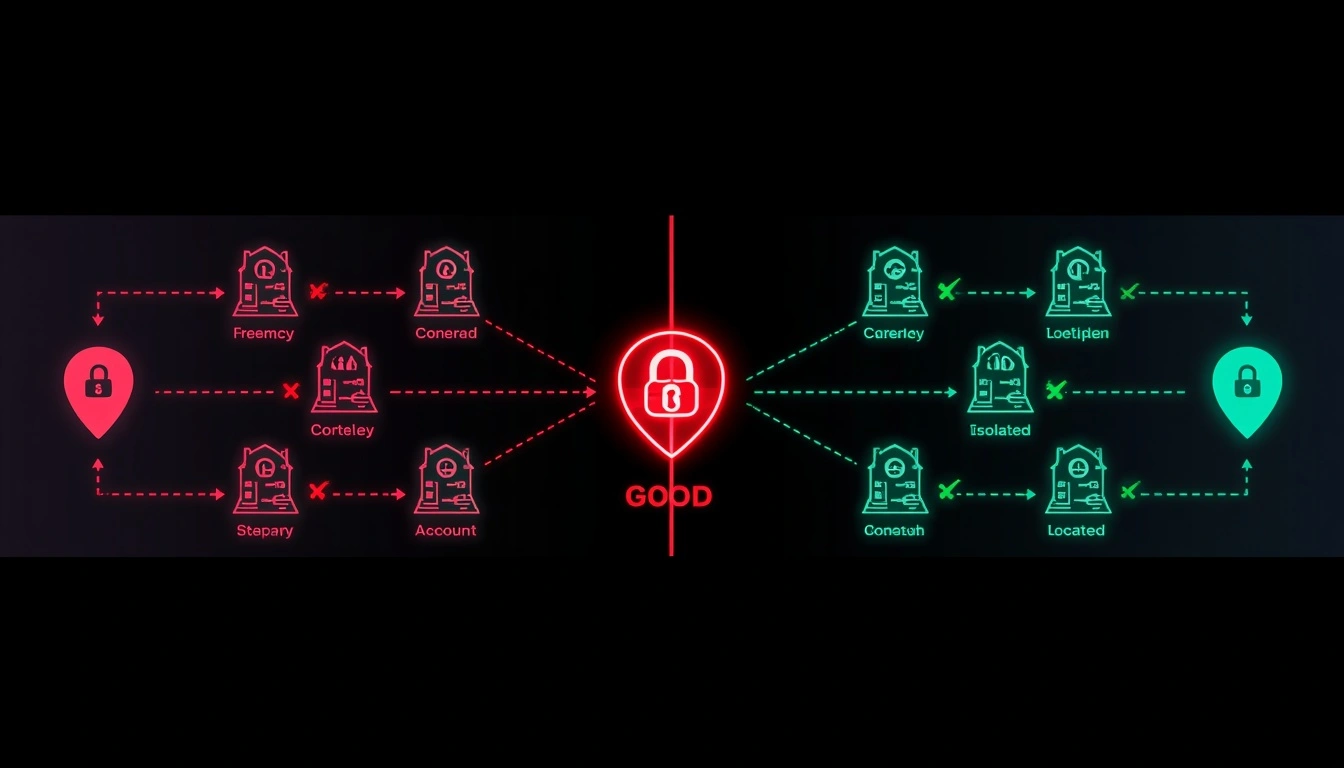
Two separate Venmo Business Profiles regularly accessed from the same IP address create a pattern that appears to be a single operator managing multiple accounts. Even if both profiles are fully verified and operating legitimately, the pattern can trigger additional verification requests, temporary holds, or access restrictions.
Access Setup | Risk Level | Detection Trigger |
Same IP, multiple accounts | High | Cross-account pattern match |
Same IP, different times | Medium | Behavioral clustering |
Distinct IPs, consistent geography | Low | Matches legitimate multi-entity use |
Distinct IPs, city-level match per account | Lowest | No detectable coordination signal |
The solution is straightforward but requires intentional infrastructure: each account needs a distinct IP with a stable, consistent geographic origin that matches its registration location. No mid-session IP switching. No shared subnets across accounts in the same operation.
Expert Insight: Financial platforms use the same IP reputation scoring and cross-account pattern analysis that social media and e-commerce platforms deploy. The detection logic is similar, and the fix is the same: clean, geographically stable, independently sourced IP access per account.
Why businesses choose CyberYozh in 2026
For freelancers, online sellers, agencies, and business owners managing Venmo workflows at scale, CyberYozh provides the infrastructure layer that keeps each account's access pattern clean, consistent, and distinct.
The platform's residential and mobile proxy network delivers the stable, location-accurate access that financial platform fraud detection expects from legitimate users. Sticky sessions ensure no mid-session IP switching. City-level targeting ensures each account connects from a geographic origin that matches its registration history. Subnet diversity ensures no two accounts share a detectable network origin.
What the platform provides:
Residential proxies: real ISP-assigned IPs matching the access profile of genuine users; rotating from $0.9/GB, dedicated static from $5.29/month
Premium LTE/5G mobile proxies: carrier-grade IPs with the highest trust baseline for financial platform access
Datacenter proxies: from $1.90/month for speed-sensitive lower-risk workflows
Sticky sessions: hold the same IP consistently through a full account session, preventing mid-session location switches that trigger security flags
City-level geo-targeting: match each account's IP origin precisely to its registered geographic location
Multi-account support: one isolated IP per account, each from a distinct network block, eliminating cross-account pattern detection
Full API access: integrate proxy management into automation and account management tools programmatically
Antidetect browser compatibility: works with AdsPower, Dolphin Anty, and other environments for full session isolation
99.99% uptime: connection drops during financial platform sessions create the same flags as location switches
Fraud and risk scoring tools: built-in IP and account quality checks before connecting
CyberYozh holds a 4.6/5 rating on Trustpilot with over 160 verified reviews from users across automation, multi-account management, and business operations workflows.
→ Set up clean, stable account access with CyberYozh: sign up
→ Check out CyberYozh proxy catalogue
What CyberYozh users say
Across Trustpilot, G2, and independent review platforms, CyberYozh users consistently highlight infrastructure reliability, clean IP pools, and the quality of support.
From G2 (verified user, marketing operations):
"From a marketing perspective, CyberYozh performs well in the areas that matter most: stability, coverage, and control. The residential and mobile proxies are reliable across different regions, which supports accurate market analysis, ad verification, and competitive research."
From G2 (verified user, automation workflows):
"CyberYozh supports automatic or manual IP switching, multiple proxy protocols including HTTP, HTTPS, SOCKS5, and UDP, and allows usage of real mobile-network LTE and 5G IPs. I forgot about connection problems completely."
From ProxyBros independent review:
"CyberYozh has a high public rating on Trustpilot, and fellow proxy users seem satisfied with the customer care. It stood out for how usable the proxies are and the trust tooling added on top of regular services."
From Caproxy community review:
"I chose CyberYozh primarily because of the reasonable prices and convenient website. No problems in the six months I've worked with them; I recommend them."
From SourceForge verified user:
"The services provided by CyberYozh have never disappointed me. So far, 5/5; keep it up."
The pattern across reviews is consistent: reliable performance at the advertised spec, transparent pricing without hidden multipliers, and support accessible via Telegram and email, with no extended wait times.