
What is Proxy TikTok 2026: What Works and What Gets You Banned
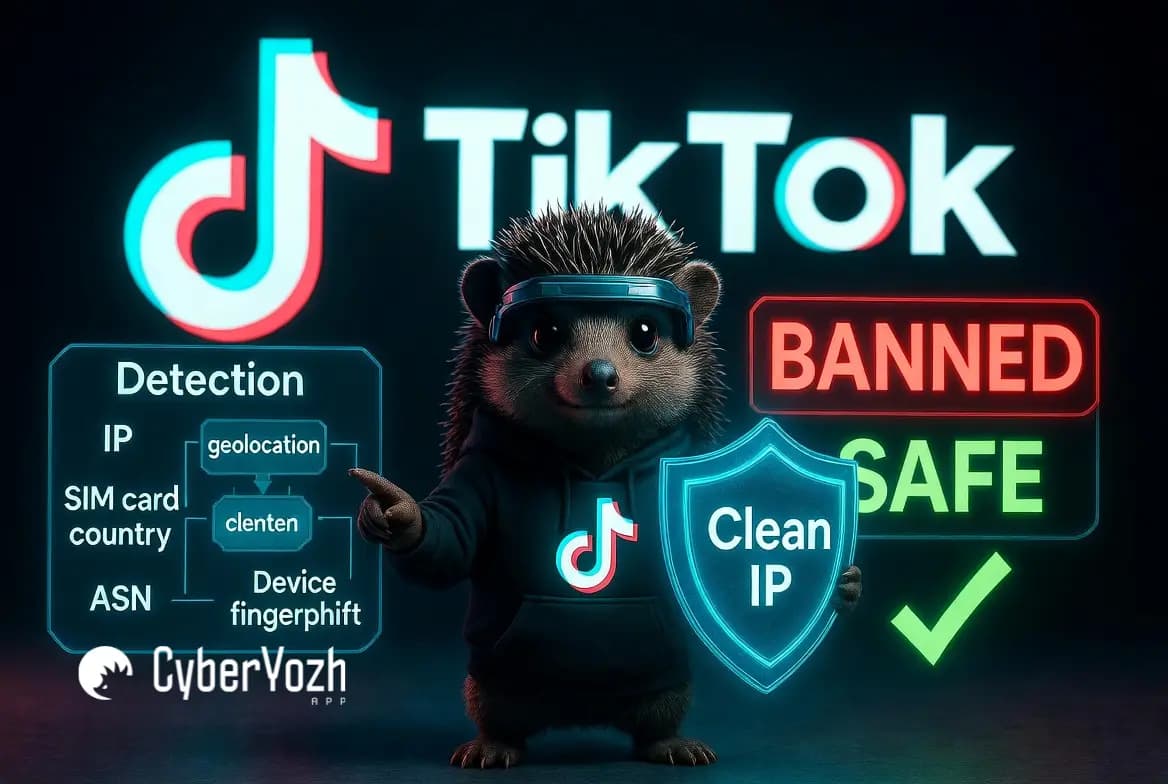
TikTok is known to have 1.9 billion monthly active users (MAUs) worldwide. Users face constant TikTok accounts getting flagged, your ads getting geo-blocked, or your scraping script hitting a wall after 200 requests; the problem almost certainly starts at the IP layer. Proxies fix that. But in 2026, TikTok's detection is layered enough that the type of proxy and the IP's reputation you start with matter as much as having one at all.
This guide covers what actually works, what quietly destroys accounts, and how to build a setup that doesn't collapse the moment TikTok updates its detection logic.
TLDR
TikTok cross-checks your IP address, SIM card country, and device fingerprint simultaneously; a proxy alone won't fool it. The quality of the proxy does
Residential and mobile LTE proxies are the only types worth using for accounts or TikTok Ads in 2026; everything else is a gamble.
Free proxies are actively dangerous: shared, flagged IPs that give TikTok a reason to ban your account before your first post.
Each TikTok account needs its own dedicated IP. Sharing one IP across accounts is the #1 reason coordinated networks get mass-banned
Phone verification still needs a real SIM; no proxy solves that
Always check the IP reputation before connecting any proxy to a TikTok account
What actually is a proxy TikTok
A TikTok proxy is an intermediary server between your device and TikTok's infrastructure. When your traffic routes through it, TikTok's servers log the proxy's IP address, not yours. That's the core mechanic. As MDN's networking documentation explains, proxies operate at the request level, forwarding your connection without exposing the originating device.
So visually: You → Proxy Server → TikTok
TikTok sees the proxy's location, ASN (the network block it belongs to), and IP reputation score. It doesn't see your actual city, your ISP, or your real IP. That gap, between what you are and what TikTok sees, is what proxies create.
Here's what this actually enables:
You can appear to be in South Korea while sitting in Berlin
You can run five TikTok accounts from five different IPs, each looking like a separate user
You can send scraping requests from hundreds of rotating IPs before TikTok rate-limits any one of them
Here's what it does NOT enable:
Proxies don't bypass phone verification; TikTok still sends an SMS to a real number
Proxies don't change your device fingerprint; your browser or app's hardware signals are separate
Proxies don't override TikTok's behavioral detection. If you follow 200 accounts in 10 minutes, that pattern gets flagged regardless of IP
Proxies don't guarantee your content performs better; the algorithm doesn't care where your connection originates.
Understanding that boundary, between what a proxy controls and what it doesn't, is the difference between using this tool intelligently and blaming the wrong thing when something goes wrong.
Why TikTok blocks IPs so aggressively in 2026
TikTok's trust score system for IPs has evolved significantly. In 2024, a residential IP was often enough to fly under the radar. In 2026, TikTok cross-references at least four signals simultaneously before assigning trust to a session.
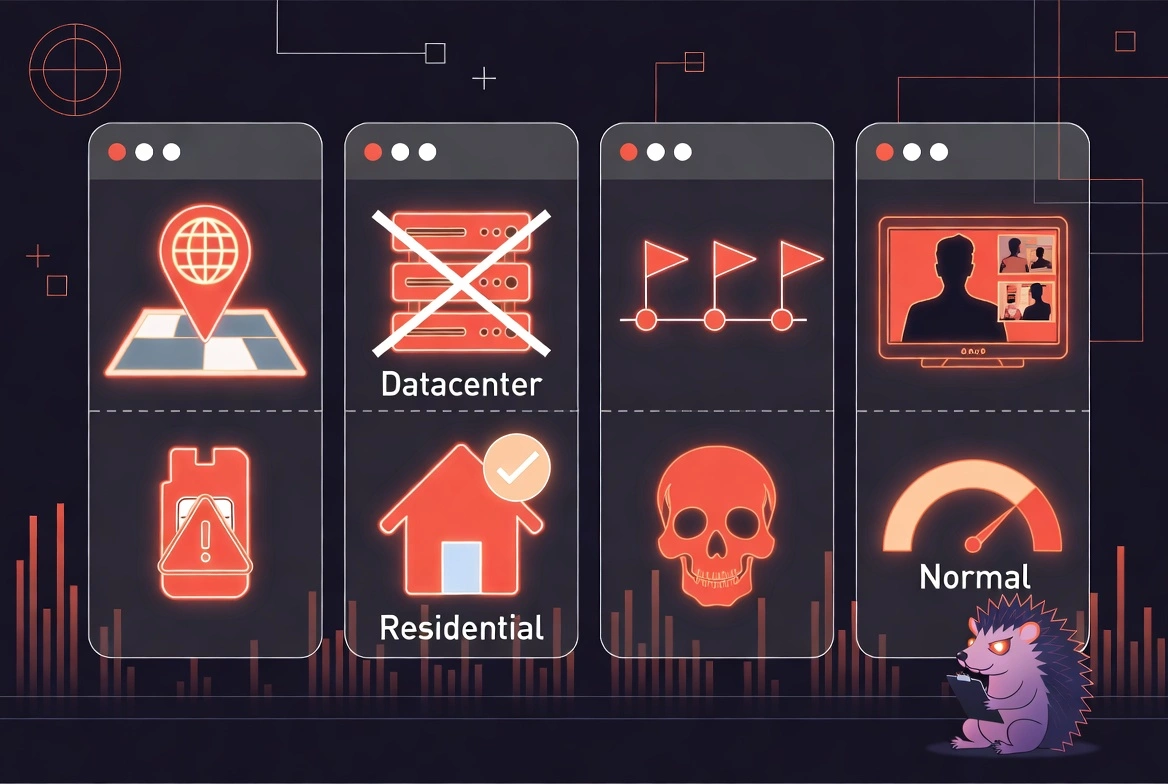
1. IP geolocation vs. SIM card country
On first login, TikTok checks whether your IP's registered country matches the country of the phone number used to verify the account. [Read about geo-targeting more]
A German SIM logging in through a US residential IP triggers an immediate mismatch flag.
This alone doesn't ban you, but it escalates the scrutiny on everything you do next.
2. ASN classification
Every IP belongs to an Autonomous System Number, a block operated by an ISP, carrier, or hosting company.
TikTok knows which ASNs belong to data centers (AWS, Vultr, DigitalOcean) and scores them as non-residential by default.
This is why a datacenter proxy IP in Chicago is treated differently from a residential Comcast IP in the same city, even if both geolocate to the same city.
3. IP reputation history
TikTok maintains internal blocklists.
If a given IP was previously used for spam, fake engagement, or credential stuffing, it carries that history.
You can buy a "clean" proxy from a provider who has no idea it was used to run a bot network last month.Cloudflare
Cloudflare's research on bot management shows how platforms use behavioral and IP-layer signals in combination; TikTok's approach mirrors this.
4. Behavioral patterns post-login
Even a perfectly clean mobile IP will get flagged if the account behind it follows 80 people in 20 minutes, loops the same FYP scroll pattern, or posts 12 times in two hours.
TikTok's Community Guidelines are explicit: artificial engagement amplification is prohibited regardless of how the connection is made.
5. Rate limiting on public endpoints
TikTok's public-facing API endpoints, such as public profile data, trending hashtags, and sound metrics, have significantly tighter rate limits in 2026.
A single IP can hit a limit ceiling within minutes during an aggressive scrape.
This forces anyone doing data collection at scale to rotate IPs properly, rather than using a single IP.
The common thread: TikTok doesn't ban IPs, it bans patterns. A good proxy gives you a cleaner starting position. What you do after logging in determines whether you stay there.
How CyberYozh gives you a real edge for TikTok proxies
The problem with that, specifically in TikTok's ecosystem, is that IP reputation carries over. An IP used by a bot farm last month arrives at your account, and TikTok is already suspicious. You log in, post twice, and wonder why your reach flatlined. The answer was baked in before you started.
CyberYozh's approach is infrastructure-first, which matters here because it removes the guesswork before it costs you an account.
Mobile LTE and 5G proxies:
These mobile proxies route using genuine carrier networks with real, SIM-assigned IPs, not emulated carrier pools but actual mobile carrier infrastructure.
From TikTok's ASN classification perspective, mobile carrier IPs are indistinguishable from a real user scrolling on their iPhone.
This makes them the highest-trust proxy type for TikTok account management, organic warm-up periods, and any workflow where you need the session to look exactly like a real person's.
Static residential ISP proxies:
These are fixed IPs assigned by real internet service providers, not shared rotating pools that cycle through hundreds of users.
For TikTok Ads Manager sessions, this matters: ad accounts that change IP mid-session trigger internal fraud reviews.
A static residential IP keeps the session anchored to a single address, which appears normal for a user.
Datacenter proxies:
Faster, cheaper, and the right tool for one specific TikTok use case: public data scraping.
When you're collecting trending sound data, hashtag performance metrics, or public creator stats, none of which require logging into an account, datacenter proxies handle the volume at a cost that makes sense.
Just don't use them for account management.
Fraud Score and IP reputation pre-check:
Before connecting any IP address to a TikTok account, you can run it through CyberYozh's fraud-scoring system.
This checks whether the IP carries abuse history, is listed on common blacklists, or shows signals that would make TikTok immediately suspicious.
It's the check that most people skip, and the reason accounts that should work don't.
Automation-compatible API:
The proxy API integrates directly with Playwright, Puppeteer, and Selenium, the standard toolchain for TikTok browser automation.
No configuration gymnastics required.
Proxies and SMS activation in one place:
TikTok requires phone number verification for new accounts. Instead of sourcing proxies from one vendor and virtual numbers from another, CyberYozh handles both.
Fewer vendors, fewer failure points, cleaner workflow.
None of this is magic. But knowing your IP is clean before you use it, and routing through infrastructure that TikTok doesn't already distrust, removes the most preventable causes of account failure.
5 real ways people use TikTok proxies in 2026
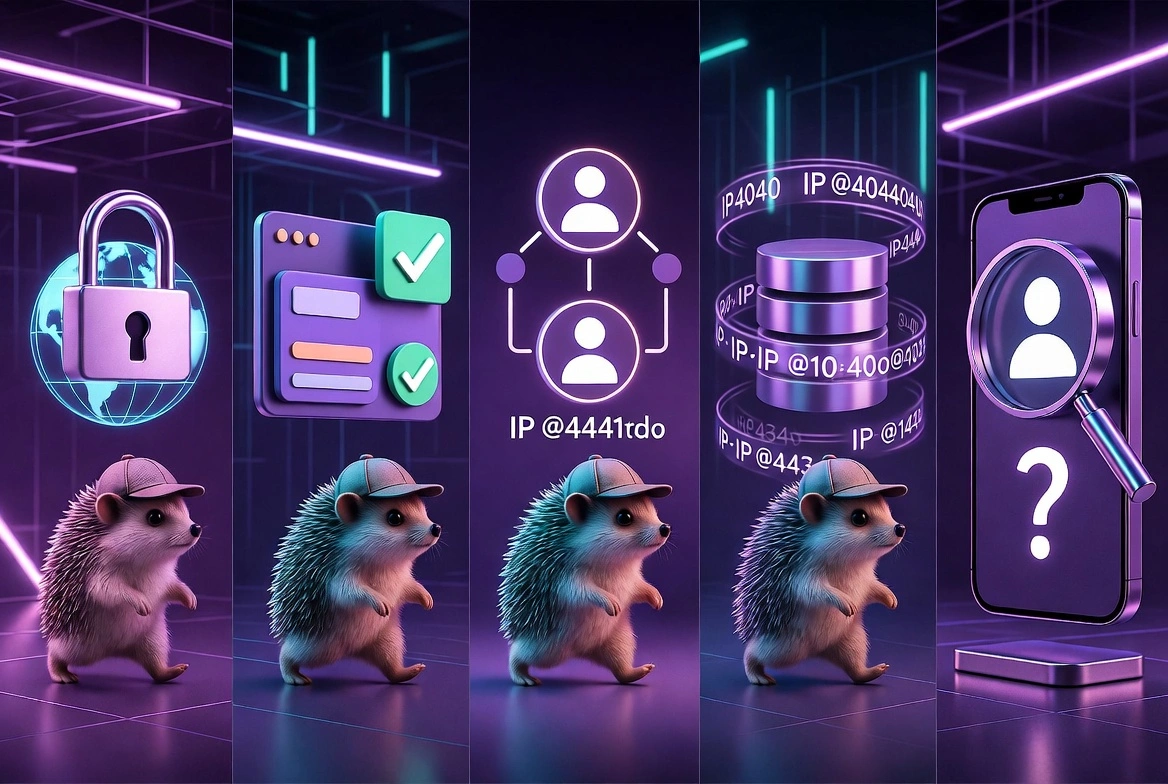
1. Access region-locked TikTok content and trends
What's trending in Japan this week has nothing to do with what's trending in Brazil.
The algorithm feeds you content based on the country assigned to your IP address, not your language settings or preference history.
For market research teams, content strategists, and brands planning cross-market campaigns, this creates a real visibility problem. You can't see what you're competing against if TikTok won't show it to you.
A residential proxy in the target country gives you access to that region's actual FYP, what sounds are taking off, which formats are working, and which creators are growing fast.
2. Run TikTok ads in markets with IP restrictions
TikTok Ads Manager applies geo-verification at the account level.
Advertisers in certain countries hit friction when trying to access ad accounts registered for other markets, and some markets require an IP match to even load the dashboard correctly.
Legitimate advertisers who operate across borders, such as those running campaigns in the US from a team based in Southeast Asia, use residential proxies from the target market to navigate this smoothly.
This doesn't bypass TikTok's advertiser verification requirements.
Business documentation, payment methods, and account verification still need to comply.
The proxy only removes the IP-layer friction that would otherwise block dashboard access entirely.
3. Manage multiple TikTok accounts without getting them linked
TikTok's anti-fraud system tracks IP co-occurrence; if Account A and Account B both log in from the same IP address within a session window, TikTok clusters them as related.
This alone doesn't trigger a ban. But if either account does something problematic, the cluster gets reviewed together.
The correct setup: one dedicated IP per account, ideally residential or mobile, with session behavior that looks consistent across accounts (same login times, similar content-interaction patterns, gradual growth).
I've seen agency setups collapse when two accounts shared an IP address for a day during a VPN outage.
A proper warm-up period matters too.
4. Scrape public TikTok data for competitive research
Public TikTok data, creator follower counts, post engagement rates, trending sound usage, and hashtag view volumes are legitimately useful for market research, competitive analysis, and academic study.
None of it requires account access. It's all publicly visible.
The technical challenge is scale.
TikTok's rate limiting will block a single IP within minutes of high-volume requests.
Rotating datacenter proxies, combined with sensible request throttling, let researchers pull this data sustainably without getting the entire IP range blocked.
The legal landscape here is worth noting: scraping publicly available data has been affirmed as generally permissible in US courts, though individual platform terms of service add complexity. Know your jurisdiction and use case before building a large scraping operation.
5. Diagnose shadowbans and regional suppression
If your post views have suddenly dropped to near zero, the cause could be algorithmic (poor content signals), behavioral (your account got flagged), or geographic (your content is being region-suppressed).
You can't tell which without checking.
Loading your account from a proxy in a different country lets you see whether your content is visible to users in that region.
If it's visible in Japan but invisible in the US, that tells you something specific about regional suppression rather than a blanket shadowban.
That's actionable diagnostic information, and you can't get it without a different IP.
The real cost of free TikTok proxies
Free proxies feel like a clever shortcut.
A free proxy is an IP address that an unknown number of people have used before you.
Some of those people were running spam bots.
Some were doing credential stuffing attacks.
Some were running fake engagement services.
TikTok has seen it all and flagged the IP accordingly.
When you log in to TikTok from that IP, you're not treated as a new user. You're arriving with all of their behavioral history attached to the network address. TikTok's detection system doesn't know you specifically; it knows your IP address. And that IP's reputation is already compromised.
The concrete outcomes:
Immediate CAPTCHA challenge on login (the IP is already suspicious)
Accelerated account review on newly created accounts
Suppressed content reaches even when the account itself hasn't done anything wrong
In high-risk IP cases: account lock on first login requiring identity verification
There's also the data risk, which is distinct from the ban risk. Free proxy operators log traffic. If you authenticate into TikTok through a free proxy, the operator can intercept your session token. That's a documented attack pattern, not a theoretical one.
If you need to access a geoblocked TikTok just to browse it once, a free proxy might technically work for 10 minutes. If you're doing anything involving a real account, any account, a burned shared IP is actively dangerous. The cost of losing an account with history, content, and audience is always higher than the cost of a clean proxy.
How to set up a proxy for TikTok: A practical walkthrough
This is the section competitors have but usually get wrong; they show you system-level proxy settings and call it done. That's not how TikTok account management actually works.
For TikTok browser access (research/scraping):
The simplest setup routes your browser through the proxy.
In Chrome or Firefox, you can configure a proxy manually in network settings, or use a browser extension that supports authenticated proxies (username/password).
For automation, Playwright's built-in proxy configuration handles this cleanly at the browser context level, so each browser instance can have its own proxy without affecting others.
For TikTok account management:
System-level proxy settings apply the proxy to all apps on the device, which is not what you want when you're isolating accounts.
The right approach is an anti-detect browser with per-profile proxy assignment; each profile gets its own IP, its own cookie store, and its own browser fingerprint.
This is what device fingerprinting isolation actually means in practice: you're not just changing the IP, you're creating distinct browser environments per account.
For TikTok ads manager sessions:
Use a static residential proxy for the country matching your ad account. Configure it at the browser level, not the system level.
Keep sessions consistent, log in from the same IP each time.
If your proxy rotates automatically, switch it to sticky session mode with a long rotation window (minimum 6–12 hours).
Warm-up protocol for new accounts:
Days 1–3: Log in once per day, watch 20–30 videos, do nothing else
Days 4–5: Start liking content, follow 3–5 accounts per day
Day 6+: Begin posting, one video at a time, spaced naturally
Never exceed natural engagement rates in the first two weeks
Free TikTok proxy vs. paid proxy: The numbers that make the decision simple
| Free Proxy | Datacenter | Residential | Mobile LTE |
|---|---|---|---|---|
IP reputation on arrival | Unknown /likely burned | Clean but flagged as DC | Clean, ISP-assigned | Clean, carrier-assigned |
TikTok trust score | Low | Low-Medium | High | Highest |
Session stability | Poor | High | High | High |
Safe for account login | No | No | Yes | Yes |
Safe for ad accounts | No | No | Yes | Yes |
Safe for scraping | No | Yes | Yes | Yes |
Data security | None | Yes | Yes | Yes |
Cost | $0 | Low | Medium | Higher |
CyberYozh | $0 | $1.9/month | $5.25/month | $1.7/day Unlimited traffic |
The math here is straightforward. An account that took six months to build, audience, content, and brand partnerships, is worth more than the $15–30/month that separates a free proxy from a reliable residential one. Loss aversion is a well-documented cognitive pattern for good reason: the pain of losing something already built is measurably greater than the equivalent gain. Apply it here.
Final take: Should you use a proxy for TikTok
If you're a single-account casual user, almost certainly not. A standard connection works fine, and adding a proxy without understanding IP reputation, warm-up periods, and session behavior just introduces risk you didn't have before.
The part that determines whether your TikTok operation survives isn't which proxy provider you use. It's about whether the IP you start with is clean, whether you warm accounts properly, and whether your behavioral patterns look like a real person's. Get those right, and a good residential or mobile proxy infrastructure handles the network layer cleanly.
CyberYozh's value in this stack is specific:
Clean IP starting point (fraud score pre-check),
Carrier-grade mobile infrastructure that TikTok trusts at the ASN level,
Session-stable residential IPs for ad accounts,
SMS activation alongside proxies so your stack isn't spread across four vendors.
That's not a pitch; it's what the infrastructure actually does, and it's the part of the TikTok proxy setup where the most preventable failures happen.