
Gmail Creator Online: 3 Free Ways to Get New Gmail Addresses (2026)

You need a fresh email address for a newsletter, a free download, or a one-off sign-up, and you don’t want your main inbox buried in promotions or your real details sold. That’s usually when people search online for a Gmail creator.
Here’s what most guides won’t tell you: you already own an unlimited supply of new Gmail addresses, and you can turn them into an early-warning system for spam and phishing. This guide shows you how, explains when temp Gmail sites are (and aren’t) safe, and covers the one detail no email trick can hide.
Quick answer
The best Gmail creator online is Gmail itself. Add dots to your username (john.smith@gmail.com) or a plus tag (johnsmith+shop@gmail.com) to get new addresses that all land in your inbox, free and permanently. Temp Gmail sites suit one-off confirmations but aren’t private. For sign-ups that ask for a phone number, use a virtual number.
TL;DR
Gmail ignores dots in personal usernames, so every dotted version is yours
A “+tag” gives you unlimited addresses you can filter, block, or bulk delete
Give each website its own tag, and you’ll spot leaks and fake emails instantly
Temp Gmail inboxes belong to someone else, so treat them as public
Email tricks don’t protect your phone number, card or IP address
What is a Gmail creator online
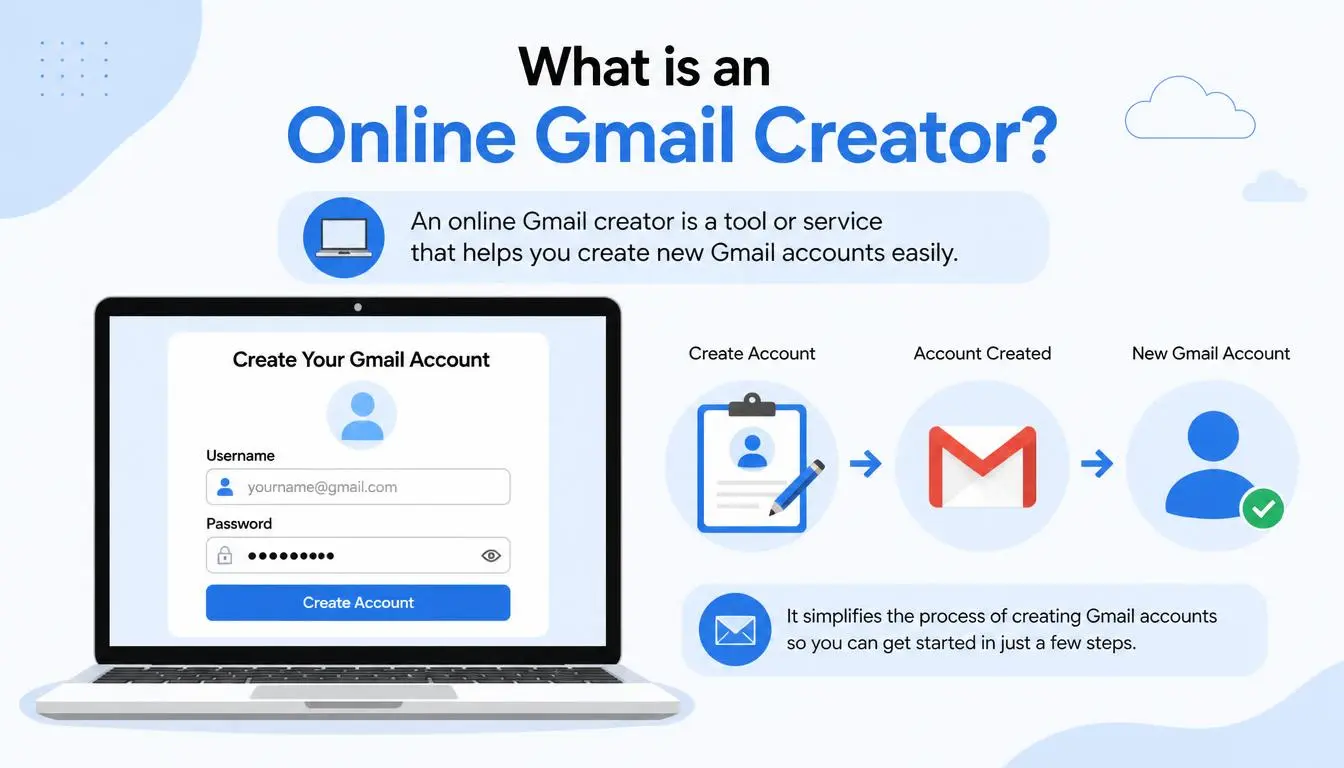
A Gmail creator online is any tool or method that quickly gives you a new Gmail-style address. It usually means one of two things:
An alias generator that lists dot and plus versions of your own Gmail address. Mail to any version still reaches your inbox.
A temp Gmail site that gives you a disposable, Gmail-style inbox it controls for one-time use.
Want a completely separate Google account instead? That’s a different job, and our guide on how to make multiple Gmail accounts walks you through it.
Method 1: the Gmail dot trick
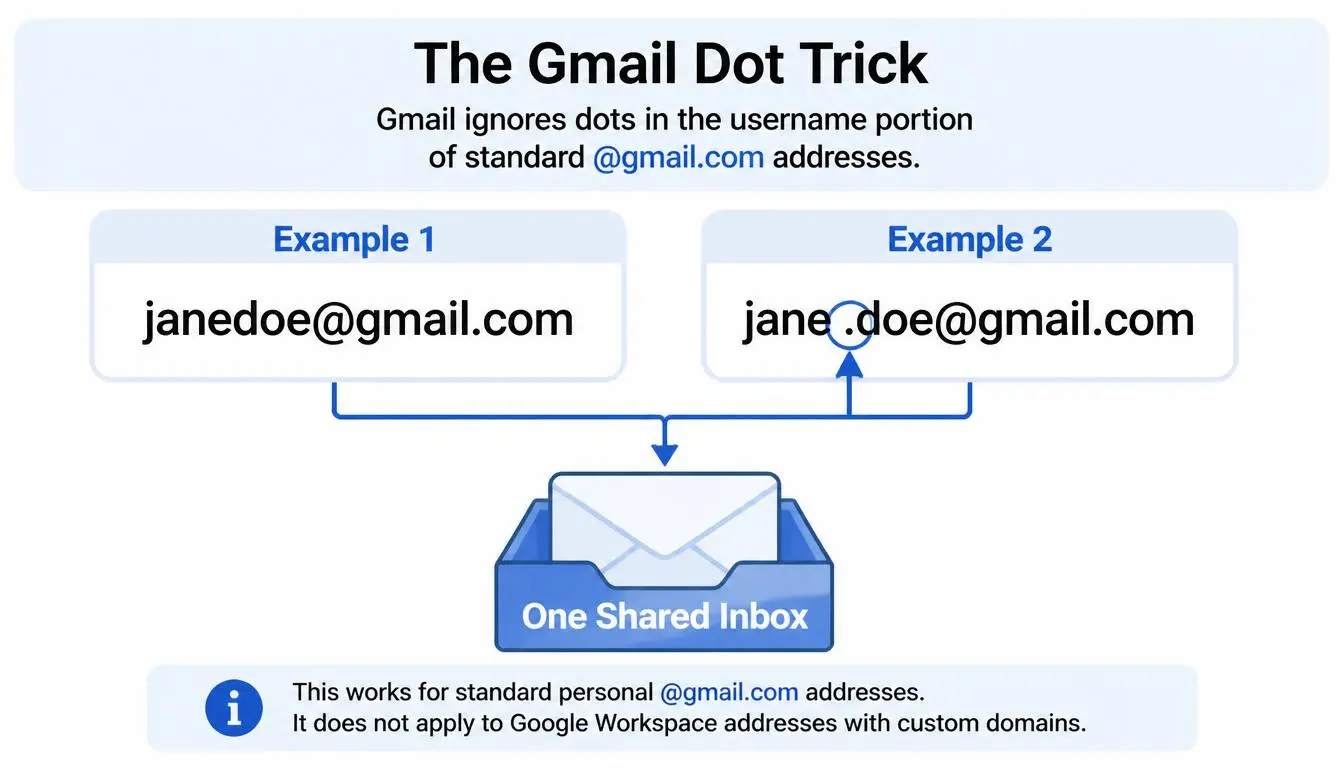
Gmail doesn’t read dots in personal addresses. According to Google’s Gmail Help, if your email is johnsmith@gmail.com, “you own all dotted versions of your address,” and nobody else can register them.
Address | Where it goes |
johnsmith@gmail.com | Your inbox |
john.smith@gmail.com | Your inbox |
j.ohn.smith@gmail.com | Your inbox |
j.o.h.n.s.m.i.t.h@gmail.com | Your inbox |
How many can you make? Each gap between letters can hold a dot or not, so a username with n letters has 2ⁿ⁻¹ versions. An eight-letter name already gives you 128.
Watch out: the dot trick only works on personal @gmail.com addresses. Google notes that on work or school accounts, dots do change the address.
The dark side of the dot trick
Because dotted versions all reach you, scammers can use them against you. In 2018, software engineer James Fisher described how a scammer opened a Netflix account with a dotted version of his Gmail address. Netflix’s genuine billing emails then landed in his inbox; he assumed they were about his own account, and he entered his card details. The only clue was that the email was addressed to “james.hfisher” instead of “me.”
Google’s help page warns about the same risk: people can use a dotted version of your address to sign you up for things.
Common mistake: Ignoring the “To” line. If a billing or security email is addressed to a dotted version you never gave out, don’t click anything. Go directly to the company’s website.
Method 2: plus addressing
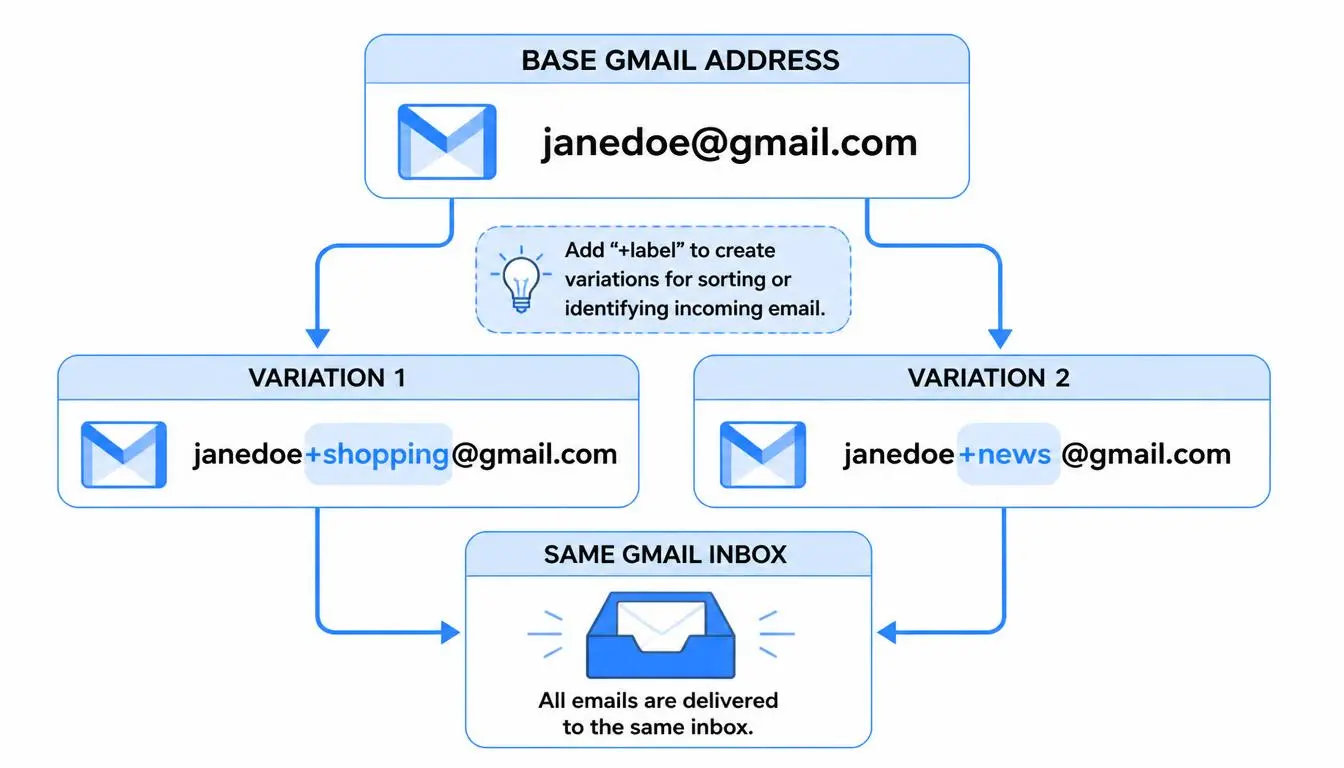
Add a plus sign and any word before the @, and Gmail still delivers the email to you. Google’s own Workspace help suggests examples like name+news@ for newsletters and name+urgent@ for priority mail.
johnsmith+shopping@gmail.com for online stores
johnsmith+newsletters@gmail.com for subscriptions
johnsmith+travel@gmail.com for bookings
How to create Gmail aliases in 3 steps
Pick a tag for the website or purpose, such as +amazon or +deals.
Use the tagged address when you sign up.
Create a filter: in Gmail’s search bar, type to:johnsmith+deals@gmail.com, open the search options, click “Create filter,” and choose to label, archive or delete those emails automatically.
Turn your aliases into a phishing alarm
This is where free extra addresses become a real security tool, and almost nobody uses them this way.
Give every important website its own tag: +bank, +paypal, +amazon. Now every email tells you who it was really sent to. If a message claiming to be from your bank arrives at your +shopping address, it’s fake, because your bank never had that address.
That matters. The US Federal Trade Commission reports that email was the top method scammers used to contact people in 2024. A tag mismatch is one of the fastest warning signs, and it costs nothing.
Pro tip: Keep a simple note of which tag you gave to which site. When spam starts arriving at +deals, you’ll know exactly which company leaked or sold your address.
How to block an email address in Gmail
When a tagged address starts attracting spam, block the senders behind it. According to Google’s Gmail Help, on a computer you:
Open an email from the sender.
Click More (the three dots next to Reply).
Choose Block “sender name.”
Future emails from that sender go straight to spam. To undo it, go to Settings, then See all settings, then Filters and Blocked Addresses.
How to delete Gmail emails in bulk
To clean out everything a leaked alias has collected:
Search for to:johnsmith+deals@gmail.com.
Tick the select-all checkbox at the top.
Click “Select all conversations that match this search,” then Delete.
This bulk delete option works in Gmail on a computer. The mobile app only selects the emails on your screen. To stop new mail too, turn the search into a filter that deletes it automatically, and the alias is effectively switched off.
Method 3: temp Gmail and temporary Gmail sites
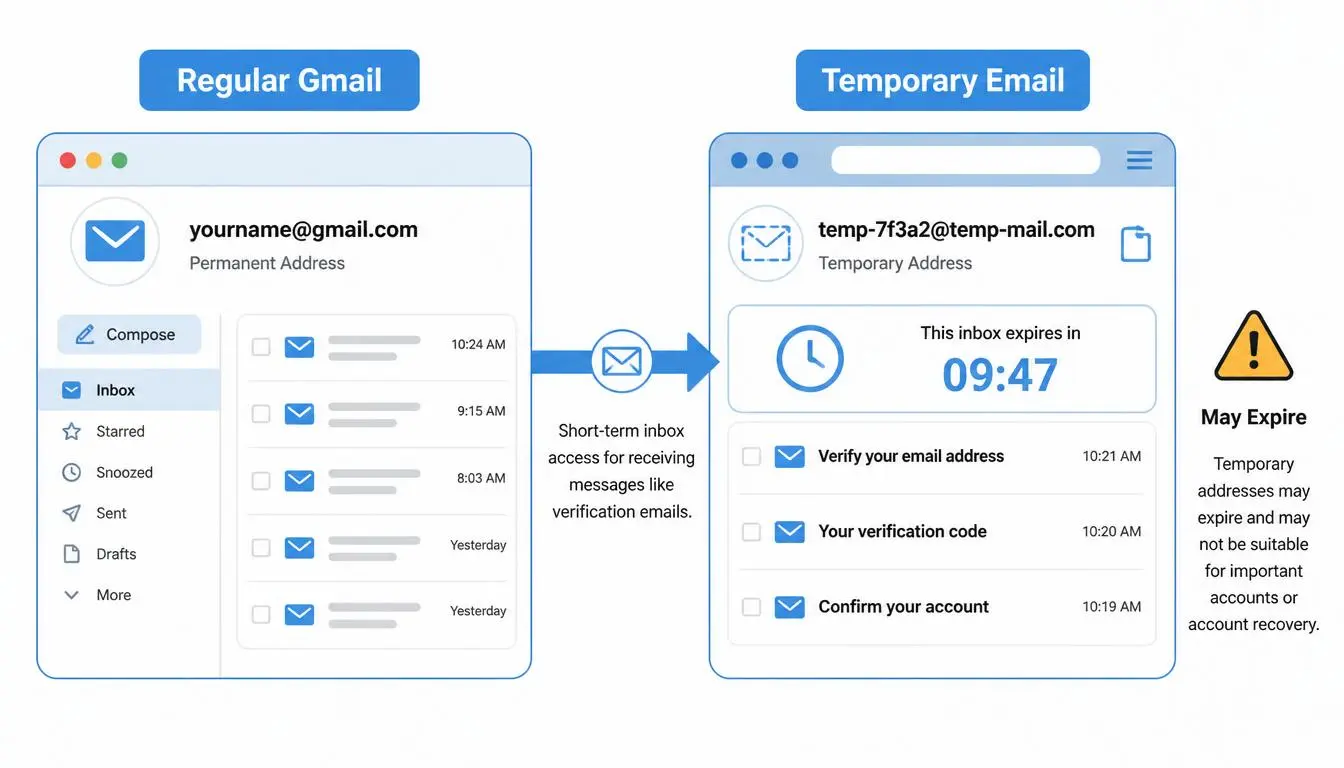
Temp Gmail sites hand you a ready-made Gmail-style address and show its inbox in your browser. They’re handy when you need a confirmation link and never want to hear from that site again.
But understand what you’re using. An address ending in @gmail.com always belongs to a real Google account, and with a temp Gmail site, that account belongs to the site, not to you. To generate thousands of addresses, many of these sites use the same dot-and-plus tricks on accounts they own.
That creates real trade-offs:
Not private: the site controls the inbox, and anyone who knows or guesses the address may be able to read it
Short-lived: addresses can disappear within minutes or days
No recovery: anything you register with a temporary Gmail account is lost when the address goes
Often blocked: many websites reject known disposable addresses
Use temp Gmail for: a one-time download, a single confirmation link, testing a newsletter.
Never use it for: banking, work, shopping accounts you’ll keep, or anything with personal data.
Which Gmail creator method should you use
Method | Cost | Private? | Lasts | Best for |
Dot trick | Free | Partly (links back to you) | Forever | Quick extra addresses |
Plus addressing | Free | Partly (links back to you) | Forever | Tracking leaks, filtering, phishing checks |
Temp Gmail site | Free | No | Minutes to days | One-off confirmation links |
Second Google account | Free | Yes, separate inbox | Forever | Work, projects, a separate identity |
Protect the rest of your sign-up: phone, payment and IP
An email alias protects your inbox, but most sign-ups ask for more. A phone number is the big one: it’s tied to your name, it’s hard to change, and once it’s in a marketing database, the texts and calls follow. Free “receive SMS online” sites aren’t the answer, because they post the same public numbers for everyone, so strangers can see your codes and the numbers are often already used up.
CyberYozh gives you private alternatives for each layer, all in one account:
Phone: virtual numbers from $0.02 for one-time verification, covering 140 countries and 700+ services. If no SMS arrives, the money goes back to your balance.
Stricter services: residential numbers from real internet providers, from $0.49, for sites that reject virtual numbers. You can check a number’s fraud score before you use it.
Payment: virtual cards issued instantly in the app, with per-card spending limits and the option to pause or cancel subscriptions. Your main card never touches a site you don’t trust, which is exactly what the Netflix dot scam exploited.
Network: the free CyberYozh IP checker shows what your IP address reveals about your location and provider.
Support you can reach: live help from 08:00 to 22:00 GMT, rated 4.7+ “Excellent” on Trustpilot.
How it works: choose a country and service, copy the number into the sign-up form, and the code appears in your CyberYozh dashboard. No code, no charge.
Good to know: One-time numbers suit sign-ups you won’t need to recover. For any account you want to keep, use a number you control, because a temporary number can’t receive future recovery codes. Check each website’s rules too, as some don’t accept virtual numbers.
Stuck on Google’s own phone check when creating a Gmail account? Our guide to using a virtual phone number for Gmail covers that.
What a Gmail creator online can’t do
Some sites promise “bulk Gmail creator” or “Gmail account creator bot” tools that churn out hundreds of Google accounts. Google’s Gmail Program Policies state that you’re “not allowed to create Gmail accounts by automated means,” and Google may disable accounts that break its rules, along with anything connected to them. If you need a few genuine extra accounts for work or projects, create them yourself through Google’s normal sign-up.
The bottom line
You don’t need a sketchy tool to get new Gmail addresses. Gmail’s dot trick and plus addressing are the most reliable Gmail creator online: free, instant and permanent. Tag each site, and your inbox doubles as a leak tracker and phishing alarm. Save temp Gmail for throwaway confirmations, and protect the rest of your sign-ups, starting with your phone number.
Protect your next sign-up. Get a CyberYozh verification number in seconds, from $0.02, with an automatic refund if the code doesn’t arrive.