Roblox IP Ban: What It Really Means and How to Get Back In
Locked out of Roblox and told it's an "IP ban"? Before you try anything, find out what kind of ban you actually have. Many so-called Roblox IP bans are actually a game creator ban, a connection error, or a mistake caused by a shared network, and each has a different, legitimate fix.
Quick answer: Is a Roblox IP ban real
Roblox doesn't officially mention "IP bans" anywhere in its rules or Help Center. It does document account bans, terminations, and enforcement against accounts used to avoid an earlier ban. Roblox's systems use signals like your IP address and device, which is why people on the same Wi-Fi are sometimes affected together. The safe way back is to identify your ban type, then appeal through Roblox or the game's creator.
TL;DR
Check the error code first: some "bans" are game-level bans or connection errors
Roblox appeals must be sent within 30 days (6 months in the EU), and each action can be reviewed only once
Shared Wi-Fi, school networks, and mobile carriers can link unrelated players
Experience (game) bans are appealed to the creator, not Roblox
Using a VPN or a new account to get around a ban breaks Roblox's rules and can get every linked account terminated
Does Roblox IP ban players: what Roblox says
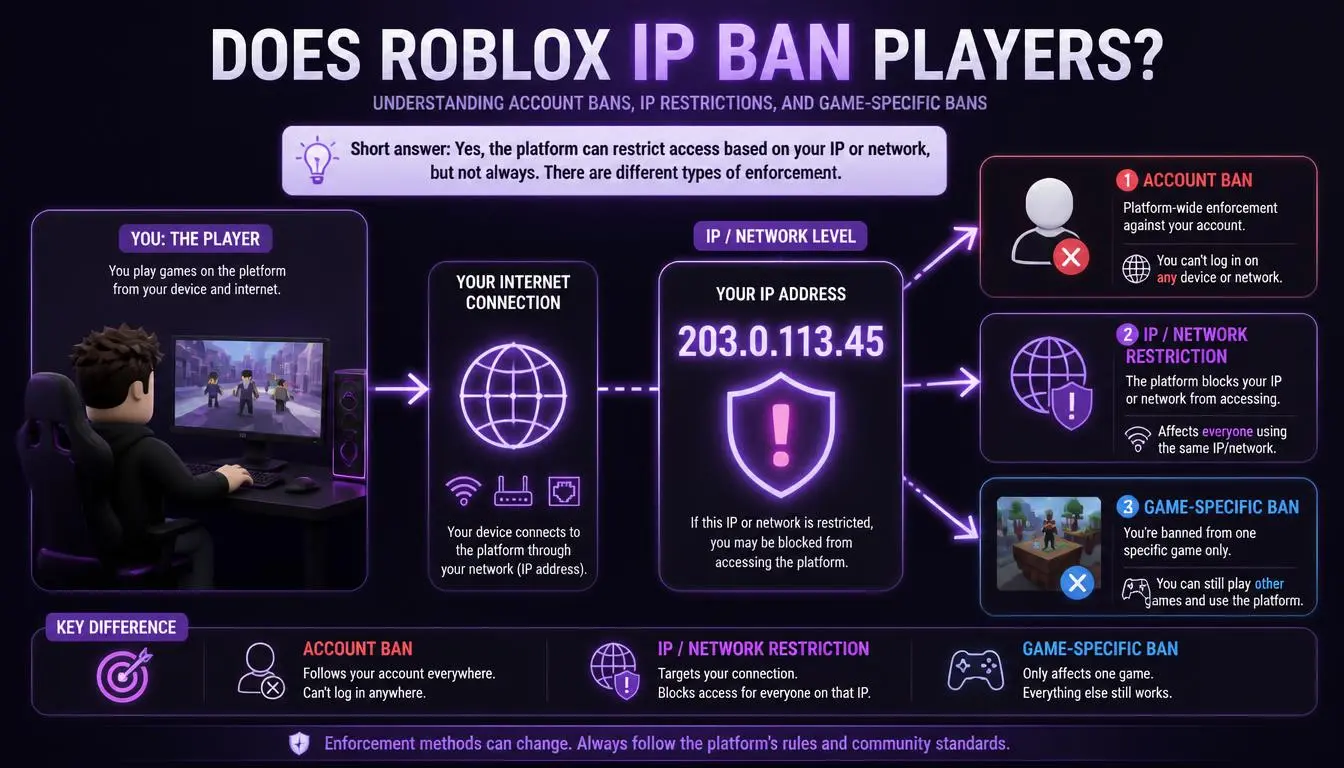
The phrase "Roblox IP ban" comes from players, not Roblox. Roblox's Terms of Use say it can "terminate or suspend" accounts, "including by suspending or terminating any alternate account(s) you create or have created."
Roblox's Community Standards also list these as violations:
"Creating or using an account to avoid enforcement action taken against another account."
"Using VPNs to mask your location in order to gain unauthorized access to Roblox, including to a specific feature or account." Roblox Community Standards
So when players talk about a Roblox IP ban, they usually mean one of two things: an account ban that seems to follow them to new accounts, or an "enforcement ban" where Roblox has linked their account to another banned one. Roblox uses signals such as IP address and device information to make those links.
Key point: You don't fix a Roblox IP ban by changing your IP. You fix it by finding out which account action caused it and appealing that.
Roblox IP ban or something else: Check your error first
Many messages that feel like a ban aren't Roblox account bans. Match what you see:
What you see | What it means | What to do |
Error 267 or 600 | Banned from one game by its creator | Contact the game's creator |
Error 403 | The Roblox app failed to start properly | Disable VPNs and browser extensions; reinstall |
Error 268 | Network or software conflict, often antivirus | Check your connection and security software |
Error 277 or 279 | Connection to game servers failed | Restart your router; try another network |
Error 524 | No permission to join that game or server | Check private server access and age settings |
Ban notice on login | A Roblox account action | Appeal through Roblox (steps below) |
Roblox is clear about creator bans. Its help article for error 267 says the ban "is not issued by Roblox. You can still access other experiences and features on the platform." It adds that Roblox Support can't remove these bans for you.
How long does Roblox IP ban last
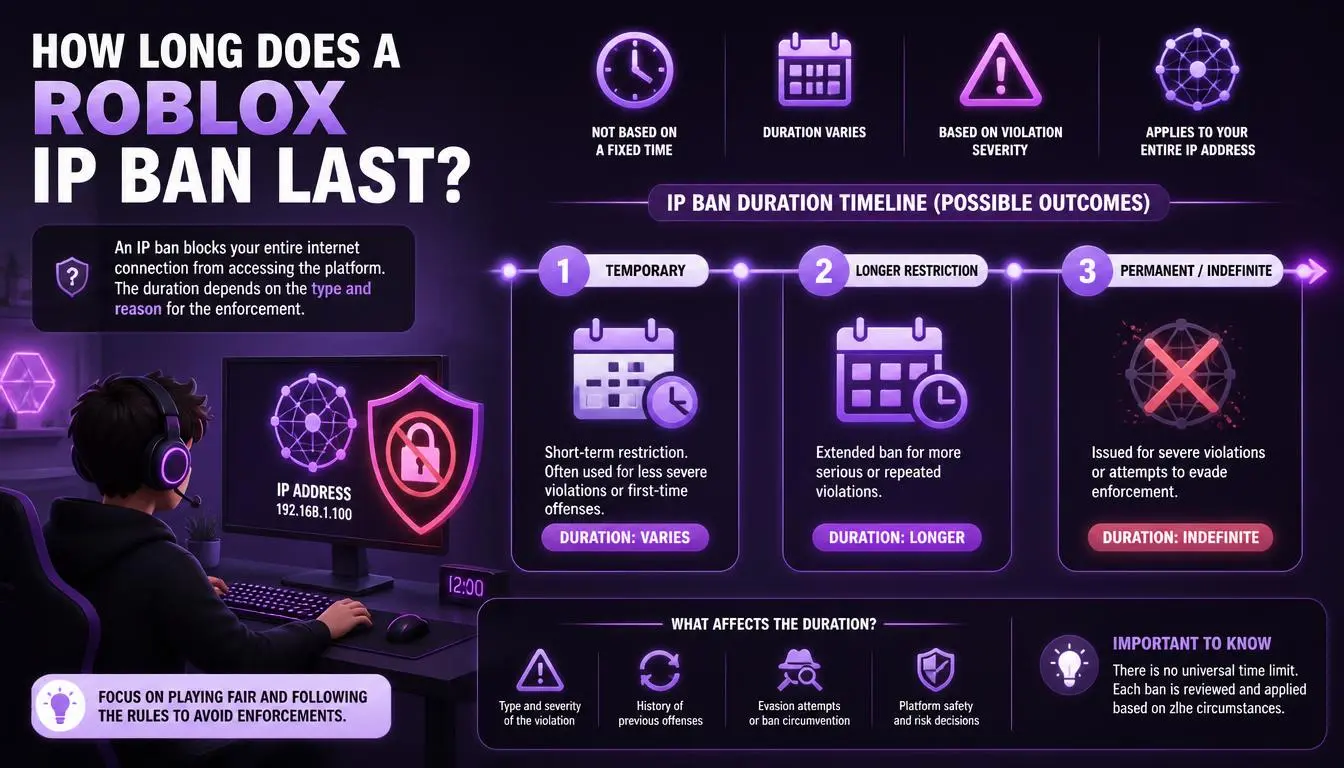
Roblox doesn't publish fixed ban lengths. Your ban notice shows the exact duration, from a warning or short suspension up to permanent termination. Roblox's transparency page notes that "repeated violations of our policies may increase the severity of consequences."
Game creators set their own ban lengths. Since 2024, Roblox has given creators a Ban API that can also automatically ban suspected alternate accounts. Roblox's announcement admits the system isn't perfect: "alt accounts may slip through," and it's "fine-tuned to minimize false positives." That last point matters if you were never involved.
Can u get IP banned on Roblox because of shared Wi-Fi and school networks
This is the most stressful situation, and it's more common than most guides admit. Siblings on one home connection, students on a school network, and friends sharing a hotspot can all appear connected.
Internet providers often place many customers behind one public IP address, a practice called CGNAT. Cloudflare explains the risk plainly:
"An IP-based security system may inadvertently block or throttle large groups of users as a result of a single user behind the CGNAT engaging in malicious activity." — Cloudflare
Players on Roblox's developer forum report the same pattern, including entire families hit after one sibling's ban. Roblox staff have restored wrongly actioned accounts in some cases, saying the team is "working on improving the accuracy of our moderation processes."
What to do if you were caught by a shared network:
Write down who else uses your connection and whether one of them was banned.
Find your public IP and internet provider. Our guide to how internet service providers assign IP addresses explains why many homes can share one address.
Include these facts in your appeal (see below), clearly and calmly.
Gather facts for your appeal. The CyberYozh IP checker shows your public IP's provider, location, and whether it appears on blacklists. That helps you explain a shared or flagged network in your appeal, without changing anything about your account.
How to get unbanned from Roblox: Step by step
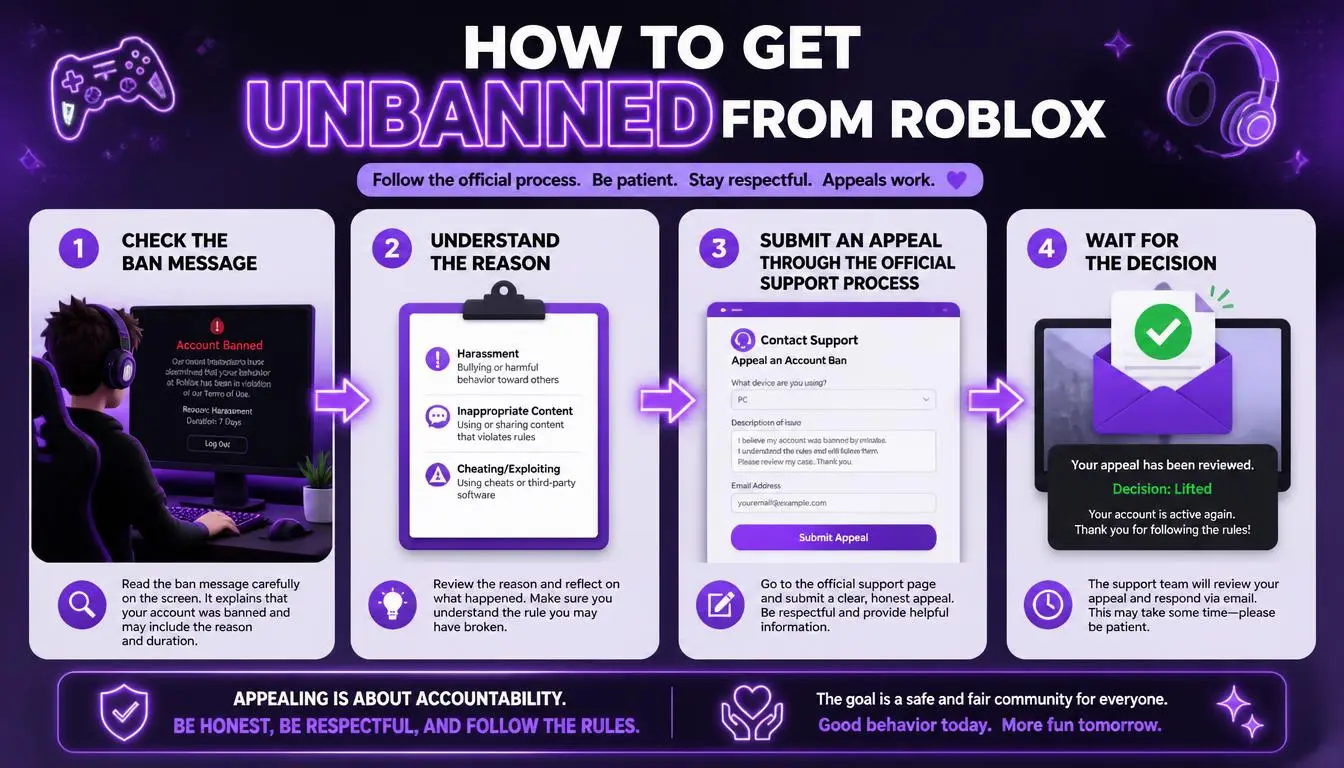
Roblox offers two routes, and your moderation notice tells you which to use.
Act within the deadline. You must submit appeals within 30 days of the action. Users in the EU have 6 months.
Use the right channel. Log in, open the Violations & Appeals page, select the action, and choose Appeal. If that isn't available, use the Roblox support form from the email address linked to the account.
Write one clear appeal. Roblox reviews each action only once, and it won't review duplicate appeals, so get it right the first time.
Stick to facts. Include your username, the date of the action, and a short explanation, such as a shared network or a sibling's separate account.
Wait, and don't create new accounts. Making another account while an appeal is open can be treated as ban evasion.
A simple appeal structure:
Your username and the date of the ban
What you believe happened, in one or two sentences
Any shared-network details (school, family, public Wi-Fi)
A polite request for review
Common mistake: Sending several angry appeals. Roblox reviews each action once, so one calm, specific appeal works better than many emotional ones.
Roblox IP bans from one game: Contact the creator
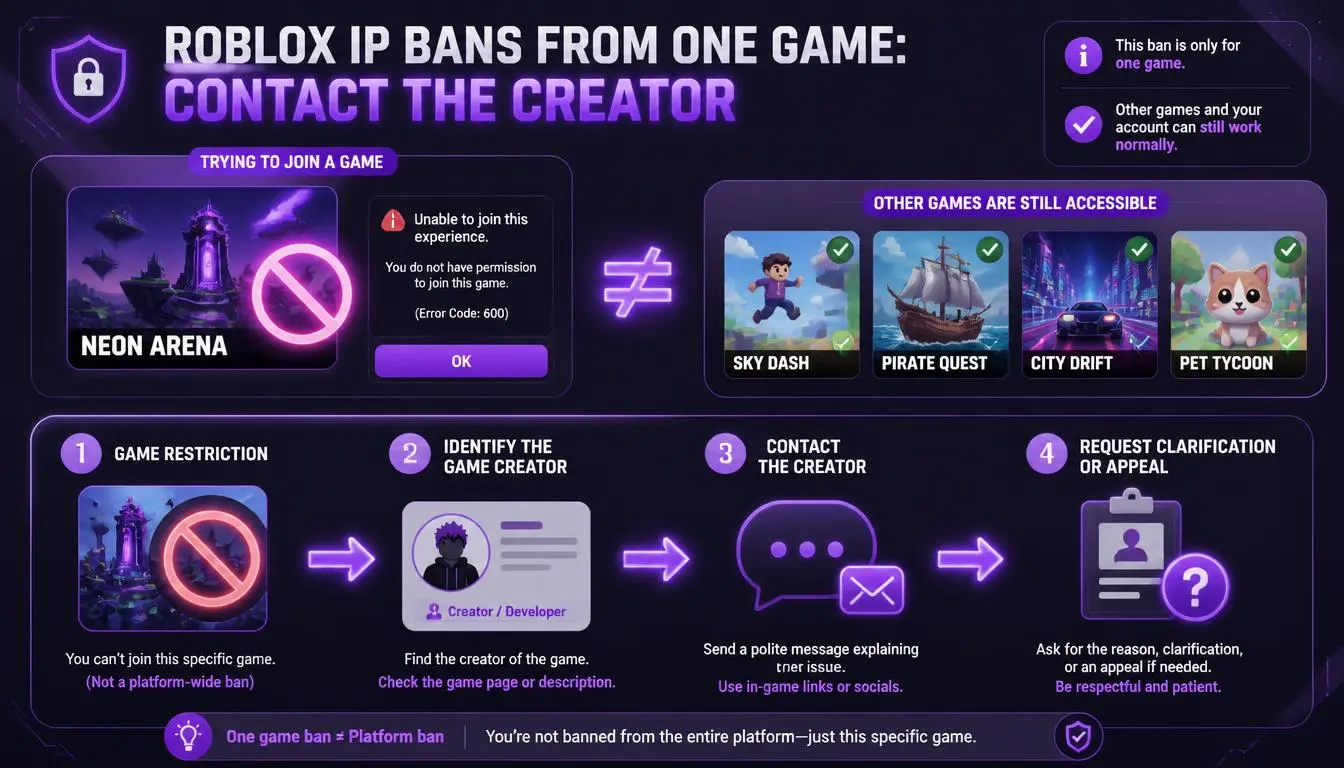
If your error says you're banned from an experience, Roblox can't help. Its rules state: "Users should appeal to creators directly if they believe their ban was incorrect." Look for the creator's group wall, Discord, or social links on the game page, and politely explain what happened.
A note for parents
About a third of Roblox's daily users were under 13 in Roblox's most recent age breakdown, so many bans affect children. Only the account owner can appeal from the account's email address, so help your child write the appeal rather than sending one yourself.
Since January 2026, Roblox has required age checks to use chat, and it has parental controls for screen time, spending, and chat. Linking your account to your child's makes future problems easier to manage.
Why VPNs and "Bypass" tricks make Roblox IP bans worse
Many sites still promise ways to get around a Roblox IP ban with VPNs, proxies, or new accounts. Roblox's Community Standards treat both using a VPN to gain unauthorized access and creating accounts to avoid enforcement as violations. Roblox also says it can terminate "any alternate account(s)."
In practice, a bypass attempt can turn one temporary ban into losing every account linked to you, including ones you paid Robux into. An appeal is slower, but it's the only route that can restore your original account.
Conclusion
A Roblox IP ban is rarely what it seems. Check the error code, find out whether Roblox or a game creator issued it, and look at whether a shared network played a part. Then send one clear appeal. It's slower than a "bypass," but it's the only path to getting your original account back.
Next step: Before you write your appeal, check your public IP and provider so you can explain your network clearly.