
How to Unblock YouTube With a Proxy (2026 Guide)
YouTube is the single most-blocked site on the internet; schools cut it to save bandwidth, employers filter it for productivity, entire countries restrict it at the ISP level, and YouTube itself geo-locks huge amounts of content by licensing region. All four look identical from where you're sitting: the video just won't play. They don't have the same fix, and using the wrong one is the number-one reason a proxy setup "doesn't work."
Quick answer: The fastest way to unblock YouTube almost anywhere is a residential SOCKS5 proxy; it gets past school filters, geo-blocks, and workplace firewalls without installing a VPN. For account trust and multi-channel work, a mobile proxy outranks it. Jump to the setup steps or choose a type.
TL;DR
YouTube gets blocked for four distinct reasons: network filters, government censorship, YouTube's own regional licensing, and ISP throttling, and each needs a different fix.
A residential or mobile proxy handles nearly all of them; datacenter proxies are the least reliable and get flagged fastest.
Mobile proxies carry the highest trust score because carrier-grade NAT means real subscribers share the same IP, so platforms are reluctant to block them broadly.
Setup takes minutes once you have proxy credentials; the most common failure is a mismatched proxy type for the restriction you actually have.
Always verify a proxy works (IP check, DNS leak test, speed test) before assuming it failed.
Why YouTube gets blocked and why the reason matters
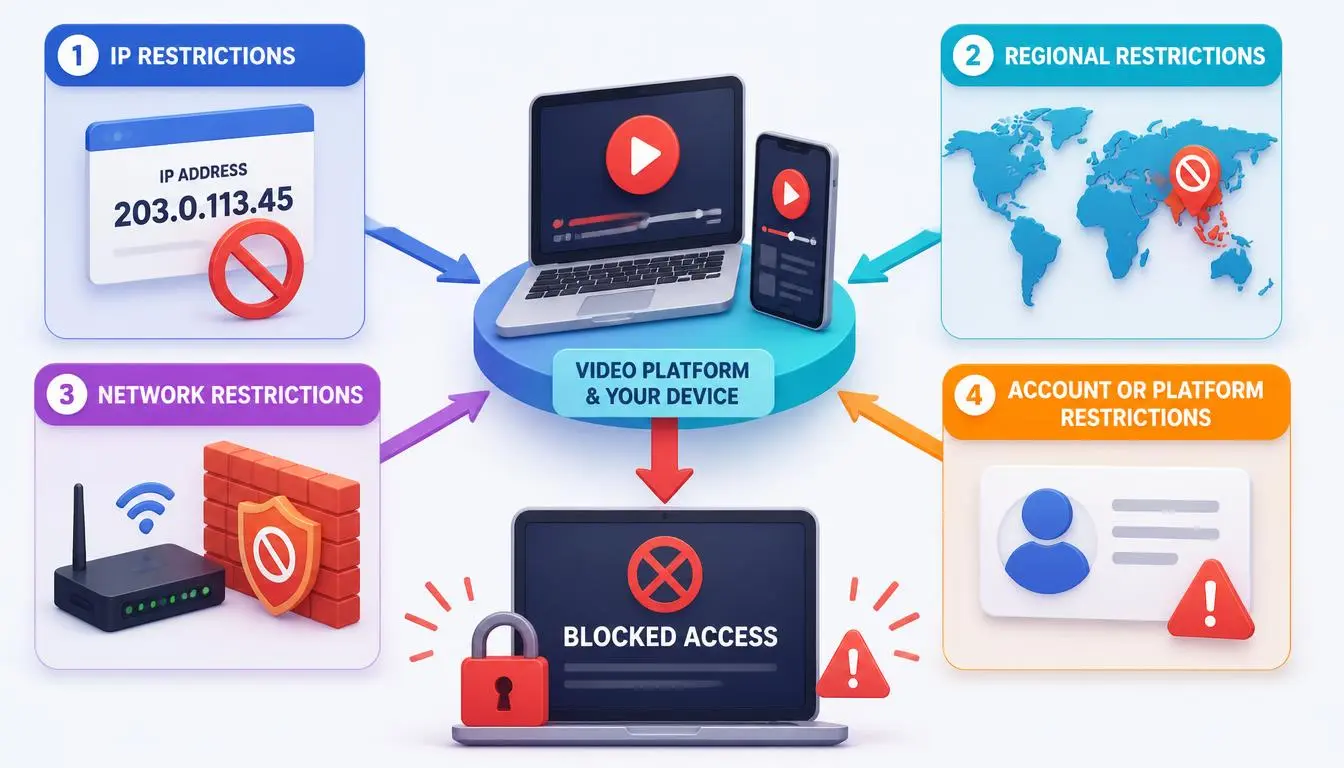
Before picking a proxy, pin down which of these you're actually dealing with:
1. School and workplace network filters. Admins block traffic to YouTube's servers at the DNS or firewall level; your device never reaches YouTube at all. A proxy works because the filter only sees a connection to the proxy's IP, which isn't on its blocklist.
2. Government-level censorship. China, North Korea, and parts of Iran and Russia maintain ISP-level blocks and often use deep packet inspection to detect proxy traffic itself. Residential proxies are close to essential here; datacenter IPs are frequently blocked outright.
3. YouTube's own regional restrictions. This isn't YouTube being blocked; it's YouTube restricting a specific video by region under a licensing deal. YouTube's own help documentation confirms videos are commonly restricted because the uploader limited availability by country, or to comply with local law. The fix is a residential IP physically registered in the licensed country.
4. ISP throttling. Some ISPs slow or deprioritize video traffic during peak hours. A proxy helps because your ISP sees only a connection to the proxy, not YouTube directly.
Note: For school/work blocks, almost any proxy works. For government censorship, you need residential IPs. For geo-locked content, you need a proxy IP in the specific target country. For ISP throttling, any proxy with sufficient bandwidth helps.
Will a YouTube proxy actually fix your specific case
Fails everywhere, on every network? That's a YouTube regional restriction; you need a residential IP in the licensed country.
Fails only on one network but works on mobile data? That's a local filter; almost any proxy not on that network's blocklist works.
In a country with known national-level blocking? You need residential, ideally with obfuscation support, not datacenter.
Everything loads but buffers badly at certain times? More likely ISP throttling or a distant server than a block; check server location first.
A proxy won't restore a video removed for a copyright claim, and it won't lift an age restriction tied to your account rather than your IP.
Choosing the right proxy type for YouTube in 2026
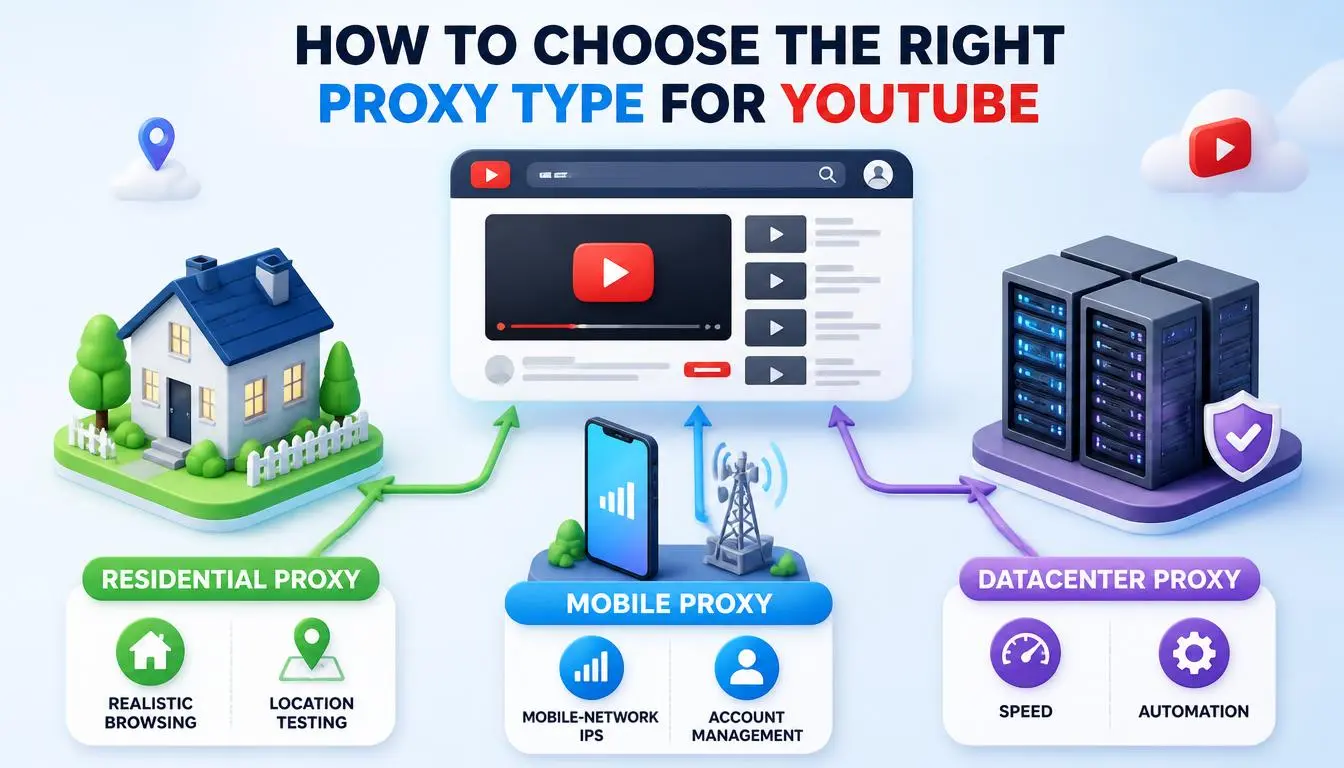
YouTube's detection systems cross-reference IP reputation databases, ASN data, and behavioral signals. Not every proxy type holds up equally:
Residential proxies are best for reliability:
ISPs assign IPs to real homes, so YouTube's systems see ordinary users.
For geo-restrictions or networks that actively block proxy traffic, residential is the only category that works consistently.
CyberYozh's rotating residential proxies cover 195+ countries with city-level targeting.
Mobile proxies are best for trust score:
IPs assigned to real 4G/5G carrier connections.
The trust advantage isn't vibes; it's carrier-grade NAT (CGNAT): a carrier routes thousands of real subscriber devices through the same public IP.
Blocking that IP outright would cut off genuine paying customers, so platforms are far more conservative about acting on mobile IPs than residential or datacenter ones. That's the mechanical reason mobile proxies win for channel management, automation, and anything where account trust matters.
Worth a look: CyberYozh's LTE/5G mobile proxies run on real carrier networks with unlimited traffic, dedicated from $3.5/day or shared from $1.7/day; the CGNAT trust advantage above applies to both tiers.
Datacenter proxies are avoided by YouTube. Cloud server ranges (AWS, Azure, Google Cloud) are currently blocked by YouTube. Independent 2026 testing from Proxyway consistently ranks residential and mobile pools above datacenter for this reason; datacenter is fastest and cheapest, but the first to get flagged.
HTTP vs. SOCKS5: HTTP handles standard browsing; SOCKS5 handles any traffic type, including video streams, with smoother 4K playback. See MDN's HTTP overview and the SOCKS5 spec (RFC 1928).
Shared vs. dedicated. Shared is cheaper but riskier; another user's activity on the same IP can get it flagged. Dedicated isolates that risk.
Your use case | Recommended proxy type |
Unblock YouTube at school or work | Residential HTTP or SOCKS5 (shared is fine) |
4K streaming with no buffering | Residential SOCKS5, dedicated |
Watch geo-locked content (e.g., UK-only) | Residential proxy in that specific country |
Managing multiple YouTube channels | Dedicated residential or mobile, one IP per account |
YouTube automation or data collection | Rotating residential or mobile |
Heavy censorship bypass (China, Iran) | Residential SOCKS5 with obfuscation support |
What to check before you pay for a YouTube proxy
Confirm country-level targeting is accurate, not just labeled correctly; a mislabeled IP defeats the purpose for geo-restricted content.
Ask whether sessions are sticky or auto-rotating: automation and multi-account use need different settings than casual streaming.
Check whether the provider screens its IP pool against fraud/reputation databases before rotation; an unscreened pool means inheriting whatever reputation the last user left behind. CyberYozh's Fraud Score checker screens IPs against 50+ security databases before they enter rotation.
Confirm protocol support (HTTP, SOCKS5) matches what your setup needs for smooth playback.
Look at real bandwidth costs, not just the headline per-GB or per-day price, especially for 4K streaming or heavy scraping.
Step-by-step: how to set up a proxy for YouTube
First, get your proxy credentials: an IP address or hostname, a port number, and typically a username and password.
Chrome (Windows): Windows key + I → Network & Internet → Proxy → Manual proxy setup → toggle on → enter IP and port → Save, then open Chrome and go to YouTube. Enter credentials if prompted.
Firefox: Settings → Network Settings → Manual proxy configuration → enter IP and port. For SOCKS5, select SOCKS v5 and check "Proxy DNS over SOCKS v5" to prevent DNS leaks.
macOS: Apple menu → System Settings → Network → your connection → Details → Proxies tab → check Web Proxy (HTTP) or SOCKS Proxy → enter server, port, credentials → OK → Apply.
Android: Settings → Wi-Fi → long-press your network → Modify network → Advanced options → Proxy: Manual → enter hostname and port → Save.
Heads-up: Android and iOS system proxy settings apply only to Wi-Fi traffic, and the YouTube app may ignore them entirely. If the app bypasses your proxy, access YouTube through Chrome or Safari mobile instead.
iPhone/iOS: Settings → Wi-Fi → tap the (i) next to your network → HTTP Proxy → Configure Proxy → Manual → enter server, port, credentials → Save.
Managing multiple YouTube accounts with proxies
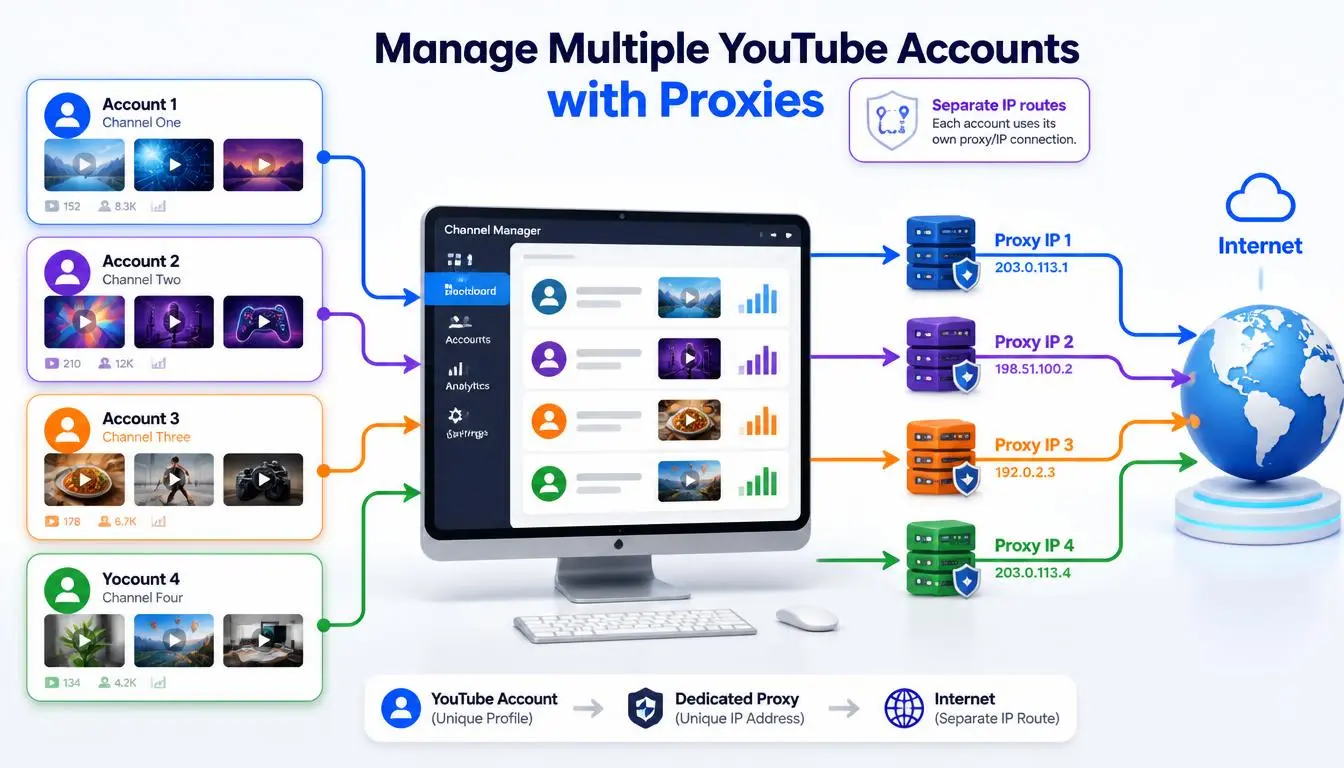
Browser-level proxy settings alone aren't enough for multi-channel work; YouTube fingerprints screen resolution, fonts, time zone, and WebGL renderer, so two accounts sharing a fingerprint can be linked even on different IPs. Combining dedicated proxies with an anti-detect browser (Multilogin, GoLogin, AdsPower) creates isolated profiles that each look like a separate device.
Rules: one dedicated IP per account, sticky sessions to avoid re-authentication loops, and matching proxy country to account location. Explore YouTube proxies
How to verify your proxy is working
Check your IP at a "what is my IP" tool before and after enabling the proxy; the location should change.
Load a previously blocked or geo-restricted video directly.
Run a DNS leak test: unencrypted DNS queries can still reveal your real location even with a proxy active.
Run a speed test with and without the proxy. A good residential proxy should cost no more than roughly 15–20% of baseline speed; a bigger drop usually means an overloaded or distant server.
Troubleshooting by YouTube error type
Symptom | Most likely cause | Fix |
"Video not available" | Datacenter IP detected | Switch to residential/mobile in the target country |
YouTube doesn't load at all | Misconfigured proxy or wrong port | Re-check host: port format and credentials |
Proxy connects, but YouTube asks to re-verify | IP changed mid-session | Enable sticky sessions |
Works in browser, not in the app | App bypasses system proxy | Use mobile browser, or an app-level SOCKS5 client |
DNS leak detected | DNS not routed through proxy | Enable "Proxy DNS over SOCKS5" in Firefox, or use a provider that handles DNS automatically |
Speed is very slow | Server too far away or overloaded | Pick a server closer to your location |
Is using a YouTube proxy legal in 2026
In most countries, yes, routing traffic through an intermediary is standard practice for businesses, schools, and researchers. Nuances: a small number of countries with anti-circumvention laws technically prohibit bypassing government censorship, though individual enforcement is rare.
YouTube's Terms of Service restrict using proxies to circumvent geographic licensing in some cases; this is a platform issue, not a legal one. Bypassing a school or workplace filter may violate an acceptable-use policy, which is disciplinary, not legal.
Why CyberYozh can be a practical option here
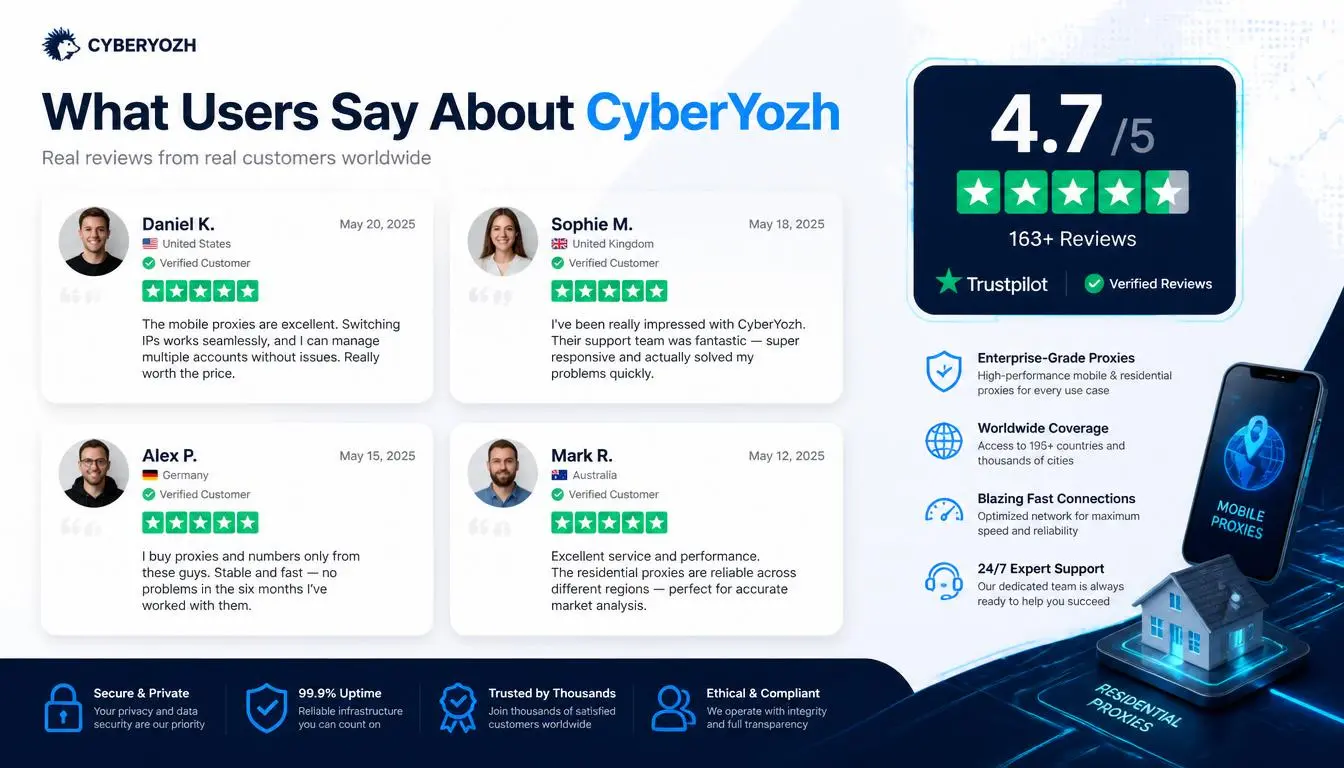
Verified against the current CyberYozh proxy catalog:
100M+ residential IPs across 195+ countries, with country and city targeting, for the geo-restriction cases above
LTE/5G mobile proxies on real carrier networks, dedicated from $3.5/day or shared from $1.7/day, for account-trust use cases where CGNAT-backed IPs matter most
Static residential (ISP) proxies with a dedicated IP and unlimited traffic from $5.29/month, for a stable identity rather than constant rotation
SOCKS5, HTTP, and UDP protocol support for smoother playback
A built-in Fraud Score checker that screens IPs against 50+ security databases before rotation
Works with Multilogin, GoLogin, and AdsPower for multi-account setups
Bottom line for this guide: if your case is US-specific account trust or testing, compare the mobile proxy plans first for the CGNAT advantage above. If it's straightforward geo-restricted content, a residential proxy in the target country is the simpler, cheaper fit. Check the catalog for exact current pricing by location before committing.