
What is Random User Agent: User String Randomization and Proxies
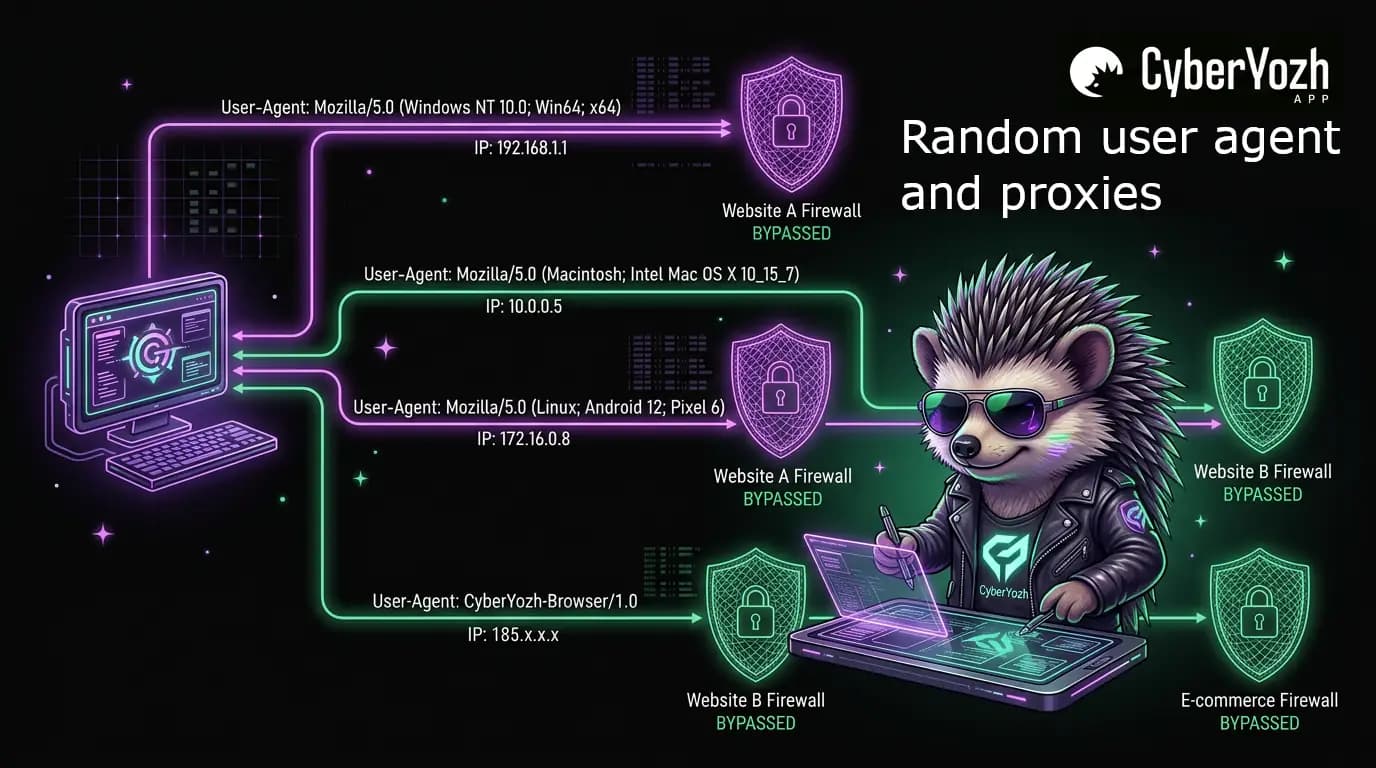
Every HTTP request carries a browser identity tag. Randomizing that tag and combining it with proxy infrastructure is a foundational technique for protecting privacy, bypassing bot detection, and running reliable large-scale web operations. Here, we define and explore this important process and its best practices.
TL;DR
A random user agent (UA) rotates browser identity strings across HTTP requests to reduce bot detection risk, but only works reliably when paired with proxies, consistent session management, and aligned fingerprint signals.
Rotate user agents per session, not per request, to avoid triggering anomaly detection
Always match the UA to the proxy's geography, OS, and locale for consistency
Use residential or mobile proxies (e.g., CyberYozh) alongside UA rotation
For multi-accounting and automation, lock one UA per profile and manage full fingerprints via an antidetect browser
Avoid outdated, fabricated, or mismatched user agent strings
User agent string and random user agents
A User-Agent (UA) string is an HTTP header your browser sends to every server it contacts, identifying the browser, rendering engine, operating system, and device type. Random user agents cycle through a pool of valid browser identities per request or session, making automated traffic significantly harder for anti-bot systems to fingerprint and block.
What is a random user agent
A random user agent is a user agent string selected or dynamically generated at random, typically to make a browser, scraper, or automation tool present as a different browser, operating system, or device with each request. Rather than sending the same fixed identifier on every connection, the system rotates through legitimate-looking strings such as:
Mozilla/5.0 (Windows NT 10.0; Win64; x64) AppleWebKit/537.36 (KHTML, like Gecko) Chrome/124.0.0.0 Safari/537.36
Mozilla/5.0 (Macintosh; Intel Mac OS X 14_0) AppleWebKit/605.1.15 (KHTML, like Gecko) Version/17.0 Safari/605.1.15
Mozilla/5.0 (X11; Linux x86_64; rv:124.0) Gecko/20100101 Firefox/124.0
Mozilla/5.0 (iPhone; CPU iPhone OS 17_0 like Mac OS X) AppleWebKit/605.1.15 Mobile/15E148 Safari/604.1
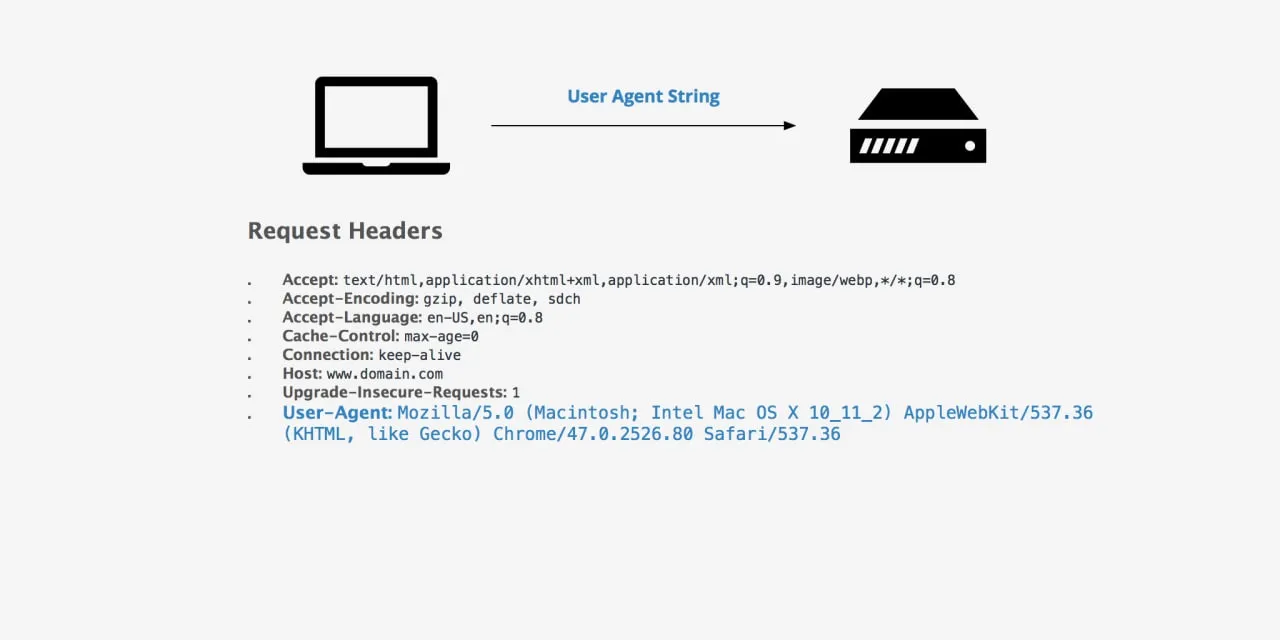
IP rotation is implemented through browser extensions (e.g., Random User Agent Switcher for Chrome), code libraries (Python's fake-useragent), scraping middleware, or configuration files in automation frameworks. Used in isolation, user agent randomization masks only one signal; combined with proxy rotation and consistent full-profile fingerprint management, it becomes a meaningful layer in a professional antidetection stack.
User agent and bulk web activities
Repeating the same user agent string across thousands of requests is one of the simplest detectable bot patterns, and anti-bot systems are specifically tuned to catch it. The following activities require user agent randomization for a reliable, scalable workflow:
Web scraping — rotating user agents across requests prevents identification based on identical browser identity patterns, reducing block rates on high-volume data collection.
Ad verification — different UA profiles simulate organic traffic from diverse devices and browsers for accurate ad display and viewability testing.
Multiaccounting — each account session should appear as a distinct device; separate realistic user agent values per profile are essential to prevent cross-account linking.
Price intelligence — rotating user agents combined with geo-targeted proxies help retrieve consistent, non-personalized pricing data from e-commerce platforms.
SEO monitoring — presenting as different browsers and operating systems ensures rank-tracking results reflect organic user experience rather than bot-flagged responses.
App testing — simulating different client environments via user agent switching validates geo- and device-dependent API behavior across diverse client types.
However, here is an essential component: a proxy. Without it, even perfect user agent rotation is insufficient: a rotating UA from a single datacenter IP remains a strong bot signal for modern anti-fraud systems.
Pairing user agent management with residential or mobile proxies brings the combination meaningfully close to real human behavior patterns. I usually use residential proxies for my regular web activities, but my colleagues in social media management use mobile proxies extensively in their work.
How to use random agents
Using a random user agent effectively means:
Selecting one valid, realistic string per session
Pairing it with a matching proxy
Ensuring no other HTTP headers or browser signals contradict the claimed identity.
The best practices below define what a correct, production-grade implementation looks like. Let’s explore them, along with potential issues and ways to resolve them.
Best practices for random user agents
Use only real, current browser strings. Limit your pool to Chrome, Firefox, Safari, and Edge in recent major versions, never fabricated or decade-old strings.
Match the user agent to proxy geography. An Asian residential IP presenting as English-locale Safari on iPhone is a catch for an inconsistency detection system; align Accept-Language and timezone headers accordingly.
Lock the UA per session. Changing user agents mid-session is a bot signal; maintain one stable identity per logical browsing session and rotate only at session boundaries.
Avoid deprecated user agents. Strings claiming Internet Explorer 11 or Chrome 45 represent negligible real-world traffic fractions and immediately signal automation.
Complement with fingerprint management. For multiaccounting and high-stakes scraping, pair UA rotation with canvas, WebGL, and screen resolution alignment to eliminate fingerprint contradictions.
Explore fingerprint management in detail in a dedicated CyberYozh article.
Random user agent management: Combining with proxies
A random user agent manager may be a browser extension, code library, or antidetect browser module. It coordinates which user agent string is presented on each connection. When combined with proxy infrastructure, it creates a multi-layered identity:
The proxy provides a legitimate IP with a real ISP association
The user agent string completes the expected browser profile for that IP's geographic and network context.
Antidetect browserspaired with proxy services go further by aligning the user agent with canvas fingerprint, WebGL data, screen resolution, timezone, and language settings, producing a fingerprint that is internally consistent across all signals, not just the UA header. For proxy safety considerations and IP reputation management, CyberYozh uses managed IP pools with anti-fraud verification to ensure the IPs underpinning your user agent strategy are clean.
Quick setup algorithm for CyberYozh proxies with user agent workflows:
Sign up and select your proxy type (residential, mobile LTE/5G, or datacenter) depending on the target platform's sensitivity level and your strategy.
Copy credentials: retrieve the host IP, port, username, and password from your dashboard after purchase.
Select rotation mode: choose sticky session (fixed IP per session, recommended for multiaccounting) or programmable rotation (new IP per request or after a given time, suited for scraping).
Verify the IP quality: use the IP Checker to check your IP address and ensure it isn’t flagged or otherwise compromised, and that it won’t cause problems. An automatic IP check can be established using the API.
Configure your tool: enter proxy credentials in your antidetect browser profile, automation script, or API client. Set the user agent string to match the proxy's geographic region and intended device type.
CyberYozh's infrastructure emphasizes clean IP pools and consistent routing, making it reliable for enterprise-grade antidetect workflows.
Best use cases of randomized user agents
The following examples pair specific task types with proxy configurations and CyberYozh tools.
Cybersecurity
Task
Simulate reconnaissance from diverse browser identities and IP sources to test WAF response thresholds and detection accuracy.
Solution
Use datacenter proxies with randomized user agents to generate varied request signatures. Checking which browser signals your security perimeter records and whether mismatched UA/IP combinations trigger alerts lets security teams validate the detection logic without burning real user sessions or residential IP reputations
Multiaccounting
Task
Manage multiple platform accounts without triggering cross-account linking based on shared browser identity or device fingerprint.
Solution
Assign each account a unique, static residential proxy from CyberYozh, paired with a locked, realistic user agent that matches that IP's geographic profile. Static residential IPs maintain session continuity across logins, while distinct per-account UAs prevent browser-level identity overlap. Account registration requiring phone verification is handled cleanly through the CyberYozh SMS service, completing the full new-account identity stack.
Web scraping
Task
Collect large-scale structured data from target sites without triggering rate limits or blocks based on repeating request signatures.
Solution
CyberYozh rotating residential proxies paired with per-session User-Agent randomization via Python proxy scripts using fake-useragent provide a solid two-layer identity rotation. For teams needing a ready-to-deploy scraping stack, Open Scraper by CyberYozh provides a pre-built framework with integrated proxy and UA management, significantly reducing setup time for production-scale collection jobs.
App testing
Task
Validate that APIs and web applications return correct, geo-appropriate responses across device types and browser environments.
Solution
Route test traffic through proxy via Postman automation, setting the User-Agent header to match the target device type (mobile Safari for iOS flows, Chrome Android for mobile web UX). Use CyberYozh geotargeting to simulate regional users and confirm locale-specific content and pricing behavior. Verify the test identity is consistent before running full test suites to avoid false negatives from mismatched proxy/UA pairings.
Automation
Task
Run business automation workflows, such as logins, form submissions, and content interactions that pass fingerprint and behavioral checks at scale.
Solution
Pair CyberYozh sticky sessions of mobile proxies with session-locked user agents. They stay constant throughout one automation job because mid-session user agent changes are themselves a strong bot signal. Use the CyberYozh API to programmatically assign and rotate proxy credentials between independent automation jobs rather than within a single active session, maintaining stable session identity while achieving inter-job diversity.
Limitations and mitigations
Limitation: The user agent is just one of hundreds of signals.
Mitigation: Use a full antidetect browser or automation framework that aligns all signals with the stated user agent rather than changing the header in isolation.
Limitation: Unrealistic user-agent strings trigger additional challenges.
Mitigation: Source user agents only from current, verified browser databases with regular updates enabled, and validate plausibility of OS/browser combinations before deploying at scale.
Limitation: User agent rotation extensions are themselves detectable.
Mitigation: Replace extension-based switching with programmatic rotation in automation scripts, or manage UA at the infrastructure level via a proxy platform.
Limitation: Per-request rotation breaks session continuity.
Mitigation: Implement session-based rotation. Maintain the same user agent across all requests within one logical session, and rotate only when opening a new session or switching proxies.
Summary
Random user agents lower detection risk by varying the browser identity component of HTTP requests, but are only effective when paired with residential or mobile proxies with appropriate geotargeting, consistent session-level UA locking, and aligned headers throughout. CyberYozh combines managed IP pools, sticky-session control, and anti-fraud verification, turning user-agent rotation from a partial workaround into a reliable production layer alongside antidetect browser profiles.