
What is Smart DNS Proxy and Why It’s Used for Streaming Services
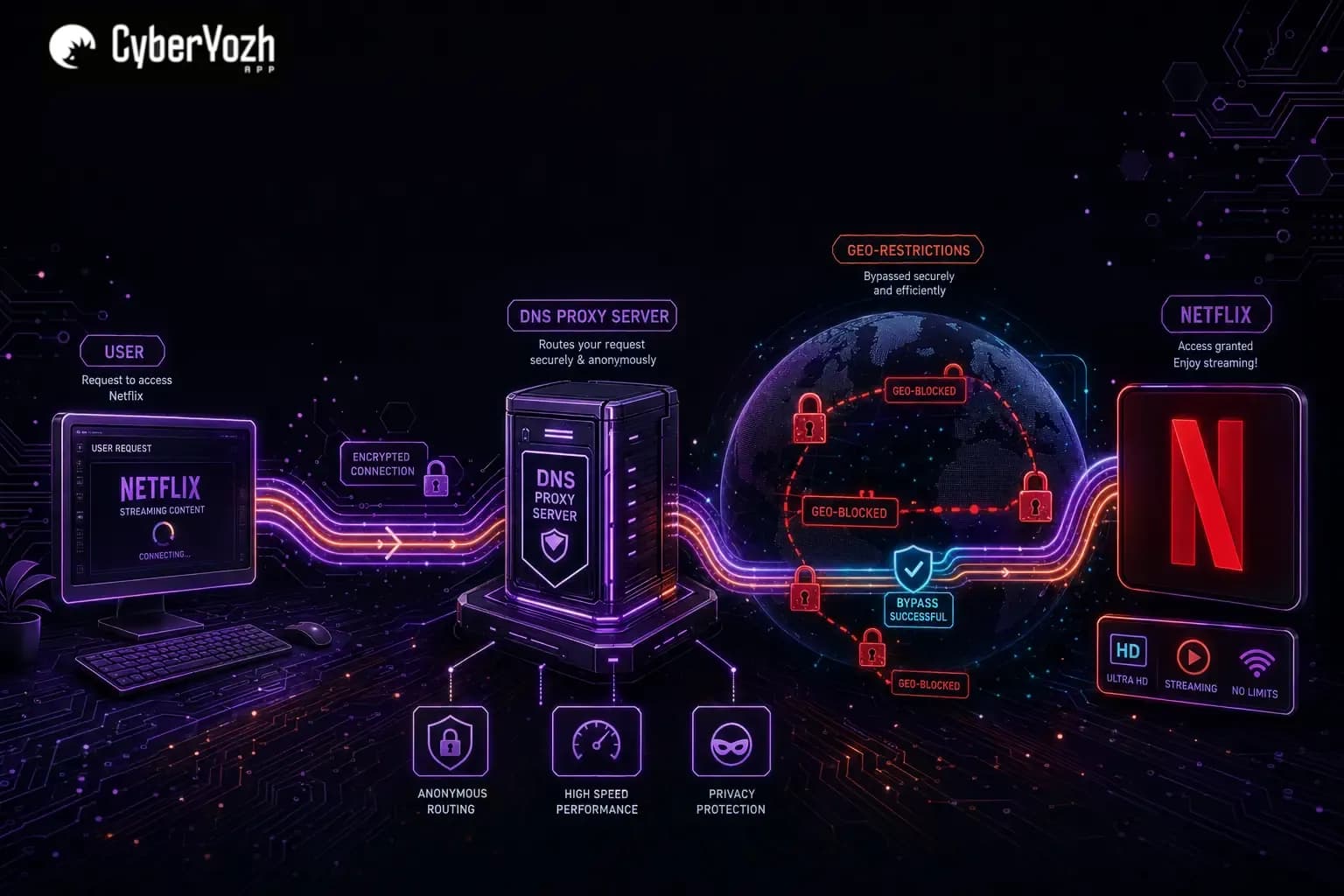
Sometimes you just want to bypass a geo-restriction without spinning up a full proxy infrastructure or configuring a business workflow. You're not scraping data, managing ad accounts, or running multi-accounting campaigns. You just want to watch a show that's unavailable in your country. Smart DNS proxies are built exactly for that: quick, lightweight, and invisible to your connection speed.
TL;DR
Smart DNS proxies are lightweight tools that bypass geo-restrictions on streaming platforms like Netflix by rerouting only your DNS requests: no encryption, no speed loss, no complex setup.
Ideal for personal streaming on Smart TVs, consoles, and routers where VPN apps aren't supported
Provides zero speed overhead, making 4K and HD streaming smooth and buffer-free
Offers no IP masking or privacy: your real IP address stays visible to the web
Free trials exist (SmartDNSProxy offers 14 days), but long-term, reliable free options are rare
For anything beyond streaming, including multi-accounting, automation, and scraping, CyberYozh offers the right upgrade
What is Smart DNS proxy
A Smart DNS proxy is a service that selectively intercepts and reroutes your DNS (Domain Name System) requests, specifically those tied to geo-blocked websites and streaming platforms, through servers located in a permitted region. It doesn't encrypt your traffic or change your IP address for every website you visit. Instead, it quietly redirects only the location-sensitive part of your request: the DNS query that tells a streaming platform where you're browsing from.
A review of a Smart DNS proxy
Based on many user reviews, Smart DNS proxies have earned a strong reputation as a streaming unlocker. Reviewers consistently highlight two things: speed and ease of setup. As one user put it:
Proxy servers and smart DNS allowing you to watch streaming services from other countries, no BS. Reasonable price. Recommend it to anyone.
Long-term users specifically compare the experience to VPNs, and not in VPNs' favor. The key advantage is bandwidth: Smart DNS doesn't throttle or limit your connection the way a VPN tunnel can. Your streaming speed is literally your internet speed.
However, reviews and independent testing also reveal consistent limitations:
No privacy or IP masking: Your real IP address remains visible to any site that's not specifically intercepted by the DNS proxy.
DNS leaks are a real risk: Independent reviewers found that some Smart DNS services, when bundled with a VPN tier, still leak original DNS servers.
Some complexity still present: Some users noted that router-level setup requires manually disabling IPv6, which isn't always intuitive.
Geo-block reliability varies: Netflix and other streaming platforms actively update their geo-detection systems, so a Smart DNS service that worked last month may need a server update.
Comparitech's technical review of the SmartDNSProxy service scored it a 10 out of 10 for streaming but only 1 out of 10 for security, summarizing:
That verdict captures the Smart DNS reality well: it's an excellent tool for a narrow purpose.
Comparison of Smart DNS proxy with CyberYozh proxies
Therefore, Smart DNS proxies have a clearly defined use case: geo-unblocking for personal streaming, delivered without complexity or extra overhead. The moment your needs extend beyond that, a purpose-built proxy infrastructure like CyberYozh becomes the appropriate choice. Let’s compare how these two solutions are set up and used in practice.
⭐ If short, always use CyberYozh for
Multi-account management
Web activities automation
Advertising campaigns
Web scraping operations
Secure business workflows
Setup and usage differences
CyberYozh is structured around professional proxy infrastructure with mobile, residential, datacenter, and rotating proxy types, each suited for specific workflow scenarios. Setup is straightforward:
Sign up and confirm your email for full account access.
Top up your balance with a card, cryptocurrency, or other payment methods.
Choose your proxy type based on your use case:
Mobile (4G/5G) for social media, social data, and ad platforms
ISP static residential for e-commerce, account management, and payments
Residential rotating for SEO monitoring, automation, and data scraping
Datacenter for public data scraping and technical tasks
Purchase a proxy from the catalog and proceed to your personal account dashboard.
Retrieve your credentials: IP (Host), Port, Login, and Password. For rotating proxies, use the built-in credentials generator for unique access per task.
Deploy in your environment: configure in an antidetect browser (e.g., MoreLogin, Dolphin Anty), a proxy client like Proxifier, or directly in Python/Node.js automation scripts. Mobile proxies also support OpenVPN (.ovpn configs) and VLESS/Xray protocols.
How does this differ from Smart DNS setup
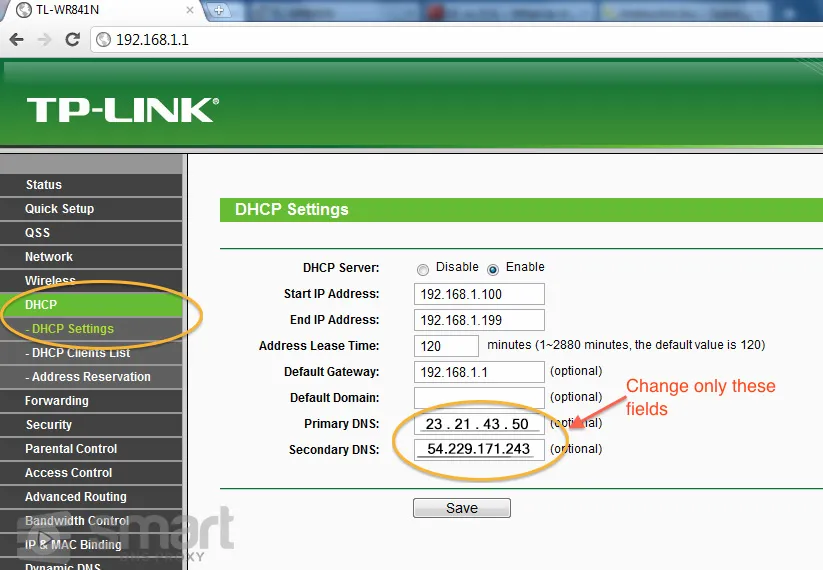
Smart DNS proxy setup is minimal by comparison: you change your device's DNS server addresses to those provided by the Smart DNS service. In the example above, the change is performed in the TP-LINK router. No software installation, no protocol selection, no credentials management. On a Smart TV or router, this is a two-minute task.
But that simplicity is inseparable from its limitations: no IP hiding, no protocol-level control, and no way to perform workflow automation for which CyberYozh is built. Read more about proxy security to understand potential risks.
Is Smart DNS proxy free?
Free Smart DNS proxy options exist, but they come with real caveats. Completely free, reliable, and ad-free options are rare because maintaining geo-routing infrastructure has ongoing costs.
Here are the most viable options:
SmartDNSProxy offers a 14-day free trial with no credit card required, covering Netflix, Hulu, BBC iPlayer, Disney+, and 150+ other services. This is the most user-friendly free entry point.
Built-in Smart DNS in NordVPN and Surfshark subscriptions: Both VPN services include Smart DNS in their subscriptions. If you already use either, you effectively have free Smart DNS access.
Self-hosted Smart DNS. Technically, it's possible to build a Smart DNS proxy using a cloud VPS (e.g., DigitalOcean) with a Docker container and an open-source Netflix proxy script. This is free beyond VPS costs, but requires manual setup and ongoing maintenance.
Free tiers on DNSFlex and similar. Some smaller services offer limited free plans, with fewer supported platforms and less reliability.
The bottom line: a truly free and reliable Smart DNS proxy for streaming doesn't work in the long term. The SmartDNSProxy has plans starting at ~$2.48/month on a two-year plan, beyond its 14-day trial.
Summary: A comparison table
Smart DNS proxies and CyberYozh proxies solve fundamentally different problems. One is a streaming unlocker, the other is a professional infrastructure tool. Below is a quick comparison for reference.
Aspect | Smart DNS Proxy | CyberYozh Proxies |
Working Principle | Reroutes DNS queries for specific domains only | Full traffic routing via mobile, residential, or datacenter IPs |
IP Address Masking | Not hidden: real IP remains visible | Fully masked with dedicated or rotating IPs |
Speed Impact | Zero: no encryption or tunneling overhead | Low, with high-speed LTE/5G on mobile proxies |
Privacy & Security | Minimal: no encryption, logs may be collected | Native DNS, CGNAT, SOCKS5/UDP support |
Primary Use Case | Streaming geo-unblocking on personal devices | Multi-accounting, scraping, advertising, automation |
Setup Complexity | Simple: just change the DNS server address | Medium: includes account, proxy type, credentials, client |
Smart DNS proxy for Netflix: Typical use case
Netflix operates one of the world's most aggressive geo-filtering systems. When you connect to Netflix, its servers check your IP address and whether that IP belongs to a known residential ISP in the target country.
All datacenter IPs and known proxy or VPN ranges result in the familiar "You seem to be using an unblocker or proxy" error. Smart DNS sidesteps this by changing only the DNS resolution origin, not the IP address itself, which means Netflix's content delivery servers see a legitimate-looking query from an allowed region rather than a masked commercial tunnel.
In practice, this means you can stream American Netflix from Russia, UK Netflix from India, or BBC iPlayer from anywhere at full internet speed on any device that supports DNS configuration, including Smart TVs and PlayStation consoles. Independent testing at Comparitech confirmed that SmartDNSProxy successfully unblocked Netflix, Amazon Prime Video, Disney+, BBC iPlayer, and Hulu simultaneously:
Streams are playing without buffering or freezing-up, a result that lets the service play with the big boys.
Summary: When to use Smart DNS proxy
A Smart DNS proxy is the right tool when your goal is simple, personal, and speed-sensitive: you want to access geo-restricted streaming content on a specific device. You don't need to hide your identity. You're not running automation or handling sensitive workflows. It's lightweight, fast, and cheap, sometimes even free. But to move further, a dedicated proxy infrastructure of CyberYozh is the more appropriate and ultimately safer choice.
If you’re ready, explore the CyberYozh proxy catalog to select the one you need.