
What Does Facebook Session Expired Mean: Causes and Fixes for 2026

Quick answer: Facebook shows "session expired" when it invalidates your login token, and the cause ranges from routine to a genuine security response. A single "session expired" message is almost always harmless: log back in and move on. A repeating session expired loop points to something specific: a corrupted cache, a browser extension, or an unstable network, and the right fix depends on identifying which one before you start troubleshooting randomly.
TL;DR
One-off "your session has expired" message: routine token timeout. Log back in.
Facebook session expired loop: almost always cache, cookies, or an extension interfering with session storage, not a hacked account.
Right after a password change or new device login: expected. Facebook invalidates other sessions as a security measure.
After switching networks, VPNs, or locations repeatedly: can read as a risk signal and trigger more frequent re-verification.
Paired with a login alert you didn't trigger: treat it as real, not a bug; check Security and Login before doing anything else.
Clearing your cache and checking Facebook's status page resolve most cases before you need anything more involved.
What "Facebook session expired" means
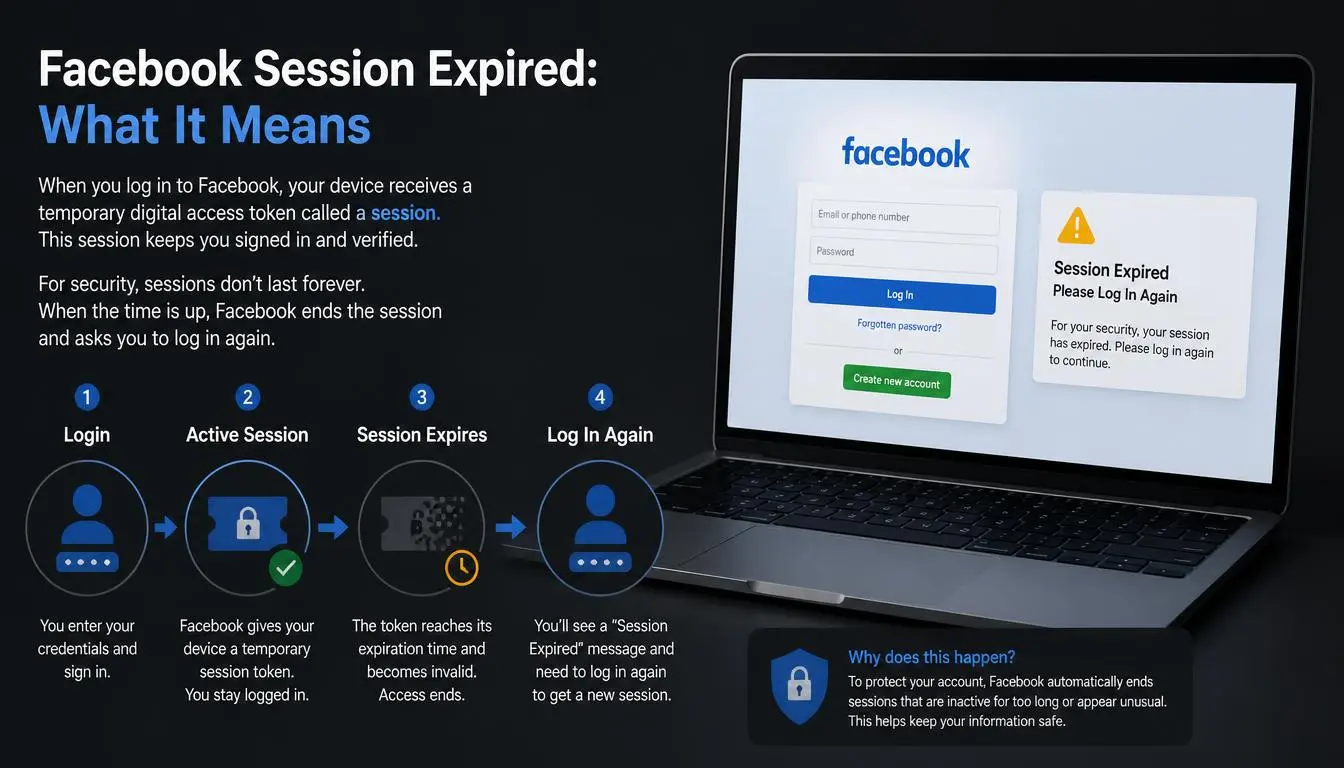
Every login issues a session token, a temporary credential that proves you're authenticated without requiring you to re-enter your password for every action. That token has a lifespan, and Facebook's systems can invalidate it early. When it is, you see the session expired message and are asked to log in again. It's a security mechanism operating as designed most of the time; the pattern it appears in is what tells you whether anything actually needs fixing.
Read about how to buy aged Facebook accounts
Expert Insight: Treat a single Facebook session expired message as noise and a repeating one as signal. The first rarely needs investigation. The second always has one specific, findable cause.
Session expired vs. other Facebook errors
A recurring confusion in user reports is conflating "session expired" with two unrelated messages that look similar but mean something entirely different:
Message | What it means | What to do |
Session expired / please log in again | Your login token ended; the account itself is fine | Log in again; troubleshoot only if it repeats |
Account restricted | Facebook has limited specific actions (posting, commenting) on your account | Requires review through Facebook's appeal process, not a login issue |
Facebook has suspended the account entirely | Requires Facebook's account recovery process | |
"We suspect automated behavior" | Facebook flagged activity patterns as bot-like | Different flow entirely; not resolved by clearing cache |
If you're seeing anything other than the plain session-expired message, the steps below won't apply; you're dealing with a similar-looking but different problem.
Diagnose before you troubleshoot
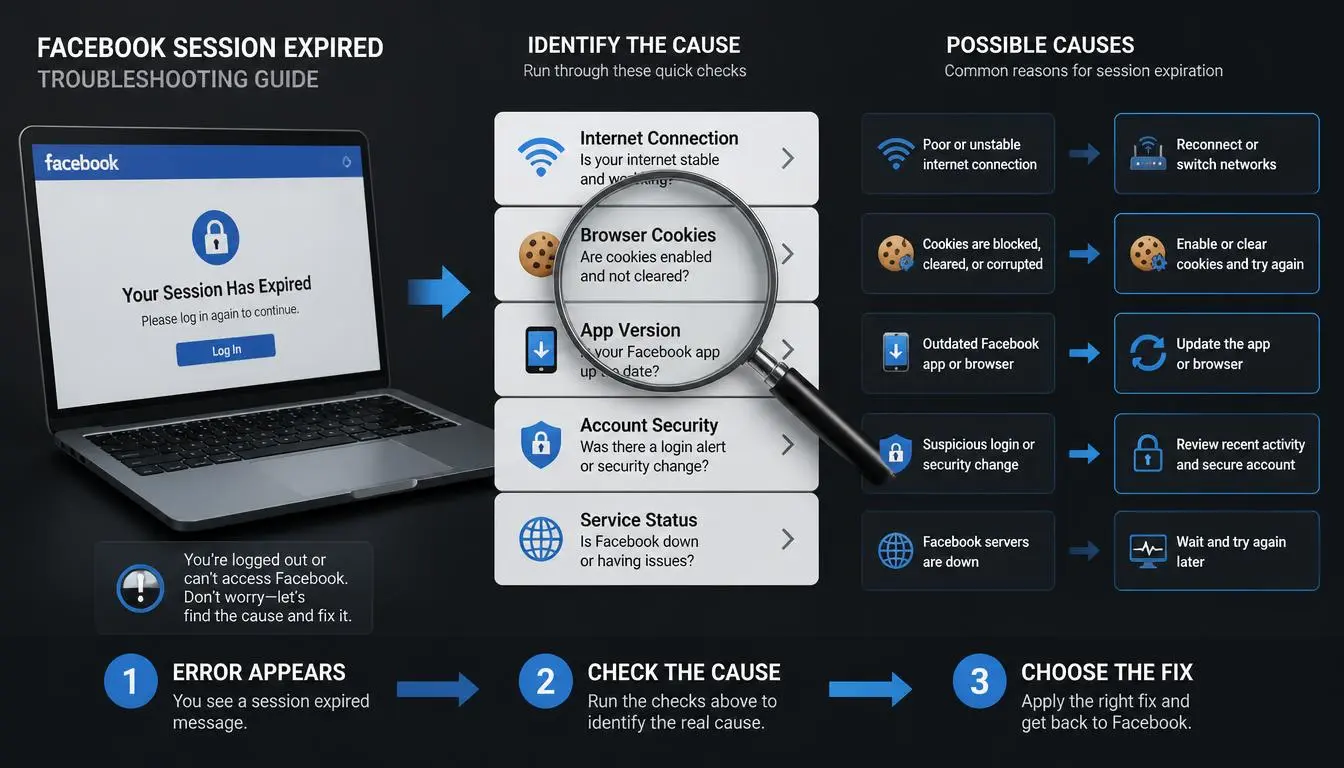
Work through this order. Most people are done after step three.
Check whether Facebook itself is having problems: A platform-side issue looks identical to a device-side one from where you're sitting.
Log out and back in once: This resolves most one-off cases by issuing a fresh token.
Clear the app cache (mobile) or cookies scoped to Facebook (browser); this is the most common fix for recurring messages.
Update the app or browser: Outdated versions carry known session-handling bugs.
Check your device's date and time: An incorrect clock can invalidate tokens that rely on time-based verification.
Review recent login activity in Security and Login settings: Tells you whether the cause is technical or security-driven.
Change your password only if you see a login you don't recognize: Don't do this reflexively; it invalidates every session everywhere, which produces its own confusing symptoms.
Common Mistake: Changing your password as the first troubleshooting step. It resets every active session on every device, so if the real cause was a cached-cookie loop on one browser, you've now also logged yourself out of everywhere else for no reason.
Why the Facebook session expired loop specifically happens
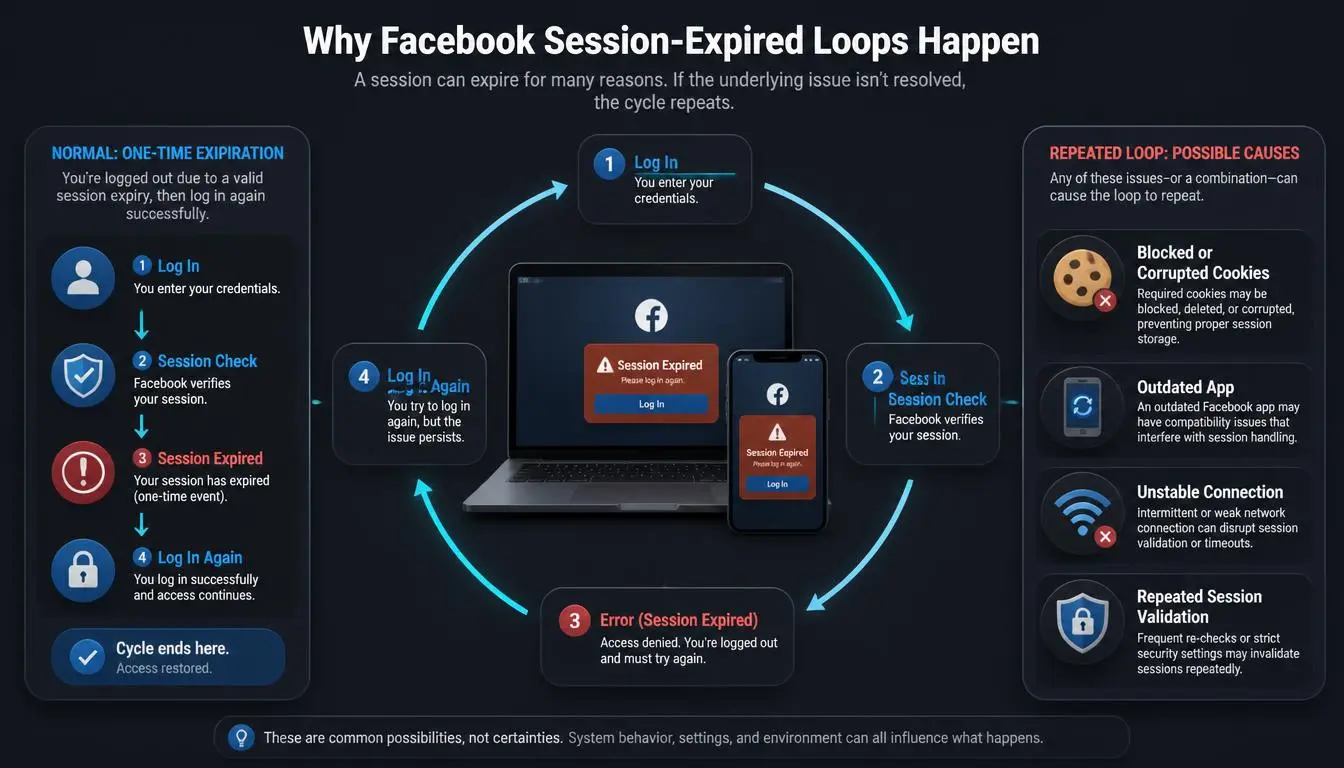
A single expiration is routine. A loop- logging in, then getting bounced again within minutes, repeatedly- has a narrower, almost always device-local set of causes:
Corrupted session cookies or app cache: rewritten as invalid the moment they're created
A browser extension: ad blockers, privacy tools, and script blockers are the frequent offenders, rewriting or blocking requests Facebook needs to maintain the session
Mismatched sign-in states between Facebook and Messenger: since they share session logic
Multiple accounts logged into one browser profile: creating session conflicts
The fix is almost always local: a full cache and cookie clear scoped to Facebook, plus disabling extensions one at a time to isolate the culprit, resolves the loop far more reliably than repeatedly logging back in.
Fixes by device
Facebook app on Android: Settings → Apps → Facebook → Storage → Clear Cache (not Clear Data, which signs you out entirely and wipes local settings). Reopen and log in.
Facebook app on iPhone: iOS doesn't let you clear a single app's cache directly. Offloading the app (Settings → General → iPhone Storage → Facebook → Offload App) clears cached data while preserving your login, the closest equivalent.
Chrome or Edge (desktop): Clear cookies and site data scoped to Facebook, specifically, rather than a full browser wipe, so you stay logged into unrelated sites while resetting only Facebook's session data. Google's Chrome support documentation covers clearing cookies for a single site.
Safari: Settings → Safari → Advanced → Website Data → search "facebook" → Remove.
Pro Tip: Clear cache before you clear cookies. Cache corruption is the more common cause of a repeating loop, and clearing it doesn't log you out, so it's worth trying first before the more disruptive step.
When it's a security check not a bug
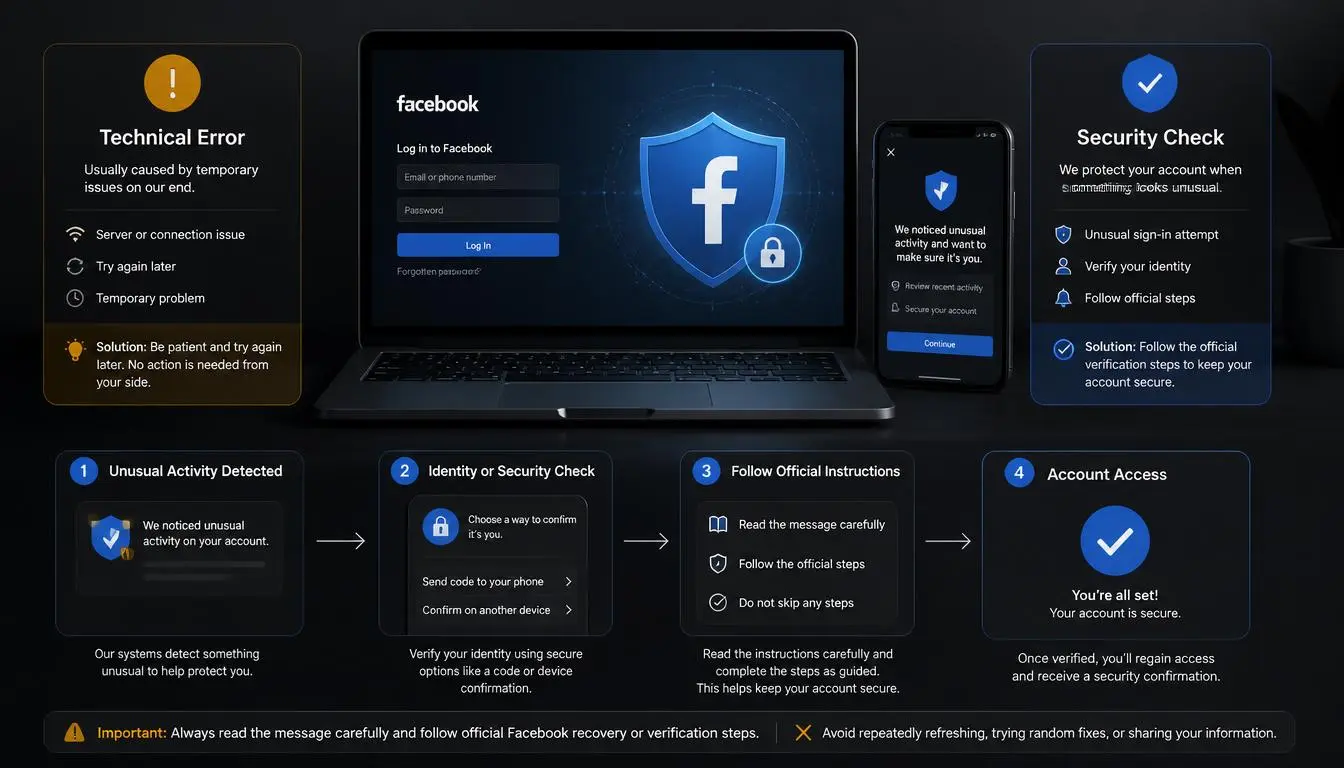
Facebook deliberately ends sessions in response to specific triggers, and recognizing these prevents unnecessary troubleshooting:
A password or security-setting change invalidates every other active session by design; that's the feature working correctly.
A new device or unfamiliar location logging in can trigger Facebook to end sessions elsewhere as a precaution.
Rapid changes in the apparent IP address or location a session originates from can register as a risk signal in Meta's fraud detection, particularly for accounts managing business pages or ad accounts, where consistent access patterns are part of what gets evaluated.
If you see a login alert for a device or location you don't recognize, Meta's own guidance is to review it in Security and Login settings before doing anything else; don't assume it's a glitch, and don't ignore it either.
Warning: Don't install third-party "session fix" browser extensions promising to stop the expired-session message. These typically request broad read/write access to Facebook's session cookies, precisely the access you don't want an unknown developer holding.
What not to do with Facebook expired sessions
Don't change your password reflexively at the first sign of trouble
Don't install unfamiliar "session fix" extensions
Don't assume a single expired session means the account is compromised
Don't keep switching networks or toggling a VPN on and off while troubleshooting; that pattern is one of the risk signals described above, and doing it repeatedly can prolong the exact problem you're trying to solve
When Facebook expiry sessions caused by a network environment
A proxy does not fix a corrupted cache, an outdated app, or a routine session timeout; no proxy will, and it's worth saying that plainly before anything else. If that's your cause, nothing about your network changes the outcome.
Where network consistency genuinely matters is narrower:
Accounts accessed from constantly changing IPs and locations, a business page managed from several team members' home networks, a social media manager switching between office Wi-Fi, mobile data, and a VPN throughout the day, can trigger more frequent security-driven session resets, because that access pattern is part of what Meta's fraud systems weigh.
This isn't a workaround; it's the same logic as not logging into a bank account from five different countries in a week.
A stable, consistent access point reduces one specific and legitimate cause of friction. Nothing more.
For teams in that specific situation, the relevant question is stability, not rotation:
Static ISP proxies, from $5.29/month: a dedicated IP on a real consumer ISP that stays the same between sessions, useful for a team standardizing on one consistent access point for a shared business account rather than each member logging in from a different network. → Compare current static ISP pricing
Dedicated US mobile proxies, from $1.70/day: for workflows where a stable mobile-carrier connection matters more than a home broadband IP. → Check dedicated mobile proxy availability
Documented API with a Swagger reference for teams managing this alongside scheduling or automation tools that need a predictable, consistent connection. → View API documentation
For a broader comparison of what each proxy type actually solves: → See the full proxy catalog
Reviewers on Trustpilot rating the service's residential and ISP infrastructure cite consistent uptime as the deciding factor for account-management use cases specifically, the same property that matters here, for the same reason.
What this doesn't do: it doesn't bypass Meta's security checks, doesn't prevent identity verification when Facebook genuinely wants it, and doesn't help at all if your actual cause is a cache or app bug rather than network instability. If frequent IP switching isn't your access pattern, this section simply doesn't apply to you, and that's fine; most people reading this article will stop at the cache clear.
Common mistakes for Facebook expiry sessions
Treating a one-off expired session as a sign of a hacked account
Clearing all browsing data instead of scoping the clear to Facebook only
Reinstalling the app before trying a simple cache clear first
Ignoring a genuine unfamiliar-login alert because "it's probably just the bug"
Changing passwords repeatedly, which resets sessions further and compounds confusion
Confusing "session expired" with "account restricted," which needs a completely different fix
Checklist
Facebook status checked for a platform-wide issue
Logged out and back in once
App cache cleared (Android) or app offloaded (iPhone)
Browser cookies cleared, scoped to facebook.com
App/browser updated to the latest version
Device date and time verified as correct
Browser extensions disabled one at a time if the loop persists
Security and Login activity reviewed for unfamiliar entries
Password changed only if an unrecognized login is confirmed
Final takeaway
Most Facebook session expired messages need nothing more than a fresh login. When it repeats, the cause is almost always local: cache, cookies, or an extension, not evidence of a compromised account or a broken platform. The exceptions worth taking seriously are a genuine unfamiliar-login alert and an access pattern that jumps between networks and locations often enough to read as a risk to Meta's own systems. Diagnosing which category you're in, in order, beats trying every fix at once.