
Binance Account Setup: Protected Network Footprint and SMS Verification
Crypto platforms evaluate your connection footprint instantly. You hit the registration button. They scan your IP. They check your telecom provider in milliseconds.
A clean setup passes the check. But a poor one drops your session immediately. Because modern anti-fraud algorithms reject suspicious traffic before you even see the trading dashboard. Protecting your network footprint requires real residential data.
You need a setup that mimics a regular trader. A proper SMS service Binance trusts locks down your profile access. It prevents random holds. The CyberYozh App ecosystem provides exactly this infrastructure to keep your data protected.
TL;DR: Verify your Binance account safely
Route traffic through residential proxies. Drop data center IPs completely. Server farms trigger immediate anti-fraud flags. Connecting through a real home ISP or mobile LTE/5G ports makes you look like a normal user. Your session stays open.
Use a clean SMS service Binance trusts. Rent true residential lines. Free virtual numbers fail basic telecom checks instantly. A dedicated line from an actual mobile carrier passes the filter.
Align your network location. Match your IP directly with your phone number region. Mismatched data destroys your trust score.
Pass identity verification crypto layers fast. Complete your KYC flow right after confirming the text message code Binance sent. Delaying this step gives risk algorithms a reason to flag your new profile.
Why your Binance registration SMS fails
Crypto platforms run aggressive network scans the second you click register. They check your IP address and your telecom provider immediately. Mismatched geo-data destroys your trust score.
Take a user setting up a fresh profile behind a private connection. They route their traffic through a server in Germany to protect their data. But they enter a British phone number to receive the confirmation code. The exchange instantly sees a German IP paired with a UK mobile line during account creation.
This geo-mismatch triggers an automatic hold. The system flags the session as high-risk. The SMS simply drops.
Real home ISPs solve this. You blend in with regular local users. A solid SMS verification service crypto setup stops those registration errors entirely. Connect using lines pulled directly from local cell carriers and match them exactly to your IP region. It works. Because this setup gives anti-fraud algorithms exactly what they want. You can even run a quick risk evaluation through the CyberYozh App anti-fraud checker before you start. Catching a high risk score early saves your entire session.
Protecting your network footprint before verification
Never route your traffic through a data center IP. Defense systems flag server farms instantly, dropping your registration request before the page even loads. You need ethically sourced residential and mobile IPs instead. A dedicated LTE connection from a real cellular provider mimics natural human browsing behavior perfectly. The exchange simply sees a regular user connecting from their smartphone.
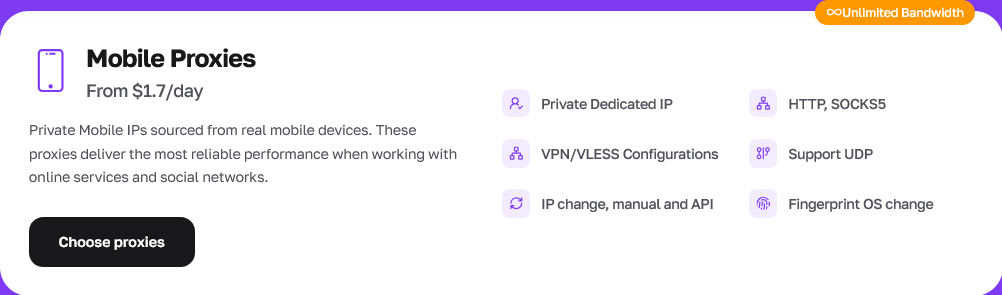
But a clean IP is just the baseline. You must align your network location exactly with your phone number region using granular city and ZIP-code targeting. This stops geo-mismatch flags instantly. Look at financial teams running multiple payment gateways. They isolate every single project on a different network layer. Mixing data triggers instant account holds. You need that exact same separation. Setting up this isolated environment enables a smooth 2FA setup Binance process without triggering security checks.
👉 Stop risking your session with bad network data. Connect a CyberYozh App mobile proxy. Route your traffic directly through a real LTE or 5G cellular operator. You align your network location instantly and pass the security checks on your first try.
Finding the right second phone number for Binance
You need a clean line to receive SMS online for Binance. Registering an accepted Binance phone number requires real telecom data. Free public SMS sites fail immediately. The anti-fraud algorithm scans the telecom provider's backend data instantly. They see the virtual routing flag. They reject the request outright.
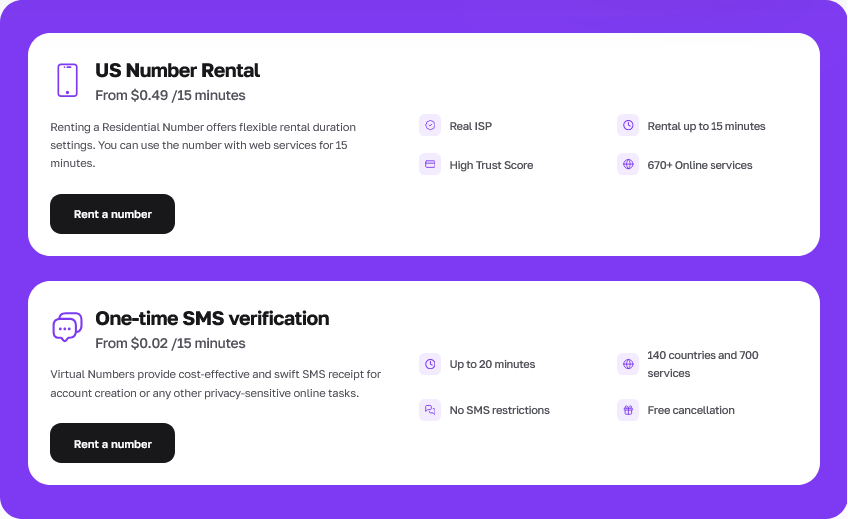
Rent a pure residential number instead. An investment of $0.49 solves the problem completely. Use digital phone pools sourced directly from real ISPs. These lines register exactly like a standard smartphone on the local carrier network. A true residential line ensures you verify Binance account phone requirements easily.
Check the fraud score first. Anti-fraud systems block registrations when the risk score hits 75 or higher. Run a quick check on your number before you use it.
Use real carrier lines. True residential lines pass VoIP filters seamlessly. They provide the highest trust rate for strict fintech systems.
Watch the clock. Binance gives you roughly 60 seconds to confirm the code. Fast cloud delivery pushes the text to your dashboard within 15 seconds.
Demand financial safety. Request an instant refund if the text message code Binance sends drops. A reliable service returns the funds to your balance automatically.
👉 Stop burning time on failed verification codes. Rent a pure residential line from the CyberYozh App for exactly $0.49. And run a quick risk evaluation before you ever request the text. You lock down your profile setup without triggering an automatic hold.
Step-by-step guide: Verify Binance account safely
You must verify Binance account ownership to trade. Completing your Binance SMS verification unlocks full access to crypto exchange KYC features. One mistake drops your session. Here is the exact workflow to protect your network footprint during registration.
Connect your mobile proxy. Route your traffic through a real LTE or 5G carrier network.
Generate a fresh browser fingerprint. Isolate your cookies and local storage entirely before starting.
Buy a residential line. Open your dashboard and select a local ISP number.
Enter the digits. Put the number on the registration page and submit the form.
Receive the code online. Click the request button. Fast cloud SMS delivery pushes the text to your screen within 15 seconds.
Paste the text message code Binance sent. Authenticate the profile immediately.
Complete the identity flow. Proceed directly to the identity verification crypto process using your government documents.
How to change phone number on Binance
Sometimes you lose access to your original device. You need to update your account security settings fast. But users constantly ask how to change my phone number on Binance US or the global platform. The process requires a clean network connection and access to your primary email address.
Log into your profile. Open the main dashboard.
Open your account security settings. Click on the two-factor authentication tab.
Select the option to update your mobile details. Click the edit or change button next to your current number.
Enter the code sent to your email address. This proves you own the account.
Input your fresh create Binance account phone number. Type in the new digits.
Confirm the new verification digits. Paste the SMS code sent to your new line.
👉 Ready to protect your network footprint? Managing secure network environments requires professional tools. Stop guessing. Use the CyberYozh App ecosystem to get clean residential proxies, dedicated carrier phone lines, and integrated risk checkers inside one dashboard. Build your protected infrastructure right now.
Important compliance and financial note
We do not provide financial advice. This guide covers network protection and technical verification mechanics only. Cryptocurrency markets carry heavy financial risk. You manage your own capital. And you are entirely responsible for your own investment decisions. The CyberYozh App infrastructure exists strictly to protect your network footprint and improve technical access. Because data privacy is critical. Never treat network workflows as trading recommendations. Always evaluate local regulations and platform terms before deploying your funds.
FAQs about Binance phone verification
Does Binance have a customer service phone number?
No. No direct support line exists anywhere. They handle all support directly through their in-app chat and internal ticket forms. Avoid any third-party websites claiming to offer direct phone support.
Does Binance US have a phone number?
Also no. Support runs entirely through their internal help desk. Users must rely on their account security settings dashboard to manage their access.
How to recover Binance account without phone number?
You must use your linked email address. And you will have to submit manual identity verification crypto documents directly through their official support portal to restore access.
Can I use VoIP to create Binance account phone number setups?
No. Standard internet phone numbers belong to corporate web centers. True residential numbers connect to genuine consumer carrier nodes. Use high-quality private proxy servers combined with real carrier lines to pass the registration filters.
How to login to Binance without phone number?
You must set up an authenticator app or hardware key as your primary 2FA method. But understand that initial registration almost always requires a mobile line first before you can switch methods.
How to remove phone number from Binance entirely?
You cannot simply delete your number and leave the field blank. You can only replace it with a new line or switch entirely to an authenticator app via the account settings dashboard. The exact options depend strictly on your regional compliance rules.