

Steam proxy
Get a Steam proxy with low latency and high speed, with IP addresses in most of the relevant countries. Deploy a Steam proxy server from CyberYozh to optimize your gaming business or reach the lowest ping in regional gaming.
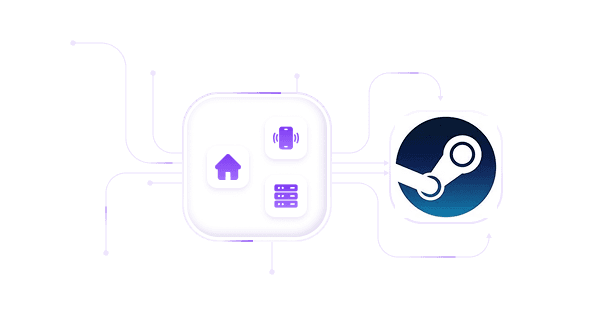
Get Steam proxies with full UDP support
Buy residential and mobile proxies for Steam to enjoy high speed and full UDP traffic support via the SOCKS5 protocol.

Optimize your Steam ping from any location
Assign proxies from 100+ locations to optimize your ping for local gaming activities or reach local game offers. Get residential IPs, indistinguishable from local users.
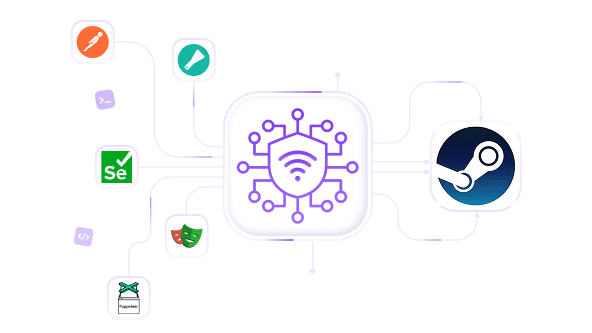
Parse Steam data without restrictions
Deploy a rotating proxy with the 50M+ residential IP pool for large-scale Steam data scraping, integrate with tools like Puppeteer via the API, and get all game statistics you need without triggering bans.

Manage multiple accounts with Steam proxy
Use separate residential IPs to create multiple Steam accounts and reach local game promos and unique offers. Manage accounts with ease or integrate with antidetects for the best protection.
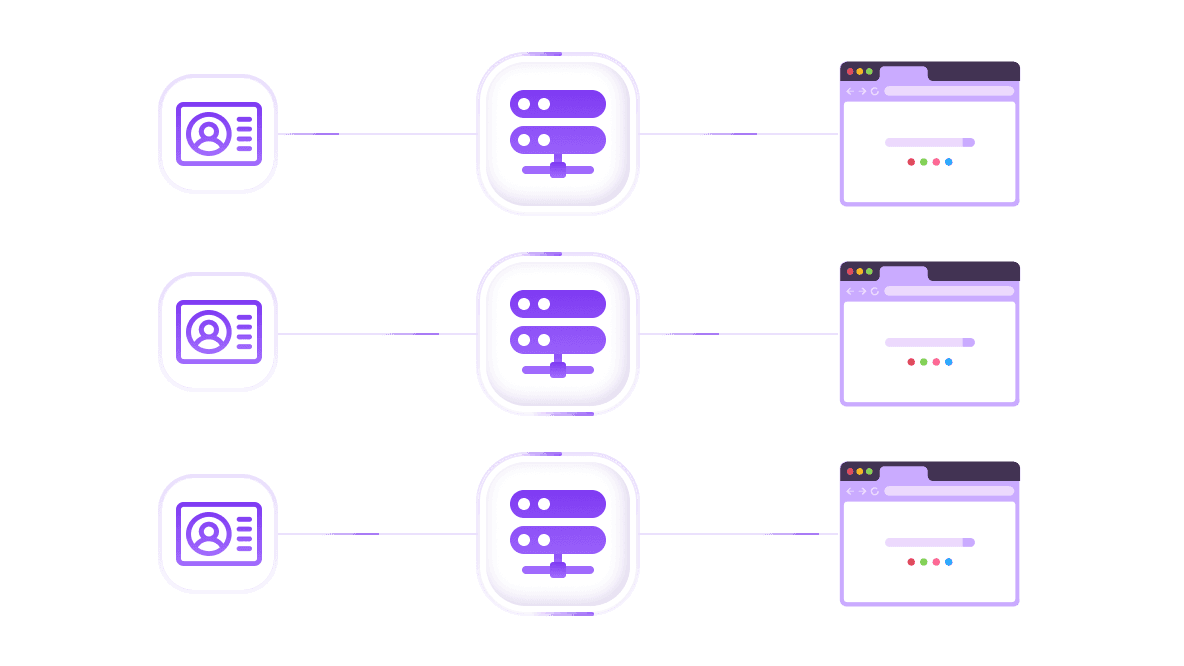
Access Steam via antidetect environment
Use antidetect browsers or cloud phones with CyberYozh proxies, so each separate profile is recognized as a separate user. Run multiple accounts and scrape data without detection.
Specially for you
Best proxies by countries

Steam - dedicated mobile unlimited
- Dedicated 5G Router
- Socks5/VPN with dedicated DNS
- Manual IP Changing
- Change p0f fingerprint (Windows, MacOS, Android)
- High Trust Rate
- Very High Speed + Low Ping
- All network params 1:1 as provider's
Steam - shared mobile
- Shared 5G Router
- Supports SOCKS5 with UDP
- Up to 5 users per port
- Socks5/HTTP
- IP Rotation: every 30 min
- Windows p0f fingerprint
- High Trust Rate
- Very High Speed + Low Ping
- All network params 1:1 as provider's
Steam - rotating residential
- 24 hours Availability
- Real ISP
- Speed up to 10 mbps
- Full API Access
- HTTP Protocol
- 100M+ IPs in 100+ Countries
- Mass Credentials Generator
- Long session up to 6 hours
Steam - private residential
- Unlimited Bandwith
- Real ISP
- Speed up to 150 mbps
- Low Ping
- Supports SOCKS5 with UDP
- 24 hours Availability
- 1 Dedicated IP
Steam - dedicated datacenter
- Unlimited bandwidth
- Exclusive IP ownership
- High-speed connectivity
- 99.9 % uptime
- HTTP
Steam - shared datacenter
- Lightning-fast speeds
- Global IP coverage
- 99.9 % uptime
- Cost-efficient plans
- 1 GB bandwidth
- HTTP
Why do they buy from us?
Advantages
Private card payment
It doesn't matter how you topped up your balance, linking the payment to the rental of a specific proxy is impossible.
We do not store data on servers
As a rule, services that rent out proxies retain all data about the traffic passing through their servers.
Dedicated device
We do NOT disguise Shared proxies as individual ones. A modem or router is transferred to ONLY one person.
Online technical support
We are always ready to solve your problems and questions. Even late at night and early in the morning.
Money-back guarantee
We have both returns and exchanges. The priority is quality service and satisfied customers.
API for Business
For business clients, our service is ready to provide a convenient API that allows you to purchase proxies, change IP addresses, and much more.
Why you might need Steam proxy
Steam imposes regional restrictions, IP bans, and account verification walls that block legitimate users every day. A reliable Steam proxy server from CyberYozh routes your traffic through a clean residential or mobile IP, bypassing regional bans, protecting your accounts, and letting you operate Steam at scale for any gaming activity without interruption.
Accessing the local Steam version
Task: Steam shows you a regional store that's different from the one you want. Games are unavailable, prices are inflated, or the service is outright blocked by your ISP or local network.
Solution: Use a Steam proxy with a residential IP address from your target country to present a legitimate local identity to Steam servers. CyberYozh's rotating residential proxies give you a real ISP-assigned address in 100+ countries, letting you access the exact regional version of Steam you need. Before connecting, use the IP Checker to confirm your new IP is clean and not flagged by Steam's anti-fraud systems.
Warning: Steam may display the message "Steam, please disconnect from VPNs or proxies and try again" if it detects datacenter or low-quality IPs. Always use residential proxies and check IP quality to avoid this. Also, ensure that your proxy, device, and Steam location settings are all set to the same values to avoid flags and login challenges.
Steam multiaccounting and scraping
Task: Managing multiple Steam accounts for game farming, arbitrage, or automated data collection requires each account to operate from a unique, trusted IP. Shared or recycled IPs trigger bans instantly.
Solution: Pair CyberYozh proxies with an antidetect browser or automation framework to assign each account its own IP fingerprint. For account registration workflows, the SMS Service provides virtual numbers for Steam's phone verification step, while CyberYozh API allows full automation of IP rotation and session management at scale. Explore ready-made patterns on the use cases page for business automation and scraping setups.
Example: An operator running 50 Steam accounts uses CyberYozh residential rotating proxies with one IP per session and reports zero account suspensions after 3 months of daily operation.
Privacy and ping optimization
Task: Your real IP leaks your location, exposes you to DDoS attacks during competitive play, and your ISP may throttle gaming traffic, all of which increase latency.
Solution: Route Steam traffic through a low-latency CyberYozh node geographically close to Steam's servers to reduce ping and bypass ISP throttling. Steam proxy settings can be applied system-wide on Windows or per-app via a proxy client.
Use in connection with Discord proxies to optimize your gaming and communication.
What is the best proxy for Steam
Not all proxy types perform equally for Steam use proxy scenarios. Here's how they stack up:
Proxy Type | Best For | Notes |
Large-scale multiaccounting, security-first tasks | Highest trust score; IPs assigned by mobile carriers appear as real users, making them the hardest to detect and ideal when account safety is the top priority | |
Region bypass, multiaccounting for game activities | ISP-assigned home IPs that pass Steam's geo-checks naturally; excellent for accessing region-locked stores or managing multiple game accounts without triggering fraud systems | |
High-speed scraping, price monitoring | Very fast and cost-effective, but Steam and most anti-fraud systems quickly flag them as non-human traffic — avoid for account-sensitive tasks |
For most Steam users, residential or mobile proxies are the right starting point — choose based on your scale and risk tolerance.
Can you use HTTP proxy with Steam
HTTP proxy for Steam is not recommended. Steam's core communication — including game downloads, matchmaking, voice, and real-time multiplayer — relies heavily on UDP traffic, which HTTP and HTTPS proxies cannot handle. Forcing Steam through an HTTP proxy setup will result in broken connections, failed logins, and dropped game sessions, because HTTP proxies only tunnel TCP traffic.
SOCKS5 is the correct protocol for Steam. It natively supports UDP alongside TCP, covers all Steam traffic types, and works transparently without breaking game functionality.
When choosing a proxy client, note that Proxifier does not support UDP traffic, making it a poor choice for Steam. Instead, use ProxyCap or SocksCap64, both of which handle UDP correctly and route all Steam traffic through your SOCKS5 proxy without any leaks.
Steam Deck HTTP proxy note: The Steam Deck HTTP proxy setting in the system Wi-Fi menu handles only browser-level traffic. For full SOCKS5 tunneling of all Steam Deck traffic, configure the proxy at the OS network level in Desktop Mode.
CyberYozh: Best Steam proxy server
CyberYozh is built for professionals who need reliable, high-trust proxies for demanding Steam workflows — from casual region unlocking to full-scale account automation. Every proxy is SOCKS5-ready with full UDP support, and the platform integrates directly with the tools serious Steam operators already use.
100M+ residential IPs across 100+ countries: Broad geo-coverage for any Steam regional store
99.95% success rate: Sessions don't drop mid-match or during critical automation tasks
Low-latency nodes across North America, Europe, and Asia for optimized ping
Full SOCKS5 + UDP traffic support, compatible with all Steam protocols, no broken connections
CyberYozh API for automated IP rotation, session control, and proxy provisioning
Integrations with Puppeteer, Playwright, and Selenium for Steam scraping and data workflows
Postman integration for multiaccounting session management and request automation
Checker tools to verify IP fraud score, phone numbers, and card reputation before each session
Virtual numbers for Steam SMS verification across 140 countries and 700+ services
Setting up a Steam proxy
Deploying a CyberYozh proxy for Steam takes just a few minutes. You can use CyberYozh API or antidetect browser integration, but manual OS-level setup works just as well.
Register and top up your CyberYozh account, then select your proxy type (residential or mobile recommended for Steam).
Generate your proxy credentials (IP:port + login/password) from the dashboard, or request a rotating session endpoint via the API.
Configure at the OS or app level. Set up SOCKS5 on Windows, macOS, Linux, iOS, or Android. For browser-based Steam workflows, use the CyberYozh Chrome Extension.
Route Steam traffic through ProxyCap or SocksCap64 using the SOCKS5 credentials — not Proxifier, which lacks UDP support.
Verify your connection with the IP Checker to confirm Steam sees a clean residential address before launching the client.
Top up your balance in any convenient way!
Bank cards


Cryptocurrency


