

WhatsApp Proxy
Tetapkan proxy mobile stabil atau proxy residensial statis untuk setiap akun WhatsApp. Jalankan WhatsApp Web, WhatsApp Business, dan alur kerja multi-akun dengan IP khusus negara, penargetan tingkat kota, dan kontrol API penuh. IP mobile unlimited mulai dari $1.70/hari.
Proxy WhatsApp terbaik untuk bisnis
Pilih dari lebih dari 100 juta IP residensial dan seluler asli LTE/5G dengan tingkat keberhasilan 99,9%. Jaga stabilitas WhatsApp Business dan pengaturan multi-akun, dengan lebih sedikit masalah login dan verifikasi.
Beroperasi dari 195+ negara seperti penduduk lokal
Jalankan akun WhatsApp dan kampanye multi-negara dengan IP dari 195+ negara untuk menjaga konsistensi geografis akun. Sempurna untuk bisnis yang menjalankan komunikasi internasional atau dukungan pelanggan.
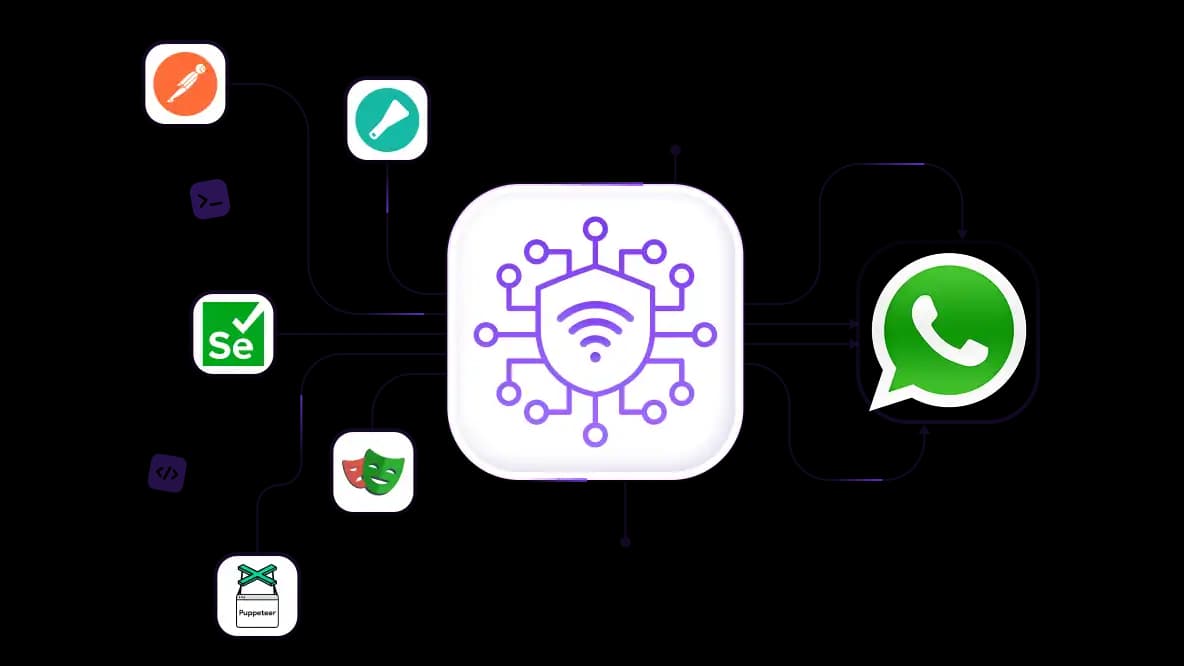
Scrape data WhatsApp tanpa gangguan
Kurangi CAPTCHA dan gangguan selama ekstraksi data WhatsApp dengan proxy residensial rotating. Proxy CyberYozh siap API dan dioptimalkan untuk Playwright, Selenium, Puppeteer, Scrapy, Postman, dan skrip khusus.
Kelola beberapa akun dengan proxy WhatsApp yang stabil
Jalankan beberapa akun WhatsApp dengan menetapkan satu IP mobile/residential khusus per akun untuk mencegah penghubungan antar akun. Ideal untuk agensi dan tim yang mengelola alur kerja komunikasi skala besar.
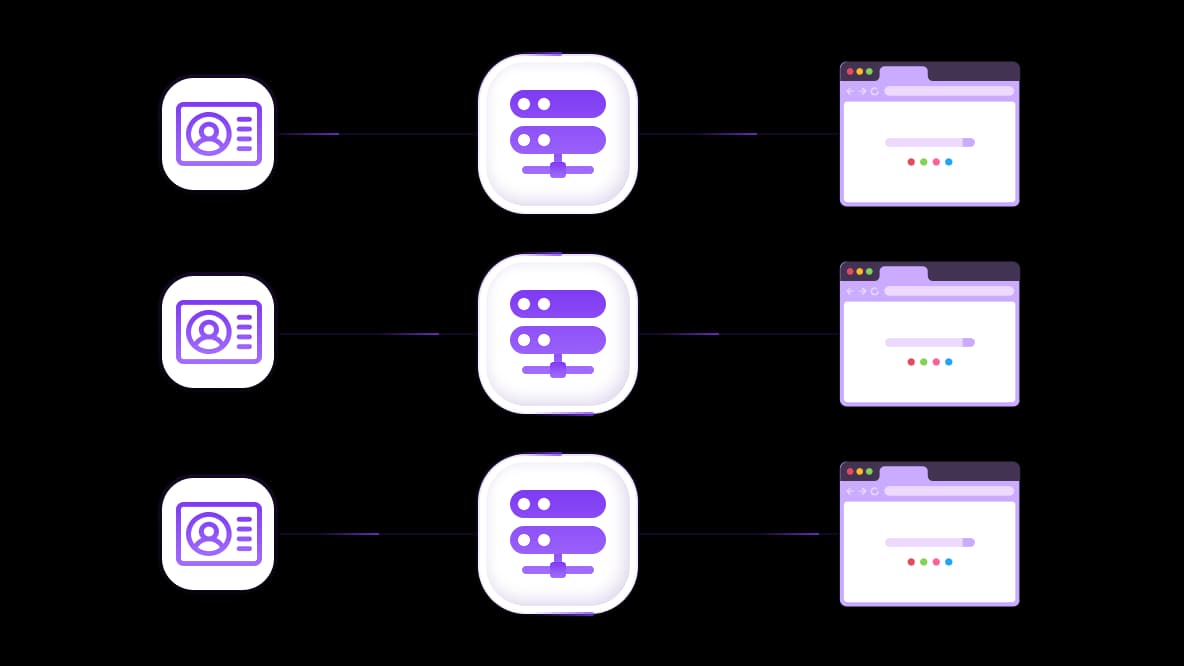
Hubungkan dengan browser anti-deteksi apa pun
CyberYozh App menyediakan kontrol sidik jari OS untuk isolasi akun WhatsApp di luar pemisahan berbasis IP. Tambahkan proxy ke browser anti-deteksi mana pun untuk membuat sesi terisolasi untuk setiap akun WhatsApp.
Khusus untukmu
Proxy terbaik berdasarkan negara

WhatsApp - seluler khusus tanpa batas
-
Router 5G khusus
-
Socks5/VPN dengan DNS khusus
-
Penggantian IP manual
-
Perubahan sidik jari p0f (Windows, macOS, Android)
-
Tingkat kepercayaan tinggi
-
Kecepatan sangat tinggi + latensi rendah
-
Semua parameter jaringan 1:1 seperti penyedia
WhatsApp - seluler bersama
-
Router 5G bersama
-
Mendukung SOCKS5 dengan UDP
-
Hingga 5 pengguna per port
-
Socks5 / HTTP
-
Rotasi IP: setiap 30 menit
-
Sidik jari p0f Windows
-
Tingkat kepercayaan tinggi
-
Kecepatan sangat tinggi + latensi rendah
-
Semua parameter jaringan 1:1 seperti penyedia
WhatsApp - residensial yang berotasi
-
Ketersediaan 24 jam
-
ISP nyata
-
Kecepatan hingga 10 Mbps
-
Akses API penuh
-
Protokol HTTP
-
Lebih dari 100M IP di lebih dari 100 negara
-
Generator kredensial massal
-
Sesi panjang hingga 6 jam
WhatsApp - residensial pribadi
-
Bandwidth tanpa batas
-
ISP nyata
-
Kecepatan hingga 150 Mbps
-
Latensi rendah
-
Mendukung SOCKS5 dengan UDP
-
Ketersediaan 24 jam
-
1 IP khusus
WhatsApp - datacenter khusus
-
Bandwidth tanpa batas
-
Kepemilikan IP eksklusif
-
Konektivitas berkecepatan tinggi
-
Uptime 99.9 %
-
HTTP
WhatsApp - datacenter bersama
-
Kecepatan sangat cepat
-
Cakupan IP global
-
Uptime 99.9 %
-
Paket hemat biaya
-
1 GB bandwidth
-
HTTP
Mengapa mereka membeli dari kami?
Keuntungan
Pembayaran kartu pribadi
Tidak masalah bagaimana Anda mengisi saldo, mengaitkan pembayaran dengan penyewaan proxy tertentu adalah hal yang tidak mungkin.
Kami tidak menyimpan data di server.
Sebagai aturan, layanan yang menyewakan proxy menyimpan semua data tentang lalu lintas yang melewati server mereka.
Perangkat khusus
Kami TIDAK menyamarkan proxy Bersama sebagai proxy individu. Sebuah modem atau router hanya dipindahkan kepada SATU orang saja.
Dukungan teknis online
Kami selalu siap untuk menyelesaikan masalah dan pertanyaan Anda. Bahkan larut malam dan dini hari.
Jaminan uang kembali
Kami menerima pengembalian maupun penukaran. Prioritas kami adalah pelayanan berkualitas dan kepuasan pelanggan.
API untuk Bisnis
Untuk klien bisnis, layanan kami siap menyediakan API yang mudah digunakan untuk membeli proxy, mengganti alamat IP, dan masih banyak lagi.
Mengapa Anda membutuhkan proxy WhatsApp
Proxy WhatsApp memberikan setiap akun koneksi stabil yang sesuai dengan wilayah, bukan satu IP bersama. Baik Anda agensi yang mengelola beberapa akun WhatsApp, tim dukungan pelanggan, atau bisnis e-commerce yang melayani pelanggan di berbagai pasar, proxy membantu Anda menjaga akun tetap terpisah, sesi tetap stabil, dan operasi mudah diskalakan.
Inilah yang ditawarkan CyberYozh:
Pisahkan akun: tetapkan proxy mobile atau ISP khusus IP ke setiap akun dan profil browser untuk menghindari penautan akun.
Jaga sesi tetap stabil: pertahankan IP yang sama untuk mengurangi logout paksa dan permintaan verifikasi.
Tetap konsisten dengan pasar Anda: sesuaikan IP dengan negara SIM atau wilayah target Anda dengan penargetan tingkat negara dan kota.
Ganti IP bermasalah dengan cepat: tukar IP jika reputasinya menurun, tanpa membangun ulang pengaturan Anda.
Skalakan tanpa pekerjaan manual: kelola koneksi proxy melalui API alih-alih mengonfigurasi setiap akun secara manual.
Buka katalog proxy CyberYozh dan pilih proxy Anda
Bagaimana Anda dapat menggunakan proxy untuk WhatsApp
Baik Anda mengelola beberapa akun, mendukung pelanggan dari koneksi regional yang stabil, atau mengotomatiskan alur kerja, server proxy WhatsApp CyberYozh membantu dalam kasus-kasus ini:
Jalankan beberapa akun WhatsApp secara bersamaan
Akun yang berbagi satu IP lebih mudah ditautkan, sehingga satu nomor yang ditandai dapat membahayakan yang lain. Tetapkan proxy mobile khusus atau proxy residential statis ke setiap akun, dengan IP yang sesuai dengan negara SIM.
Yang Anda dapatkan: Setiap akun terhubung dari IP dan lokasinya sendiri, sehingga risiko penautan lebih rendah dan permintaan verifikasi serta pembatasan lebih kecil kemungkinannya menyebar antar nomor.
Beli proxy mobile 5G untuk WhatsApp mulai dari $1.7/hari
Jaga WhatsApp Business tetap stabil untuk tim dukungan
IP yang tidak sesuai dengan negara SIM atau pasar target Anda, atau yang terus berubah, dapat memicu pemutusan sesi dan verifikasi berulang. Pilih proxy residential dengan penargetan geografis atau proxy mobile untuk wilayah tempat Anda beroperasi.
Yang Anda dapatkan: Sesi stabil untuk agen Anda di WhatsApp Business dan WhatsApp Web, dengan lebih sedikit logout dan permintaan verifikasi ulang.
Dapatkan proxy ISP untuk WhatsApp Business
Otomatisasi alur kerja WhatsApp dengan IP tetap
Selenium, Playwright, dan alat otomatisasi lainnya dapat mengalami logout dan verifikasi ulang ketika IP berubah di tengah sesi. Gunakan proxy residential statis yang mempertahankan IP yang sama.
Yang Anda dapatkan: Proses yang lebih lama tanpa gangguan dan lebih sedikit reset sesi, dengan koneksi stabil untuk alur kerja WhatsApp berbasis browser.
Scraping data publik terkait WhatsApp dalam skala besar
Mengumpulkan data publik di berbagai pasar sering kali memerlukan beberapa IP untuk mendistribusikan permintaan dan menghindari pengiriman setiap permintaan melalui satu alamat. Proxy residential rotating menyediakan kumpulan IP residential yang dapat berputar di antara permintaan atau sesi.
Yang Anda dapatkan: Data pasar yang lebih lengkap dengan lebih sedikit celah yang disebabkan oleh batasan akses berbasis IP.
Dapatkan proxy residential rotating untuk scraping
Jika akun WhatsApp Anda diblokir, baca panduan kami untuk strategi pemulihan.
Apa kata pelanggan kami di Trustpilot
Apa yang membuat Cyberyozh menjadi penyedia proxy WhatsApp terbaik untuk pekerjaan multi-akun
Baik Anda mencari proxy WhatsApp untuk beberapa akun, proxy pesan massal WhatsApp, atau proxy otomatisasi WhatsApp, CyberYozh dapat memastikan stabilitas akun dan pekerjaan tanpa gangguan:
100 juta+ IP berkualitas tinggi di 195+ negara, cocok untuk setiap alur kerja WhatsApp. Dengan uptime 99,8%, Anda dapat mengandalkan performa akun yang stabil.
Unlimited proxy mobile LTE/5G. Proxy mobile berbasis operator asli dengan traffic unlimited dan kecepatan koneksi tinggi. Ideal untuk WhatsApp di mana tingkat kepercayaan dan stabilitas sesi sangat penting.
Aktivasi SMS. CyberYozh menawarkan nomor residential dan virtual – kelola 10, 100, atau 1000 akun tanpa blokir atau pembatasan. Mulai dari $0,02 untuk SMS.
Kontrol API. Integrasikan dengan Postman, Selenium, Playwright, Scrapy, dan Puppeteer. Anda dapat mengotomatisasi manajemen proxy alih-alih hanya mengandalkan dashboard.
Infrastruktur all-in-one. Platform ini menawarkan infrastruktur siap otomasi dengan aktivasi SMS, dan pemeriksaan risiko penipuan, yang memberi Anda kontrol penuh sebelum meluncurkan kampanye.
Ideal untuk manajer media sosial yang mengelola banyak akun, penjual e-commerce, dan manajer lead generation yang menjalankan outreach.
Apa proxy WhatsApp terbaik untuk tugas Anda
Proxy terbaik untuk WhatsApp bergantung pada cara Anda menggunakan akun, berapa banyak nomor yang Anda kelola, dan apakah setiap akun memerlukan lingkungan jaringan yang stabil sendiri. Struktur IP yang salah menyebabkan loop verifikasi, flag spam, dan hilangnya nomor.
1. Proxy mobile (LTE/5G) – terbaik untuk WhatsApp
Proxy mobile berjalan melalui jaringan operator dan memiliki skor kepercayaan tinggi. Cocok untuk pengelolaan multi-akun, WhatsApp Business, affiliate marketing, dan otomasi sensitif. WhatsApp paling mempercayai IP mobile, terutama untuk akun yang sebelumnya dibatasi.
2. Proxy residential statis (ISP)
IP residential berasal dari jaringan ISP rumah asli, tampak sebagai traffic pengguna normal. Ideal untuk agensi dan marketer yang menjalankan workflow akun jangka panjang yang stabil dengan aktivitas moderat. Gunakan proxy residential terbaik untuk pengelolaan akun, customer support, dan workflow outreach.
3. Proxy residential rotating
Proxy residential rotating mengubah IP secara otomatis pada interval yang ditentukan atau per permintaan. Berguna untuk testing, scraping data publik, dan tugas di mana perubahan IP disengaja.
Proxy datacenter cepat dan hemat biaya tetapi mudah terdeteksi, sehingga tidak cocok untuk pengelolaan multi-akun di WhatsApp.
Perbandingan: Proxy WhatsApp terbaik berdasarkan kasus penggunaan
Kasus penggunaan | Proxy yang direkomendasikan |
Operasi WhatsApp Business | Residential |
Beberapa akun WhatsApp | Mobile |
Kampanye outreach | Mobile |
Alur kerja dukungan pelanggan | Residential / ISP |
Pemanasan akun (nomor baru) | Mobile |
Pesan massal volume tinggi | Mobile |
Notifikasi pesanan e-commerce | Residential |
Lingkungan pengujian dan QA | Datacenter |
Menggunakan WhatsApp Web? Pelajari cara login dan menghindari kesalahan
Fitur utama yang perlu dicari dalam proxy WhatsApp
Tidak semua proxy cocok untuk otomasi WhatsApp. Berikut ini yang perlu dipertimbangkan jika Anda ingin membeli proxy WhatsApp:
Sticky sessions (IP harus tetap sama untuk mencegah logout paksa dan verifikasi)
Penargetan negara dan kota untuk mencocokkan lokasi kartu SIM
Manajemen reputasi IP yang bersih dengan pemantauan penyalahgunaan
Opsi untuk IP khusus - satu IP per akun
Dukungan untuk HTTP/SOCKS5
Penggantian IP yang mudah jika reputasi menurun
Akses API untuk alat otomasi.
Cara mengatur proxy WhatsApp
Untuk mengatur Proxy WhatsApp untuk alur kerja yang efektif, ikuti panduan berikut:
Unduh aplikasi proxy dari toko Anda: Super Proxy atau Tun2Tap untuk Android; Shadowrocket atau Potatso untuk iPhone.
Buka aplikasi, buat profil baru, dan masukkan detail proxy Anda (IP, port, username, password).
Pilih SOCKS5 sebagai protokol (ini penting untuk panggilan).
Ketuk start/connect. Ini akan mengarahkan lalu lintas ponsel Anda melalui proxy. Sekarang buka WhatsApp—aplikasi akan bekerja secara otomatis.
Kelola beberapa akun WhatsApp dengan CyberYozh
Kelola beberapa akun WhatsApp dengan proxy CyberYozh, menggunakan koneksi mobile atau residential khusus untuk menjaga konsistensi setiap alur kerja. Sesuaikan lokasi proxy dengan akun Anda dan gunakan sticky session untuk alur kerja yang stabil dan tanpa gangguan.
Dapatkan proxy khusus CyberYozh untuk akun
Isi saldo Anda dengan cara yang paling nyaman!
Kartu bank


Kriptokurensi


