Canvas Fingerprinting: The Tracking Method Cookies, VPNs, and Incognito Can't Stop

You deleted your cookies. You opened an incognito tab. You might have even switched to a VPN. And yet certain websites still seem to recognize you, showing you ads for things you looked up yesterday, or locking you out of a "free trial" you already used.
This isn't a coincidence. It isn't a glitch. It's canvas fingerprinting, one of the most effective and least visible tracking methods built into the modern web. And in 2026, it's operating on thousands of websites you visit regularly, including many you'd consider trustworthy.
TL;DR
Canvas fingerprinting tracks you by measuring how your browser renders hidden graphics.
Every device produces a unique result.
Websites convert that result into a persistent ID: no cookies, no login, no traces on your device.
Standard privacy modes don't block it. But the right combination of tools can neutralize it effectively.
What is canvas fingerprinting
Canvas fingerprinting is a browser tracking technique that identifies your device by measuring how it renders hidden graphics, without storing anything on your system.
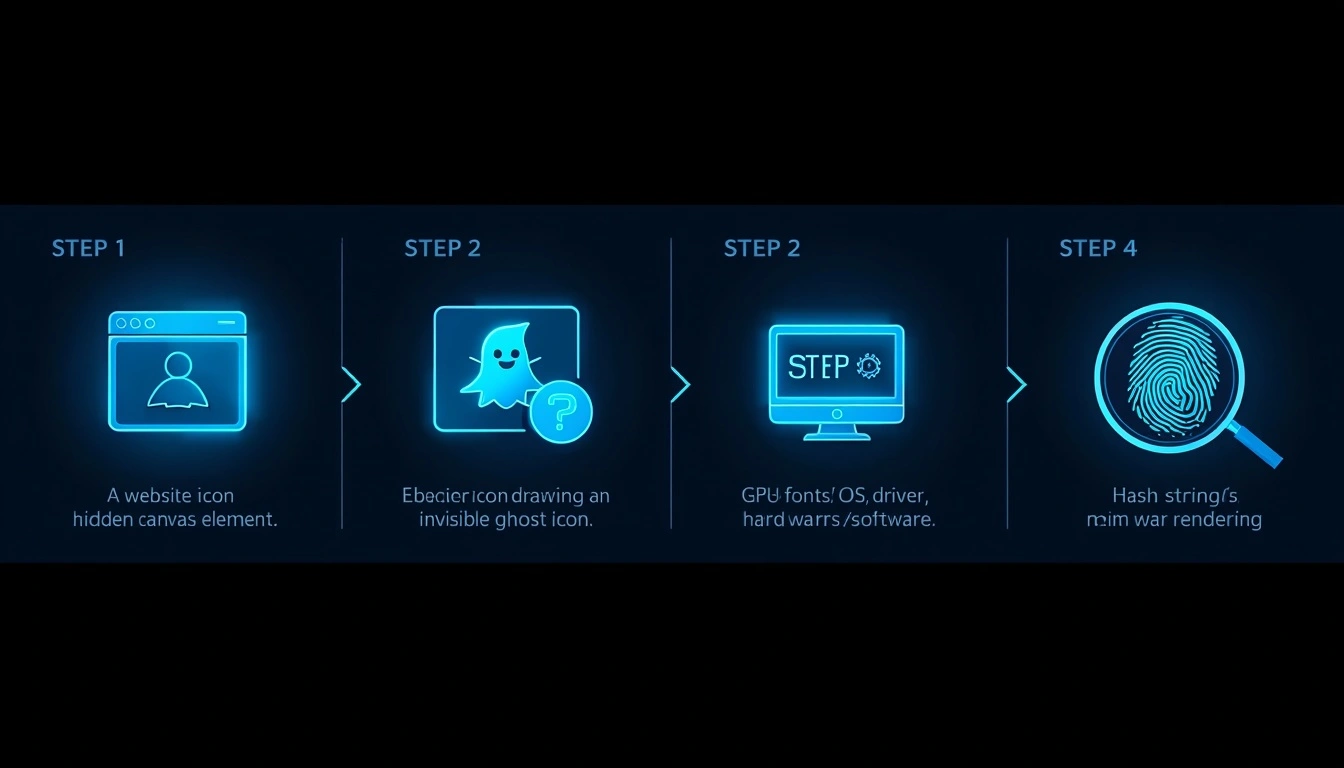
Here's the mechanism:
When you land on a site that uses canvas fingerprinting, the page runs a script that quietly instructs your browser to draw an invisible image using the HTML5 Canvas API. You never see it. It takes milliseconds. The rendering happens entirely offscreen.
The key insight is that every device draws that image slightly differently. Your GPU model, operating system, installed fonts, graphics driver version, and anti-aliasing settings all influence the output at the pixel level.
The site converts the rendered image into a hash: a short string of characters that uniquely represents your configuration.
That hash is your fingerprint. It's consistent. It's reproducible. And it works just as reliably in incognito as it does in your regular browser.
Researchers at Princeton University documented canvas fingerprinting running on over 5% of the world's top 100,000 websites as far back as 2014. By 2026, that penetration has grown significantly, embedded in third-party advertising scripts, analytics platforms, and fraud-detection SDKs that site owners often don't fully audit.
How websites use it, and not all of it is sinister

Canvas fingerprinting serves different purposes depending on who's deploying it.
Advertising networks use it to build cross-site behavioral profiles after the decline of third-party cookies. Your fingerprint connects your activity across unrelated domains.
E-commerce platforms use it to detect the same user creating multiple accounts to exploit new-customer discounts or trial offers.
Financial institutions and payment processors use it as a fraud signal, flagging sessions in which a familiar fingerprint suddenly appears from an unusual network or device configuration.
Media publishers use it to enforce article limits on users who bypass paywalls by clearing cookies.
Some of these applications are defensible. A bank detecting account fraud is a legitimate use of behavioral consistency. An advertising network building a shadow profile of your medical research across health sites is considerably harder to justify.
The problem isn't the technology itself. It's the absence of transparency. Most users have never heard of canvas fingerprinting, which makes consent practically meaningless even when it's technically disclosed on page 47 of a privacy policy.
Can canvas fingerprinting be used to track you across the internet
Yes. That's precisely why it displaced cookie-based tracking for certain use cases.
Unlike cookies, which are siloed to individual domains and easily deleted, a canvas fingerprint can be shared across advertising networks and data brokers to build a unified cross-site profile.
The profile follows you regardless of which browser you use, whether you're logged in, or how aggressively you clear local storage.
The Electronic Frontier Foundation built a public tool called Cover Your Tracks specifically to demonstrate this.
You can test your own browser's fingerprint uniqueness at coveryourtracks. [Read about CAPTCHA proxies]
Most people discover their browser is unique among the thousands tested.
For a deeper look at the legal landscape, see the EFF's analysis of fingerprinting under GDPR, the most thorough breakdown of how regulators are (and aren't) catching up.
In the European Union, GDPR classifies device fingerprinting as personal data processing that requires either explicit user consent or a legitimate interest justification. The reality is that enforcement is patchy, disclosures are buried, and the vast majority of fingerprinting happens without users understanding what they've agreed to.
In the United States, there's no federal law that directly governs canvas fingerprinting. California's CPRA expanded privacy protections in 2023 to cover certain forms of profiling, but enforcement infrastructure remains thin.
The practical answer: Canvas fingerprinting is widespread, rarely disclosed meaningfully, and rarely prosecuted. Whether you consider that legal is technically accurate is one thing; whether you consider it ethical is a different conversation.
4 misconceptions that give people false confidence
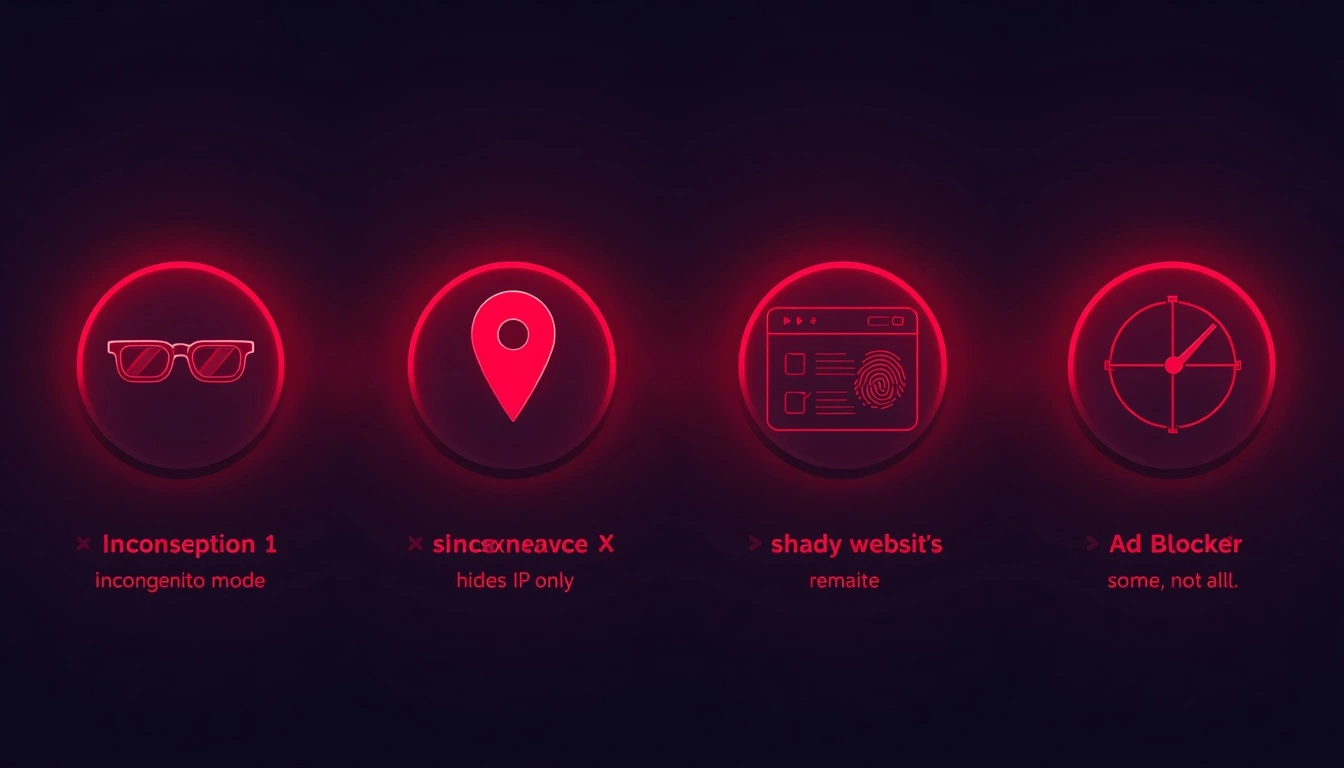
1. "Incognito mode protects me." Incognito prevents your browser from saving local data. Your canvas fingerprint is generated by your device hardware and software, neither of which changes in private mode. Your fingerprint in incognito is identical to your regular fingerprint.
2. "My VPN hides me." A VPN changes your visible IP address. It does nothing to your rendering configuration. You can be behind a VPN and still be fully identifiable by your fingerprint simultaneously. VPNs and fingerprint protection solve fundamentally different problems.
3. "Only shady websites do this." Major advertising platforms embed fingerprinting scripts on mainstream publishers' sites. If a site runs Google Ads, Meta Pixel, or a third-party analytics suite, fingerprinting is plausible whether the site owner knows it or not.
4. "My ad blocker handles it." Partial credit. Blockers intercept many known fingerprinting scripts. But scripts embedded within first-party code, or served from domains that haven't been flagged yet, routinely bypass standard blocklists.
Explore CyberYozh IP fraud score feature
What is a Canvas fingerprint defender, and which approach works
A canvas fingerprint defender is a tool that either blocks or modifies the canvas API output that websites collect. Two strategies exist:
Blocking: Returns empty or null canvas data. Detectable. Sites with anti-bot systems will flag an empty-canvas response as a sign that something is being concealed.
Spoofing/Randomization: Introduces subtle, randomized pixel-level variations in each canvas output. The website receives a fingerprint that changes with each session, making consistent tracking impossible. This approach is significantly harder to detect.
For practical privacy use, randomization wins. Brave Browser implements this natively; it adds noise to canvas output by default, without requiring any extensions. Firefox, configured with CanvasBlocker set to randomization mode, achieves similar results.
For higher-stakes use cases, managing multiple business accounts, conducting competitive research, or operating at scale, purpose-built anti-detect browsers like Dolphin Anty or AdsPower go further, creating entirely synthetic browser environments with consistent internal fingerprints that never repeat across profiles.
Why your network layer has to match
Even a convincing canvas spoof creates a problem if your network context tells a contradictory story.
If your browser identifies as a standard Chrome user on Windows 11 in the Netherlands, but your IP address resolves to a data center in Lithuania, sophisticated detection systems flag the inconsistency.
The fingerprint and the network identity need to be coherent.
Solution: Residential proxies solve this by routing traffic through real consumer ISP connections, so your IP reflects what an actual user in that location would produce. Combined with fingerprint randomization, this creates a browsing identity that appears genuinely human at both the fingerprint and network layers.
Neither element alone is sufficient for serious privacy. Together, they close the gap.
How CyberYozh approaches this problem
CyberYozh built its proxy infrastructure with exactly this interplay in mind.
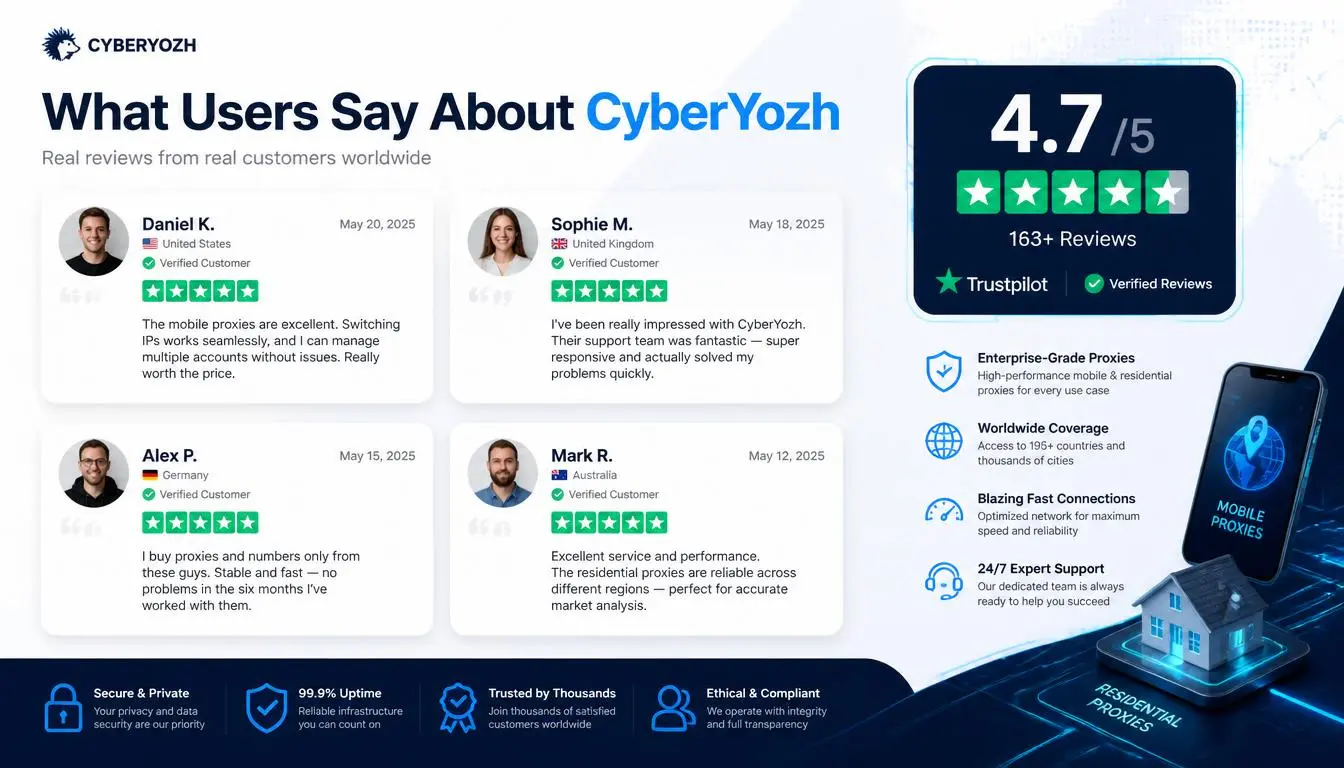
Their residential and LTE/5G mobile proxy network routes traffic through real ISP-assigned addresses, which carry the trust signals and behavioral patterns associated with genuine consumer traffic, rather than the datacenter flags that undermine most cheap proxy solutions.
For users running anti-detect browsers or canvas fingerprint defenders, this matters practically: your synthetic browser profile needs a network foundation that reinforces rather than contradicts it.
CyberYozh's infrastructure provides this without requiring complex configuration or enterprise pricing.
It is the most budget-friendly option in 2026 with the highest trust score.
Buy residential proxies for $5.29/month, and LTE/5G mobile proxies with unlimited traffic for $1.7/day.
It's the kind of detail that separates proxy infrastructure designed for privacy use cases from commodity services that happen to offer IP rotation.
If you're taking fingerprint protection seriously, the network layer deserves the same attention.
Explore CyberYozh proxy catalogue here
Six practical steps to take right now
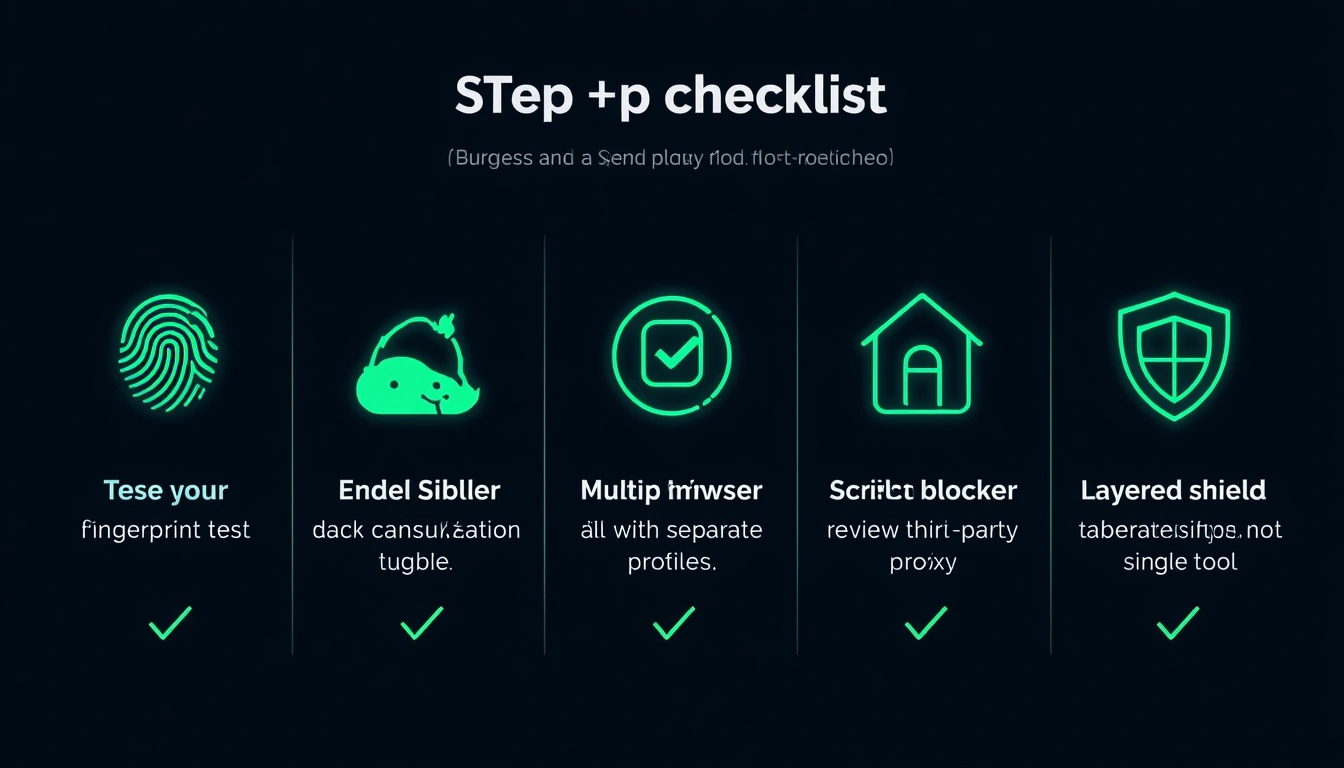
Test your current fingerprint on coveryourtracks to see how unique your browser actually is before doing anything else.
Enable canvas randomization. Brave Browser does this by default. Firefox users can install CanvasBlocker with randomization mode enabled.
Use separate browser profiles for different activities; compartmentalization limits cross-site correlation.
Pair fingerprint protection with a residential proxy if you're doing anything where IP reputation matters.
Review what third-party scripts are running on sites you use regularly. Browser extensions like uBlock Origin show you this.
Don't rely on a single tool; effective fingerprint privacy is layered, not a single solution.