Error Code 524: What It Means, Who Fixes It and Why Roblox Is Different

TL;DR
Error code 524 means Cloudflare connected to a website's origin server but didn't get a complete response within its timeout window, 125 seconds by default as of 2026.
The most common cause is a slow, overloaded, or long-running process on the origin server, not something wrong with Cloudflare itself.
Fixing it is the website owner's job, not the visitor's; there's no setting on your end that resolves it.
As a visitor, refreshing, waiting, or trying again later is about all you can do.
Roblox's own "error code 524" is unrelated; it's a permissions message, not a Cloudflare timeout, and needs a completely different fix.
What is error code 524
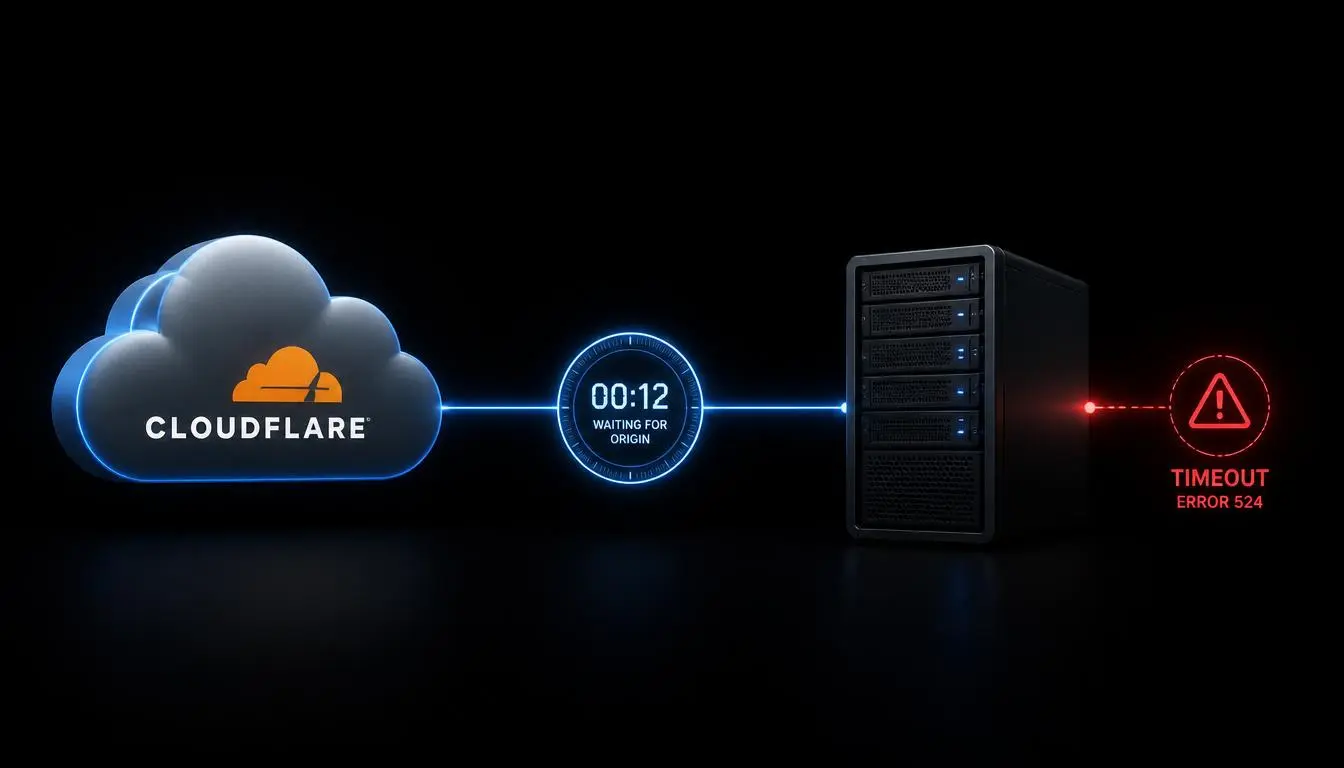
Error code 524 is a Cloudflare-specific status code meaning Cloudflare successfully connected to a website's origin server but didn't receive a full response before its timeout, 125 seconds by default as of 2026. It signals the origin server, not Cloudflare, is too slow. Only the website owner can fix it.
Quick answer: Error code 524 usually points to a timeout between Cloudflare and the origin server, not a problem with Cloudflare itself. Read more about error 520
What does error code 524 mean
Think of Cloudflare as a receptionist forwarding your call to an office extension. The receptionist reaches someone at the extension, so the call connects, but if that person puts you on hold for over two minutes without picking back up, the receptionist eventually hangs up and tells you the call couldn't go through.
That's what error code 524 looks like: Cloudflare successfully reached your website's server, but the server took too long to send back a real answer.
What causes error code 524
There are several common causes:
A slow origin server response, often from a heavy database query or a complex calculation
An overloaded server that can't keep up with a traffic spike
Long-running requests, such as report generation or bulk file processing
Database delays, including slow queries or locked tables
Server resource limitations, where CPU or memory is maxed out
Network connectivity problems between Cloudflare and the origin server
Configuration issues, like an incorrect timeout setting or a faulty caching rule
Unusual traffic patterns, including bot activity or sudden load spikes
Is error code 524 a Cloudflare problem or a server problem
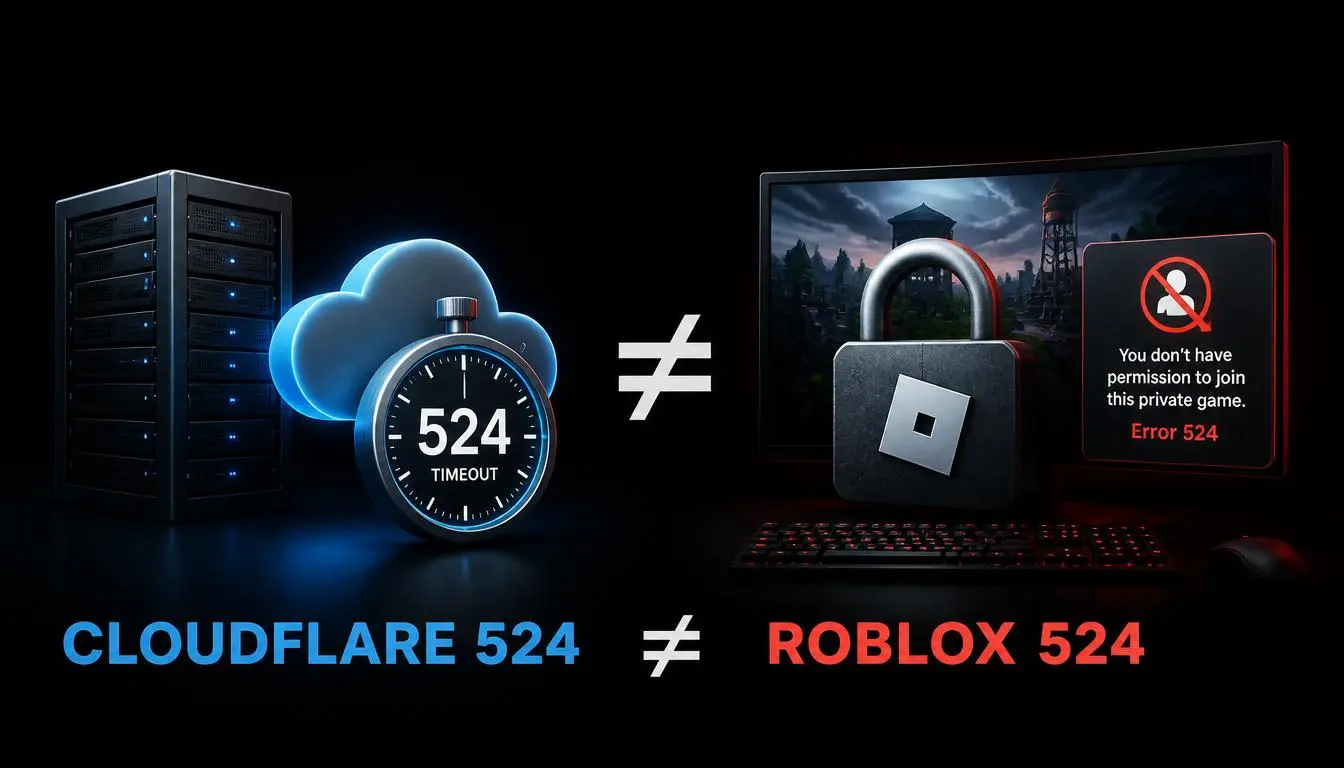
It's a server problem, not a Cloudflare problem. Cloudflare's own documentation is direct about where responsibility sits: the service "successfully connected to the origin web server," but the response never arrived in time.
Common mistake: assuming this means Cloudflare itself is broken. In nearly every case, Cloudflare is working exactly as intended; it's flagging a slow response from somewhere else.
Expert tip: First figure out whether you're the visitor or the website owner. The two groups need completely different next steps.
How to fix error code 524 as a website visitor
There isn't much you can do; the timeout happens between Cloudflare and the site's server, not on your device.
Refresh the page after a minute or two
Try a different network or device to rule out a local issue
Check whether the site is down for everyone, using a status checker or the company's social media
Clear your cache and cookies; it rarely helps, but it costs nothing
Wait and try again later; most 524s are temporary
Contact the site owner if the problem persists; you can't fix the origin server yourself
How website owners can fix error code 524
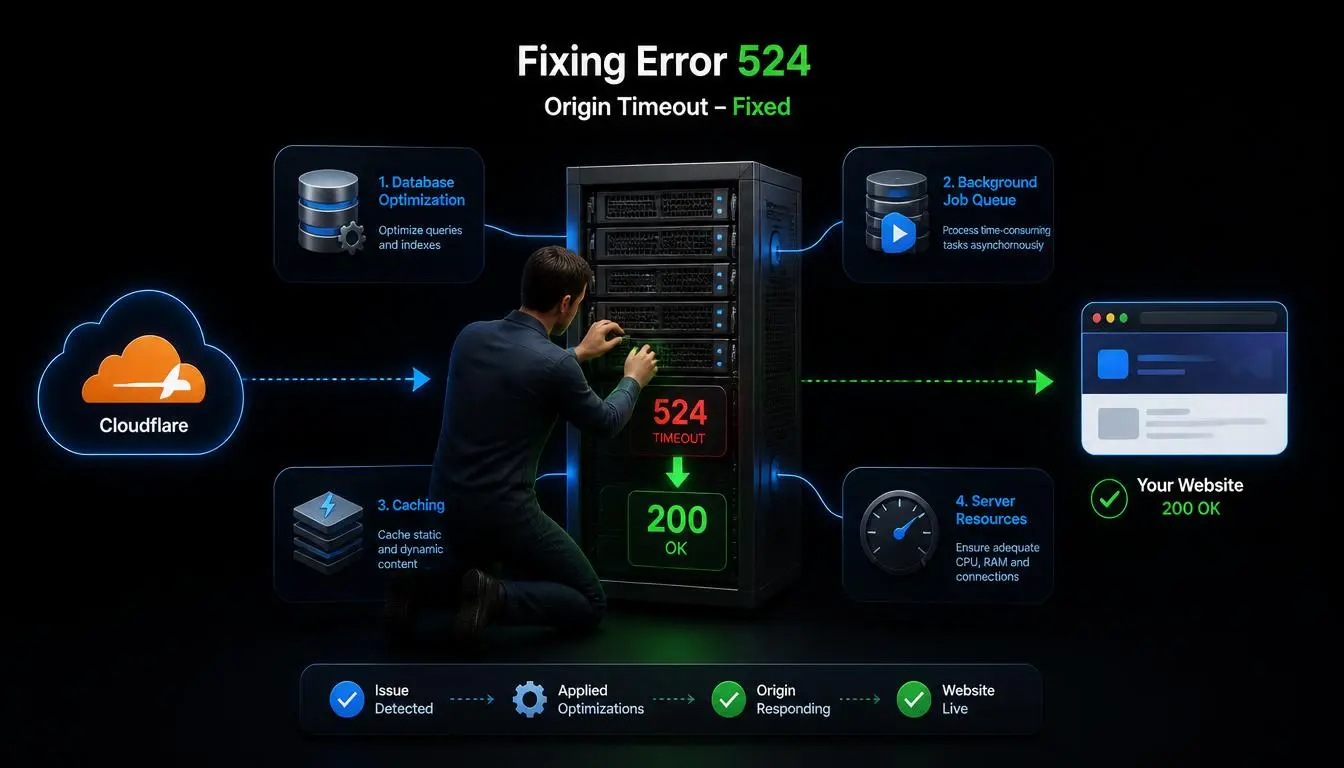
This is fixable, but it takes some investigation:
Check server load and logs for the exact time window when the errors occurred.
Profile slow database queries and optimize the worst offenders.
Move long-running tasks to a background worker or queue, and return an immediate response while the job finishes
Add caching for expensive endpoints so repeat requests don't hit the slow path again
Check hosting resource limits, including CPU, memory, and concurrent connections
For content that regularly takes longer than the default timeout, move it to a DNS-only subdomain that bypasses the proxy, or, on Enterprise plans, extend the Proxy Read Timeout through a Cache Rule
Use Cloudflare's Origin Analytics to watch P95 response times and catch slow endpoints before they start timing out
Read about error code 499
Error code 524 vs other HTTP/Cloudflare errors
Error | Meaning | Typical Cause |
502 | Bad Gateway | Origin sent back an invalid or broken response |
503 | Service Unavailable | Origin server overloaded or down for maintenance |
504 | Gateway Timeout | Origin (or something behind it) reports its own timeout |
524 | A Timeout Occurred | Cloudflare connected to the origin, but it never finished responding within Cloudflare's timeout window |
504 and 524 look alike but aren't identical. A 504 is often the origin server's own timeout message passed through Cloudflare, while a 524 is generated by Cloudflare itself after it successfully connects and then waits too long.
What does error code 524 mean in Roblox
This is a completely separate issue from Cloudflare's HTTP 524, and the two should never be confused just because they share a number. Roblox's own support documentation defines this number as a permissions issue: "you do not have permission to join this experience", not a timeout.
Common causes include joining a private server without an invite, trying to enter a VIP or group-only experience without the right membership, age-based privacy settings restricting who can add you to private servers, or the specific experience being temporarily unavailable.
Read more about how to unblock Roblox IP bans
Did you know? Despite sharing the same number, Roblox's version and Cloudflare's HTTP 524 have nothing to do with each other; one is a permissions message, the other is a server timeout.
What players can try:
Check the private server invite and your account's privacy settings,
Verify you have the required group membership if the experience needs one,
Try joining from the server list instead of a direct link (which sometimes resolves link-specific bugs),
Restart the Roblox app or your device, check Roblox's support page and community channels for a wider outage.
Contact the experience owner for private server access; Roblox Support can't override an owner's permission settings.
When proxy infrastructure becomes part of the problem
Proxies don't fix an origin-server timeout; that's a server-side problem.
But proxies are relevant to a related problem: sending a high volume of automated requests to one endpoint can add to the load that causes 524s in the first place, and an unstable proxy connection on your own end can produce a different failure that looks similar but isn't the same thing.
It helps to separate a website's own origin-server timeout (server-side) from a requester's network or proxy issue (client-side).
Need reliable, well-distributed IP infrastructure for research or automation? Explore CyberYozh's proxy catalog.
Pro tip: If you're making a large volume of requests to a site for research or monitoring and seeing frequent 524s, the fix is usually to slow down and spread the requests out, not to add more proxies. Proxies change which IP is asking; they don't make the origin server answer faster.
How CyberYozh can help with related network problems
To be direct: no proxy product, including ours, fixes an origin-server timeout. If your own site is issuing 524s to visitors, the fix lives in your server or hosting environment, not in proxy infrastructure. Proxies are relevant here only for the adjacent problem of managing your own outbound request patterns responsibly.
Residential proxies: useful when a workflow specifically needs traffic to originate from real residential IP ranges. CyberYozh's rotating residential proxies start at $2/GB.
Mobile proxies: suit mobile-specific access patterns or carrier-level checks, starting from $1.70/day.
Datacenter proxies: work well for high-speed, non-sensitive bulk requests where IP origin doesn't matter, starting from $1.90/month.
Rotating IPs and sticky sessions: distribute request volume across many addresses instead of repeatedly hitting one endpoint from a single IP, which can reduce the odds of contributing to origin overload.
IP reputation checker: confirms whether an IP has a poor reputation before you rely on it for a workflow. Check an IP here.
API access: supports automating IP checks and rotation logic across a distributed setup.
Key takeaways
Error code 524 means Cloudflare reached the origin server, but the origin took too long to respond; the default timeout is 125 seconds as of 2026.
It's a server-side problem; visitors can't fix it, only wait or retry.
Website owners should look at slow queries, overloaded resources, and long-running processes first.
Roblox's error code 524 is a completely different, permissions-based error, not a Cloudflare timeout.
Proxies don't fix origin timeouts, but responsible request distribution can help avoid contributing to them.