
GeeLark Review: Use Cloud Phones with Proxy
GeeLark is a robust cloud phone solution, designed specifically for social media managers and mobile-first operations. It provides a highly realistic set of mobile fingerprints for each cloud device, so they look like genuine Android phones rather than simple emulations. For further optimization, it offers features like AI content generation and social media automation. Here, we’ll explore these features in detail and see why proxies are needed to complete the profile isolation.
What is a cloud phone
A cloud phone is a functional Android device hosted on a remote server, accessible from any PC or laptop via a desktop app.
Unlike Android emulators, cloud phones operate on real hardware in the cloud, meaning they produce authentic device signals, support app installations from APK files or internal stores, and can simulate touchscreen gestures, screen rotations, and carrier network parameters.
Therefore, cloud phones are more trustworthy to anti-fraud systems than emulated environments, and far easier to scale: instead of being limited to one or two virtual phones on a single machine, users can spin up dozens or hundreds of isolated devices without any local hardware investment. They’re functionally similar to antidetect browsers in many ways, but are specifically designed for mobile workflows.
Specifics of GeeLark phones
GeeLark, founded in Singapore in 2024, is widely recognized as the first cloud phone provider built specifically for antidetect multi-account operations.
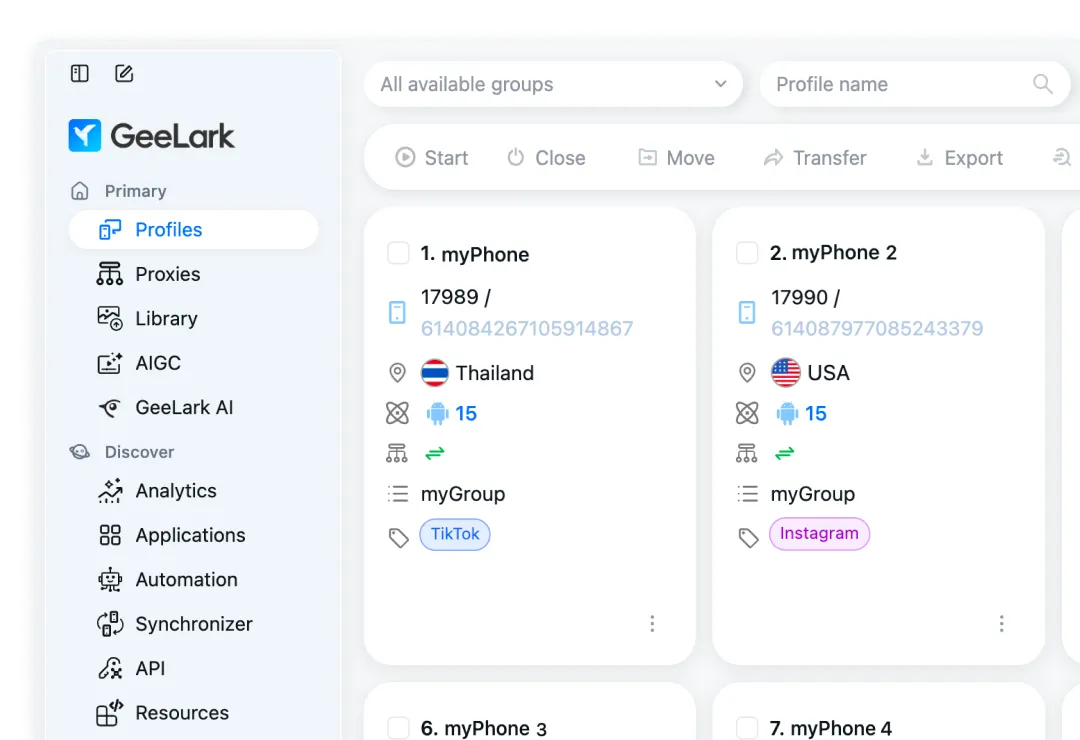
Each GeeLark cloud phone profile gets a unique fingerprint, such as an IMEI, MAC address, Bluetooth ID, and hardware identifiers, derived from real device data. So, they look like genuinely distinct Android devices to platform detection systems.
Read more about cloud phone providers
However, a unique device fingerprint alone is not sufficient for full session isolation: without a dedicated proxy, all cloud phones would share the same outbound IP, immediately linking them to the same operator. Pairing each GeeLark cloud phone with a dedicated CyberYozh proxy completes the separation, giving every profile both a unique identity and a unique network address.
Summary of GeeLark features
GeeLark has grown into a complete mobile management platform: from cloud Android phones and browser profiles to built-in AI and automation tools, all under one subscription.
Cloud Android phones: real remote devices with unique fingerprints, accessible from a PC
GeeBrowser: a built-in mobile browser generating unique fingerprints per cloud profile
Desktop antidetect browser: a full Chrome-based browser for non-mobile workflows
Automation templates: no-code RPA flows for TikTok, Instagram, YouTube, and more
Synchronizer: mirrors actions across multiple profiles simultaneously in real time
AI content generation: DeepSeek-powered video and text generation without leaving the platform
GhostCut video editor: AI-assisted color grading, deduplication, and effects
Batch profile creation: generate hundreds of profiles via a template upload
Proxy Manager: centralized proxy import, labeling, and assignment per profile
GeeLark API: programmatic control of cloud phones, device status, GPS, and settings
Team management: role-based permissions for admins, managers, and members
GeeLark costs $29.9/month for full, unlimited device rental, or offers flexible pricing with per-minute usage, starting from $3.75/month for 5 separate devices and 60 minutes. Two devices and the first 30 minutes are always offered for free. Read more about reliable free cloud phone options.
GeeLark proxy integration
Installing the GeeLark app and setting up a proxy for it are easy, so let’s explore them.
Download and install GeeLark
The GeeLark download is available from the official website for Windows 10+, macOS 10.15+, and Ubuntu Desktop 22.04.5+.
Run the installer, complete the Setup Wizard, and register a GeeLark login with your email or phone number.
After logging in, you land on the main dashboard with three navigation tabs:
Primary (profiles, proxies, file library),
Discover (automation, synchronizer, API, analytics)
Team (billing and member management).
Then, after purchasing a subscription, you can create a cloud phone and start CyberYozh proxy integration with it.
Explore CyberYozh's catalog and find out which proxies will suit you best.
Set up a GeeLark proxy from CyberYozh
GeeLark supports HTTP and SOCKS5 proxy protocols, and CyberYozh supports both. Here is how to connect a CyberYozh proxy to a GeeLark profile:
Purchase a CyberYozh proxy.
Log in to your CyberYozh account
Click Add Proxy
Select your proxy type (mobile, residential, or datacenter)
Copy the Host, Port, Username, and Password.
Open the Proxy Manager in GeeLark.
In the left sidebar, go to Proxies → Add Proxy.
Paste credentials using the format socks5://host:port:username:password (for SOCKS5 proxies), one proxy per line for bulk imports.
Assign the proxy to a profile.
When creating or editing a profile, go to Proxy Settings
Select Custom, choose HTTP or SOCKS5
Pick your saved CyberYozh proxy from the Saved Proxies dropdown.
Verify the connection.
Click Check Proxy. GeeLark returns the detected IP, location, and ISP.
The displayed address should match your CyberYozh proxy, not your real IP.
With the GeeLark API, proxy assignments can also be automated programmatically. Read the GeeLark API documentation for more details.
Usage of GeeLark cloud phone
Let’s look at how GeeLark features are actually implemented in user workflows.
Create a CyberYozh account now and select a proxy for a specific use case.
Social media marketing
Social media marketers managing multiple TikTok, Instagram, or Facebook accounts assign each profile its own cloud phone, proxy, and AI-generated content batch. Use the Synchronizer to push actions across all accounts simultaneously, dramatically reducing manual posting time. CyberYozh mobile proxies, with their carrier-grade IP trust scores, are the optimal pairing here.
Bulk profile automation
For account farming and management, GeeLark's Batch Create function lets operators generate hundreds of Android profiles from a single template file, each automatically assigned a unique fingerprint and a distinct proxy from the Proxy Manager pool. Automation templates handle repetitive on-device tasks for each profile without any manual interaction.
Mobile ad verification
Ad verification specialists use GeeLark to spin up cloud phones in specific geographic locations and verify that ads render correctly for the intended audience. By pairing each cloud phone with a CyberYozh residential proxy in the target country, verifiers can confirm placement, creative, and targeting accuracy from a real mobile IP without physical devices in each region.
Professional Android gaming
Mobile gaming professionals and airdrop farmers use GeeLark to run multiple game instances or wallet-farming sessions in parallel, each isolated behind a unique device identity and proxy. Because the phones run in the cloud with real hardware specs, game anti-cheat systems are significantly less likely to flag sessions than on local Android emulators.
Web3 mobile activities
Web3 operators managing multiple wallets or participating in airdrop campaigns across different accounts use GeeLark cloud phones to keep each wallet session completely isolated. CyberYozh rotating residential proxies add a further layer of separation by rotating IPs per session, making each interaction appear to come from a distinct mobile user in a different household.
Secure mobile workflows with GeeLark proxies
GeeLark's combination of real-hardware cloud Android phones, per-profile antidetect fingerprinting, AI-powered content generation, and scalable team automation makes it the most complete mobile management platform available today.
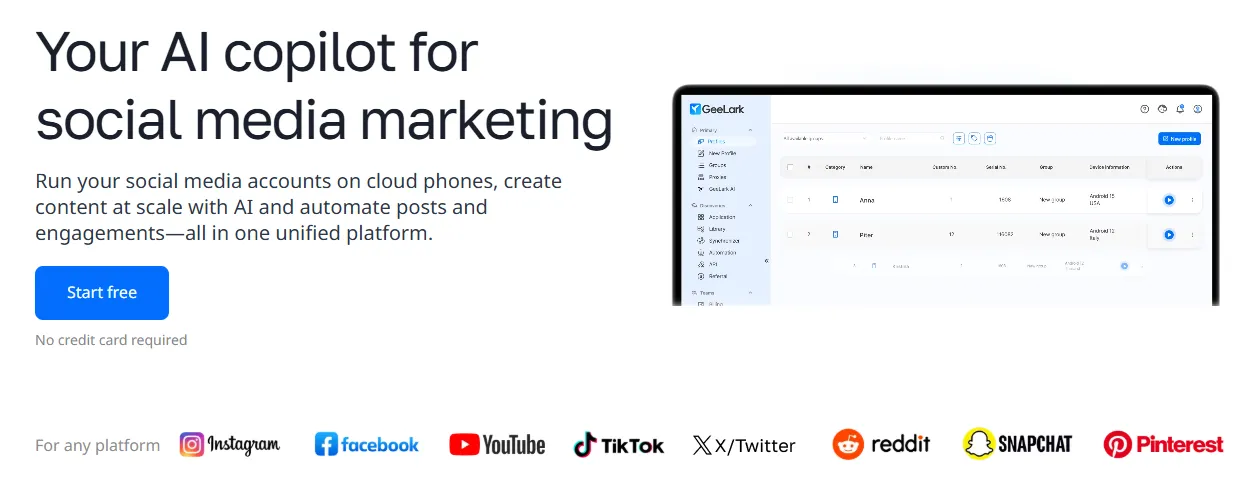
CyberYozh proxies complete every workflow by ensuring each GeeLark profile has a clean, unique IP address that matches its device fingerprint, timezone, and geolocation, making every session indistinguishable from that of a genuine mobile user.
Exclusive offer for CyberYozh App users: Register GeeLark now via the link and enter promo code CyberYozh at checkout. Get 15% off any GeeLark plan. No time limits, no device limits.