
Mobile vs Residential Proxy: Which is Better for SMM, Scraping, and Automation
Not all proxies are equal. Most users assume "residential" or "mobile" will work the same way. But when you run web scraping, automation, affiliate marketing, social media, or multi-account management at scale, one setup keeps sessions stable while the other breaks under platform detection, triggering flags, CAPTCHAs, or quiet limits after what looks like normal activity.
That's why the mobile proxy vs residential proxy decision isn't technical theory. Getting it wrong means rebuilt profiles, broken scraping pipelines, and wasted ad spend. The proxy choice determines whether your accounts survive scaling or collapse under routine actions like login or warm-up.
In this guide, you'll learn:
The difference between mobile proxies and residential proxies – and why it matters
When each proxy type performs best, especially in proxy for TikTok and other social media, ad verification, and automation campaigns
How to set up a proxy so each type works without triggering scraping blocks or account flags.
TL;DR
Mobile proxies are best for account-based workflows across social media, ad verification, and affiliate marketing where mobile carrier IPs matter.
Residential proxies offer larger IP pools and better cost-efficiency. They are suited for scraping, automation, SEO tracking, and market research.
Most bans and blocks come from usage patterns, not proxy type. Aggressive IP rotation, switching proxy types, and inconsistent browser fingerprints can trigger verification.
Use one consistent proxy per account for SMM and account-based automation and align the browser fingerprint with the proxy.
What are mobile proxies
Mobile proxies are IPs routed through real mobile carrier networks (4G/5G). To websites, traffic looks like it’s coming from a normal smartphone user, not a data center network. They are used for social media and ad platforms sensitive to suspicious behavior.
In practice, mobile proxies keep accounts stable under real platform detection systems, especially during logins and checkpoint-prone actions.
Key characteristics:
Real mobile carrier IPs shared across many users
Highest trust on social platforms like TikTok Ads and Facebook
Support sticky sessions for consistent account identity
Better suited for logins, account warm-up, and social media management workflows.
What are residential proxies
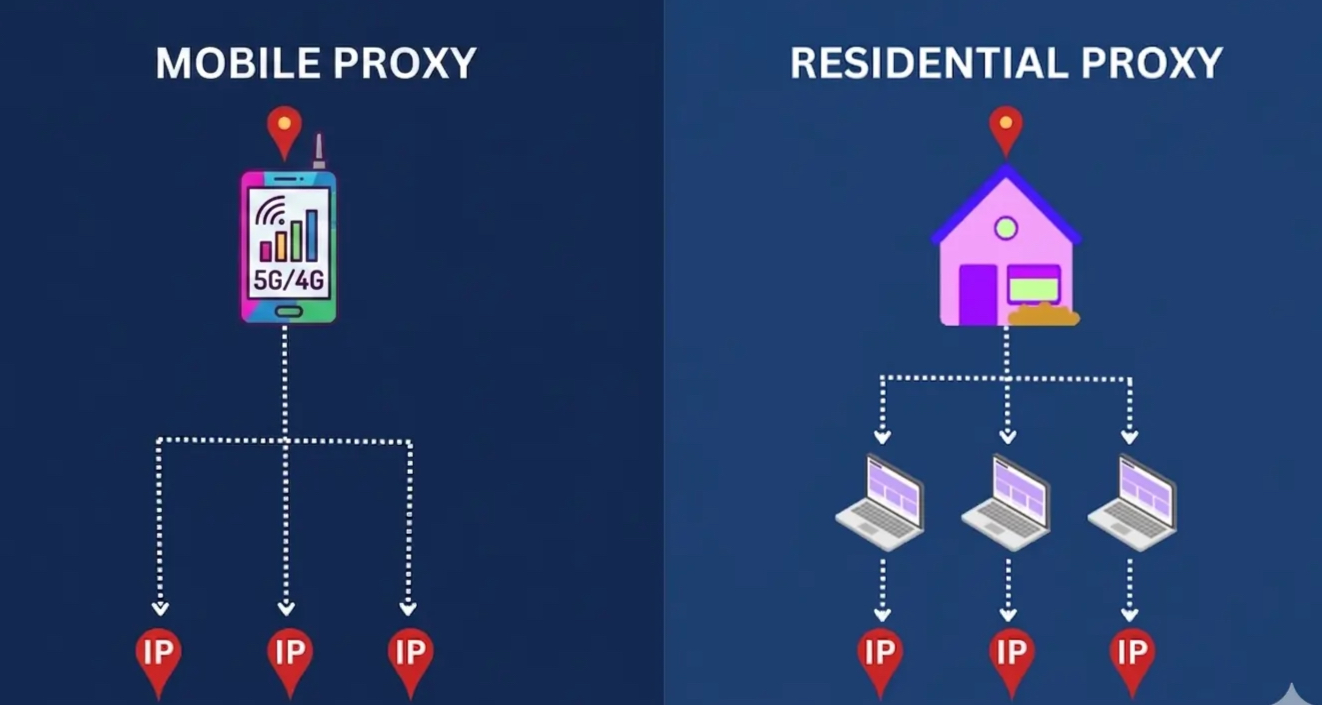
Residential proxies are IP addresses assigned by Internet Service Providers (ISPs) to home users. Websites see residential traffic as coming from a normal household connection. They are used for large-scale data collection, automation, and geo-targeted tasks where coverage and scale matter.
In practice, residential proxies are used for volume while maintaining realistic user traffic patterns, especially in scraping, SEO monitoring, and automation to reduce CAPTCHAs, blacklisting and rate limiting.
Key characteristics:
Real ISP-issued home internet IPs from residential devices
Large and scalable IP pools for high-volume operations
Ideal for scraping, SEO tracking, ad verification, and AI data collection
Support both rotating and sticky sessions.
Side-by-side comparison: mobile vs. residential proxies
Here is a side-by-side comparison of mobile and residential proxies based on the factors that matter in real workflows like social media automation, scraping, and multi-accounting:
Feature | Mobile Proxies | Residential Proxies |
|---|---|---|
IP Source | Mobile carrier networks (4G/5G) | Home ISP connections (cable/fiber) |
Trust Level | Highest; hard to ban without blocking real users | High; individual IPs can be blacklisted |
Typical Speed | 10-25 Mbps | 25-100 Mbps |
Best For | Social media, ad verification, account warm-up | Web scraping, SEO tracking, market research |
Session Control | Sticky sessions | Rotating + sticky |
IP Pool Size | Smaller (limited mobile infrastructure) | Massive (millions of IPs globally) |
Relative Cost | More expensive | More affordable |
Geographic Coverage | Carrier-specific (strong in US/EU) | Global (every country) |
Can rotate via carrier tower switches | User-controlled (scheduled or per request) |
Mobile proxy vs residential proxy in real workflows
Instead of thinking in terms of “which proxy is better - mobile or residential” it’s more accurate to map each proxy type to the workflow where it actually performs best.
Managing multiple client accounts (TikTok, Facebook, Instagram, Reddit)
⭐️ Best choice: Mobile proxies
Mobile proxies are the standard choice for managing multiple social accounts on Reddit, Facebook, LinkedIn, and many other platforms because they maintain higher trust during logins, posting, and account warm-up. They behave closer to real user sessions, which helps accounts stay stable over time.
If you use residential proxies instead: Accounts may work for light use. But at scale with frequent logins, 20+ accounts, or engagement actions you'll likely hit more checkpoints than mobile would trigger.
Scaling past a handful of accounts? Pair a USA mobile proxy with a CyberYozh US virtual SMS number for verification — proxy and phone number from the same provider keeps your identity signals consistent.
Web scraping and data collection (SERP, SEO, pricing, market research)
⭐️ Best choice: Residential proxies
Residential proxies are optimized for high-volume data collection. They provide large IP pools and ISP-level connections that allow continuous scraping across search engines, e-commerce sites, and public datasets.
If you use mobile proxies instead:
You’ll pay 2-5x more per GB for no benefit. Mobile IP pools are smaller, so large-scale rotation suffers. Residential handles volume better and cheaper.
Exception: Scraping TikTok or Instagram? Use real 5G/LTE mobile proxies instead. Those platforms block residential scraping harder than Google or Amazon.
Automation workflows (bots, browser automation, API-driven tasks)
⭐️ Best choice: Depends on workflow type
For account-based automation (posting, engagement, actions inside logged-in sessions), mobile proxies are more reliable due to stronger platform trust during authentication and interaction.
For non-account automation (scraping Google SERP, Amazon pricing, eBay results, or Reddit threads data), residential proxies are more efficient and scalable.
If you use the wrong type:
Mobile for heavy scraping → Works, but costs 2-5x more than residential for the same result. Only worth it if the site aggressively blocks residential.
Residential for account automation → High risk of blocks and shadowbans on TikTok, and Instagram. On Reddit and Facebook - fine for browsing, risky for high-volume posting.
Mobile vs residential proxy for affiliate marketing (traffic, funnels, geo testing, ad flows)
⭐️ Best choice: Hybrid (mobile + residential depending on stage)
Mobile proxies are better for managing social traffic sources, ad accounts, and platform-side interactions where account stability matters. Residential proxies are better for testing funnels, monitoring geo-targeted pages, and analyzing campaign performance without burning budget on expensive mobile data or hitting rate limits.
If you use only one type:
Only mobile → Your ad accounts stay stable on TikTok, Facebook, and Instagram. But you're overpaying for geo testing, and competitor research.
Only residential → If your traffic source requires managing social accounts (posting, engaging, running ads from profiles), you'll eventually hit shadowbans, action blocks, or login reviews.
Why choose CyberYozh for residential and mobile proxy
CyberYozh is a multi-type proxy provider with operational infrastructure for users running multi-account workflows, automation systems, and scraping pipelines. The focus is not on “access to IPs,” but on giving users control over how those IPs behave inside real workflows.
Global coverage – 100M+ high-quality mobile, residential and datacenter IPs across 195+ countries for scaling and geo-targeted workflows with a 99.8% uptime
Mobile 5G/LTE proxies with no traffic caps - unlimited usage for high-volume SMM, automation, and ad verification
Real ISP networks (no recycled traffic pools) – residential ISP infrastructure for different operational needs
One ecosystem instead of multiple vendors – proxies, SMS activation, virtual cards, and fraud-risk checks in a single platform
API integration – works with Scrapy, Selenium, Playwright, Puppeteer, Postman, and custom scripts
Risk evaluation before execution – check IP, phone number, and payment risk to reduce failed runs
Session and control flexibility – sticky sessions, controlled rotation, and protocol support (HTTP, SOCKS5)
Support 24/7 in 7 languages – fast, practical assistance for setup and integration.
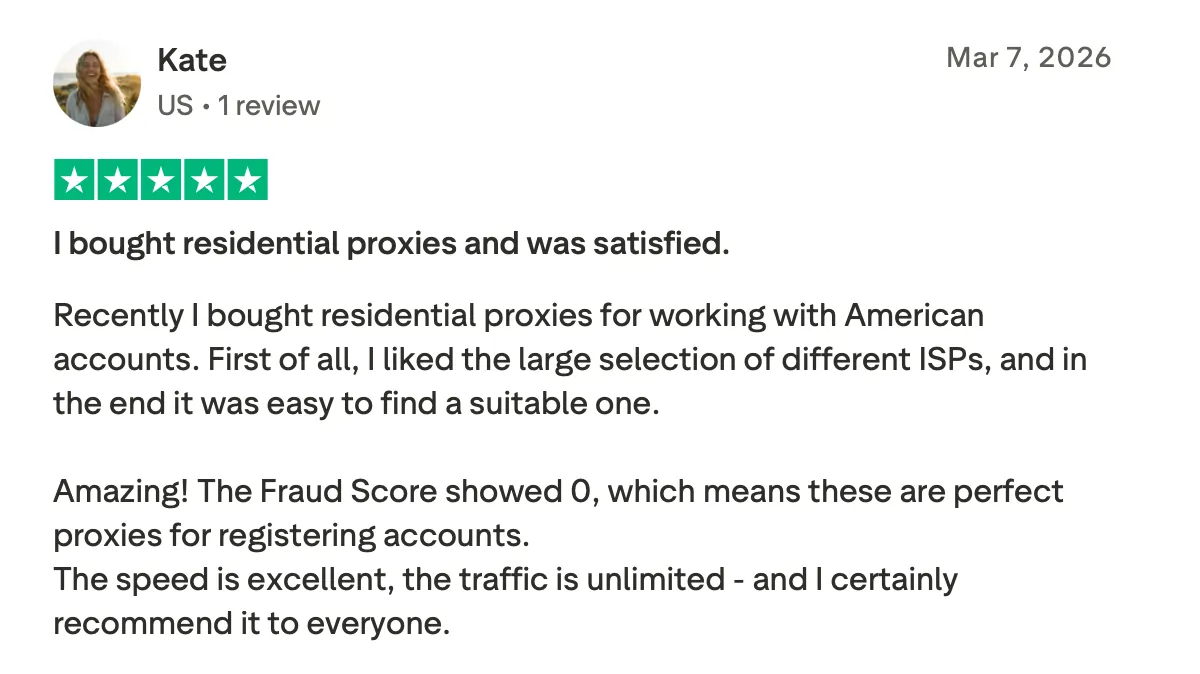
Why customers trust us (Trustpilot reviews)
Common proxy mistakes that cause bans or wasted spend
Most issues don’t come from proxies themselves, but from how they’re used in real workflows. Even the right proxy type can fail if session behavior and usage patterns are inconsistent.
Rotating too aggressively (kills session trust)
Frequent IP changes break session continuity, which can trigger checkpoints, repeated logins, and reduced account trust on platforms like TikTok and Facebook.Mixing accounts across inconsistent IP types
Switching the same account between mobile and residential proxies creates identity inconsistency, making the account look unstable or suspicious to platform systems.Using residential proxies for sensitive logins
Residential proxies can work for account access, but repeated logins or warm-up actions may lead to more verification prompts compared to mobile proxies in social platforms.Using mobile proxies for large-scale scraping
Mobile vs residential proxies are overkill for high-volume data collection. Limited IP pools and higher cost make them inefficient for scraping tasks where residential proxies scale better.Not isolating browser fingerprints
Even with the right proxy type, mismatched fingerprints (device, timezone, cookies, WebGL) break consistency. Platforms detect combined signals, not just IPs.
The CyberYozh decision matrix for mobile vs residential proxies: pick your scenario
Scenario A: "I run 50 TikTok/Instagram accounts."
Winner: Mobile Proxy (CyberYozh 4G/5G)
Why: Platforms kill residential IPs used for automation within hours. You need carrier network trust to avoid shadowbans and action blocks.
Scenario B: "I need to scrape 10,000 Amazon prices per hour."
Winner: Residential Proxy (CyberYozh ISP)
Why: Mobile data is too congested and expensive for that volume. You need the bandwidth and IP pool size of ISP networks.
Scenario C: "I'm setting up Sneaker Bots / AI Web Agents."
Winner: Residential Proxy with Sticky Sessions
Why: You need the same IP for 5-10 minutes to complete checkout. Mobile IPs rotate too often unless configured for sticky sessions — residential handles this natively.
Final takeaway
So, should you choose mobile vs. residential proxies? Mobile proxies are best for account-based workflows that require trust and stable logins, while residential proxies are better for scalable data collection and automation. In real operations, the right choice depends on the task — and many setups use both together.
Explore CyberYozh mobile 5G/LTE and residential ISP proxies to match infrastructure to your workflow and scale with control.