
Overcoming the 2026 World Cup Streaming Challenge with a FIFA Proxy
The 2026 FIFA World Cup will be the biggest tournament in football history. From June 11 to July 19, the focus will be on North America. The event is happening across the U.S., Canada and Mexico. There will be 48 teams competing and the champion will be decided after 104 high-stakes games.
The event is global, but access is a huge problem. A lot of the rights are disaggregated. They are broken down by region and specific licensing deals. That means there’s no one global platform you can turn to and stream every game. If, by chance, you’re out of the country during the tournament, you will probably lose your domestic subscriptions. Streaming services will instantly detect you are connecting from abroad and give you an error page instead of the match.
A FIFA proxy bridges this gap. It routes your traffic between where you are now and the broadcaster you want. It restores your access. A proxy sends your traffic through an IP address in your home country, hiding your real location. Streaming platforms don’t see a visitor but a local. This gives you stable, uninterrupted access to the coverage you have already paid for.
TL;DR: Getting your FIFA World Cup 2026 access
If you’re having trouble watching your home broadcast during the 2026 tournament, here’s the breakdown of why your usual tools aren’t working and how to fix it:
The catch: Streaming services instantly block standard VPNs and data center IP addresses. If you use a generic tool, you will encounter error screens or "location limit" messages the moment you click play.
The pro solution: Stop relying on free or mass-market VPNs. Switch to high-trust residential (ISP) static proxies or rotating residential proxies. These IPs are assigned to legitimate residential networks and are indistinguishable from local viewers to the broadcasters.
Operational hygiene: A good proxy is only half the story. Make sure your browser environment matches your proxy location, clear your cookies, disable location services, and set your system time zone to the broadcast region to avoid detection.
Reliability: You cannot afford any instability over a 104-match tournament. Because you are on a dedicated proxy, you won't experience the bandwidth throttling that comes with shared networks. Your stream stays in HD for the entire 90 minutes.
Why broadcasters block your FIFA stream
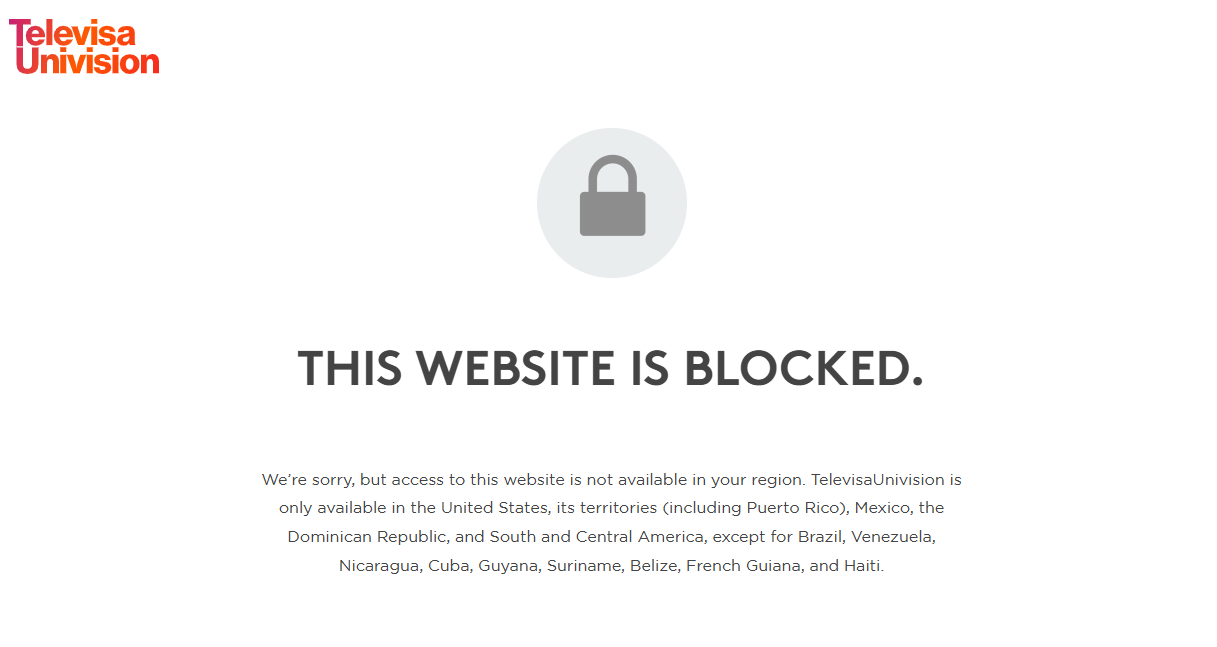
Broadcasters enforce strict licensing agreements through IP-based regional limits. When you initiate a stream, the service immediately analyzes your network data to determine your physical location. It does this by checking your IP address against global databases. If the system detects that your connection originates from outside the authorized region, it blocks your access. You are then met with a static error page rather than the match.
The VPN trap while opening FIFA streams
Many viewers attempt to solve this access issue by using standard VPN services. This approach is increasingly ineffective. Streaming platforms maintain extensive, constantly updated databases of IP addresses linked to known VPN providers. They actively try to block these server networks to remain compliant in a region. Sometimes a VPN will work one day and then the platform blacklists those IPs the next day. Shared VPNs are a risky move during the FIFA World Cup and often fall apart when you need it the most.
The buffer bug during live FIFA matches
VPNs force your entire connection through a shared server. When the FIFA World Cup is live, thousands of fans crowd that exact same node. The network chokes. This means high latency, sudden buffering, and crippling lag. It usually happens right during a penalty shootout or a decisive goal. Maintaining a stable, high-definition stream under these conditions is nearly impossible.
Why a proxy outperforms a VPN for FIFA streaming
Many fans turn to VPNs out of habit, but they are often the wrong tool for high-stakes live sports. A proxy offers a cleaner, more targeted, and more stable connection for watching the World Cup. Here is why the performance difference is significant.
Session isolation
A VPN forces your entire device through an encrypted tunnel. This adds unnecessary overhead to your system and can slow down your overall internet speed. A proxy works differently. It routes only the traffic from your specific streaming app or browser session. By isolating the streaming data, you consume less bandwidth and maintain maximum speed. Your connection stays snappier, and you avoid the unnecessary latency that comes with total device encryption.
Clean network footprint
Streaming platforms work hard to detect and block non-residential IP addresses. CyberYozh App rotating (dynamic) and static (ISP) residential proxies avoid this common trap. These IPs are assigned to real, legitimate home networks. When you connect, the streaming provider sees you as a standard local user sitting at home. These links are indistinguishable from authentic subscribers to broadcasters, so your access is secure and consistent through the entire tournament.
Uncongested bandwidth
Performance is about more than just accessing a stream; it is about keeping the stream alive. Public VPNs rely on shared servers where thousands of people compete for the same resources. During a critical moment in a match, that shared bandwidth inevitably chokes, leading to buffering. Our private proxy pools provide a different experience. You do not share your bandwidth with crowds of strangers. This ensures your stream remains locked in high definition for the full 90 minutes and through any extra time.
Choosing the best proxy for FIFA World Cup streaming
Not all proxies perform the same way under the pressure of a live sporting event. Choosing the right infrastructure is the difference between a high-definition stream and constant buffering. Here is a breakdown of your options.
Official FIFA World Cup 2026 broadcasters by language
Accessing the tournament coverage requires matching your network location to the broadcaster’s territory. Below is the list of primary rights holders. To view these streams, you must select a proxy assigned to the specific country of the broadcaster.
Language | Primary Target Regions | Official Broadcasters |
English | USA, UK, Canada, Australia | FOX (US), BBC/ITV (UK), TSN/CTV (CAN), SBS (AUS) |
Spanish | USA, Mexico, Spain | Telemundo (US), TelevisaUnivision (MEX), RTVE/Mediapro (ESP) |
Portuguese | Brazil | Globo, CazéTV |
Russian | Russia | Match TV |
Ukrainian | Ukraine | MEGOGO |
Vietnamese | Vietnam | VTV |
Indonesian | Indonesia | TVRI |
Note:
Always select a proxy server located in the exact country of the FIFA broadcaster you are trying to reach (e.g., use a US-based ISP proxy for FOX/Telemundo or a UK-based proxy for BBC/ITV) to ensure the platform recognizes your connection as a local viewer.
ISP static proxies (recommended)
These are the gold standard for streaming. ISP static proxies offer the speed of a data center but carry the high trust of a home network connection. Because the IP is static, your session remains stable. You won't get any mid-game disconnects or IP rotation problems. This is the best place if you want to watch a full match without interruption.
Dynamic residential proxies
Dynamic residential proxies offer incredible flexibility. They have a pool of over 100 million IPs across 100+ countries, ideal for identifying a particular local market. They allow you to simulate a real local presence in any territory if you need to switch between broadcast areas often.
👉 You can read more about residential proxies here
Mobile LTE/4G/5G proxies
These proxies are powerful tools for handling strict platform filters. Because they share IPs with thousands of real smartphone users, they are almost impossible for services to blacklist. While excellent, they are often more expensive than ISP options. Use these if you encounter strict roadblocks that residential or ISP proxies cannot clear.
👉 You can read more about mobile proxies here
Datacenter proxies
These offer the highest raw speeds available. However, they come with a major catch for sports fans. Streaming platforms maintain massive lists of known data center IP ranges. If you use one, there is a very high risk that the service will detect your proxy and block the stream immediately. We generally recommend avoiding these for live FIFA broadcasts.
How to watch FIFA World Cup broadcast
Follow these steps to establish a stable connection and enjoy the 2026 World Cup matches from your preferred regional broadcaster.
1. Choose your destination country
Find out the broadcaster who has the rights to stream those matches in the region you want to access. Your proxy IP must be located in the broadcast area of the service you choose.
United States: US IP for FOX (English) and Telemundo/Peacock (Spanish).
United Kingdom: UK IP for BBC and ITV.
Mexico: Mexican IP for TelevisaUnivision.
This aligns your network with the broadcast area. The platform sees you as a local viewer, keeping the stream active.
2. Select your proxy type
We recommend an ISP static proxy for live sports. Long-form video needs dedicated infrastructure. Static IPs don't rotate mid-game, which completely eliminates sudden disconnects and buffering.
3. Set up your network
You can easily plug in your proxy settings.
Browser/Extension: Most modern browsers and proxy extensions will let you enter your host, port and authentication credentials right in the settings menu.
System-wide integration: For a more robust solution, we recommend a professional proxy client like Proxifier. These apps let you send some traffic from your streaming apps or web browsers through your favorite proxy server. That way all your streaming data will have a constant path to the broadcaster.
Protocols: Support SOCKS5/HTTP and UDP protocols for maximum compatibility.
4. Start the stream
Go to your regional broadcaster’s website or app when your connection is running. The service will treat you as if you are coming from your local area. Then you can enjoy your FIFA match with a stable high-definition feed.
Advanced FIFA proxy setup: Smart TVs and automation
Smart TVs rarely provide native settings for configuring a proxy directly in their menu. This creates a hurdle for viewers who want to watch games on a big screen rather than a laptop or mobile device. The most reliable solution is to move the configuration one step up to your network hardware.
Smart TV configuration via router
By configuring the proxy on your home router, you route all traffic from every device connected to your Wi-Fi through the proxy server. This overcomes the limitations of the TV software entirely.
In case you have a Keenetic (Netcraze) router it’s simple. We have prepared a special guide on how to set up your proxy on Keenetic devices, which helps you control such connections. This way your Smart TV will connect automatically to the server of your desired region and you will be able to stream the matches without having to do any additional tweaks for your device.
Workflows and data collection
For developers and power users, the same proxy infrastructure serves advanced use cases beyond simple streaming.
Data aggregation: You can use these proxies with tools like Scrapy or Playwright to scrape live match data or track broadcasting schedules across different regions.
Testing and automation: Postman is perfect for testing API requests via your proxy.
Account management: Anti-detect browsers work with our proxies to give each session a unique digital fingerprint for simultaneous management of multiple broadcaster accounts.
These configurations help you to remain stable and undetectable when running high-volume automated tasks.
The reality of FIFA streaming stability: Beyond the proxy setup
Let’s face it: There is no magic button. A good proxy is not going to save you from all streaming hurdles. If you’re just using infrastructure and not thinking about your browser environment, you’re definitely going to get blocked. This is what makes a consistent viewer vs. someone who keeps getting kicked off the stream. You have to know the difference between a technical IP match and browser behavior.
Technical triggers vs. browser behavior
CyberYozh App proxies handle the technical side. Our residential and ISP lines ensure your connection looks completely local, solving the connection issue right away. But your browser is a different story. You can use the cleanest ISP proxy in London, but if your browser leaks metadata, the platform will still block you.
Avoiding streaming errors: The "local" factor
Broadcasters use sophisticated scripts to analyze more than just your IP address. Even with a perfect proxy, you can trigger a block if you ignore the basics of local presence:
Clear your cache and cookies: Streaming sites store location data in your cookies. If you visited the site previously without a proxy, that old data might still flag you. Clear your browser history or use an incognito window.
Match your time zone: If your proxy IP is in Canada but your system clock is in a different time zone, this is a red flag. Set your device time to the broadcast region.
Disable location services: Your browser may be sharing your GPS or Wi-Fi location with websites via the Geolocation API. Disable this in your browser settings to ensure your connection is anonymous.
Check for WebRTC leaks: Some browsers leak your real IP address locally via WebRTC. Use a secure browser or extension that blocks these leaks to keep your footprint strictly in line with your proxy.
Conclusion: Control your FIFA proxy setup and secure your stream with CyberYozh App
Public VPNs and shared datacenter IPs will let you down. Streaming platforms flag these generic connections almost instantly. They leak your real location. The result is always a dropped stream right in the middle of a game.
You need a reliable setup for a smooth viewing experience. A dedicated ISP static proxy gives you that stability. Combine it with clean browser settings. This takes all the guesswork out of the equation. You get a steady connection instead of constant error screens.
Get ready for the 2026 World Cup:
👉 Check your IP Fraud Score: See your digital footprint exactly as major streaming platforms see it before you log in.
👉 Start with $5.29/month: Deploy high-trust static (ISP) and rotating residential proxies today and secure your FIFA stream.
FAQ: Streaming the FIFA World Cup 2026 with a proxy
Where to watch the FIFA World Cup 2026?
Broadcast rights vary by region. You must connect to the specific platform authorized for your location.
United States: FOX and FS1 carry the English broadcast. Telemundo and Peacock offer Spanish coverage.
Canada: TSN and RDS show the full schedule. CTV offers free-to-air matches.
Australia: SBS broadcasts the entire tournament.
United Kingdom: BBC and ITV share the 104 matches. These platforms enforce strict regional limits. You need a local IP to load the streams.
How can I watch FIFA games when I am out of the country?
Streaming platforms check your IP address. If it shows a foreign location, they cut off your access. To fix this, connect to an ISP static proxy from your home country. This gives you a legitimate local IP. The broadcaster sees a standard domestic connection, and your stream loads normally.
Will my FIFA stream buffer or lose video quality if I use a proxy?
Not if you use a dedicated static IP. Public VPNs force thousands of users onto one server, which causes heavy congestion and crippling lag. A static residential proxy avoids this entirely. You receive dedicated bandwidth. This keeps your connection fast enough for uninterrupted HD streaming, even during the busy tournament final.
Can I use a free proxy to watch the FIFA World Cup?
We strongly advise against it. Free proxies share their bandwidth with thousands of users. They are incredibly slow. They drop connections constantly. Streaming platforms detect and deny access to them almost instantly. You need a premium static ISP proxy to watch every FIFA match without interruptions.
What is the difference between rotating and static residential proxies for FIFA streaming?
Rotating proxies change your IP address automatically. This works well for web scraping. It fails completely for live video. If your IP changes mid-game, the platform detects a location shift and kills the session. Live sports require a static ISP proxy. You get one dedicated IP for the entire match. No drops. No sudden logouts.
Is it safe to use a proxy for live sports games?
Premium proxies are highly secure. Free public proxies are not. Free services often log your data, inject ads, or sell your bandwidth. CyberYozh App operates differently. We enforce a strict no-logs policy and require zero KYC. You can even pay with crypto. Your viewing habits remain completely private.