
Antidetect browser
Octo BrowserIntegration with CyberYozh App
Fully Supported
Browser Support
Chromium
Team Collaboration
Team collaboration
Security
End-to-end encryption
Starting Price
€7/month
Built for Consistent Browser Profiles and Scale
CyberYozh provides mobile, residential, and datacenter proxies for Multilogin browser profiles and cloud phones for stable multi-account operations across advertising, e-commerce, social media, and automation workflows.
• Real 4G/5G mobile proxies with unlimited bandwidth • Residential IP coverage across 100+ countries • Sticky sessions and controlled rotation • Browser fingerprint for session consistency • API-ready infrastructure.

CyberYozh proxies support Multilogin workflows with 100M+ LTE/5G mobile and residential IPs and sticky sessions. Mobile proxies are ideal for Multilogin cloud phone integration, keeping accounts stable and preventing interruptions across advertising, ecommerce, social media, and automation workflows.
Clean Residential IPs
Advanced Session Control
Precise Geo Targeting
Automation Ready
High Success Rate
API Access
CyberYozh helps Multilogin users maintain stable account environments and session isolation, supporting advertising, social media, automation, and scraping workflows.
• 100M+ residential IPs across 100+ countries • Stable IP sessions for browser profiles and cloud phones • Mobile 5G, residential ISP, and datacenter proxy • API access for automation
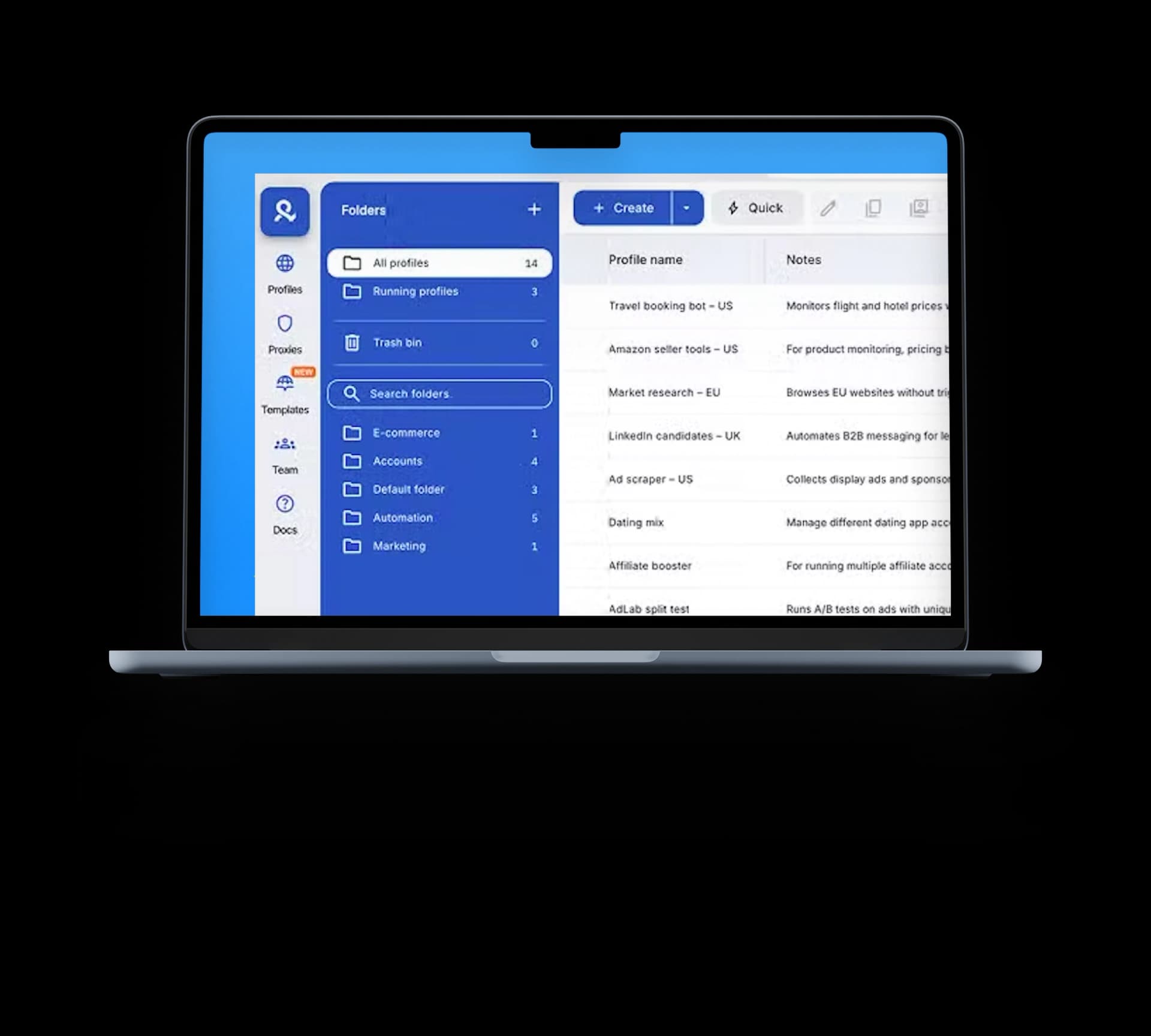
CyberYozh proxies integrate with all major antidetect browsers. Choose the browser you trust for fingerprint management, and power it with stable residential infrastructure built for scaling.
Multilogin is an anti-detect browser that creates isolated browser profiles, where each account runs in a separate environment with its own cookies, storage, and fingerprint settings. Multi-account managers use it for advertising, ecommerce, social media, and automation workflows without linking sessions between profiles.
In real workflows, Multilogin is paired with high-quality proxies to give each browser profile a dedicated network identity and maintain stable sessions across accounts. For mobile-first workflows, cloud phones provide a separate environment for running app-based accounts, extending account separation beyond the browser.
In Multilogin workflows, performance depends not only on browser profiles. Each account also needs a consistent network identity. CyberYozh provides the proxy layer that keeps each profile or cloud phone isolated, reducing session overlap and supporting multi-account operations.
Without stable proxies, running TikTok, Instagram, Reddit, or Facebook accounts across multiple cloud phones can lead to repeated logins and session inconsistencies. CyberYozh LTE/5G mobile proxies provide real carrier IPs for Multilogin cloud phones, giving each mobile session an independent network identity.
Result: TikTok, Instagram, and other cloud phone sessions stay logged in for days with fewer CAPTCHAs and forced re-verifications.
Buy real mobile proxies for Multilogin cloud phones from $1.7/day
Managing high volumes of social media, Gmail, or ad accounts in Multilogin can trigger account linking when multiple profiles share similar network patterns. CyberYozh residential IPs assigned to each Multilogin browser profile maintain separation between accounts and stabilize session behavior.
Result: Accounts stay separated with reduced risk of cross-account linking, even when running 100+ profiles simultaneously.
Try residential proxies for Multilogin browser profiles
Operating multiple Shopify stores, Amazon seller accounts, eBay listings, and regional storefronts from one environment can trigger verification loops and account suspensions. CyberYozh offers residential proxies from 100+ countries, providing consistent geo-targeted IPs for Multilogin profiles aligned with each store or region.
Result: Accounts remain active with fewer verifications and more stable regional access.
Running multiple affiliate campaigns on CJ Affiliate, ClickBank, ShareASale, and other performance platforms can make tracking harder when all activity comes from the same network footprint. CyberYozh mobile and residential proxies assign stable IPs per Multilogin profile, allowing each campaign to operate in a separated environment.
Result: CJ, ClickBank, and ShareASale payouts arrive without clawbacks or tracking discrepancies.
Buy rotating residential proxies from $0.9/GB
Multilogin isolates browser profiles and cloud phone environments, while CyberYozh provides the mobile and residential proxy layer that assigns each session a stable network identity.
Environment isolation: Multilogin creates separate browser profiles and cloud phone sessions, each running independently with its own cookies, storage, and fingerprint.
Network identity: CyberYozh assigns a dedicated mobile or residential IP to each profile, keeping network signals stable and consistent across sessions.
Unified stack: Together, they form a complete multi-account system where isolated environments and stable network identities work in sync across browser and mobile workflows.
Result: A scalable multi-account setup with consistent sessions across profiles and cloud phones.
Choosing the right proxy for Multilogin depends on what you are running and how stable your sessions need to be. Use the guide below to match each workflow with the right CyberYozh proxy type.
→ Choose Mobile proxy for Multilogin (LTE/5G)
Real carrier IPs that support mobile app sessions and cloud phone environments. Best for account activity that depends on mobile network behavior.
→ Choose Residential proxy for Multilogin
Real household IPs that help keep each Multilogin profile separated and consistent during large-scale multi-account operations.
→ Choose ISP proxies (static residential)
Stable location-based IPs designed for long-running accounts that need consistent access from the same region over time.
→ Choose Datacenter proxies
High-speed IPs optimized for performance-heavy workflows where volume and speed matter more than residential trust signals. Not recommended for TikTok, Facebook, or Amazon seller accounts.
CyberYozh provides a proxy infrastructure for Multilogin users running multi-account workflows across social media, ecommerce, advertising, and automation. It combines mobile, residential, and datacenter proxies with fingerprint options and managed IP pools, allowing each browser profile or cloud phone to operate with a stable network identity.
Real LTE/5G proxies from mobile carriers with unlimited traffic for social media accounts in Multilogin cloud phone or mobile-linked workflows
100+ million residential proxies across 100+ countries for e-commerce and account management at scale
API integration with Scrapy, Playwright, Puppeteer, Selenium, Postman, and custom scripts
99.9%+ uptime with actively monitored IP pools
Sticky sessions and controlled rotation for consistent long-running browser profiles
SMS activation for account registration and verification flows from $0.02 per SMS
IP fraud risk checks before running traffic or automation.
Multilogin proxy integration with CyberYozh IPs takes a few minutes and ensures each browser profile runs on a stable, isolated network identity for multi-account workflows.
Create a browser profile in Multilogin and assign one profile per account or workflow to keep environments separated.
Choose a CyberYozh proxy type depending on your use case: Mobile (LTE/5G) for social apps and cloud phones, Residential for large-scale profile management, ISP for ecommerce accounts, or Datacenter for automation and testing. Copy the proxy credentials.
Open proxy settings in the Multilogin profile and paste the CyberYozh IP, port, username, and password. Assign one proxy per profile.
Launch the profile and verify the IP inside the browser environment to confirm the proxy is active and stable.
Start your workflow across social media, e-commerce, advertising, or automation tools using the configured profile.