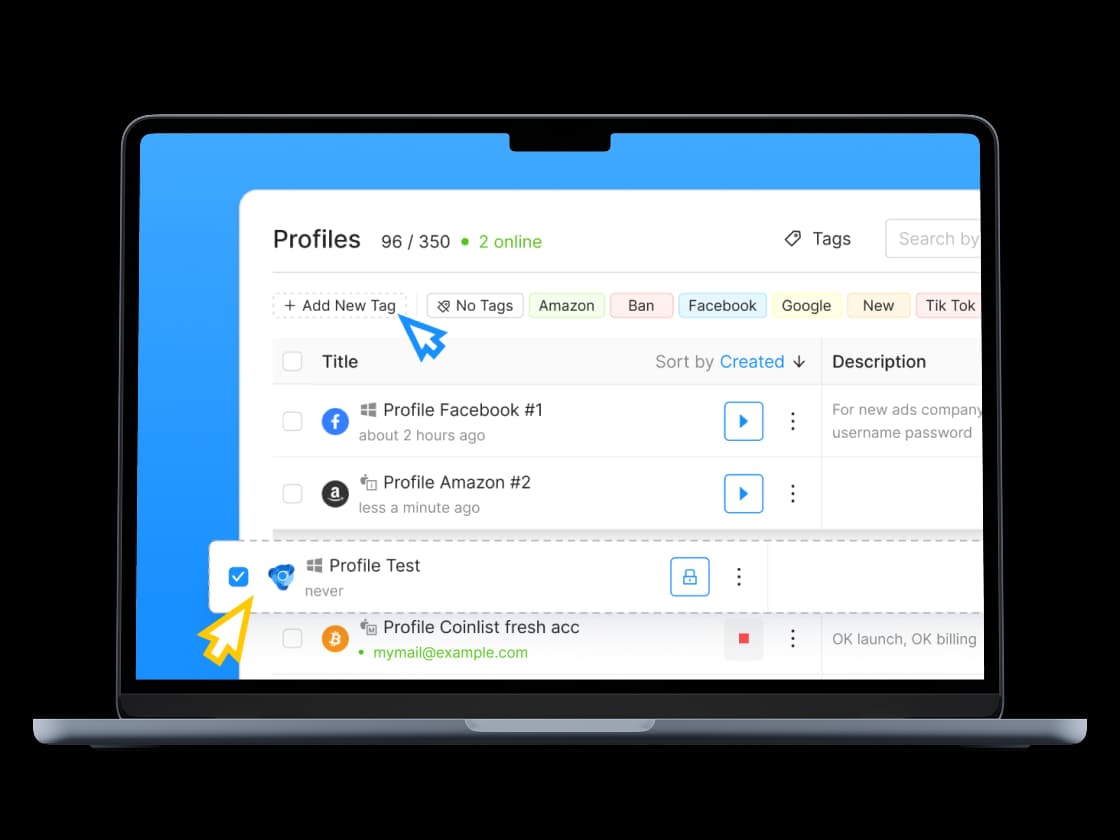
What is Octo Browser and why teams use it
Octo Browser is an antidetect browser built for managing dozens or hundreds of accounts. Instead of opening every account inside one browser session, users create individual profiles, each with its own cookies, cache, and fingerprint. It helps isolate accounts and reduce the risk of one flagged account affecting others.
This becomes important as operations grow. A few accounts are easy to manage manually. Twenty, fifty, or more accounts quickly become difficult when everything shares the same browser setup.
Octo Browser is used for industries where managing multiple accounts is standard:
E-commerce sellers running multiple Amazon, eBay, or Etsy stores
SMM agencies managing client accounts across Instagram, TikTok, Facebook
Affiliate marketers running parallel ad accounts to test offers
Ad verification teams checking campaigns in Google Ads or TikTok Ads across regions and devices
Web scraping operations collecting data at scale across profiles.
Profile isolation only covers the browser side. Each profile also needs a high-quality proxy IP for each profile. That's where CyberYozh proxies step in.
Why Octo Browser proxy infrastructure matters for account workflows
Profiles isolate browser data, but they don't isolate the network. Run ten Octo Browser profiles through one connection and they still share the same IP, subnet, and ASN, leaving multiple accounts tied to the same network environment.
Without a separate high-quality proxy IP for each profile:
Shared IPs make separate profiles easier to associate, increasing the risk of account linking, repeated verifications, and additional checks.
One ban, rate limit, or poor IP reputation can disrupt every profile using the same connection.
Profiles targeting different countries appear from the same IP, creating location inconsistencies and unreliable regional workflows.
Automation gets interrupted: throttling or IP blocks can trigger CAPTCHAs, failed requests, and login issues.
Scaling becomes a bottleneck: as more profiles depend on the same connections, one network problem can affect a large part of the operation.
Octo Browser mobile proxy: When to use it in account workflows
Mobile proxies are often chosen when traffic quality matters more than simple IP rotation.
Many platforms already understand how normal mobile traffic behaves. Carrier networks naturally create changing conditions, shared environments, and realistic traffic patterns.
Octo Browser proxies by CyberYozh operate through real LTE and 5G networks and include unlimited bandwidth, making them suitable for larger Octo Browser setups.
Common use cases include:
Users can also change IPs manually or through API, making it easier to manage network behavior across multiple browser profiles.
How Octo Browser residential proxies help scale accounts
Mobile traffic is not always the right fit.
When operations require larger IP pools, regional coverage, or automation systems, residential proxies become useful.
Octo Browser residential proxy by CyberYozh provides access to more than 100 million IPs across 195+ countries, giving Octo Browser users broader coverage for profile-based environments.
Residential proxies are commonly used for:
Rotating residential proxies distribute traffic across larger pools, while static options fit accounts that need longer sessions. This gives teams flexibility without rebuilding their setup.
What is the best proxy for Octo Browser
The best proxy type for Octo Browser depends entirely on your task.
Octo Browser use case | Best proxy type | Why |
Instagram, TikTok, Facebook account management | Mobile | Real carrier IPs from mobile networks |
Amazon, eBay, Etsy multi-storefront selling | Residential | Country, city, and ISP-level targeting |
Web scraping & large-scale data collection | Rotating residential | Large IP pool with flexible rotation |
Ad verification & QA testing across regions | Datacenter | Fast connections with lower proxy costs |
⚠️
Tip: Datacenter proxies are fast and cheap, but most social and marketplace platforms detect them outright. Use them only for testing and QA, never for live accounts you plan to keep.
Why CyberYozh proxies fits Octo Browser operations
CyberYozh brings proxies, fingerprint support, and automation into one infrastructure layer, instead of Octo Browser multi-accounting users stitching together separate vendors for each piece. At the core are mobile LTE/5G proxies on real carrier networks (Vodafone, T-Mobile), built for profiles that need stable, long-running sessions with fewer interruptions and flags, while residential proxies offer broader IP coverage for regional operations, scraping, and scale.
100M+ residential IPs across 195+ countries, along with real mobile and datacenter IPs
Mobile 4G/5G proxies with unlimited traffic - scale accounts without scaling costs
99.8% uptime on mobile carrier infrastructure
Manual and API-based IP changes
OS fingerprinting support for switching device profiles
API integrations with Scrapy, Selenium, Playwright, Puppeteer, Postman, and custom tools
Octo Browser proxies, virtual numbers for SMS verification, and virtual cards in one place for multi-account operations.
How to set up a CyberYozh proxy in Octo Browser
Here’s how to add a proxy to Octo Browser:
1. Get your CyberYozh proxy credentials
Sign up and choose the proxy type, location, and session settings in CyberYozh. Copy the host, port, login, and password provided for your proxy.
2. Open your Octo Browser proxy settings
Open Octo Browser and go to the Proxies section. Select Add Proxy to create a new proxy connection.
3. Enter the CyberYozh connection details
Select the protocol supported by your CyberYozh proxy and enter the credentials in the corresponding fields:
4. Check the proxy connection
Use Octo Browser's proxy check to verify that the connection works and that the proxy returns the expected IP and location.
5. Assign the proxy to an Octo Browser profile
Open the profile you want to use, select the CyberYozh proxy, and save the configuration. Each profile can then use its assigned network connection instead of sharing one IP with other profiles.
Tip: For account-based workflows, keep the proxy location and session settings consistent with the profile instead of changing the network connection unnecessarily.
For detailed step-by-step instructions, see our Octo Browser setup guide.
How Octo Browser and CyberYozh work together
Octo Browser handles profile separation. CyberYozh handles the network. Pair the two and you get what neither delivers alone: profiles stay isolated at every layer, sessions hold up over time, and an account operation scales instead of breaking the moment you go past a few of profiles.