

Netflix Proxy
Put a Netflix proxy to work for regional availability checks, connection testing, and troubleshooting proxy errors. Choose an IP with unlimited bandwidth in your target country and keep related checks on a consistent connection, helping you investigate access issues before changing your setup.
Choose a Netflix proxy for browsing and streaming
Keep bandwidth costs predictable with unlimited traffic on mobile, static ISP, and dedicated datacenter plans. Choose a Netflix proxy that works with your device and provides enough speed for your preferred video quality, then test browsing and playback before committing to a longer plan.

Check Netflix content availability by country
Explore regional differences in Netflix’s available titles with proxy coverage across 195+ countries with 100M IPs. Select a Netflix proxy in the country you want to check and keep your account and language settings consistent when comparing results.
Keep your connection consistent
Check Netflix browsing and playback through the same IP with sticky sessions up to 24 hours on supported residential plans. A consistent Netflix proxy connection helps you compare results without an address change introducing another variable midway through the test.

Give each Netflix account a separate proxy connection
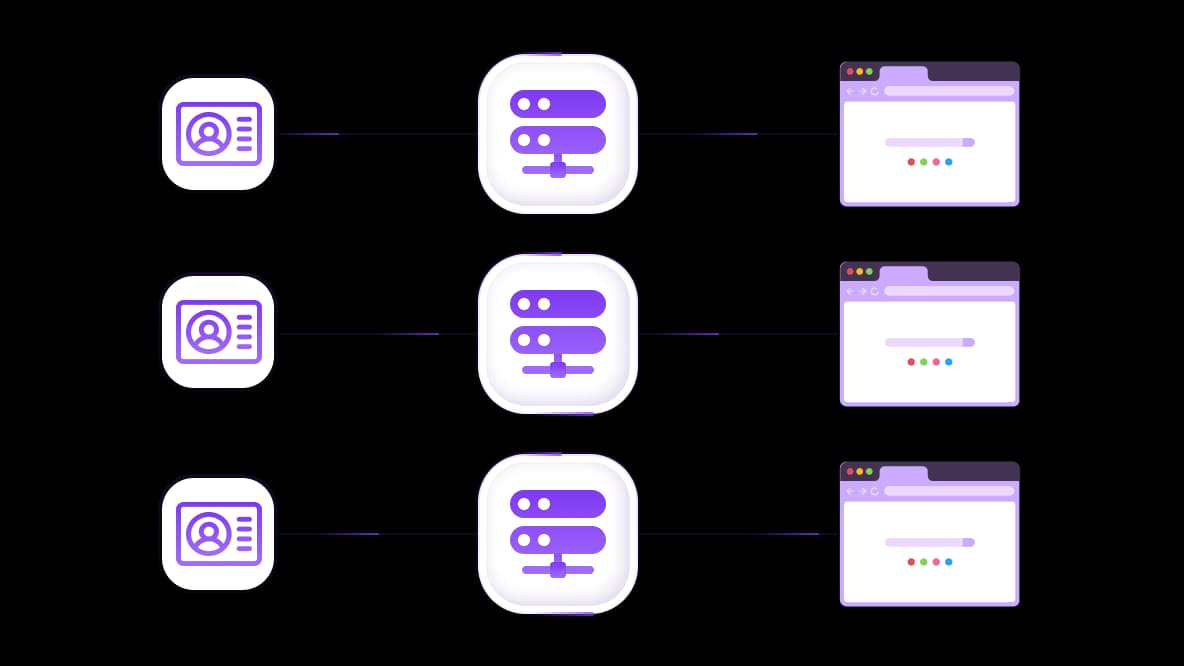
Assign a Netflix proxy to each browser profile when testing separate accounts, keeping connection settings and browsing data organized. Save each profile’s assigned proxy so repeat checks use the intended route and troubleshooting is easier to follow. Separate connections help manage your setup, but they do not change Netflix’s household or account-sharing requirements.
Connect your Netflix proxy to your testing tools
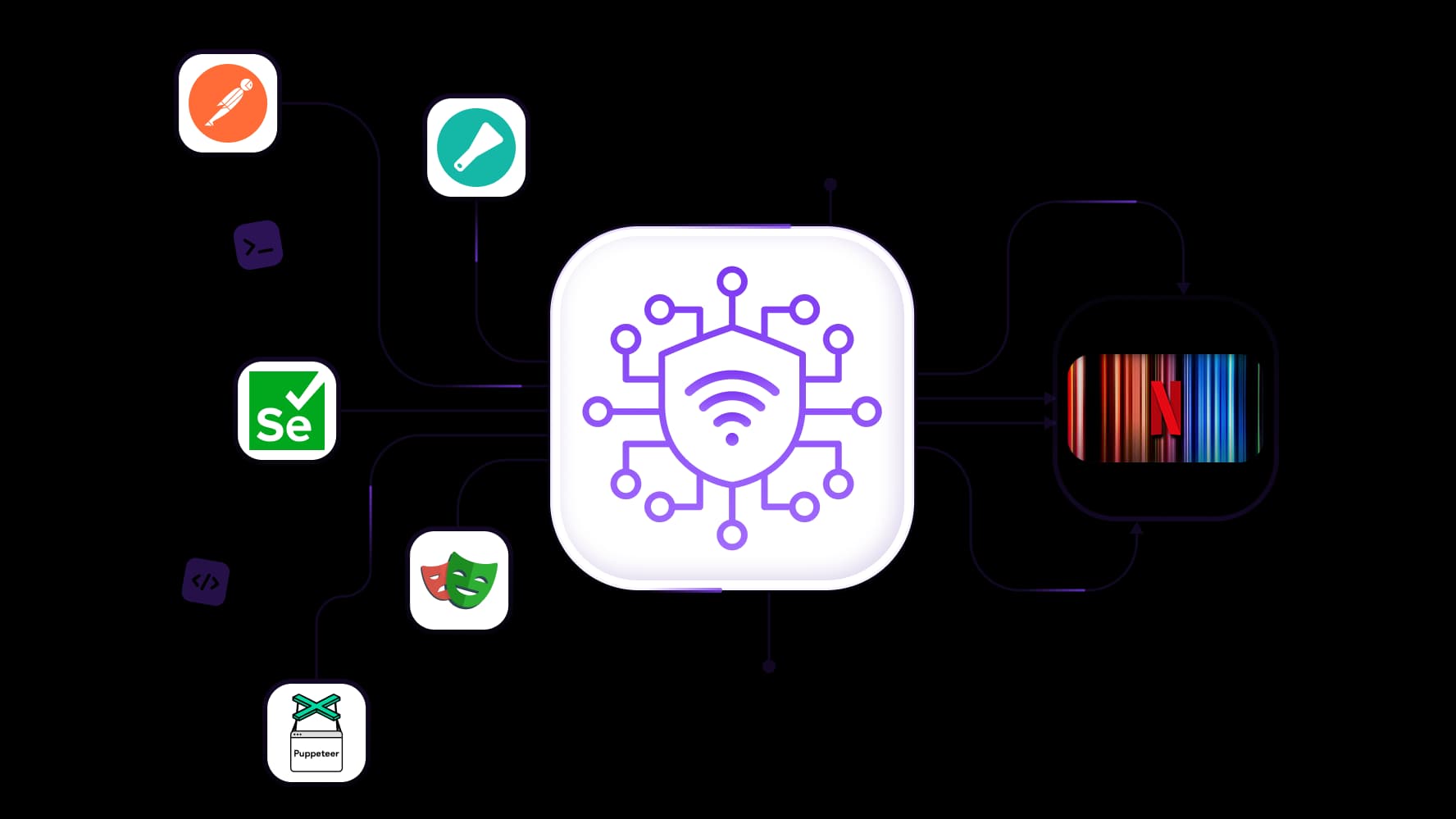
Turn repeated connection checks into organized tests with full API access and integration support for Scrapy, Postman, Selenium, Playwright, and Puppeteer. Configure your Netflix proxy in a compatible tool to inspect responses, test page loading, and compare connection errors across selected IPs. Save the results from each run so you can track which settings work for your setup and investigate changes without repeating every check manually.
Specially for you
Best proxies by countries

Netflix - dedicated mobile unlimited
- Dedicated 5G Router
- Socks5/VPN with dedicated DNS
- Manual IP Changing
- Change p0f fingerprint (Windows, MacOS, Android)
- High Trust Rate
- Very High Speed + Low Ping
- All network params 1:1 as provider's
Netflix - shared mobile
- Shared 5G Router
- Supports SOCKS5 with UDP
- Up to 5 users per port
- Socks5/HTTP
- IP Rotation: every 30 min
- Windows p0f fingerprint
- High Trust Rate
- Very High Speed + Low Ping
- All network params 1:1 as provider's
Netflix - rotating residential
- 24 hours Availability
- Real ISP
- Speed up to 10 mbps
- Full API Access
- HTTP Protocol
- 100M+ IPs in 100+ Countries
- Mass Credentials Generator
- Long session up to 6 hours
Netflix - private residential
- Unlimited Bandwith
- Real ISP
- Speed up to 150 mbps
- Low Ping
- Supports SOCKS5 with UDP
- 24 hours Availability
- 1 Dedicated IP
Netflix - dedicated datacenter
- Unlimited bandwidth
- Exclusive IP ownership
- High-speed connectivity
- 99.9 % uptime
- HTTP
Netflix - shared datacenter
- Lightning-fast speeds
- Global IP coverage
- 99.9 % uptime
- Cost-efficient plans
- 1 GB bandwidth
- HTTP
Why do they buy from us?
Advantages
Private card payment
It doesn't matter how you topped up your balance, linking the payment to the rental of a specific proxy is impossible.
We do not store data on servers
As a rule, services that rent out proxies retain all data about the traffic passing through their servers.
Dedicated device
We do NOT disguise Shared proxies as individual ones. A modem or router is transferred to ONLY one person.
Online technical support
We are always ready to solve your problems and questions. Even late at night and early in the morning.
Money-back guarantee
We have both returns and exchanges. The priority is quality service and satisfied customers.
API for Business
For business clients, our service is ready to provide a convenient API that allows you to purchase proxies, change IP addresses, and much more.
What is a Netflix proxy?
A Netflix proxy routes your browser or supported application through another IP address, giving you control over the connection used to browse titles, check regional availability, and test playback. Mobile and residential proxies provide addresses associated with carrier or internet service provider networks, with different options for traffic usage, location, and session consistency.
Mobile proxies with unlimited traffic make bandwidth costs predictable when you browse frequently or test video playback. Residential proxies offer location selection for regional checks, while static ISP connections keep the same address for repeat visits. Choose the connection around how you use Netflix, then test browsing and playback on your device before committing to a longer plan, since network type alone does not guarantee Netflix access.
Choose mobile or residential proxies for Netflix
Choose your Netflix proxy around how much data you use, which country you need, and how long you want to keep the same IP. For frequent playback, unlimited traffic helps keep costs predictable. For regional browsing and comparisons, location selection and session control give you more flexibility.
Mobile proxies for unlimited-traffic connections
Browse titles and test playback without paying for every additional gigabyte on unlimited-traffic mobile plans. The connection runs through a carrier network, making it an option for users who want a mobile IP with predictable bandwidth costs.
Choose an available country and test the connection on your intended device. Check that videos start, remain playable, and reach your preferred quality before extending the rental. Unlimited traffic covers data usage; playback still depends on connection performance and Netflix accepting the IP.
Residential proxies for location and session control
Use residential proxies to select a country for regional checks or maintain a consistent address across related actions. Rotating residential plans offer sticky sessions up to 24 hours on supported configurations, allowing you to browse and compare titles without changing IP midway through the task.
For repeat visits, static ISP proxies provide a dedicated address throughout the rental period, with unlimited traffic on applicable plans. Rotating residential packages use traffic-based billing with unused traffic rollover, making them worth considering for shorter browsing and comparison tasks. Video transfers considerably more data, so account for playback when choosing your allowance.
Proxy type | Main benefit | IP behavior | Traffic billing | Suitable starting point |
Mobile | Carrier connection with predictable bandwidth costs | IP changes depend on the plan and carrier | Unlimited traffic on supported plans | Frequent browsing and playback testing |
Static ISP | Consistent address across repeat visits | Dedicated IP for the rental period | Unlimited traffic on applicable plans | Ongoing use that needs the same IP |
Rotating residential | Country selection and flexible sessions | Rotating IPs or sticky sessions | Per-GB packages with unused traffic rollover | Regional availability checks and shorter tests |
Pro tip: Once a connection works for playback, keep it consistent during viewing. Make planned IP changes between sessions, then verify the new connection before starting another title.
What can you do with a Netflix proxy?
A Netflix proxy lets you choose the connection behind your browsing and compare how Netflix responds to different IPs. Match mobile or residential options to the task, from checking regional availability to keeping an address consistent across repeat visits.
Check regional content availability
Select a residential IP in the country you want to examine, then check which titles appear through that connection. Keep account and language settings consistent so your comparisons are easier to interpret. A detected proxy may show a limited selection, so treat the results as what is available through that connection rather than a complete picture of the country’s catalog.
Keep browsing sessions consistent
Use a static ISP proxy when you want to return through the same address, or a residential sticky session for a shorter sequence of related checks. Keeping the IP consistent while you browse titles and test playback removes unnecessary address changes from the process. Retain the same browser profile as well so cookies and login state remain together.
Compare connection and playback results
If Netflix opens but a title will not play, compare the same action through your regular connection and a selected mobile or residential proxy. Check page loading, playback startup, video quality, and any error message, changing one setting at a time. Unlimited-traffic mobile or static ISP plans keep repeated playback tests from adding per-gigabyte charges, while saving your results helps you identify which connection works on your device.
How to set up a mobile or residential proxy for Netflix
Set up your Netflix proxy in the browser, device, or routing tool you plan to use for viewing. Start with one connection and test both browsing and playback before extending the setup to other devices.
Choose a mobile or residential connection.
Select the required country and a traffic plan that fits your usage. Unlimited-traffic mobile or static ISP plans make bandwidth costs predictable for playback, while metered residential packages can suit shorter regional checks.Copy the proxy details.
Get the server address, port, username, and password from your dashboard. Note the supported protocol and, for rotating residential connections, select a session setting that keeps the IP consistent during your test.Configure the intended browser or device.
Enter the details in a compatible browser profile, proxy client, or device setting. A browser proxy does not automatically route the separate Netflix app. For a smart TV or another device without suitable proxy settings, check whether a compatible router or routing tool can handle the connection and authentication.Verify the outgoing IP.
Run an IP lookup through the configured connection and confirm the expected country. Check from the same environment you will use for Netflix; a successful browser test does not establish that a separate app uses the proxy.Test browsing and video playback.
Open Netflix, browse titles, and play an available video. Check whether playback starts, continues without interruptions, and reaches an acceptable quality. If an error appears, record its exact wording and compare the same action through your regular connection.
Pro tip: Save a working configuration and change one setting at a time when troubleshooting. Keep planned IP rotation between viewing sessions so an address change does not interrupt your playback test.
Why does Netflix say you’re using a VPN or proxy?
Netflix displays this warning when it identifies your connection as using a VPN, proxy, or another service that changes its apparent location. If you searched for “you seem to be using a vpn or proxy netflix,” start by checking which connection your browser or app is actually using. The message alone does not tell you whether the cause is an enabled VPN, a configured proxy, or the network you share.
Temporarily disconnect the VPN or proxy and repeat the same playback attempt through your regular connection. If it works, you have narrowed the problem to the alternate connection or its configuration. If the warning remains, check other routing tools, browser extensions, and device settings before purchasing another service.
A mobile or residential Netflix proxy is an option to evaluate when comparing connections. Carrier and ISP-associated addresses provide different network routes, but neither type guarantees acceptance. Test the selected IP on your device, checking actual playback rather than relying on whether the Netflix homepage opens.
Why is my VPN not working on Netflix?
A VPN can connect successfully while Netflix still refuses playback or shows fewer titles. The next step depends on what you see: an explicit proxy warning calls for a different check than buffering or a browser that works while the app fails.
Symptom | Possible cause | What to check next |
A VPN or proxy warning appears | Netflix identifies the connection as a VPN or proxy | Disconnect it temporarily and retry the same title through your regular connection. |
Netflix opens, but playback fails | Browsing works, but playback encounters a connection or plan restriction | Record the error code and check your plan. Netflix does not support VPN use on ad-supported experiences or for live events. |
Fewer titles appear than expected | The VPN connection may limit viewing to globally licensed content | Compare with your regular connection before assuming the selected country’s catalog is unavailable. |
The browser works, but the app fails | The browser and app may use different routes or settings | Check whether each application actually uses the intended connection. |
Playback buffers without a proxy warning | Connection capacity, congestion, or device performance may be involved | Compare playback with the VPN disconnected and test connection speed on the affected device. |
Netflix documents both catalog limitations and restrictions on VPN use for ad-supported viewing and live events. These are separate from whether the VPN itself connects successfully.
A configurable Netflix proxy is useful when you want to route a specific browser independently while leaving other applications on their existing connection. A static ISP address can provide consistency across repeat checks, while an unlimited-traffic mobile plan keeps bandwidth costs predictable during playback testing. This gives you more control over the setup, but acceptance still needs to be tested on Netflix.
How do I fix Netflix proxy or unblocker errors?
Start by separating a configuration problem from a connection Netflix rejects. Incorrect credentials can prevent your proxy from connecting at all, while a working proxy can still trigger a Netflix warning. Test one change at a time so you know what resolves the issue.
Record the error and test your regular connection.
Note the exact message, affected device, and whether the problem occurs during browsing or playback. Temporarily disconnect the proxy or VPN and retry the same title. Netflix recommends this comparison when a VPN or proxy warning appears.Check your proxy credentials and protocol.
Match the server address, port, username, and password to the details supplied with your plan. Confirm that your browser or proxy client supports the selected protocol and authentication method. If the connection fails outside Netflix too, resolve that issue first.Confirm where Netflix traffic is going.
Review browser extensions, VPN applications, and device-level routing settings. A proxy configured in one browser does not automatically apply to the Netflix app. Keep the test setup simple so you can identify which connection handles the request.Verify the exit IP and location.
Check the outgoing address through the configured application. Netflix also recommends opening Fast.com, selecting Show more info, and checking the country beside Client. An unexpected country is a reason to review your selected endpoint or location settings.Review the selected mobile or residential connection.
Confirm that the plan is active and that the session has not changed unexpectedly. If the configuration works but Netflix rejects the IP, ask the provider about compatibility or another connection to evaluate. Keep the address consistent during each test rather than repeatedly rotating while playback starts.Retest browsing and playback separately.
Restart the affected browser or app after applying changes, then open Netflix and play an available title. If the error persists, share the error code, device details, and connection-test results with the provider or Netflix support.
Pro tip: Save the last working Netflix proxy configuration. If a later change causes problems, you can return to that setup and compare results without rebuilding the connection from scratch.
Can you bypass a Netflix VPN or proxy block?
A different connection may produce different results, but no proxy type guarantees Netflix access. If you’re researching how to bypass Netflix proxy restrictions, first establish whether your current IP is being rejected or your setup is misconfigured. A mobile or residential Netflix proxy gives you another connection to evaluate, with location and session options suited to your task.
How to bypass Netflix VPN error messages?
Check the exact error before changing services. If playback works with the VPN disconnected, compare your routing settings and selected connection. Testing another IP can help identify an address-specific issue, but it does not establish lasting compatibility.
How to make Netflix not detect VPN use?
There is no setting that reliably makes a VPN or proxy undetectable. Mobile and residential IPs use carrier or ISP-associated networks, but Netflix can still identify or restrict them. Evaluate actual playback rather than choosing a service based on “undetectable” claims.
How to get past Netflix VPN block messages?
Follow the troubleshooting steps for your error and test through your regular connection first. If you evaluate a different mobile or residential IP, keep the device, account, and title unchanged so the comparison is useful. Netflix’s restrictions still apply: VPNs are unsupported for ad-supported viewing and live events, and VPN connections may show only globally licensed titles.
Choose a Netflix proxy plan for browsing and streaming
Choose a Netflix proxy around how you plan to use the connection. Frequent playback makes traffic costs a priority, while regional comparisons call for location flexibility and control over when the IP changes.
Mobile proxies: Choose unlimited-traffic plans for repeated browsing and playback testing without per-gigabyte charges.
Static ISP proxies: Keep a dedicated address across repeat visits, with unlimited traffic for predictable bandwidth costs.
Rotating residential proxies: Select locations for regional checks and use sticky sessions for related actions. Traffic-based packages include unused traffic rollover, helping you carry the remaining allowance into future research.
Start with a small plan and test both browsing and playback on your intended device. Once the connection meets your needs, choose a rental period or traffic package that matches your usage.
Explore the proxy catalog to compare mobile and residential options for your Netflix setup.
Top up your balance in any convenient way!
Bank cards


Cryptocurrency


