
How to Set Up Proxies in Playwright for Web Scraping
Playwright is a modern web scraping and automation framework that supports multiple programming languages and integrates well with CyberYozh proxies for additional security and session stability. Here, learn how to set up Playwright and ensure that your job is done well.
Preparation: Selecting a proxy to use with Playwright
Before configuring a proxy Playwright integration, you must build the right scraping/automation infrastructure. Your proxy type determines trust level, session stability, speed, and how platforms perceive your traffic.
Mobile proxy: Social data, precise geotargeting, and Google SERP
Mobile proxies carry the absolute highest trust rate among all proxy types. They are the mandatory choice for social media data extraction like Instagram, TikTok, and Snapchat. You can also deploy mobile LTE/5G infrastructure for multi-threaded, round-the-clock Google SERP scraping. Mobile carriers utilize CGNAT technology, hiding thousands of real smartphone users behind a single IP address. Google cannot block these nodes without disconnecting entire neighborhoods. This architecture grants you unlimited traffic to scale your parsers infinitely without paying per gigabyte.
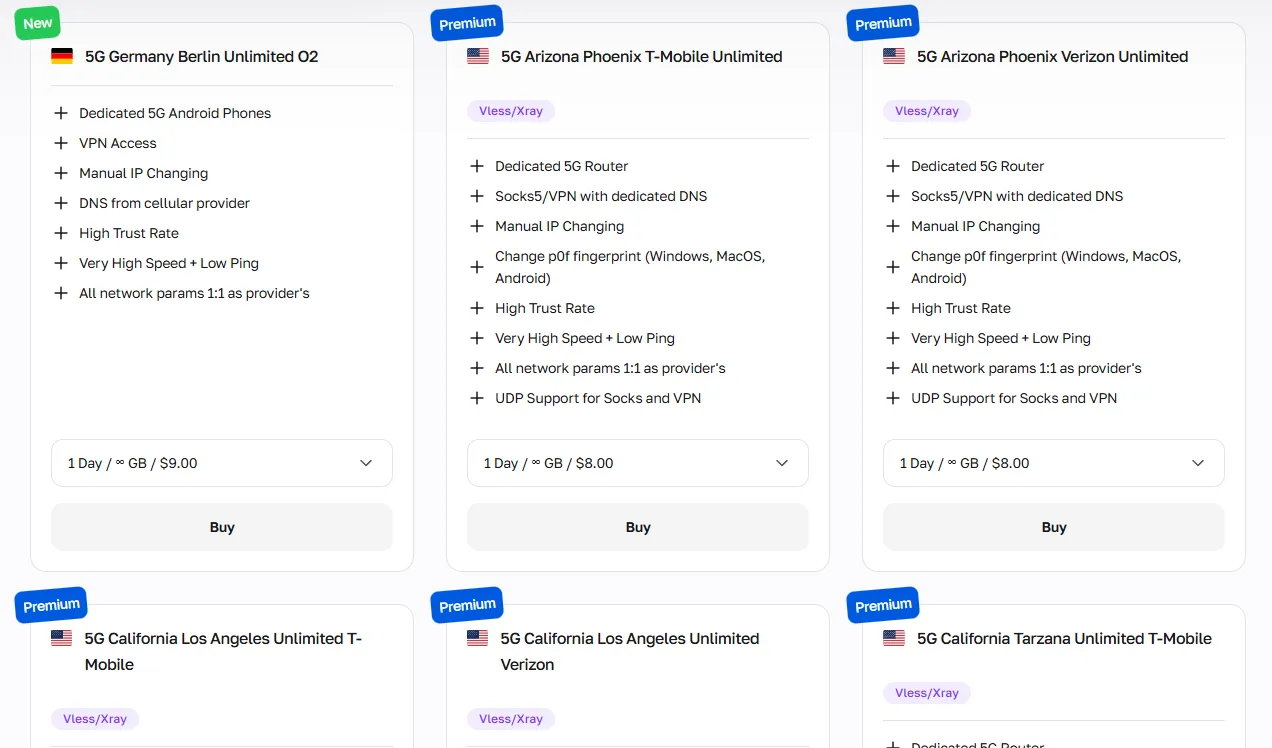
CyberYozh mobile proxies offer high customization for precise geotargeting, fingerprint settings, and unlimited traffic; ideal when you need Playwright to emulate a real mobile user.
Residential proxy: General data scraping and automation
Residential proxies are split into two types based on your use case:
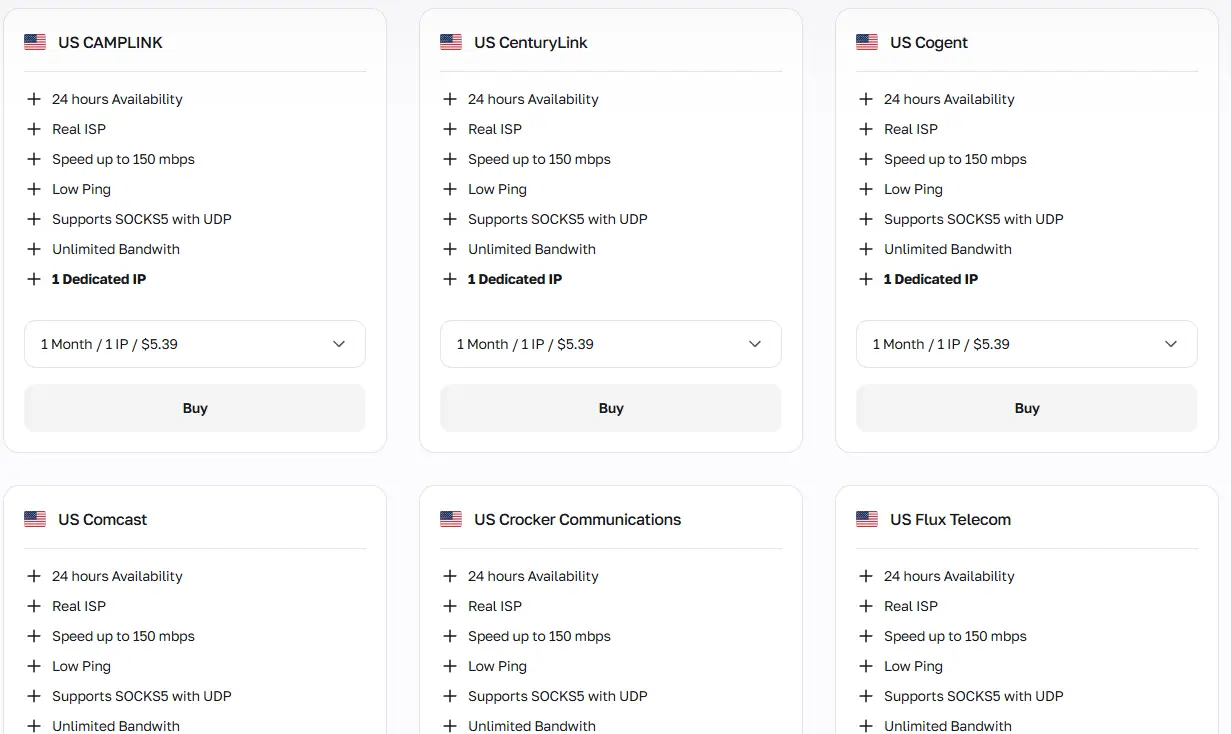
Static residential proxies provide a fixed residential IP from a specific country, perceived by platforms as an ordinary home Internet user. They’re ideal for account-linked workflows.
Rotating residential proxies leverage an infrastructure of 100M+ IPs across 195+ countries. You can rotate addresses on every request or maintain sticky sessions for up to 24 hours. They form the necessary foundation for bulk automation, large-scale web scraping, and providing stable network context for modern AI agents like Crawl4AI and Open Scraper.
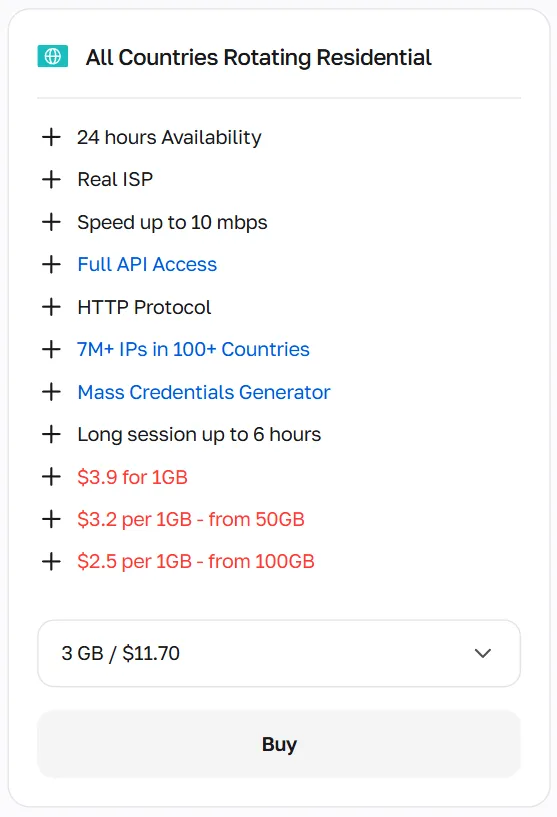
Select static residential IPs for long-term account management, with the scheme of 1 IP = 1 account, while rotating IPs are required for all bulk web activities, with a proper IP rotation strategy based on each specific use case.
Datacenter proxies: Open databases and app testing
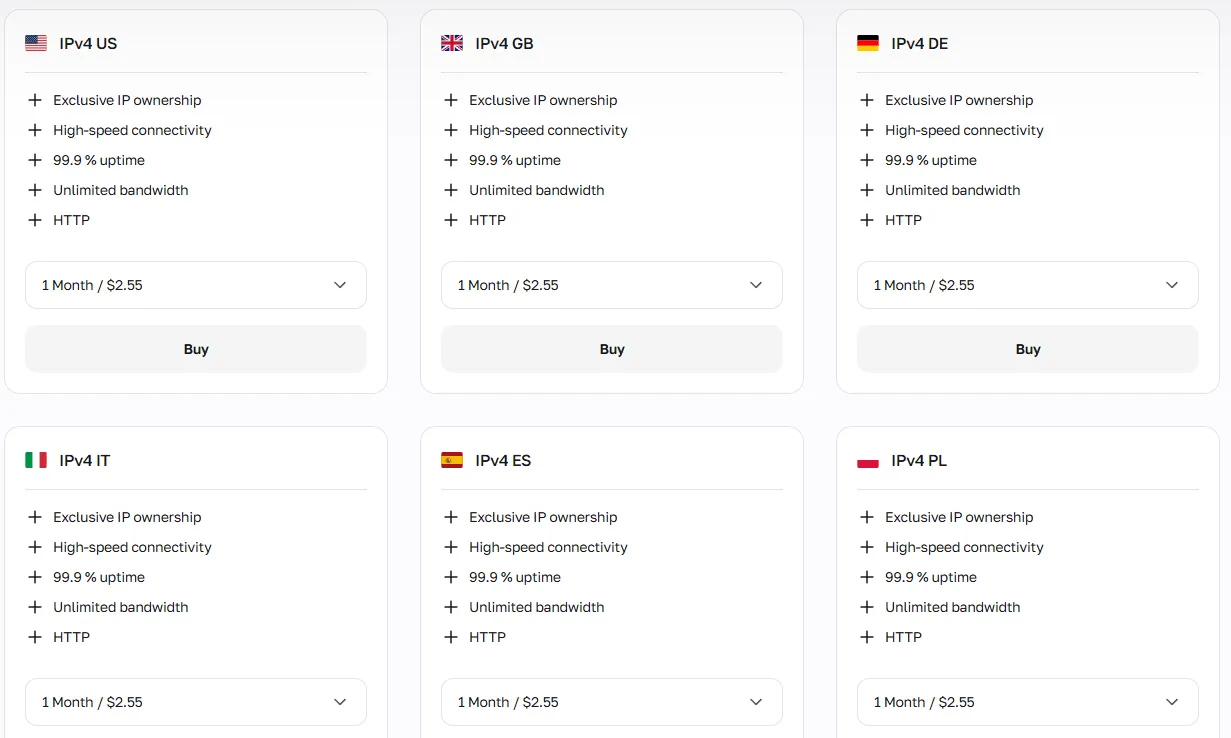
Datacenter proxies provide the fastest connection speed, but are associated with non-residential, bot-like traffic. They work well for scraping open databases, testing APIs, and high-speed tasks where platforms apply minimal bot detection, but can be quickly restricted on social platforms like Reddit or LinkedIn.
Additional tool: Risk Evaluation Before Execution
CyberYozh offers an IP Checker that scans every IP address against major fraud databases to return a strict Fraud Score and full history. Implement a "Risk Evaluation Before Execution" pipeline. Run your IP through the checker before launching the browser instance. This evaluates your actual risk level and helps maintain a high operational success rate, entirely replacing false "ban-proof" guarantees.
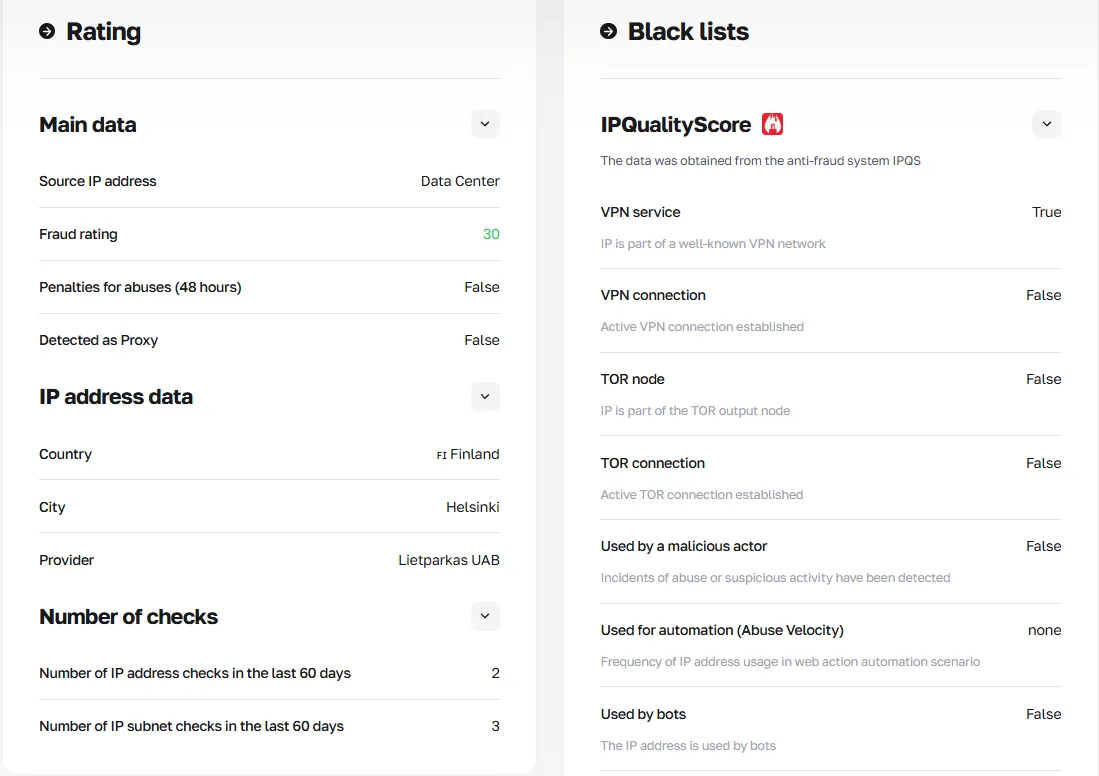
Get the CyberYozh API access to automate IP rotation and check every incoming IP address before rotating, ensuring its quality.
Starting with Playwright installation: Selecting a language
Playwright supports four languages. Before you begin your Playwright installation and proxy configuration, choose the language that fits your stack. This guide uses Python, as the most commonly used choice for proxy workflows, but all four options are covered in the table and short instructions below.
Language | Key Differences | Primary Use Cases | When to Choose |
Node.js (JS/TS) | Default Playwright language; TypeScript support out of the box; largest community and docs | End-to-end testing, browser automation, frontend CI/CD | Your team works in JS/TS, or you need the most mature tooling |
Python | Most widely used in scraping/ML; async via asyncio; integrates with Requests, Scrapy | Web scraping, data pipelines, proxy automation, ML data collection | You need proxy-heavy scraping or data science integration |
.NET (C#) | NuGet distribution; strong typing, good for enterprise QA | Enterprise test automation, .NET applications | Your organization uses a .NET stack |
Java | Maven/Gradle distribution; JUnit integration | Java enterprise apps, Android-adjacent testing | Your project is Java-based or requires JVM ecosystem |
Node.js
The default and most fully documented Playwright language. TypeScript is supported natively: Playwright is installed using npm, with no extra configuration needed.
npm init playwright@latestPython
The go-to language for Playwright proxy tasks, scraping, and data automation. Requires Python 3.8+ and is usually installed via PyPI (pip).
pip install playwright

playwright install
.NET (C#)
Distributed as a NuGet package. Requires PowerShell (pwsh) to run the browser install step.
dotnet new console -n PlaywrightDemo

cd PlaywrightDemo

dotnet add package Microsoft.Playwright

dotnet build

pwsh bin/Debug/netX/playwright.ps1 install
Java
Distributed as a Maven (mvn) module. Add the dependency to your pom.xml in Maven, and the browsers download automatically on the first compile.
<dependency>

  <groupId>com.microsoft.playwright</groupId>

  <artifactId>playwright</artifactId>

  <version>1.59.0</version>

</dependency>
And then run a command:
mvn compile exec:java -D exec.mainClass="org.example.App"Setting a Playwright proxy with Python
Here, let’s explore the generalized Playwright scraping session deployment with CyberYozh proxies. While the default Playwright language is Node.js/TypeScript, we’ll use Python in our example, as Playwright with Python is widely used for web automation, scraping, and other proxy-related tasks. If you need to use TypeScript or have a specific use case requiring C# or Java, just explore the corresponding Playwright docs version; it’s quite easy to adjust the code.
A Playwright proxy server is a network intermediary that relays your browser's requests through a different IP address. Playwright passes the proxy configuration directly at browser launch or context level, routing all traffic through the specified server.
1. Get a proxy for your task
Log in to your CyberYozh account, navigate to My Proxies, and select the proxy type suited to your task (mobile, residential static, residential rotating, datacenter).
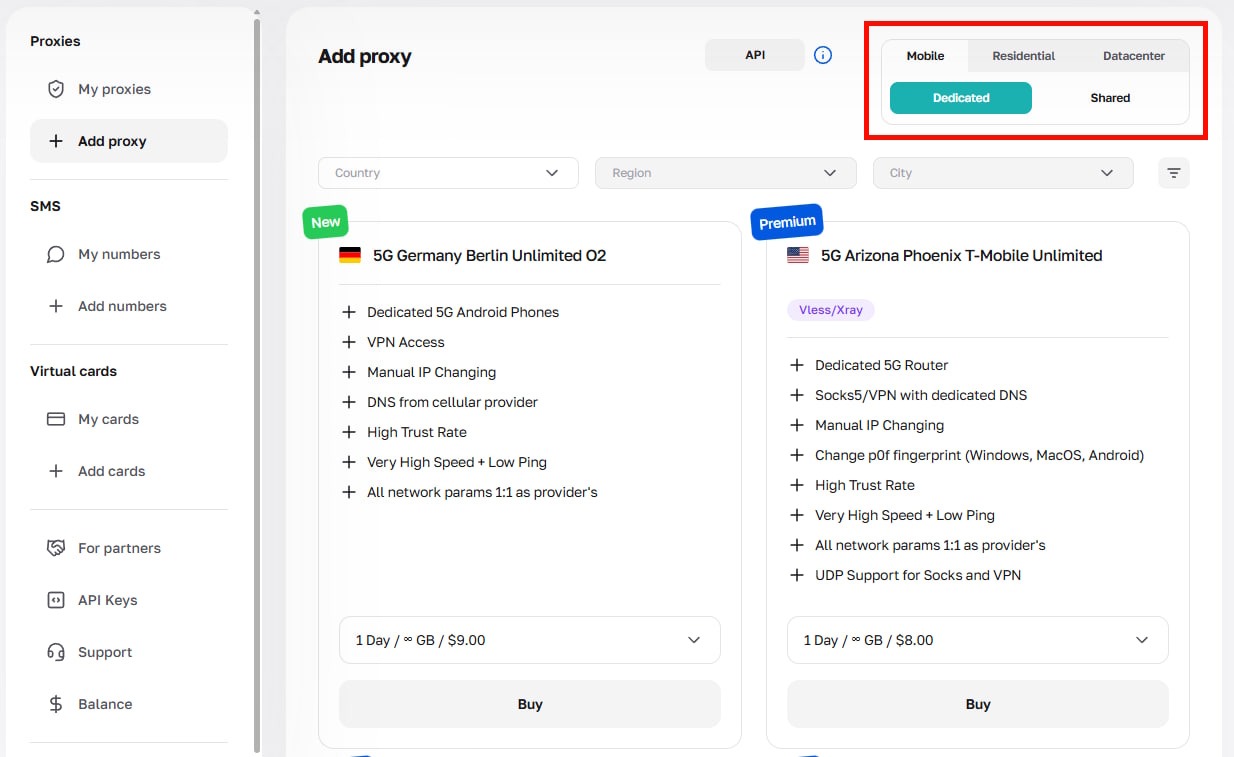
After purchase, open the proxy card, click Generate Credentials, choose your rotation mode (Random IP, Short Session, or Long Session), and navigate to the host, port, username, and password.
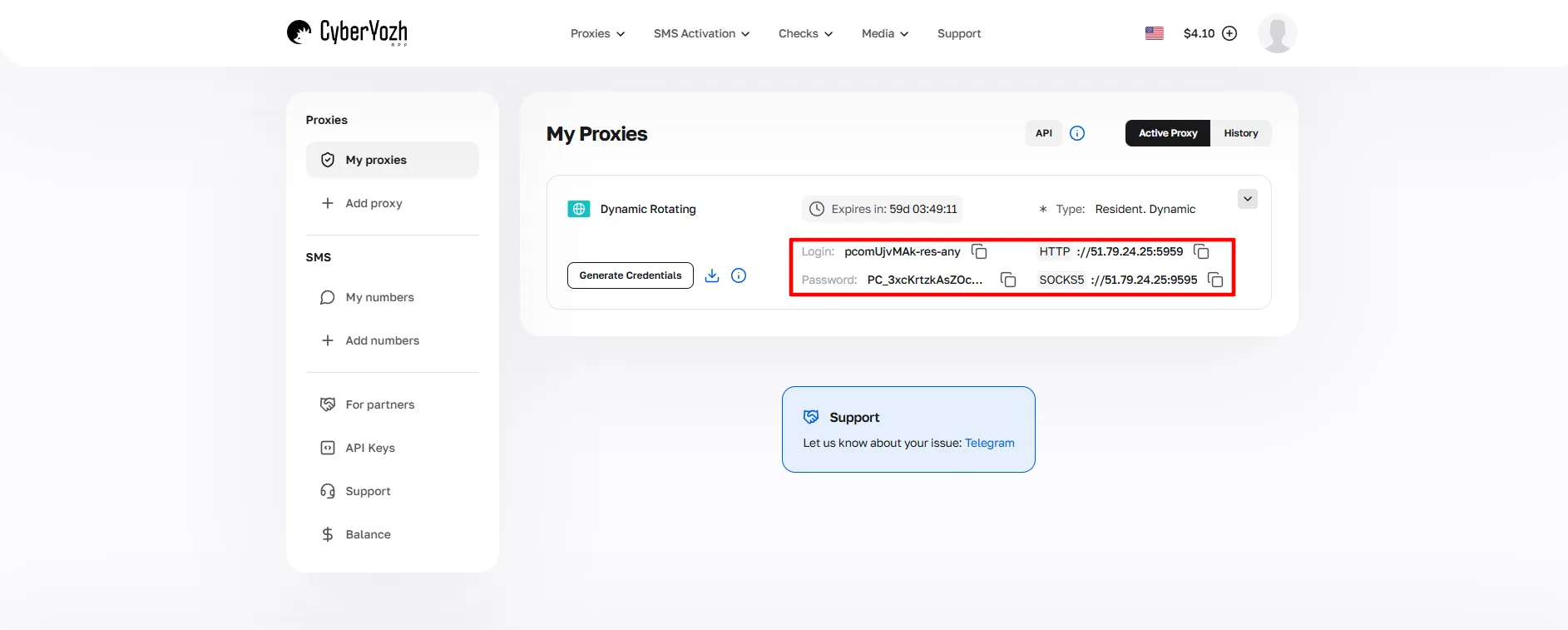
These credentials will be used throughout the setup.
2. Download and install Playwright
Install the Playwright library and its browser binaries via PyPI:
pip install playwright

playwright install
This downloads Chromium, Firefox, and WebKit binaries. For scraping, Chromium is the standard choice.
3. Organize a project structure
Create a dedicated project folder (i.e., scraper/). Keep credentials separate from your code and define a clear output path for scraped data:
-.env document for proxy credentials (always add to .gitignore)
-scraper.py as the main Playwright script
-requirements.txt for dependencies
output/ folder for scraped data (CSV/JSON)
4. Add proxy configuration into .env file
Open your .env file in VS Code or any editor and copy-paste your CyberYozh credentials. Always add .env to your .gitignore to prevent credential leakage to version control repositories.
HTTP_PROXY=http://username:password@proxy-server-ip:host
SOCKS5_PROXY=socks5://username:password@proxy-server-ip:host
For a Playwright SOCKS5 proxy configuration, use the socks5:// scheme. For standard Playwright HTTP proxy usage, use the http:// scheme. Make sure to include the correct ports from the CyberYozh dashboard. If you use CyberYozh API, your API key must be specified here, too.
CYBERYOZH_API_KEY=Your_API_URL_Key5. Create a scraping/automation script
Create the Python test file using Playwright. It should approximately have the following structure:
Browser and context entity creation with proxy settings
Automated rotation and IP checkup setup via CyberYozh API
Go to the target website and perform scraping via the Requests library
Set up error handling
Specify the output folder for scraped data
The script below implements the full Playwright proxy setup in Python: a browser entity, a context entity with Playwright proxy authentication, automated IP rotation via the CyberYozh API, request execution, error handling, and file output.
Visit CyberYozh's API documentation to explore how exactly you can deploy the API commands for automated CyberYozh service usage
import asyncio
import os
import json
import requests
from dotenv import load_dotenv
from playwright.async_api import async_playwright

load_dotenv()

PROXY_URL = os.getenv("HTTP_PROXY")  # or SOCKS5, from the .env document
CYBERYOZH_API_KEY = os.getenv("CYBERYOZH_API_KEY") # API key from the .env document
TARGET_URL = "https://httpbin.org/ip" # the website to scrape; here is the test one
OUTPUT_FILE = "output/results.json" # output folder


def check_ip_quality(ip: str) -> bool:

    """Use CyberYozh IP Checker API to verify trust score before rotating."""

    try:

        response = requests.get(
            f"https://app.cyberyozh.com/api/v1/checkers/socks/",
            headers={"Authorization": f"Bearer {CYBERYOZH_API_KEY}"},
            timeout=5
        )

        score = response.json().get("fraud_score", 100)
        return score < 50  # Accept IPs with fraud score below 50

    except Exception:

        return True  # Allow on API error


async def scrape(proxy_url: str) -> dict:

    """Run a single Playwright scraping session with proxy."""

    # Parse proxy credentials for Playwright proxy authentication

    from urllib.parse import urlparse

    parsed = urlparse(proxy_url)

    proxy_config = {
        "server": f"{parsed.scheme}://{parsed.hostname}:{parsed.port}",
        "username": parsed.username,
        "password": parsed.password,
    }


    async with async_playwright() as p:

        # Browser entity (headless to save traffic): launch with proxy server

        browser = await p.chromium.launch(headless=True)
        # Context entity: proxy settings applied per context

        context = await browser.new_context(proxy=proxy_config)
        page = await context.new_page()


        try:

            await page.goto(TARGET_URL, timeout=30000)
            content = await page.inner_text("body")
            result = json.loads(content)
            return {"status": "ok", "ip": result.get("origin")}

        except Exception as e:

            return {"status": "error", "error": str(e)}

        finally:

            await context.close()
            await browser.close()


async def main():

    results = []

    for i in range(5):

        print(f"Request {i+1}: using proxy {PROXY_URL}")
        data = await scrape(PROXY_URL)
        print(f"  → IP: {data.get('ip')} | Status: {data.get('status')}")
        results.append(data)

    os.makedirs("output", exist_ok=True)

    with open(OUTPUT_FILE, "w") as f:

        json.dump(results, f, indent=2)

    print(f"Results saved to {OUTPUT_FILE}")


asyncio.run(main())Also see the related guide: Configuring Proxy Rotation in Python.
6. Run the test and rotate the proxy
Launch the scraper from your project root:
python scraper.pyVerify that each request logs a different IP address (confirming rotation is active) and that the output/results.json file is populated. Use the CyberYozh API for automated rotation and automated quality checkups via the IP Checker: proxies with a high fraud score will be rejected before the next rotation cycle.
See also: Web Scraping Automation Guide
Summary: Using Playwright with CyberYozh infrastructure
With Playwright proxies configured and CyberYozh credentials active, you can run multi-target scraping, geo-targeted automation, and account management workflows at scale, routing every browser session through clean residential or mobile IPs with fraud score validation, while outputting structured data in your chosen format.