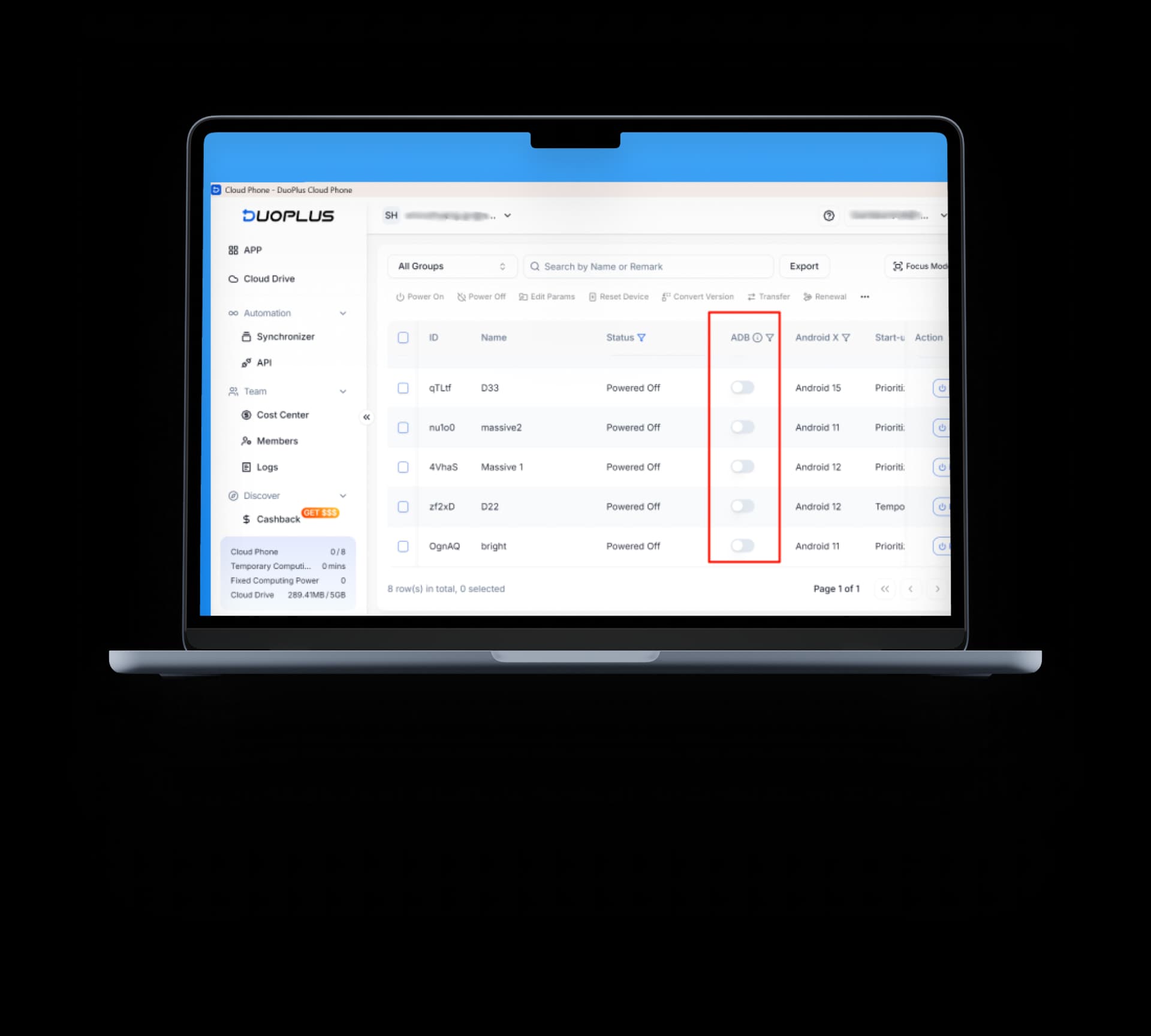
What is a DuoPlus cloud phone
A DuoPlus cloud phone is an actual Android device running on ARM hardware in a data center — not an emulator. You open each one in your browser and it behaves like a real phone. Every device is completely separate: its own apps, storage, and network settings, so you can run dozens of mobile accounts without buying physical phones.
What people use DuoPlus cloud phones for:
Social media management: each account on its own phone, proxy, and region
App testing: isolated devices with different locations and network conditions
Affiliate marketing: run and scale multiple affiliate accounts without cross-contamination
E-commerce: seller accounts and mobile storefronts in separate environments
Mobile marketing: verify campaigns and region-specific content from local IPs
Multi-account management: batch actions across phones.
DuoPlus mobile proxies by CyberYozh App connect to your cloud phones, and are a popular pick for accounts that need to look like real phones on real networks.
🔥
Save 5% on your first DuoPlus setup
Use code cyberyozh5 at checkout for 5% OFF CyberYozh proxies.
Get DuoPlus cloud phones
How CyberYozh App proxies benefit DuoPlus cloud phone operations
CyberYozh App is a proxy infrastructure company, so DuoPlus teams work with the network itself instead of a middleman’s pool. Assign each cloud phone its own mobile LTE/5G or residential proxy, match it to the phone’s target country, and manage every IP from a single account, whether you run five phones or five hundred.
Mobile LTE/5G proxies on real carrier networks (such as T-Mobile, AT&T, and Vodafone), with unlimited bandwidth
Residential proxies: 100M+ IPs across 195+ countries, with free geo-targeting and sticky sessions up to 24 hours
OS fingerprint matching, so each proxy lines up with the device's real OS and looks native
API integrations with Selenium, Playwright, Puppeteer, Scrapy, and Postman, plus custom scripts.
Mass Credentials Generator for creating proxy credentials for many phones at once
Built-in IP Fraud Score check and SMS activation in the same account
Support 24/7 in 7 languages: get help with proxy setup anytime.
Which is the best DuoPlus cloud phone proxy type
For accounts that need to run like real phones, choose mobile LTE/5G. Choose residential for geographic coverage, ISP for a fixed residential IP, and datacenter only when cost matters more than IP type.
Proxy type | Best fit | Unlimited bandwidth | Price |
|---|
Mobile LTE/5G | Mobile-oriented operations with carrier-network IPs; best for cloud phones | Yes | From $1.70/day |
Rotating residential | Geographic coverage and residential IP access | No, billed per GB | From $1.8/GB |
ISP (static residential) | Persistent sessions on a fixed residential IP, such as account management | Yes | From $5.29/mo |
Datacenter | Cost-sensitive workloads where datacenter IPs are suitable | Yes | From $1.90/mo |
Why mobile proxies are a natural fit for DuoPlus
DuoPlus is built around Android cloud phones. CyberYozh App mobile proxies are built around real LTE and 5G carrier networks. This combination creates an environment that closely matches real mobile usage patterns.
CyberYozh mobile proxies include unlimited bandwidth and support manual or API-based IP changes, making them suitable for users operating multiple cloud phones.
Common use cases include affiliate marketing, social media operations, account farming, mobile app testing, and account management.
Scale DuoPlus environments with residential proxies
Some operations require broader geographic coverage rather than mobile carrier traffic.
CyberYozh App residential proxies provide access to more than 100 million residential IPs across 195+ countries. This allows DuoPlus users to create regional environments, distribute activity across larger IP pools, and support automation systems that require wider coverage.
Residential proxies are commonly used for scraping, automation, market monitoring, regional testing, and large-scale account operations.
CyberYozh App proxies for DuoPlus: Popular use cases
The combination of CyberYozh App and DuoPlus supports a wide range of Android cloud phone operations. DuoPlus provides the cloud phone environment, while CyberYozh App supplies the network infrastructure that powers those devices.
Multi-account management
Managing multiple accounts becomes easier when each account operates in its own Android environment. DuoPlus allows users to launch and organize multiple cloud phones, while CyberYozh App provides separate proxy connections for each environment. This helps keep accounts, sessions, and regions separated.
Affiliate marketing operations
Affiliate marketers often manage campaigns across different accounts, platforms, and regions. DuoPlus makes it possible to control multiple Android devices from one dashboard, while CyberYozh App provides mobile and residential proxies for regional access and account operations.
Social media operations
Social media teams frequently manage multiple Instagram, Facebook, X, or LinkedIn accounts across different projects and markets. DuoPlus cloud phones help organize account environments, while CyberYozh App provides the proxy infrastructure required for separate sessions and regional targeting.
Automation systems
DuoPlus supports batch actions, synchronized controls, and AI-powered cloud phone management. Combined with CyberYozh App's API-ready proxy infrastructure, users can build larger automation systems that manage both Android devices and network environments.
Regional testing and market research
Testing applications, onboarding flows, and user experiences often requires access to different locations. A DuoPlus cloud phone allows users to configure each Android device with different settings, while CyberYozh App provides access to mobile and residential IPs across 195+ countries.
How to set up CyberYozh App proxies in DuoPlus
For DuoPlus proxy setup, follow the steps:
Get your proxy details. In CyberYozh App, open the mobile or residential proxy you want to use and copy the host, port, login, and password. Choose SOCKS5 as the protocol.
Open the Proxies page in DuoPlus. In the left panel, go to Proxies and click Add. For many phones at once, click Batch Add and paste your list as host:port:username:password or username:password@host:port, one proxy per line.
Test the connection. Run the check. When you see “Proxy IP connection test passed”, click Save.
Assign the proxy to a cloud phone. Open the phone’s network proxy settings, choose the saved proxy, and click Finish.
Power on the phone. It now runs through the CyberYozh IP. Use a separate proxy for each phone.