YouTube Error 400: Why It Happens and 6 Ways to Fix It Fast in 2026
You click a link that a friend shares. A playlist someone sent you. A video from a subreddit.
Black screen. Then: Error 400.
You can watch other videos just fine. YouTube works everywhere else. But that specific link, nothing. Just an error that tells you almost nothing useful about why it happened.
Here is what YouTube is not telling you: error 400 in 2026 is almost never about the video itself. It is almost always about your connection, specifically, how YouTube's increasingly strict servers read your IP address, session data, or app version.
This guide explains exactly what is happening and gives you six fixes, ranked by how simple they are, ending with the one that actually solves the root cause.
TL;DR
YouTube error 400 means "bad request"; your browser sent something that YouTube's server did not accept
Most common causes in 2026: flagged IP address, outdated Revanced patch, corrupted cookies, or geo-restriction
The "Revanced YouTube Music error 400" is a specific case caused by Google's 2026 API changes breaking older patches.
A 400 shared video error usually means your IP is partially geo-blocked; the page loads, then YouTube checks your location.n
Clearing the cache fixes it temporarily, and a clean residential IP fixes it permanently.
CyberYozh residential proxies give you a fresh, unflagged IP that YouTube does not recognize as a problem.
What is YouTube error 400
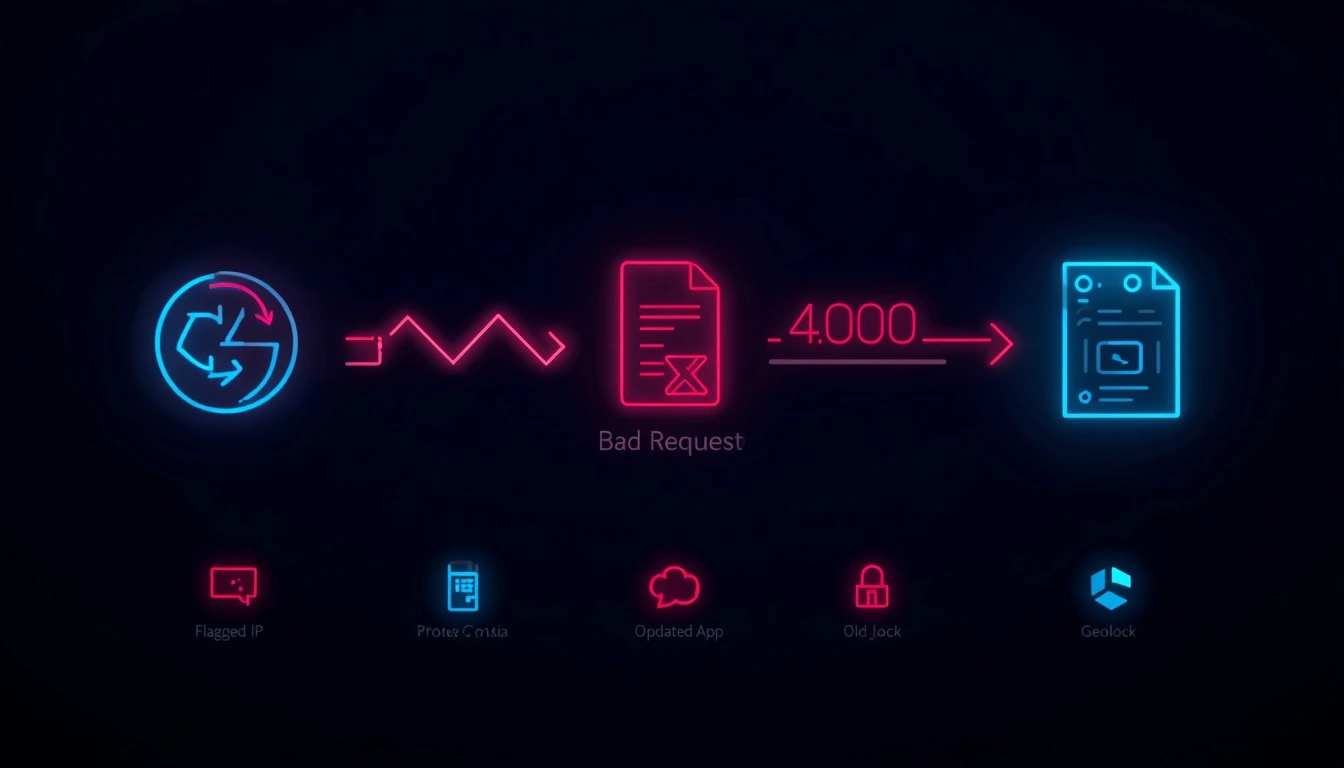
Error 400 is an HTTP status code 400: "Bad Request."
It means your browser or app sent a request that YouTube's server did not understand or would not accept. Not a server crash (that is 500). Not a permissions issue (that is 403). Not missing content (that is 404). A 400 means the request itself was the problem.
In practical terms, in 2026, this usually means one of four things:
Your IP address is flagged: YouTube's servers rejected the request before processing it
Your session data is corrupted: stale cookies or cached auth tokens created a malformed request
Your app is outdated: specifically for Revanced users, an old patch version sends API calls that Google's 2026 servers reject.
The content has geo-restrictions: YouTube accepted the request, began processing it, then blocked delivery due to your detected location.
The fix depends entirely on which one of these is causing it. Let us work through each. [Read more about error 520 and error 499]
Revanced YouTube music error 400: A special case
If you use Revanced or Revanced Extended and started getting error 400 on music videos or playlists in 2026, this section is for you.
Here is what happened:
Revanced works by patching YouTube's APK, modifying the app's code to remove ads, enable background play, and unlock features.
These patches interact directly with YouTube's API.
In early 2026, Google pushed server-side changes to the YouTube Music API validation layer.
Those changes broke the way older Revanced patches format certain API requests, specifically, requests for music content and playlists.
The result: the Revanced app sends an API call. YouTube's 2026 server reads it as malformed. Returns error 400. The video never loads.
How to fix Revanced YouTube music error 400:
Update your Revanced patch: check the Revanced GitHub for the latest patch version. The maintainers typically push fixes within days of Google's API changes, but you need to reinstall the patched APK manually.
Clear app data entirely: not just cache. Go to Settings → Apps → YouTube Music → Storage → Clear All Data. This wipes stale session tokens that may be conflicting with the new API format.
Reset your session with a clean IP: even after updating Revanced, if your IP has been flagged during previous error 400 attempts, YouTube may continue rejecting requests from it. A residential proxy gives you a clean IP that YouTube has no prior history with, resetting the session from scratch.
Expert note: Google's 2026 API changes were specifically targeted at third-party clients, apps that modify or replicate YouTube's API behavior without official authorization. This is why Revanced error 400 is more persistent than a regular browser error 400. It is not just a cache issue. The app itself needs updating.
YouTube server error 400: Is YouTube down, or is it you
Before troubleshooting your setup, confirm the problem is on your end.
How to check if YouTube is down globally:
Visit downdetector for real-time outage reports from users worldwide
Check Twitter/X for "#YouTubeDown"; if it is a widespread outage, this surfaces within minutes
Try opening YouTube in a completely different browser with no extensions. If it works there, the problem is your setup, not YouTube's servers.
If you only have the problem: Open an incognito window and try the same link. If it loads in incognito mode but not in your regular browser, the issue is either corrupted cookies or a session token conflict, both of which are fixable by clearing browser data.
If it fails in incognito, too, the problem is at the IP or network level. Keep reading. [Read how to unblock YouTube with a proxy]
Can get to shared YouTube videos but get network error 400: Why

This is the confusing one. The page loads. The thumbnail appears. Then, error 400. Just on shared links. Not on videos you find yourself.
Here is what is actually happening: YouTube performs two checks on shared links that it does not always perform on regular browsing:
Check 1: Content availability; Is this video available in your detected location? This check runs on page load.
Check 2: IP reputation on delivery; Is your IP clean enough to receive this specific content? This check sometimes runs after the page has already loaded, when the video delivery request is made.
If your IP is partially flagged, not blocked outright, but on a watch list, YouTube may let the page load and then block the video delivery request. You see the page but not the video. Error 400 occurs during delivery, not during page load.
This is especially common when:
You are using a datacenter VPN that YouTube has partially flagged (not fully blocked, but on a restricted list)
Your IP has been involved in high-volume requests recently (bot activity, scraping, mass downloading)
The shared video has regional restrictions that YouTube only validates at the delivery request stage
The fix: A clean residential IP with no prior history on YouTube's systems. The delivery request comes from a new address with no flags attached.
The CyberYozh shortcut: Clean IPs, no more YouTube errors
Here is what most people get wrong when troubleshooting YouTube error 400.
They clear their cache. It works for a day. Then error 400 is back. They update Revanced. Same thing. They try a VPN. Worse, now they have more errors because YouTube aggressively blocks datacenter VPN IPs in 2026.
The pattern is always the same: temporary fixes that do not address the actual problem. The actual problem is your IP address.
CyberYozh gives you IPs that are not on those lists.
Residential proxies: real ISP-assigned IPs from actual home connections. YouTube sees a request from a home broadband user in a real city. No flag. No block. No error 400.
Mobile 4G/5G proxies: carrier IPs from real phones on real networks. The highest trust score of any IP type. YouTube has no realistic way to flag these without blocking legitimate mobile users.
Antidetect Browser: Keeps accounts isolated and reduces the risk of detection on platforms like YouTube, while offering seamless integration with other antidetect browsers.
100M+ IP pool in 100+ countries: large enough that other sessions have not overused the IP you use—fresh IPs with clean histories.
Built-in IP Reputation Checker: Every IP is verified before use, and no addresses have a history of flags or abuse.
24/7 Support & User-Friendly Dashboard: Includes round-the-clock customer support and an intuitive dashboard available in 7 languages.
Affordable Proxy Solutions: Among the most cost-effective options in the proxy market, offering unlimited traffic with mobile proxies starting from $1.70/day and residential proxies from $5.29/month.
6 ways to fix YouTube error 400: From simple to advanced
Work through these in order. Most people will solve it by step 3 or 4.
Fix 1: Clear cookies and cache
The simplest fix and the first to try. Corrupted session tokens are a common cause of error 400 on shared links.
Chrome: Settings → Privacy and Security → Clear Browsing Data → Check "Cookies" and "Cached images" → Clear data
Firefox: Settings → Privacy & Security → Cookies and Site Data → Clear Data
Mobile: Settings → Apps → YouTube → Storage → Clear Cache
After clearing, reload the video. If it works, your session data was the problem.
Fix 2: Update Revanced or reinstall
If you use Revanced and started getting error 400 after a Google update, the patch version is almost certainly out of date.
Check Revanced GitHub releases for the latest patch
Download and install the updated APK
Clear app data on the old version before installing the update
Re-link your Google account after reinstall
Fix 3: Disable your VPN
Counter-intuitive, but accurate. If you have a VPN running, turn it off and try the video again. In 2026, YouTube aggressively blocks datacenter VPN IPs. Your VPN may be the cause of error 400, not the solution.
If the video loads without the VPN, your VPN's server IP is flagged. The fix is not to find a different VPN server; it is to switch to a residential proxy, which carries a completely different trust profile.
Fix 4: Switch to a residential proxy
If Fix 3 confirms your IP is the problem, this is the permanent fix.
A residential proxy routes your YouTube requests through a real home IP address. YouTube's detection system sees a normal residential user. The error 400 from IP flagging disappears.
CyberYozh residential proxies are the cleanest option for this, with a large pool, IP reputation verification, and setup that takes minutes in any browser.
Fix 5: Check your system date and time.
This one sounds strange, but it is real. YouTube's authentication tokens are time-sensitive. If your system clock is significantly wrong, token validation fails and returns error 400.
Windows: Settings → Time & Language → Date & Time → Sync Now
Android: Settings → General Management → Date and Time → Automatic date and time
iOS: Settings → General → Date & Time → Set Automatically
Fix 6: Try a different browser or incognito mode
If all else fails, try the link in a completely clean environment. Incognito mode turns off extensions and uses new cookies. A different browser eliminates the possibility of a browser-specific issue.
If the video loads in a different browser but not your main one, a specific extension or browser setting is causing the conflict. Disable extensions one by one to identify the culprit.
Why YouTube blocks certain IPs in 2026
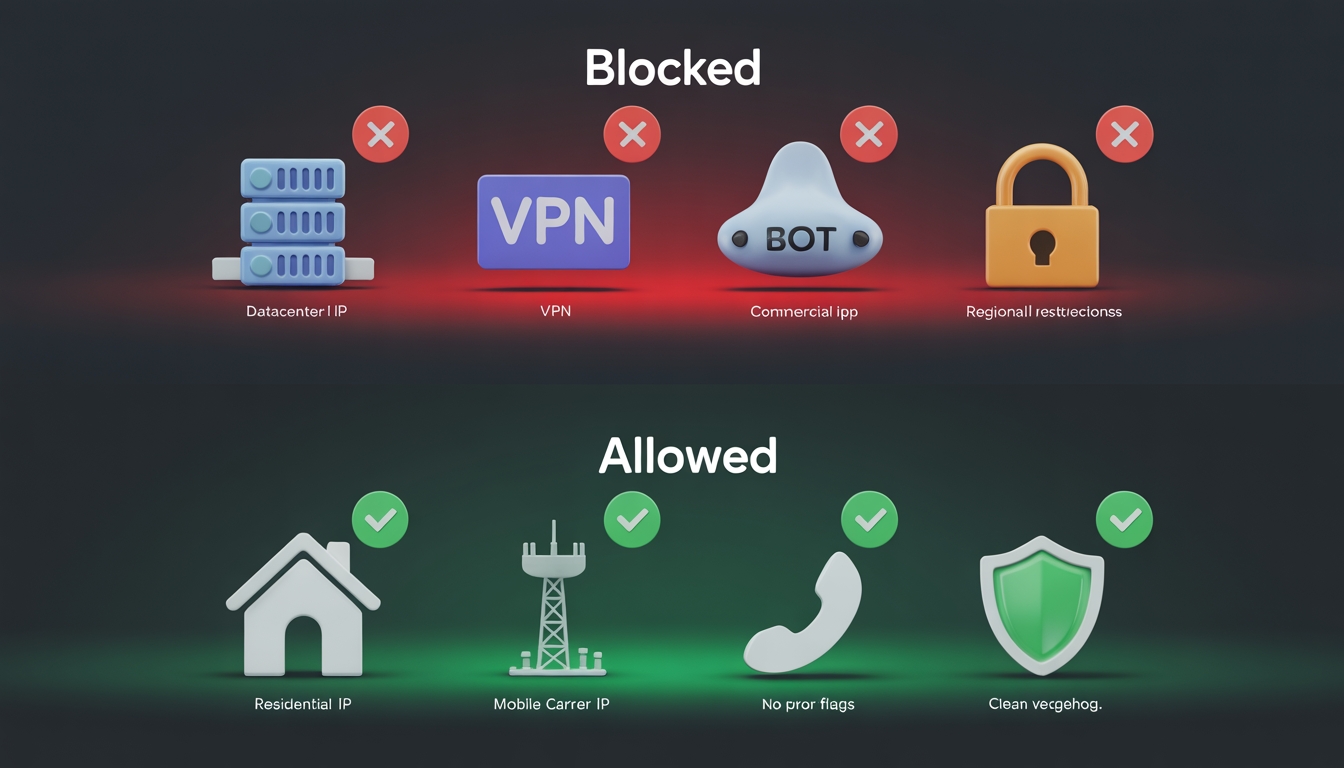
YouTube's IP-blocking policy has become significantly more aggressive over the past 18 months. Here is the current state:
What gets blocked:
Known datacenter IP ranges (AWS, Google Cloud, Azure, Hetzner, OVH, and hundreds of smaller providers)
Commercial VPN server pools, all major providers' server IPs are on YouTube's blocklist
IPs associated with high-volume automated requests (scraping, mass downloading, view botting)
IPs flagged by regional content licensing restrictions
What does not get blocked:
Residential ISP IPs from real home connections
Mobile carrier IPs from 4G and 5G networks
IPs with no prior history of flagged activity
This is why the "just use a VPN" advice that worked in 2020 fails in 2026. The VPN server IPs were added to blocklists as they became popular. The residential and mobile IP ranges cannot be blocked without collateral damage to millions of real users, so they remain trusted. [Read more about the best YouTube proxies]
How CyberYozh proxies fix Revanced and geo-blocks
For Revanced users specifically, the combination of an updated patch and a clean residential IP resolves persistent 400 errors that neither fix alone resolves.
Here is why both are needed:
The updated Revanced patch fixes the API call format, so the request YouTube receives is well-formed.
The residential IP fixes the trust layer, so YouTube's servers process the request instead of rejecting it before the API call is even evaluated.
One without the other leaves you half-fixed. Updated patch on a flagged IP: still error 400 at the IP check. Clean IP with outdated patch: still error 400 at the API validation check.
For geo-blocked content:
CyberYozh's city-level targeting lets you select a residential IP in a country where the content is available.
YouTube processes the request, checks the IP address's location, determines that it matches the content's availability region, and delivers the video.
No geo-restriction error, no error 400.
This works for shared videos, playlists, regional content, and Revanced, in any scenario where the error 400 is IP-driven rather than cache-driven.