
Cách vượt qua Linkvertise năm 2026: 7 phương pháp thực sự hiệu quả

Bạn nhấp vào một liên kết. Bộ đếm thời gian bắt đầu. Rồi một quảng cáo. Rồi một khảo sát hỏi bạn có muốn trúng iPad không. Bạn chỉ muốn tải tệp tin thôi. Nghe có quen không?
Linkvertise đã trở nên hung hãn hơn vào năm 2026. Bộ đếm thời gian dài hơn. Nhiều lớp quảng cáo hơn. CAPTCHA mà có vẻ như được thiết kế riêng để chống lại bạn. Và các công cụ bypass Linkvertise từng hoạt động sáu tháng trước, một nửa trong số đó đã chết.
Sau khi phân tích 14 công cụ trong ba ngày để tìm ra cái gì thực sự hoạt động ngay bây giờ, bảy công cụ đã vượt qua. Đây là chúng, xếp hạng từ dễ nhất đến kỹ thuật nhất, với tỷ lệ thành công trung thực và mức độ rủi ro cho từng cái. Không có lời thừa. Không có lý thuyết. Chỉ có những gì hoạt động hôm nay.
TÓM TẮT
Các công cụ bypass Linkvertise vẫn hoạt động vào năm 2026, nhưng thường xuyên bị hỏng khi Linkvertise cập nhật logic chuyển hướng của nó.
Lựa chọn dễ nhất: Bypass.Vip, dán liên kết, nhận kết quả, xong. Tỷ lệ thành công ~85%
Đáng tin cậy nhất cho người dùng nâng cao: Kiểm tra chuyển hướng thủ công, tỷ lệ thành công ~90%, không cần công cụ
Người dùng di động: Các công cụ web hoạt động tốt trên Chrome và Safari di động, không cần ứng dụng
Tiện ích mở rộng trình duyệt mang rủi ro thực sự; chúng có thể đọc dữ liệu duyệt web của bạn và ảnh hưởng đến các tài khoản khác.
Mối đe dọa lớn hơn đối với người quản lý nhiều tài khoản: liên kết tài khoản qua các trình duyệt, không phải bản thân Linkvertise
Proxy dân cư của CyberYozh gán cho mỗi tài khoản một địa chỉ IP duy nhất với cách ly thiết bị.
Luôn sử dụng công cụ bypass trên web thay vì tiện ích mở rộng, rủi ro thấp hơn, kết quả giống nhau
Linkvertise là gì
Linkvertise là một nền tảng kiếm tiền từ liên kết. Người sáng tạo định tuyến URL tải xuống hoặc giới thiệu của họ qua nó, Linkvertise bọc chúng trong bộ đếm thời gian và quảng cáo, và người sáng tạo kiếm tiền khi khách truy cập ngồi chờ qua chúng. Đó là thỏa thuận: bạn là sản phẩm. Tin tốt là bạn không phải như vậy.
Bypass Linkvertise có hoạt động vào năm 2026 không
Có, nhưng không vĩnh viễn.
Linkvertise cập nhật cấu trúc chuyển hướng của nó vài tuần một lần, điều này làm hỏng bất kỳ công cụ bypass nào dựa vào việc quét logic đó. Bối cảnh bypass liên tục thay đổi. Cái hoạt động vào tháng Giêng có thể bị hỏng vào tháng Tám. Cái hoạt động hôm nay có thể ngừng hoạt động tháng sau.
Đó chính xác là lý do tại sao chúng tôi đã kiểm tra mọi thứ mới. Mọi phương pháp dưới đây đã được xác nhận hoạt động tính đến tháng 5 năm 2026.
7 phương pháp bypass Linkvertise
Dưới đây là một số cách tốt nhất để bypass Linkvertise vào năm 2026, cùng với xếp hạng và mức độ rủi ro của chúng.
Phương pháp 1: Bypass.Vip: Bypass Linkvertise tốt nhất tổng thể
Mức độ rủi ro: Thấp
Tỷ lệ thành công: ~85%
Lựa chọn đơn giản nhất và nhất quán nhất trong quá trình kiểm tra của chúng tôi. Không cần tài khoản. Không cần tiện ích mở rộng. Chỉ là một công cụ web sạch hoạt động như một công cụ bypass linkvertise đáng tin cậy mà không chạm vào trình duyệt của bạn.
Cách sử dụng:
Sao chép URL Linkvertise của bạn
Truy cập bypass.vip
Dán liên kết và nhấp vào bypass
Chờ vài giây, và liên kết đích sẽ xuất hiện trực tiếp
Hoạt động trên: Trình duyệt web và di động.
Rủi ro: Tối thiểu, đây là công cụ web không yêu cầu quyền truy cập trình duyệt hoặc dữ liệu
Lưu ý: Tỷ lệ thành công giảm tạm thời khi Linkvertise phát hành cập nhật. Nếu thất bại, hãy thử Phương pháp 2 để dự phòng; chúng thường xử lý các định dạng liên kết khác nhau.
Phương pháp 2: BypassUnlock: Lựa chọn dự phòng tốt nhất
Mức độ rủi ro: Thấp
Tỷ lệ thành công: ~80%
Cách tiếp cận tương tự Bypass.vip. Trong quá trình thử nghiệm của chúng tôi, nó xử lý được nhiều định dạng liên kết Linkvertise mà Bypass.vip bỏ lỡ, đáng để đánh dấu trang như một công cụ bypass linkvertise thứ cấp.
Cách sử dụng:
Sao chép URL Linkvertise
Truy cập bypassunlock.com
Dán và gửi
Theo liên kết đầu ra
Hoạt động trên: Web và di động
Rủi ro: Thấp, dựa trên web, không yêu cầu quyền truy cập
Phương pháp 3: Bypass.City: Tốt nhất cho người dùng máy tính để bàn
Mức độ rủi ro: Thấp–Trung bình
Tỷ lệ thành công: ~78%
Bypass.city cung cấp cả công cụ web và userscript tùy chọn. Công cụ web là lựa chọn an toàn hơn. Userscript nhanh hơn nhưng yêu cầu Tampermonkey và cấp cho script quyền truy cập vào các phiên trình duyệt của bạn.
Cách sử dụng (công cụ web được khuyến nghị):
Truy cập bypass.city
Dán liên kết Linkvertise của bạn
Nhấp bypass và lấy URL đích
Hoạt động trên: Web (máy tính để bàn và di động); Script Tampermonkey chỉ dành cho máy tính để bàn. Rủi ro: Thấp đối với công cụ web. Trung bình đối với userscript, chỉ cài đặt nếu bạn hiểu script trình duyệt có thể truy cập những gì.
Phương pháp 4: Auto LinkBypasser (Tiện ích mở rộng Chrome)
Mức độ rủi ro: Trung bình
Tỷ lệ thành công: ~75%
Tiện ích mở rộng bỏ qua Linkvertise này cho Chrome tự động xử lý các liên kết. Bạn truy cập vào trang Linkvertise, và nó bỏ qua ở chế độ nền mà không cần bạn dán gì cả. Tiện lợi, nhưng đi kèm với sự đánh đổi.
Một tiện ích mở rộng trình duyệt có quyền truy cập toàn trang web có thể đọc các trang bạn truy cập. Trước khi cài đặt bất kỳ tiện ích bỏ qua Linkvertise nào, hãy kiểm tra chính xác những gì nó yêu cầu quyền truy cập.
Cách sử dụng:
Cài đặt Auto LinkBypasser từ Chrome Web Store
Truy cập bất kỳ liên kết Linkvertise nào bình thường
Tiện ích sẽ chặn và bỏ qua tự động
Hoạt động trên: Chỉ Chrome trên máy tính để bàn
Rủi ro: Trung bình, hãy xem xét quyền truy cập cẩn thận. Nếu nó yêu cầu quyền truy cập vào tất cả các trang web, điều đó có nghĩa là nó có thể đọc mọi trang bạn mở, bao gồm bất kỳ tài khoản nào bạn đang đăng nhập.
Quan trọng: Các bản cập nhật tiện ích chậm hơn so với các thay đổi của Linkvertise, đó là lý do tại sao phương pháp này có tỷ lệ thành công thấp nhất trong các tùy chọn dựa trên tiện ích. Đối với hầu hết người dùng, một công cụ web mang lại kết quả tương tự với ít rủi ro hơn.
Phương pháp 5: Bypass.link: Giao diện web sạch nhất
Mức độ rủi ro: Thấp
Tỷ lệ thành công: ~77%
Một công cụ web sạch sẽ, không rườm rà. Chậm hơn một chút so với Bypass.vip trong thử nghiệm của chúng tôi, nhưng đáng tin cậy hơn trên một số biến thể liên kết nhất định. Là lựa chọn thứ ba tốt khi hai lựa chọn hàng đầu thất bại.
Cách sử dụng:
Sao chép URL Linkvertise
Truy cập bypass.link
Dán, gửi và lấy liên kết đích
Hoạt động trên: Web và di động
Rủi ro: Thấp, dựa trên web không cần cài đặt
Phương pháp 6: Script Tampermonkey của FireMasterK: Tốt nhất cho người dùng Tampermonkey
Mức độ rủi ro: Trung bình
Tỷ lệ thành công: ~82% (khi được cập nhật)
Đối với những người dùng đã quen thuộc với userscript, script bỏ qua linkvertise của FireMasterK Tampermonkey là một trong những tùy chọn được duy trì tích cực nhất hiện có. Kho lưu trữ GitHub được cập nhật khi Linkvertise thay đổi cấu trúc, đó là lý do tại sao nó duy trì tỷ lệ thành công cao hơn hầu hết các công cụ dựa trên tiện ích.
Cách sử dụng:
Cài đặt Tampermonkey trong trình duyệt máy tính để bàn của bạn
Tìm script Linkvertise của FireMasterK trên GitHub
Cài đặt nó qua Tampermonkey
Truy cập các liên kết Linkvertise bình thường; script sẽ tự động xử lý việc bỏ qua.
Hoạt động trên: Máy tính để bàn (Chrome, Firefox, Edge)
Rủi ro: Trung bình, userscript chạy trên các trang bạn truy cập và có quyền truy cập vào nội dung trang. Chỉ sử dụng script từ các kho lưu trữ mà bạn có thể đọc và xác minh. Kho lưu trữ FireMasterK là công khai và có thể đọc được.
Phương pháp 7: Kiểm tra chuyển hướng thủ công: Tỷ lệ thành công cao nhất, không cần công cụ
Mức độ rủi ro: Thấp (nhưng tốn công sức)
Tỷ lệ thành công: ~90%
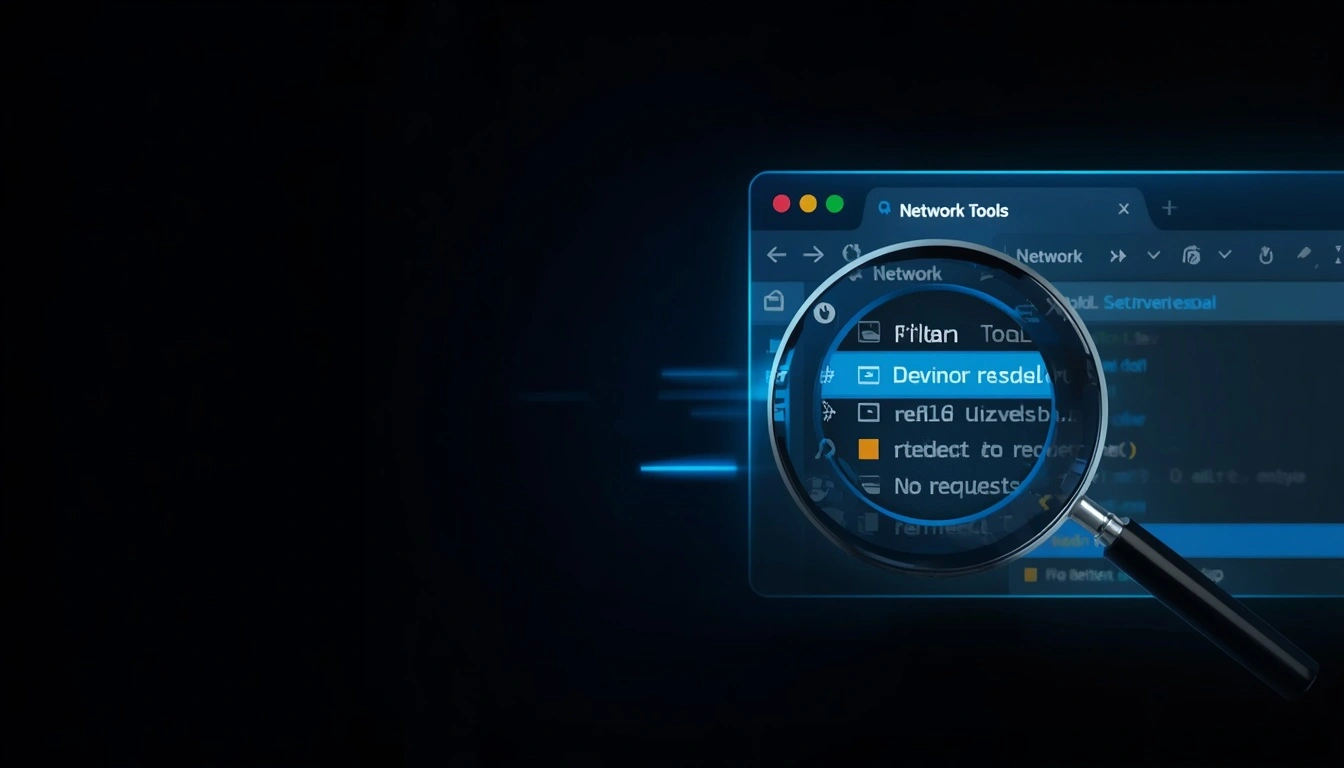
Khi mọi phương pháp khác đều thất bại, phương pháp này vẫn hoạt động. URL đích bên trong trang Linkvertise về mặt kỹ thuật có thể truy cập được thông qua công cụ dành cho nhà phát triển của trình duyệt; nó được nhúng trong các yêu cầu mạng của trang trước khi luồng quảng cáo bắt đầu.
Đây cũng là cách để vượt qua bộ đếm thời gian 1 giờ của Linkvertise; bạn trích xuất URL trực tiếp mà không cần ngồi chờ qua bất kỳ luồng kiếm tiền nào.
Cách sử dụng:
Mở liên kết Linkvertise trong trình duyệt máy tính để bàn của bạn
Nhấn F12 để mở Công cụ dành cho nhà phát triển
Chuyển đến tab Network
Để trang bắt đầu tải. Không tương tác với nó
Lọc các yêu cầu theo "XHR" hoặc tìm kiếm tên miền đích
Tìm URL chuyển hướng trong dữ liệu phản hồi và sao chép trực tiếp
Hoạt động trên: Chỉ máy tính để bàn (yêu cầu quyền truy cập vào Công cụ dành cho nhà phát triển)
Rủi ro: Thấp, bạn đang đọc lưu lượng mạng của chính trình duyệt của mình: không cần công cụ, không cần tiện ích mở rộng, không cần dịch vụ bên ngoài.
Lưu ý chuyên gia: Phương pháp này hoạt động vì Linkvertise tải URL đích ở chế độ nền trước khi hiển thị tường quảng cáo; nó cần xác minh liên kết tồn tại trước khi yêu cầu bạn ngồi chờ qua quá trình kiếm tiền. Tab mạng sẽ hiển thị quá trình tải trước đó. Đây không phải là hack, mà là đọc dữ liệu mà chính trình duyệt của bạn đã tải xuống.
Bảng so sánh: Tất cả 7 phương pháp vượt qua Linkvertise
Phương pháp | Nền tảng | Dễ sử dụng | Tỷ lệ thành công | Mức độ rủi ro | Tốt nhất cho |
Bypass.vip | Web + Di động | Rất dễ | ~85% | Thấp | Lựa chọn đầu tiên cho mọi người |
BypassUnlock.com | Web + Di động | Rất Dễ | ~80% | Thấp | Dự phòng khi Bypass.vip thất bại |
Bypass.city | Web + Di động | Dễ | ~78% | Thấp– | Người dùng desktop muốn có nhiều lựa chọn |
Auto LinkBypasser | Desktop Chrome | Dễ (tự động) | ~75% | Trung bình | Sử dụng desktop không cần thao tác |
Bypass.link | Web + Di động | Rất Dễ | ~77% | Thấp | Lựa chọn dự phòng thứ ba |
FireMasterK Script | Chỉ desktop | Trung bình | ~82% | Trung bình | Người dùng Tampermonkey |
Chuyển hướng thủ công | Chỉ desktop | Khó | ~90% | Thấp | Khi mọi cách khác đều thất bại |
Cách bypass Linkvertise trên di động
Tin tốt là bạn không cần ứng dụng đặc biệt. Hầu hết các công cụ linkvertise bypasser trên web đều hoạt động tốt trên Chrome hoặc Safari trên di động. Quy trình giống hệt như trên desktop:
Sao chép URL Linkvertise, giữ link và nhấn «Sao chép»
Mở Chrome hoặc Safari trên điện thoại của bạn
Điều hướng đến công cụ bypass ưa thích của bạn, Bypass.vip, BypassUnlock.com, hoặc Bypass.link
Dán liên kết và gửi
Theo dõi liên kết đầu ra đến đích của bạn
Không có tiện ích mở rộng trình duyệt đáng tin cậy cho di động; Chrome trên iOS và Android không hỗ trợ tiện ích mở rộng giống như trên máy tính để bàn. Hãy sử dụng công cụ web trên di động.[Đọc về proxy di động tốt nhất]
Người dùng Android trên Firefox về mặt kỹ thuật có thể cài đặt Tampermonkey, mở ra cánh cửa cho script FireMasterK. Nhưng đối với hầu hết mọi người, công cụ web nhanh hơn và cho kết quả tương tự mà không cần thiết lập gì.
Cách bypass bộ đếm thời gian 1 giờ của Linkvertise
Bộ đếm thời gian 1 giờ là tính năng kiếm tiền tích cực nhất của Linkvertise, và cũng bị bypass nhiều nhất.
Công cụ bypass dựa trên web bỏ qua nó hoàn toàn bằng cách trích xuất URL đích trực tiếp từ logic chuyển hướng của Linkvertise. Bạn không bao giờ thấy bộ đếm thời gian vì công cụ lấy liên kết trước khi quy trình kiếm tiền bắt đầu.
Ba cách để bypass bộ đếm thời gian Linkvertise cụ thể:
Công cụ web (dễ nhất): Bypass.vip hoặc BypassUnlock.com; dán URL để lấy liên kết đích. Bộ đếm thời gian bị bypass hoàn toàn.
Script Tampermonkey FireMasterK: Tự động bypass bộ đếm thời gian khi bạn duyệt web—không cần dán thủ công.
Kiểm tra chuyển hướng thủ công: Mở Developer Tools → tab Network → tìm URL đích trong các yêu cầu XHR. Bộ đếm thời gian không liên quan, bạn không bao giờ kích hoạt nó.
Cả ba đều bỏ qua bộ đếm thời gian hoàn toàn, không chỉ rút ngắn nó.
Tại sao công cụ bypass Linkvertise ngừng hoạt động
Linkvertise không tĩnh. Đội ngũ kỹ thuật của họ cập nhật cấu trúc chuỗi chuyển hướng, logic xác minh quảng cáo và làm rối mã JavaScript thường xuyên, thường là vài tuần một lần. Khi cấu trúc thay đổi, bất kỳ công cụ bypass nào dựa vào việc scraping nó đều bị hỏng.
Đây là thực tế mèo vờn chuột của việc bypass liên kết:
Linkvertise cập nhật → công cụ hỏng → người duy trì công cụ cập nhật → Linkvertise cập nhật lại
Công cụ có người duy trì tích cực (như repo GitHub của FireMasterK) phục hồi nhanh hơn những công cụ bị bỏ rơi
Công cụ web có xu hướng cập nhật nhanh hơn tiện ích mở rộng trình duyệt, vì cập nhật tiện ích mở rộng yêu cầu xem xét từ Chrome Web Store
Làm gì khi phương pháp thông thường của bạn thất bại:
Thử một công cụ web khác; chúng thường xử lý các định dạng liên kết khác nhau
Kiểm tra xem GitHub hoặc Twitter của công cụ có thông báo cập nhật gần đây không
Quay lại Kiểm tra Chuyển hướng Thủ công, không phụ thuộc vào công cụ bên ngoài
Rủi ro ẩn mà hầu hết hướng dẫn bypass không bao giờ đề cập
Bản thân các công cụ bypass không phải là rủi ro chính đối với hầu hết mọi người. Hai rủi ro ẩn quan trọng hơn nhiều:
Rủi ro 1: Tiện ích mở rộng trình duyệt với quyền rộng
Một số tiện ích mở rộng Chrome được quảng cáo là công cụ bỏ qua linkvertise đã bị phát hiện ghi lại lịch sử duyệt web và dữ liệu biểu mẫu. Chính sách dành cho nhà phát triển của Chrome Web Store yêu cầu các tiện ích mở rộng phải công khai dữ liệu họ thu thập, nhưng việc thực thi không hoàn hảo và tồn tại các tiện ích mở rộng giả mạo.
Trước khi cài đặt bất kỳ tiện ích mở rộng bỏ qua nào:
Kiểm tra các quyền mà nó yêu cầu. ‹Đọc và thay đổi tất cả dữ liệu của bạn trên mọi trang web› là một dấu hiệu cảnh báo
Đọc các đánh giá gần đây để tìm báo cáo về hành vi bất thường
Xác minh danh tính của nhà phát triển và kiểm tra tiện ích mở rộng đã tồn tại bao lâu
Tự hỏi bản thân: Liệu một công cụ web có cho tôi kết quả tương tự mà không có rủi ro không? Thường là có.
Rủi ro 2: Liên kết tài khoản trong quy trình làm việc đa tài khoản
Nếu bạn quản lý nhiều tài khoản mạng xã hội, cho khách hàng, cho thương hiệu, vì bất kỳ lý do gì, và bạn sử dụng cùng một trình duyệt cho mọi thứ, bộ đếm thời gian của Linkvertise không phải là vấn đề lớn nhất của bạn. Đó là mục cuối cùng trong danh sách của bạn.
Các nền tảng như Instagram, TikTok, và X (Twitter) theo dõi nhiều hơn địa chỉ IP của bạn. Dấu vân tay trình duyệt, dữ liệu cookie, chữ ký thiết bị và các mẫu thời gian hành vi đều được đưa vào hệ thống phát hiện của họ. Sử dụng một trình duyệt cho mười tài khoản, đặc biệt là trình duyệt có cài đặt tiện ích mở rộng bỏ qua, chính xác là cách các tài khoản bị liên kết và bị đình chỉ hàng loạt.
Nghiên cứu về dấu vân tay trình duyệt của EFF ghi lại cách môi trường trình duyệt có thể nhận dạng duy nhất như thế nào, ngay cả khi không có theo dõi dựa trên IP. Các nền tảng sử dụng điều này. Họ rất giỏi trong việc đó.
Đây là rủi ro mà không ai nói đến: tiện ích mở rộng bỏ qua mà bạn cài đặt để bỏ qua bộ đếm thời gian quảng cáo có các quyền chạy trong cùng trình duyệt nơi các tài khoản của khách hàng bạn tồn tại.
CyberYozh giải quyết vấn đề đa tài khoản mà các công cụ bỏ qua không thể làm được như thế nào
Bỏ qua Linkvertise là vấn đề 30 giây. Quản lý hơn 10 tài khoản mạng xã hội mà không bị liên kết, gắn cờ hoặc cấm là vấn đề cơ sở hạ tầng vĩnh viễn và đòi hỏi một giải pháp hoàn toàn khác.

Đây là những gì vấn đề thực tế trông như thế nào trong thực tế:
Bạn đang chạy các tài khoản khách hàng trên Instagram, TikTok và X. Bạn nhấp qua các liên kết Linkvertise để truy cập nội dung và công cụ cho các tài khoản đó. Bạn làm tất cả điều này từ cùng một trình duyệt, cùng một IP, cùng một thiết bị. Mọi nền tảng mà bạn quản lý các tài khoản đó đều có thể thấy tất cả các tín hiệu đó đồng thời. Khi họ thấy cùng một cụm dấu vân tay trên nhiều tài khoản, họ bắt đầu kết nối các điểm, và khi một tài khoản bị gắn cờ, tất cả đều bị.
CyberYozh giải quyết lớp cơ sở hạ tầng mà các công cụ bỏ qua không thể chạm tới:
Proxy dân cư: Một IP thực cho mỗi tài khoản
Mỗi tài khoản nhận được địa chỉ IP dân cư riêng, được cấp bởi một ISP thực tế cho một vị trí hộ gia đình thực tế.
Từ góc độ của Instagram hoặc TikTok, mỗi tài khoản là một người khác nhau ở một thành phố khác nhau trên một kết nối gia đình khác nhau.
Không phải mười tài khoản từ một văn phòng. Mười người dùng thực sự độc lập.
Nhóm proxy của CyberYozh bao gồm hơn 100 triệu IP dân cư trên hơn 100 quốc gia với nhắm mục tiêu địa lýcấp thành phố, vì vậy mỗi IP thực sự là địa phương, không chỉ gần đúng.
Proxy dân cư tĩnh cho tính nhất quán tài khoản dài hạn
Đối với các tài khoản bạn quản lý trong nhiều tháng, khách hàng và các tài khoản thương hiệu chạy lâu dài, proxy dân cư tĩnh duy trì cùng một địa chỉ IP qua các phiên.
Cùng một ‹người dùng› đăng nhập từ cùng một vị trí mỗi lần, chính xác như cách một tài khoản thực hoạt động.
Điều này ngăn chặn sự thay đổi phiên làm kích hoạt xác thực lại và kiểm tra bảo mật trên các nền tảng lớn.
Công cụ kiểm tra danh tiếng IP tích hợp
Trước khi bất kỳ IP nào được gán cho tài khoản, Công cụ Kiểm tra Danh tiếng IP của CyberYozh xác minh rằng IP có lịch sử sạch, không có cờ đánh dấu trước đó và không có hồ sơ lạm dụng.
Một IP mới, sạch là điều giúp tài khoản tránh kế thừa các vấn đề từ người đã sử dụng IP đó trước đây.
Kích hoạt SMS để xác minh tài khoản mới
Tài khoản mạng xã hội mới yêu cầu xác minh số điện thoại.
Dịch vụ kích hoạt SMS của CyberYozh cung cấp số điện thoại thật, đã xác minh để thiết lập tài khoản, không sử dụng lại cùng một số cho nhiều tài khoản, đây là một tín hiệu phân cụm khác mà các nền tảng chủ động phát hiện.
Không liên kết tài khoản theo thiết kế
Bởi vì mỗi tài khoản hoạt động thông qua địa chỉ IP riêng và môi trường thiết bị cô lập, các nền tảng không có tín hiệu kết nối giữa chúng ở cấp độ hạ tầng.
Nếu một tài khoản gặp phải kiểm tra, các tài khoản khác không bị ảnh hưởng; không có IP chung, không có chữ ký thiết bị chung, không có bất cứ thứ gì chung kích hoạt hiệu ứng dây chuyền.
Đây không phải là phép màu. Đây là một hạ tầng sạch. Các công cụ bypass giải quyết vấn đề 30 giây. CyberYozh giải quyết vấn đề quan trọng nhất đối với doanh nghiệp của bạn trong dài hạn. Xem proxy của CyberYozh→
Kết luận cuối cùng: Bạn có nên bypass Linkvertise không
Để truy cập nội dung nhanh hơn, có, hoàn toàn đúng.
Các công cụ web được liệt kê ở đây có rủi ro thấp, tiết kiệm thời gian và hoạt động tốt. Bắt đầu với Bypass.vip. Giữ BypassUnlock.com làm phương án dự phòng. Sử dụng Kiểm tra Chuyển hướng Thủ công khi cả hai đều thất bại.
Nếu bạn quản lý nhiều tài khoản mạng xã hội một cách chuyên nghiệp, bộ đếm thời gian Linkvertise thực sự là mục nhỏ nhất trong danh sách vấn đề của bạn. Cô lập tài khoản, giữ mỗi tài khoản trên IP riêng, môi trường thiết bị riêng, dấu vân tayriêng, mới thực sự bảo vệ công việc của bạn và tài khoản khách hàng trong dài hạn.
Sử dụng các công cụ bypass cho các liên kết. Sử dụng proxy CyberYozh cho các tài khoản, các công cụ khác nhau và các vấn đề khác nhau, cả hai đều đáng được giải quyết đúng cách.