

Прокси для Twitch
Узнайте, как используются прокси для Twitch, какие существуют потенциальные риски и ограничения, и как они могут улучшить вашу деятельность на Twitch. Выберите и приобретите необходимый тип прокси для оптимизации ваших рабочих процессов.
Высококачественные мобильные прокси для активностей в Twitch
Запускайте множество трансляций и оптимизируйте активность на Twitch без страха банов. Получите быстрые и стабильные мобильные или резидентские прокси с 99,95% успешностью и гарантированной проверкой качества через IP Checker.

Создайте множество аккаунтов Twitch с геотаргетингом
Используйте прокси с IP-адресами из более чем 100 геолокаций для доступа к локальным версиям Twitch, ориентируясь на рынки разных стран. Запускайте трансляции, собирайте данные и продвигайте свой бизнес с подлинным пулом из более 50 млн резидентских IP-адресов.
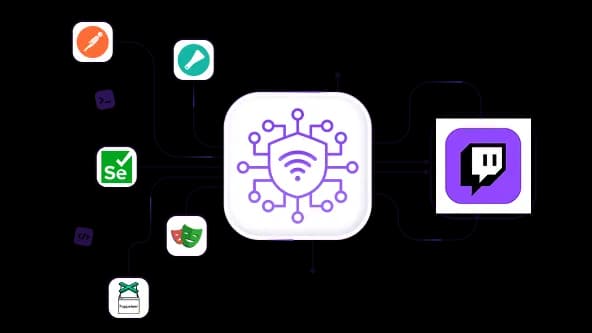
Легко собирайте данные о стримах с помощью прокси для Twitch
Скрапьте и парсите видео Twitch, содержащие важные данные для обучения ИИ и бизнес-исследований. Используйте прокси API с инструментами автоматизации, такими как Playwright и Postman, чтобы обеспечить стабильность сессий и минимизировать риск ограничений.
Создавайте и управляйте несколькими аккаунтами Twitch
Запускайте множество трансляций с разных аккаунтов одновременно, используя изолированные IP-адреса, гарантируя, что никакие аккаунты не будут связаны между собой и ограничены. Масштабируйте свою активность в Twitch в своих интересах.
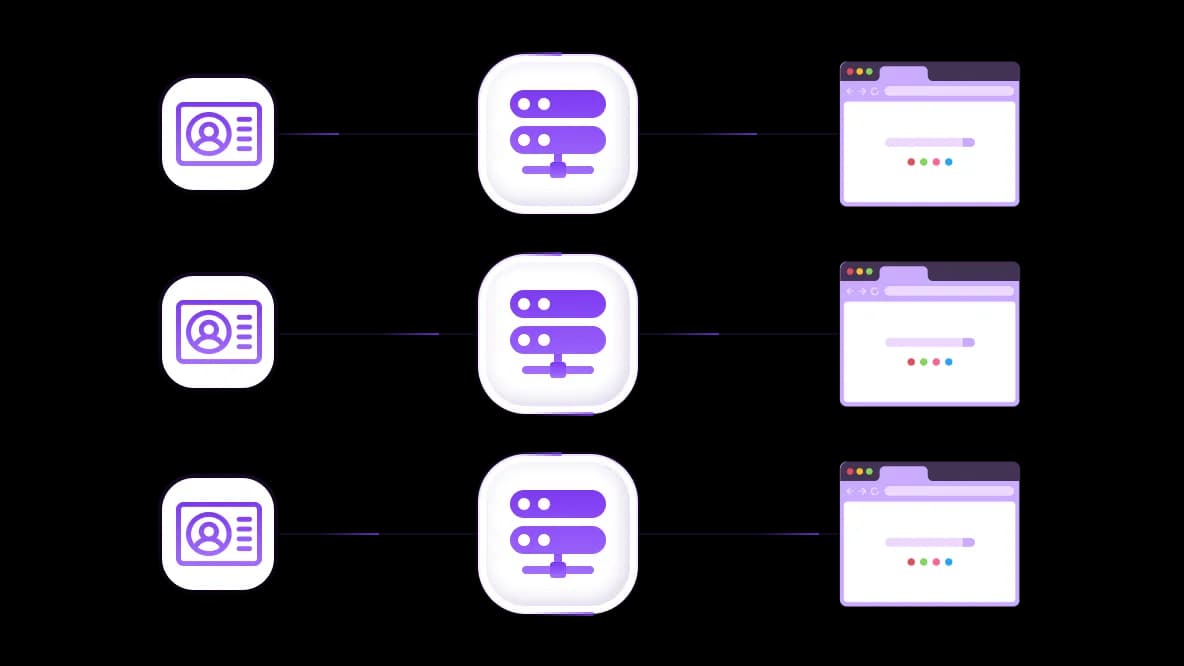
Интеграция прокси Twitch с вашим антидетект-инструментом
Подключите прокси CyberYozh к антидетект-браузеру или облачному телефону для обеспечения максимальной защиты с полностью изолированными сеансами. Используйте для критически важных задач и масштабных рабочих процессов в Twitch.
Специально для вас
Лучшие прокси по странам

Twitch - выделенный мобильный безлимит
-
Выделенный 5G-роутер
-
Socks5/VPN с выделенным DNS
-
Ручная смена IP
-
Смена p0f-отпечатка (Windows, macOS, Android)
-
Высокий уровень доверия
-
Очень высокая скорость + низкий пинг
-
Все сетевые параметры 1:1 как у провайдера
Twitch - общий мобильный
-
Общий 5G-роутер
-
Поддержка SOCKS5 с UDP
-
До 5 пользователей на порт
-
Socks5 / HTTP
-
Ротация IP: каждые 30 минут
-
p0f-отпечаток Windows
-
Высокий уровень доверия
-
Очень высокая скорость + низкий пинг
-
Все сетевые параметры 1:1 как у провайдера
Twitch - ротационные резидентские
-
Доступность 24 часа
-
Реальный ISP
-
Скорость до 10 Мбит/с
-
Полный доступ к API
-
Протокол HTTP
-
Более 100 млн IP в более чем 100 странах
-
Генератор нескольких учётных данных
-
Длинная сессия до 6 часов
Twitch - приватные резидентские
-
Безлимитный трафик
- Реальный ISP
-
Скорость до 150 Мбит/с
-
Низкий пинг
-
Поддержка SOCKS5 с UDP
- Доступность 24 часа
-
1 выделенный IP
Twitch - датацентр прокси
-
Безлимитный трафик
-
Эксклюзивное владение IP
-
Высокоскоростное соединение
-
Аптайм 99.9 %
-
HTTP
Twitch - датацентр общие статичные
-
Очень высокая скорость
-
Глобальное покрытие IP
-
Аптайм 99.9 %
-
Выгодное предложение
-
1 ГБ трафика
-
HTTP
Почему покупают у нас?
Преимущества
Приватная оплата картой
Не важно каким способом вы пополнили баланс, связать платеж с арендой определенного прокси — невозможно.
Мы не храним данные на серверах
Как правило, сервисы, предоставляющие прокси в аренду, сохраняют все данные о трафике, проходящем через их серверы.
Выделенное устройство
Мы НЕ маскируем общие прокси под видом индивидуальных. Модем или роутер передается ТОЛЬКО в одни руки.
Онлайн техподдержка
Мы всегда готовы решить ваши проблемы и вопросы. Даже глубокой ночью и ранним утром.
Гарантия возврата
У нас есть и возврат, и замена. Приоритет - качественный сервис и удовлетворенные клиенты.
API для бизнеса
Для бизнес-клиентов наш сервис готов предоставить удобное API, позволяющее покупать прокси, менять IP-адрес и многое другое.
Зачем вам может понадобиться прокси для Twitch: Примеры использования
Прокси для Twitch могут оптимизировать ваши трансляции, защитить вашу конфиденциальность и обеспечить стабильное соединение по всему миру без банов и ограничений. Для людей, стремящихся расширить аудиторию на Twitch, агентств, которые монетизируют трансляции, и других соответствующих компаний прокси для Twitch предоставляют ключевую инфраструктуру для быстрого достижения целей с минимальным риском.
Запуск нескольких трансляций на Twitch с прокси
Задача: Вы управляете несколькими каналами или запускаете ботов для разных клиентов-стримеров. Twitch связывает их по IP и помечает.
Решение: Назначьте один мобильный или резидентский прокси на аккаунт через рабочие процессы управления аккаунтами . Каждый канал выглядит как независимый пользователь с уникальным IP.
Задача: Агентство влияния управляет десятками аккаунтов Twitch и должно избежать обнаружения связи между аккаунтами.
Решение: Используйте инструментарий CyberYozh для социальных сетей , чтобы назначить IP с географической привязкой для каждого аккаунта с изоляцией сессий через интеграцию с антидетект-браузером.
Задача: Ваш бот-аккаунт (StreamElements, инструменты модерации) помечается, потому что использует тот же IP, что и ваш основной аккаунт.
Решение: Направьте трафик бота через отдельный прокси-сервер. Используйте расширение CyberYozh для Chrome , чтобы переключать прокси в один клик для каждого профиля браузера.
Правила Twitch: Мультиаккаунтинг разрешён, если он не используется для обхода банов или домогательств. Использование прокси для обхода глобального бана является нарушением Условий предоставления услуг. Подробнее о управлении несколькими аккаунтами Twitch.
Доступ к локальным аудиториям Twitch с помощью геотаргетинга прокси
Задача: Вашему агентству нужно протестировать, что на самом деле видят локальные аудитории во Франции, Бразилииили Японии на Twitch: рекомендованные трансляции, рекламу и продвигаемый контент.
Решение: Используйте резидентские прокси с географической привязкой от CyberYozh для имитации локальных зрителей в более чем 100 странах для локализованной рекламы и других бизнес-целей.
Задача: Вы запускаете спонсорские кампании на Twitch и вам нужно проверить, что реклама корректно отображается в целевых регионах.
Решение: Подключитесь к IP-адресу нужной страны, проверьте видимость с помощью IP Checkerи убедитесь в корректном отображении рекламы без необходимости путешествовать.
Задача: Вы хотите выявить популярных стримеров или контент в конкретном регионе для исследования партнёрских возможностей вашего бренда.
Решение: Ротируйте резидентские IP-адреса по регионам для сбора локализованных данных Twitch без географических ограничений в таких случаях, как генерация лидов.
Узнайте больше о геотаргетинге и о том, как он помогает.
Прокси для парсинга видеоданных и автоматизации Twitch
Задача: Вашей команде машинного обучения требуются масштабные видеоклипы и метаданные Twitch для мультимодальной AI-модели.
Решение: Разверните ротационные резидентские прокси с Scrapy, Selenium или Playwright через инфраструктуру AI-данных CyberYozh. «Липкие» сессии предотвращают разрыв соединения в процессе загрузки.
Задача: Вам нужно собрать данные чата, количество зрителей и тренды категорий в масштабе тысяч стримов.
Решение: Используйте пайплайн веб-скрейпинга CyberYozh с ротационными IP-адресами и автоматизацией через CyberYozh API для непрерывных высокочастотных запросов.
Предупреждение: Twitch явно запрещает искусственное накручивание просмотров. Использование ботов для просмотров Twitch нарушает условия использования и может привести к постоянной блокировке. Используйте ответственно и только для легитимного тестирования или конкурентных исследований в рамках применимого законодательства.
Примечание для разработчиков AI: Всегда соблюдайте Условия использования Twitch и применимое авторское право при сборе видеоконтента для обучения AI. Метаданные и логи чата находятся в иной категории риска, нежели полная загрузка видео.
Как использовать прокси для Twitch
Twitch поддерживает несколько типов прокси, каждый из которых подходит для разных задач, и правильный выбор прокси-сервера существенно влияет как на производительность, так и на безопасность аккаунта.
Почему мобильные прокси предпочтительны для Twitch
Мобильные прокси имеют наивысший уровень доверия на Twitch, поскольку их IP-адреса принадлежат реальным сотовым операторам и естественным образом используются тысячами реальных пользователей. Это делает их практически невозможными для определения как ботов.
Мобильные прокси CyberYozh (4G/5G) включают управление отпечатками соединения (эмуляция ОС p0f для Windows, macOS, Android), полную поддержку UDP для потокового трафика и неограниченный мобильный трафик на большинстве тарифов — критично для продолжительных стриминговых сессий.
Лучше всего настроить прокси, не находящиеся в чёрных списках: стандартные IP-адреса VPN теперь все помечены Twitch. Мобильные прокси — единственная категория, которая стабильно проходит проверку Twitch «обнаружен прокси или разблокировщик» без дополнительных обходных решений.
Когда использовать резидентские или прокси датацентра
Для менее критичных задач, таких как панели управления аккаунтами, геопроверки и исследования, резидентские прокси справляются с работой без проблем.
Статичные резидентские прокси лучше всего подходят для управления отдельными аккаунтами стримеров: каждый IP эмулирует отдельного пользователя домашнего интернета, идеально для строгой модели 1 IP → 1 аккаунт.
Ротационные резидентские прокси предназначены для сбора данных, автоматизации и высокочастотных рабочих процессов, таких как сбор метаданных стриминга и аналитических конвейеров Twitch.
Прокси датацентра быстро помечаются и блокируются Twitch, вызывая ошибку «Twitch обнаружен прокси или разблокировщик» в большинстве случаев: избегайте их для любой работы, связанной с аккаунтами. Они остаются полезными только для открытого сбора данных без аутентификации, где скорость и стоимость важнее скрытности.
Почему с Twitch необходимо использовать протокол SOCKS5
HTTP-прокси обрабатывают стандартные TCP-запросы, но стек прямых трансляций Twitch работает на транспорте на основе UDP. SOCKS5 работает на более низком сетевом уровне и туннелирует как TCP, так и UDP-пакеты без их проверки, что означает нативную работу с протоколами потоковой передачи Twitch.
Всегда настраивайте свой прокси-сервер Twitch с SOCKS5. Изучите различия между протоколами SOCKS5 и HTTP для получения дополнительной информации.
Выбор лучших прокси для Twitch
Оптимальный прокси для Twitch зависит от задачи: мобильные — для любой работы, связанной с аккаунтами или стримингом, статичные резидентские — для управления аккаунтами, ротационные резидентские — для сбора данных, а прокси датацентра — только для массового сбора открытых данных. Давайте рассмотрим, как развернуть прокси для ваших задач.
Бесплатные прокси для Twitch: риски и потенциальный вред
Списки бесплатных прокси для Twitch широко распространены, но они постоянно создают больше проблем, чем решают.
Низкое качество IP: Бесплатные IP-адреса часто находятся в общих чёрных списках, и Twitch блокирует их немедленно
Нет информации о происхождении IP: Критично для оценки доверия в социальных сетях, полностью отсутствует в бесплатных списках
Риск утечки данных: Бесплатные прокси могут регистрировать и продавать данные ваших сессий и учётные данные
Нулевая поддержка: Никакой помощи, когда ваш стрим падает или аккаунт блокируется
Никаких дополнительных инструментов: Никакой проверки IP, никакой SMS-верификации, никакого управления ротацией
Списки прокси CyberYozh для Twitch: Преимущества для пользователей
CyberYozh предоставляет полноценную прокси-инфраструктуру, созданную для реальных рабочих процессов Twitch: не просто IP-адреса, а интегрированный набор инструментов, охватывающий каждый этап — от создания аккаунта до аналитики кампаний. Независимо от того, являетесь ли вы стримером-одиночкой или SMM-командой, управляющей более чем 50 аккаунтами Twitch, всё работает через единую панель управления.
Более 50 миллионов резидентских IP-адресов в более чем 100 странах для гибких географических операций на Twitch
99,95% времени безотказной работы и низкая задержка соединений через региональные узлы
Scrapy, Selenium, Puppeteerи Playwright интеграции для парсинга видео и метаданных Twitch
Интеграция с Postman для автоматизированных рабочих процессов на основе API
Инструменты проверки для проверки IP-адресов, номеров телефонов и кредитных карт на историю мошенничества
Сервис SMS с виртуальными номерами для верификации аккаунтов Twitch в более чем 50 странах
CyberYozh API для объединения прокси, номеров и инструментов проверки в автоматизированные конвейеры
Техническая поддержка 24/7 через онлайн-чат и Telegram-бота
Пример использования: Агентство инфлюенсеров, управляющее более чем 30 каналами Twitch, использует мобильные прокси CyberYozh + Сервис SMS для настройки аккаунтов и статичные резидентские прокси для ежедневного управления, всё автоматизировано через CyberYozh API. Ноль перекрёстных банов аккаунтов после миграции с бесплатного списка прокси.
Настройка прокси-сервера для Twitch
Развёртывание прокси CyberYozh для операций на Twitch выполняется легко и занимает всего несколько минут, при этом самый быстрый способ — через расширение Chrome или антидетект-браузер.
Создайте аккаунт CyberYozh и пополните баланс (принимаются карты или криптовалюта).
Выберите тип прокси и укажите страну/оператора:
мобильные для масштабного стриминга
ротационные резидентские для парсинга
Подключитесь удобным для вас способом:
Браузер: Установите расширение CyberYozh для Chrome → откройте вкладку Proxy → нажмите Connect. Готово менее чем за 60 секунд.
Windows/macOS/Linux: Windows, macOS, Linux гайды по настройке
API/автоматизация: Подключайтесь через CyberYozh API для ротации прокси через скрипты
Антидетект-браузер: Интегрируйте с Dolphin Anty, MoreLogin, Visionили любыми другими вашими любимыми антидетект-инструментами
Проверьте ваше подключение с помощью IP Checker: убедитесь, что гео, fraud score и ISP соответствуют вашей цели.
Для верификации аккаунта: закажите виртуальный номер через Сервис SMS, завершите верификацию Twitch, затем назначьте этот прокси аккаунту на постоянной основе.
Пополняйте баланс любым удобным способом!
Банковские карты


Криптовалюта


