
Facebook SMS Verification: Setting Up a Clean Digital Footprint
Creating a Facebook account used to take seconds. Today, strict anti-fraud algorithms block new profiles before the registration page even loads. Scaling ad campaigns or managing client portfolios requires a bulletproof access strategy. We break down exactly how the platform filters connections and how to isolate your footprint.
TL;DR: Fast Facebook SMS verification setup
Drop data center IPs. Route your connection through a mobile or residential proxy to mimic real human browsing behavior.
Stop using free verification sites. Grab a dedicated non VoIP number for Facebook sourced directly from actual carriers.
Align your locations perfectly. Your proxy IP and your temporary number must originate from the exact same region.
Isolate your billing. Issue localized virtual cards to pass strict Risk Payment filters on your ad accounts.
The reality of Facebook SMS verification
Facebook algorithms evaluate connections instantly. Meta deploys machine learning models like SybilEdge to pull your hardware data and network footprint before the login screen even renders. You might think you are just opening a browser. But the platform already assigned you a baseline Trust Score.
Technically, Meta allows creating a new account using only an email address on the initial screen. However, this apparent simplicity is part of the scoring funnel. Profiles registered without a phone number receive a critically low baseline Trust Score. Meta's machine learning systems evaluate early account actions, and any deviation from organic behavior instantly pushes the profile to a checkpoint, demanding SMS verification. A phone number is technically optional for submitting the form, but entirely inevitable for long-term profile survival.
Grabbing random digits from a public site triggers an instant block. Because the platform scans the telecom registry just as fast as it checks your IP address.
You must control your network footprint at every layer. We will break down exactly how to overcome Facebook phone verification using legitimate carrier infrastructure. Proper Facebook SMS verification requires aligning your connection with a real physical network. Here is the exact mechanical logic Meta uses to filter traffic and how you configure a reliable setup.
Why you need a non VoIP number for Facebook
Meta does not just send a text message. The platform scans the exact telecom registry of your digits using Line Type Intelligence databases. Algorithms read the backend network data. They classify the line instantly.
Free public verification sites share recycled VoIP lines. Security algorithms spot the virtual routing flag immediately. They drop your request. You hit a dead end because the platform already labeled the session as automated activity.
You must use a non VoIP number for Facebook registration. These are actual lines sourced from physical mobile carriers. They carry the exact same network markers as a regular smartphone.
👉 Check your number fraud score.
Overcome Facebook phone verification with clean IPs
A clean phone number means absolutely nothing if your IP footprint screams automation. Meta tracks the origin of every request. You have to align your network location perfectly with the phone number region. If you verify with a UK number while your connection broadcasts an Asian IP address, the system drops the session immediately.
Drop data center IPs entirely. Platforms recognize server farm ASNs (Autonomous System Numbers) and block them on sight. Route your traffic through a dedicated mobile proxy or a clean residential proxy network. This mimics natural human browsing behavior perfectly because you are borrowing the IP address of a real household or a 4G/5G smartphone.
Separating your IP is just step one. You must isolate your cookies and local storage. An antidetect browser handles browser fingerprinting at the core level. It masks your Canvas hash, WebGL renderer, and hardware parameters. One leaky WebRTC cache or misconfigured HTTP proxy destroys the whole batch.
Disclaimer:
For a simple one-time login on a disposable profile, renting a number works fine without complex network setups. You get the code, and you are done. But for running long-term client portfolios or managing ad accounts, applying a strict warm-up strategy for accounts is mandatory. Building a trusted digital footprint requires matching the IP, the browser fingerprint, and the phone number country perfectly.
👉 Deploy clean residential proxy infrastructure today.
How to buy temporary number for Facebook safely
You have the theory. Now let’s build the actual infrastructure. Following this exact sequence prevents algorithms from flagging your new profile during the critical setup phase.
Prepare the environment: Open your antidetect browser. Create a completely isolated profile. Turn on Fingerprint Isolation tools to mask your hardware data and prevent cross-linking with any older, banned accounts.
Set the connection: Connect a clean residential or mobile IP. Target a specific city using precise Geo-Targeting to match your intended market. Confirm your WebRTC is not leaking your real location.
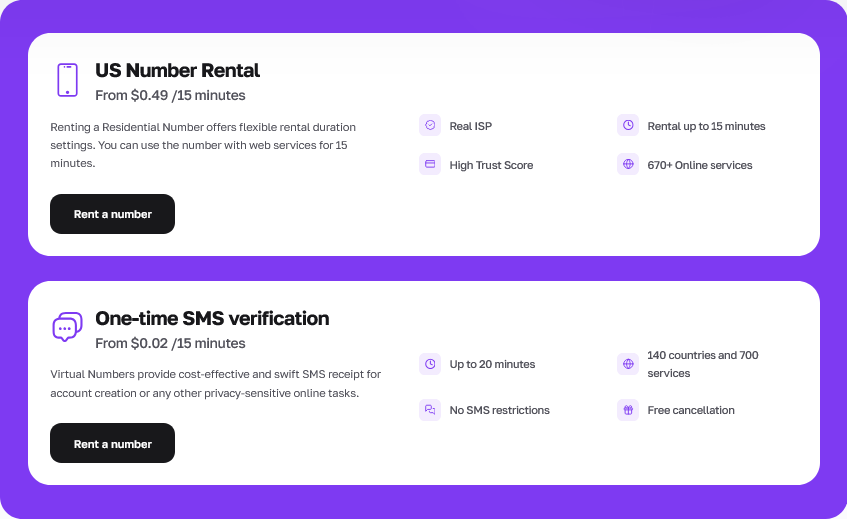
Get the digits: Log into the CyberYozh App dashboard. Navigate to the SMS reception panel. Rent a clean virtual number for Facebook from the exact same country and ideally the same region as your proxy IP address.
Execute the request: Submit the digits on the registration page. Wait for the cloud delivery. Grab your Facebook SMS verification code directly from the portal. Paste it into the platform.
Rest the profile: Stop right there. Do not immediately join fifty groups or launch ad campaigns. Leave the newly verified profile alone for at least 24 hours. Real humans take breaks. Staggering your activity builds long-term trust.
👉 Rent a residential number now.
Mitigating Facebook Ads payment risk
Getting past the login screen is only step one. If you run media buying operations, launching your actual campaigns brings aggressive Risk Payment checks. Bank firewalls and Meta payment gateways communicate instantly to verify financial data.
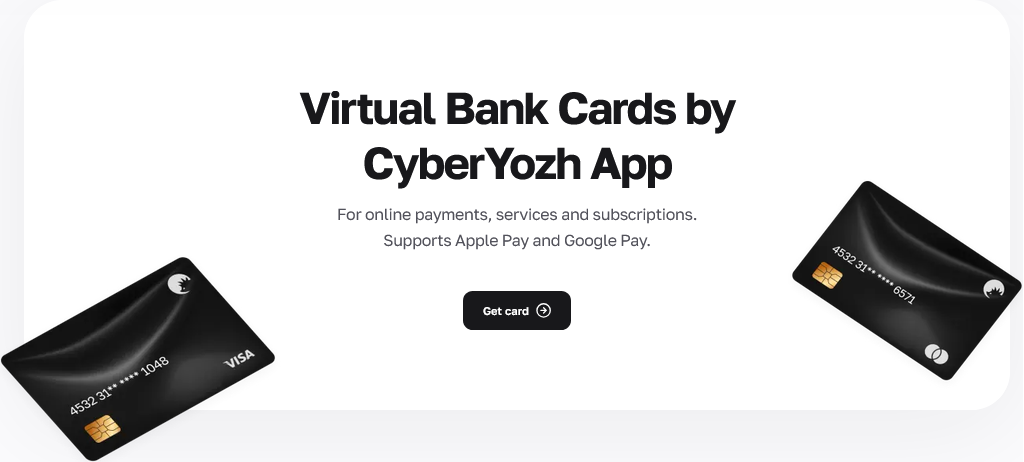
Facebook ads payment risk spikes specifically during the AVS (Address Verification System) check. The system cross-references the billing ZIP code of your card against your current proxy IP location. Traditional prepaid cards or mass-market digital wallets almost always fail this check, returning a "No Match" code that freezes the ad account immediately. Moreover, linking the same compromised bank BIN to multiple profiles creates graph linkage, triggering cascading bans across your entire portfolio.
The solution requires complete financial isolation.
👉 Issue localized virtual bank cards.
Fixing the "Facebook not sending SMS code" error
You hit submit. You watch the timer count down. But Facebook not sending SMS code. This silent rejection frustrates media buyers daily. The Meta algorithm simply dropped the request without showing an error.
Why does this happen? The most common trigger involves a strict geo-mismatch. Your proxy routes traffic through London. You requested an Indonesian telecom line. The anti-fraud filter catches this exact discrepancy instantly. Another frequent issue lies in a dirty network history. Meta evaluates the IP quality score of your connection before sending any text. Low scores halt the delivery completely. Leaky WebRTC settings also expose your real underlying location to the platform.
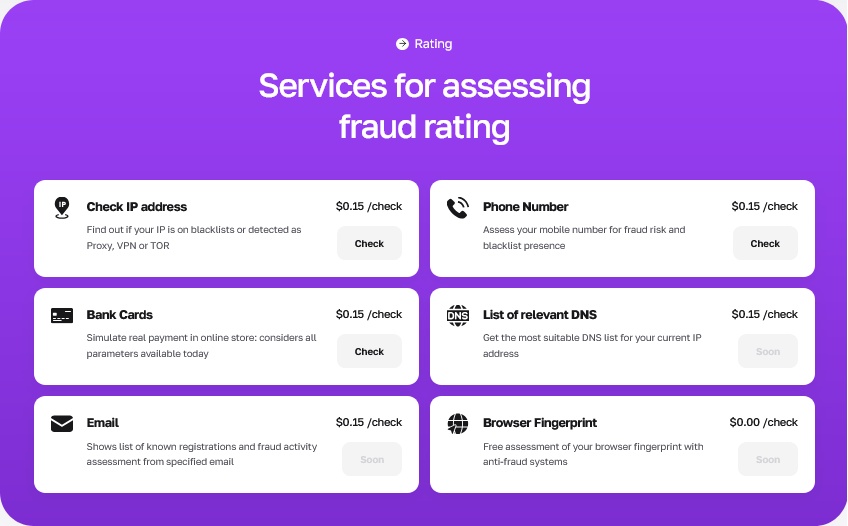
Resolve this fast. Always use clean IP addresses and run a Fraud Score check via the CyberYozh App checker beforehand. If a delivery issue still occurs and the message fails to arrive, the system detects the SMS delivery problem and automatically refunds the stalled session straight to your balance.
👉 Check your IP and number score.
Centralize your virtual number for Facebook workflow
Bouncing between separate proxy sellers, SMS vendors, and virtual card issuers always leads to data leaks. You will inevitably mix up a timezone or mismatch a billing ZIP code. Stacking mismatched tools destroys your multi-account management pipeline. The Meta algorithm catches the discrepancy, and you lose the profile.
You must centralize your workflow. Relying on an integrated platform eliminates human error during setup. It keeps your digital footprint perfectly aligned across all touchpoints, from the initial connection to the final ad spend.
Lock down your setup today. Connect clean mobile IPs, verify your sessions with real carrier lines, and issue tokenized cards straight from a single dashboard.
👉 Centralize your workflow reliably today.
FAQs about Facebook account registration
Can I overcome Facebook phone verification with a free number?
No. Free public SMS sites share recycled VoIP lines. Meta flags these virtual routing markers instantly. You need a dedicated non voip number for facebook sourced directly from a physical mobile carrier.
What should I do if Facebook does not send SMS codes to my screen?
This usually means your proxy location conflicts with your phone number country. Change your IP address. Cancel the stalled SMS session in your dashboard to receive an automatic refund, then try again with matched geo-data.
Do I absolutely need a proxy to buy temporary number for Facebook?
No. Purchasing or renting a phone number in your dashboard does not require a proxy connection; you can acquire a code for basic activations from any network. A proxy is only mandatory when you launch your browser session to register and protect the profile's digital footprint.
Which proxy type works best for Facebook SMS verification?
Stick to mobile or residential networks. While our datacenter proxies fully support SOCKS5 for advanced anti-detect browser configurations, Meta algorithms still recognize server ASNs (Autonomous System Numbers) and block them on sight during registration. Choose traffic from real ISPs instead.
How do I prevent Facebook ads payment risk after setup?
Stop using prepaid mass-market cards. Issue localized virtual cards directly tied to the exact geo-parameters of your profile to pass strict AVS checks without triggering holds.
How long does a virtual number for Facebook rental last?
A standard one-time SMS reception lasts 15 minutes and costs starting from $0.02. This gives you plenty of time to receive the initial validation code.