
Understanding IP Bans, Their Reasons, and Prevention Methods
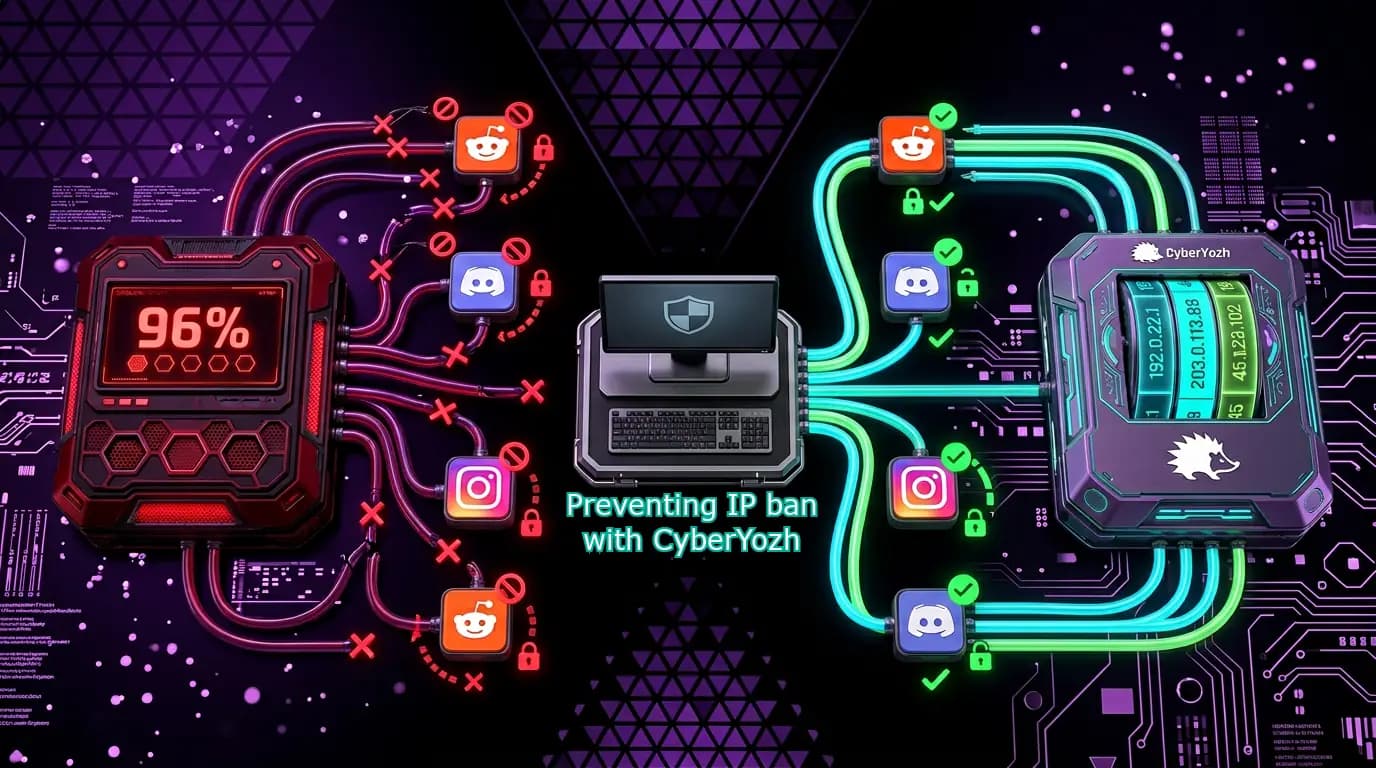
If you visit a website and see a message like “Your IP has been banned,” it means you won’t be able to access that server as long as you keep your current IP. I often faced it when visiting specific countries or using their IP addresses, as some website admins want to restrict users from these countries. However, low IP quality and continuous Terms of Service (ToS) violations are much more common reasons for such bans. Here, we’ll summarize everything we know about IP bans and how we can help deal with them with our proxies.
TL;DR
An IP ban blocks your entire network connection from accessing a platform, not just your account. Here, we cover why IP bans happen, how major platforms enforce them, and how clean proxies resolve them correctly.
Ban reasons: ToS violations, bot-like automation, rate limit breaches, and shared or blacklisted IPs flagged by Cloudflare and similar services
Platform examples: Roblox bans per-network for exploits; Discord bans are permanent and platform-wide; Instagram flags multi-account IPs automatically
False positives are common: Public Wi-Fi, dynamic IPs, and inherited blacklists can ban users who did nothing wrong
Proxy strategy matters: Sticky sessions for account work, per-request rotation for scraping, geotargeted IPs to bypass regional blocks
Fingerprinting goes beyond IP: Antidetect browsers with isolated profiles are required to overcome hardware-level detection on gaming and ad platforms
Verify before connecting: Always check IP quality via CyberYozh's IP Checker to ensure a clean, trusted connection before any action
IP ban: Meaning and reasons
Web platforms strive to ensure their security and may use various means to restrict requests they deem suspicious. In some cases, the entire IP address, or even an IP range, can be completely restricted from accessing the website’s server.
Why websites may IP-ban you
When you’re IP-banned, it’s usually a final measure to limit your access to the website, imposed for Terms of Service (ToS) violations in exceptional cases. Examples are:
High-frequency automation for web scraping, multiaccounting, or other purposes from a single IP implies sending very large numbers of requests per minute. It leads to rate limit bypass and is treated as a DDoS attack, resulting in IP-level blocks.
Consistent ToS violation, including trying to scrape protected data, exploiting platform bugs, message spam, hate speech, and other illicit activities. They may lead to temporary or permanent IP bans and decrease your IP’s trust score, so other platforms will become suspicious, too.
💡 Important to remember
Always respect the website’s robots.txt file, which may be easily found by adding /robots.txt to the website’s root URL. It explicitly defines which data may be scraped, and which may not. Follow these rules, don’t exceed request limits from a single IP, and your activities will be safe. Read more in our ethical web scraping guide.
Suspicious behavior patterns, including automated logins and very fast mouse movement/clicks, are usually associated with malicious bots. They usually lead to increased CAPTCHA challenges, but temporary or permanent IP-based restrictions may also apply.
❓What if I didn’t do anything wrong
Your IP address might be compromised if you use a public network, share your IP with others, or connect via a free proxy or VPN. These connections may already have a very low high score due to other users’ actions. Connecting through a datacenter proxy or free VPN whose IP is already on a blacklist causes platforms to pre-emptively ban access, regardless of your actions. Read more about proxy security to better understand the context.
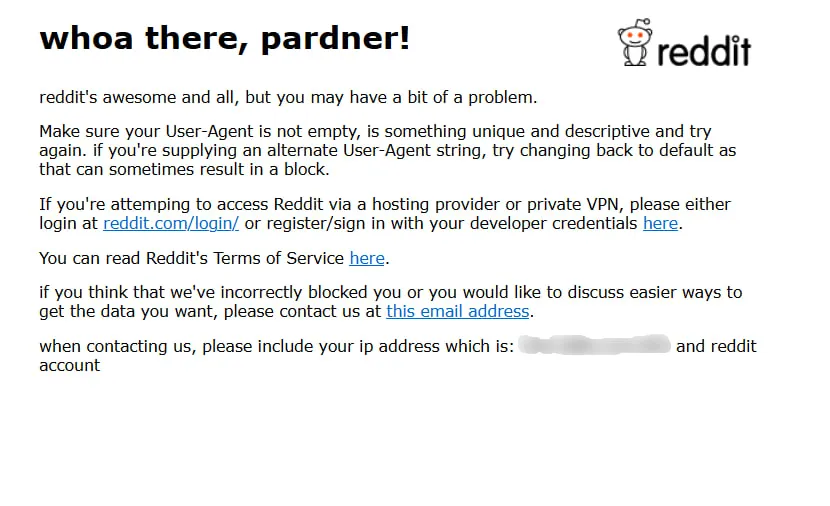
Another reason, which totally differs from others, is your geolocation, so I’d address it separately. It’s called geo-blocking and is widely used in the modern web. Some services restrict users from specific countries for security purposes or to comply with international sanctions. Others, conversely, block access for foreign IPs, especially government-aligned services.
In this case, the solution is straightforward: just use a proxy or VPN with a specific geolocation to bypass these restrictions.
How to prevent being IP-banned
The easiest way to avoid any IP ban is to change your IP address using a proxy. However, there are specific points you should keep in mind:
Websites collect your fingerprint parameters, including device drivers, browser settings, and the User-Agent string, and even if you're using a different IP address, you may still face additional verification challenges.
Always verify the quality of your new IP, as even fresh proxy IPs can carry a history of abuse or appear on blacklists, which means platforms will flag you instantly without any wrongdoing on your part.
Respect the platform's Terms of Service, since circumventing bans for illegitimate reasons remains a violation regardless of IP, and platforms can and will pursue legal action or escalate to hardware bans.
Never rotate your IP mid-session, as it triggers security alerts identical to those triggered by account hijacking attempts. Assign one stable, clean IP per account and rotate only between fresh sessions.
Mirror human behavioral patterns: rate-limit your requests, add realistic delays between actions, and avoid simultaneous logins from the same IP, since abnormal traffic always triggers automated restrictions.
Here is a commentary from an SMM who started to use proxies regularly in her everyday work to counter unexpected connection loss.
When I connect to the public network to work, I often note that social media platforms don’t work properly, or even show me that I’m banned. I always respect platforms’ rules, but as I now know, public networks’ IPs are usually not very clean. They are used by hundreds of people every day. They may already be flagged. Everyone connecting via them will be restricted.
Using residential proxies or mobile proxies with clean IPs guarantees a stable, fast connection regardless of your location.
Avoiding IP bans with proxies
Let’s see how proxies can help evade IP bans and how to ensure that you won’t be banned again. I’ll use references to several real use cases to show you actual challenges and their mitigations.
❗ Important to remember
Compliance with the website’s Terms of Service is mandatory. If you use proxies to violate the legitimate rules, you’ll probably be restricted regardless of anything, while the IP address you use will be compromised. It may also lead to legal actions against you and detrimental consequences. Be careful and always learn the ToS and robots.txt before conducting your activities.
Ensuring clean IP address
Before connecting through any proxy, verifying the IP's reputation is the single most critical step most users skip. Platforms like Instagram, Discord, and Reddit maintain real-time blacklists that instantly flag IPs with prior abuse histories, even if you personally did nothing wrong. Use CyberYozh's IP Checker to retrieve an IP fraud score before sending a single request.
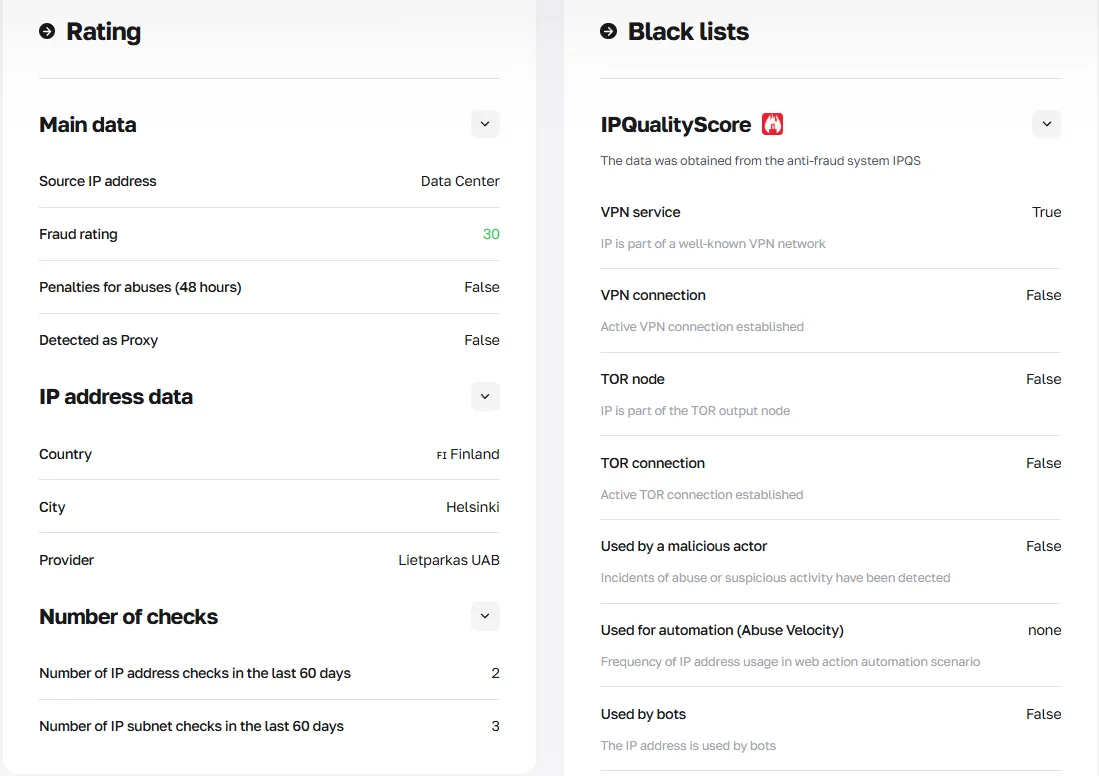
Common IP ban reasons in this scenario include:
Inherited blacklists from previous proxy users
Dynamic IPs reassigned from banned accounts
Shared ISP ranges flagged by Cloudflare.
Once the IP passes, warm new accounts by simulating natural human behavior: browse organically, react to content, and avoid bulk actions for the first 3–7 days. Read more about proxy lifecycle management to better understand how the trust score works, how it can be lost, and how it recovers.
Never use datacenter IPs for social media, as their non-residential origin is instantly detected. Compare datacenter and residential proxies to clearly understand their specific use cases.
IP rotation strategy choice
Bulk automation without a deliberate rotation strategy is the most common technical trigger for IP bans. Platforms detect scraping bots by their velocity signatures: too many requests from a single IP within a short time window.
⭐ Build efficient web scraping pipelines with CyberYozh
Use the CyberYozh API, which integrates with Selenium, Playwright, Puppeteer, and custom scraping scripts. Automate IP quality checks by connecting the API directly to the IP Checker. For simple scraping operations, use Open Scraper, which is fully free and open-source, can be installed in 20 minutes using Docker, and uses pre-defined scraping scripts that require minimal coding knowledge to run.
The right rotation approach depends entirely on your task:
Sticky sessions: For social media account management, checkout flows, and any task requiring stable authenticated sessions
Randomized rotation: For simulating organic multi-user traffic across forums or content platforms
One IP per request: For large-scale public data scraping where sessions are stateless (search results, pricing pages)
Timed rotation with delays: For rate-limited APIs; rotate after N requests with a 2–5 second gap to mimic human pacing
Common reasons for bans include request rate spikes, session token mismatches, and simultaneous logins from a single IP address across multiple accounts.
Read more about IP rotation strategies and their relevance for different use cases in CyberYozh’s dedicated article.
Geotargeting and geo-blocking
Country-level IP bans are common on streaming platforms, regional marketplaces, and government-restricted services, while city-level precision matters for local ad verification, localized search results, and regional game servers.
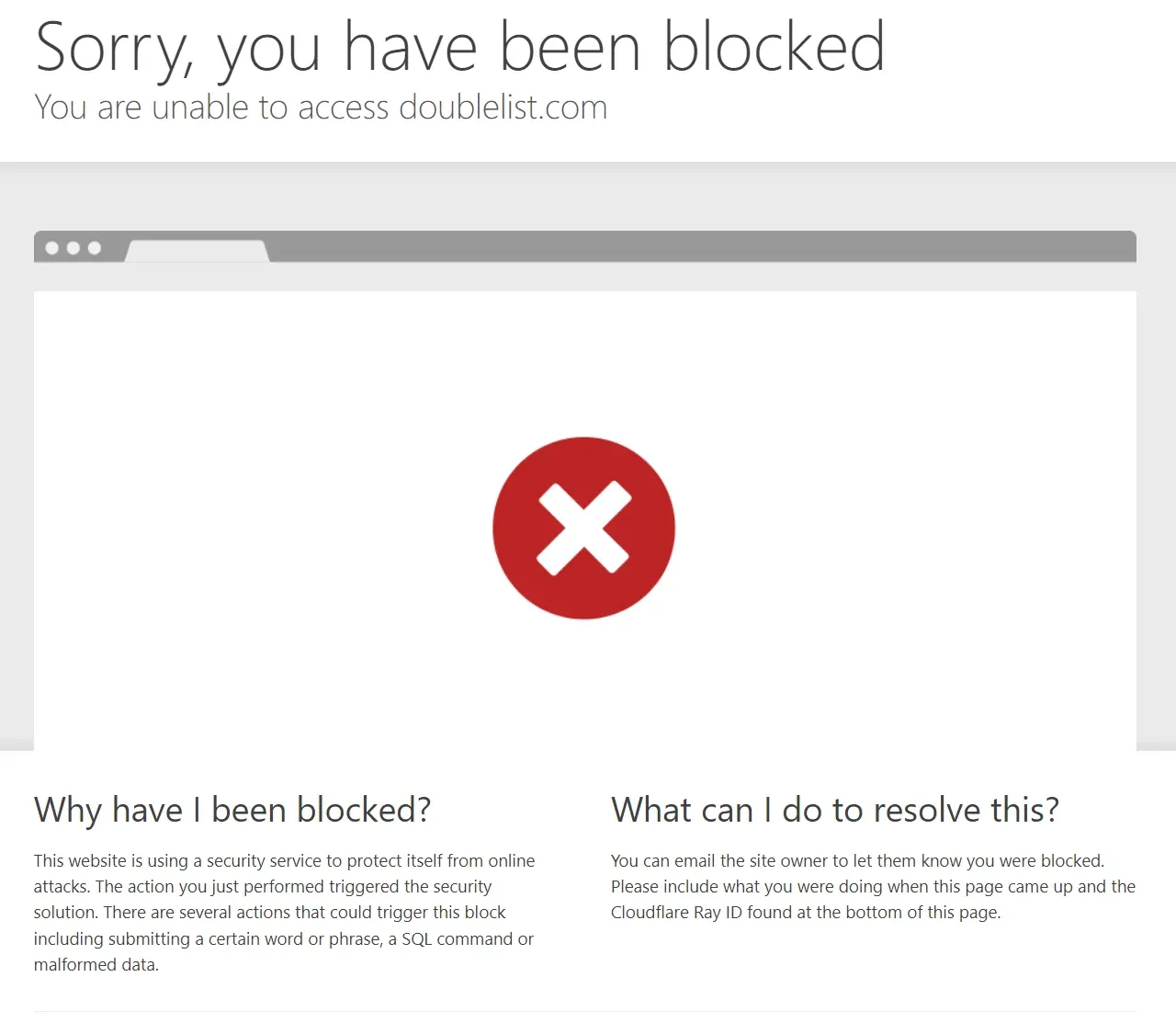
If your connection originates from outside the permitted region, platforms like Twitch or local e-commerce sites enforce geo-blocks at the infrastructure level, separate from account-based bans. The solution is city-level geotargeted proxies, which route your traffic through ISP-assigned IPs in the specific city or carrier zone you need:
Access country-specific social media features
Verify localized ad campaigns without relocating
Register gaming accounts on regional servers with correct timezone and ISP metadata
Avoid cross-border payment fraud flags triggered by mismatched billing and IP regions
Always match your proxy geolocation with your account's registered region to prevent suspicious location-change alerts.
Using antidetect browsers
Switching IP alone is insufficient against some anti-fraud systems. Gaming platforms like Roblox and Valorant, as well as major ad networks, layer hardware fingerprinting on top of IP checks. They collect:
Browser canvas signatures
WebGL renderer data
Installed fonts
Screen resolution
Audio context.
Changing only your IP while keeping the same browser fingerprint is immediately detectable. The professional solution is pairing clean proxies with antidetect browsers (such as Dolphin Anty or GoLogin) or cloud phones, which generate fully isolated, per-profile fingerprints.
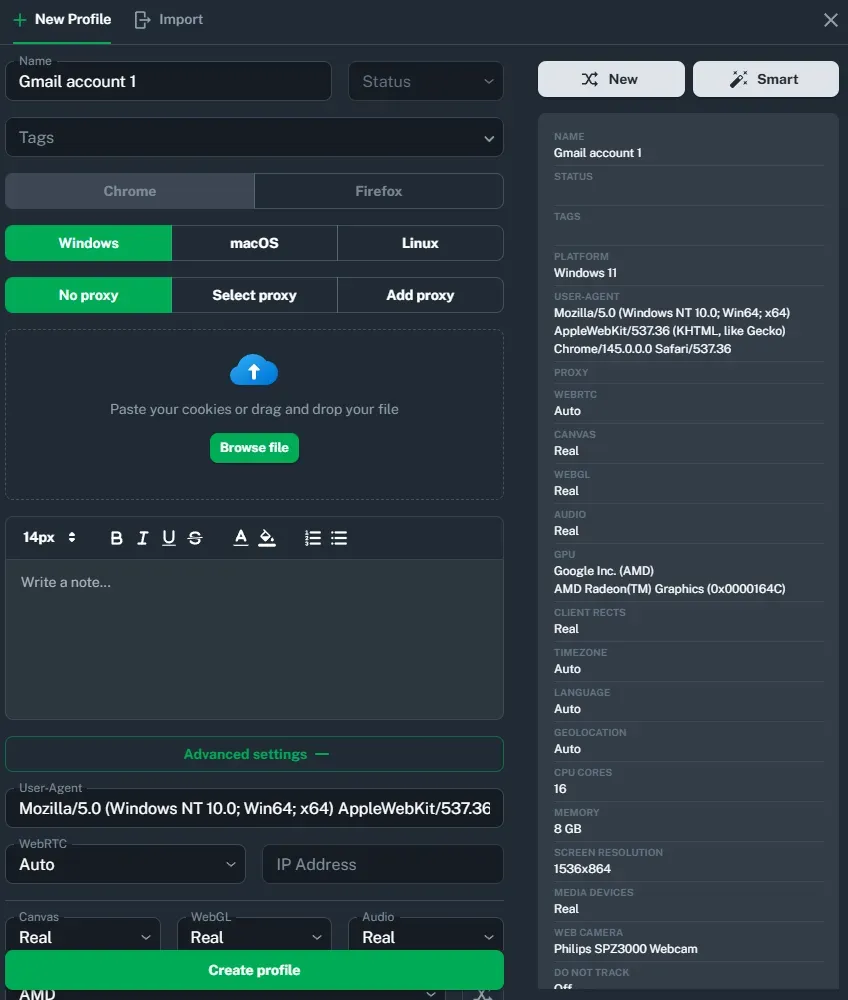
Here is how to do that:
Create a new browser profile with a unique fingerprint
Assign one dedicated clean residential or mobile proxy to that profile
Verify the IP and fingerprint combination using CyberYozh's IP Checker
Complete account registration and warming exclusively within that isolated profile
Never mix profiles or reuse fingerprints across accounts
This approach prevents hardware-based HWID bans and eliminates cross-account fingerprint leakage, the leading cause of ban waves on platforms that detect coordinated inauthentic behavior.
Read more about how platforms understand that you’re using a proxy using digital proxy footprints.
Best practices to bypass and avoid IP bans
Here are five best practices for bypassing IP bans, drawn from real-world platform scenarios.
Reason: Inherited blacklisted IP
A Reddit user's new ISP-assigned dynamic IP was already on a spam blacklist from a previous owner, triggering an instant ban on account creation.
Solution
Switch to a clean residential proxy and verify it via CyberYozh's IP Checker before any action. Pre-vetting against fraud databases like IPQualityScore eliminates false-positive bans caused entirely by your IP's history, not your behavior.
Reason: Session break during account management
An Instagram marketer managing multiple client accounts was IP-banned mid-session after their rotating proxy switched IP addresses, which Meta's system flagged as an account-hijacking attempt.
Solution
Use sticky-session proxies that maintain a single IP address for the duration of the login session to prevent session breaks. Assign one dedicated residential IP per account and only rotate between sessions, never during an active one.
Reason: Hardware fingerprint matched after IP change
A Roblox player switched to a clean proxy after a ban but was re-banned within minutes because their browser's canvas signature, WebGL data, and font list remained identical to those of the flagged profile.
Solution
If you need to work with multiple Roblox accounts, pair your clean proxy with an antidetect browser profile that generates a fully isolated fingerprint. Never reuse a browser profile across accounts: each account needs its own unique fingerprint and its own dedicated IP.
Reason: Geo-mismatch triggering fraud flags
A Fortnite player registered an account on a North American server while their proxy IP resolved to a European city, causing an immediate fraud alert and IP-level restriction from Epic Games.
Solution
Use city-level geotargeted residential proxies that match the platform or account's region. Align your proxy's ISP, timezone metadata, and geolocation with the account's registered country to avoid cross-border fraud detection.
Reason: Request velocity on a scraping task
A price-tracking tool hit Cloudflare's rate limiter on a retail site after sending 200 requests per minute from a single datacenter IP, resulting in a permanent IP block.
Solution
Use rotating residential IPs with a one-IP-per-request strategy for stateless scraping, and add randomized 2–5-second delays between requests. Avoid datacenter IPs entirely: residential ISP addresses are far less likely to trigger velocity-based Cloudflare rules.
Most common examples of IP bans
Let’s summarize how specific popular platforms may issue IP bans and how to handle them.
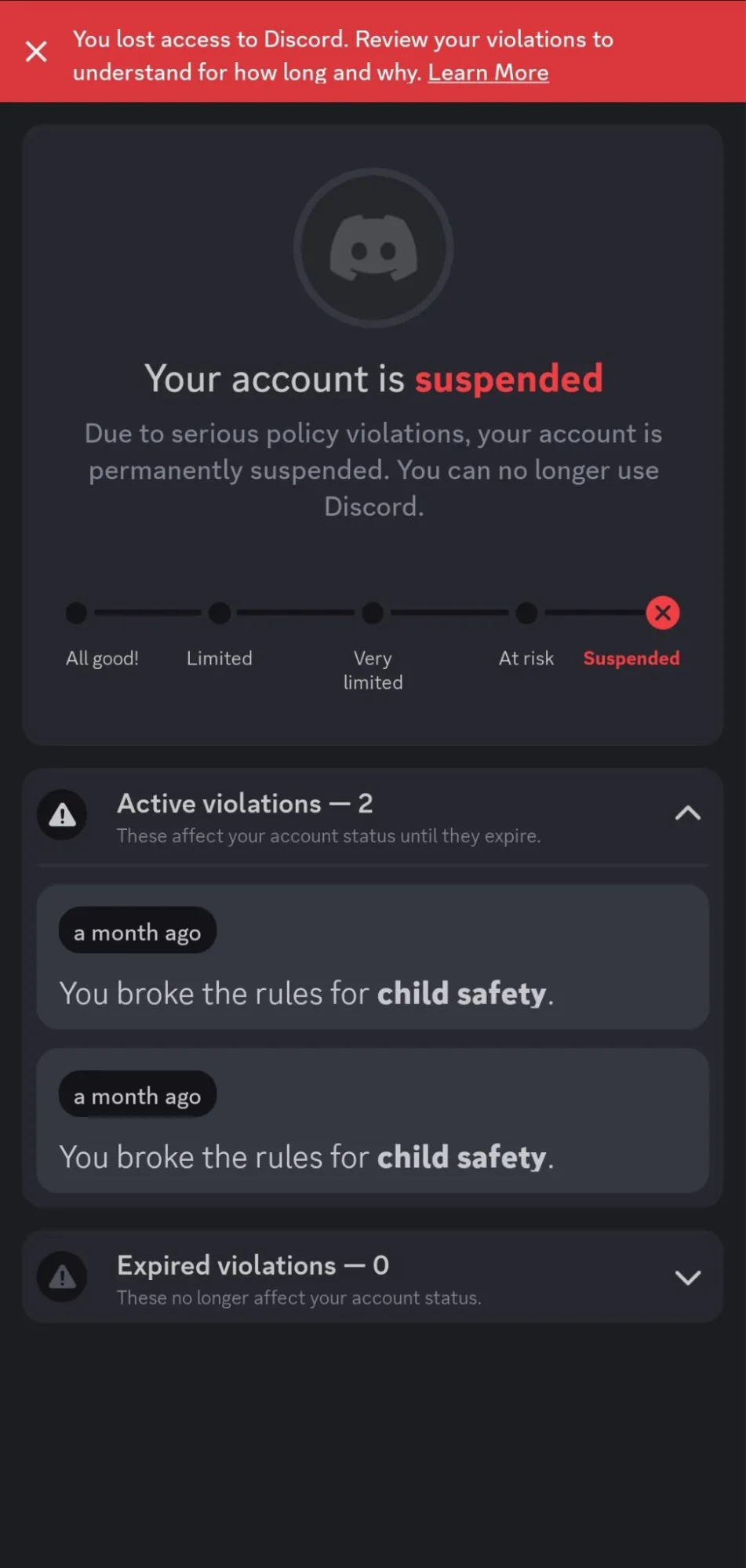
Discord IP ban
Only Discord itself (not server admins) can issue platform-wide IP bans for repeated spam or abuse, and permanent bans never expire. A clean residential or mobile proxy with a fresh account, while never violating Discord’s ToS again, is the only reliable workaround.
Roblox IP ban
Roblox issues IP bans for script injection, harassment, and ban evasion via alternate accounts, blocking every account on that network. Switch to a dedicated clean residential proxy, one IP per account, to isolate identities and prevent shared-IP collateral bans.
Twitch IP ban
Twitch considers IP bans largely ineffective and instead relies on device fingerprinting and phone verification for enforcement. Pair a clean proxy with an antidetect browser profile to address both layers simultaneously.
Instagram IP ban
Meta auto-flags IPs that run bot-like mass actions or manage too many accounts from a single connection. Use static residential proxies, one IP per account, combined with gradual human-like account warming to avoid triggering automated filters.
Reddit IP ban
Reddit IP-bans persistent rule violators to prevent new accounts from being created from the same connection. A clean residential proxy with a fresh fingerprint restores access, but always respect community rules to avoid repeated bans.
Fortnite IP ban
Competitive games like Fortnite deploy IP bans against cheaters and hackers. To counter those who change IPs frequently, these games quickly escalate to Hardware ID (HWID) bans, completely blacklisting the physical device. An antidetect environment or separate device is necessary to counter the hardware ban.
Conclusion: Protecting from IP bans
IP bans are a broad security measure that frequently catches legitimate users in the crossfire. Clean residential and mobile proxies, with verified quality and matched to the right rotation strategy and geolocation, enable compliant activities without restrictions. Whether you manage social accounts, track prices, or access regional content, the right proxy infrastructure keeps your connection trusted, stable, and ban-free.
Sign up for CyberYozh and ensure that your connection remains stable.