
CyberYozh Open Scraper: Official guide
CyberYozh has its own free and open-source scraping tool: Open Scraper. It’s available on GitHub, installs with Docker in ~20 minutes, deploys on localhost, and is accessible via any web browser. Only minimal coding knowledge is required, as Open Scraper includes pre-defined code scripts for scraping, crawling, and session management operations, and you only have to define a proxy and a target site.
Waste no time and check Open Scraper on GitHub right now.
Preparing the Open Scraper: Choosing a proxy
Before you begin your scraping, it’s essential to select the right proxy type.
Sign up for CyberYozh now if you aren’t yet. After that, let’s select the best proxy for your task.
Residential proxies: Price scraping, AI training, and most tasks
Rotating residential proxies make up the most common option for large-scale scraping and automation. They draw from massive IP pools of real home addresses worldwide, making each request appear to come from a different organic user. This makes them ideal for:
E-commerce price monitoring
AI/ML dataset collection
Competitor and brand intelligence
Ad verification and market research
Static residential proxies aren’t usually used for scraping. They provide a single, isolated, long-term IP address for operations such as single-profile management. In some cases, several static IPs can be used, with each session assigned to a single IP.
Mobile proxies: High-precision social scraping
Mobile proxies have the highest trust score and are optimized for mobile-first applications, making them the primary option for apps like Instagram and TikTok. They route traffic through real LTE/5G carrier networks, making them indistinguishable from smartphone users. Use them for:
Social media data scraping
Influencer and audience analytics
App-based platforms
See the mobile vs. residential proxies comparison for a full breakdown.
Datacenter proxies: Open data scraping and testing
Datacenter proxies are very fast but are associated with non-residential, bot-like traffic, so they're blocked by many protected platforms. Use them for:
Open database scraping
Testing and development
Read how exactly datacenter proxies differ from residential and when to use each.
Download and install Open Scraper with Docker
As mentioned, Open Scraper can be installed in less than 20 minutes. It requires Docker and can be accessed via localhost using your browser, which can be unusual at first, but it’s very easy.
CyberYozh has IP Checker: a tool that ensures IP quality before deployment. While no one can guarantee a 100% success rate, we can maximize it by eliminating deliberately low-quality IPs.
Use IP Checker and learn how to automate it in our API documentation.
Install Docker
Go to the Docker website and download Docker Desktop for your OS (Windows, macOS, or Linux).
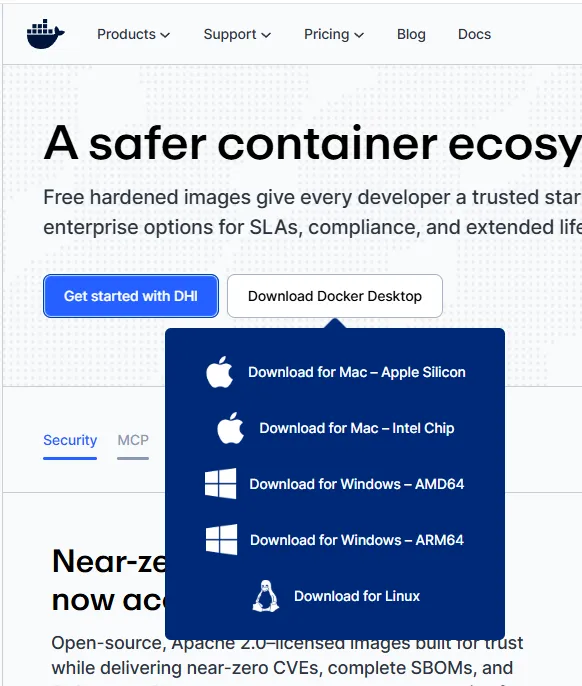
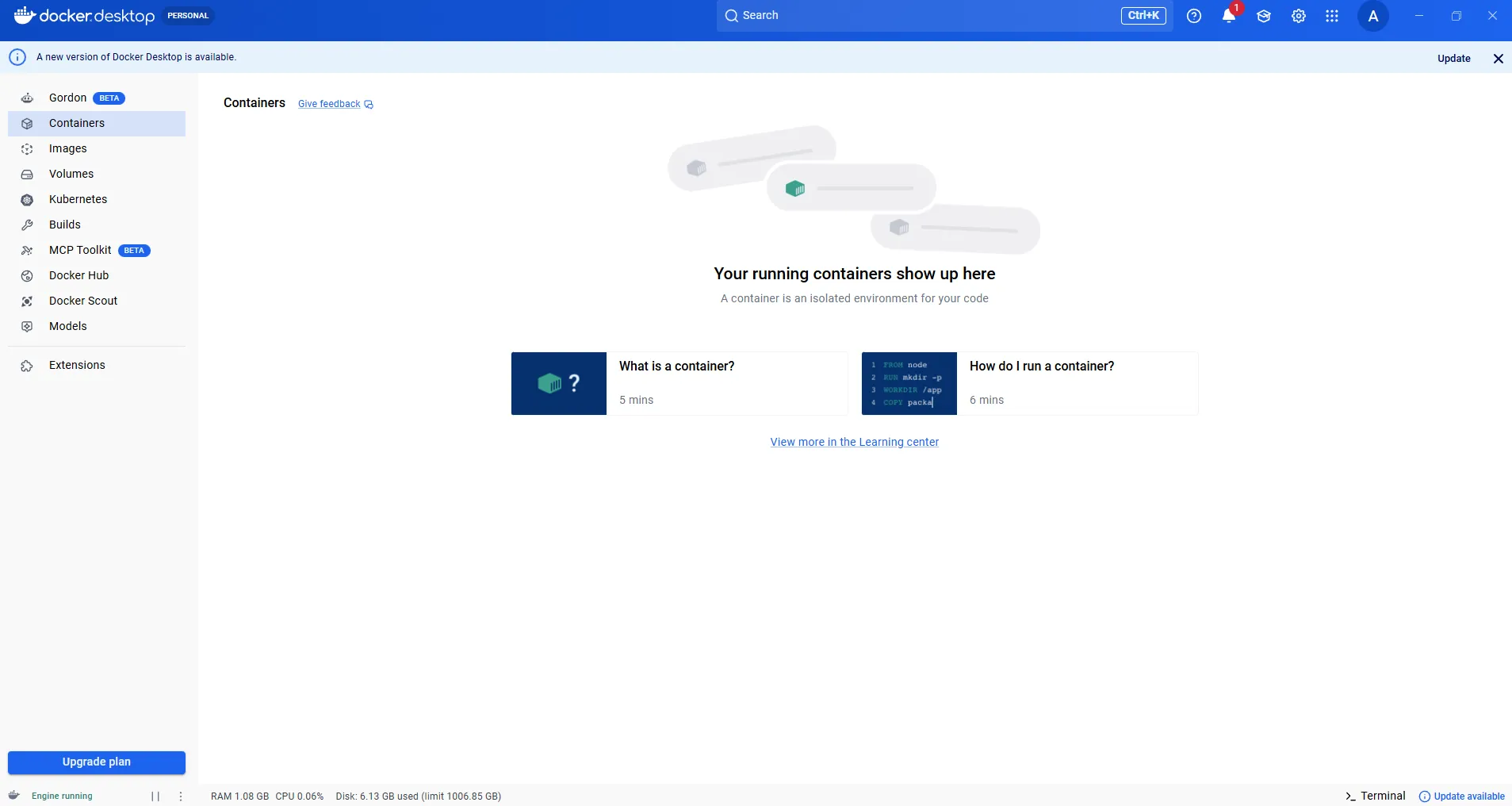
Run the installer and follow the on-screen steps. Docker Desktop is free for personal use. Once installed, launch Docker Desktop and confirm it is running before proceeding.
Download Open Scraper from GitHub
Go to the Open Scraper repository on GitHub. Click the green Code button and select Download ZIP.
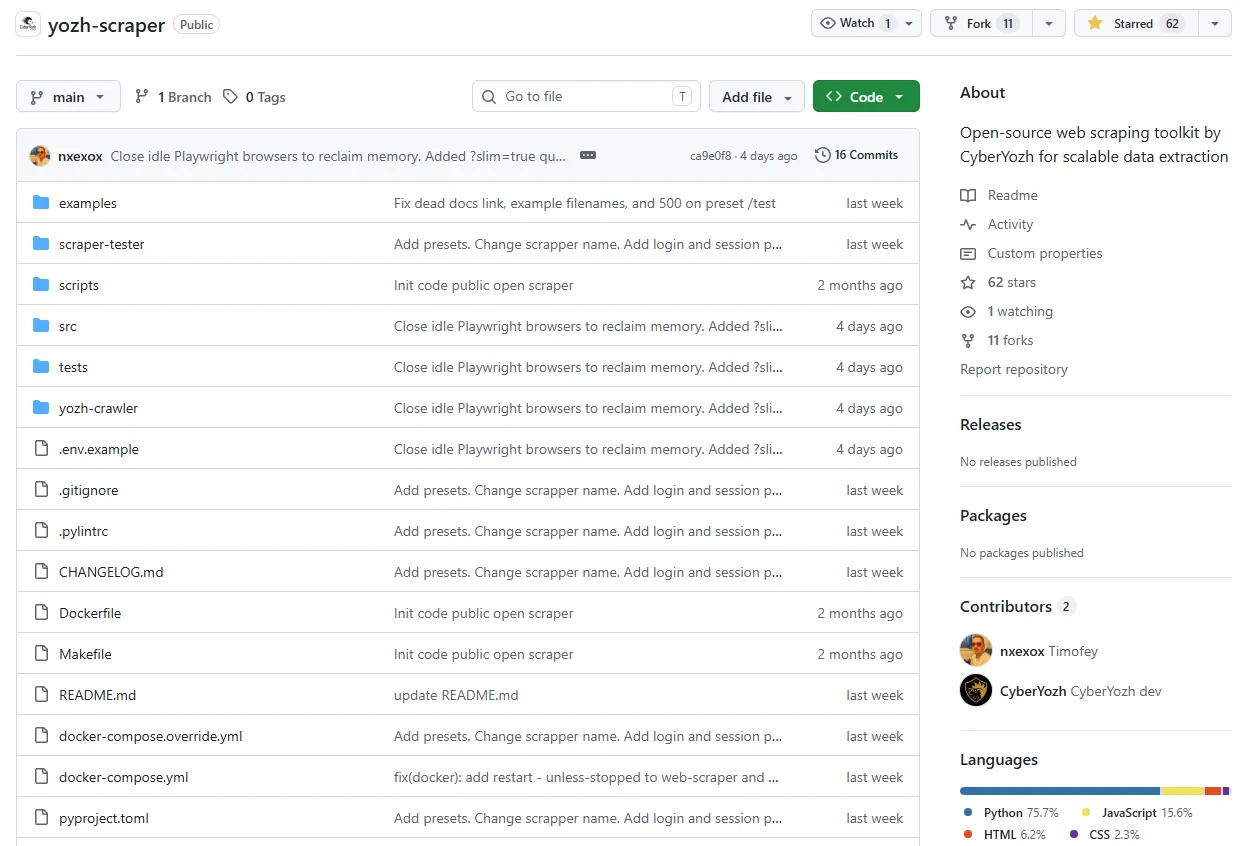
Alternatively, clone via Git:
git clone https://github.com/CyberYozh-data/yozh-scraper

cd yozh-scraper
Navigate into the folder before proceeding to the build step.
Read more about GitHub proxy
Build Open Scraper with Docker
Create the environment file and add your CyberYozh API key:
cp .env.example .env    # create the environment file

# Open .env and set: CYBERYOZH_API_KEY="your_key_here"
Then build and launch all services with a single command:
docker compose up --buildDocker will pull all dependencies and start the Open Scraper and Open Crawler containers automatically. Open Docker to see that it’s running:
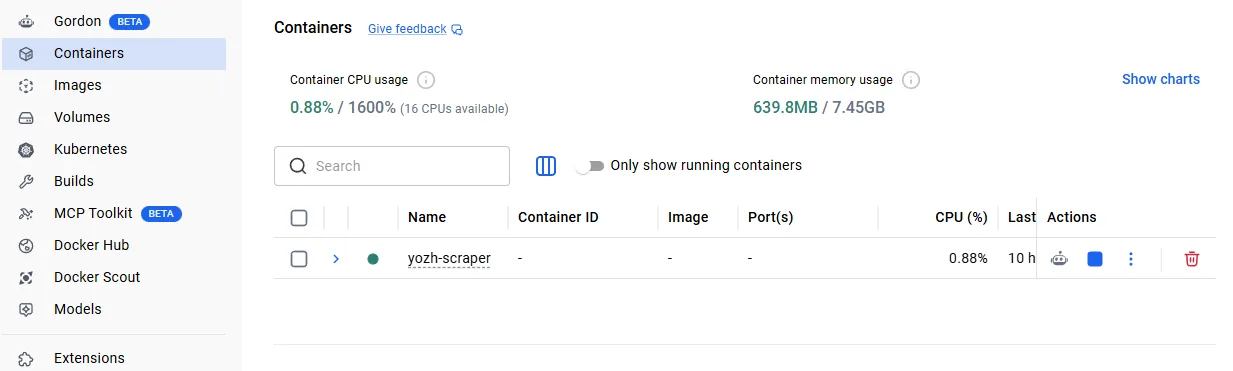
Access Open Scraper via any browser
Both tools are now running on localhost (127.0.0.1) via specific ports. Verify they are active using curl:
curl http://localhost:8000/api/v1/health

# {"status":"ok","workers":2}


curl http://localhost:8001/api/v1/health

# {"status":"ok","workers":2,"scraper_reachable":true,...}
Access the interactive API documentation:
Open Scraper: http://localhost:8000/docs#/
Open Crawler: http://localhost:8001/docs#/
Both documentation pages contain runnable scripts with pre-defined parameters. You do not need to write any additional code; just fill in your target values. It can be done easily using the curl command, as shown in the next section.
For advanced scraping, explore the Playwright setup guide and Python proxy configuration.
Use Open Scraper and Open Crawler
After setup, you have two browser-accessible API interfaces. All operations can be triggered either by launching API commands via the GUI (click Try it out on any endpoint) or by submitting curl commands directly from your terminal. Below are all major operations.
Explore the best IP rotation strategies for specific use cases to set up your proxies in the best way.
1. Add a proxy to Open Scraper via API key
Open the .env file in the project root and set your CyberYozh API key:
CYBERYOZH_API_KEY="your_key_here"Then, in API scripts (or via curl commands, as you’ll see further), specify the proxy_type parameter to activate a proxy. The default value is none (direct connection):
proxy_type | What it is |
res_rotating | Residential rotating — recommended default |
res_static | Residential static (dedicated IP) |
mobile | Mobile / LTE, dedicated |
mobile_shared | Mobile / LTE, shared pool |
dc_static | Datacenter static |
none | Direct connection, no proxy |
For geotargeting, add the proxy_geo dictionary to any script with the following fields:
Field | Type | Description |
country_code | string | ISO 3166-1 alpha-2 (e.g. "US", "GB") |
region | string | Region/state name |
city | string | City name (e.g. "London") |
Read more about geotargeting and its specifics in the CyberYozh article.
All crawling and scraping commands can be submitted via curl from your terminal or run interactively through the localhost documentation pages. Let’s look closer.
2. Launch crawling operations on the target site
Use the Create Crawl POST command from the Open Crawler to start a full-site crawl.
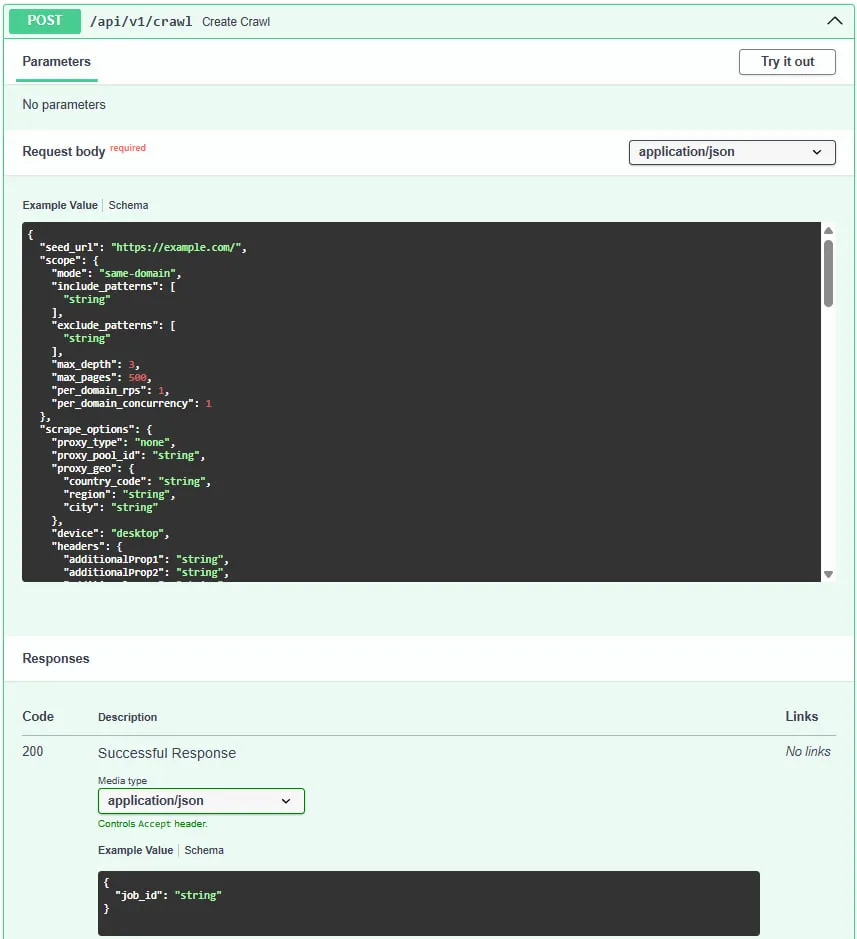
Specify the seed URL, scope limits, request rate, and proxy type:
# Submit a crawl
curl -X POST http://localhost:8001/api/v1/crawl \
  -H "Content-Type: application/json" \
  -d '{
    "seed_url": "https://example.com",
    "scope": {
        "mode": "same-domain",
        "max_depth": 2,
        "max_pages": 50,
        "per_domain_rps": 1.0,
        "per_domain_concurrency": 1
    },
    "scrape_options": {
        "proxy_type": "res_rotating"
    },
    "crawl_proxy": null,
    "enable_scraping": false

  }'

# {"job_id":"crawl_abc123"}
Key parameters to configure:
seed_url for starting URL of the target site
max_pages / max_depth for scope limits to control breadth and cost
per_domain_rps for requests per second; keep at 1.0 to avoid triggering rate limits
proxy_type should be set to res_rotating for most use cases
Once launched, you receive a job_id (in this example, crawl_abc123). Use it to monitor and manage the crawl:
# Poll crawl status
curl http://localhost:8001/api/v1/crawl/crawl_abc123

# Retrieve full results (all visited pages + stats)
curl http://localhost:8001/api/v1/crawl/crawl_abc123/results

# Live event stream (SSE)
curl -N http://localhost:8001/api/v1/crawl/crawl_abc123/events

# Cancel softly (drains in-flight requests)
curl -X DELETE "http://localhost:8001/api/v1/crawl/crawl_abc123?hard=false"

# Cancel hard (aborts all in-flight tasks immediately)
curl -X DELETE "http://localhost:8001/api/v1/crawl/crawl_abc123?hard=true"
Read more about web parsing tools in the CyberYozh blog.
3. Scrape and parse data from the target site
For single-page scraping, use the Scrape Page command of the Open Scraper
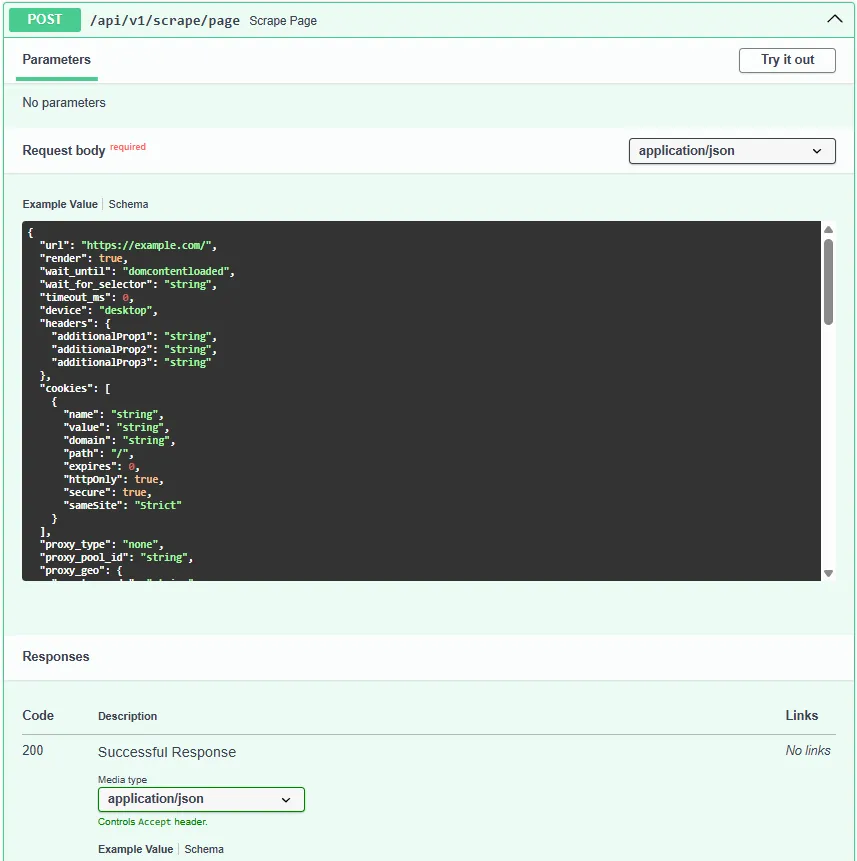
With b, the process is easy:
curl -s -X POST http://localhost:8000/api/v1/scrape/page \

  -H "Content-Type: application/json" \
  -d '{
    "url": "https://example.com",
    "proxy_type": "res_rotating"
  }'
For scraping multiple pages in one job, use Scrape Pages:
curl -s -X POST http://localhost:8000/api/v1/scrape/pages \
  -H "Content-Type: application/json" \
  -d '{
    "pages": [
      {"url":"https://example.com","proxy_type":"res_rotating"},
      {"url":"https://example.org","proxy_type":"res_rotating"}
    ]
  }'
Similarly to crawling, both commands return a job_id. Use it to check status and retrieve results:
# Check scrape status
curl -s http://localhost:8000/api/v1/scrape/<your_job_id>


# Fetch scrape results
curl -s http://localhost:8000/api/v1/scrape/<your_job_id>/results
For advanced retry and error handling configurations on Python-based scrapers, see Python requests retry optimization.
4. Use presets for optimized scraping
Open Scraper includes pre-built presets for popular data sources. Instead of configuring selectors manually, select a source name and pass the required parameter:
name | source | params | locales |
amazon_product | amazon | asin | us, uk, de, fr, jp |
amazon_search | amazon | query | us, uk, de |
google_search | query | us, uk, de, fr, ru, jp | |
google_shopping | query | us, uk, de | |
ebay_search | ebay | query | us, uk, de |
walmart_product | walmart | product_id | us |
youtube_video | youtube | video_id | global |
linkedin_profile | username | global (needs auth session) |
To scrape using a preset, use the Scrape Preset Page or Scrape Preset Pages command:
curl -X POST http://localhost:8000/api/v1/scrape/preset/page \

  -H 'Content-Type: application/json' \
  -d '{
    "source": "amazon_product",
    "preset_params": {"asin": "B08N5WRWNW"},
    "locale": "us",
    "llm": {"model": "openai/gpt-5.4-mini"}
  }'

# -> {"job_id": "..."}  then GET /api/v1/scrape/<job_id>/results
The optional llm parameter enables an AI model to self-correct during parsing. To use it, you should add the corresponding LLM provider API key (e.g., OPENAI_API_KEY) to your .env file alongside your CYBERYOZH_API_KEY.
LLM-assisted parsing can be useful for inconsistent or dynamic page structures where CSS selectors alone may miss content.
5. Launch sticky sessions
Sticky sessions allow Open Scraper to maintain a consistent browser state, including cookies, authentication, and IP address, across multiple requests. Use them for scraping behind login walls.
Create a session:
curl -X POST http://localhost:8000/api/v1/sessions \

  -H 'content-type: application/json' \
  -d '{"device":"desktop","proxy_type":"res_rotating","ttl_seconds":3600}'
Authenticate the session with a login script:
curl -X POST http://localhost:8000/api/v1/sessions/$ID/login \

  -H 'content-type: application/json' \
  -d '{
    "creds":{"email":"tomsmith","password":"SuperSecretPassword!"},
    "script":{
      "steps":[
        # Your target website
        {"op":"goto","url":"https://the-internet.herokuapp.com/login"},
        {"op":"fill","selector":"#username","value":"$creds_email"},
        {"op":"fill","selector":"#password","value":"$creds_password"},
        {"op":"click","selector":"button[type=submit]"},
        {"op":"wait_for_selector","selector":".flash.success"}
      ],
      "success_selector":".flash.success"
    }
  }'
Alternatively, inject session cookies directly:
curl -X POST http://localhost:8000/api/v1/sessions/$ID/cookies \

  -H 'content-type: application/json' \
  -d '{"cookies":[{"name":"sessionid","value":"abc","domain":".example.com","path":"/","expires":1800000000,"httpOnly":true,"secure":true,"sameSite":"Lax"}]}'
Once the session is authenticated, pass the session_id in any subsequent Scrape Page or Scrape Pages command to continue under the same authenticated state.
Sticky Session is a persistent browser context that retains cookies, authentication tokens, and proxy assignment across multiple requests. Critical for scraping platforms that require login or maintain anti-bot state across page views.
Conclusion: Web scraping and automation for free
Open Scraper and Open Crawler are production-ready, free, and open-source tools for scraping, crawling, and structured data extraction. Install them with Docker in 20 minutes, connect your CyberYozh proxy in two lines of .env config, and run all operations via curl with no coding required.
FAQ about CyberYozh’s Open Scraper
What is the best free web scraping tool available today?
CyberYozh Open Scraper is a top free, open-source option: it requires no subscription, runs locally via Docker, and integrates proxy rotation out of the box.
Is CyberYozh Open Scraper really free?
Yes, the tool itself is fully free and open-source. You only pay for proxies if you need them for anti-ban protection or geotargeting.
What are the best open-source web scraping tools?
Popular options include Scrapy, Playwright, Puppeteer, and CyberYozh Open Scraper, which uniquely combines a ready-made API interface with native proxy infrastructure.
Do I need a proxy for web scraping?
Not always, but for large-scale or commercial scraping, a web scraping proxy service is essential to avoid IP bans and bypass rate limits.
What is a web scraping proxy service?
A web scraping proxy service routes your scraper requests through a pool of real IPs, making each request appear to originate from a different legitimate user.
What is the difference between rotating and static proxies for scraping?
Rotating proxies assign a new IP address per request to provide anonymity at scale. Static proxies hold one fixed IP, suited for session-based or account-specific tasks.
Can I use a free web scraping API without coding experience?
Yes. Open Scraper's localhost documentation provides pre-built API scripts: just fill in a URL and proxy type and click run. No custom code required.
What proxy type should I use for scraping social media?
Mobile proxies offer the highest trust score and are best for Instagram, TikTok, and similar mobile-first platforms that aggressively filter non-mobile traffic.
How do I avoid getting blocked while web scraping?
Use rotating residential or mobile proxies, limit requests per second (per_domain_rps), enable stealth mode, and rotate user-agent headers with each request.
Can Open Scraper handle JavaScript-rendered pages?
Yes. Open Scraper is built on Playwright, which renders full browser sessions including JavaScript, SPAs, and dynamically loaded content.
What is the difference between web scraping and web crawling?
Crawling maps and indexes URLs across a site; scraping extracts structured data from those pages. Open Scraper includes both tools: Open Crawler for discovery, Open Scraper for extraction.
How do I set up a web scraping proxy for Open Scraper?
Add your CyberYozh API key to the .env file under CYBERYOZH_API_KEY, then set proxy_type to res_rotating in any scraping command. That's all.